Specialist Single Family Home Real Estate Appointment Booking Website Template
Inspect is a single-page landing page template built for professional home inspectors. It uses an asymmetric 60/40 gallery layout to walk visitors through real inspection findings, section by section. The design blends deep charcoal and warm amber to project authority and precision. A sticky scheduling bar and a sample report download path turn browsers into booked clients.
by Rocket studio
Quick summary
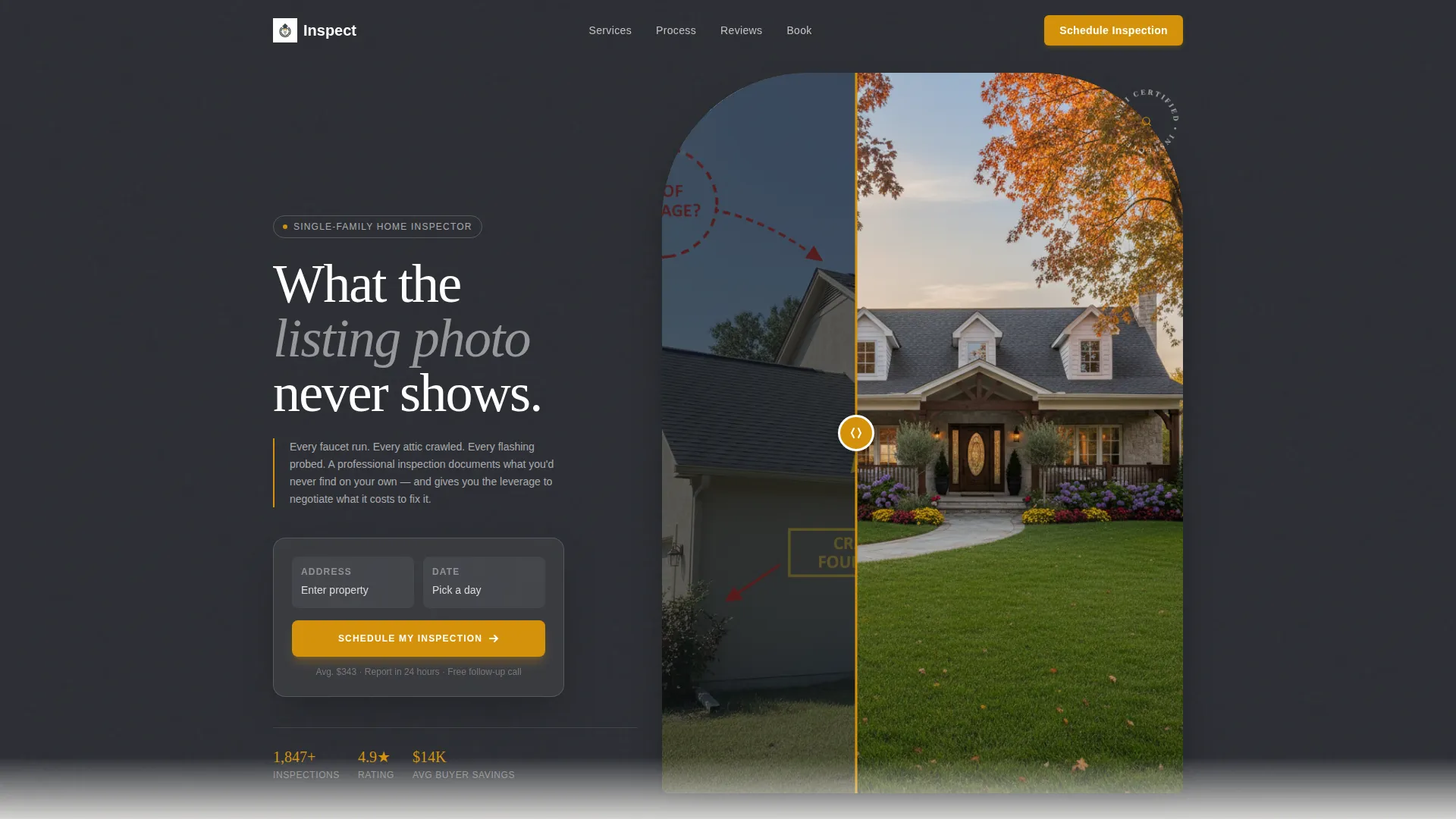
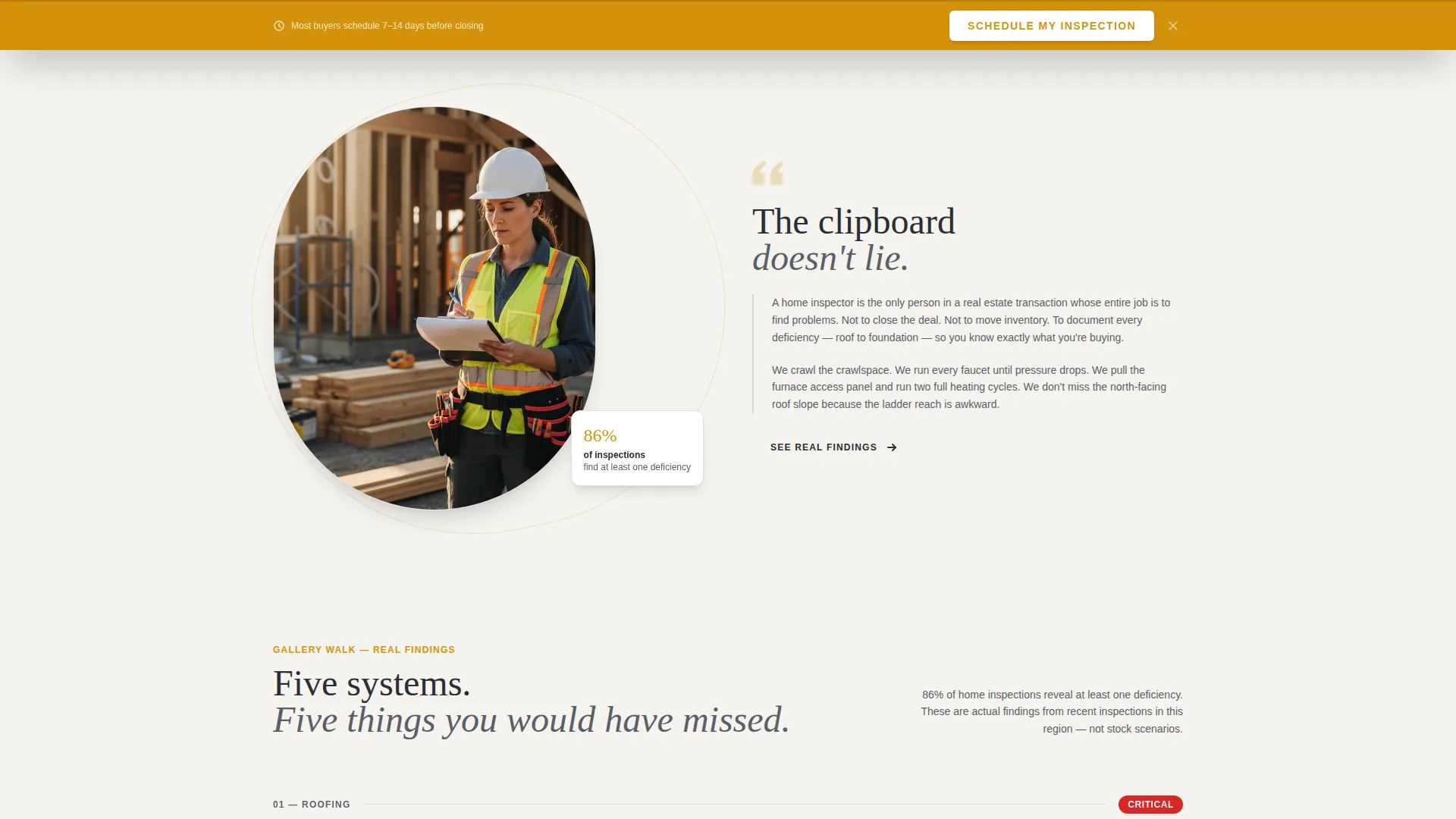
Inspect is a focused landing page template designed for single-family home inspectors. It opens with a Before/After Slider that immediately shows visitors the difference between a listing photo and a professionally annotated inspection view. From there, a Gallery Walk layout guides each visitor through real inspection categories, building trust with every scroll. The sticky scheduling bar keeps the booking call to action visible throughout.
Who this template is for
This template is built for inspection professionals who want a page that matches the seriousness of their work. It speaks directly to the audiences an inspector already serves every day.
- First-time home buyers who need to trust an inspector before closing day
- Real estate agents who recommend inspectors and protect their referral reputation
- Home sellers who want to identify issues before a buyer's inspector finds them
What problem this template solves
Most inspector websites look generic and fail to communicate the real value of a thorough inspection. A vague service page does not convert a nervous first-time buyer into a booked appointment.
- Visitors leave without understanding what an inspector actually finds and flags
- There is no visual proof of expertise, so trust takes longer to build
- Inspectors lose leads to competitors whose pages feel more credible and organized
What you get with this template
This template delivers a complete, conversion-focused landing page built around the inspection profession. Every section is designed to inform, reassure, and move visitors toward booking.
- A Before/After Slider header that contrasts a listing photo with annotated inspection callouts
- A five-category Gallery Walk layout covering roof, foundation, electrical, plumbing, and HVAC
- A sticky amber scheduling bar with a property address field, square footage selector, date picker, and add-on service toggles
- A secondary PDF gate offering a downloadable sample inspection report for visitors still comparing inspectors
Feature list
This template is built with practical, inspection-specific components that serve both the visitor experience and the inspector's business goals.
Before/After Inspection Slider
The header uses a drag-reveal slider to contrast a polished listing photo with an annotated version of the same image. Amber callout circles mark deteriorated caulking, moisture readings, and outdated electrical panels. The contrast is immediate and builds the case for professional inspection before a visitor reads a single word.
Gallery Walk Layout
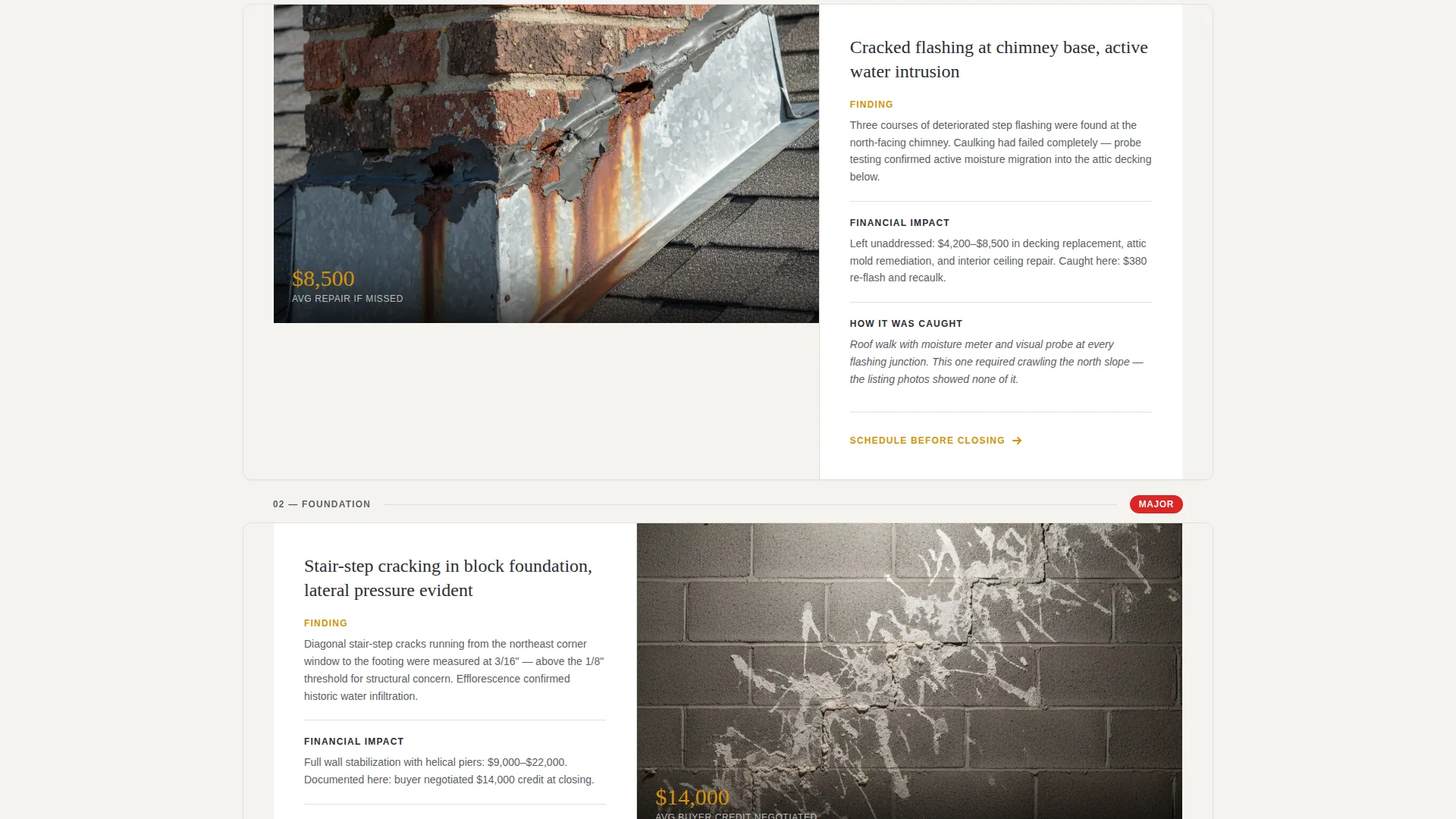
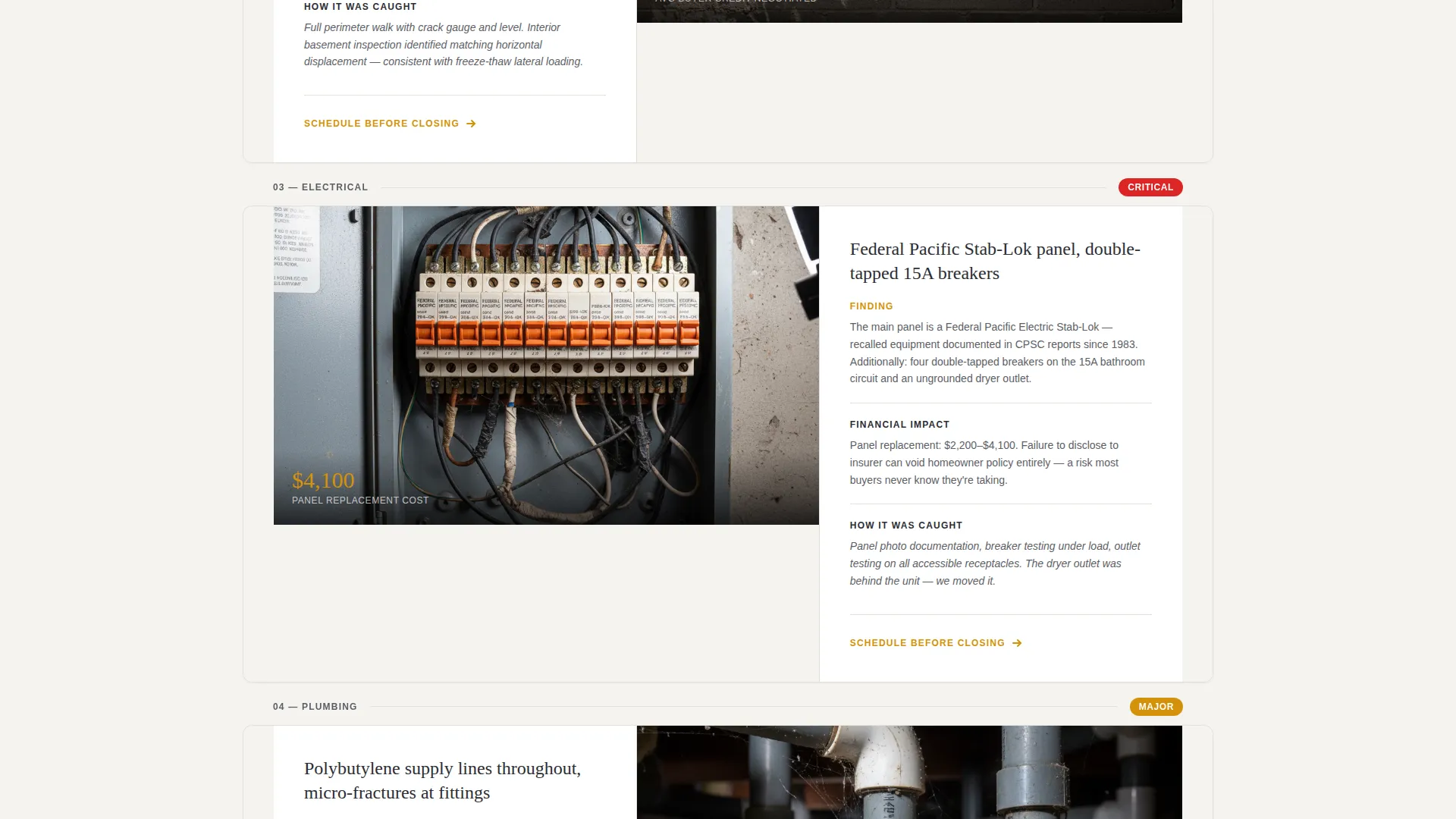
Each scroll section presents one inspection category as its own visual exhibit inside the 60/40 asymmetric grid. The larger panel holds a high-resolution close-up photo of an actual finding. The narrower panel carries a short narrative explaining what was found, what it costs if ignored, and how a professional caught it.
Sticky Scheduling Bar
After the second gallery section, a persistent amber bar anchors the primary call to action at the top of the viewport. It holds the "Schedule My Inspection" form with address autofill, a square footage range selector, a calendar date picker, and toggles for add-on services including radon testing, sewer scope, and thermal imaging.
Sample Report PDF Gate
Visitors who are still comparing inspectors can request a downloadable sample report by entering their email address. The gate captures a qualified lead while giving the visitor instant proof of the inspector's documentation standard.
Asymmetric 60/40 Grid
The layout gives the dominant panel to high-resolution photography and reserves the narrower panel for concise, purposeful copy. This balance keeps the page visually compelling without sacrificing the narrative that builds credibility.
Corporate Precision Color System
The charcoal, amber, and concrete-white palette communicates authority without feeling cold. Amber drives action on buttons and hover states. Charcoal anchors headings and backgrounds. Concrete white keeps content panels clean and easy to read.
Page sections overview
| Section | Purpose |
|---|---|
| Before/After Slider Header | Contrast listing photo with annotated inspection callouts |
| Roof Gallery Section | Showcase roofline findings with financial context |
| Foundation Gallery Section | Present structural observations and their implications |
| Electrical Gallery Section | Highlight outdated or unsafe panel findings |
| Plumbing Gallery Section | Display corroded joints and moisture issues |
| HVAC Gallery Section | Reveal cracked heat exchangers and system failures |
| Sticky Scheduling Bar | Keep primary booking form visible after second gallery |
| Schedule Inspection Form | Collect address, square footage, date, and add-ons |
| Sample Report Download | Capture emails with a PDF inspection report gate |
Design & branding system
The visual identity follows a Corporate Precision theme. Every design choice reinforces the inspector's role as a meticulous, documentation-driven professional.
- Deep charcoal (#2B2D33) anchors primary backgrounds and typography for a weighty, authoritative feel
- Warm amber (#D4920B) drives all action elements including buttons, callout icons, and hover states
- Clean concrete white (#F4F3EF) keeps content panels open and easy to read, while mid-tone graphite (#5C5E66) handles secondary text and divider lines
Mobile & speed optimization
The template is structured for clean rendering across screen sizes. The Gallery Walk layout and sticky bar are both designed with smaller viewports in mind.
- The 60/40 grid adapts to a single-column stack on mobile without losing the photo-to-narrative pairing
- The sticky scheduling bar remains accessible on touch devices so the booking path is never buried
- High-resolution gallery images are framed to stay impactful at reduced sizes without losing the detail that makes each finding credible
How this template helps you convert
Every design and copy decision in this template serves one outcome: turning a curious visitor into a booked inspection or a captured lead.
- The Before/After Slider creates an immediate emotional hook. Visitors see exactly what they would miss without a professional inspector, before they scroll past the header.
- The Gallery Walk builds cumulative trust. Each inspection category adds another layer of proof, so by the time a visitor reaches the scheduling form, the value of the service feels undeniable.
- The dual conversion path serves both ready buyers and cautious researchers. The sticky bar catches visitors ready to book, while the sample report gate captures those who need more time to decide.
Other information about this template
This template is a strong fit for independent home inspectors looking to establish a credible online presence without starting from a blank canvas. It is also well-suited for small inspection firms that want a professional page that reflects the precision of their work.
- The template is built as a single landing page, making it straightforward to launch and maintain
- The Gallery Walk creative direction works especially well for inspectors who have real job-site photography to use
- The add-on service toggles in the scheduling form support inspectors who offer radon testing, sewer scope, or thermal imaging as separate service options
- The sample report PDF gate gives inspectors a simple way to demonstrate their documentation quality to visitors who are comparing multiple providers
Theme
Executive Suite
Creative direction
Gallery Walk
Color system
Navy Authority
Style
Gallery + Detail
Direction
Direct Sales
Page Sections
Before/after Inspection Slider
Gallery Walk Section Layout
Sticky Booking Scheduling Bar
Sample Report PDF Gate
Asymmetric 60/40 Grid
Corporate Precision Color System
Related questions
Can I customize the inspection categories shown in the gallery sections?
Do I need professional job-site photos to use this template?
How does the sample report PDF gate work?
Can I edit the add-on service toggles in the scheduling form?
Is this template suitable for a home inspection company rather than a solo inspector?



