Duplex & Multi-Family Real Estate Appointment Booking Website Template
Inspect is a single-page landing page template built for duplex and multi-family property inspection services. It opens with an interactive service-area map, then walks visitors through escalating visual case studies in a zigzag layout. Every section builds trust unit by unit, guiding house-hackers, remote investors, and property managers toward booking a thorough inspection before the deal closes.
by Rocket studio
Quick summary
Inspect is a focused landing page template for specialists who inspect duplexes, triplexes, and fourplexes before ownership changes hands. The design opens on an interactive map, then unrolls a gallery-style scroll of real inspection scenarios. A repeating booking call-to-action and a checklist download keep two conversion paths open at all times.
Who this template is for
This template is built for small multi-family property inspection businesses. It speaks directly to the clients those businesses serve every day.
- House-hackers buying their first owner-occupied duplex who need a specialist, not a generalist home inspector.
- Out-of-state investors acquiring small portfolios sight-unseen who can't walk the building themselves.
- Property managers inheriting a building they have never personally toured and need a documented baseline.
What problem this template solves
General-purpose inspection websites rarely communicate the specific complexity of shared walls, split utility meters, or aging fire separations. Buyers and investors land on those pages and still can't tell if the inspector understands multi-family construction. This template solves that credibility gap visually and structurally.
- It shows unit-by-unit inspection depth through escalating visual case studies rather than just listing services.
- It removes friction from booking by surfacing an inline scheduling module before the visitor has finished reading.
- It captures lower-intent visitors through a downloadable checklist, so no prospect leaves empty-handed.
What you get with this template
You get a fully structured single-page layout designed for one purpose: converting visitors who need a duplex or multi-family property inspection into confirmed bookings. Every section is production-ready and built around the editorial logic of an inspection report.
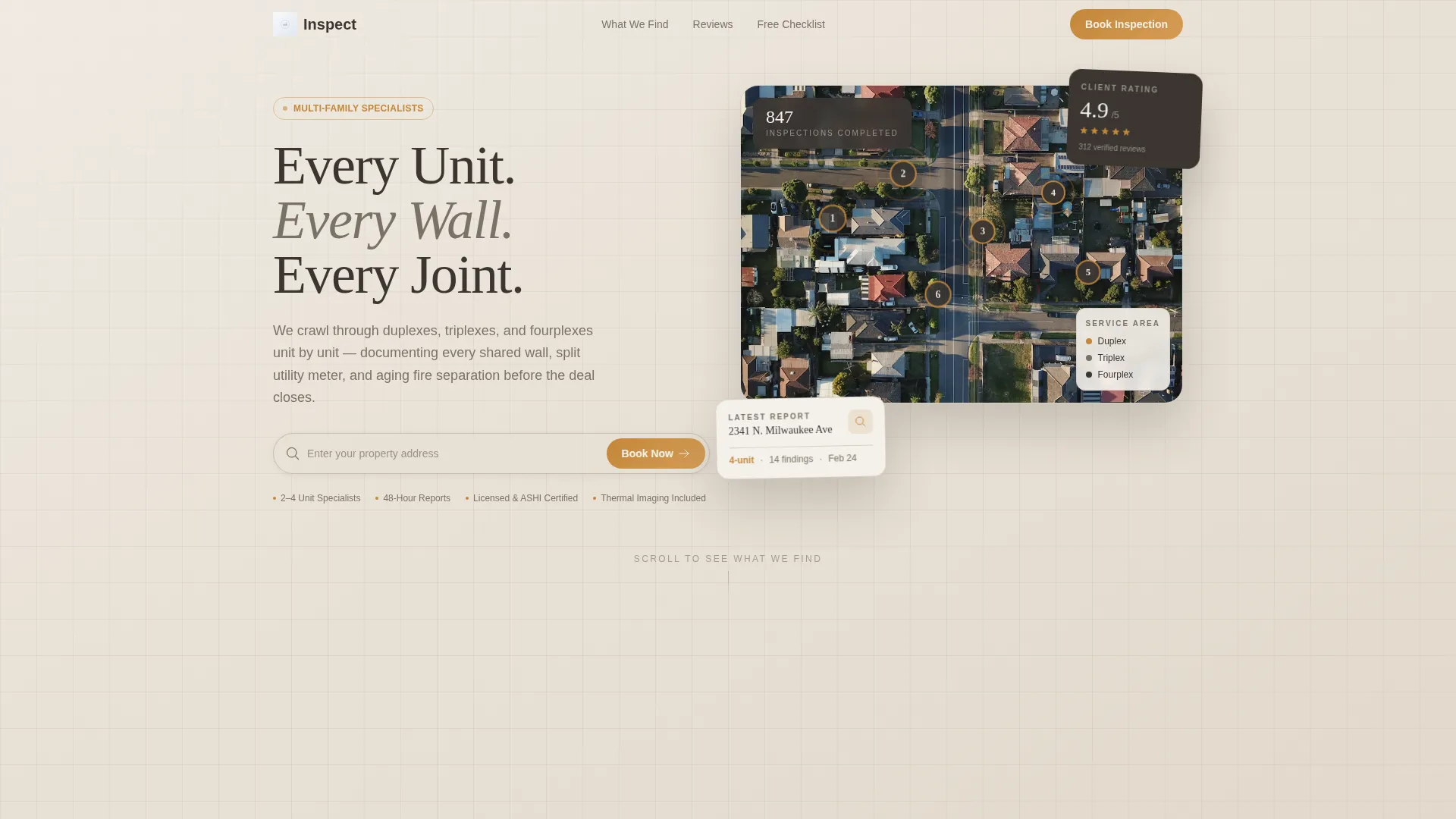
- An interactive service-area map header with address search, pulsing neighborhood pins, and property-type thumbnails on hover.
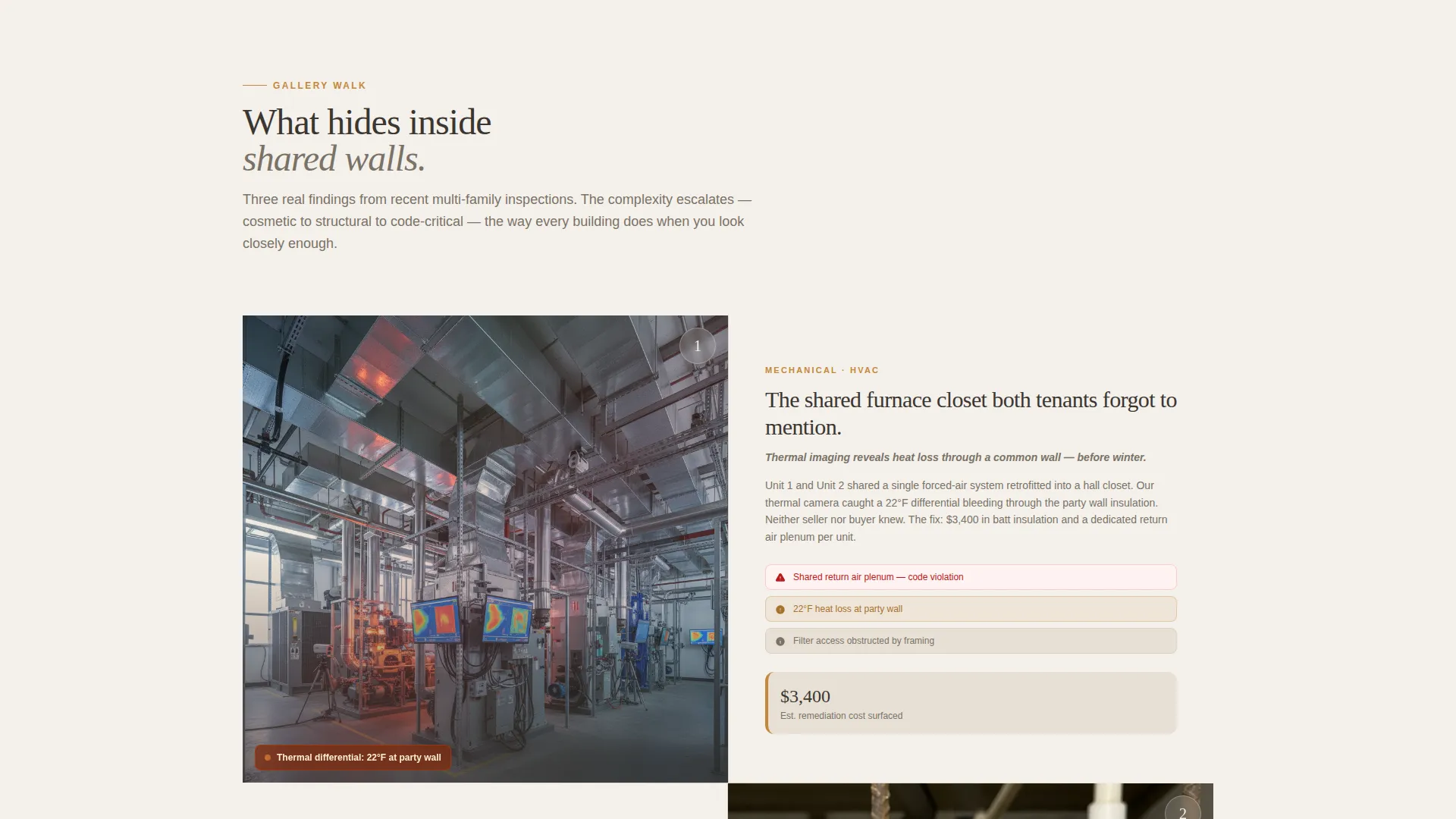
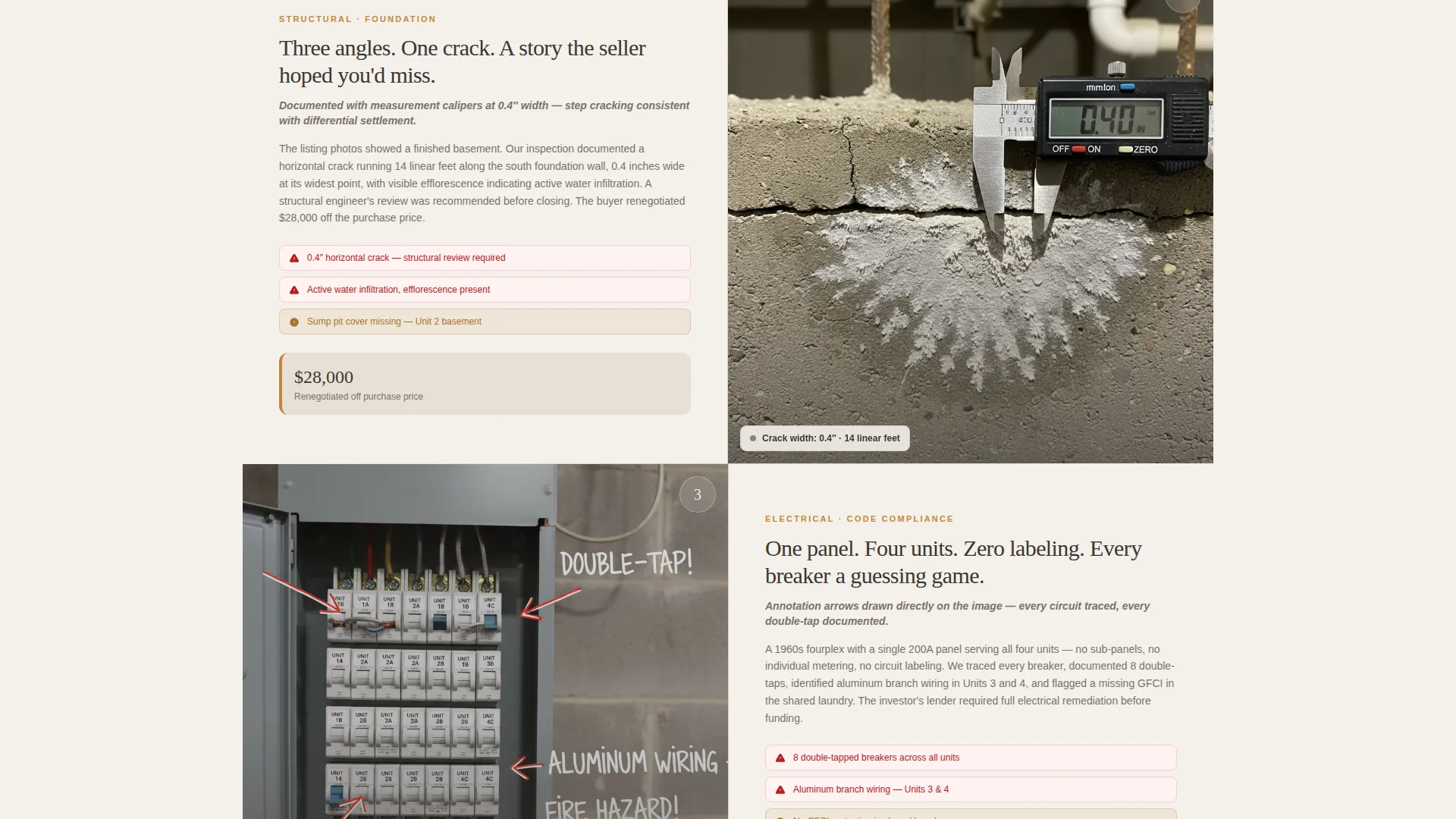
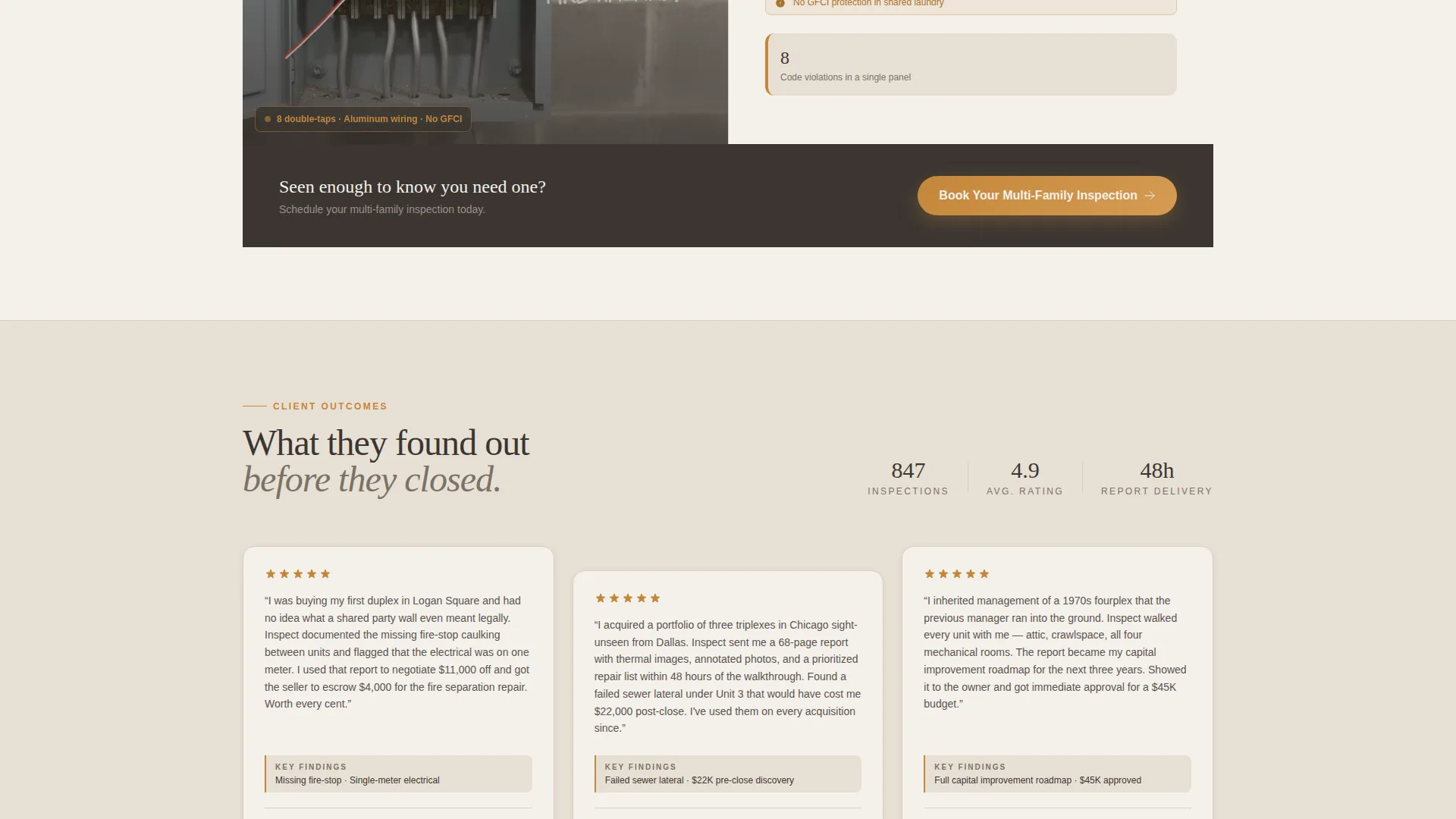
- A zigzag gallery of escalating inspection scenarios, alternating photo-left and photo-right down the page.
- An inline scheduling module, a secondary checklist lead capture, and a repeating primary call-to-action block.
Feature list
This template is built around a specific set of components drawn directly from the inspection service brief. Each one serves a deliberate role in the visitor's decision journey.
Interactive Service-Area Map Header
The header renders a warm-stone-toned map pinned with numbered inspection markers across neighborhoods and zip codes. Each pin pulses subtly. Hovering reveals a thumbnail of the property type and unit count inspected. An address search bar overlays the map so the transaction starts before the visitor scrolls.
Zigzag Visual Case Study Sections
Each alternating section presents a single inspection scenario as a framed visual case study. Scenarios escalate from cosmetic to structural to code-critical as the visitor scrolls. Sections alternate photo-left and photo-right to keep the layout dynamic and easy to follow.
Inline Scheduling Module
Clicking the primary call-to-action opens a scheduling form directly on the page. The form asks for property address, unit count via dropdown (2, 3, or 4 or more units), preferred inspection date, and the visitor's role as buyer, seller, or property manager.
Repeating Primary Call-to-Action
The "Book Your Multi-Family Inspection" button appears first inside the map header. It then repeats after every third zigzag section. This cadence re-engages visitors at natural scroll pauses without feeling aggressive.
Checklist Lead Capture
A secondary conversion path offers a downloadable multi-family inspection checklist. Visitors receive the checklist after entering their email address. This gives the page a softer conversion option for visitors who are not yet ready to book.
Warm Stone Visual Identity
The Corporate Precision color system uses limestone cream, mortar gray, foundation charcoal, and fired-brick amber. Amber is reserved for buttons, callout borders, and hover states. The palette communicates structural authority without feeling cold or clinical.
Page sections overview
| Section | Purpose |
|---|---|
| Map Header | Establish service area and open the booking path immediately |
| Address Search Bar | Let visitors confirm coverage before reading further |
| Inspection Scenario One | Show shared HVAC complexity with thermal imaging overlay |
| Inspection Scenario Two | Document foundation cracks with measurement detail visible |
| Inspection Scenario Three | Present unit-by-unit electrical panel with annotation arrows |
| Primary call to action Block | Repeat the booking call-to-action at natural scroll intervals |
| Checklist Capture | Offer a lead magnet for visitors not ready to book |
| Final call to action Section | Close the page with a confident last booking prompt |
Design & branding system
The template follows a Corporate Precision theme built on a Warm Stone color system. The palette is drawn from masonry materials: warm, load-bearing, and precise in every detail.
- Core colors are limestone cream (#E8E0D5), mortar gray (#7A7267), foundation charcoal (#3B3632), and fired-brick amber (#C4873B).
- Amber is used exclusively for buttons, callout borders, and hover states to maintain visual hierarchy.
- The overall feel is a freshly bound inspection report on a granite countertop: substantial, thorough, and impossible to second-guess.
Mobile & speed optimization
The zigzag layout and map-based header are structured to reflow cleanly on smaller screens. The alternating sections stack vertically on mobile without losing the escalating narrative rhythm.
- Zigzag sections convert to a stacked single-column format on mobile devices, keeping images and text readable at any screen size.
- The inline scheduling module is sized and spaced for touch input, making it easy to complete a booking on a phone.
- The map header is designed to resize and remain functional on mobile, with the address search bar staying prominent and accessible.
How this template helps you convert
Every layout decision in this template is made in service of one outcome: a confirmed inspection booking from a visitor who now understands what they would miss without a specialist.
- The map header creates immediate relevance by centering the visitor's own neighborhood, so trust is established before a single line of body copy is read.
- The escalating visual case studies build a layered argument, moving from cosmetic findings to structural issues to code-critical problems, so by the final call-to-action the visitor is not buying an inspection but buying certainty.
- The two-path conversion structure means both ready-to-book visitors and early-stage researchers have a clear next step, reducing the chance of leaving without an interaction.
Other information about this template
This template is designed as a single landing page, not a multi-page site. It suits inspection businesses that want a focused, campaign-ready web presence for their duplex and multi-family services.
- The template is built for the duplex and multi-family real estate niche, covering inspection scenarios specific to two-to-four-unit residential properties.
- It is structured to support direct sales as the primary conversion goal, with lead generation as a parallel secondary path through the checklist download.
- The Full-Width Immersive template style means the map header, case study images, and call to action blocks span the full browser width for maximum visual impact.
- Customization points include the map markers and zip codes, the inspection scenario photography, the checklist file, and the scheduling form field labels.
Theme
Executive Suite
Creative direction
Spatial & Architectural
Color system
Midnight Blue
Style
Full-Width Immersive
Direction
Lead Generation
Page Sections
Interactive Service-area Map Header
Zigzag Visual Case Study Layout
Inline Booking Scheduling Module
Repeating Call-to-action Cadence
Checklist Lead Capture Path
Corporate Precision Warm Stone Branding
Related questions
Who is this landing page template designed for?
Can I use this template for a general home inspection business?
What conversion paths does this landing page include?
How many times does the primary call-to-action appear on the page?
Can the color palette and inspection scenarios be customized?



