Co-op Housing Real Estate Booking Website Template
Inspect is a co-op housing inspection landing page built for property professionals who need to win trust fast. A live cost estimator opens the page, stat-forward cards build credibility as you scroll, and a sticky booking bar keeps the call to action always within reach. The layout turns your expertise into a structured, evidence-first client experience.
by Rocket studio
Quick summary
Inspect is a single-page template for cooperative building inspectors. It opens with an interactive estimator, moves through a stat-driven card grid, and closes with an inline scheduling flow. Every section is designed to convert a skeptical board president or managing agent into a confirmed booking without a single unnecessary click.
Who this template is for
This template is built for real estate and property professionals who operate at the high-stakes intersection of physical inspections and legal closings. If your clients expect precision and your reputation depends on delivering it, this layout was made for you.
- Co-op board presidents and managing agents who oversee multi-building portfolios
- Real estate attorneys who require a complete physical report before a transfer closes
- Independent co-op housing inspectors ready to present a polished, client-facing web presence
What problem this template solves
Most inspection service pages bury the offer under paragraphs of text. Potential clients arrive with a specific question and leave without an answer. This template flips that experience by leading with the tool and the numbers before asking for any commitment.
- Visitors cannot quickly gauge cost or scope, so they leave without booking
- Inspectors with deep experience lack a layout that communicates that expertise at a glance
- The booking step feels disconnected from the research step, causing drop-off before scheduling
What you get with this template
You get a fully structured landing page that moves a visitor from first impression to confirmed appointment in one uninterrupted scroll. Every section earns the next one.
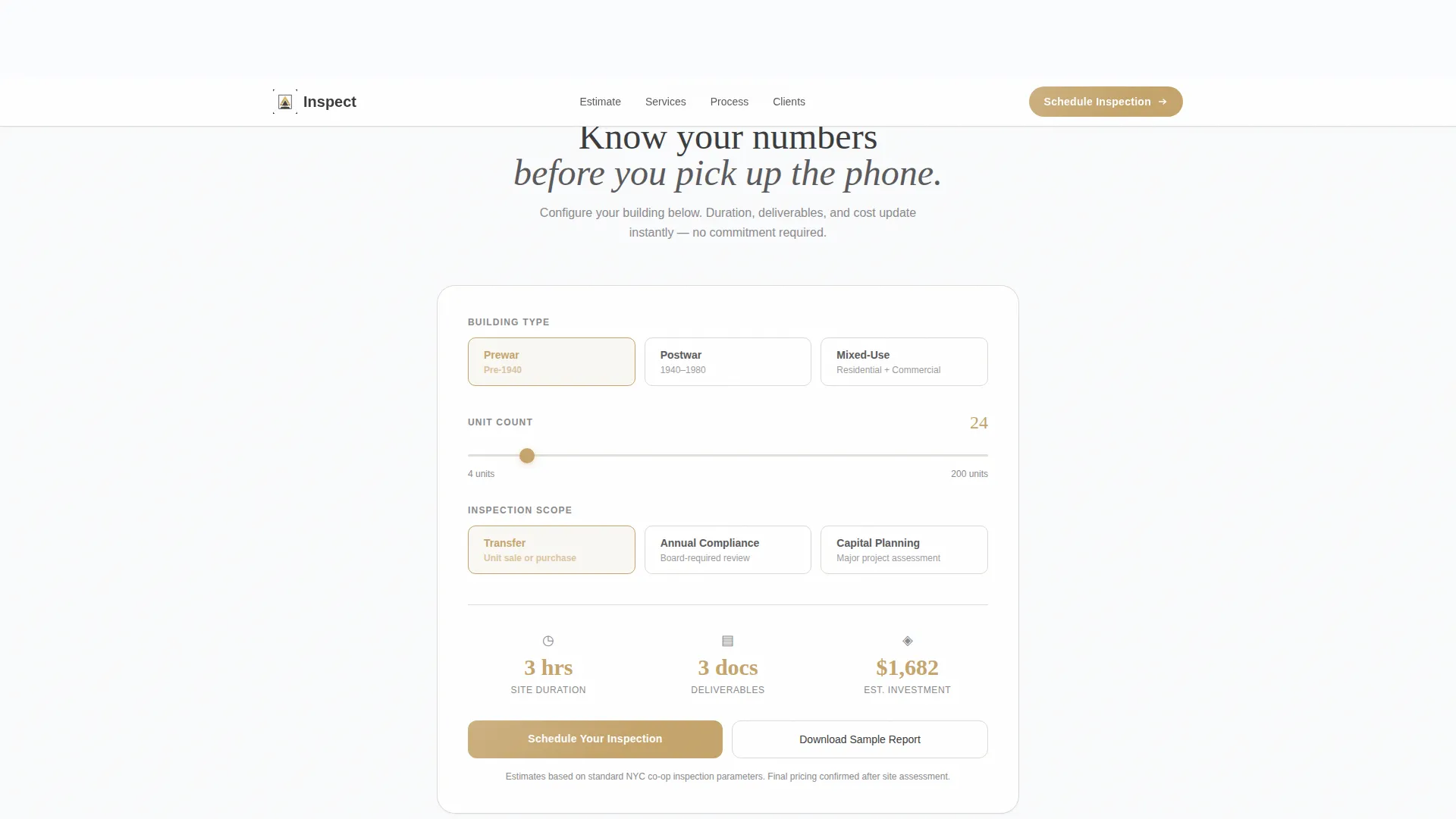
- An interactive estimator module at the top that calculates duration, deliverables, and approximate cost in real time
- A modular card grid leading with oversized statistics, followed by service cards with scope details and booking buttons
- A sticky scheduling bar, an inline calendar flow, and a secondary email-capture path for leads not yet ready to book
Feature list
This template is built around purposeful components, not decorative ones. Each feature below is drawn directly from the layout structure described in the brief.
Live Inspection Cost Estimator
Visitors select building type, enter unit count using a minimal slider, and choose an inspection scope. The tool instantly displays estimated inspection duration, deliverable count, and approximate cost in brushed-gold numerals. No form submission required to see results.
Stats-First Card Grid
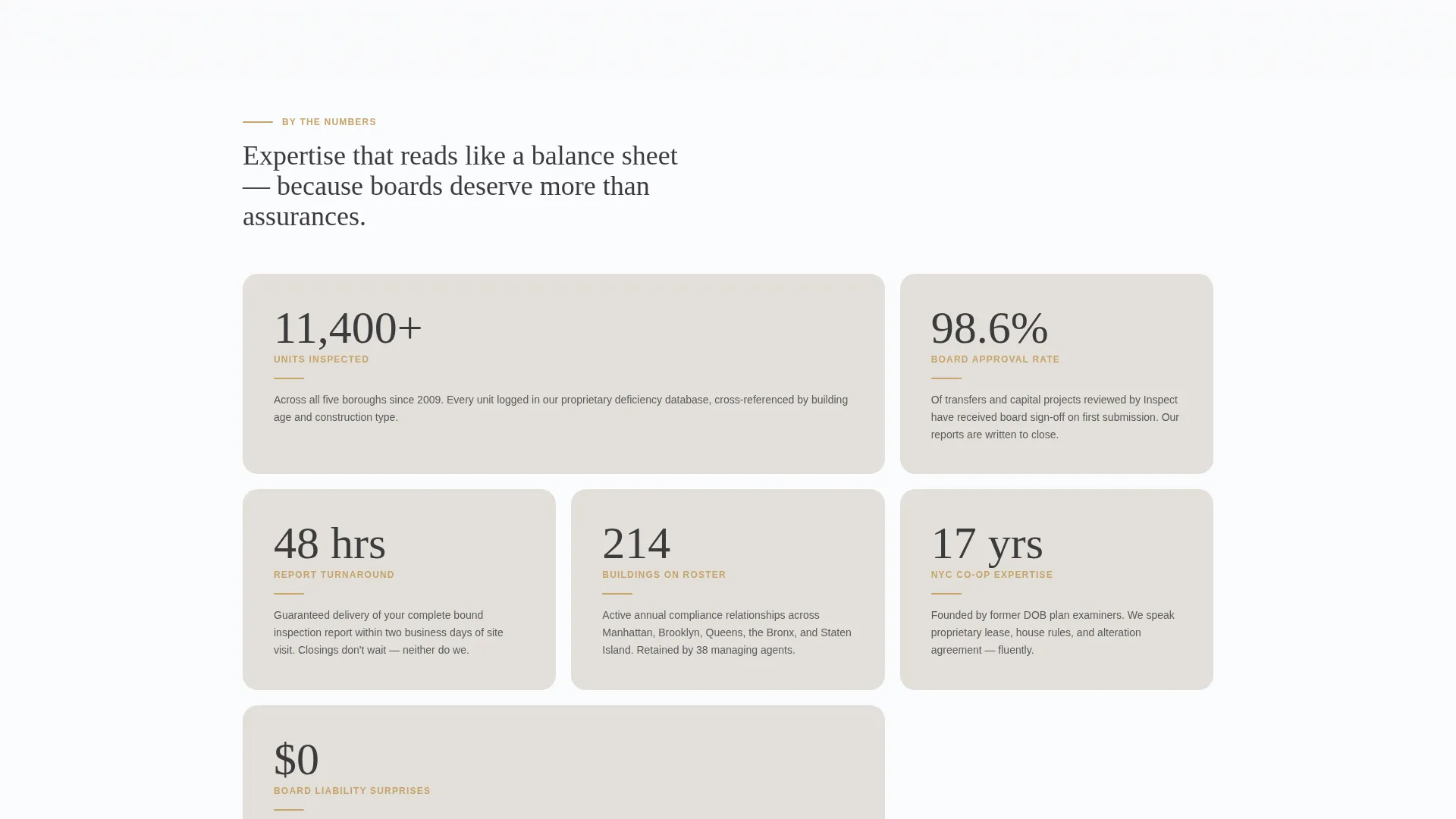
Each card in the modular grid opens with one oversized data point rendered in muted charcoal on plaster gray. Cards for stats such as units inspected, board approval rate, report turnaround time, and borough coverage appear in a staggered scroll sequence that builds a cumulative evidence wall.
Service Cards with Booking Buttons
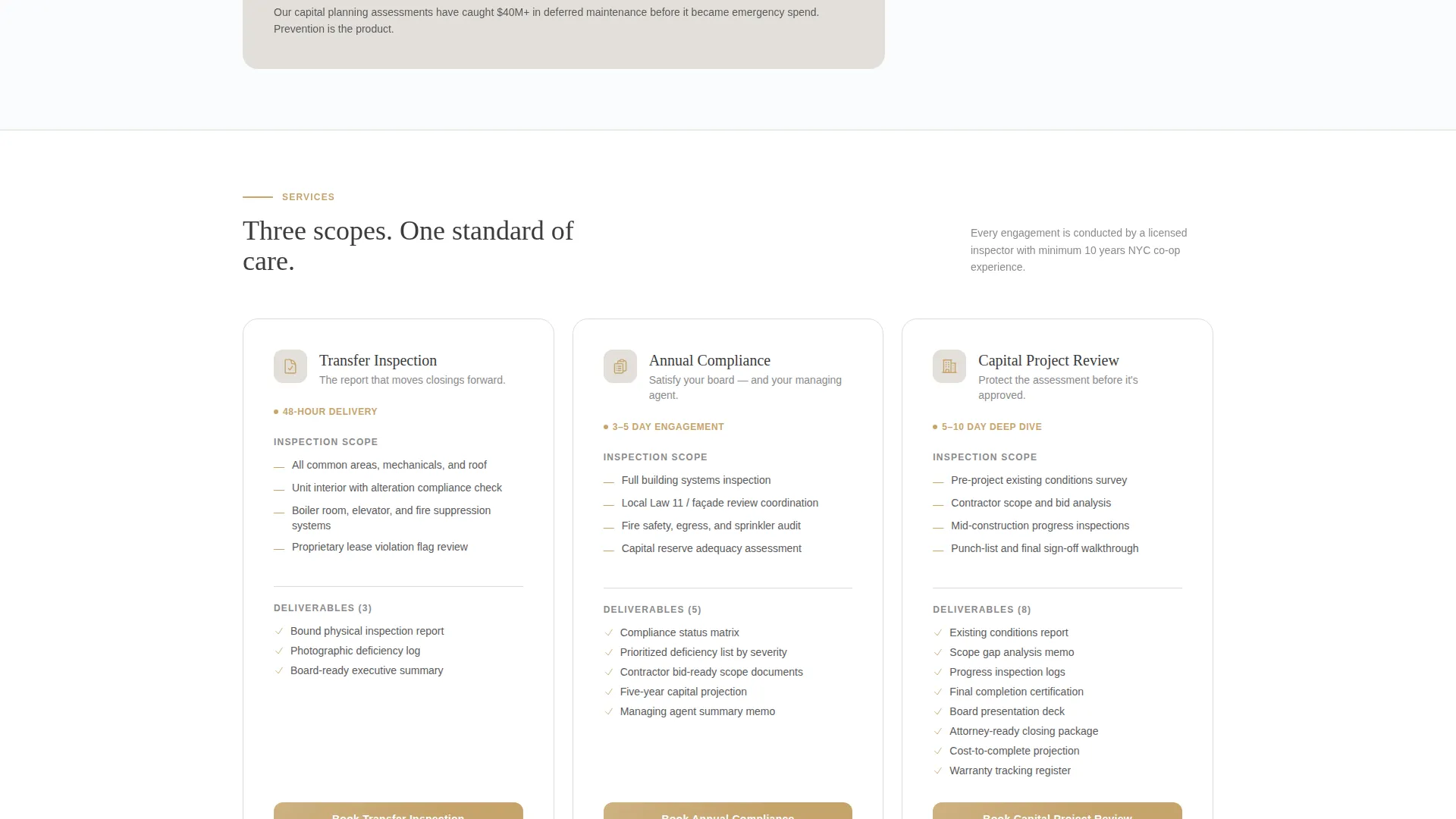
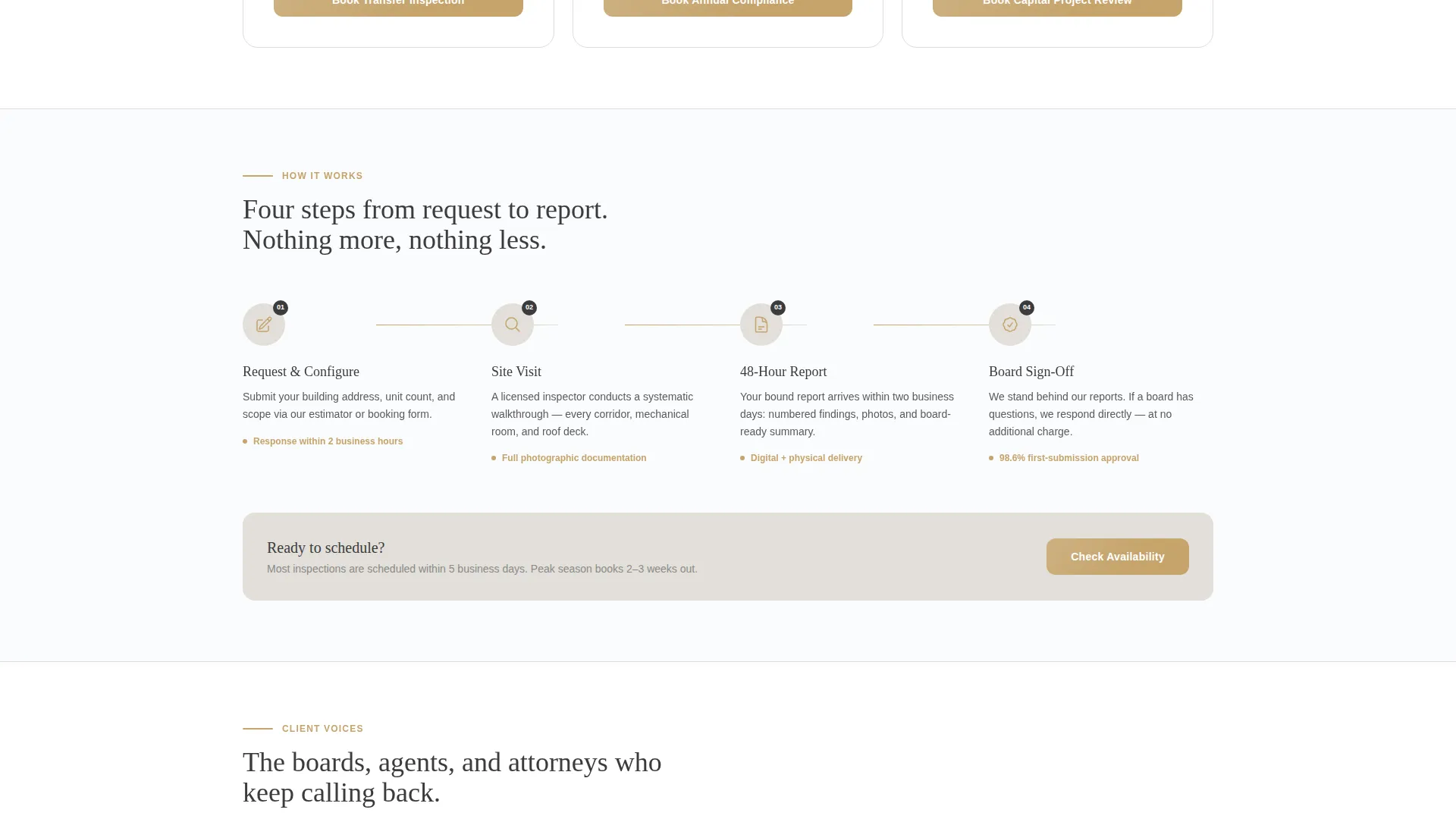
After the stat cards, the grid shifts to service-focused cards covering Transfer Inspection, Annual Compliance, and Capital Project Review. Each card displays scope, timeline, and a gold-accented booking button to move the visitor directly into the scheduling flow.
Sticky Scheduling Bar
A persistent bottom bar activates once the visitor scrolls past the estimator. It anchors the primary call to action throughout the rest of the page, keeping "Schedule Your Inspection" visible without interrupting content consumption.
Inline Calendar and Booking Flow
Clicking the scheduling call to action opens an inline calendar showing available two-week windows. Three pre-filled fields follow: building address, managing agent name, and inspection type. If the visitor used the estimator, the inspection type field populates automatically.
Secondary Lead Capture Path
Visitors who are not ready to book can download a sample report. This path captures an email address and keeps those leads within reach for a future follow-up without requiring a full scheduling commitment.
Page sections overview
| Section | Purpose |
|---|---|
| Estimator Header Module | Lets visitors calculate inspection scope and cost before reading anything else |
| Stats Card Grid | Builds trust through quantified evidence displayed in a staggered card sequence |
| Service Cards Row | Presents Transfer, Annual, and Capital inspection offerings with booking entry points |
| Sticky Booking Bar | Keeps the primary scheduling call to action anchored throughout the scroll |
| Inline Booking Flow | Collects building address, agent name, and inspection type to confirm an appointment |
| Sample Report Capture | Offers a secondary conversion path for leads not yet ready to schedule |
Design & branding system
The visual identity follows a Luxe Minimal theme built on the Cloud Canvas color system. The palette draws from the atmosphere of a well-maintained prewar cooperative lobby.
- Core palette: gallery white (#FAFBFC), soft plaster gray (#E2DFD9), and muted charcoal (#3B3B3D) carry all structural elements
- Brushed gold (#C5A46C) is reserved exclusively for interactive elements, hover states, cost numerals, and booking buttons
- No stock photography or hero imagery is used; the estimator tool serves as the sole first impression and establishes competence through interaction
Mobile & speed optimization
The layout is designed with a clean, minimal structure that naturally supports smaller screen sizes. Modular card grids and centered form elements adapt well to narrow viewports without losing hierarchy.
- The estimator module, slider input, and animated cost display are centered layouts that reflow cleanly on mobile screens
- The sticky bottom bar remains functional and visible on touch devices, keeping the booking call to action accessible throughout the scroll
- Minimal imagery and a contained component set reduce visual noise on smaller screens and support faster perceived load times
How this template helps you convert
The page is engineered so every section reduces doubt and increases readiness to book. The conversion logic is sequential and deliberate.
- The estimator at the top gives visitors a personalized number before they read a single marketing claim, which builds immediate relevance and signals professional precision
- The stat card grid replaces vague authority statements with specific, quantified proof points that accumulate as the visitor scrolls, making expertise feel self-evident
- The sticky scheduling bar and pre-filled inline booking flow remove friction at the moment of decision, so the step from interest to confirmed appointment requires minimal effort
Other information about this template
This template sits within the Real Estate and Property category, specifically targeting the co-op housing real estate subcategory. It is well suited to inspectors operating across dense urban markets where board oversight, transfer compliance, and capital planning are regular client needs.
- The creative direction is Stats-First Impact, meaning the layout prioritizes demonstrated proof over persuasive prose
- The landing page direction is built for direct sales, guiding visitors toward a booking rather than a content browse
- This template pairs well with professional service positioning in markets where co-op boards, managing agents, and real estate attorneys need to assess inspector credibility quickly before engaging
Theme
Corporate Precision
Creative direction
Stats-First Impact
Color system
Navy Authority
Style
Split Screen (50/50)
Direction
Direct Sales
Page Sections
Live Inspection Cost Estimator
Stats-first Modular Card Grid
Service Cards with Scope Details
Sticky Scheduling Call to Action
Inline Calendar Booking Flow
Secondary Email Lead Capture
Related questions
Can I update the stat card values with my own inspection data?
Does the cost estimator need a third-party plugin to function?
Can I remove service cards for inspection types I do not offer?
How does the template handle visitors who are not ready to schedule?
Who is this landing page template best suited for?



