Inspect - Trusted Tinyhome Landing Page Template
Inspect is a single-page landing page built for a one-person tiny home inspection business. It guides first-time buyers, DIY builders, and off-grid buyers through a spatially immersive scroll that mirrors how an inspector moves through a small home. A sticky booking bar, a metrics header, and a guided gallery make it easy to earn trust and capture appointment requests.
by Rocket studio
Quick summary
Inspect is a booking-focused landing page for a solo tiny home inspector. It opens with a live-stats dashboard, then pulls visitors through an architectural gallery that mirrors a real inspection walkthrough. Every section earns trust before asking for a date. The result is a page that converts cautious buyers into confirmed appointments.
Who this template is for
This template is designed for independent tiny home inspectors who work alone and need a professional web presence that matches the depth of their work. It speaks directly to the anxious, the cautious, and the remote buyer.
- First-time tiny home buyers worried about hidden moisture damage or structural problems
- DIY builders who need a code-compliant sign-off before moving their trailer
- Off-grid couples who are closing on a property without an in-person visit
What problem this template solves
Tiny home buyers face a specific fear: spending money on a rubber-stamp inspection that misses the things that matter. A generic inspector website does nothing to dissolve that fear. This template solves the credibility gap before the visitor ever reads the booking form.
- Visitors see proof of thoroughness through an annotated gallery before any call to action appears
- The stats dashboard shows real numbers that replace vague trust signals with hard evidence
- The secondary lead path captures undecided visitors so no potential client is lost
What you get with this template
This template delivers a complete, single-page layout built around one goal: getting a tiny home inspection booked. Every section is intentional and nothing is decorative.
- A sticky emerald booking bar that stays visible after the first scroll
- A metrics header with three oversized counters and generous whitespace
- A spatial gallery with expandable detail panels and annotated blueprint callouts
- A three-field booking form covering home type, zip code, and preferred week
- A secondary email capture path offering a downloadable pre-purchase checklist
Feature list
This template is built around a clear set of components that work together to move a cautious visitor toward booking.
Stats and Metrics Dashboard Header
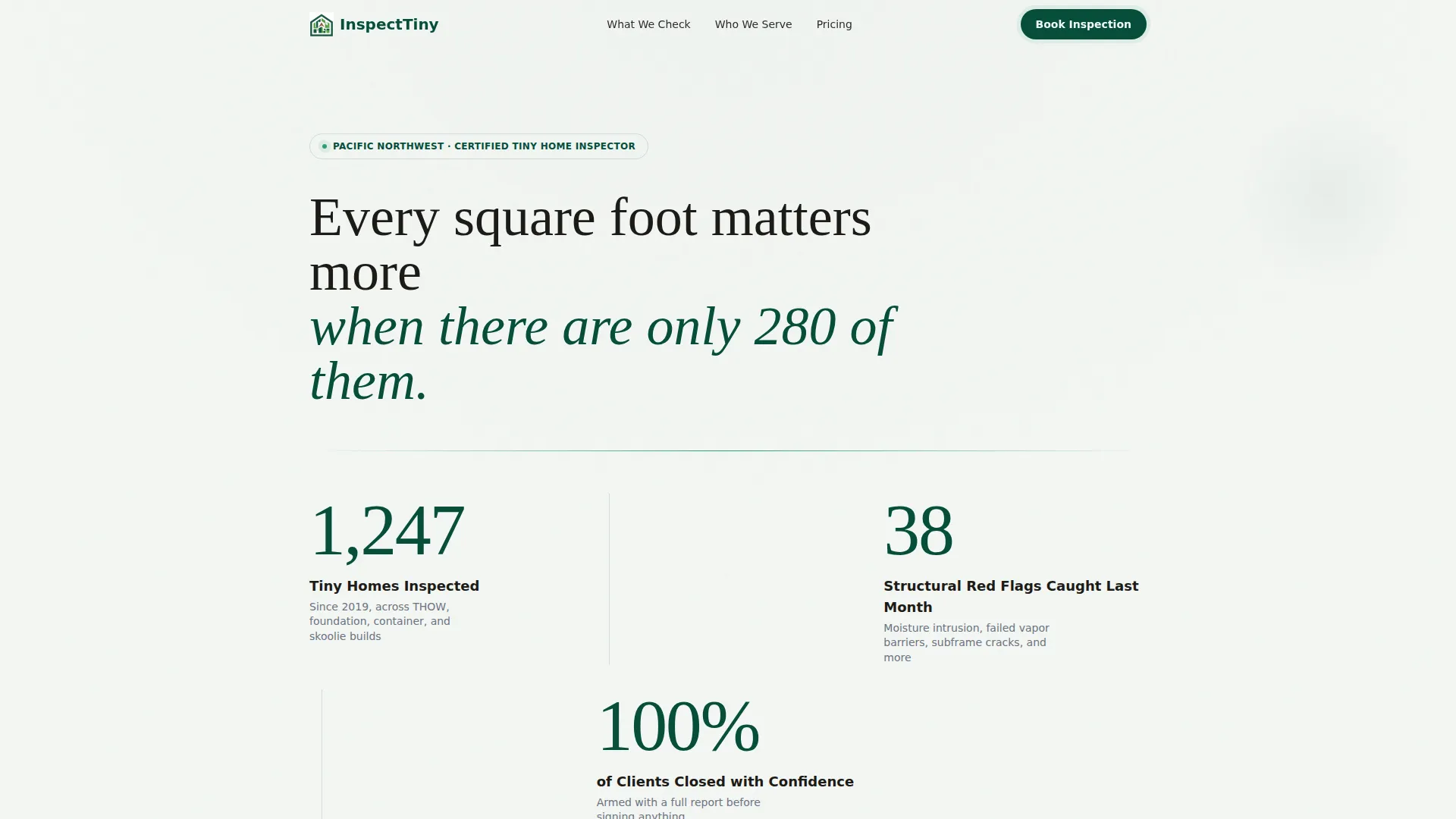
Three oversized counters open the page against a soft fog-white field. Each number sits in a thin architectural sans-serif with generous whitespace and a faint emerald rule beneath. The layout communicates authority before the visitor reads a single line of body copy.
Sticky Booking Bar
A persistent emerald bar anchors the primary call to action after the first scroll. It stays in view as the visitor moves through the gallery, making it effortless to book at any point without scrolling back to the top.
Spatial Architectural Gallery
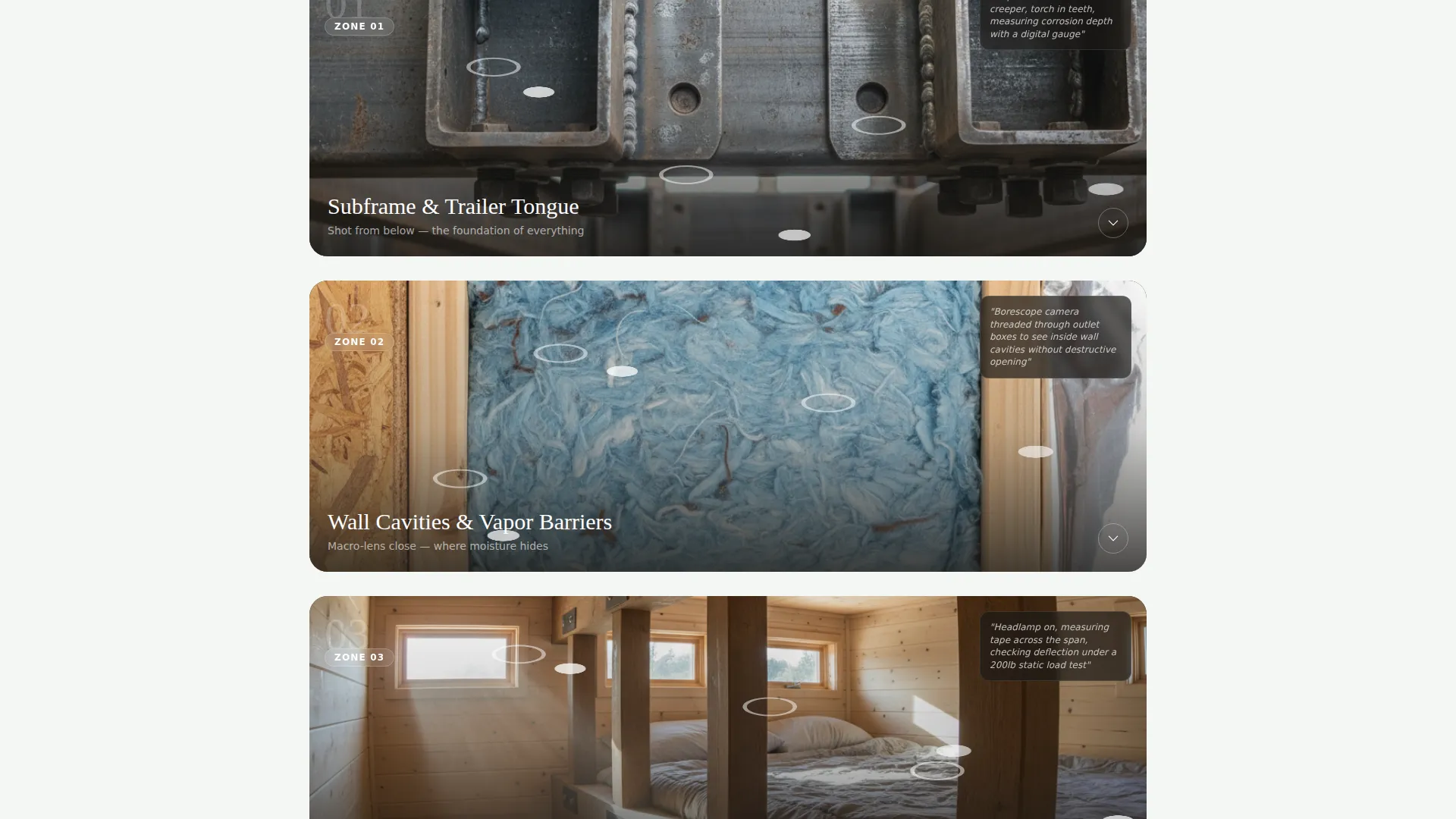
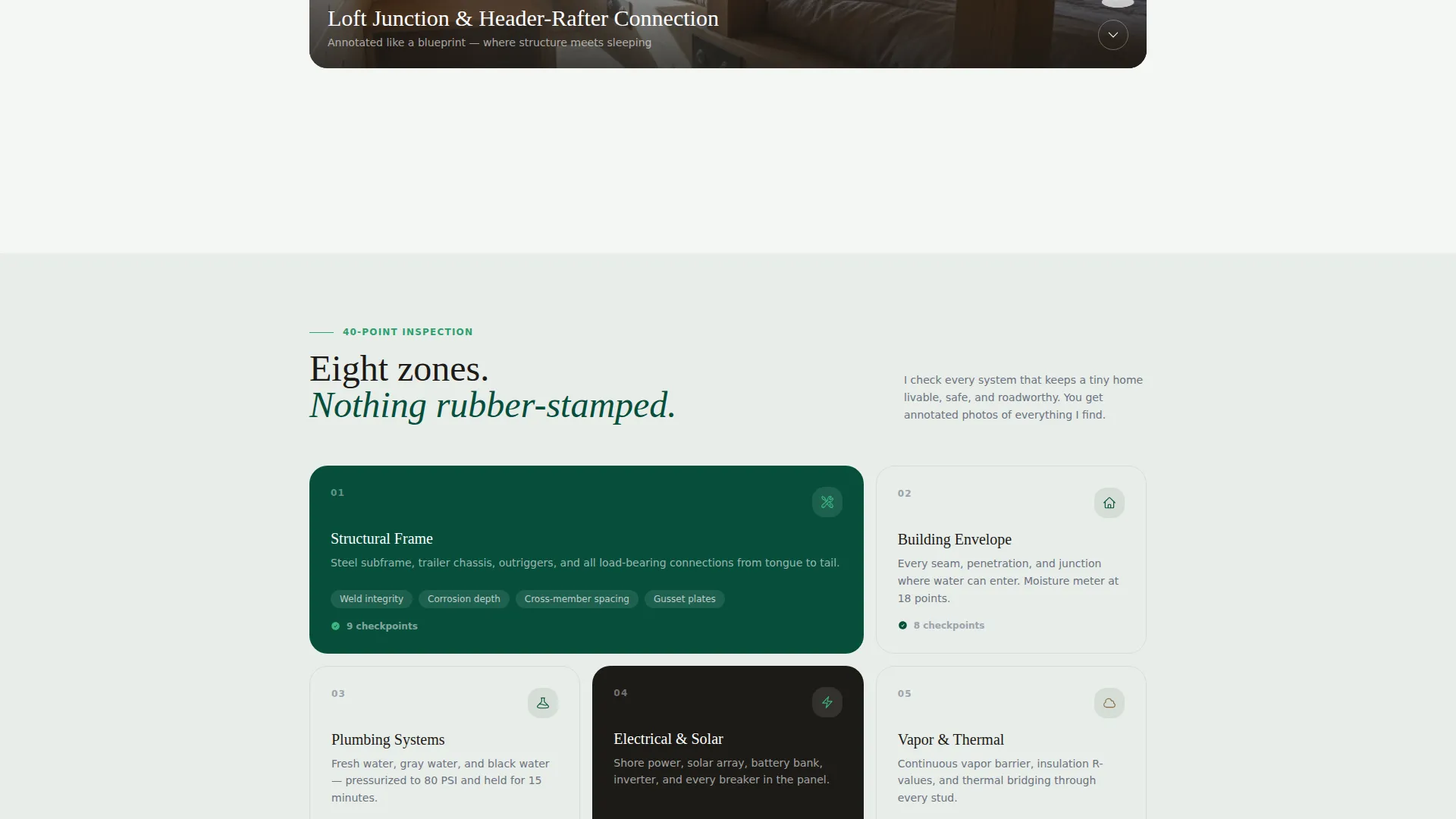
The gallery scrolls visitors through a tiny home the way an inspector actually moves through one. Sections cover the subframe and trailer tongue, wall cavities and vapor barriers, and the loft junction where header meets rafter. Each image expands into a detail panel explaining what is checked and why it fails.
Annotated Blueprint Callouts
Key gallery images include callout lines styled like architectural drawings. These annotations identify specific structural or mechanical points the inspector examines, making the inspection process visible and easy to understand.
Three-Field Booking Form
The primary booking form asks three things in order: home type (tiny home on wheels, foundation, container, or school bus conversion), location zip code, and preferred inspection week. The short form reduces friction without sacrificing the qualification data the inspector needs.
Secondary Checklist Lead Capture
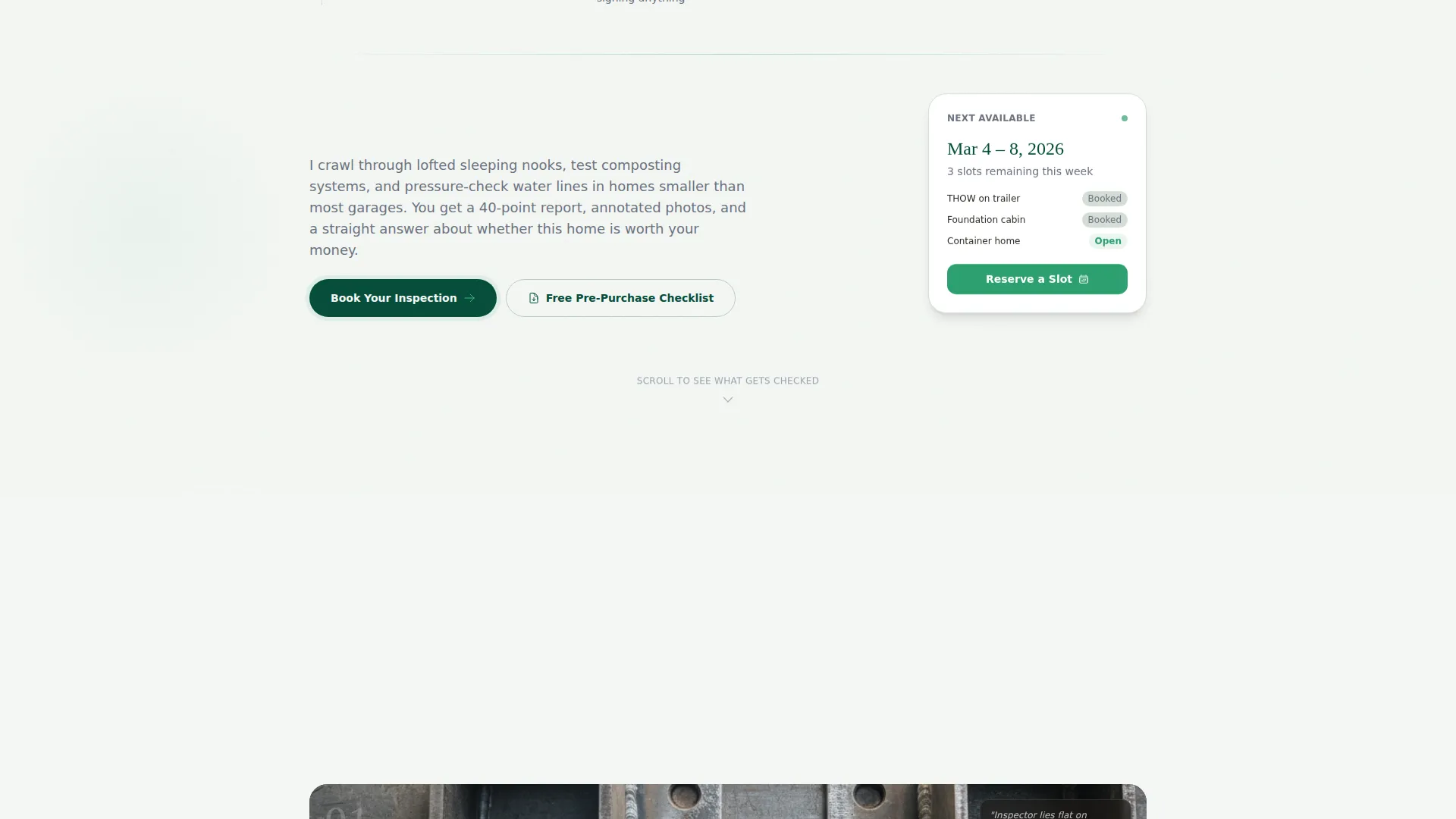
Visitors who are not ready to book are offered a downloadable pre-purchase checklist. This path collects an email address and home type, creating a nurture opportunity for every visitor who leaves without booking.
Page sections overview
| Section | Purpose |
|---|---|
| Stats Dashboard Header | Opens with three inspection counters to establish authority |
| Body Text Tagline | Anchors the emotional value of the inspector's precision |
| Subframe Gallery Panel | Shows the trailer tongue and subframe inspection zone |
| Wall Cavity Panel | Highlights vapor barriers and moisture check areas |
| Loft Junction Panel | Annotated callout view of the header-rafter connection |
| Detail Expand Panels | Each gallery image opens a checklist-style explanation |
| Sticky Booking Bar | Persistent call-to-action bar after first scroll |
| Primary Booking Form | Three-field form for home type, zip, and preferred week |
| Checklist Lead Capture | Secondary path for undecided visitors via email opt-in |
Design & branding system
The visual identity follows a Pastoral Calm theme built on a Dark Emerald color system. The palette feels grounded, natural, and quietly permanent, which matches the inspector's careful, unhurried approach to their work.
- Deep forest canopy (#064E3B) sets the dominant tone for headers and anchoring elements
- Weathered cedar (#8B6F47) and morning fog (#E8EDE9) create warm contrast across text and background fields
- Wild clover (#2D9F6F) drives all buttons, interactive highlights, and the sticky booking bar
- Typography uses a thin architectural sans-serif for counters and headings, keeping the layout open and precise
Mobile & speed optimization
The Spatial and Architectural creative direction is designed to work at every screen size. The scroll-driven layout compresses naturally, keeping the gallery readable and the booking form accessible on smaller devices.
- The sticky booking bar remains visible on mobile screens throughout the scroll
- Gallery detail panels are built to expand cleanly without overflowing narrow viewports
- The three-field booking form is structured for fast, thumb-friendly input on mobile
How this template helps you convert
The page earns the booking by showing proof before making any request. The conversion path is deliberate and layered.
- The stats dashboard builds credibility in the first three seconds, before the visitor scrolls at all
- The gallery walkthrough dissolves fear by showing exactly what gets inspected and how problems are caught
- The two-path capture system books ready visitors and nurtures undecided ones, so no lead is wasted
Other information about this template
This template sits within the Real Estate and Property category, specifically aligned with the Tiny Home Real Estate subcategory. It is built as a full-width immersive single-page layout, consistent with a Spatial and Architectural creative direction.
- The template style is Full-Width Immersive, giving the gallery and stats sections room to breathe at large viewport sizes
- The Pastoral Calm theme and Dark Emerald color system make it visually distinct from generic real estate inspection pages
- The page is designed for a one-person operation and does not assume team pages, multiple service listings, or blog sections
- The tagline "Every square foot matters more when there are only 280 of them" is included as a single body text line below the dashboard counters
- Home type options in the booking form cover the four most common tiny home structures: tiny home on wheels (THOW), foundation-based, container home, and school bus conversion (skoolie)
Theme
Dark Immersive
Creative direction
Spatial & Architectural
Color system
Warm Stone
Style
Full-Width Immersive
Direction
Quiz/Assessment
Page Sections
Stats and Metrics Dashboard Header
Sticky Booking Bar
Spatial Architectural Gallery
Annotated Blueprint Callouts
Three-field Booking Form
Secondary Checklist Lead Capture
Related questions
What types of tiny homes does the booking form cover?
Is this template designed for a one-person inspection business?
How does the gallery section work on this landing page?
What does the secondary lead capture section do?
What is shown in the stats dashboard at the top of the page?



