Complete Vehicle Inspection & Testing Appointment Booking Website Template
Inspectbay is a split-screen landing page template built for vehicle inspection stations. It leads with a mechanic-POV video loop, scroll-triggered stat counters, and a 68-point inspection breakdown to convert fleet managers, used-car dealers, and everyday drivers into booked appointments. The design uses an Industrial Raw aesthetic in a Midnight Blue colour system.
by Rocket studio
Quick summary
Inspectbay is a single-page, stats-first landing page template for vehicle inspection stations. It opens with a cinematic 50/50 split-screen hero, overlays three live-data stat callouts, and guides every visitor toward one action: booking a slot. The layout is direct, evidence-led, and built for both walk-in drivers and high-volume fleet accounts.
Who this template is for
This template is designed for inspection stations that need to convert cautious visitors into confirmed bookings. It speaks directly to the people who actually need an inspection done, not just the business running the bay.
- Fleet managers handling large Ministry of Transport (MOT) renewal cycles across multiple vehicles
- Used-car dealers who need a documented pre-sale inspection pass before listing
- Everyday drivers responding to a dashboard warning light or an approaching MOT deadline
What problem this template solves
Most vehicle inspection stations present their services without giving visitors a reason to trust them over the competitor down the road. Visitors arrive with urgency but leave without booking because nothing on the page feels credible or fast.
- No proof of competence: pass rates, technician counts, and turnaround times are buried or missing entirely
- No clear path to book: forms slow visitors down and kill momentum before a commitment is made
- No breakdown of what gets checked: cautious visitors need evidence before they hand over their keys
What you get with this template
You get a fully structured, single-page layout that does the persuasion work before the visitor even thinks about leaving. Every section is ordered to build confidence layer by layer.
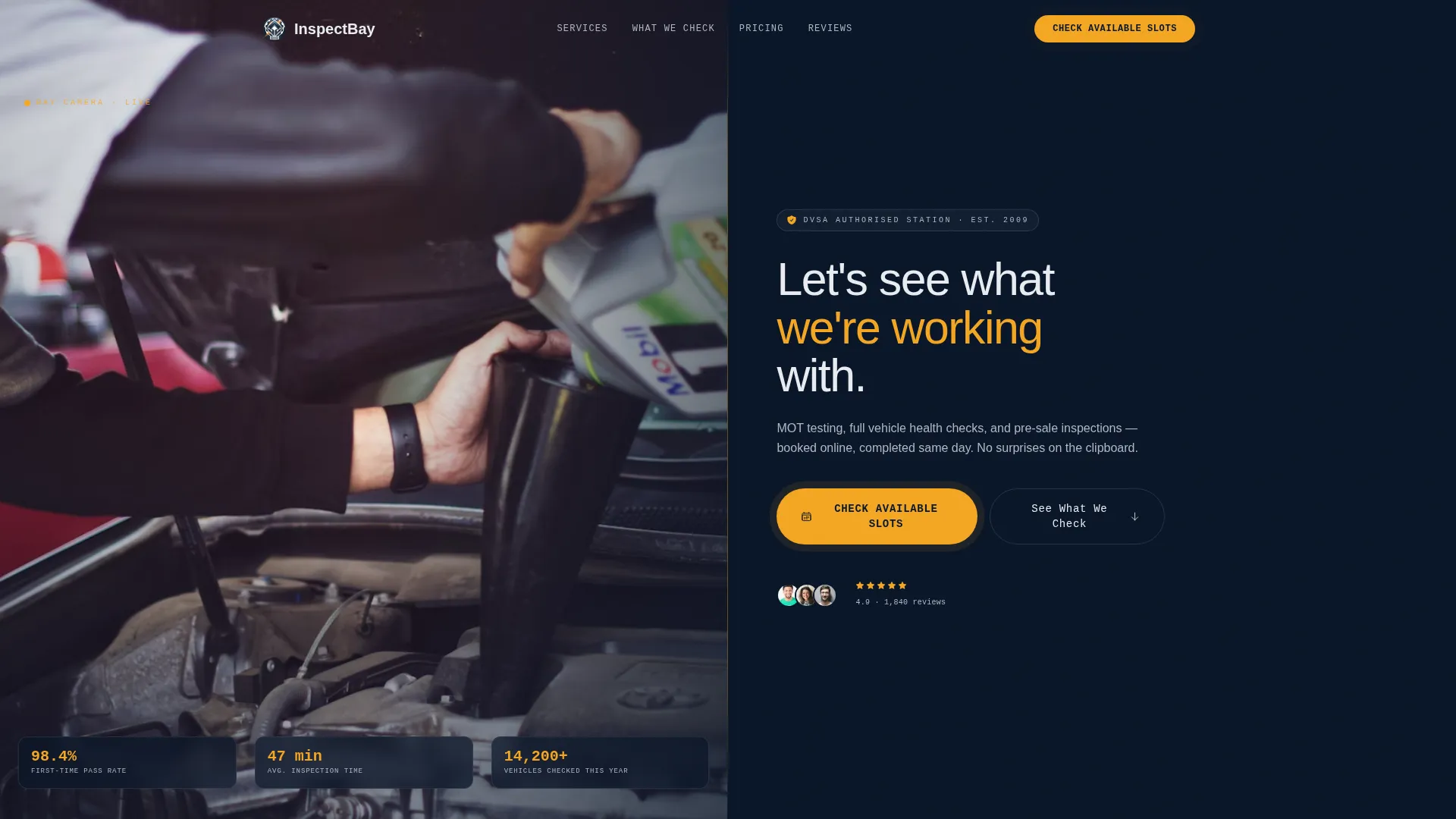
- A cinematic split-screen hero with a 12-second mechanic-POV video loop and three stat overlays
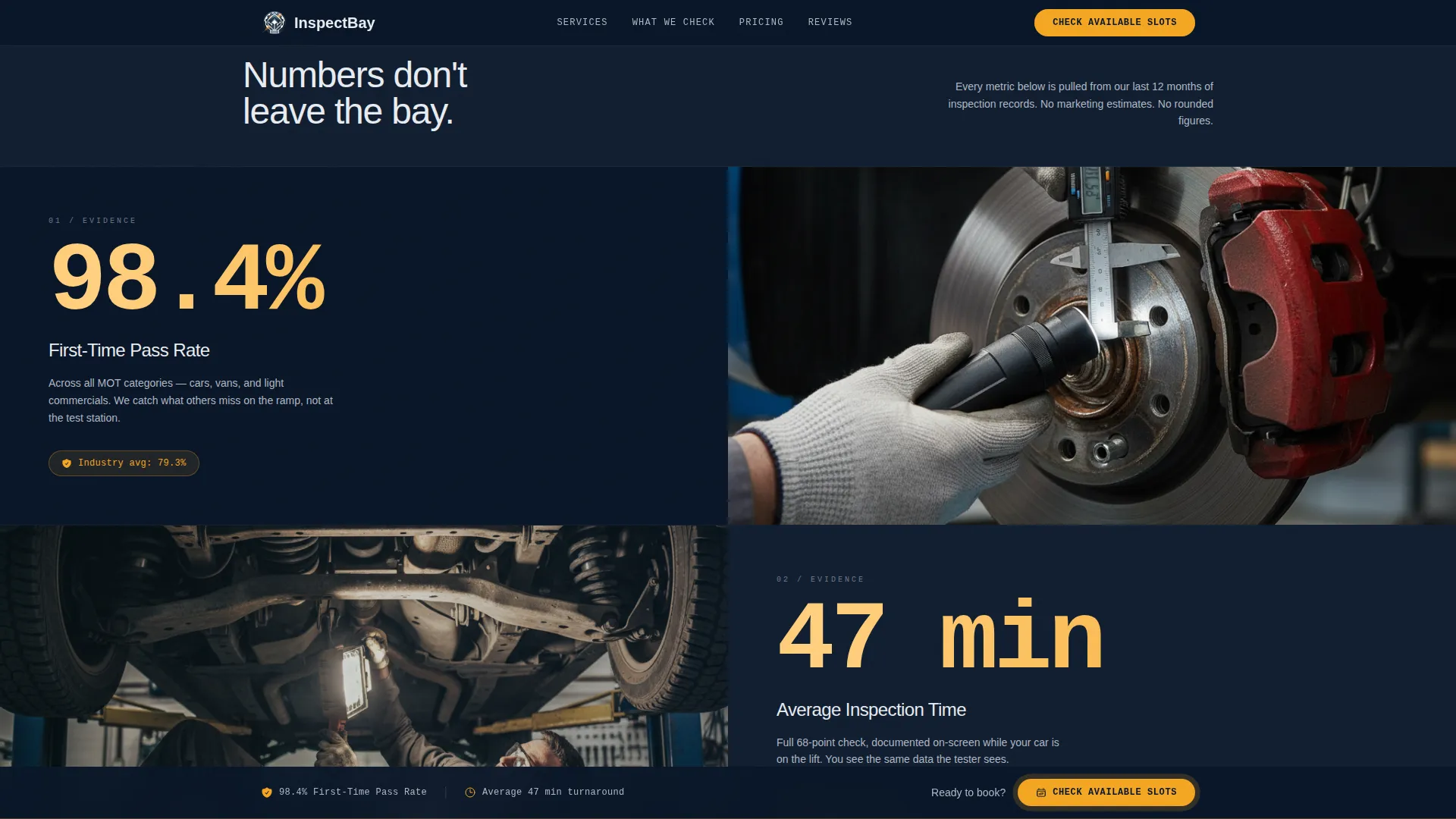
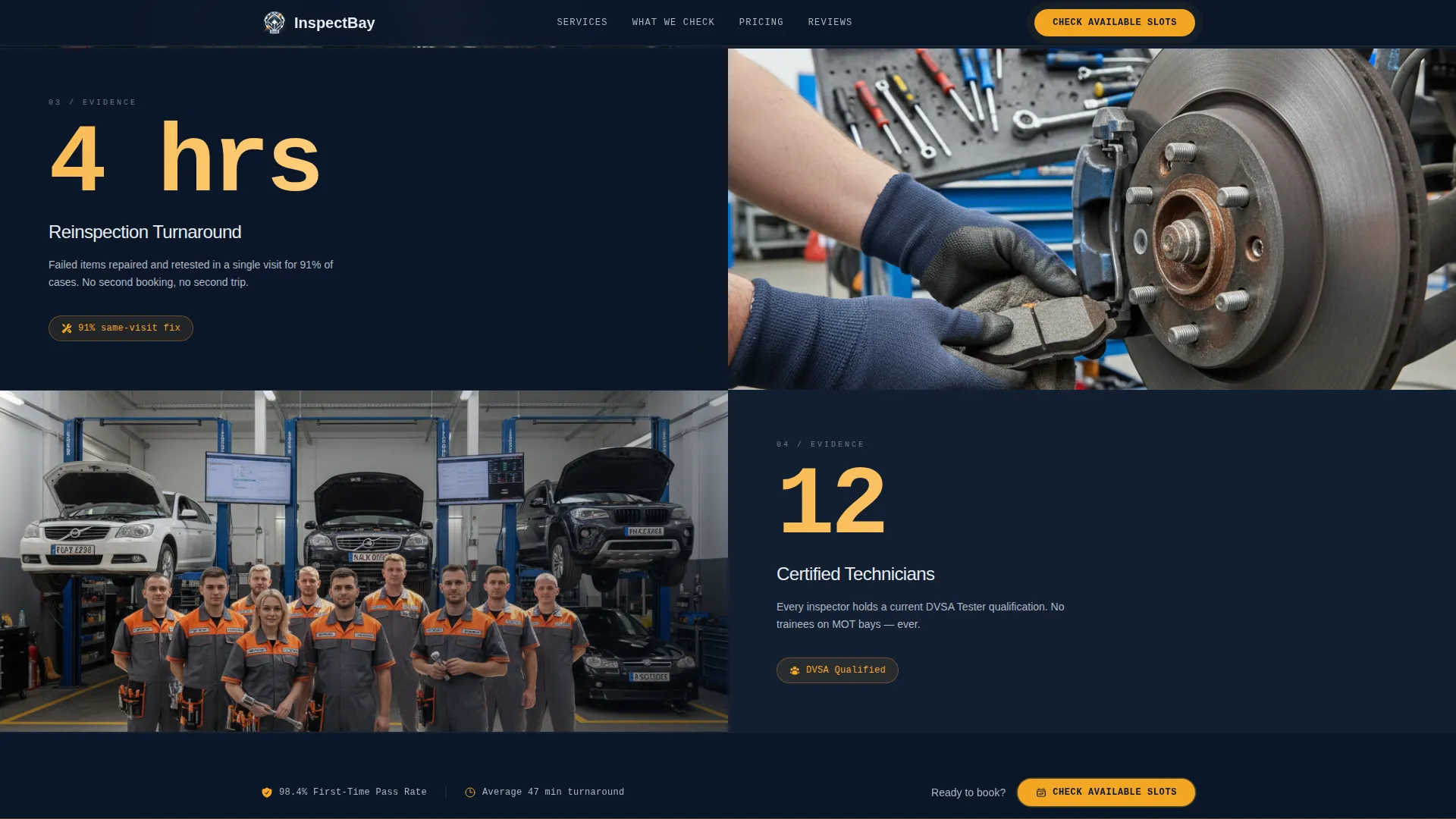
- Scroll-triggered animated counters for pass rate, average wait time, reinspection turnaround, and certified technician count
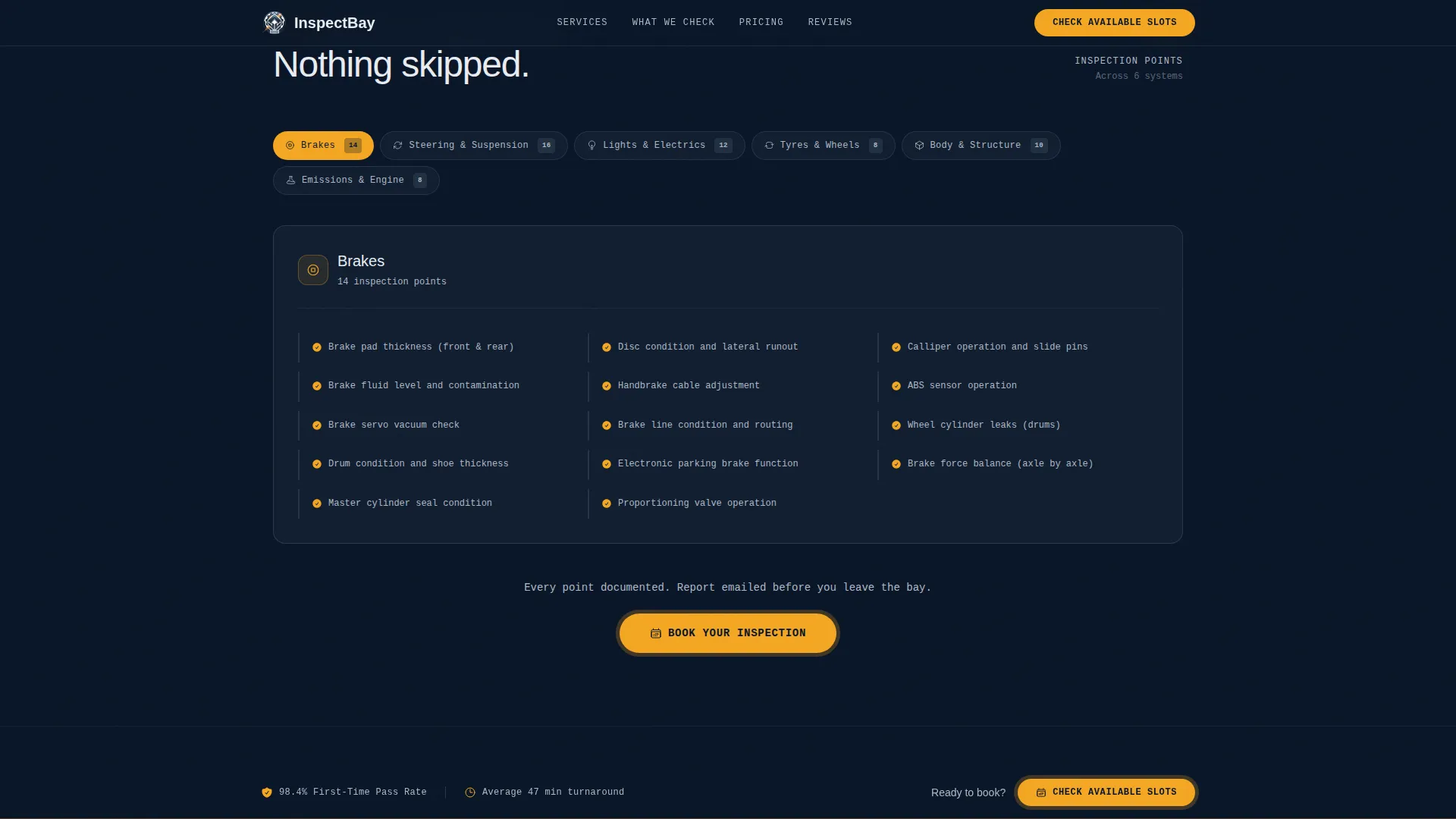
- A 68-point inspection breakdown section anchored from a secondary text link, plus a sticky "Check Available Slots" bar that persists after the second section
Feature list
This template includes purpose-built components that reflect the real workflow of a vehicle inspection business. Each feature serves the core objective: move the visitor from doubt to booked appointment.
Split-Screen Hero with Video Loop
The hero divides into two equal 50/50 panels. The left panel plays a 12-second mechanic-POV video loop shot beneath a lifted sedan, with an inspection lamp sweeping across suspension arms, brake lines, and exhaust welds. The right panel holds three bold stat overlays covering pass rate, average inspection time, and vehicles checked this year.
Scroll-Triggered Stat Counters
An animated counter grid fires on scroll entry. Each counter represents a key trust metric: pass rate, average wait time, reinspection turnaround, and certified technician count. The numbers animate upward as the visitor scrolls, making the data feel live and earned rather than static.
68-Point Inspection Breakdown
A dedicated section lists all 68 inspection checkpoints in an accordion or grid layout. It is anchored by the secondary text link "See What We Check" placed in the hero. This gives cautious visitors the proof they need before committing to a booking.
Sticky Call-to-Action Bar
After the visitor passes the second section, a persistent "Check Available Slots" bar appears and stays visible throughout the rest of the page scroll. The button routes directly to a booking calendar with no on-page form required.
Social Proof Section
A testimonial block features reviews from fleet managers, used-car dealers, and everyday drivers. Each testimonial includes a role or company label, a star rating, and a specific outcome, making the evidence concrete rather than generic.
Page sections overview
| Section | Purpose |
|---|---|
| Hero Split-Screen | Video loop, three stat overlays, and primary call to action |
| Animated Stats Grid | Scroll-triggered counters for four key trust metrics |
| 68-Point Breakdown | Full inspection checklist anchored from hero text link |
| Social Proof Block | Role-specific testimonials with star ratings and outcomes |
| Sticky call to action Bar | Persistent booking prompt visible after second section scroll |
| Final call to action + Footer | Closing call to action and linear single-row footer |
Design & branding system
The visual identity follows an Industrial Raw theme. The palette is drawn from the atmosphere of a well-run garage at 7 AM: fluorescent light bouncing off dark epoxy floors, steel fixtures, and everything organised under halogen.
- Colour system: deep bay-floor navy (#0A1628), hydraulic steel (#3A4A5C), halogen-lit white (#E8ECF1), and inspection-pass amber (#F4A623) used for calls to action, stat callouts, and hover states
- Typography: JetBrains Mono for stats and labels, Manrope for body text and headlines, giving the layout a technical-yet-readable contrast
- Visual tone: documentary-style photography, bold monospaced numerals, and organised-grit styling that feels earned rather than polished
Mobile & speed optimization
The template is built desktop-first to honour the split-screen hero layout, with a responsive mobile fallback that stacks panels cleanly for smaller screens.
- The video loop is implemented as an optimised background loop to keep load weight manageable on mobile connections
- GPU-accelerated animations handle the scroll-triggered counters and sticky bar reveal, keeping motion smooth without layout jank
- The single-column mobile stack preserves the stats-first reading order so the persuasion logic holds on any screen size
How this template helps you convert
The page is structured around a click-through goal. Every design and layout decision pushes toward one action: the visitor clicking "Check Available Slots" and landing on the booking calendar.
- The hero delivers three credibility stats before the visitor scrolls, establishing trust in the first five seconds of the visit.
- The sticky call-to-action bar appears after the second section and stays visible, ensuring the booking prompt is never more than one click away regardless of scroll depth.
- The "See What We Check" anchor link gives hesitant visitors a self-directed path to the 68-point breakdown, letting evidence do the conversion work instead of pressure.
Other information about this template
This template is suited to local and regional inspection stations operating in the United Kingdom. The copy direction, terminology, and layout defaults reflect UK automotive conventions including MOT cycles, GBP pricing format, and UK date formatting.
- The footer uses Pattern 1, a linear single-row layout, keeping the page exit clean and uncluttered
- Animation intensity is set to high across the template, covering parallax effects, counter animations, and the sticky bar reveal
- The template style is Split Screen (50/50), a layout format that works well for service businesses that need to balance visual proof with written evidence side by side
Theme
Industrial Raw
Creative direction
Stats-First Impact
Color system
Midnight Blue
Style
Split Screen (50/50)
Direction
Click-Through
Page Sections
Split-screen Hero with Video Loop
Scroll-triggered Animated Counters
Point Inspection Breakdown
Sticky Call-to-action Bar
Role-specific Social Proof Block
Linear Single-row Footer
Related questions
Does this template include an on-page booking form?
Can I adapt this template for a different type of vehicle service business?
How many inspection points does the breakdown section display?
Is the template suitable for both individual drivers and fleet accounts?
What fonts does this template use?



