Health Inspector Professional Website Template
Inspectguide is a sidebar companion landing page template built for health inspector service area and location pages. It follows an Educational Guide theme with a Stats-First layout, guiding anxious facility owners through inspection scoring, violation categories, and permit requirements. The design uses a Navy Authority color system and a persistent sidebar navigation to make every section feel like a trusted regulatory reference.
by Rocket studio
Quick summary
Inspectguide is a single-page health inspector landing page template designed for service area and location pages. It combines authoritative data presentation with calm, educational copy to serve restaurant owners, facility managers, and food truck operators. The Stats-First layout earns trust before it asks for anything, and the primary call to action delivers a practical pre-inspection checklist gated by a simple email form.
Who this template is for
This template is built for health inspection professionals and county health department web teams who need a credible, information-dense online presence for a specific service area or jurisdiction.
- Restaurant owners or facility managers who received a violation notice and need clear guidance fast
- Food truck operators and new permit applicants researching requirements before their first opening
- Health inspection service providers presenting jurisdiction data and inspection resources to the public
What problem this template solves
Many health inspector service pages either feel too bureaucratic to navigate or too sparse to be useful. Visitors arrive with urgent, specific questions and leave without answers. This template solves that gap by organizing inspection knowledge into a scannable, data-led reference page.
- Facility owners cannot find clear explanations of scoring criteria, violation tiers, or re-inspection timelines in one place
- Generic service pages fail to build enough credibility to earn a download or a return visit
- Inspectors and health departments lack a structured page format that handles both education and lead capture at once
What you get with this template
You get a fully structured landing page layout built around educational content and practical data presentation. Every section follows a deliberate order that mirrors how a facility owner thinks through compliance.
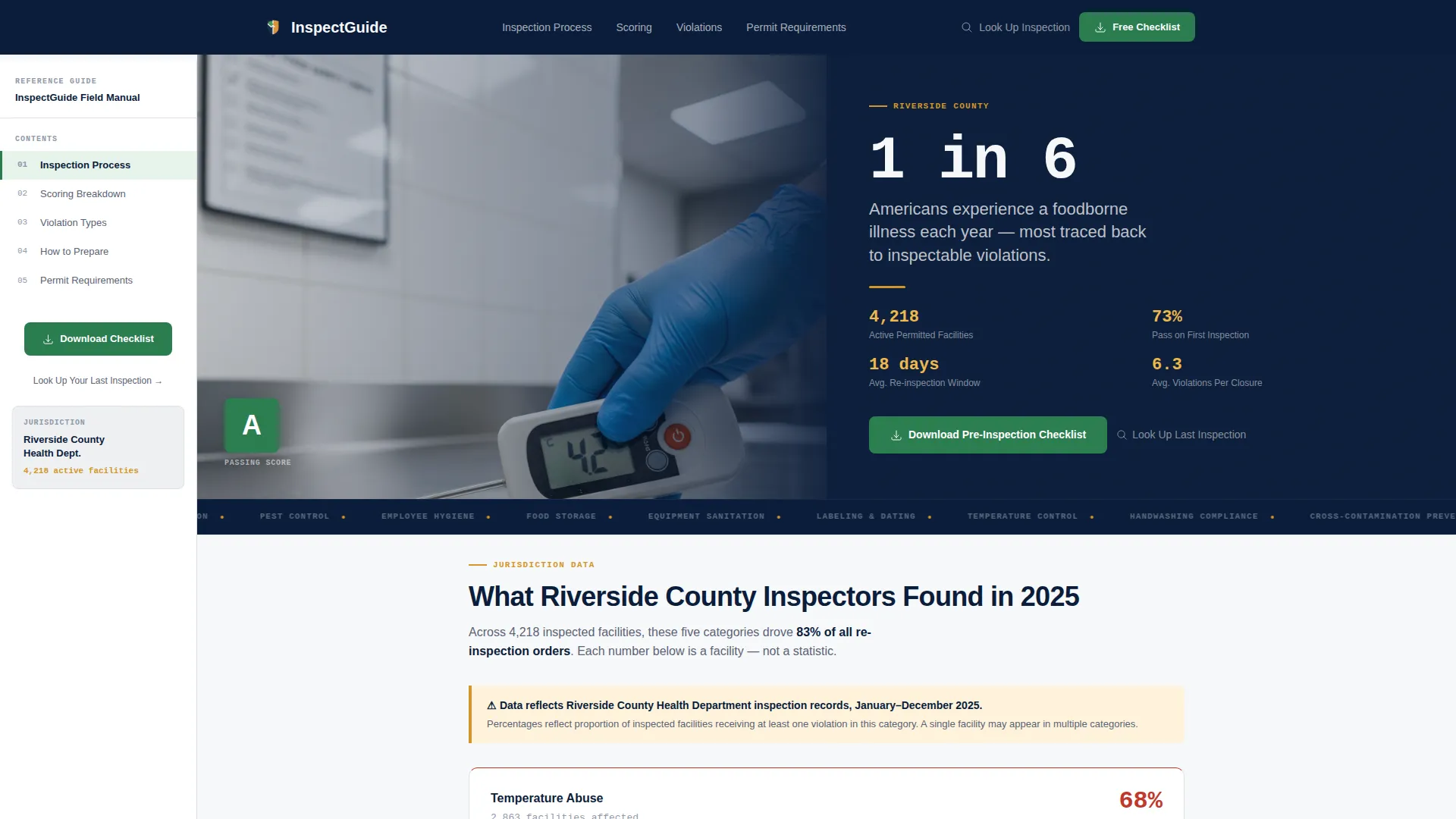
- A half-page photo and text header with a bold jurisdiction stat and an over-the-shoulder inspector photograph
- Fixed sidebar navigation linking to Inspection Process, Scoring Breakdown, Violation Types, How to Prepare, and Permit Requirements
- A gated checklist download form with an email field and a facility-type selector covering restaurant, food truck, school, daycare, and hotel
Feature list
This template is organized around six core capabilities drawn directly from the brief. Each one serves a specific visitor need.
Stats-First Data Card Layout
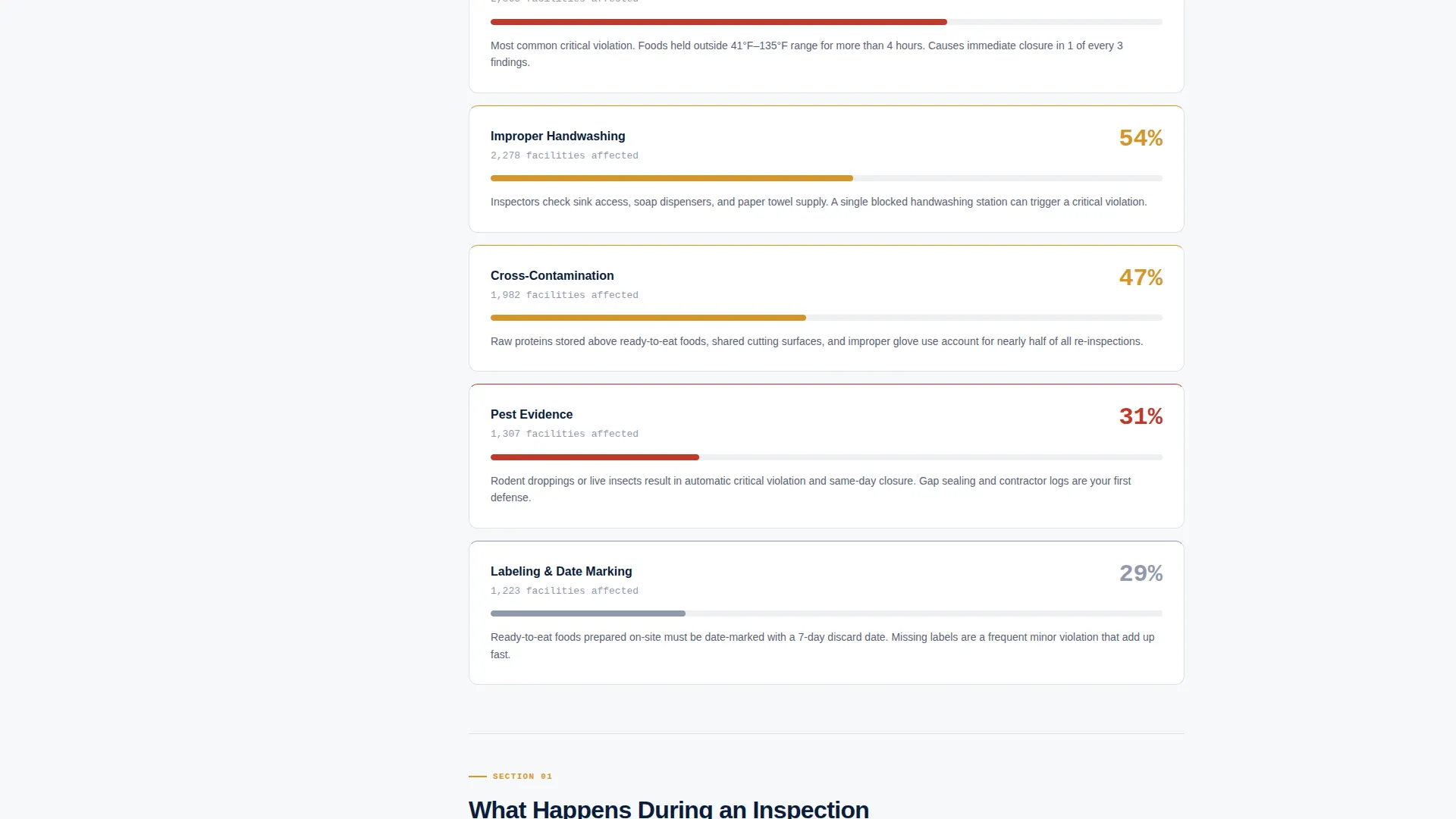
Each scroll section opens with a data card before the explanatory paragraph. Violation category percentages, average re-inspection timelines, and top critical infractions appear as clean, readable cards. The number earns attention; the paragraph beneath it provides context.
Fixed Sidebar Table of Contents
A persistent sidebar stays in view as visitors scroll. It links to five named sections: Inspection Process, Scoring Breakdown, Violation Types, How to Prepare, and Permit Requirements. Visitors always know where they are and where to go next.
Half-Page Photo and Text Header
The header splits into two halves. The left side features a naturally lit over-the-shoulder photograph of an inspector mid-check in a commercial kitchen. The right side displays an oversized bold statistic and a single line naming the service district and its number of active permitted facilities.
Gated Pre-Inspection Checklist call to action
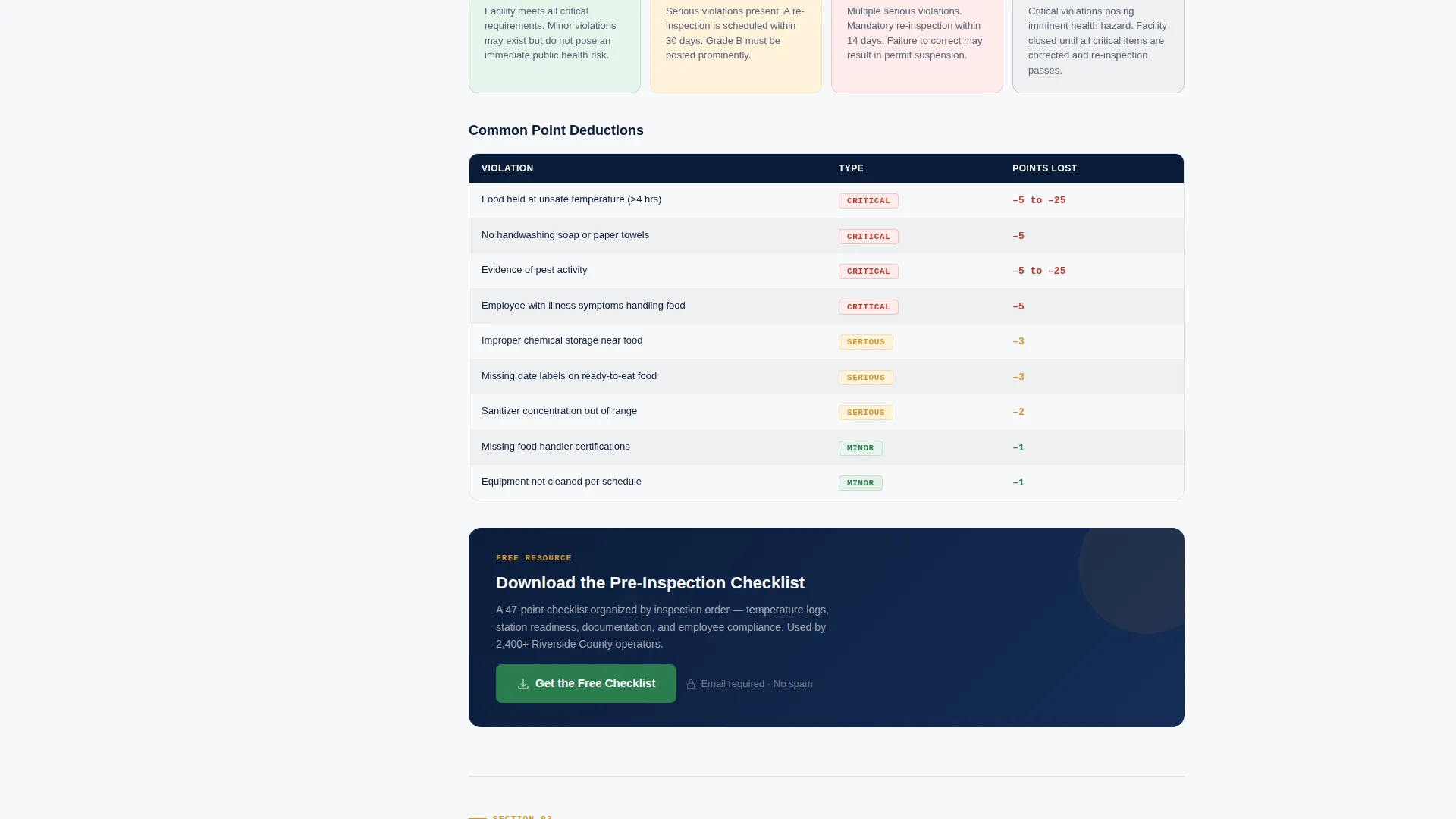
The primary call to action uses compliance green styling and appears first at the end of the scoring breakdown section. It repeats in the sticky sidebar. A short form with an email field and a facility-type selector gates the downloadable checklist PDF.
Secondary Public Records Link
A secondary conversion path offers a "Look Up Your Last Inspection" link pointing to the public records database. This path serves visitors who want immediate record access without filling out the checklist form.
Color-Coded Violation Tier System
Cautionary amber highlights callout boxes and violation-tier labels. Compliance green marks passing indicators and call-to-action elements. Deep regulatory navy anchors headings and body text. The color logic is immediately readable without needing a legend.
Page sections overview
| Section | Purpose |
|---|---|
| Header stat block | Establishes stakes with jurisdiction data and inspector photograph |
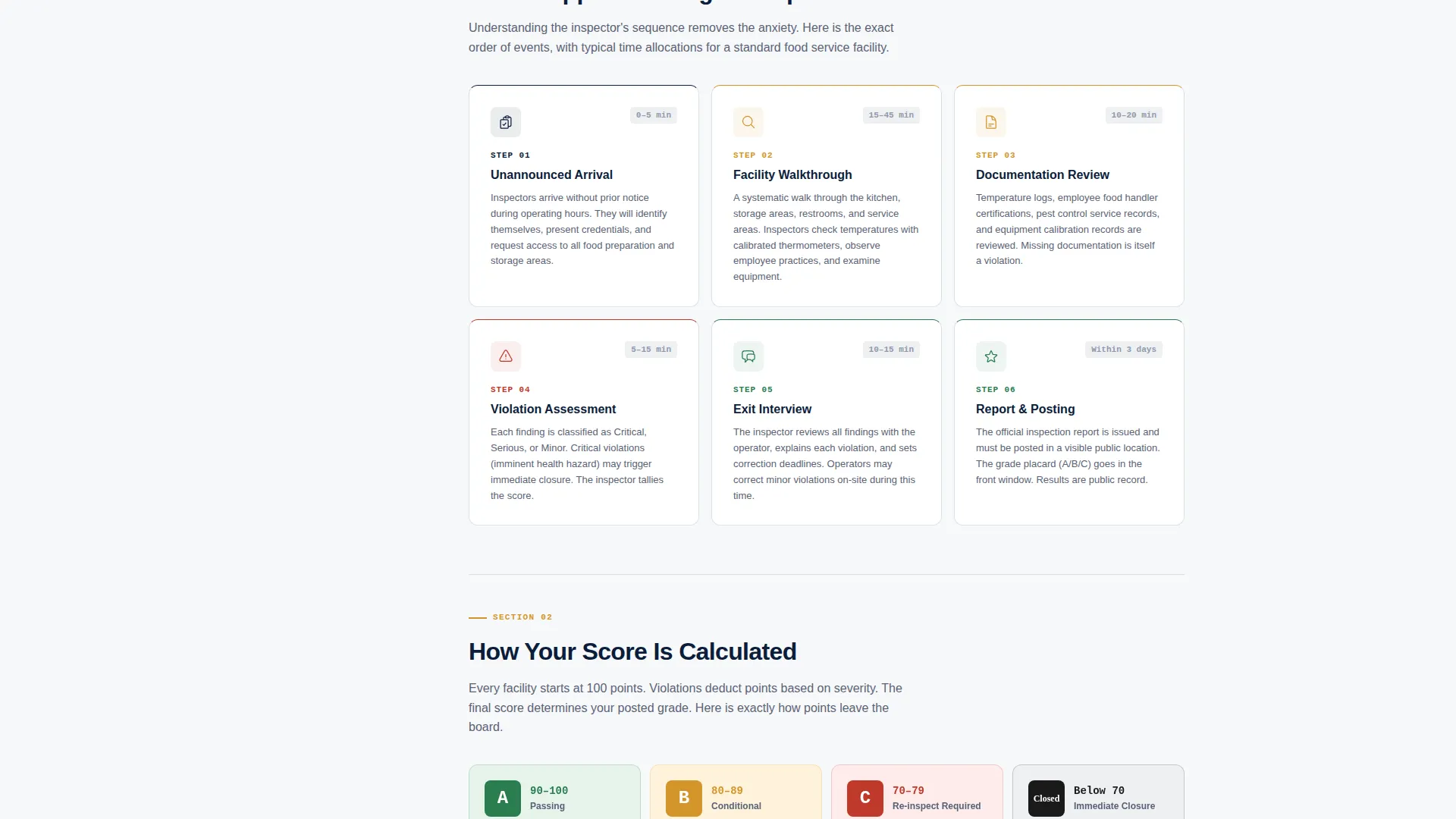
| Inspection Process | Explains step-by-step what happens during a facility visit |
| Scoring Breakdown | Details how points are assigned and what score ranges mean |
| Violation Types | Categorizes critical, major, and minor infractions with examples |
| How to Prepare | Guides facility owners through pre-inspection readiness steps |
| Permit Requirements | Covers permit types, application steps, and renewal timelines |
| Checklist download call to action | Gates the pre-inspection PDF with email and facility-type form |
| Public records link | Offers a secondary path to look up past inspection results |
Design & branding system
The visual identity follows an Educational Guide theme built on a Navy Authority color system. Every color choice mirrors the logic of a laminated health grade placard: official at a glance and color-coded for instant orientation.
- Deep regulatory navy (#0B1D3A) for headings and body text, sterile white (#F7F8FA) for backgrounds, cautionary amber (#D4952A) for violation-tier callouts, and compliance green (#2A7D4F) for passing indicators and call-to-action buttons
- Typography and layout follow a field manual aesthetic: high-contrast, dense-but-organized, and calm enough to read under pressure
- The header photograph uses natural light and a blurred commercial kitchen background to place the inspector in a real operational environment without distraction
Mobile & speed optimization
The sidebar companion layout is designed to remain functional and readable across screen sizes. The fixed sidebar adapts to give mobile visitors the same navigational clarity as desktop users.
- The stats-first card layout stacks cleanly on smaller screens, keeping data readable before each explanatory paragraph
- The gated checklist form uses a minimal two-field design (email and facility-type selector) to reduce friction on mobile devices
How this template helps you convert
The page is structured as a Content/Resource destination, meaning it earns the conversion by delivering genuine value before asking for anything. Visitors who reach the call to action already understand why they need the checklist.
- The Stats-First layout opens every section with credible jurisdiction data, building trust that this page knows the local landscape before the visitor reads a single paragraph
- The scoring breakdown section places the primary checklist download call to action at the exact moment a visitor realizes they need structured preparation guidance
- The sticky sidebar keeps the checklist call to action visible throughout the entire scroll journey without interrupting the educational reading experience
Other information about this template
This template sits within the Professional Services category under the Health Inspector Online Presence subcategory. It is specifically designed for the Health Inspector Service Area and Location Page niche, making it a focused tool rather than a general service page layout.
- The template style is Sidebar Companion, meaning the fixed table of contents is a structural feature, not an optional add-on
- The creative direction is Stats-First Impact, so data cards are the primary visual unit and educational paragraphs are secondary
- The intersection match score for this template's niche and layout combination is 13, indicating a well-aligned fit between the template structure and its intended use case
- The landing page direction is Content/Resource, which means lead capture is earned through education rather than pushed through aggressive promotion
Theme
Educational Guide
Creative direction
Stats-First Impact
Color system
Navy Authority
Style
Sidebar Companion
Direction
Content/Resource
Page Sections
Stats-first Data Card Layout
Fixed Sidebar Table of Contents
Half-page Photo and Text Header
Gated Checklist Download Form
Color-coded Violation Tier System
Secondary Public Records Path
Related questions
Who is this landing page template designed for?
What does the gated checklist form include?
Can I customize the jurisdiction statistics shown on the page?
What is the purpose of the fixed sidebar in this template?
Does this template include a way for visitors to check past inspection records?



