Health Inspector FAQ & Common Questions Website Template
Inspecthub is a single-page landing page template built for health inspectors and environmental health professionals. It combines a zigzag alternating layout with agency logo clusters, credential badge headers, and FAQ resource sections. The design uses an Executive Suite color system to project authority, while a lead-capture form and downloadable PDF offer convert informed visitors into contacts.
by Rocket studio
Quick summary
Inspecthub is an authoritative landing page template designed for health inspection professionals. It organizes code references, facility audit resources, and violation documentation guides into a structured, scrollable layout. The alternating zigzag sections pair agency credibility with targeted FAQ content, and the built-in lead form captures qualified contacts through a practical toolkit offer.
Who this template is for
This template is built for professionals who work in or support environmental health and code enforcement. It serves people who need a credible, organized online presence for inspection resources.
- County environmental health specialists studying for certification exams such as Registered Environmental Health Specialist (REHS) or Certified Professional Food Safety (CP-FS)
- Newly appointed inspectors building reference libraries across food safety, housing, and institutional inspection categories
- Department heads seeking a structured resource page for updated model food code guidance and Hazard Analysis and Critical Control Points (HACCP) flow templates
What problem this template solves
Health inspection professionals lack a single, trustworthy digital resource that combines regulatory authority with practical field references. Most generic page layouts fail to communicate the depth and credibility that this audience demands.
- Scattered regulation sources make it hard to present unified, jurisdiction-specific guidance in one place
- Generic page designs undermine professional trust, causing visitors to bounce before engaging with available resources
- Capturing qualified leads from highly specific audiences requires a structured offer, not a simple contact form
What you get with this template
This template delivers a complete, ready-to-customize landing page structure built around the needs of health inspection professionals. Every section is purposeful and pre-organized.
- A zigzag alternating layout that pairs agency logo clusters with specific FAQ categories across inspection checklists, violation appeals, temperature log standards, and critical control point references
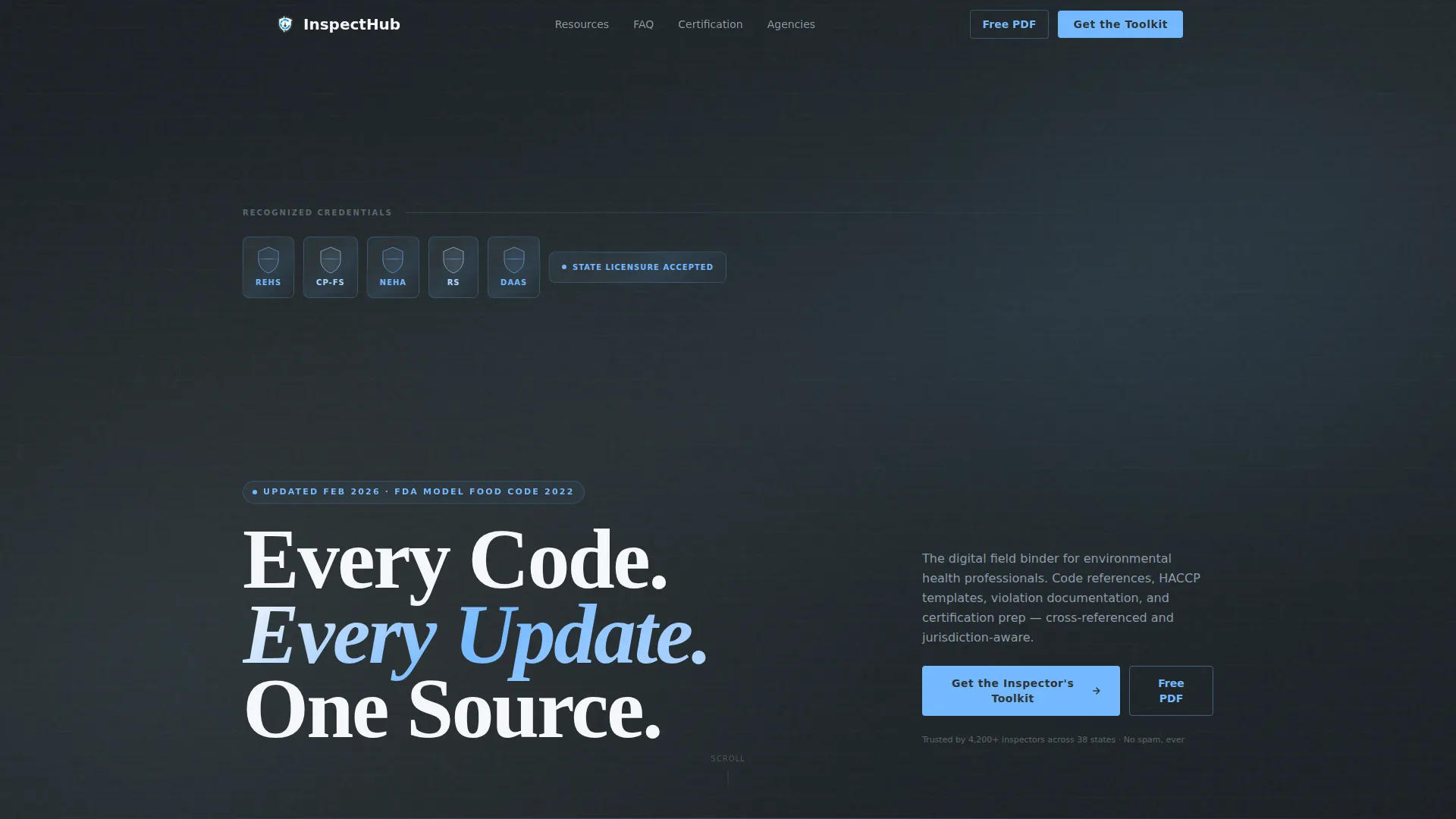
- A header section featuring credential badge shields for REHS, CP-FS, National Environmental Health Association (NEHA) fellowship seals, and state licensure icons above a single authoritative headline
- A dual lead-capture system with a full toolkit form collecting name, job title, jurisdiction, and resource interests, plus a secondary email-only path offering a free model food code summary PDF
Feature list
This template includes a focused set of purpose-built features grounded in the inspection resource use case.
Credential Badge Header Band
A horizontal strip of metallic slate and sky-blue credential shields opens the page before any body copy. It includes REHS, CP-FS, NEHA fellowship seals, and state licensure icons with a subtle foil-press embossed texture. This establishes institutional authority at first glance.
Zigzag Logo Wall Layout
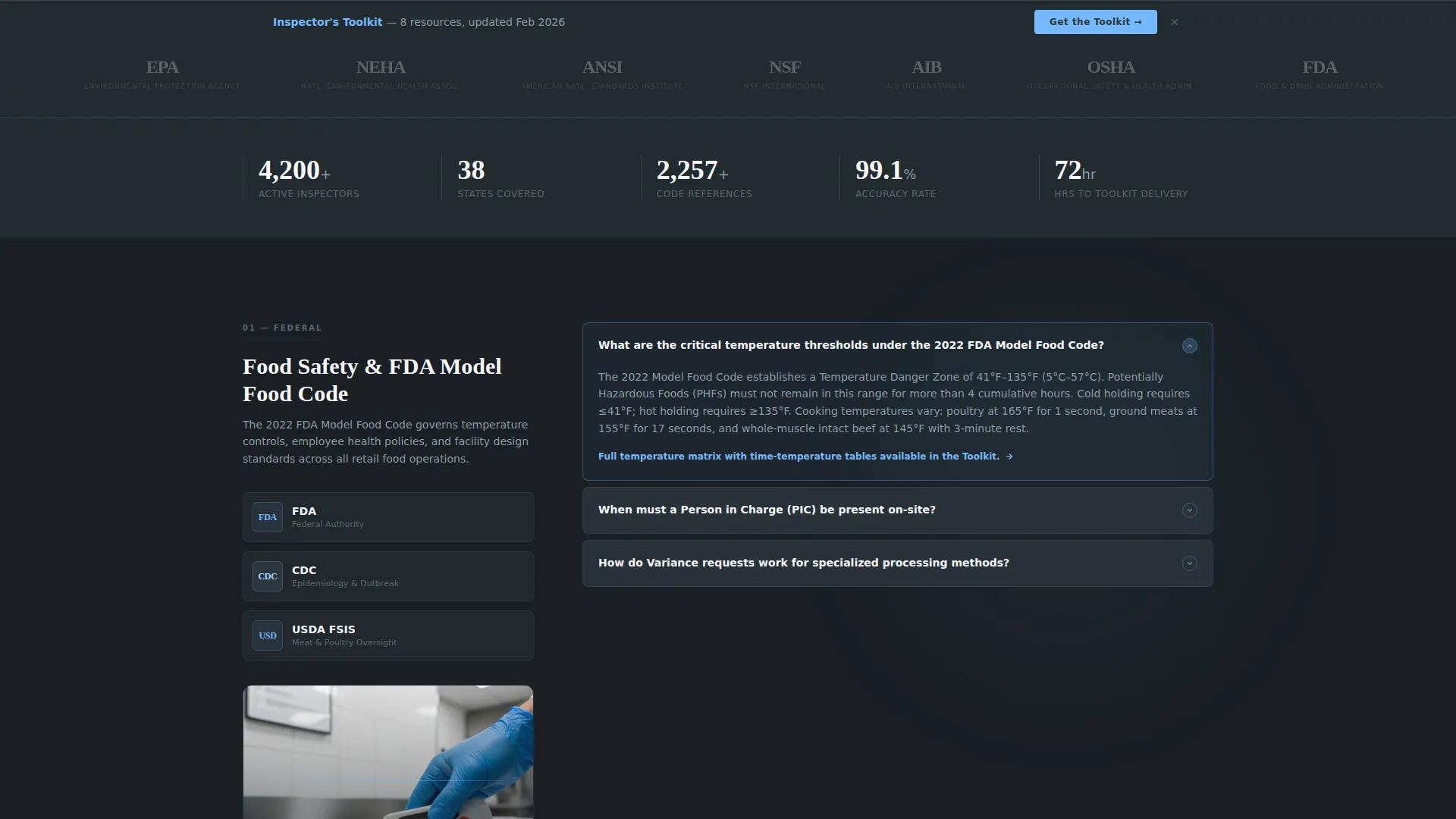
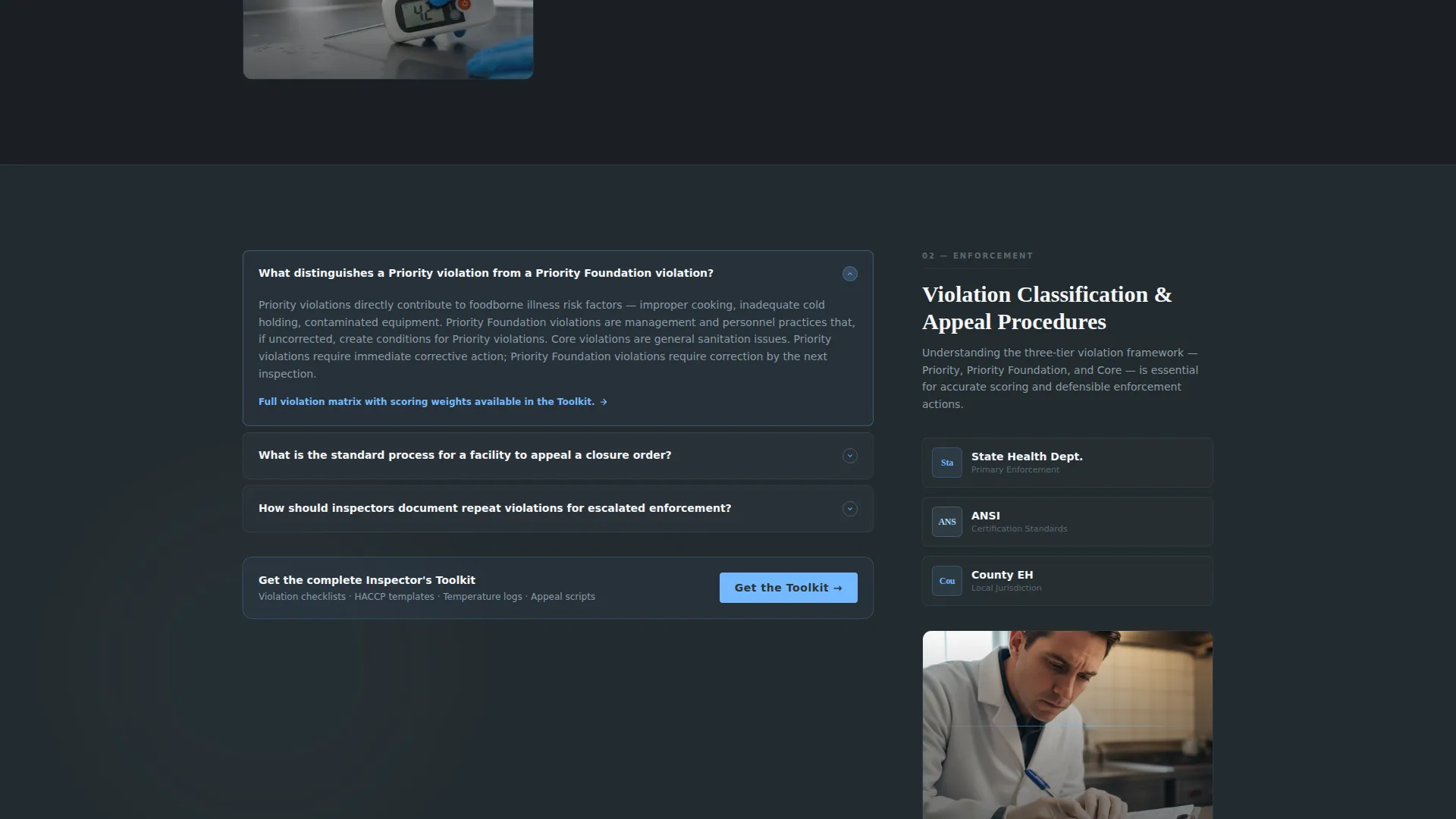
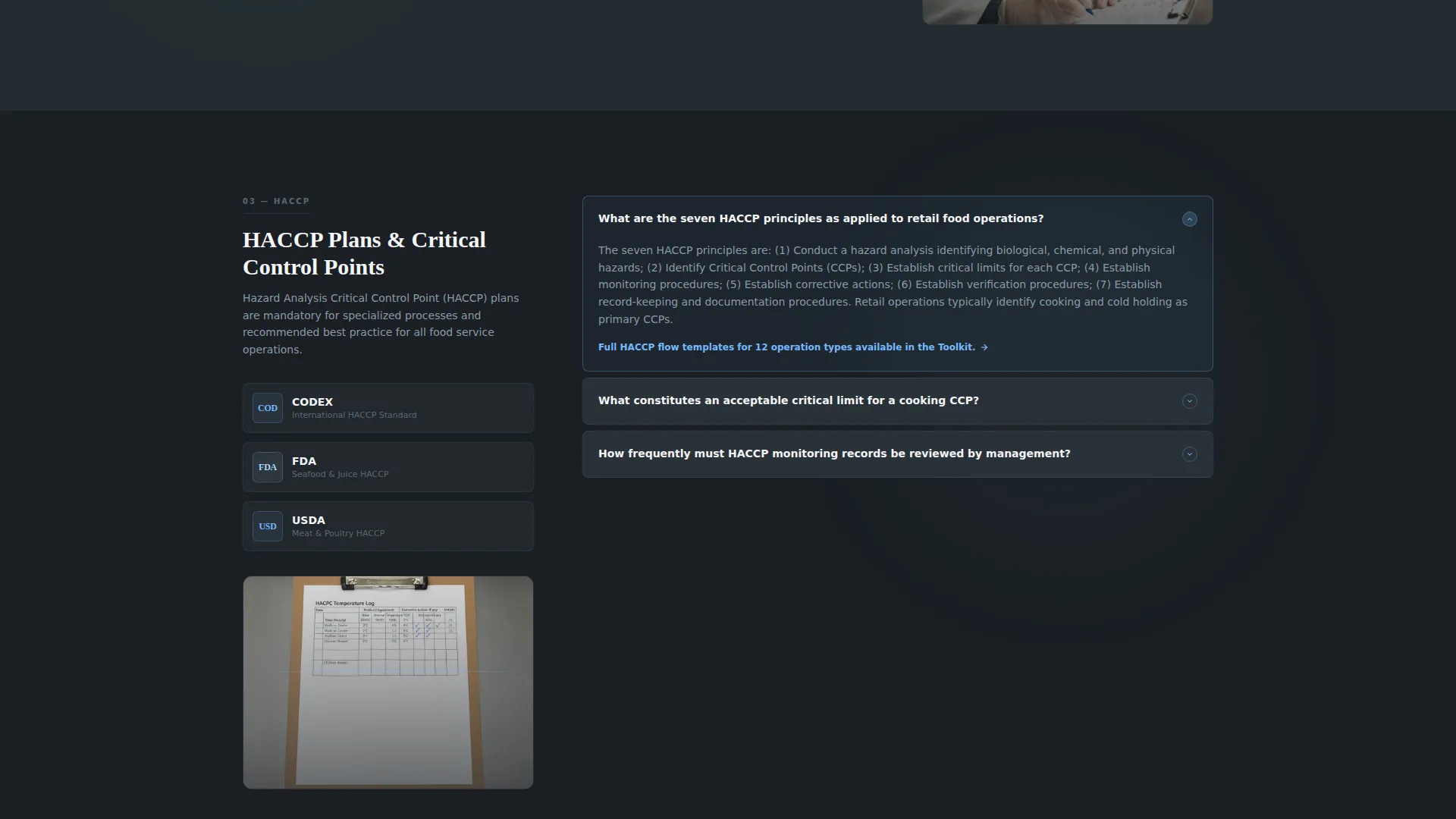
Each alternating section pairs a cluster of recognizable agency logos on one side with a specific FAQ category on the other. The logo clusters shift from federal to state to local as the visitor scrolls, making the resource feel relevant to their specific jurisdiction.
Anchored Lead Capture Form
The primary call to action, "Get the Inspector's Toolkit," anchors at the bottom of every other zigzag section. The form collects name, job title, jurisdiction or county, and a checkbox menu covering food safety, pool and spa, housing, and institutional resource interests.
Secondary PDF Download Path
A lighter conversion option offers a free downloadable PDF summary of the current model food code in exchange for an email address alone. This gives less committed visitors a low-friction entry point into the lead funnel.
FAQ Depth-and-Trail Format
Every FAQ answer demonstrates enough expertise to prove mastery, then closes with "Full protocol available in the Toolkit." This converts demonstrated knowledge into conversion pressure without overwhelming the visitor with full documentation on the page.
Executive Suite Color System
The Slate and Sky palette uses deep charcoal slate for primary backgrounds, polished gunmetal for secondary panels, open-sky blue for buttons and highlighted answers, and pressed-white for content cards. The result is a government-authority aesthetic that feels serious and navigable.
Page sections overview
| Section | Purpose |
|---|---|
| Credential Badge Header | Establish authority with certification emblems before headline |
| Main Headline Block | Deliver the core value proposition in a single statement |
| Food Safety FAQ | Answer inspection checklist and food code questions |
| Federal Agency Logos | Build credibility with FDA, CDC, and WHO references |
| Violation Appeal FAQ | Guide visitors through violation documentation and appeal steps |
| State Agency Logos | Narrow authority to state-level jurisdiction relevance |
| Temperature Log FAQ | Cover temperature standard references and log formats |
| Local Agency Logos | Personalize authority to county and local health departments |
| Critical Control Points FAQ | Present HACCP flow references and critical limit guidance |
| Toolkit Lead Form | Capture full contact details and resource interest selections |
| PDF Download call to action | Offer model food code summary for email-only sign-up |
Design & branding system
The Executive Suite theme gives this template the visual weight of a professional government reference without feeling cold or bureaucratic. Every color and typographic choice reinforces institutional confidence.
- Color palette: deep charcoal slate (#2D3436) for primary backgrounds, polished gunmetal (#636E72) for secondary panels, open-sky blue (#74B9FF) for interactive elements and highlighted answers, and pressed-white (#F5F6FA) for content cards
- Typography: a heavy serif headline font projects authority on the main heading, while body copy stays clean and readable across FAQ and resource sections
- Visual texture: credential badge shields use metallic slate and sky-blue enamel with a foil-press embossed effect to reinforce certification legitimacy
Mobile & speed optimization
The template layout is structured to translate cleanly across screen sizes, keeping inspection resource content accessible whether a professional is at a desk or in the field.
- The zigzag alternating sections reflow naturally so logo clusters and FAQ content stack clearly on smaller screens without losing their visual pairing logic
- Credential badge headers and lead capture forms are sized and spaced to remain legible and usable on mobile viewports
- Content cards in pressed-white (#F5F6FA) maintain contrast against charcoal backgrounds across display environments
How this template helps you convert
The conversion architecture is built into the page structure itself. Every design decision moves a highly informed, skeptical professional audience toward a qualified action.
- The credential badge header and agency logo wall establish authority before any ask is made, ensuring the visitor trusts the source before encountering a form
- The FAQ depth-and-trail format demonstrates mastery on each topic and closes with a toolkit prompt, converting curiosity into a reason to submit contact details
- The dual conversion paths, full toolkit form and email-only PDF download, let visitors self-select their commitment level, increasing the total number of captured leads
Other information about this template
This template is built specifically for the health inspector professional services niche and is designed for teams or individuals who want to publish a credible resource presence quickly.
- The template is fully aligned with the Health Inspector Online Presence subcategory and is ready to deploy as a standalone lead generation landing page
- Resource interest checkboxes cover the four most common inspection domains: food safety, pool and spa, housing, and institutional facilities
- The visual identity and layout were designed to reflect the tone and structure of official regulatory materials, helping the page feel familiar and trustworthy to its target audience
- The page structure supports content for multiple inspection verticals, including restaurants, hospitals, and manufacturing floor environments, without requiring a multi-page build
Theme
Executive Suite
Creative direction
Logo Wall Authority
Color system
Slate & Sky
Style
Zigzag/Alternating
Direction
Lead Generation
Page Sections
Credential Badge Header Band
Zigzag Agency Logo Wall
Anchored Toolkit Lead Form
Email-only PDF Download Path
FAQ Depth-and-trail Format
Executive Suite Color Palette
Related questions
Who is this landing page template designed for?
What lead capture options does the template include?
Can I customize the FAQ categories and agency logo sections?
What inspection topics does the template cover by default?
Does this template work as a standalone page without additional pages?



