Quality Inspector Landing Page Template
Inspecthub is a precision-built quality inspector landing page template for professional inspection services. It combines an editorial magazine layout with B2B conversion mechanics, press bars, regional capability modules, client logo walls, and a gated methodology download, to build credibility and capture qualified leads from procurement directors, QA managers, and compliance officers.
by Rocket studio
Quick summary
Inspecthub is a single-page editorial template for quality inspection services targeting serious B2B buyers. It opens with third-party press validation, moves through region-by-region capability storytelling, and closes with a lead-capture form. The design uses a monochrome steel palette that communicates precision, not polish. Every section teaches before it sells.
Who this template is for
This template is built for inspection businesses that serve industrial and commercial supply chains. It speaks directly to buyers who evaluate vendors on depth of expertise, not just price.
- Procurement directors at mid-market importers who need documented regional coverage
- Quality assurance managers at consumer electronics brands sourcing from overseas factories
- Compliance officers at food packaging companies managing audit risk and regulatory exposure
What problem this template solves
Most inspection service pages lead with generic promises and stock photography. Buyers with real stakes, a failed audit, a shipment recall, a compliance gap, don't trust that. They need proof before they pick up the phone.
- No press validation or third-party credibility signals on the page
- No regional capability breakdown showing local inspector presence and response times
- No educational content that earns trust before asking for contact information
What you get with this template
This template delivers a complete editorial landing page designed for B2B partnership conversion. Every layout decision prioritizes credibility over decoration.
- A press mentions bar with scrolling publication logos rendered in monochrome
- Region-by-region editorial modules with local maps, inspector headcount, and field notes
- Industry-segmented client logo walls that build cumulative authority as the visitor scrolls
- A primary lead capture form and a gated secondary PDF download path
- A persistent bottom bar with the primary call to action always in view
Feature list
This template packages its functionality into purpose-built editorial blocks. Each feature is grounded in the source brief and serves a specific conversion or credibility role.
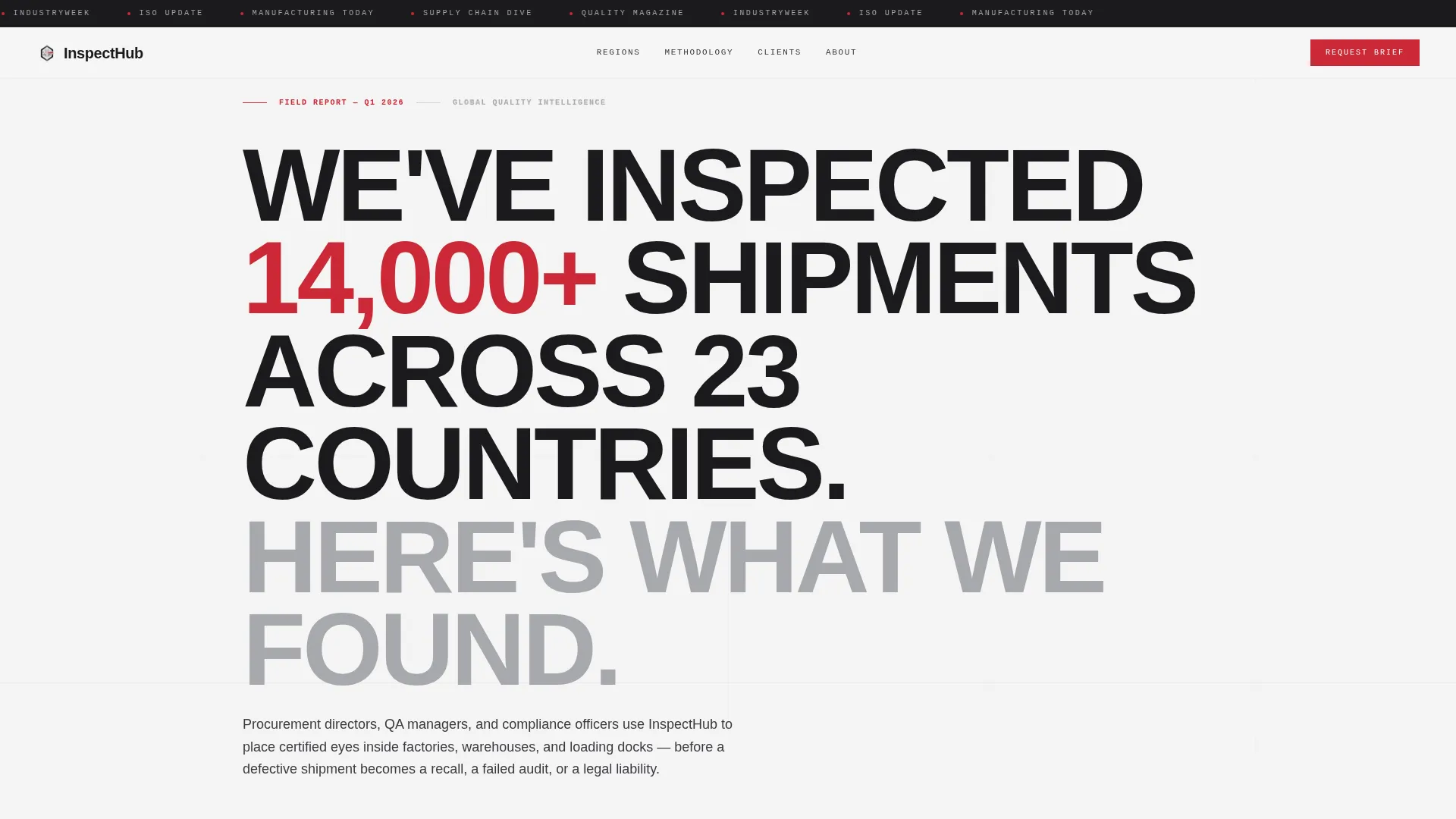
Press Mentions Scroll Bar
A horizontal-scrolling bar displays publication logos in monochrome against forge black. Each logo links to the actual feature placement, giving the press coverage real weight with skeptical B2B buyers.
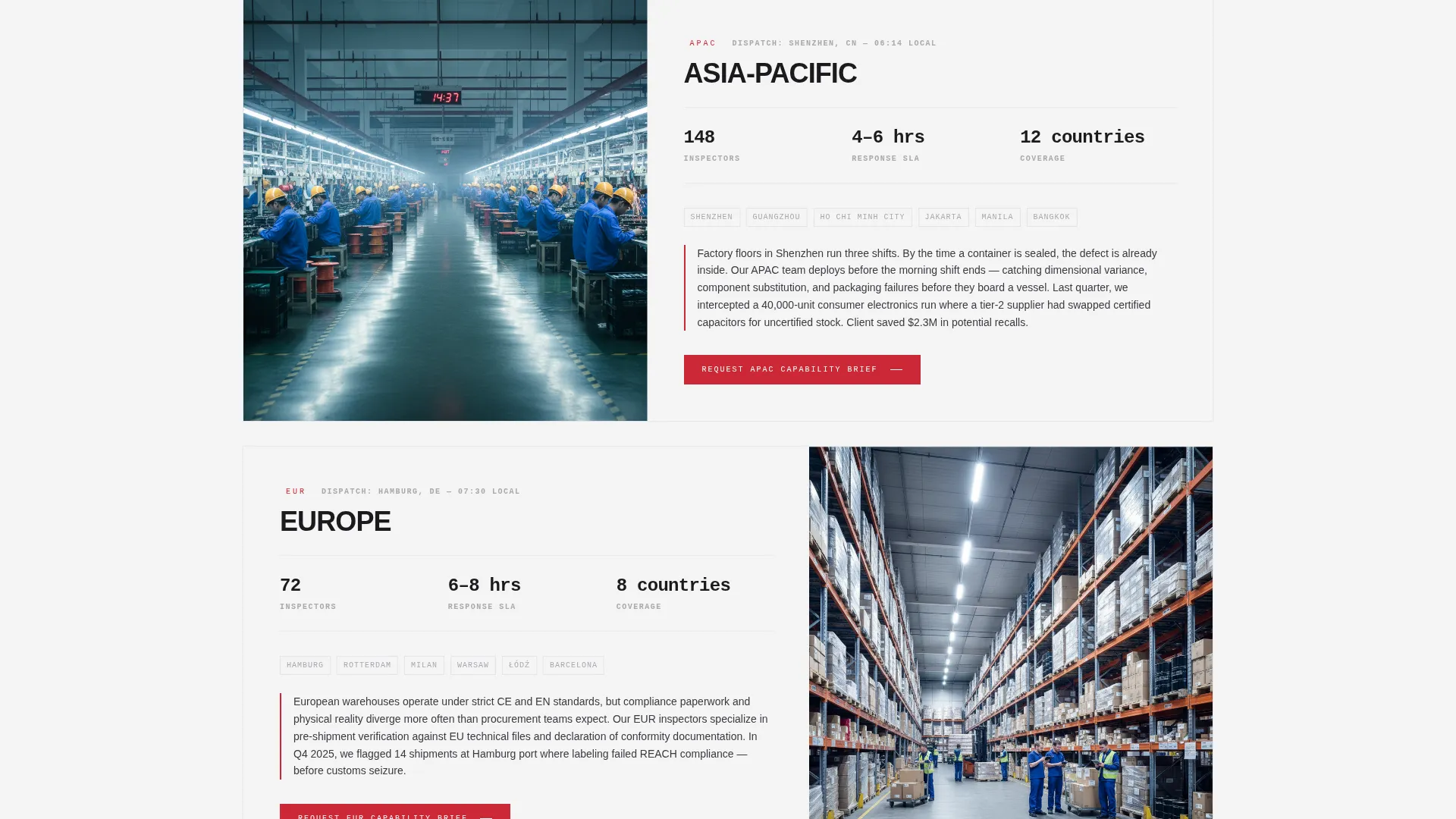
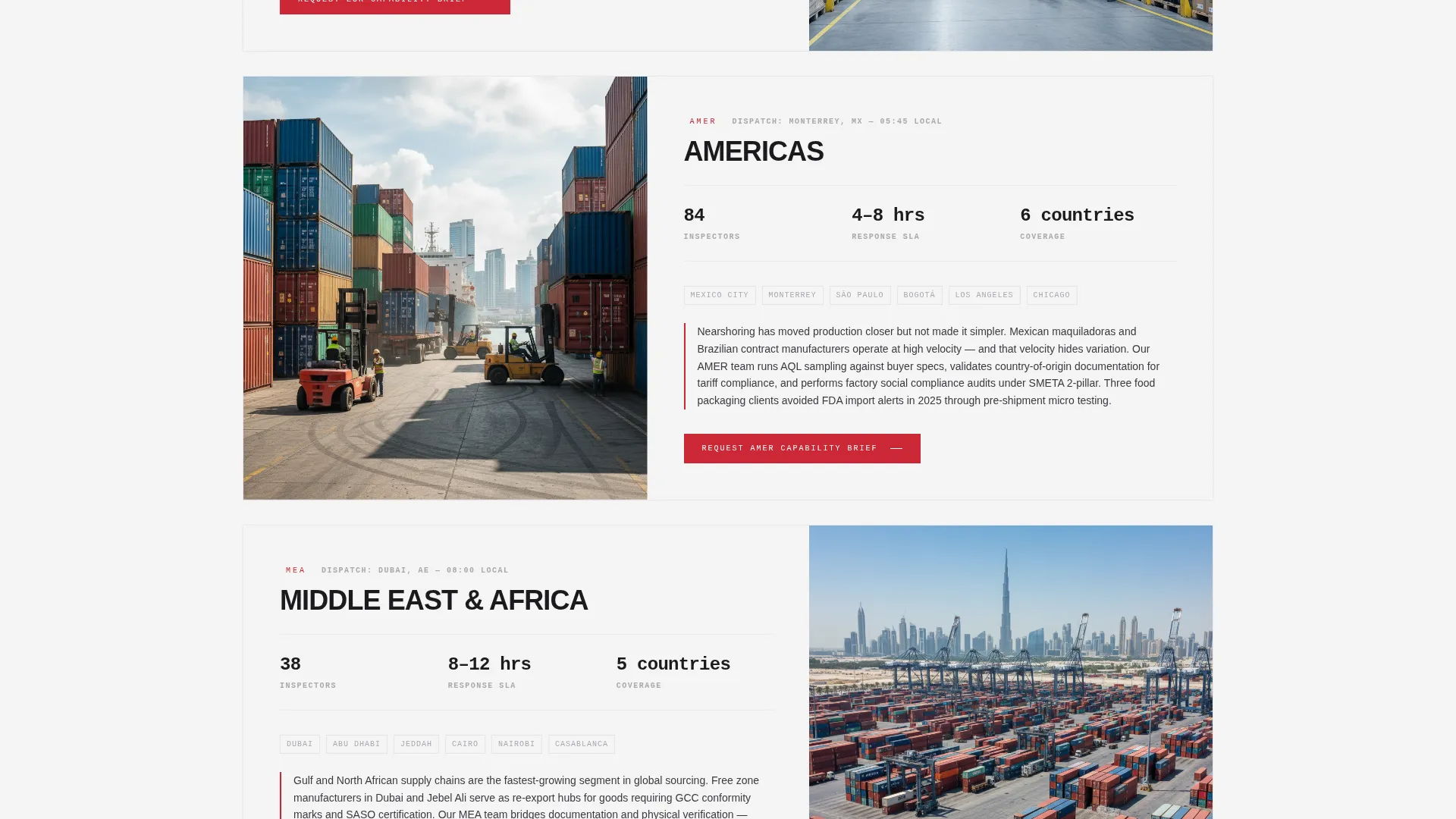
Regional Capability Modules
Each service region gets its own editorial-style section. It includes a regional map, inspector headcount, average response time, and a short field dispatch note written in journalistic style.
Industry-Segmented Client Logo Walls
Client logos are organized by industry vertical and layered between regional modules. Each logo wall is denser than the last, creating a cumulative sense of scale and reach across the page.
Dual Conversion Paths
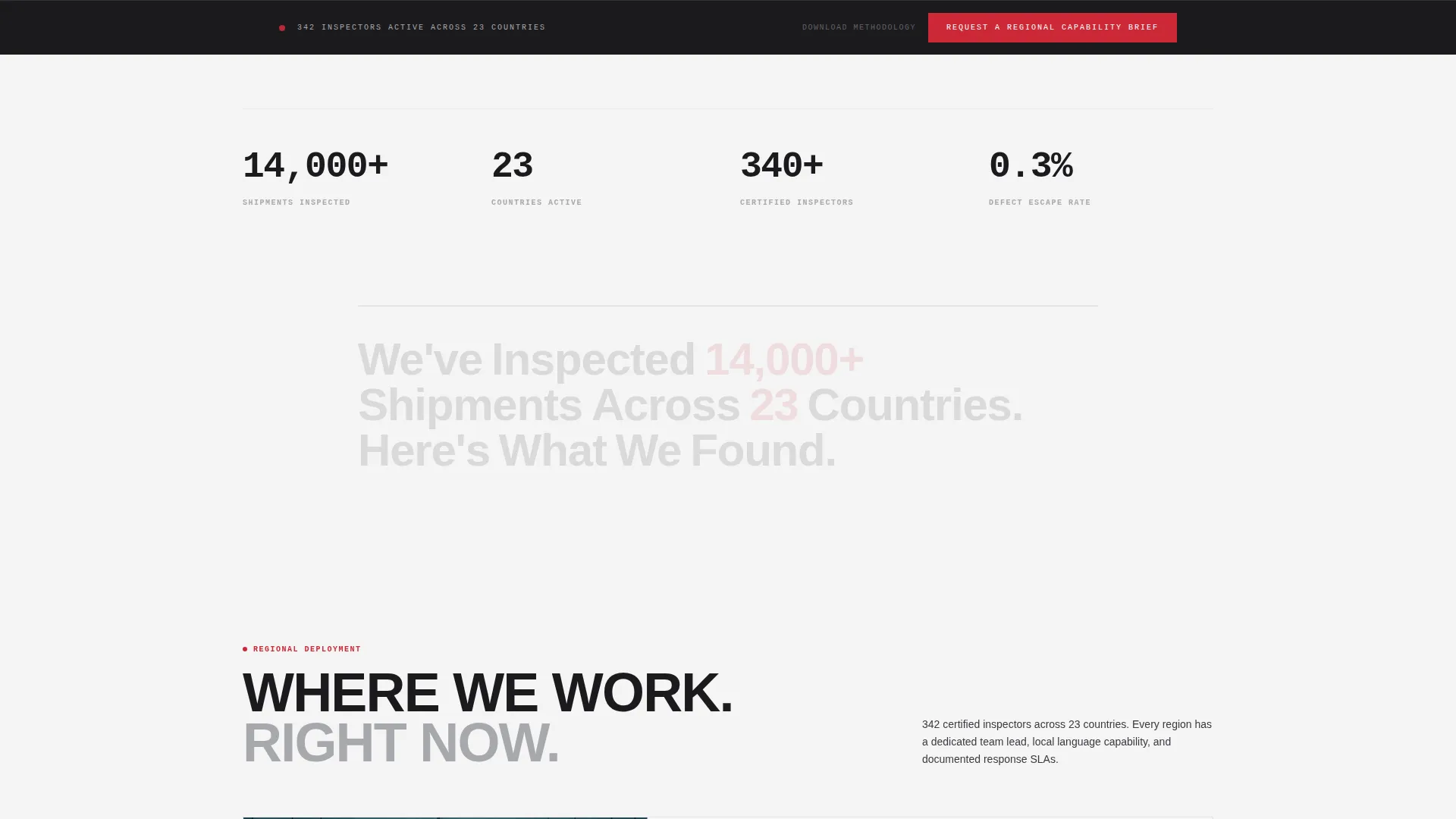
The primary call to action, "Request a Regional Capability Brief", appears after each location module and in a persistent bottom bar. A secondary path offers a gated "Download Our Inspection Methodology" PDF for visitors not yet ready to speak with the team.
Lead Capture Form
The embedded form collects company name, annual import volume range via dropdown, primary sourcing region, and a work email. The fields are chosen to qualify the lead immediately without friction.
Editorial Typographic Header
The header leads with a bold condensed sans-serif headline and a factual authority statement. There is no hero image. The authority is typographic and journalistic, giving the page a precise, editorial feel from the first scroll.
Page sections overview
| Section | Purpose |
|---|---|
| Press Mentions Bar | Establishes third-party validation immediately |
| Editorial Header | Delivers authority via typography and data |
| Regional Module One | Presents first service area with field dispatch |
| Client Logo Wall | Shows industry-specific client credibility |
| Regional Module Two | Presents second service region with local data |
| Client Logo Wall | Adds second vertical for cumulative authority |
| Regional Module Three | Presents third region with inspector details |
| Inspection Method Section | Educates on what and when to inspect |
| Lead Capture Form | Captures qualified B2B inquiry details |
| Gated PDF Download | Secondary conversion for early-stage buyers |
| Persistent Bottom Bar | Keeps primary call to action visible throughout scroll |
Design & branding system
The visual identity uses a monochrome steel palette with a single accent color. The aesthetic is deliberate and industrial, it signals precision, not approachability.
- Forge black (#1B1B1E) for backgrounds, brushed aluminum (#A8A9AD) for supporting text and borders, and inspection-lamp white (#F4F4F5) for body copy surfaces
- Signal red (#CC2936) used exclusively for call-to-action buttons and defect callouts, never decorative
- Condensed sans-serif typography set at editorial scale to lead each section with authority and visual weight
Mobile & speed optimization
The template is structured for clean rendering across screen sizes. The editorial grid adapts to narrower viewports without losing its visual hierarchy.
- Single-column stacking on mobile preserves the scroll-driven credibility sequence
- The persistent bottom bar with the primary call to action remains visible on all device sizes
- Regional map modules and logo walls are designed to resize without breaking layout flow
How this template helps you convert
The page is designed so that by the time a visitor reaches the form, they already have enough information to trust the conversation. Conversion is earned through education.
- The press bar and editorial headline establish authority in the first viewport, reducing immediate bounce from skeptical buyers.
- Regional modules paired with logo walls build layered proof across the scroll, matching the detail level that procurement directors and QA managers expect before engaging.
- The dual conversion path captures both ready buyers via the lead form and early-stage researchers via the gated PDF download, expanding total lead capture without changing the page's tone.
Other information about this template
This template is designed to work equally well as a service area page or a capability overview for multi-region inspection operations. It supports content expansion without structural redesign.
- The editorial format fits quality inspection niches including factory audits, pre-shipment checks, loading dock verification, and warehouse walkthroughs
- The zigzag alternating layout rhythm used in regional modules creates natural visual pacing down the page
- The monochrome steel color system keeps the page brand-neutral enough to adapt to most corporate inspection brand identities with minimal color changes
- The "Download Our Inspection Methodology" secondary path makes this template suitable for thought-leadership and content marketing strategies in professional services
Theme
Service Utility
Creative direction
Team & People
Color system
Navy Authority
Style
Zigzag/Alternating
Direction
Content/Resource
Page Sections
Press Mentions Scroll Bar
Regional Capability Modules
Industry-segmented Logo Walls
Dual Conversion Path Design
Qualified Lead Capture Form
Persistent Bottom Bar Call to Action
Related questions
Who is this landing page template designed for?
Can this template support multiple service regions?
What are the two conversion paths on this page?
Does this template include a persistent call to action?
How is the signal-red accent color used in this template?



