Commercial Building Inspector Landing Page Template
Inspector is a card grid landing page template built for commercial building inspectors. It pairs a location-input hero with a modular inspection-chapter grid, a lead-capture form, and a gated sample report download. The Charcoal and Amber palette gives the page the quiet authority of a bound inspection report, designed to win trust from brokers, lenders, and property managers before a single call is made.
by Rocket studio
Quick summary
Inspector is a single-page, lead-generation template purpose-built for commercial building inspectors. It opens with a bold location-input hero, then walks visitors through an immersive card grid that mirrors the anatomy of a real inspection report. Every design choice earns credibility with high-stakes buyers: brokers, lenders, and property managers who need proof of expertise before they pick up the phone.
Who this template is for
This template is designed for professionals whose clients arrive with serious due diligence needs and tight deal timelines. It speaks directly to inspection firms that serve commercial real estate transactions rather than residential walk-throughs.
- Commercial building inspectors serving brokers and acquisition teams
- Inspection companies working with lenders who require formal condition assessments
- Property management firms offering inspection services to retail center and industrial asset owners
What problem this template solves
Commercial inspection buyers are not casual shoppers. They arrive with a specific property address, a closing date, and a lender or broker waiting on a report. A generic service page fails them because it offers no proof of scale, no sense of rigor, and no clear next step. This template removes every one of those friction points.
- Buyers cannot quickly verify the inspector's experience or depth of coverage
- There is no low-commitment entry point for cautious buyers who need to see a sample report first
- Standard contact forms do not capture the property details an inspector needs to qualify a lead
What you get with this template
You get a fully structured, single-page layout that moves a visitor from curiosity to booked inspection in a logical sequence. Every section earns its place, and no space is wasted on decoration that does not build trust.
- A location-input hero with a confidence statement and a pulsing amber underline on the address field
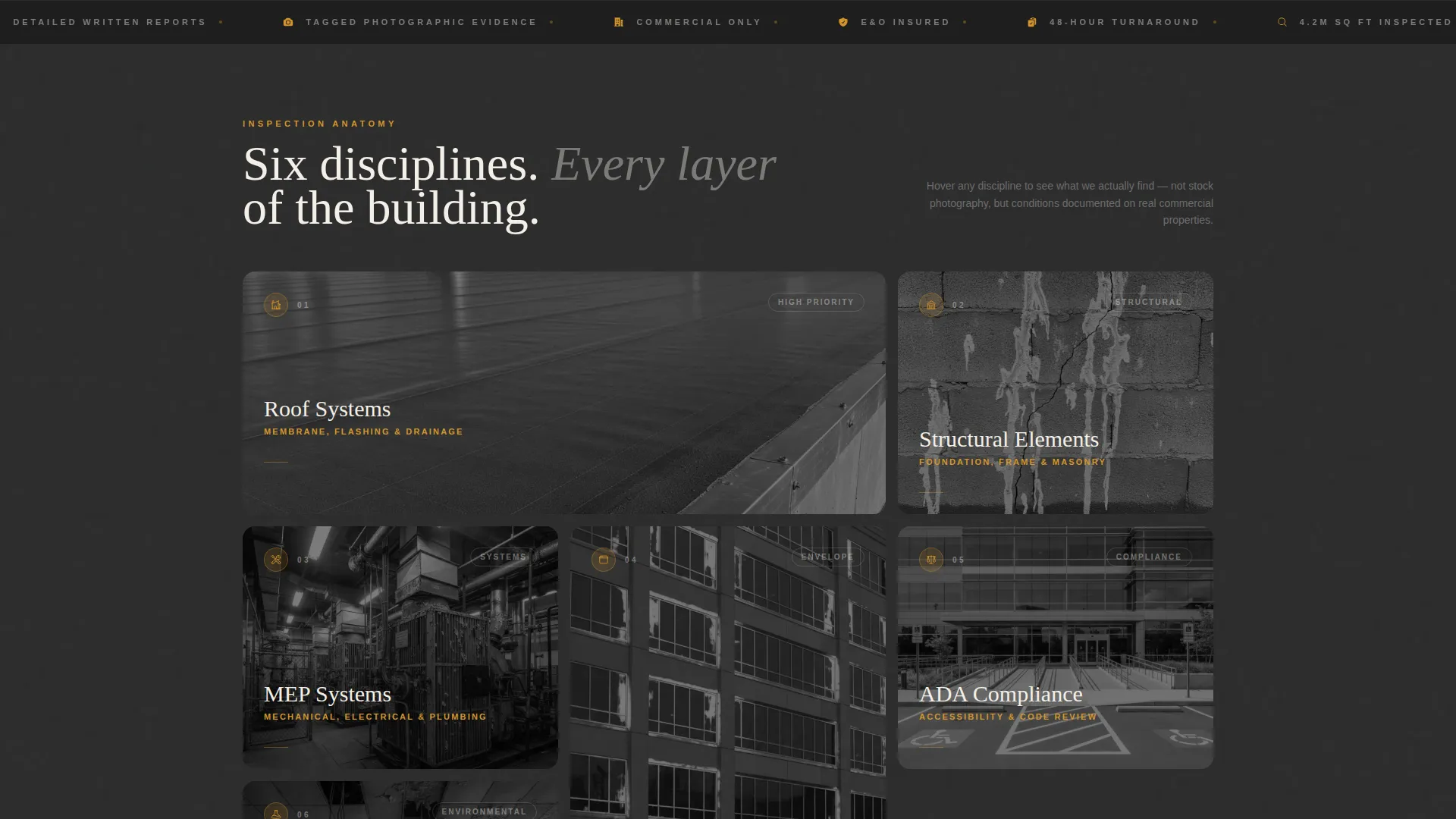
- A modular card grid covering six inspection chapters, each with an on-site hover photograph
- A structured lead form collecting address, building type, square footage, and inspection purpose, plus a gated sample report download path
Feature list
The template is built around a small set of high-impact components. Each one is designed to do a specific job in the path from first visit to scheduled inspection.
Location Input Hero
The hero centers a clean address search field over a muted aerial photograph of a commercial district, rooftops visible like a site map. A single supporting line reads "We've inspected 4.2 million square feet. Yours is next." The layout is uncluttered and immediately signals professional scale.
Modular Inspection Chapter Grid
Six cards represent the core chapters of a commercial inspection: Roof Systems, Structural Elements, MEP (Mechanical, Electrical, and Plumbing), Building Envelope, ADA Compliance, and Environmental. Each card expands on hover to reveal a full-bleed on-site photograph, pulling the visitor deeper into the granularity of what an inspection uncovers.
Dynamic Grid Recomposition
As visitors scroll, the grid shifts from tight thumbnails to expanded case-study cards. The layout mimics the experience of flipping through a bound report where each page reveals another layer of the building's story.
Dual Conversion Paths
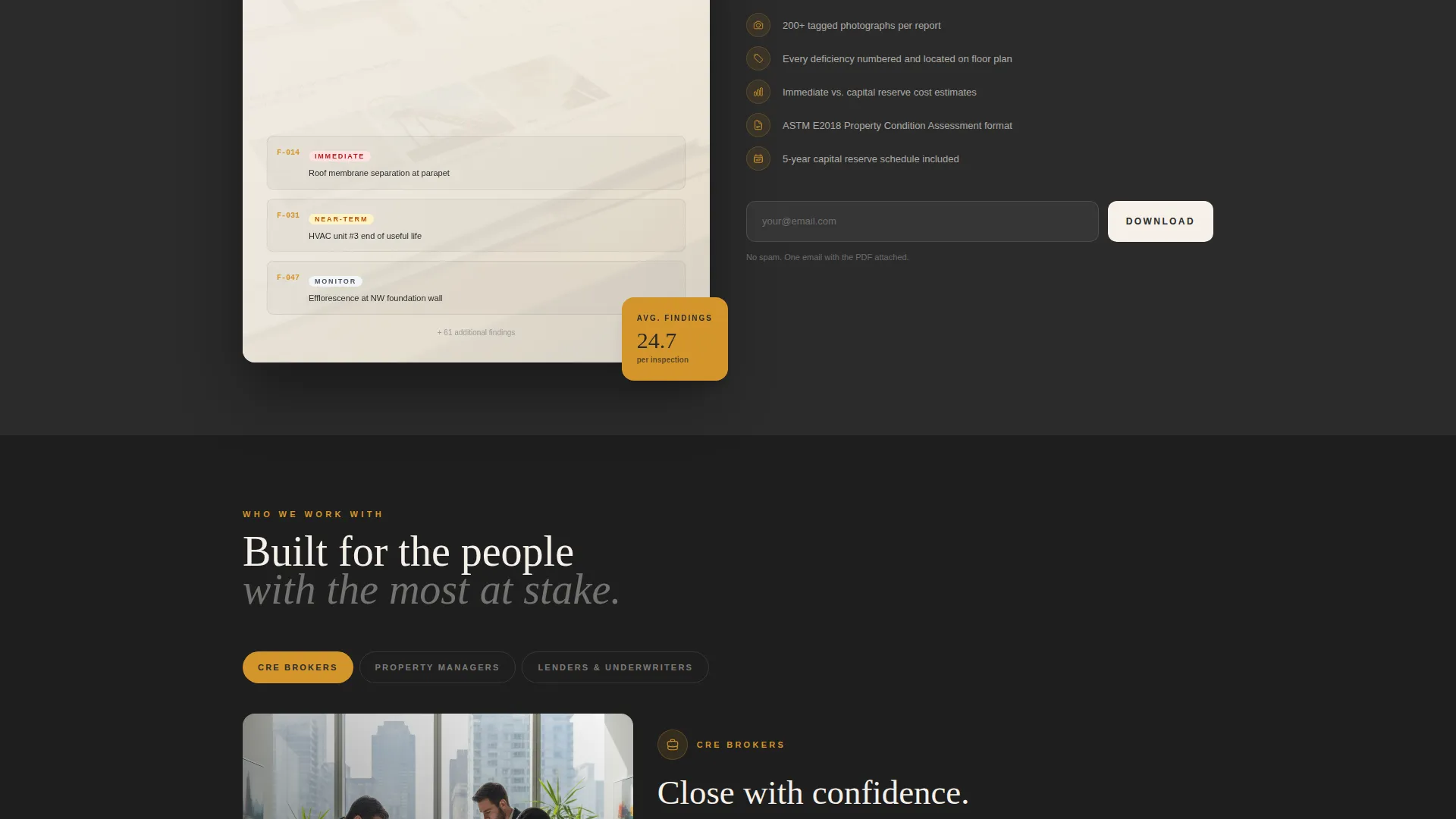
The primary call to action, "Schedule Your Inspection," appears as a fixed amber button in the navigation and again as the final oversized card in the grid. A secondary path offers a gated sample report download behind a single email field, giving cautious buyers proof of deliverable quality before committing to a call.
Structured Lead Capture Form
The lead form asks for property address first, then building type via a selector (office, retail, industrial, multifamily), approximate square footage via a slider, and inspection purpose (acquisition, annual, or lender-required). This sequencing qualifies every lead before the first conversation.
Fixed Navigation with Persistent call to action
The amber "Schedule Your Inspection" button stays anchored in the navigation as the visitor scrolls. No matter where a buyer pauses in the page, the next step is always one click away.
Page sections overview
| Section | Purpose |
|---|---|
| Location Input Hero | Anchors the page with a property address field and a scale credibility statement |
| Inspection Chapter Grid | Presents six modular cards covering the core chapters of a commercial inspection |
| Expanded Case Study Cards | Deepens engagement with full-bleed on-site photographs revealed on hover |
| Lead Capture Form | Qualifies inbound leads by collecting property address, building type, square footage, and inspection purpose |
| Sample Report Download | Offers a gated secondary conversion path for buyers who need proof before committing |
| Fixed Navigation Bar | Keeps the primary "Schedule Your Inspection" call to action visible throughout the entire scroll |
Design & branding system
The Atelier Studio theme translates directly into a palette and layout system that feels like a drafting studio after hours. Every color choice carries intentional weight, and no element is decorative without purpose.
- Deep graphite (#2B2B2B) as the primary background, warm parchment (#F5F0E8) for card surfaces, and pencil-line gray (#6B6B6B) for body text create a layered, document-like depth
- Brushed amber (#D4952A) appears sparingly on interactive highlights and hover states, the way a highlighter marks a critical finding in an actual report
- The overall visual language evokes charcoal dust on linen paper under a brass desk lamp, giving the page the quiet authority of a bound inspection report
Mobile & speed optimization
The card grid layout is modular by design, which means it reflows cleanly across screen sizes without losing the chapter-by-chapter inspection narrative. The fixed navigation call to action remains accessible whether a visitor is on a desktop monitor or a phone while walking a property.
- The grid adjusts from multi-column desktop view to a stacked single-column format on smaller screens
- Hover interactions on cards are designed with touch-device equivalents so mobile visitors still experience the full-bleed photograph reveal
- The address input hero scales to fill smaller viewports while keeping the confidence statement and amber underline detail legible
How this template helps you convert
Every layout decision in this template is built around moving a qualified commercial buyer toward one of two actions: scheduling an inspection or downloading a sample report. The structure removes hesitation at each stage of the decision.
- The location-input hero immediately frames the visit around the buyer's specific property, making the experience feel personal and relevant from the first second on the page.
- The inspection chapter grid builds credibility progressively, showing the depth of coverage across roof systems, structural elements, MEP, building envelope, ADA compliance, and environmental concerns before any ask is made.
- The dual call to action structure catches buyers at every stage of readiness, with the fixed navigation button for confident buyers and the gated sample report for those who need one more reason to trust.
Other information about this template
This template is categorized under Real Estate and Property, within the Home Inspection and Survey subcategory, with a specific focus on the commercial building inspector niche. It is designed as a single-page lead generation layout using a Card Grid (Modular) template style under the Atelier Studio theme.
- The intersection match score for this template's niche and category alignment is rated at 9 out of 10, reflecting strong relevance to commercial real estate due diligence workflows
- The template is well suited for inspection firms that serve lenders requiring formal property condition assessments before funding large commercial loans
- The gated sample report download is a practical secondary conversion path that reflects how commercial buyers actually evaluate service providers before making contact


Theme
Atelier Studio
Creative direction
Immersive Visual
Color system
Charcoal & Amber
Style
Card Grid (Modular)
Direction
Lead Generation
Page Sections
Location Input Hero with Credibility Statement
Modular Inspection Chapter Card Grid
Dynamic Grid Recomposition on Scroll
Structured Lead Qualification Form
Gated Sample Report Download
Fixed Amber Navigation Call to Action
Related questions
What types of commercial properties is this template designed for?
Can I customize the inspection chapter cards for my own service categories?
What does the lead form collect from potential clients?
What is the gated sample report download?
Who is this template best suited for?



