Insulation Installer Quote Request Landing Page
Insulate is a single-column landing page template built for insulation installers who need to turn cold leads into booked quote requests. It combines a data-driven header, animated energy-cost counters, and a short diagnostic form to move homeowners, property managers, and general contractors from skepticism to action, fast.
by Rocket studio
Quick summary
Insulate is a focused, single-column landing page template designed for insulation installer businesses. It opens with an animated energy-waste counter, walks visitors through data-first proof points, and closes with a quote-request form. The design follows an Executive Suite theme with an Ink and Paper color palette, restrained, authoritative, and built to earn trust before asking for anything.
Who this template is for
This template speaks directly to insulation professionals who need a landing page that converts cautious, cost-aware visitors into real leads. It suits businesses that win work through evidence rather than flashy visuals.
- Insulation installers looking for a quote-request landing page that does the persuading for them
- Property managers and general contractors who need to see a credible, professional service page before calling
- Homeowners researching insulation options after receiving a high energy bill
What problem this template solves
Most insulation service pages lead with stock photography and vague promises. Visitors leave without booking because nothing made the cost of inaction feel real. This template flips that pattern by showing the financial impact first and explaining the solution second.
- It replaces generic hero images with a personalized energy-waste counter that recalculates based on the visitor's zip code
- It builds trust gradually through a rhythm of data points, visual proof, and brief context, not sales copy
- It gives researchers an exit ramp through a downloadable guide, keeping them in the funnel even if they are not ready to book
What you get with this template
You get a complete, single-page layout ready to present your insulation business with authority. Every section is purposefully ordered to move a skeptical visitor toward a quote request.
- A full single-column flow with a data storytelling header, stats-first impact sections, R-value bar chart, thermal imaging split, and a short diagnostic form
- A gated secondary conversion path: a downloadable PDF guide offered in exchange for an email address
- An Executive Suite visual system using the Ink and Paper color palette with typographic hierarchy built around oversized serif headings
Feature list
This template packs a focused set of built-in components, each designed to reduce friction and increase conversion confidence for insulation installer businesses.
Animated Energy-Waste Counter
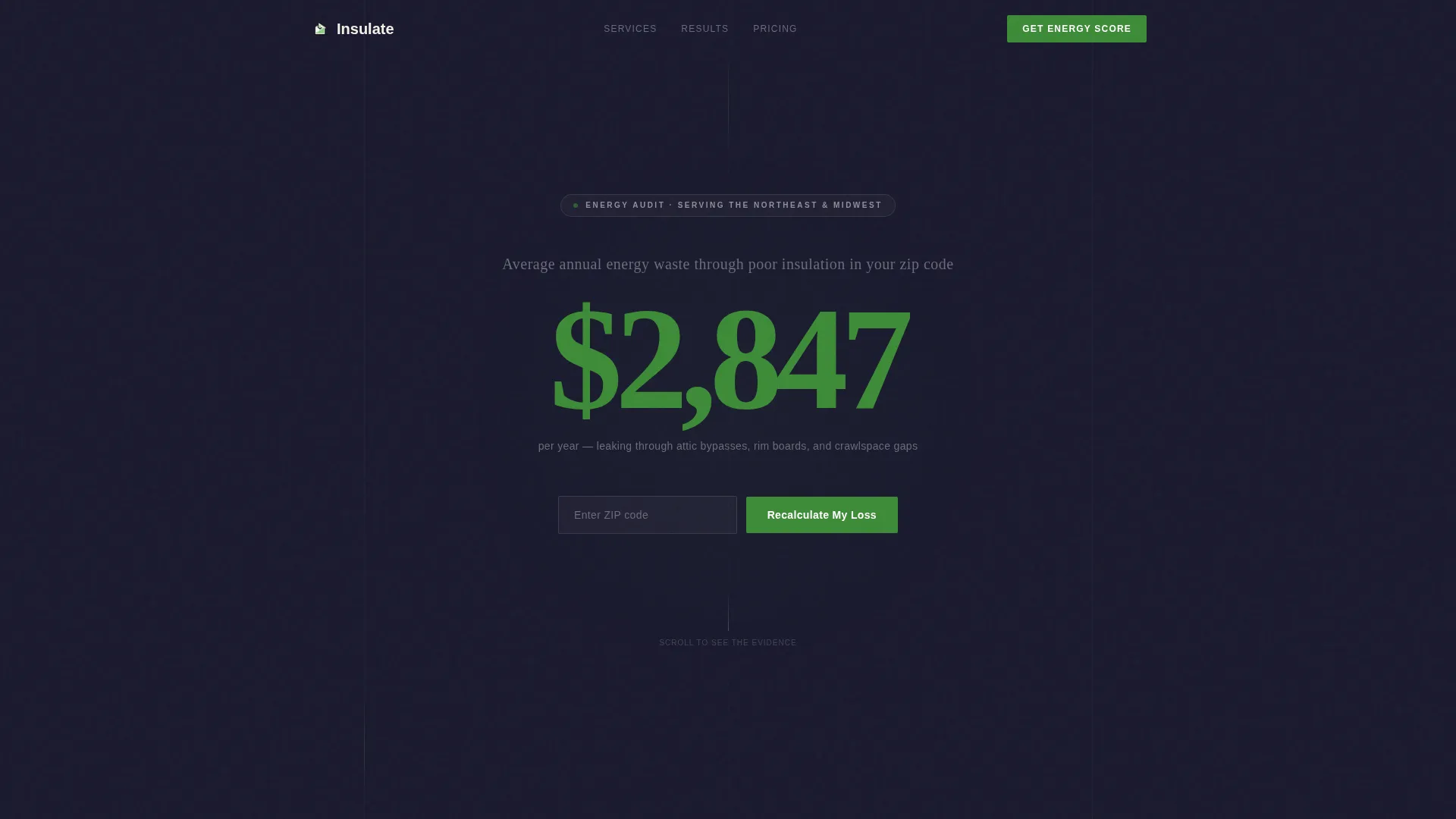
The header opens with a single animated number that counts from $0 upward to represent the average annual energy waste in the visitor's area. A zip code input field allows the figure to recalculate locally, making the opening impression personal and specific rather than generic.
Zip Code Personalization Input
A minimal input field sits directly beneath the counter. When a visitor enters their zip code, the energy cost figure updates to reflect regional data. This small interaction creates an immediate sense of relevance and shifts the page from a brochure into a diagnostic tool.
Stats-First Scroll Rhythm
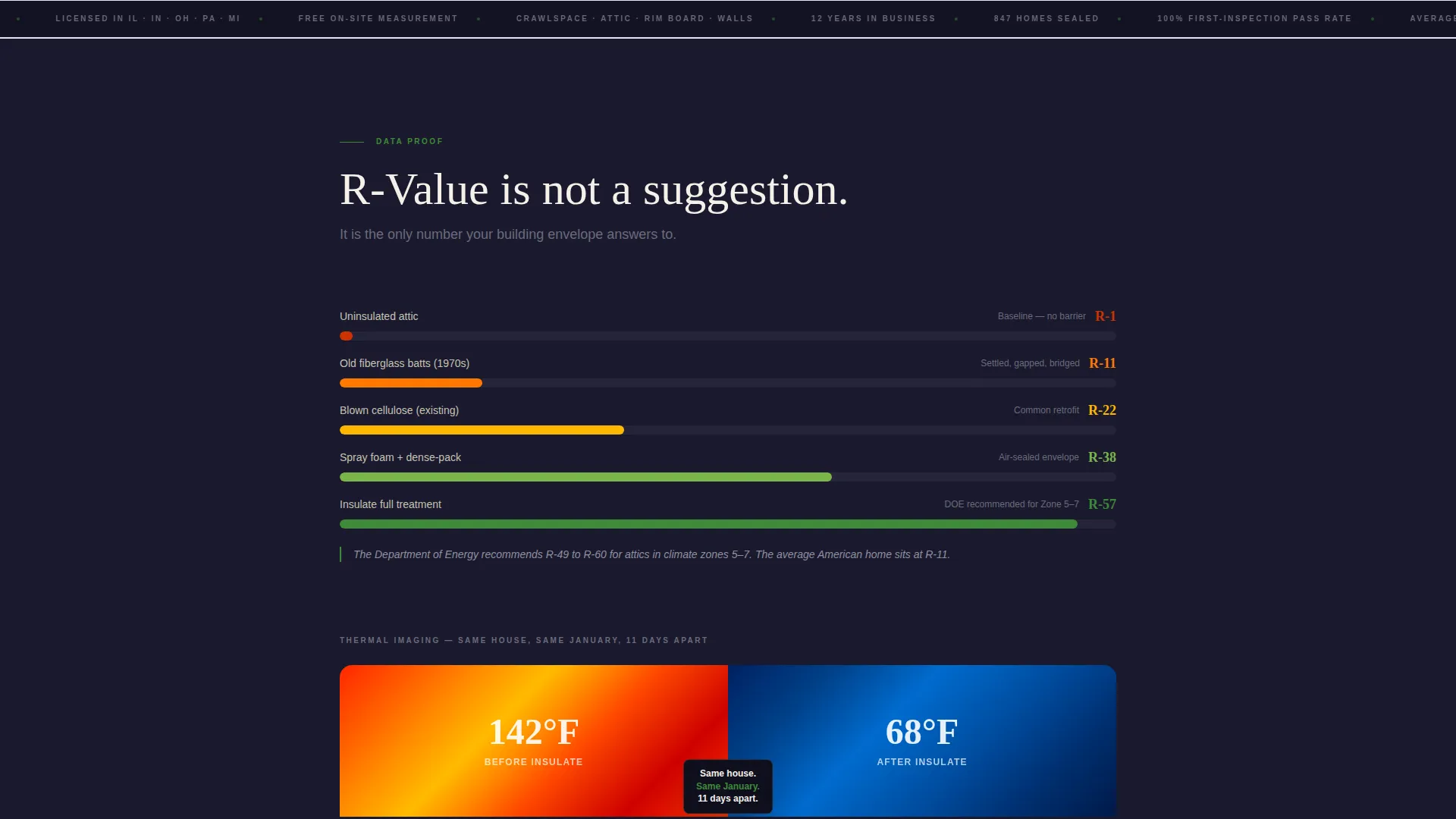
Each scroll step reveals a data point before any explanatory copy appears. A bar chart shows R-value comparisons in isolation, then a single context sentence fades in. This pattern trains visitors to read evidence before promises, building cumulative trust with every section.
Thermal Imaging Split Visual
A before-and-after thermal image shows the same house with a hot attic above and a sealed, cooled attic below. A single annotation reads: "Same house. Same January. 11 days apart." No additional copy is needed. The image carries the argument on its own.
Diagnostic Quote Request Form
The primary call to action leads to a short form collecting home age, square footage, current insulation type, and zip code. An "I don't know" option for insulation type is included by design, lowering the barrier for homeowners who are unfamiliar with their current setup.
Gated PDF Resource Path
A secondary conversion path offers "The Homeowner's R-Value Guide" as a downloadable PDF. It is gated behind an email address only, giving research-stage visitors a reason to engage without committing to a full quote request.
Page sections overview
| Section | Purpose |
|---|---|
| Animated Counter Header | Hooks visitors with a personalized energy-waste figure |
| Zip Code Input | Recalculates cost data to match the visitor's region |
| R-Value Bar Chart | Shows insulation performance comparisons visually |
| Thermal Split Image | Demonstrates real before-and-after results with one annotation |
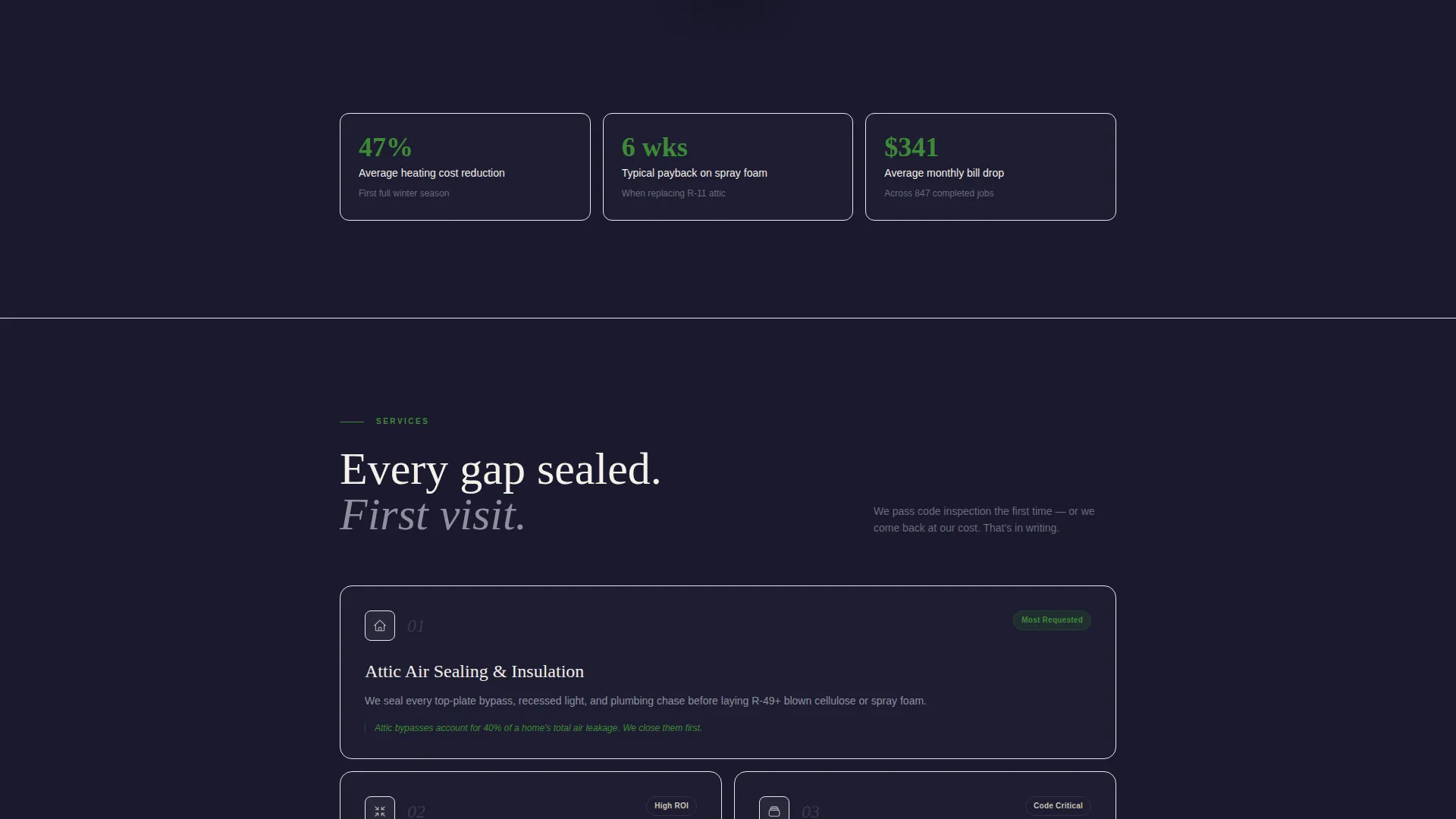
| Stats and Context Blocks | Alternates data points with brief explanatory copy |
| Diagnostic Quote Form | Captures lead details through a short, low-friction form |
| PDF Guide Download | Offers a secondary email-gated resource for research-stage visitors |
Design & branding system
The visual identity follows an Executive Suite theme built on the Ink and Paper color system. The palette feels like a freshly printed financial report, credible, restrained, and free of anything that looks like typical contractor marketing.
- Deep editorial black (#1A1A2E) and warm parchment (#F5F0E8) form the core palette, with graphite annotation gray (#6B6B7B) for supporting text
- Efficiency green (#3D8B37) appears only on data callouts and interactive elements such as buttons and the animated counter accent
- Typography uses oversized, unhurried serif headings that let the numbers carry weight without competing visual noise
Mobile & speed optimization
The single-column flow adapts naturally to smaller screens without sacrificing the data-first narrative. Each section stacks cleanly, and the counter, chart, and thermal split remain readable at mobile widths.
- The full-width single-column layout eliminates complex grid breakpoints, keeping the reading experience consistent across devices
- Lightweight section transitions and fade-in text keep the scroll rhythm intact on mobile without requiring heavy animation libraries
How this template helps you convert
The template earns conversions by making the cost of inaction feel concrete before asking the visitor to do anything. Every design decision reduces resistance and builds readiness.
- The animated counter creates an immediate, personalized financial stake, so the visitor arrives at the form already motivated rather than cold
- The stats-first scroll rhythm replaces persuasion copy with verifiable evidence, making the quote request feel like a rational next step rather than a sales response
Other information about this template
This template is built specifically for the insulation installer quote request niche within the broader professional services category. It suits businesses that serve multiple client types from a single, authoritative page.
- The page is designed to serve homeowners, property managers, and general contractors without requiring separate landing pages for each audience
- The "I don't know" insulation-type option in the form is a deliberate trust signal, not an oversight, it removes a common drop-off point for homeowners unfamiliar with their existing setup
- The secondary PDF download path keeps research-stage visitors engaged and builds an email list without requiring a full quote commitment
- This template works well for insulation businesses operating in regions with significant seasonal energy cost variation, where the zip-code counter creates the most impact
Theme
Executive Suite
Creative direction
Stats-First Impact
Color system
Ink & Paper
Style
Single Column Flow
Direction
Content/Resource
Page Sections
Animated Energy-waste Counter
Zip Code Personalization Input
Stats-first Scroll Rhythm
Thermal Imaging Split Visual
Diagnostic Quote Request Form
Gated PDF Resource Path
Related questions
Who is this landing page template designed for?
Can I customize the energy-waste counter and form fields?
Do I need design experience to use this template?
What is the purpose of the downloadable PDF section?



