Insulation Supplier Landing Page Template
Insulate is a card grid landing page built for insulation suppliers serving contractors, HVAC installers, and weatherization crews. It leads with four oversized stats, organizes every product category into flippable spec cards, and drives leads through a pinned quote form. The charcoal and amber design feels like a working tool wall, organized, confident, and built for trade professionals.
by Rocket studio
Quick summary
Insulate is a single-page lead generation template for insulation suppliers. It opens with a stats wall that proves credibility in seconds, then walks visitors through a modular product catalog built from flippable spec cards. The primary call to action, a sticky "Get a Material Quote" bar, captures qualified project details before the first follow-up call.
Who this template is for
This template is designed for insulation distributors and supply houses that sell directly to the trades. It speaks the language of the job site, not a retail showroom.
- General contractors managing multiple residential builds who need fast material confirmations
- HVAC installers specifying duct wrap and cavity insulation for commercial retrofit projects
- Weatherization crews working through county energy-efficiency rebate programs
What problem this template solves
Most supplier websites bury product data behind navigation menus and PDFs that no one on a job site has time to hunt for. Trade buyers arrive with a spec in hand and leave frustrated when they can not match a product to a project quickly.
- Contractors waste time calling a sales desk for information that should be on the page
- Visitors can not compare R-values, facing types, and fire ratings without jumping between tabs
- Generic landing pages lose credible leads because they offer no clear path from product interest to a quote request
What you get with this template
You get a fully structured, single-page layout that functions like a digital spec binder. Every section has a clear job to do, and nothing is decorative for its own sake.
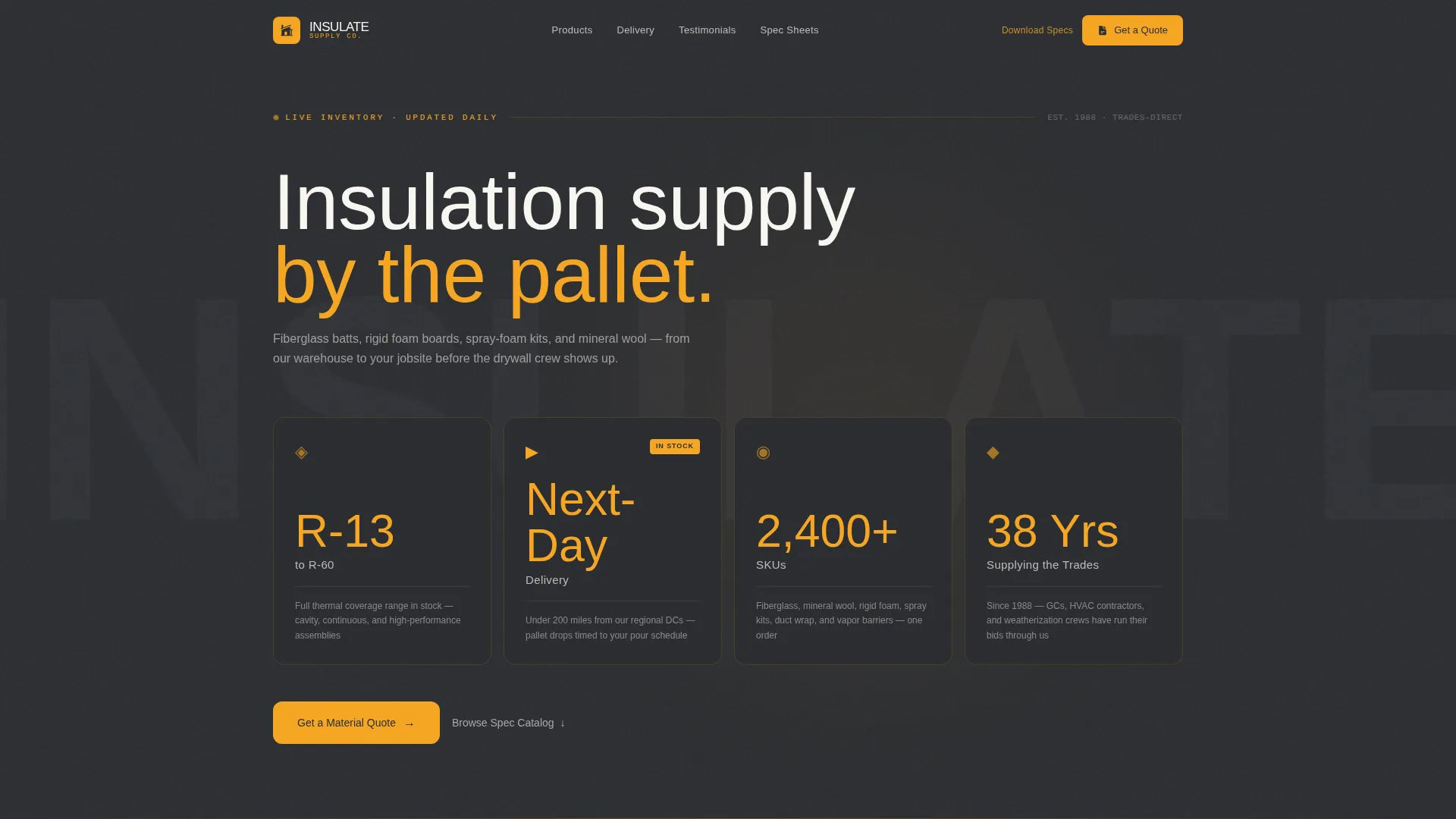
- A stats wall header with four metric cards covering stock range, delivery radius, catalog depth, and years in business
- Modular product cards for six insulation categories, each with a flippable face that shows spec data on one side and installation notes on the other
- Two distinct lead capture paths: a sticky quote form and a secondary email gate for downloadable spec sheet PDFs
Feature list
This section covers the functional building blocks included in the Insulate template.
Stats Wall Header
Four oversized metric cards span the full viewport width at the top of the page. Each card displays an amber numeral at reading-distance size, a short white context line below it, and a charcoal card background. The four stats cover in-stock R-value range, next-day delivery radius, total SKU count, and years supplying the trades.
Flippable Product Spec Cards
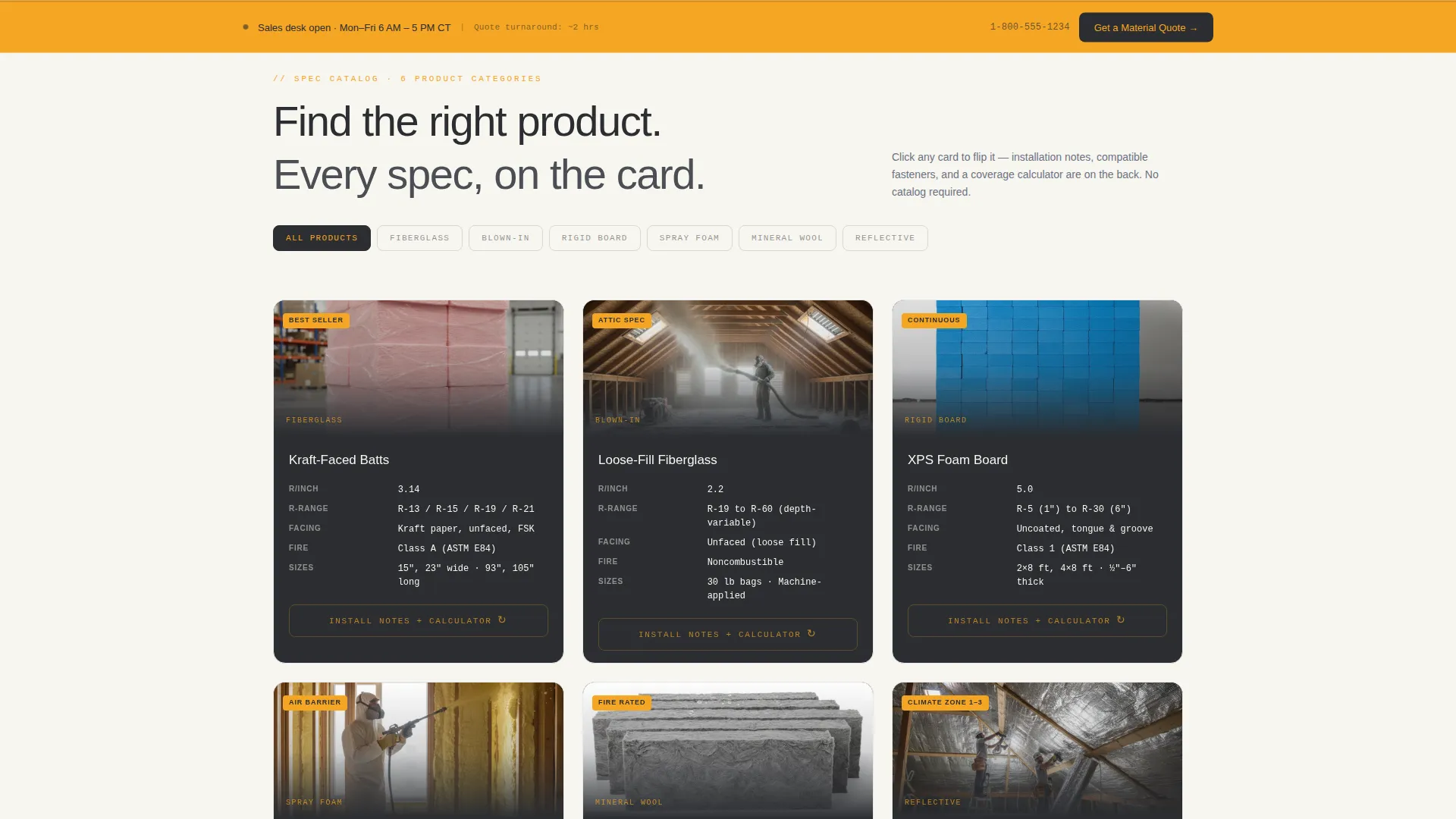
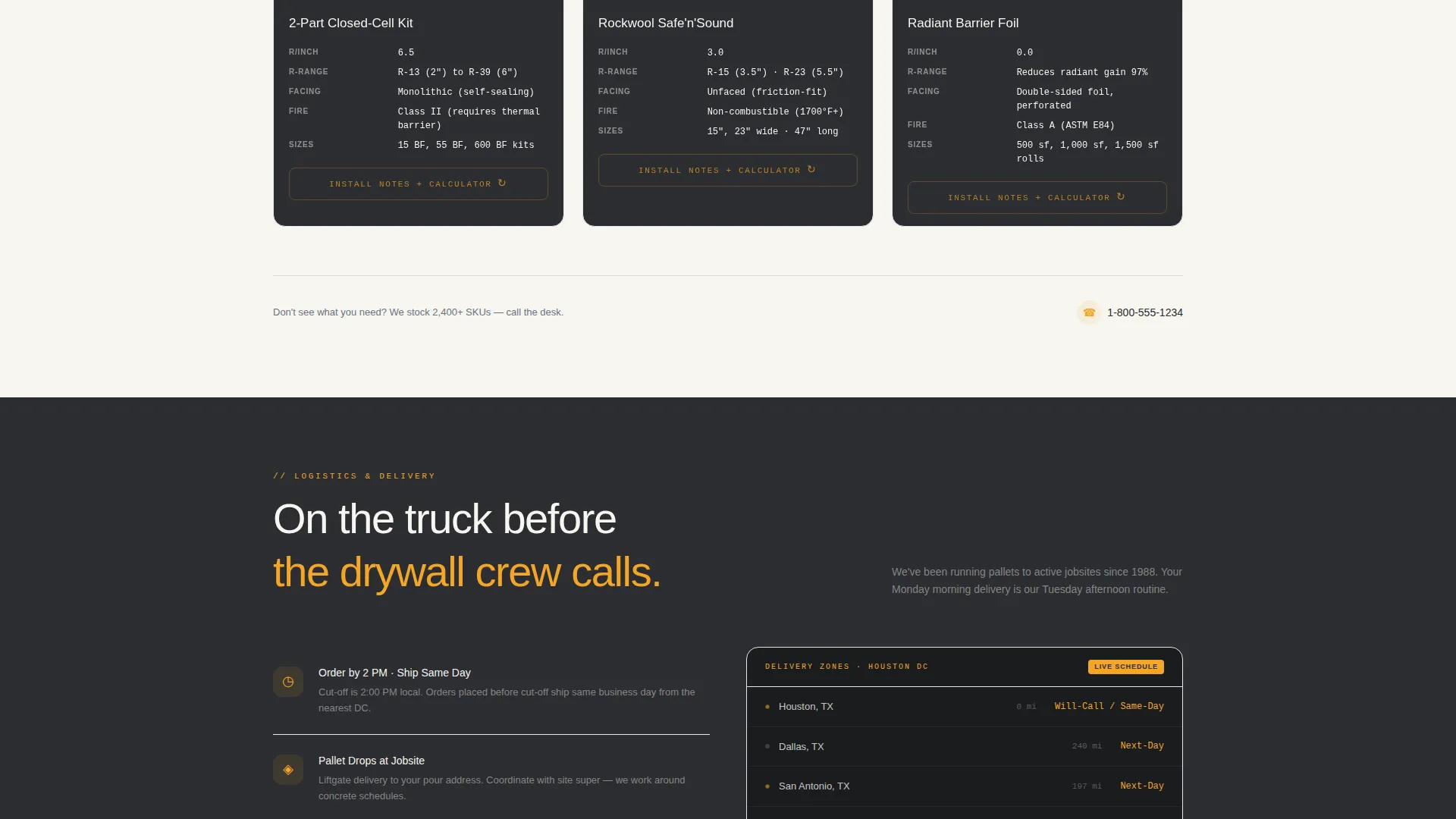
Each product category gets its own modular card with a thumbnail and a mini data table on the front face. The table shows R-value per inch, facing type, fire rating, and available dimensions. Clicking the card flips it to reveal installation notes, compatible fastener references, and a built-in coverage calculator, all without leaving the page.
Sticky Quote Request Bar
After the first row of product cards, a persistent amber bar locks to the bottom of the viewport. It carries the primary call to action, "Get a Material Quote," and opens a short form collecting project type, insulation type, estimated square footage, and zip code in that order.
Secondary Spec Sheet Download
A separate lead capture path offers a downloadable PDF spec sheet package. It asks only for an email address and company name, giving contractors who are building bid packages a low-friction way to engage before they are ready to commit to a purchase.
Six-Category Product Grid
The catalog is organized into six insulation categories: fiberglass batts, blown-in insulation, rigid foam board, spray foam kits, mineral wool, and reflective barrier. Each row of cards narrows the visitor's search progressively, making the right product selection obvious before the quote step.
Service Utility Visual System
The charcoal and amber color system is applied systematically across card surfaces, call-to-action elements, R-value callouts, and stock-availability badges. The layout reads like a well-organized tool wall, where every element has a fixed position and a clear purpose.
Page sections overview
| Section | Purpose |
|---|---|
| Stats Wall Header | Establishes supplier credibility with four key metrics |
| Fiberglass Batts Cards | Displays spec data and flip-side installation notes |
| Blown-In Insulation Cards | Organizes blown-in product options by R-value and coverage |
| Rigid Foam Board Cards | Presents board dimensions, fire ratings, and facing types |
| Spray Foam Kits Cards | Details spray-foam kit specs and compatible applications |
| Mineral Wool Cards | Covers mineral wool R-values, dimensions, and fire ratings |
| Reflective Barrier Cards | Shows barrier specs and compatible fastener references |
| Sticky Quote Bar | Pins lead capture form after first card row |
| Spec Sheet Download | Secondary email gate for PDF bid-package resources |
Design & branding system
The visual identity follows a Service Utility theme. Every color decision comes from the working trades, not from residential design trends.
- Deep tool-steel charcoal (#2B2D31) and job-trailer gray (#4A4E54) anchor all card backgrounds and page surfaces
- Safety-vest amber (#F5A623) activates on call-to-action buttons, R-value callouts, and stock-availability badges
- Invoice-paper white (#F7F5F0) carries body text and data table content without glaring under bright screen conditions
Mobile & speed optimization
The card grid layout adapts naturally to smaller screens because each product card is a self-contained module. Trade buyers checking specs from a truck cab or job-site tablet get the same organized view as a desktop user.
- Modular card rows restack into single-column layouts on narrow viewports without breaking the spec table format
- The sticky quote bar remains accessible on mobile, keeping the primary lead path visible throughout the scroll
- Amber callout text and oversized stat numerals remain legible at reduced screen sizes without requiring zoom
How this template helps you convert
The page is engineered around two conversion paths and removes friction from both of them.
- The sticky "Get a Material Quote" bar captures high-intent visitors the moment they confirm a product match, collecting the four data points a sales desk needs to prepare a callback with pricing and delivery confirmation.
- The "Download Full Spec Sheets" gate converts bid-stage contractors who are not yet purchasing, gathering company name and email so the supplier can follow up when the project moves forward.
Other information about this template
This template sits in the Manufacturing and Industrial category under Construction Materials and Supply. A few additional details worth knowing before you build with it.
- The template style is Card Grid (Modular), meaning individual product cards can be added, removed, or reordered without restructuring the full layout
- The header concept is Stats and Metrics, a format well suited to supply houses where trust is built on volume, range, and track record rather than lifestyle imagery
- The creative direction follows a Spec Sheet approach, organizing information the way trade professionals expect to find it on a product data sheet
- The landing page direction is Lead Generation, so every section is sequenced to move a visitor from product discovery toward a quote request or contact capture
- This template works well for suppliers covering product lines such as fiberglass batt insulation, rigid foam board, spray foam, blown-in insulation, mineral wool, and reflective barrier materials
Theme
Service Utility
Creative direction
Spec Sheet
Color system
Charcoal & Amber
Style
Card Grid (Modular)
Direction
Lead Generation
Page Sections
Stats Wall Header with Metric Cards
Flippable Product Spec Cards
Sticky Quote Request Bar
Six-category Modular Product Grid
Secondary Spec Sheet Download Gate
Related questions
Can I add or remove product categories from the card grid?
Does the card flip interaction work on touch screens?
Can I run both lead capture paths at the same time?
Are the stats in the header editable?
What information does the quote request form collect?



