LegalTech & Compliance Software Blog Website Template
A single-page editorial landing page template built for client intake software. It replaces cluttered onboarding workflows with a clean, magazine-style comparison layout. Operations managers at law firms, behavioral health clinics, and accounting practices can use it to show prospects exactly how a digital intake process eliminates the clipboard-and-PDF shuffle, step by step.
by Rocket studio
Quick summary
This template is a bold, editorial-style landing page designed for client intake software. It leads with a giant typographic headline, then walks visitors through a side-by-side comparison of old versus new intake workflows. The page is built for B2B professional services teams who want to demonstrate operational clarity before asking for anything in return.
Who this template is for
This template is built for teams in professional services who manage high-volume client onboarding and feel the daily cost of a broken intake process.
- Operations managers at mid-size law firms who spend hours chasing signatures and re-keying data
- Intake coordinators at behavioral health clinics who handle redundant paper forms across every new client
- Office administrators at accounting practices who apologize daily for a process that should be automatic
What problem this template solves
Most intake software pages lead with feature lists and product screenshots. Visitors leave unconvinced because they never saw the problem mapped clearly against the solution. This template flips that entirely.
- It shows the old workflow and the new one side by side, letting the gap do the persuading
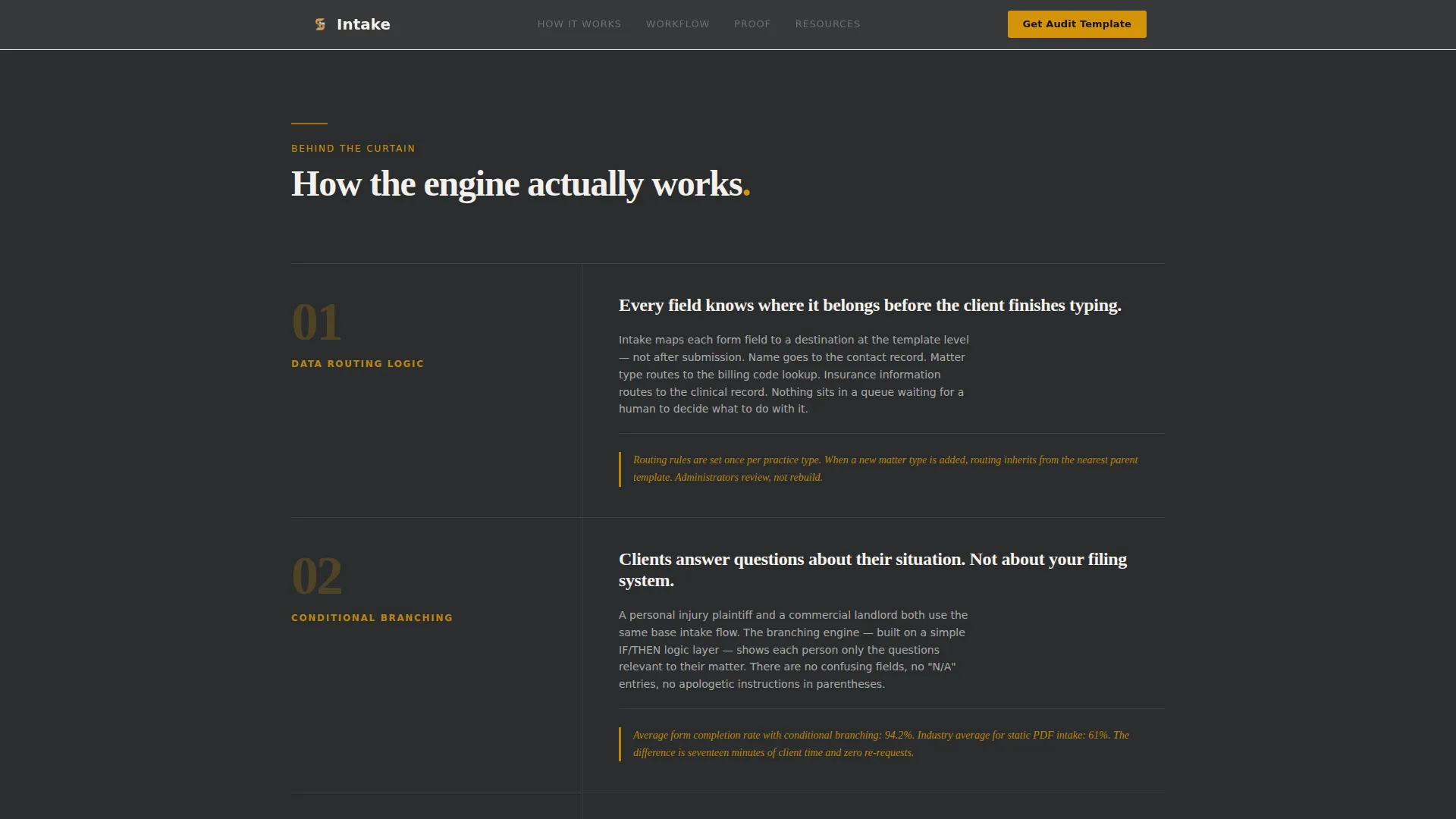
- It layers editorial annotations that explain data routing, conditional form branching, e-signature handoff, and contact record sync without burying readers in jargon
- It gates two high-value resources behind a short form, giving visitors a reason to convert whether they want to act immediately or study the process first
What you get with this template
You get a complete single-page layout that functions as both a sales tool and a content destination. Every section is structured to build conviction before asking for anything.
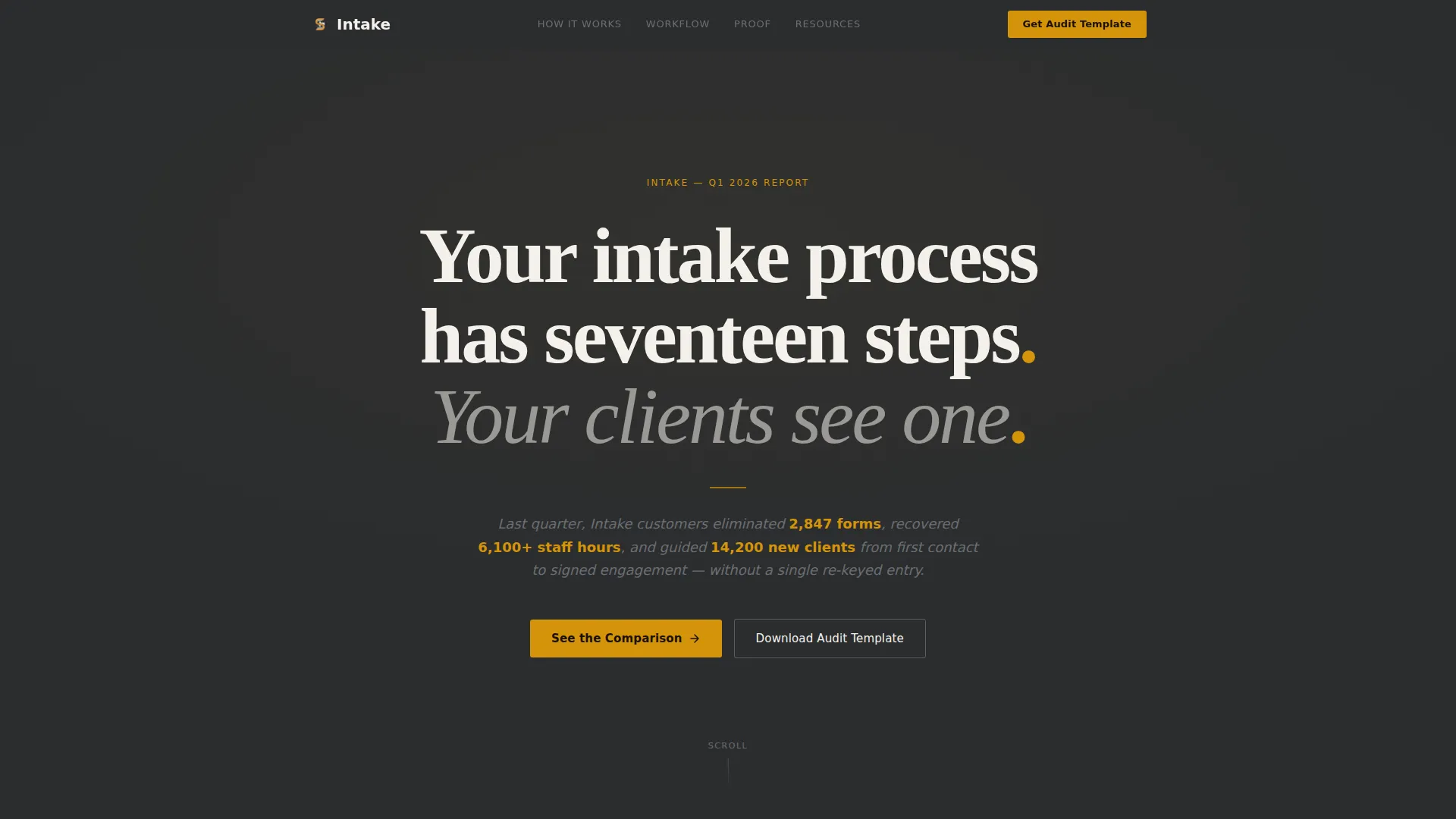
- A charcoal hero section with a giant editorial serif headline and an italic byline block showing real operational statistics
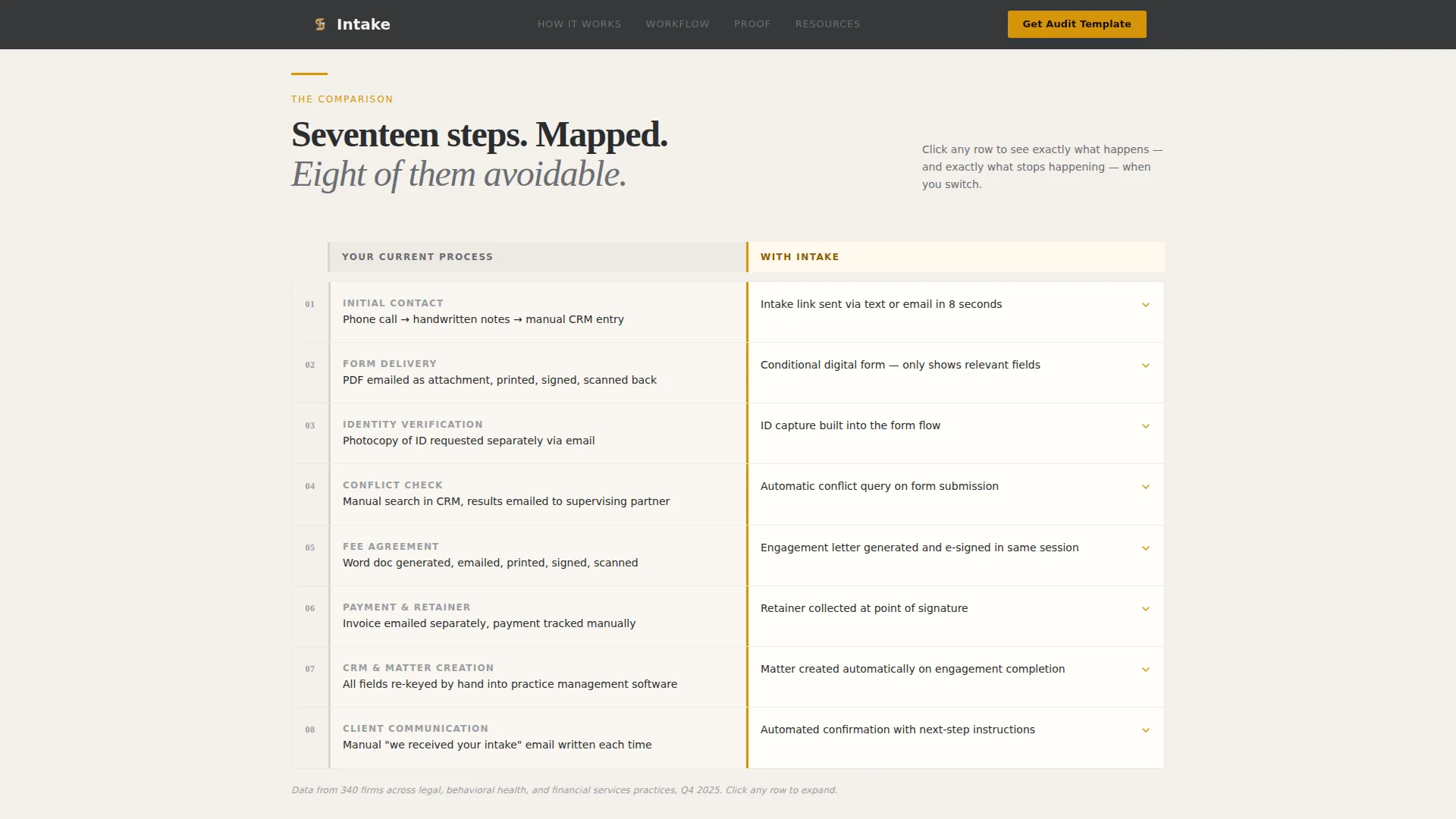
- An eight-row comparison table with expandable click-to-reveal rows that expose the mechanics behind each intake step
- A dual-path conversion section with an amber primary call-to-action form and a secondary gated resource link
Feature list
This template is purpose-built around one idea: show the problem in full before offering the fix. Every feature serves that goal.
Giant Editorial Hero Typography
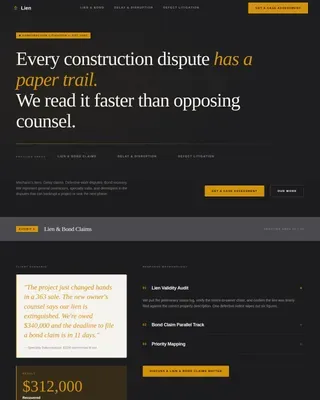
The hero section uses a full-width charcoal field with a large-weight editorial serif headline set at tight tracking. No image, no screenshot, no illustration. An italic graphite subline beneath the headline carries aggregate operational statistics as a byline. Typography alone does the work of establishing authority.
Expandable Comparison Table
The core of the page is an eight-row side-by-side table mapping the old intake workflow against the new digital one. Each row expands on click to reveal what happens behind the curtain at that step, including data routing logic, conditional branching rules, and handoff triggers. Amber accents highlight the most meaningful contrasts in each row.
Magazine-Style Editorial Annotations
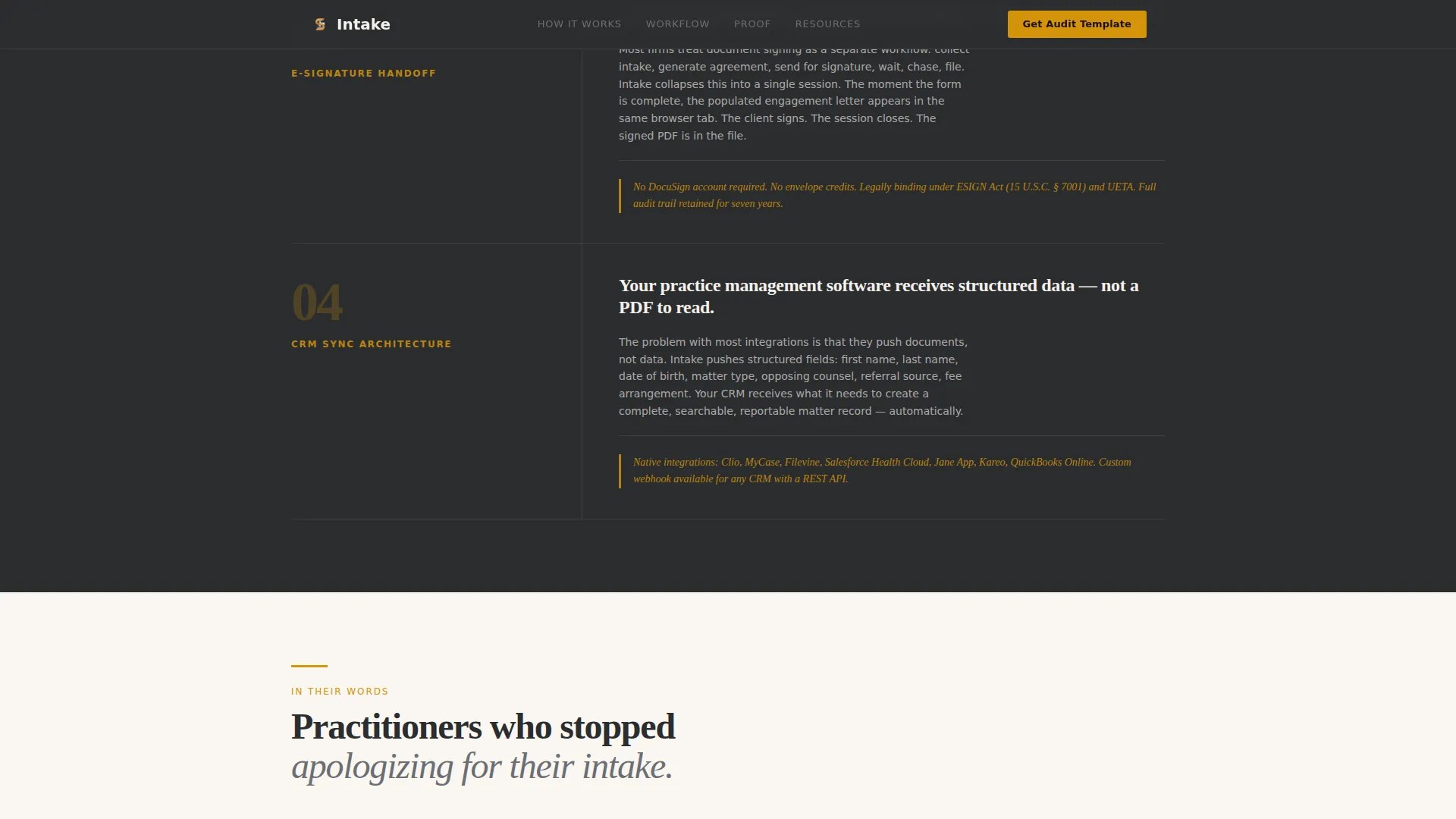
After the comparison table, numbered editorial blocks present the mechanics of the intake process as a magazine feature would present an exposé. Each block covers one workflow layer, such as form branching, e-signature handoff, or contact record synchronization, written and laid out as a structured annotation rather than a bullet-point feature list.
Dual-Path Resource Conversion Form
The primary call-to-action offers a downloadable Intake Audit Template in an amber button following the comparison table. A secondary path offers a detailed workflow process diagram as a gated portable document. The same short inline form captures both conversions, asking for work email, practice type, and team size range in a tabbed layout.
Pull-Quote Social Proof Section
Testimonials are presented as magazine-style pull-quotes with role and firm attribution. They carry the visual weight of a sidebar callout in a print feature, reinforcing credibility through formatting rather than star ratings or logos.
Arc Browser Split Footer
The footer follows an editorial split layout with the product logo and tagline on the left and navigational links on the right. The layout is clean, unhurried, and consistent with the ink-dense editorial identity of the full page.
Page sections overview
| Section | Purpose |
|---|---|
| Hero Headline Block | Sets authority with giant editorial serif type and aggregate stats byline |
| Old versus. New Table | Compares broken intake steps against the digital workflow, row by row |
| Expandable Row Detail | Reveals routing logic, branching rules, and handoff triggers on click |
| Editorial Annotation Blocks | Explains data routing, e-signature flow, and sync in numbered magazine format |
| Resource Call to Action | Captures work email and practice context via amber-accented inline form |
| Gated Workflow Diagram | Offers a secondary PDF process map behind the same short conversion form |
| Pull-Quote Testimonials | Delivers social proof styled as magazine callout quotes with attribution |
| Arc Split Footer | Closes with logo, tagline, and navigational links in a split editorial layout |
Design & branding system
The visual identity is built on an Editorial Magazine theme. Every color, typeface, and spacing decision reinforces a single mood: authoritative, unhurried, and ink-dense.
- Color palette: deep editorial charcoal (#2B2D2F) for primary backgrounds, warm newsprint off-white (#F4F0EB) for content panels, amber (#D4940A) for pull-quote accents and interactive table highlights, and muted graphite (#6B6E73) for body text
- Typography: Fraunces as the editorial serif for all headlines, tracked tight at large weight; DM Sans for body copy and interface elements, keeping long explanatory blocks highly readable
- Interactive states: amber hover effects on table rows and call-to-action buttons; scroll-reveal animations on editorial blocks; row expand and collapse transitions on the comparison table
Mobile & speed optimization
The template is designed desktop-first, reflecting the desk-based working context of its primary users. It maintains clean layouts and readable type scales on smaller screens.
- Static-first architecture uses server components for the full page, with client-side rendering applied only to the interactive comparison table rows
- Scroll-reveal animations and form transitions are built to run smoothly without blocking the initial page render
- The expandable table and tabbed form adapt to touch interaction on mobile without losing the editorial structure or amber accent system
How this template helps you convert
The page is structured as a content destination, not a traditional sales funnel. Conversion happens after the comparison table has already done the persuading.
- The hero headline and statistics byline create immediate relevance by naming the operational pain in the visitor's own terms, pulling them into the comparison table before a single product claim is made
- The comparison table and editorial annotation blocks build enough trust and clarity that the amber call-to-action form feels like the natural next step rather than an interruption, giving visitors two concrete resources to choose from based on where they are in their decision
Other information about this template
This template sits at the intersection of editorial design and B2B workflow communication. It is well-suited for teams in the legal technology and compliance software space who want a landing page that feels considered rather than promotional.
- The Charcoal and Amber color system is designed to read like a spread in a high-quality print publication, making it distinct from typical software marketing pages
- The Transparent Process creative direction means every scroll reveals more operational clarity, not more hype, which suits an audience of skeptical professional services administrators
- The Content and Resource landing page direction means the template is optimized for mid-funnel visitors who are evaluating solutions, not first-time brand awareness traffic
- The page is categorized under Legal and Compliance, with a specific niche focus on client intake software for legal, healthcare, and financial services practices
- Localization defaults are English, United States date format, and USD currency references throughout the form and resource offer
Theme
Editorial Magazine
Creative direction
Transparent Process
Color system
Charcoal & Amber
Style
Comparison Table
Direction
Content/Resource
Page Sections
Giant Editorial Hero Section
Eight-row Expandable Comparison Table
Numbered Editorial Annotation Blocks
Dual-path Amber Conversion Form
Pull-quote Testimonial Section
Related questions
Can I adapt this template for a healthcare or financial services intake product?
How does the dual-path conversion form work?
Do I need development experience to edit this template?
Is the comparison table content included or do I supply my own workflow steps?
What makes this template different from a standard demo request page?