Human Services Government Professional Website Template
The Intake landing page template is built for municipal human services offices. It uses a split-screen layout to help residents identify benefit programs, check eligibility, gather required documents, and locate their nearest office before they ever walk through the door. The result is fewer failed visits, clearer expectations, and a smoother intake experience for everyone involved.
by Rocket studio
Quick summary
The Intake template is a single-page, split-screen layout designed for city human services offices. It guides residents through benefit eligibility, required documents, and office locations in one clear, scrollable experience. Built with an Institutional Authority visual style, it balances official credibility with approachable clarity so residents arrive prepared and caseworkers spend less time on avoidable intake errors.
Who this template is for
This template is built for municipal and city government offices that administer public benefit programs. It works equally well for the residents seeking help and the staff supporting them.
- Single mothers, elderly residents, and recently displaced families navigating benefit renewals under deadline pressure
- Caseworkers who need a shareable resource that reduces intake errors and missing-document appointments
- City communications teams or program managers who want a clear, resident-facing entry point for human services programs
What problem this template solves
Residents often arrive at human services offices without the right documents, unsure which program applies to their situation, or confused about which location to visit. That creates avoidable back-and-forth for both residents and staff.
- No single resource tells residents what to bring, which program fits, and where to go before they arrive
- Eligibility criteria for programs like housing assistance, SNAP food benefits, and Medicaid recertification are scattered across multiple systems
- Caseworkers spend intake time on confusion that a well-designed pre-visit resource could prevent entirely
What you get with this template
This template delivers a complete, single-page layout covering five major benefit program areas with interactive eligibility tools and a location finder built into the hero section.
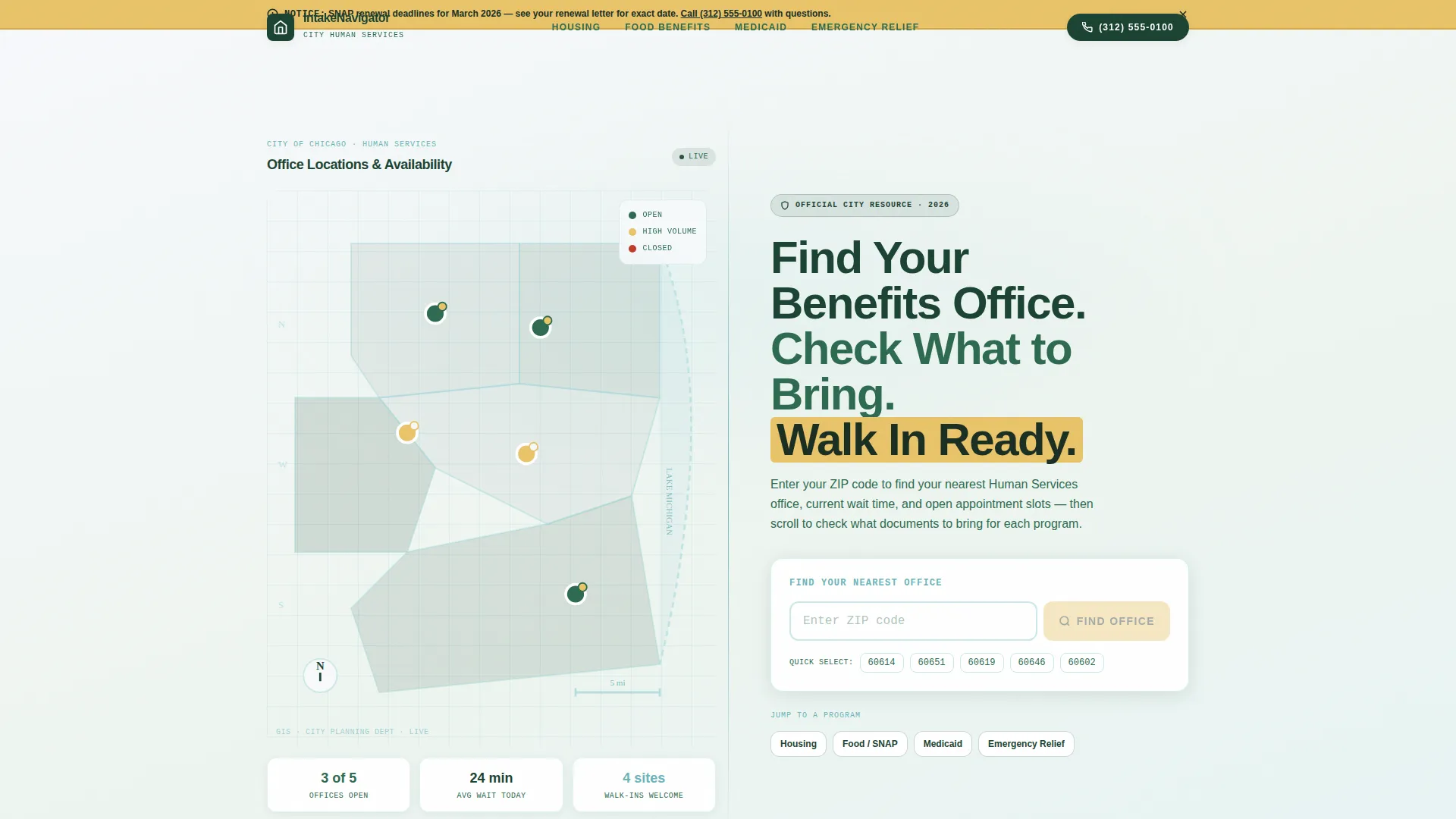
- A map-based hero with a zip code office finder, clickable ward pins, and real-time availability signals for walk-in slots and wait times
- Five program sections (housing assistance, SNAP food benefits, Medicaid recertification, emergency relief, and childcare vouchers) each with interactive eligibility checklists and document reveal panels
- A persistent mobile bottom bar repeating "Find Your Office" with a click-to-call number, plus amber-colored calls to action at the bottom of every program section
Feature list
This template includes purpose-built components that reflect the real workflow residents face when navigating public benefit programs.
Interactive Eligibility Checklists
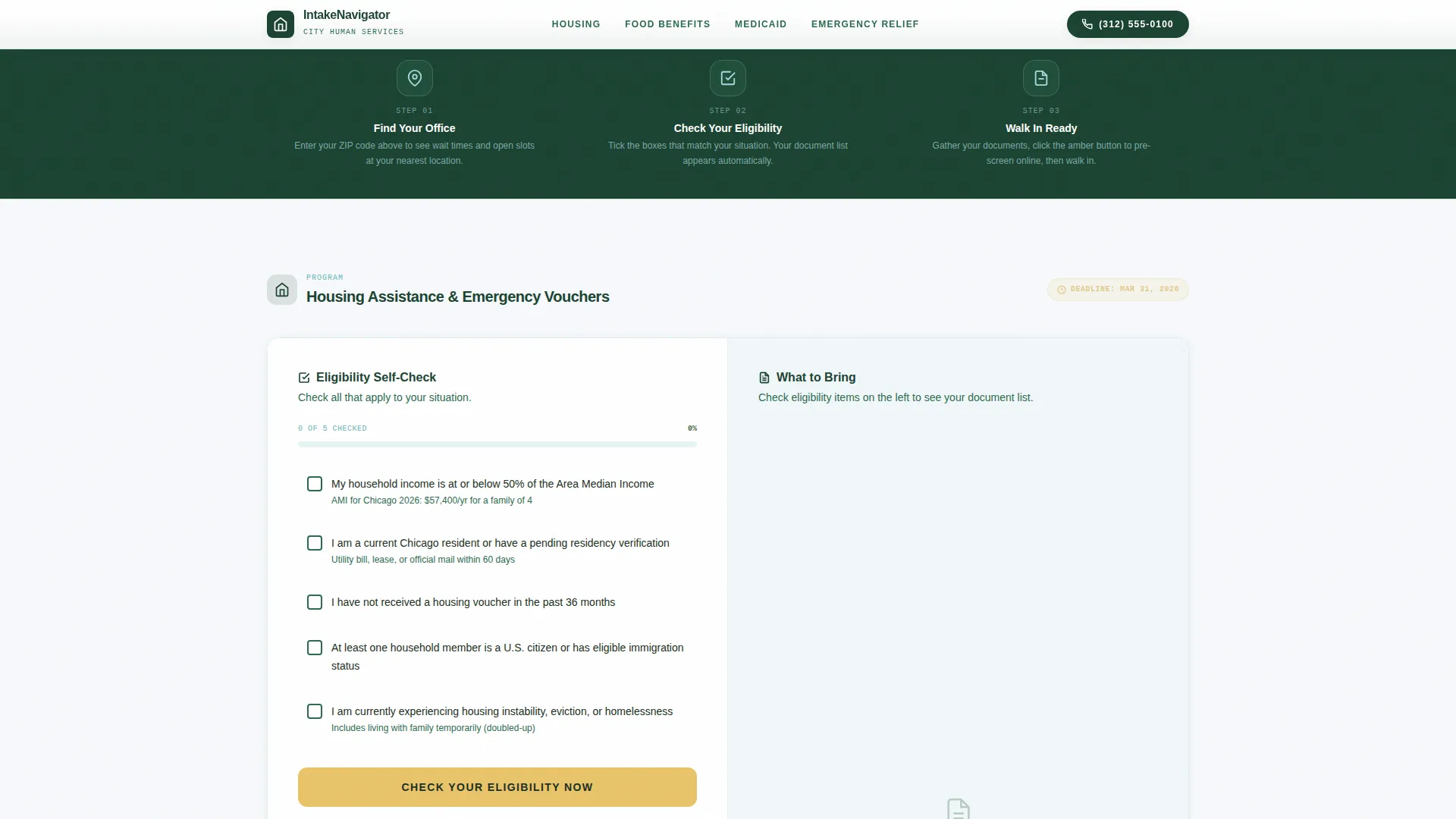
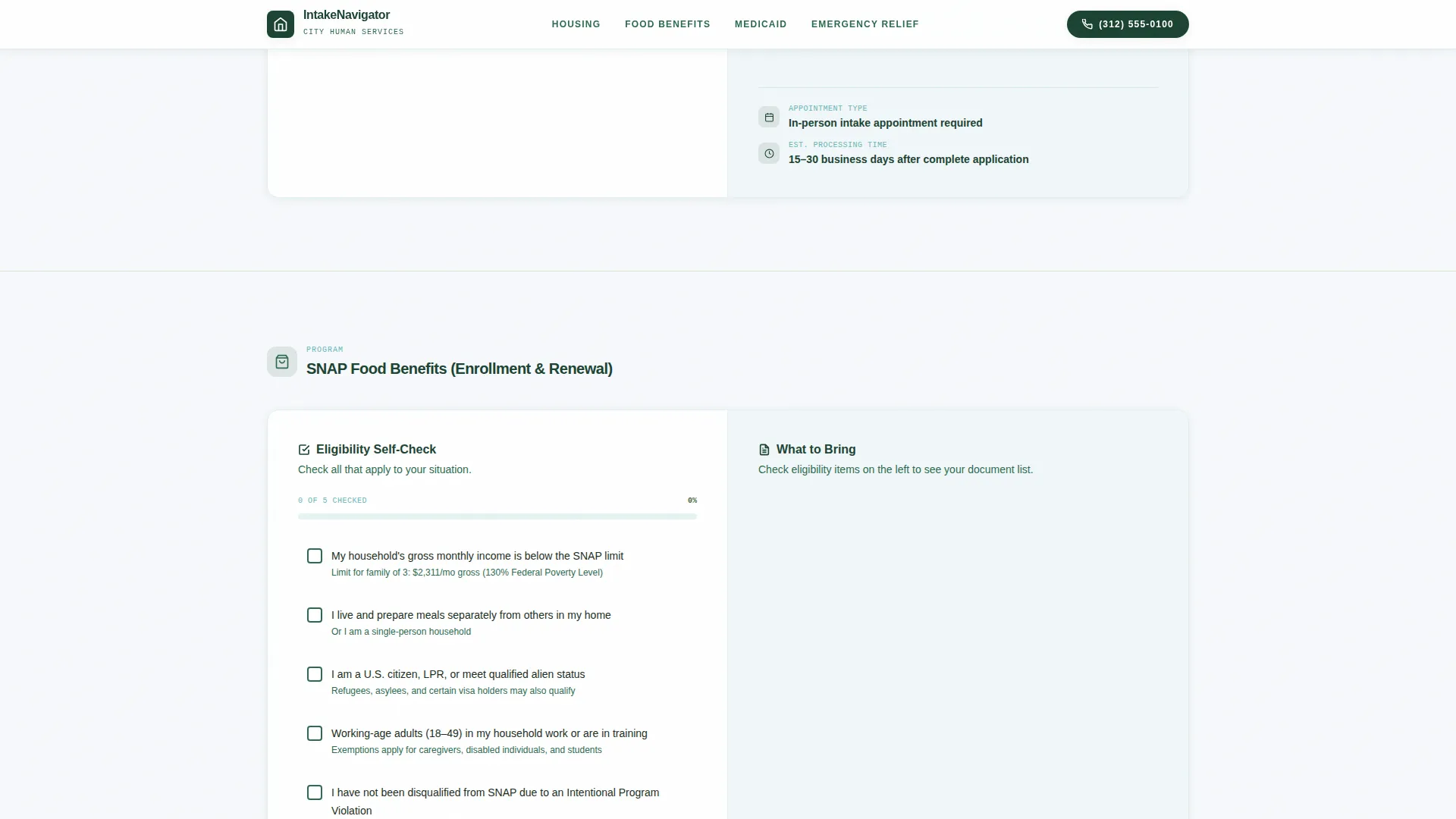
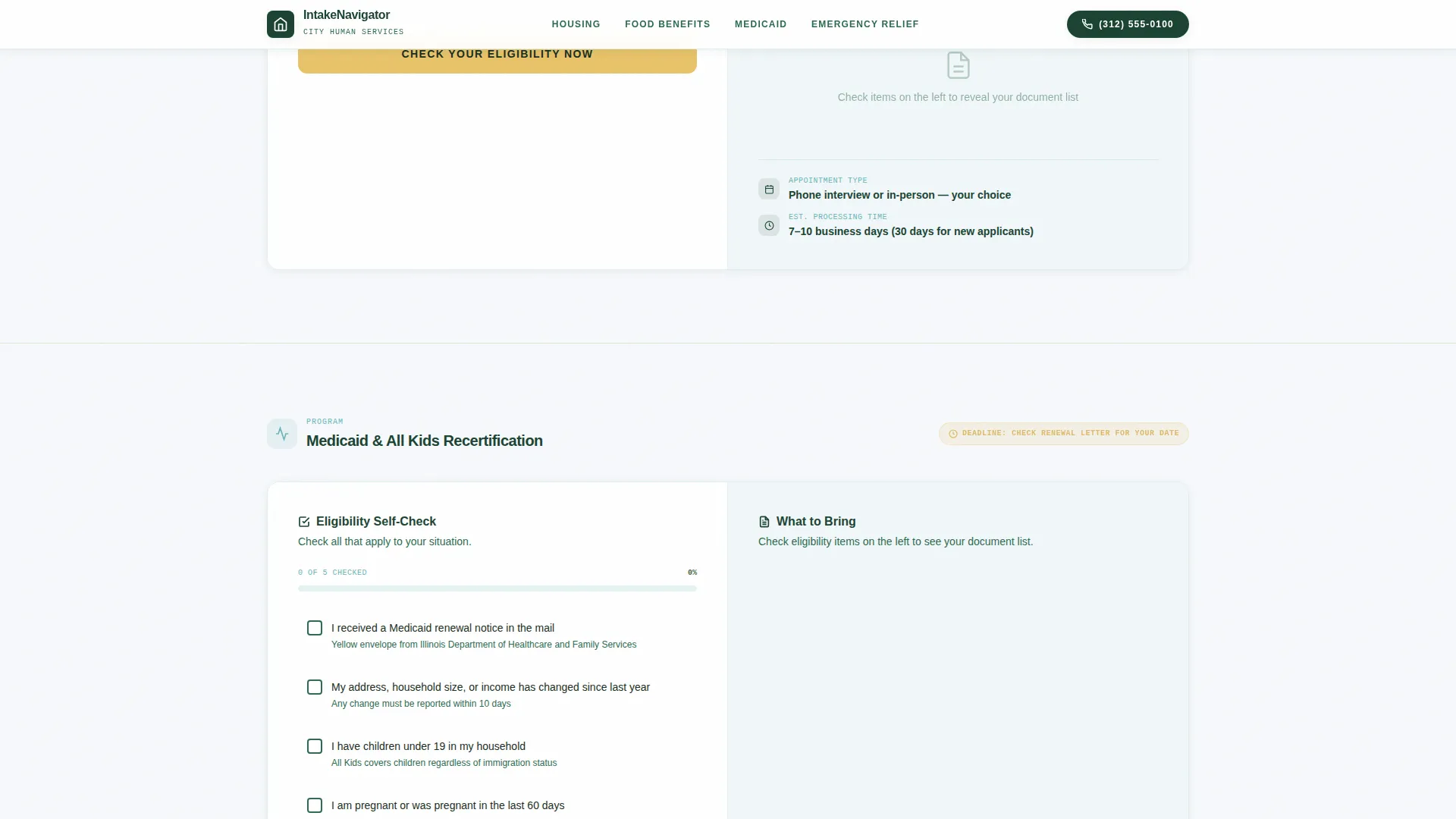
Each program section includes a set of interactive checkboxes residents can tick to self-screen for eligibility. As boxes are checked, the right panel updates to reveal the exact documents needed, the appointment type required, and an estimated processing time. The interaction feels like being walked through intake step by step.
Map-Based Office Finder
The hero section features an SVG city ward map with neighborhoods shaded in graduated evergreen tones by service density. Clickable pins mark each Human Services satellite office with hours and walk-in availability. A zip code input field highlights the nearest location and surfaces current wait time and open appointment slots.
Program-Specific Document Reveal Panels
Each of the five benefit program sections uses a 50/50 split layout. The left panel holds the eligibility checklist. The right panel holds the corresponding document list, formatted in IBM Plex Mono for clarity. Documents only surface once a resident begins checking eligibility boxes, keeping the experience focused rather than overwhelming.
Amber Action Buttons and Deadline Callouts
High-visibility amber is used exclusively for calls to action and deadline notices throughout the page. The primary call to action, "Check Your Eligibility Now," appears at the bottom of each program section and routes residents to the city's existing pre-screening portal. Amber does not appear decoratively, only where a resident must act.
Persistent Mobile Bottom Bar
On mobile devices, a fixed bottom bar stays visible throughout the scroll. It repeats "Find Your Office" and displays a click-to-call phone number. Residents in waiting rooms or on the go can reach the office directly without scrolling back to the top of the page.
Scroll-Reveal Animations and Counter Effects
The template uses medium-weight scroll reveal animations to introduce each program section as the resident scrolls. Map pin hover states, checkbox interactions, and counter animations for wait times and processing estimates add a layer of responsiveness that keeps the experience feel active without feeling like a commercial product.
Page sections overview
| Section | Purpose |
|---|---|
| Hero Ward Map | Show nearest office, wait times, and open slots via zip code |
| Housing Assistance Checklist | Self-screen eligibility and reveal required housing documents |
| SNAP Food Benefits | Check food benefit eligibility and view processing time |
| Medicaid Recertification | Confirm recertification eligibility and required appointment type |
| Emergency Relief and Childcare | Combined checklist for urgent relief and childcare voucher programs |
| Minimal Footer Row | Single-row footer with essential links and office contact details |
Design & branding system
The visual identity follows an Institutional Authority theme. The palette feels like a newly renovated government lobby: official and credible, but not cold or bureaucratic.
- Alpine Fresh color system: crisp municipal white (#F7F9FC) for reading surfaces, evergreen authority (#1B4332) for headers and structural elements, glacier blue (#A8DADC) for dividers and secondary panels, and high-visibility amber (#E9C46A) reserved strictly for action buttons and deadline callouts
- Typography pairing: DM Sans for headers and body text to maintain readability, IBM Plex Mono for document lists and program codes to signal precision and official formatting
- The layout uses white as the dominant reading surface so content stays front and center, with evergreen anchoring the institutional weight and glacier blue softening section transitions
Mobile & speed optimization
This template is built mobile-first, reflecting the reality that many residents access benefit information from their phones while waiting in offices or commuting between appointments.
- Server Components handle static content sections to keep the page responsive, with minimal JavaScript reserved for interactive elements like checkbox reveals, zip code filtering, and map pin states
- The persistent mobile bottom bar keeps the "Find Your Office" prompt and click-to-call number always accessible, removing the need to scroll on small screens
- Scroll reveal animations are calibrated at medium weight to remain smooth on mobile devices without requiring heavy rendering
How this template helps you convert
This template earns the click by doing the hard work before the resident reaches the button. By the time someone arrives at "Check Your Eligibility Now," they already know what program fits their situation and what documents to bring.
- The interactive checklist sequence pre-qualifies residents through the eligibility and document process, so the final call to action feels like a logical confirmation rather than an uncertain first step
- UTM parameters on each program's primary call to action preserve which program and which ward the resident selected, passing that context through to the city's existing pre-screening portal
- The persistent mobile bottom bar ensures the click-to-call option is never more than a thumb tap away, capturing residents who prefer calling over completing an online form
Other information about this template
This template is part of the Government and Public category under the Human Services City and Municipal Office niche. It is designed to work alongside existing city systems rather than replace them.
- The template is built using a Checklist and Audit creative direction, meaning the visual and interaction logic mirrors the step-by-step intake process residents actually experience
- The header concept is Map-Based, pulling a GIS-grade feel from city planning aesthetics rather than a generic map widget
- The landing page direction is Click-Through, optimizing each section to move residents toward one clear next action per program rather than leaving multiple competing options
- Template style is Split Screen 50/50, applied consistently across every program section so residents build a visual rhythm as they scroll
- The footer follows a minimal single-row pattern with essential links and contact information, keeping the page clean and fast to the end
Theme
Institutional Authority
Creative direction
Checklist & Audit
Color system
Alpine Fresh
Style
Split Screen (50/50)
Direction
Click-Through
Page Sections
Interactive Eligibility Checklists
Map-based Office Finder
Document Reveal Panels
Amber Action Buttons and Deadline Callouts
Persistent Mobile Bottom Bar
Scroll-reveal Animations
Related questions
Who is this template designed for?
Can I customize the program sections for my city's specific benefit offerings?
How does the zip code office finder work in this template?
Does the template connect directly to a city's pre-screening portal?
Is this template suitable for mobile users?



