Senior Care Consulting FAQ Website Template
Integrate is an editorial landing page template built for senior care digital transformation consultancies. It uses animated data counters, a FAQ-driven scroll narrative, and a polished Monochrome Steel design to mirror the exact pain points of regional chain operators. The primary call to action drives facility assessment requests, while a secondary benchmark download qualifies leads by engagement depth.
by Rocket studio
Quick summary
Integrate is a single-page editorial template designed for senior living consultancies that replace paper-based operations with sensor networks and predictive analytics. The layout opens with three live-styled data counters, unfolds as a series of operator-facing FAQ blocks, and closes with two conversion paths built for CFOs, COOs, and Directors of Nursing.
Who this template is for
This template is built for consultancies and professional service firms operating at the intersection of healthcare operations and digital transformation. It speaks directly to the people who run senior living facilities at scale and feel the pressure of analog systems daily.
- Regional chain operators managing twelve to forty senior living facilities
- CFOs and COOs focused on agency staffing costs and margin compression
- Directors of Nursing spending hours each night on paper incident reports
What problem this template solves
Senior care operators know their systems are broken. What they lack is a consulting presence that speaks their language before asking for a meeting. Most service pages list features. This template leads with the operator's own numbers and questions.
- Clipboard rounds, fax referrals, and manual documentation drain staff time and inflate costs
- Generic consulting websites fail to build trust with data-driven healthcare administrators
- Conversion stalls when decision-makers arrive at a form before they feel understood
What you get with this template
The template delivers a complete editorial landing page structure that earns credibility through evidence before it asks for a commitment. Every section is designed to mirror a senior care operator's internal conversations.
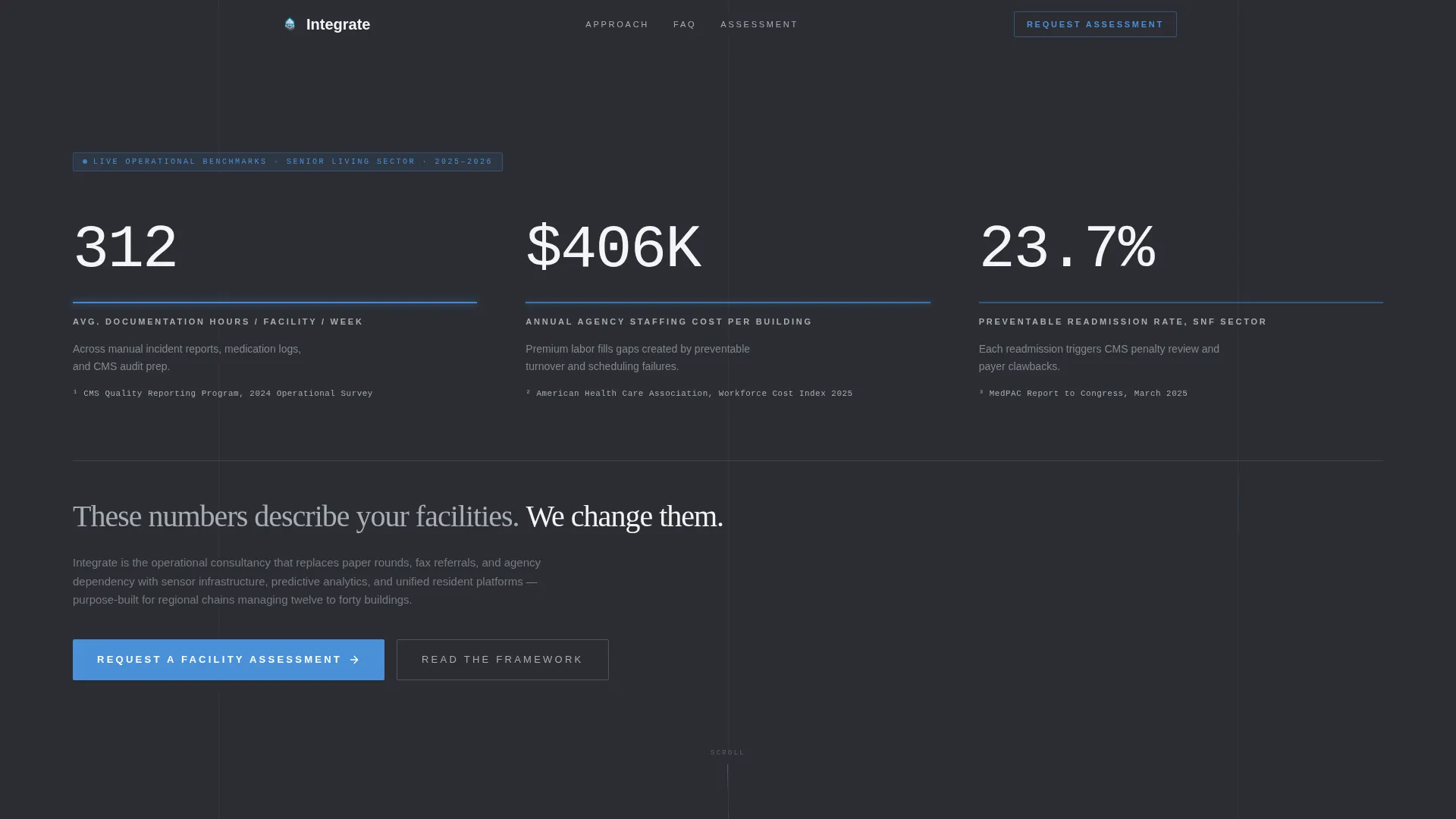
- Animated header counters displaying three key operational metrics with monospaced editorial typography
- A FAQ-driven scroll narrative with five escalating question blocks, embedded data callouts, and case study sidebar zones
- Two built-in conversion paths: a primary facility assessment form and a secondary benchmark download with an email gate
Feature list
This template includes six purpose-built components that work together to move a skeptical administrator from curiosity to conversion.
Animated Metric Counter Header
Three full-width counters display live-styled operational data against a deep gunmetal background. Each metric uses a monospaced editorial typeface with a pulsing signal-blue underline. The numbers cover documentation hours per week, annual staff turnover cost per building, and preventable readmission rate.
FAQ-Driven Scroll Architecture
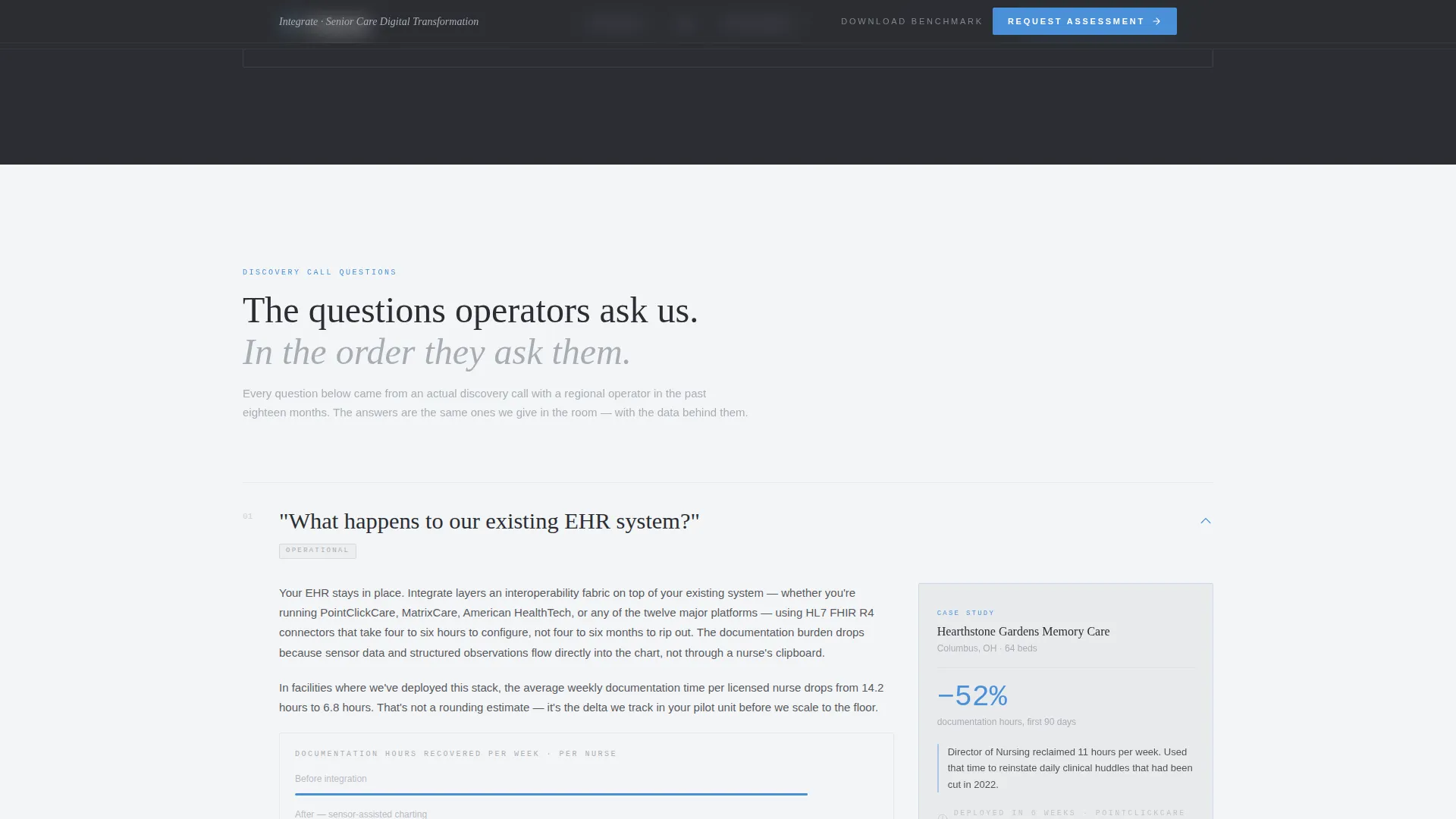
The page unfolds as a sequence of bold editorial pull-quote questions spanning the full column width. Each question opens into a magazine-style answer block with two to three tight paragraphs, embedded data visualizations, and inline citations styled as footnotes. Stakes escalate from operational to financial to existential.
Sticky Facility Assessment Bar
A minimal sticky bar appears once the visitor scrolls past the header metrics. It carries the primary call to action and stays visible throughout the reading journey without interrupting the editorial flow.
Dual Conversion Path System
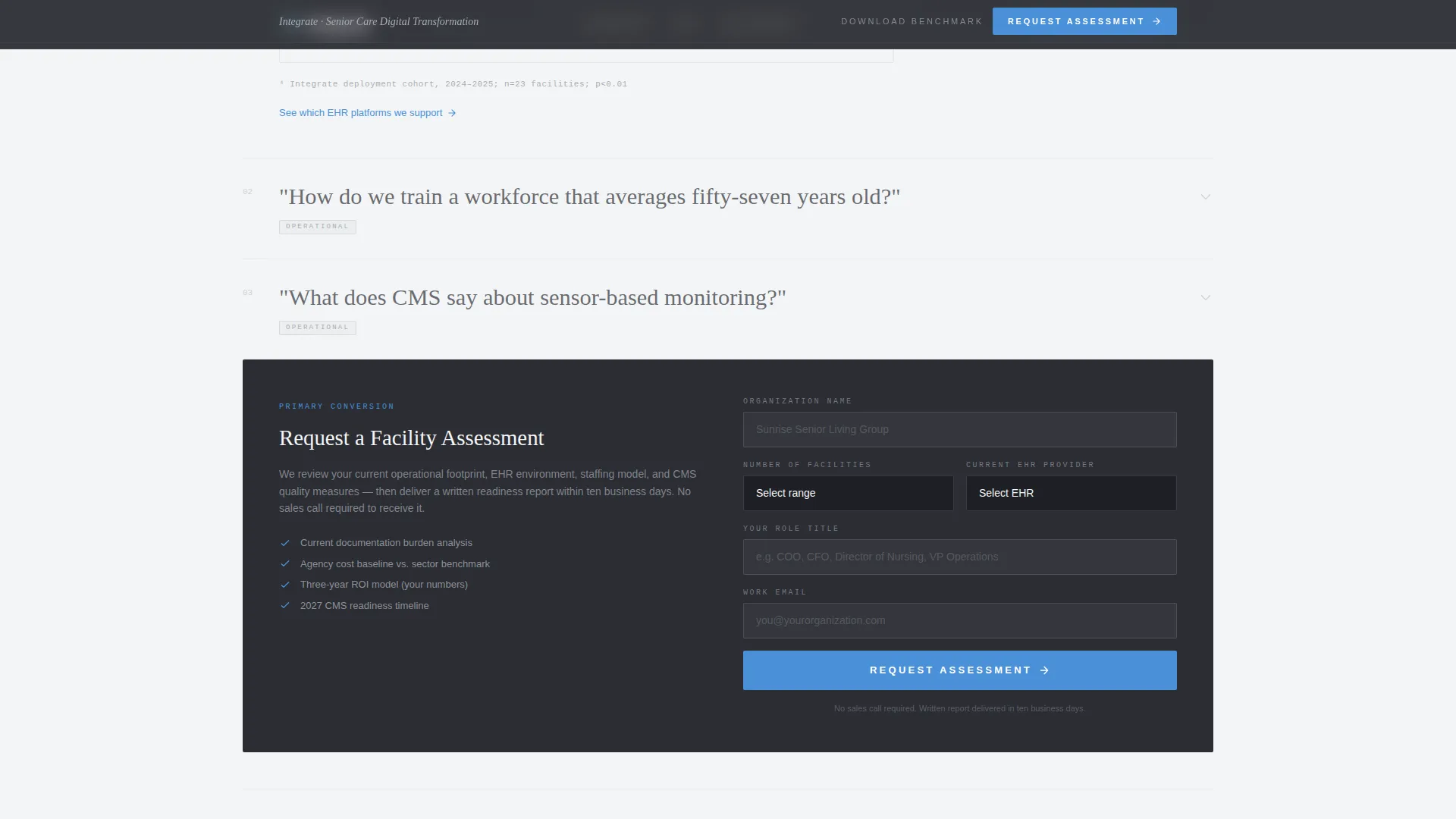
The primary form captures organization name, number of facilities, current EHR (Electronic Health Record) provider via a twelve-option dropdown, and role title. The secondary path offers a gated benchmark download, giving data-hungry operators immediate value while qualifying them by engagement depth.
Case Study Sidebar Zones
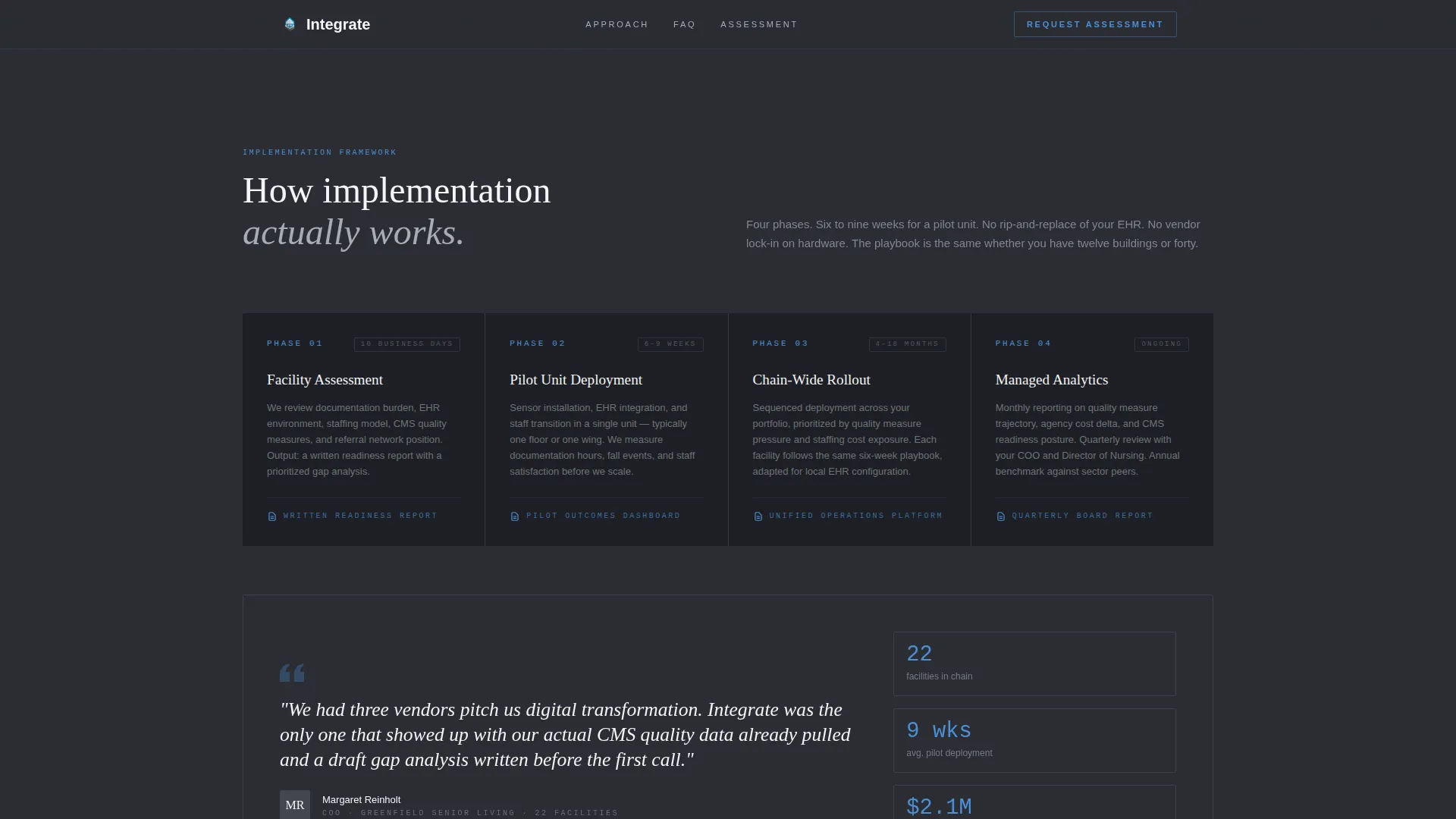
Right-margin sidebar blocks pull real facility outcome references into the reading flow. They are positioned alongside FAQ answer blocks to provide proof at the exact moment a reader weighs a claim.
Editorial Pull-Quote System
Full-column-width pull-quotes render each operator question in bold serif type. The rhythm mimics a long-form industry feature, building familiarity and trust before the reader reaches any sales language.
Page sections overview
| Section | Purpose |
|---|---|
| Header Counter Block | Display three animated operational metrics to hook operators immediately |
| FAQ Block One and Two | Address EHR integration and workforce training concerns with data evidence |
| FAQ Block Three with call to action | Cover regulatory context and present the facility assessment form |
| FAQ Block Four and Five | Deliver ROI data and the consequences of delayed digitization |
| Benchmark Download Section | Offer gated 2025 readiness report as a secondary lead qualification path |
| Footer Row | Provide minimal linear navigation and closing contact reference |
Design & branding system
The visual identity follows an Educational Guide theme built on a Monochrome Steel palette. Every color decision reinforces the authority of a polished consulting deck printed on heavy stock.
- Deep gunmetal (#2B2D33) for all body text and section anchors; brushed aluminum (#A8ADB5) for secondary type and divider rules; clinical white (#F4F5F7) for generous reading margins
- Signal blue (#4A90D9) reserved exclusively for hyperlinks, data callouts, and interactive elements to preserve visual hierarchy
- Typography uses Fraunces for serif headlines and pull-quotes, DM Mono for data counters, and DM Sans for body text throughout
Mobile & speed optimization
The template is built desktop-first to serve COOs and CFOs reading on laptops late at night. It includes a clean mobile fallback so the editorial experience remains readable on smaller screens.
- Animated counter logic uses requestAnimationFrame for smooth rendering without blocking the reading experience
- Server Components handle all static editorial content; Client Components are scoped to interactive elements like counters, the sticky bar, and the email gate modal
- Spotlight card effects, beam lines, and FAQ accordion reveals are scoped to interactive layers only, keeping static content delivery lean
How this template helps you convert
The conversion strategy is built on a simple principle: prove fluency before asking for a meeting. By the time a COO reaches the assessment form, the template has already mirrored their internal conversations five times.
- The animated metric header stops the scroll by showing the operator's own numbers, not stock photography, creating an immediate emotional and intellectual hook.
- The FAQ narrative escalates from operational to financial to existential stakes, so each answer block removes a specific objection and builds the case for the next step.
- The dual conversion paths serve two buyer states: the operator ready to book an assessment, and the one who needs one more proof point before committing.
Other information about this template
This template is built for the Professional Services category with a Senior Care Consulting focus. It is a strong fit for digital transformation consultancies entering or scaling in the senior living market.
- Template style is Editorial/Magazine, designed to feel like a long-form industry white paper rather than a typical service page
- The FAQ-driven creative direction is specifically suited to complex B2B services where buyers arrive with detailed technical and regulatory questions
- The landing page is localized for the United States market, using USD currency references, twelve-hour time format, and Centers for Medicare and Medicaid Services (CMS) regulatory context throughout
- The Intersection Match Score for this template against the Senior Care Digital Transformation Consultant niche is 13, indicating strong alignment between template design and niche content requirements
Theme
Educational Guide
Creative direction
FAQ-Driven
Color system
Monochrome Steel
Style
Editorial/Magazine
Direction
Partnership/B2B
Page Sections
Animated Operational Metric Counters
Faq-driven Editorial Scroll
Sticky Facility Assessment Bar
Dual Lead Conversion Paths
Case Study Sidebar Zones
Monochrome Steel Visual System
Related questions
Can I customize the animated metric counters in the header?
What does the facility assessment form capture?
How does the secondary benchmark download conversion path work?
Is this template designed for desktop or mobile users?
Can I use this template for a consultancy focused on a single service line?



