Edtech Consultant Landing Page Template
Integrate is a split-screen landing page template built for education technology consultants. It pairs a credential-heavy badge wall with case study narratives, animated outcome data, and a gated playbook download. The layout feels like a well-organized project binder, structured, confident, and designed to turn institutional skepticism into scheduled discovery calls.
by Rocket studio
Quick summary
Integrate is a precision-built landing page template for education technology consultants who guide school districts and universities through platform adoption. It combines an award badge header, scrolling case study panels, and a gated resource download into one structured, confidence-building page flow that speaks directly to decision-makers in education leadership.
Who this template is for
This template is built for consultants operating at the intersection of technology and institutional change in education. If your work involves learning management system migrations, platform rollouts, or readiness audits, this layout matches your professional standing.
- Education technology consultants serving K-12 districts and higher education institutions
- Independent integrators and boutique firms advising district CTOs and university provosts
- Ed-tech vendors who need a neutral partner page to establish credibility with institutional buyers
What problem this template solves
Institutional buyers in education are cautious by nature. A CTO juggling a dozen siloed tools or a provost watching faculty ignore a new platform needs more than a polished pitch. They need proof that someone has solved this exact problem before.
- Generic consultant pages fail to communicate depth of experience or range of engagements
- Decision-makers distrust vague outcome claims and skip pages that lead with services instead of results
- No clear conversion path means skeptical visitors leave without taking any action at all
What you get with this template
You get a fully structured single-page layout that moves visitors through a deliberate narrative arc. Every section earns the next one, building trust incrementally before asking for contact information.
- A split-screen header with an interactive credential badge wall and a bold, metric-driven headline
- Scrolling case study panels that pair before-state problems with animated outcome visualizations
- A dual-path conversion section featuring a gated playbook download form and an ungated infographic summary
Feature list
This template includes purposefully designed components that reflect the working reality of high-stakes education consulting engagements.
Interactive Credential Badge Wall
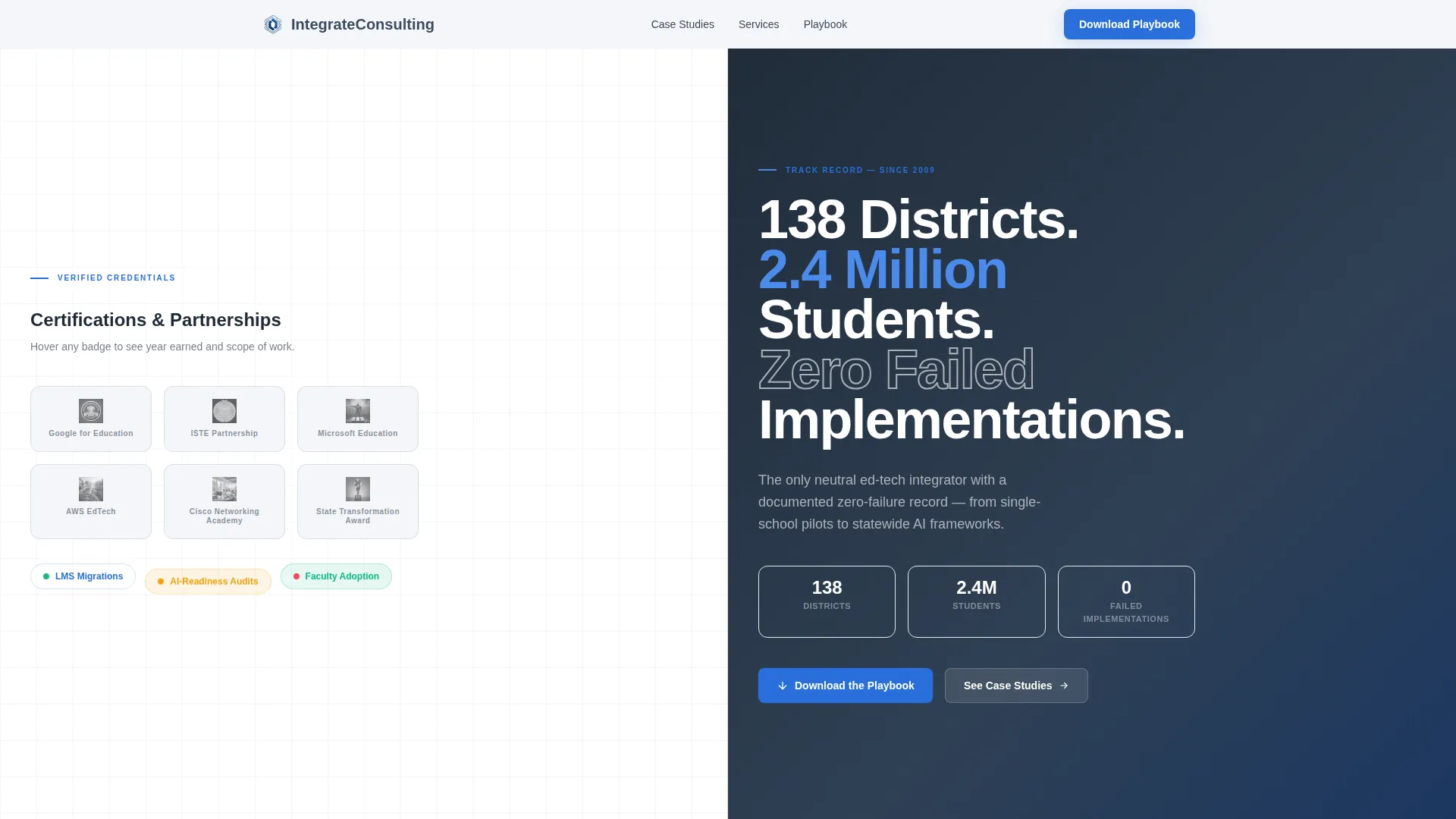
The header divides into two equal panels. The left panel displays a precise grid of award badges and certification logos. Each badge is subtly interactive, revealing the year earned and the scope of work on hover. Credentials become micro-stories rather than decoration.
Bold Metric Headline Panel
The right header panel carries a single, weighted sans-serif headline built around a landmark outcome statement. The headline is large, uncluttered, and written to stop an institutional buyer mid-scroll. It sets the tone for every data point that follows.
Split-Screen Case Study Panels
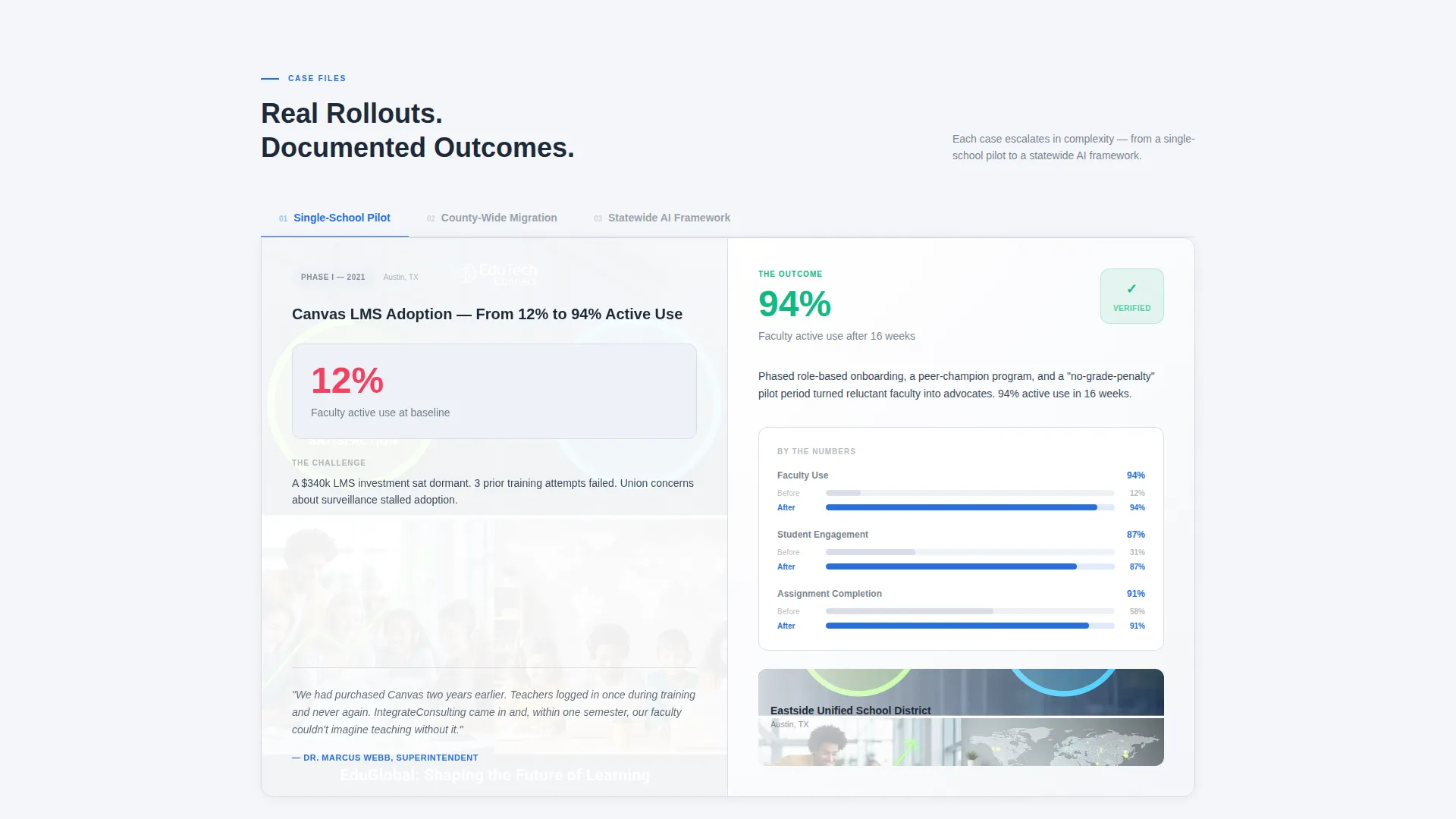
Each case study section dedicates the left panel to the problem: one stark before-state metric and a real superintendent quote. The right panel shows the after-state as an animated data visualization that builds as the visitor scrolls into view. The sequence escalates from a single-school pilot to a statewide framework, demonstrating range.
Gated Playbook Download Form
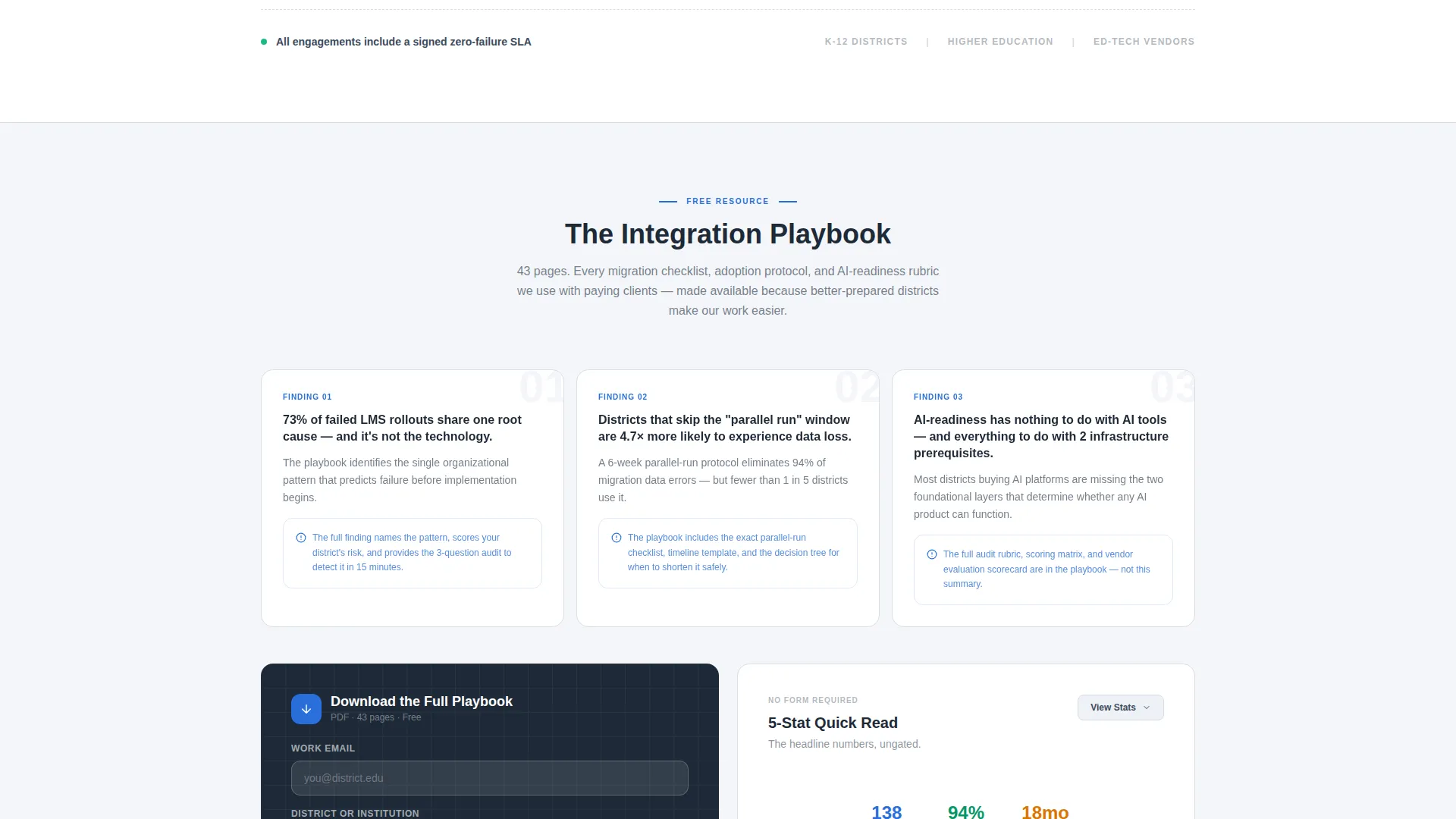
The primary conversion section teases three numbered findings from the full document directly above a two-field form. Visitors enter their work email and institution name to unlock the complete Integration Playbook. The findings create a specific information gap that only the full resource resolves.
Ungated Infographic Quick-Read
A secondary conversion path offers skeptical visitors a five-stat infographic summary without requiring a form submission. This keeps every visitor leaving with something of value, which supports trust and return visits even when they are not ready to share contact details.
Scroll-Triggered Data Animations
Outcome visualizations in each case study panel animate as the section enters the viewport during scroll. This builds a sense of progressive disclosure, making the page feel like flipping through a set of case files rather than reading a static brochure.
Page sections overview
| Section | Purpose |
|---|---|
| Badge Wall Header | Establish credentials and state a landmark outcome metric |
| Case Study: Pilot | Show a single-school before-and-after transformation |
| Case Study: Migration | Present a county-wide platform migration story |
| Case Study: AI Readiness | Demonstrate statewide AI readiness framework capability |
| Playbook Findings Teaser | Surface three specific findings to create an information gap |
| Gated Download Form | Capture work email and institution name for playbook access |
| Infographic Quick-Read | Deliver ungated value to visitors not ready to convert |
| Footer | Close with brand structure and contact access |
Design & branding system
The visual identity follows a Corporate Precision theme built on the Cloud Canvas color system. Every color choice reduces cognitive load rather than adding to it, which matters when your audience is already managing institutional complexity.
- Soft cloud white (#F4F6F9) as the primary background, slate pencil (#3B4A5C) for body text and structural dividers, digital ink blue (#2A6FDB) for interactive elements and data callouts
- Chalkboard charcoal (#1E2A38) reserved for section headers and the footer, grounding the page with authority
- Large, weighted sans-serif typography throughout, keeping hierarchy clear and data-forward sections easy to scan at a glance
Mobile & speed optimization
The split-screen layout stacks cleanly for smaller viewports, preserving the case study narrative structure on every screen size. Institutional buyers often review materials on tablets between meetings, so readability at mid-size screens is essential.
- Split panels reflow into single-column stacks on mobile, keeping the problem-to-outcome sequence intact
- Scroll-triggered animations are scoped to their viewport sections, so they fire correctly regardless of device or scroll speed
How this template helps you convert
The page is engineered around two conversion paths that serve buyers at different levels of readiness. Neither path feels like a hard sell.
- The primary path uses three teased playbook findings to create specific curiosity gaps, then resolves them with a low-friction two-field form. Visitors who are ready to engage share their contact details to unlock the full resource.
- The secondary path hands skeptical visitors a five-stat infographic at no cost, so even non-converters leave with a positive impression of the consultancy's analytical depth and transparency.
Other information about this template
This template was designed specifically for the education consulting niche, where trust is built through demonstrated outcomes rather than service descriptions. The case study narrative structure makes it well-suited for consultants who have a portfolio of district or university engagements to reference.
- The page layout supports a content and resource hub direction, making it easy to position the Integration Playbook as a flagship lead magnet
- The dual-conversion architecture is intentional: it acknowledges that institutional procurement cycles are long, and not every visitor is at the same decision stage
- The template fits naturally into outreach campaigns targeting district technology leaders, higher education administrators, and ed-tech vendor partnership teams
- Color and typography choices are consistent with how institutional buyers expect professional services firms to present themselves: clean, structured, and data-forward
Theme
Corporate Precision
Creative direction
Case Study Narrative
Color system
Cloud Canvas
Style
Split Screen (50/50)
Direction
Content/Resource
Page Sections
Interactive Credential Badge Wall
Bold Metric Headline Panel
Split-screen Case Study Panels
Gated Playbook Download Form
Ungated Infographic Quick-read
Scroll-triggered Data Animations
Related questions
Who is the primary audience for this landing page template?
Can I use my own case study data in the template?
What does the gated playbook download section include?
Is there an option for visitors who are not ready to fill out a form?
Does the template include the actual playbook or infographic content?



