Radiologist Complete Booking Website Template
Interpret is a single-column radiologist virtual consultation landing page built for patients and physicians who need plain-language answers from a real specialist. It opens with a floating patient testimonial card, guides visitors through an escalating FAQ section, and closes with a structured booking form. The design is clinical, calm, and conversion-focused.
by Rocket studio
Quick summary
Interpret is a reassuring radiology consultation landing page designed to turn imaging anxiety into actionable understanding. It connects patients and referring physicians with board-certified radiologists over a secure video link. The single-column flow moves visitors from emotional relief to confident booking through escalating FAQs, a clear three-step process, and a structured scheduling form.
Who this template is for
This template is built for radiologists and telehealth services that offer live scan review consultations. It fits both patient-facing and physician-facing contexts within a single page structure.
- Anxious adult patients holding MRI, CT, X-ray, or ultrasound results they cannot interpret on their own
- Post-surgical patients comparing follow-up scans to earlier baselines and seeking professional clarity
- Referring physicians who need a qualified second read before recommending a biopsy or further procedure
What problem this template solves
Patients who receive imaging results often wait days or weeks before speaking with anyone qualified to explain them. That gap creates fear, misinformation, and delayed decisions. This template addresses that pain directly from the very first screen.
- It removes the cold, clinical feel that makes medical pages feel distant and unhelpful
- It answers the real questions patients are already searching for before they ever contact a provider
- It creates a frictionless path from research mode to confirmed booking without pressure or jargon
What you get with this template
The template delivers a complete, ready-to-customize single-column landing page for a radiologist virtual consultation service. Every section has a clear job to do, and the layout moves visitors steadily toward booking.
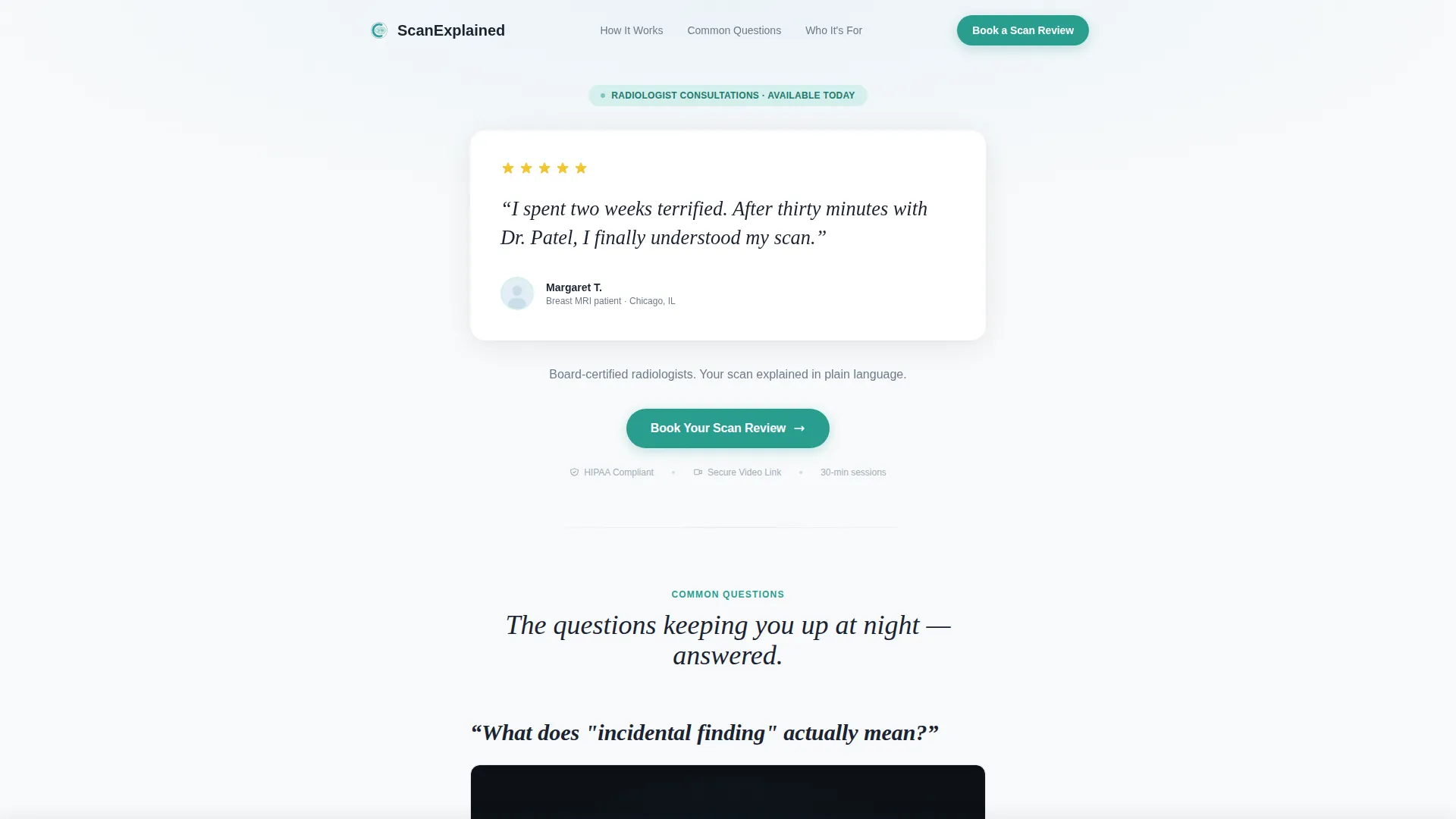
- A hero section with a floating patient testimonial card, a five-star indicator, and a primary call-to-action button
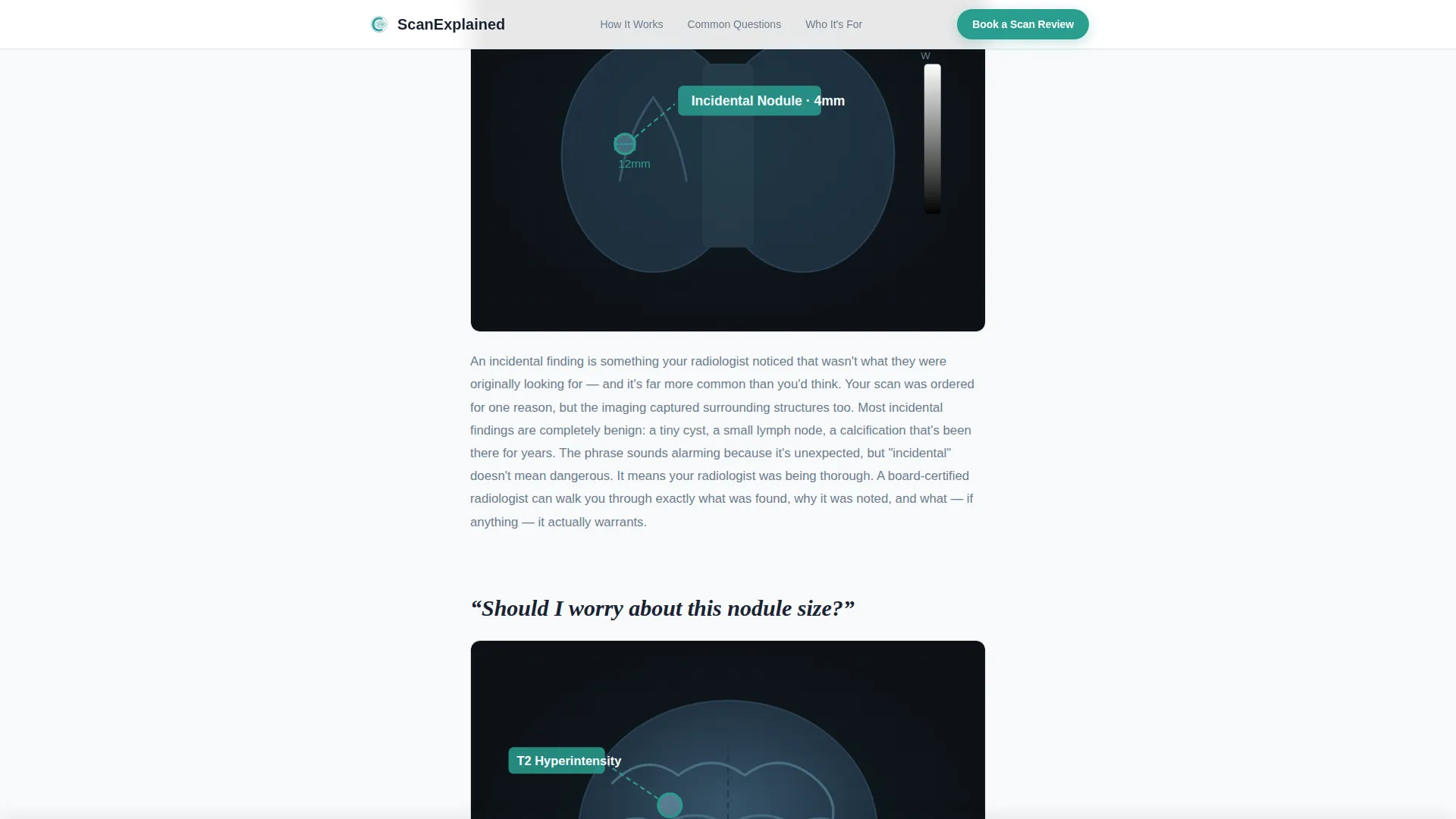
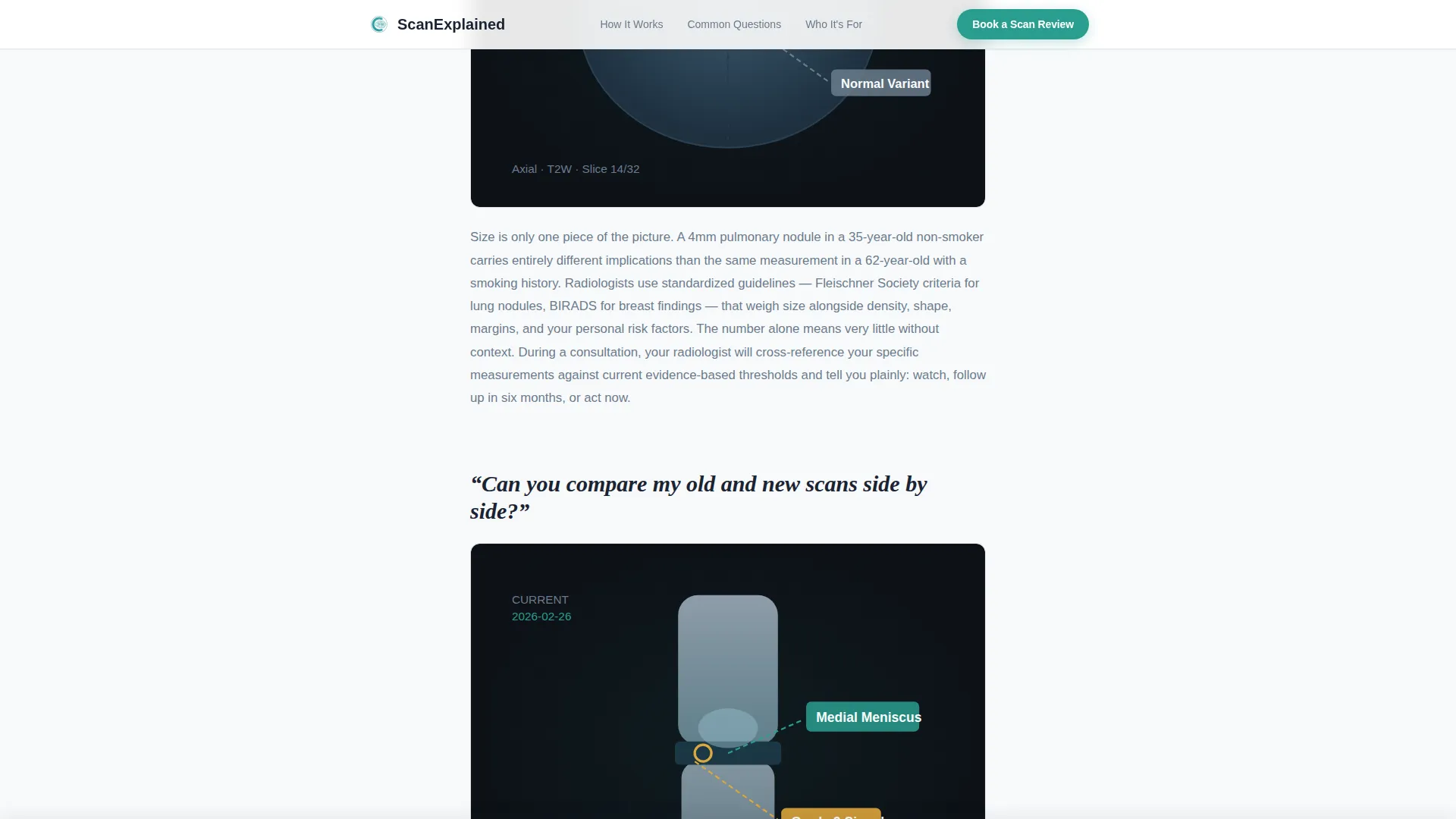
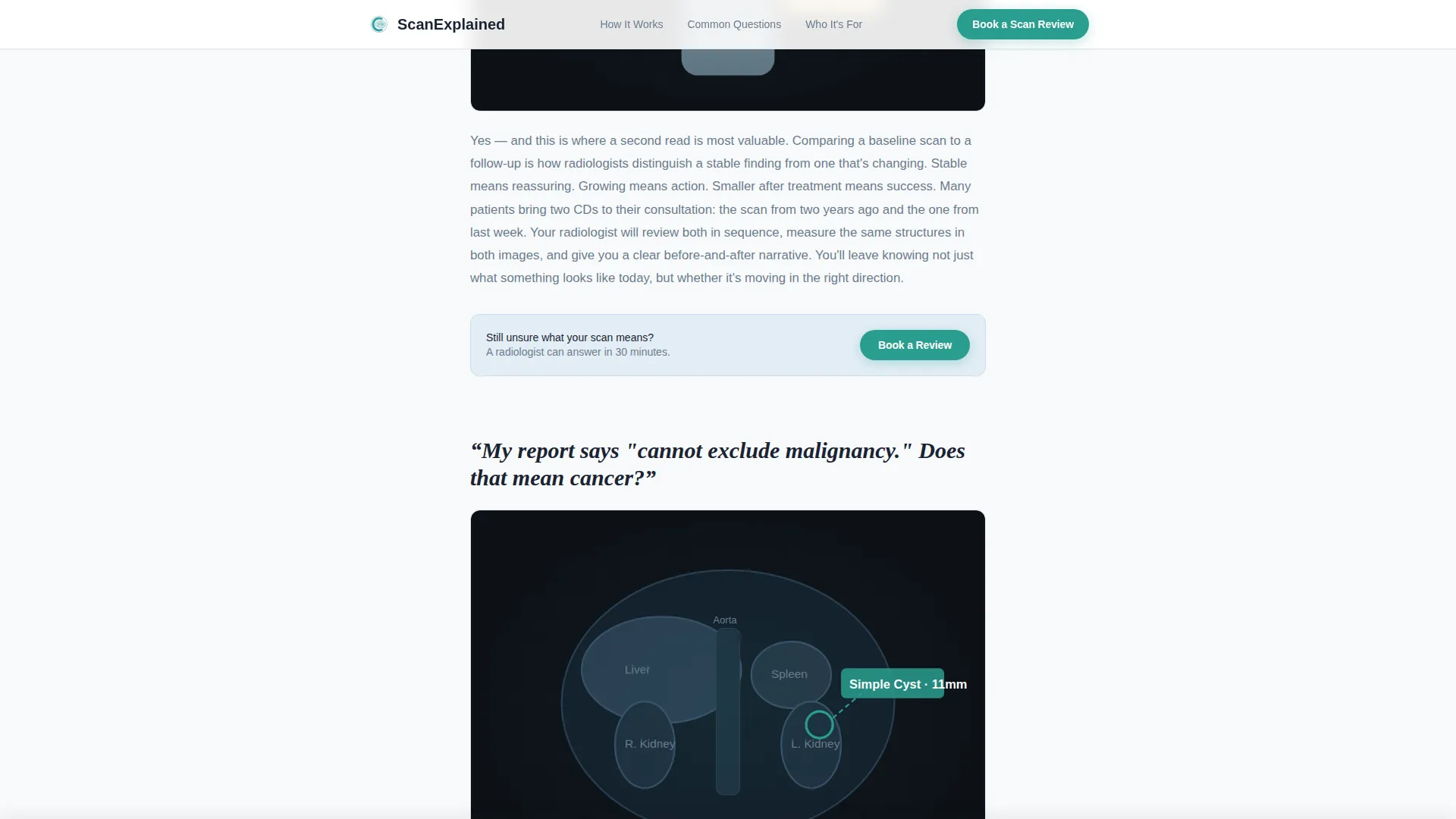
- An escalating FAQ section with four patient questions, short plain-language answers, and space for annotated scan diagrams
- A full booking form collecting scan type, body region, preferred time window, and an optional file upload field
Feature list
A paragraph introducing what this section covers: the template ships with a focused set of built-in features that support both patient trust and scheduling conversion. Each feature is purposeful and grounded in the design brief.
Floating Testimonial Hero Card
The page opens with an oversized testimonial card that floats against the clinical white background. It includes a real patient quote, a five-star indicator, and a small avatar silhouette. A subtle card shadow gives it physical presence without relying on stock photography or generic imagery.
Escalating FAQ Section
Four patient questions are rendered in large conversational type, escalating from general anxiety to specific clinical scenarios. Each question is followed by a short jargon-free answer and a space for a simplified scan diagram or annotated illustration. The structure mirrors the visitor's mental journey from panic to clarity.
Sticky Booking Call-to-Action Bar
After the third FAQ block, a sticky bottom bar appears and stays visible as the visitor scrolls. It reinforces the primary call to action without interrupting reading. This keeps the booking prompt present without being intrusive.
Structured Scan Review Booking Form
The booking form captures the scan type (MRI, CT, X-ray, or Ultrasound), body region, preferred consultation window (morning, afternoon, or evening), and an optional imaging file upload. A secondary soft path labeled "Not ready? Send us your questions first" opens a simple text field for visitors still in research mode.
Three-Step How It Works Section
A visual three-step process section shows visitors exactly what happens after they click book. It reduces hesitation by making the consultation process feel simple, fast, and familiar.
Who It Is For Use-Case Section
Three clearly defined use-case scenarios (anxious patient, post-surgical patient, referring physician) help each visitor self-identify quickly. This section builds relevance and trust for all three audience types on a single page.
Page sections overview
| Section | Purpose |
|---|---|
| Hero Testimonial Card | Opens with patient proof and primary booking call to action |
| Escalating FAQ Block | Answers four real patient questions with plain-language prose |
| Who It Is For | Three use-case scenarios for patients and physicians |
| How It Works | Visual three-step consultation process overview |
| Booking Form | Full scheduling form with scan type, region, and time window |
| Footer | Linear single-row footer with supporting links |
Design & branding system
The visual identity follows an Educational Guide theme built around clinical minimalism. Every color and typographic choice reinforces calm and clarity rather than urgency or alarm.
- Color palette: clinical white (#F8FAFB) as the base, soft reading-gray (#6B7B8D) for body text, pale ice-blue (#E3EEF6) for backgrounds and card fills, and reassuring teal (#2A9D8F) reserved for buttons, progress indicators, and interactive highlights
- Typography: DM Sans for body copy and interface text, Fraunces serif for the large display-style FAQ questions that anchor each content block
- Visual style: no stock photography, no stethoscope imagery; the aesthetic feels like a freshly cleaned lightbox in a dim reading room, sterile without being cold
Mobile & speed optimization
This template is designed with a mobile-first priority, built for anxious patients checking results on their phones in waiting rooms or at home. The single-column flow translates directly to small screens without layout compromise.
- GSAP ScrollTrigger animations handle reveal effects, floating card shadows, and staggered FAQ entries for smooth, controlled motion
- The sticky call-to-action bar and booking form use client-side rendering, while static content sections use server components to keep load behavior predictable
- The narrow single-column structure naturally reduces layout complexity on small viewports, making the page easy to read and tap through on any device
How this template helps you convert
The page is structured around a deliberate booking funnel that reduces friction at every step. Visitors arrive anxious and leave with a scheduled appointment or a captured lead.
- The hero testimonial card establishes immediate emotional trust before any service claims are made, lowering the visitor's guard and making them receptive to the offer.
- The escalating FAQ section does the educational heavy lifting, answering the questions visitors are already thinking and positioning a live consultation as the natural next step.
- The dual-path booking form captures both committed visitors (via the full scheduling form) and undecided visitors (via the soft "send your questions" text field), so no lead is lost.
Other information about this template
This template is part of the Health and Medical category under the Radiologist Website subcategory, with a specific niche focus on radiologist virtual consultation pages. It is localized for English-language audiences using USD pricing and US date formats.
- The template style is a single-column flow, making it straightforward to deploy, customize, and maintain without a complex page builder
- All copy placeholders are written in a formally casual, jargon-free tone that matches the reassuring voice a radiology consultation service should project
- The intersection match score for this template's category, subcategory, and niche alignment is 13, reflecting a tightly focused use-case fit
Theme
Educational Guide
Creative direction
FAQ-Driven
Color system
Arctic White
Style
Single Column Flow
Direction
Booking/Scheduling
Page Sections
Floating Patient Testimonial Hero
Escalating FAQ Content Section
Sticky Bottom Booking Bar
Dual-path Booking Form
Three-step Process Section
Three-audience Use-case Section
Related questions
Can I customize the FAQ questions to match my specific services?
Does the booking form support file uploads for imaging scans?
Is this template suitable for a solo radiologist or a larger telehealth group?
What happens if a visitor is not ready to book yet?
Can referring physicians use this page the same way patients do?



