Economic Development Government FAQ Website Template
Allocate is a federal economic development grant resource landing page template built for agencies that fund community recovery programs. It pairs an animated infographic header with a persistent sidebar and an FAQ-driven scroll to help rural administrators, tribal planners, and small-city officials find the right program fast and download a gated eligibility guide with confidence.
by Rocket studio
Quick summary
Allocate is a sidebar companion landing page template designed for a federal economic development agency. It pairs a data-driven infographic header with a structured FAQ scroll and a persistent sidebar navigator. The page guides community leaders from eligibility questions to a gated PDF download, using plain language and quiet visual authority throughout.
Who this template is for
This template is built for federal agencies and public sector teams that need to communicate grant programs, tax incentives, and technical assistance to communities in economic recovery. It speaks directly to the people searching for answers at odd hours, not to policy insiders.
- Rural county administrators and tribal economic planners researching eligibility requirements
- Small-city mayors and economic development directors comparing federal program types
- Grant writers who need program specifics, application timelines, and links to source documents
What problem this template solves
Local officials and community planners face a real barrier when navigating federal programs. The information exists, but it is buried in jargon, scattered across agency pages, and rarely organized around the questions people actually ask. This template removes that friction.
- No clear answer to "Is my community eligible?" forces people to give up before they apply
- Program types such as grants, cooperative agreements, and tax incentives are rarely compared in one place
- Application timelines are vague, leaving administrators unsure how to plan or staff a submission
What you get with this template
You get a fully structured single-page layout that functions like a well-organized government reference guide. Every section is designed to earn reader trust before asking for anything in return.
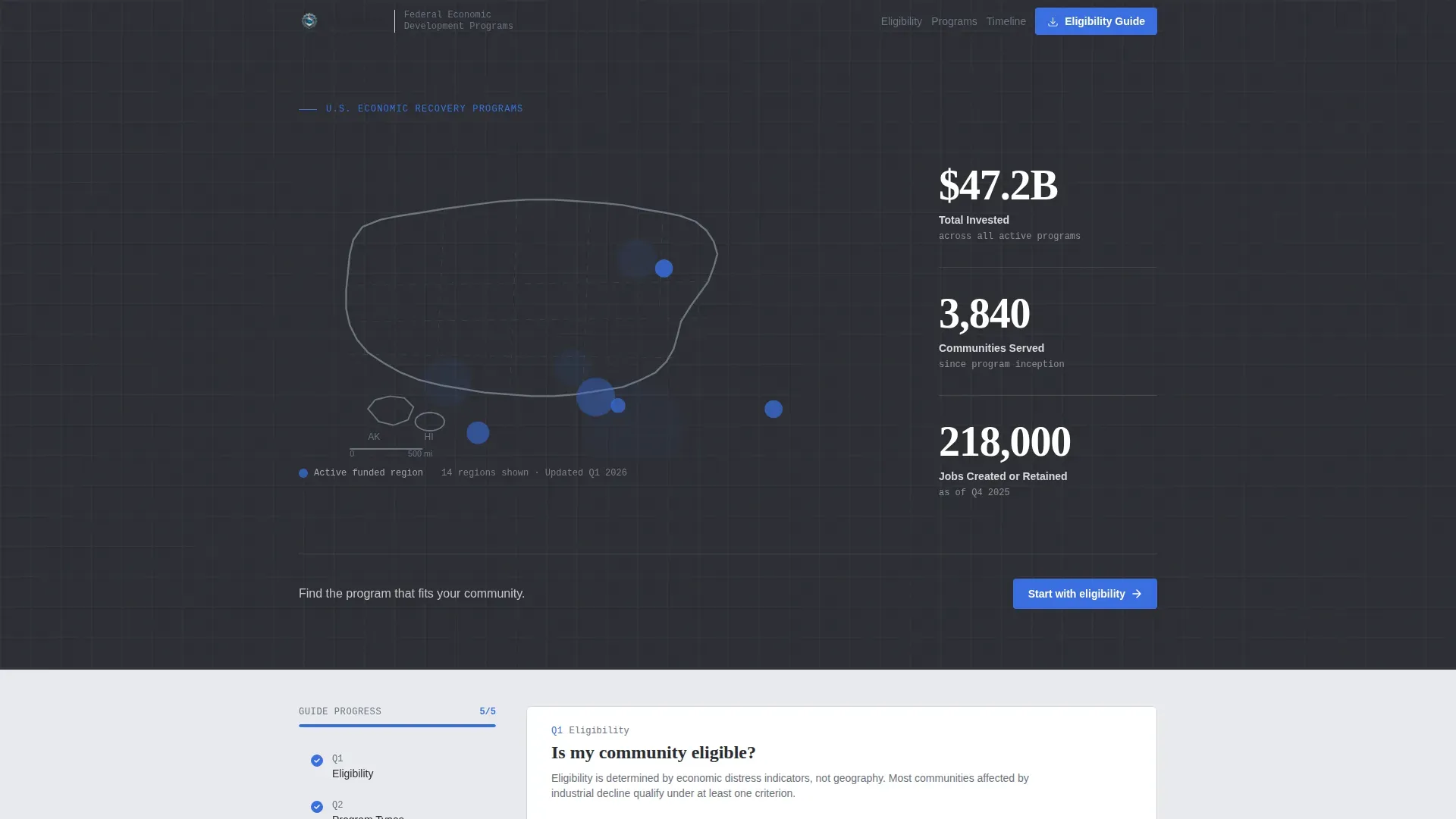
- An animated SVG map header with three large typographic investment statistics and a single guiding headline
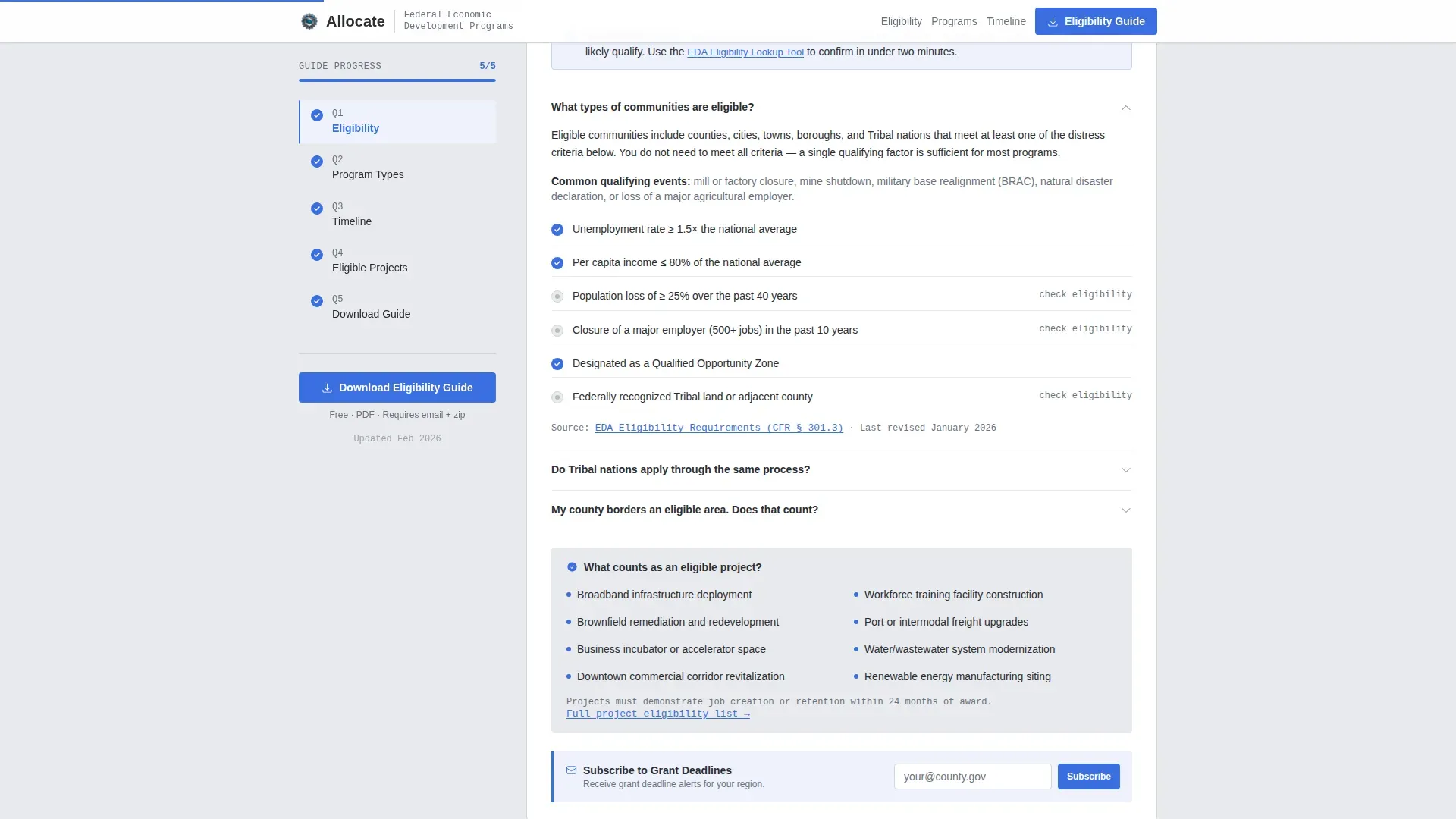
- A persistent sidebar that tracks scroll position, highlights completed sections, and lets visitors jump to the question keeping them up at night
- A gated PDF download form requiring only an email address and a zip code, plus an inline newsletter signup embedded after every third FAQ section
Feature list
The Allocate template includes a focused set of interactive and structural features drawn directly from the source brief. Each one serves a specific purpose in moving a cautious public-sector reader toward action.
Animated Infographic Header
The full-width header renders a simplified United States map with softly pulsing data points at funded regions. Three large tabular-lining statistics, total dollars invested, communities served, and jobs created or retained, overlay the map in a condensed sans-serif typeface. The data itself establishes credibility without photography or testimonials.
Persistent Scroll-Tracking Sidebar
A sidebar companion stays fixed as the visitor scrolls through FAQ sections. It progressively highlights which questions have already been read, turning the page into a readable checklist. Scroll-linked active states are handled with client-side interactivity only where needed.
FAQ-Driven Section Structure
Each major section is anchored by a real question that community leaders actually ask. Questions expand into jargon-free answers with embedded links to source documents. The FAQ-driven layout rewards reading with enough open information that the gated download feels like a natural next step.
Gated Eligibility Guide Download
The primary conversion point is a PDF download form gated by email address and zip code only. The zip code input quietly segments visitors by region for follow-up without adding friction to the exchange. The gate appears after enough open answers have been provided to build trust.
Inline Newsletter Subscription
A low-commitment newsletter signup for grant deadlines is embedded at the bottom of every third FAQ section. It offers a secondary conversion path without interrupting the reading flow or competing with the primary download call to action.
Program Type Comparison Layout
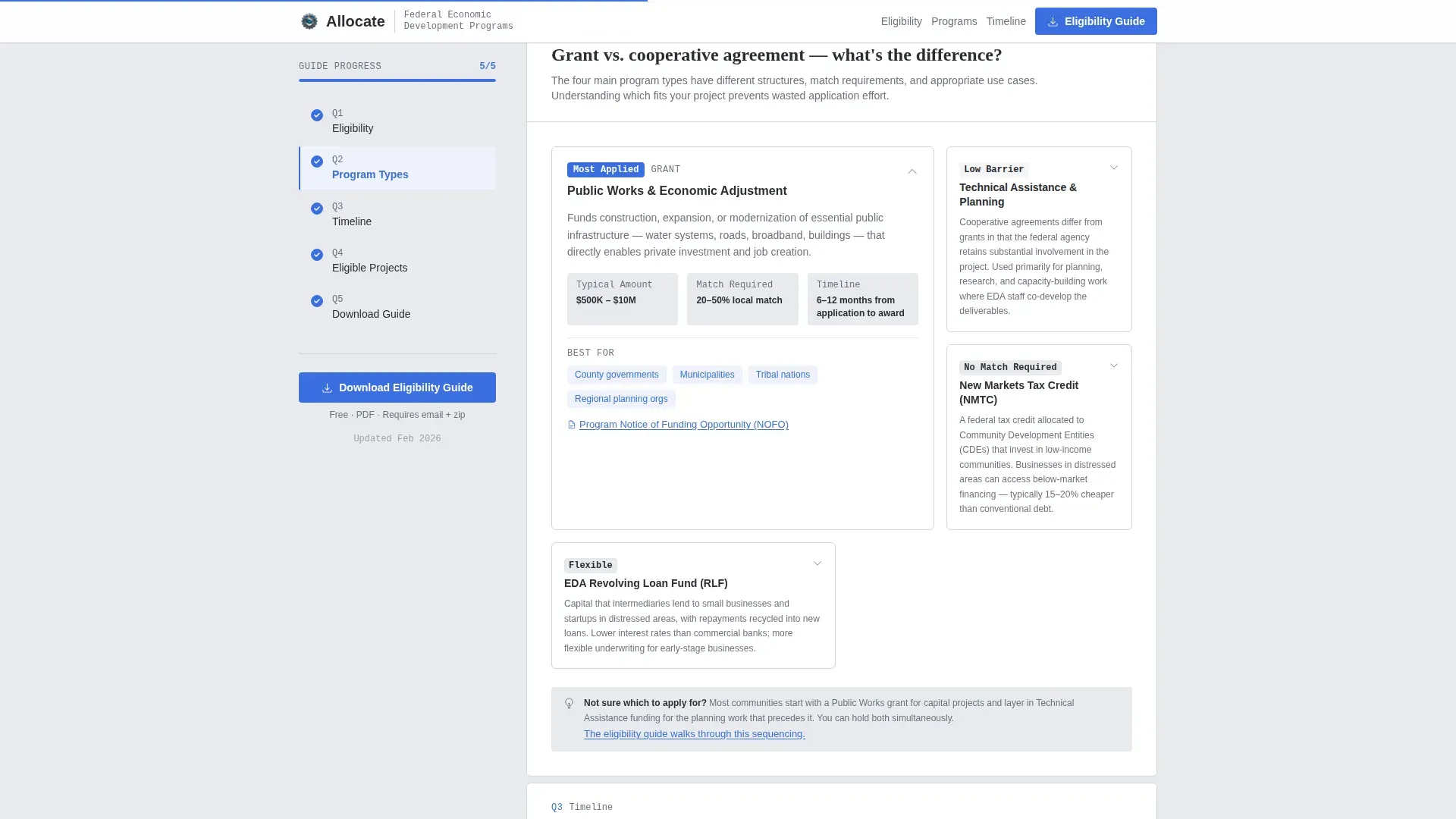
A dedicated section compares grants, cooperative agreements, and tax incentives in an asymmetric layout. This helps community leaders understand which program type fits their situation before they invest time in an application.
Page sections overview
| Section | Purpose |
|---|---|
| Hero Map Infographic | Display funded regions and key investment statistics |
| FAQ: Eligibility | Answer "Is my community eligible?" with a criteria checklist |
| Program Types Comparison | Compare grants, cooperative agreements, and tax incentives |
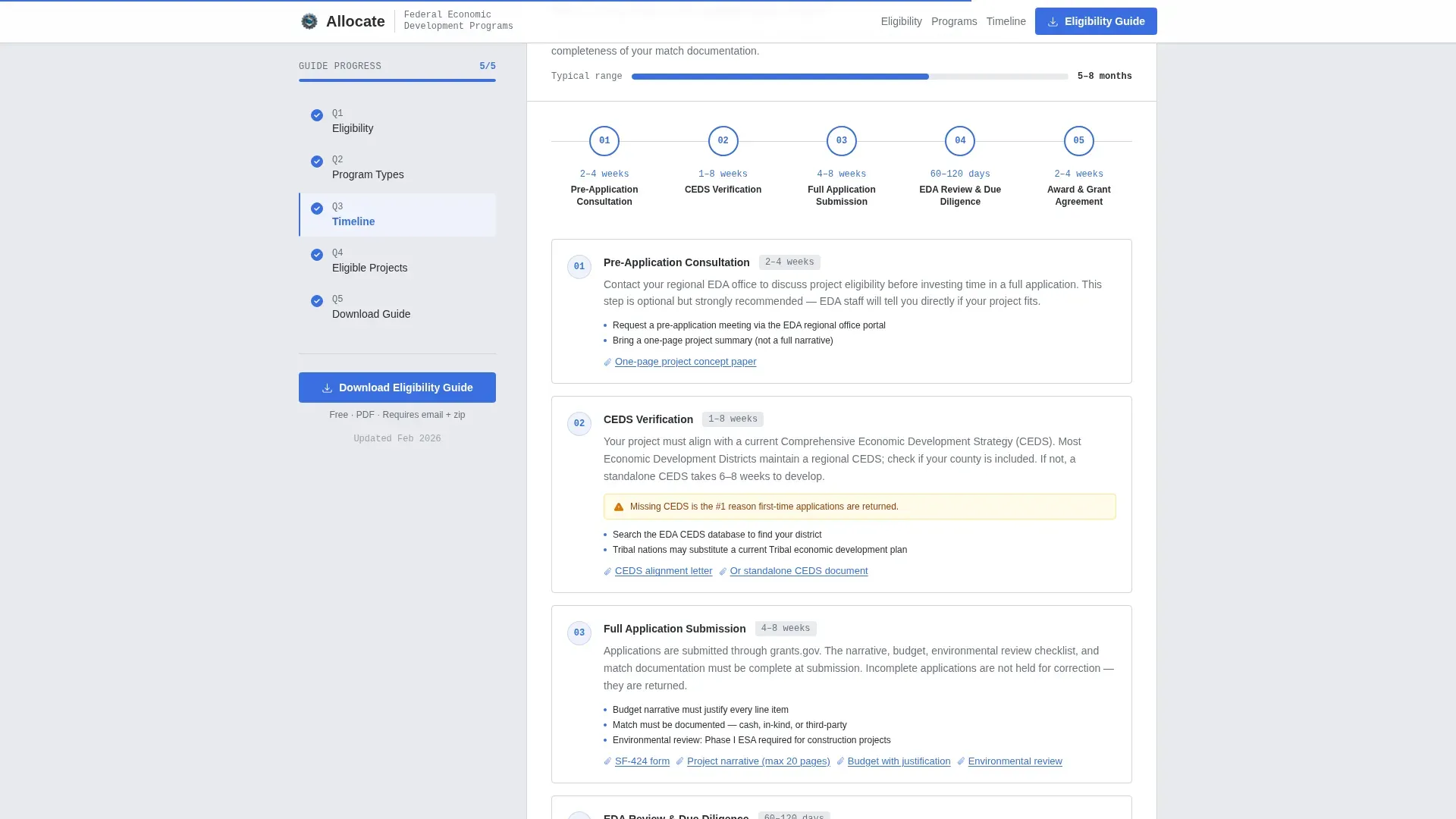
| FAQ: Process and Timeline | Show the application timeline with a horizontal visual |
| Download Gate and Newsletter | Capture email and zip code for PDF; embed newsletter call to action |
| Footer | Single-row linear footer with agency navigation links |
Design & branding system
The visual identity follows an Educational Guide theme built on a Monochrome Steel color system. The palette is deliberately restrained, evoking a well-designed government report printed on heavy stock. It communicates institutional authority without visual noise.
- Structural charcoal (#2B2D33) for primary text and navigation, institutional mid-gray (#6B7280) for secondary labels and divider lines, and light galvanized (#E8EAED) for content-area backgrounds
- A single signal-blue accent (#3B6FE0) reserved exclusively for clickable links, active sidebar states, and call-to-action buttons
- DM Sans for body text and Fraunces for display numbers and headings, creating a clear typographic hierarchy between data and explanation
Mobile & speed optimization
The template is built desktop-first to serve as a conference room reference document. A strong mobile fallback supports the county administrator searching eligibility requirements on a phone late at night.
- Static content structure is preferred throughout; client-side components are limited to the sidebar scroll tracker and form interactions
- GSAP-powered staggered section reveals and pulsing map animations are scoped to medium intensity to keep the experience smooth on lower-powered devices
- The FAQ expand and collapse interactions are lightweight and do not depend on heavy framework overhead
How this template helps you convert
The conversion strategy is built on a principle of generosity before the gate. The template answers real questions openly, so that by the time the download form appears, the visitor already trusts what is behind it.
- The FAQ scroll builds credibility section by section, with the sidebar making visible progress feel rewarding and encouraging continued reading toward the download call to action.
- The gated PDF form asks for only an email address and a zip code, lowering the barrier to the primary conversion while the zip code input enables regional follow-up without adding visible friction.
- The inline newsletter signup after every third FAQ section provides a secondary, lower-commitment path for visitors who are not yet ready to download but want to stay informed about grant deadlines.
Other information about this template
This template is part of a broader government and public sector design system focused on economic development federal agency use cases. A few additional details are worth noting for teams evaluating this template.
- The template is categorized under Government and Public, subcategory Economic Development Government, and is designed specifically for the economic development federal agency niche
- The sidebar companion style and FAQ-driven creative direction make it well-suited as a content and resource hub, not a promotional page
- The Monochrome Steel color system and Educational Guide theme are intentional choices that align with how public sector audiences expect official information to look and feel
- The infographic header concept positions data as the credibility signal, replacing stock photography with real investment numbers that can be updated as program outcomes change
- This template is built to be photocopied, referenced repeatedly, and shared in committee meetings, which is reflected in every layout and typographic decision
Theme
Educational Guide
Creative direction
FAQ-Driven
Color system
Monochrome Steel
Style
Sidebar Companion
Direction
Content/Resource
Page Sections
Animated US Map Infographic Header
Persistent Scroll-tracking Sidebar
Faq-driven Content Structure
Gated Eligibility PDF Download
Program Type Comparison Section
Inline Newsletter Signup Blocks
Related questions
What kind of agency is this template designed for?
How does the gated PDF download work in this template?
Who is the persistent sidebar companion designed for?
Can the template present multiple federal program types on one page?
Is this template suitable for both desktop and mobile viewers?



