Specialty Construction Professional Website Template
Isolate is a modular card-grid landing page template built for precision soundproofing and acoustic construction firms. It presents your build process as a scrollable construction timeline, uses a cold Monochrome Steel palette, and drives qualified visitors toward a project consultation through a focused, click-through layout. Every section earns trust before asking for the click.
by Rocket studio
Quick summary
Isolate is a single-page, card-grid template designed for soundproof room construction companies. It turns a complex build process into a visual, phase-by-phase scroll experience. The Monochrome Steel color system and full-bleed header set a tone of industrial precision from the first second. One primary call to action moves qualified visitors toward a project consultation.
Who this template is for
This template is built for specialist acoustic construction firms that need to communicate technical credibility without overwhelming potential clients. It works for teams whose clients already understand that silence costs money and want to know exactly what they are buying.
- Acoustic chamber and broadcast studio builders pitching podcast networks and recording engineers
- Hospital and corporate facilities teams spec'ing MRI suites, conference pods, or executive offices
- Soundproofing contractors who need a page that earns trust through process transparency, not sales language
What problem this template solves
Most construction company pages describe outcomes without showing the work. For soundproofing firms, that gap is fatal. Clients who can hear a 2 dB acoustic leak need to see the layers, the materials, and the numbers before they commit to a build.
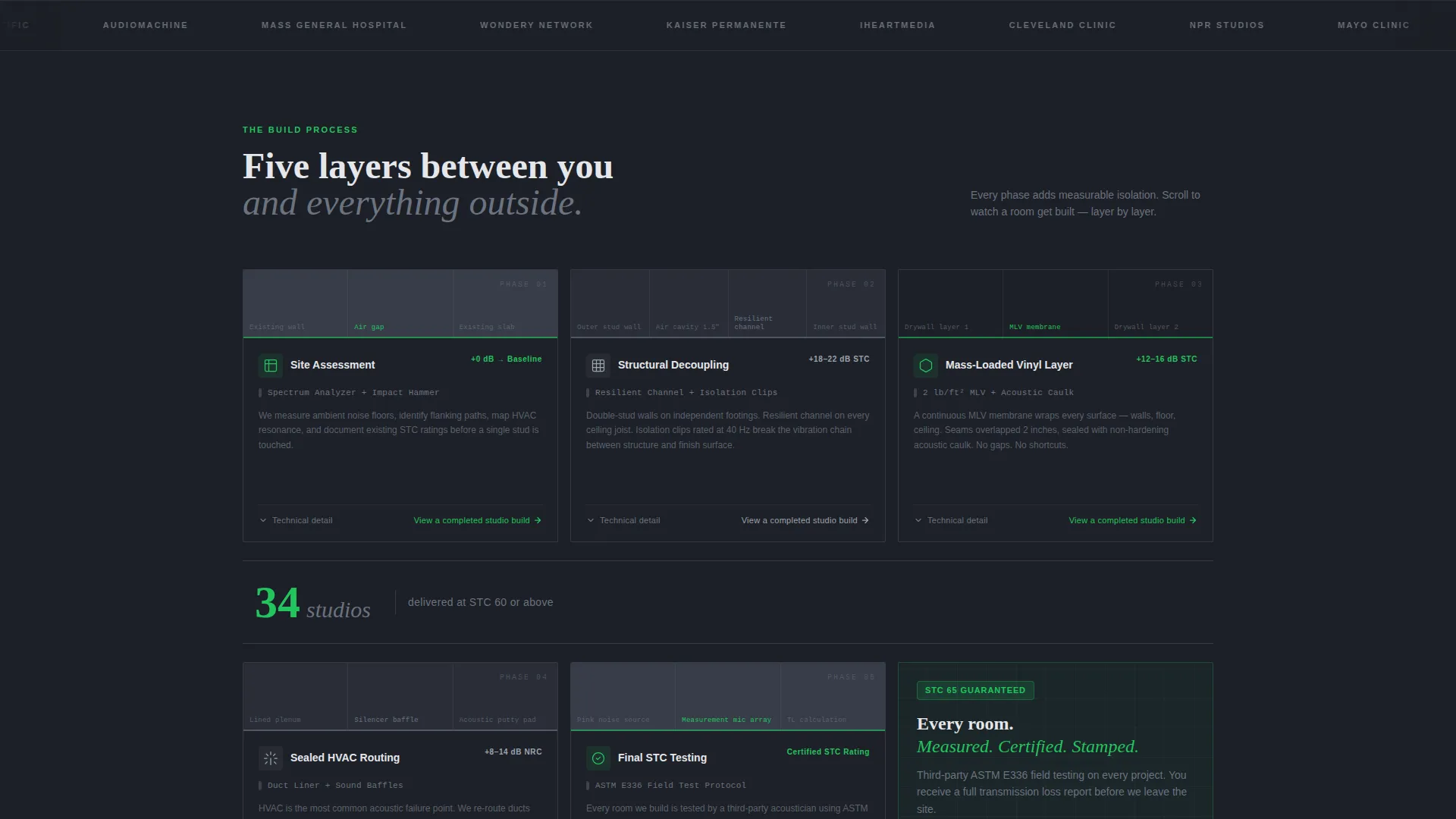
- The template makes the invisible visible by presenting each construction phase as a card with a cutaway diagram, a material callout, and a measurable acoustic gain
- It removes buyer confusion about cost by showing exactly what goes inside the walls and why each layer matters
- It qualifies leads before they book by filtering for visitors who understand Sound Transmission Class ratings and are ready for a real conversation
What you get with this template
You get a fully structured, modular landing page layout ready to fill with your firm's actual project data, STC numbers, and process photography. Every section has a defined job in the conversion flow.
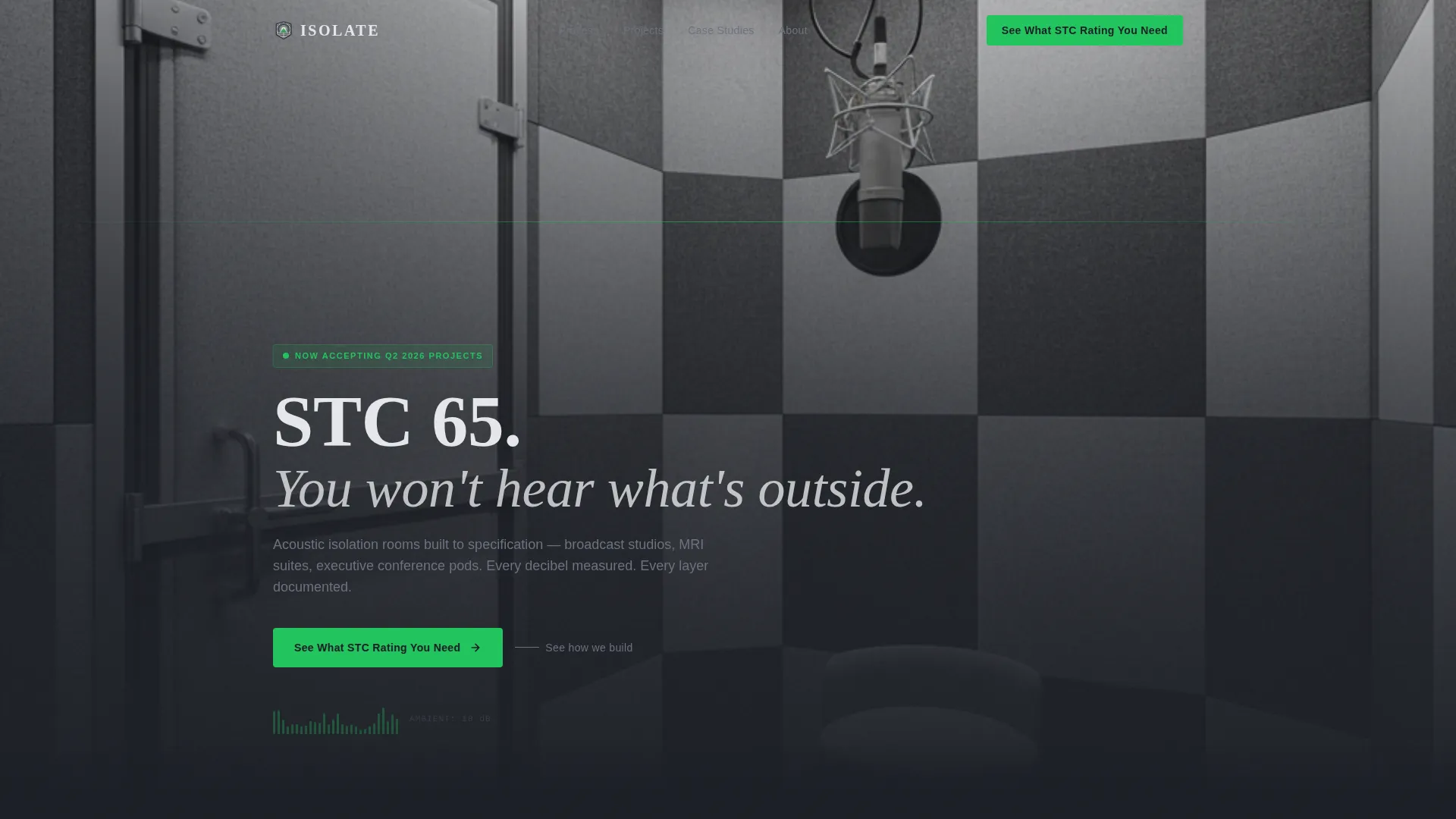
- A full-bleed header with a pulsing green call-to-action button and a cinematic interior shot of a finished isolation booth
- A scrollable construction timeline built from modular phase cards, each with space for a diagram, a material callout, and a stat
- Single-stat interstitial rows between card groups, a sticky mobile call-to-action bar, and an anchored final row that closes the page with a clear next step
Feature list
This section covers the core components built into the Isolate template.
Full-Bleed Isolation Booth Header
The header fills the viewport with a photo taken from inside a finished isolation booth at seated height. The camera faces a sealed acoustic door with its compression gasket visible. Walls show fabric-wrapped fiberglass panels in alternating grays. A single condenser microphone catches overhead light. No people, no clutter. The headline "STC 65. You won't hear what's outside." fades in after a beat. A signal green button pulses once beneath it.
Modular Construction Phase Cards
Each card represents one build phase: Site Assessment, Structural Decoupling, Mass-Loaded Vinyl Layer, Sealed HVAC Routing, and Final STC Testing. Cards include a cutaway diagram slot, a specific material callout, and the measurable acoustic gain for that step. They unlock left to right, row by row, so scrolling feels like watching a room get built one layer at a time.
Single-Stat Interstitial Rows
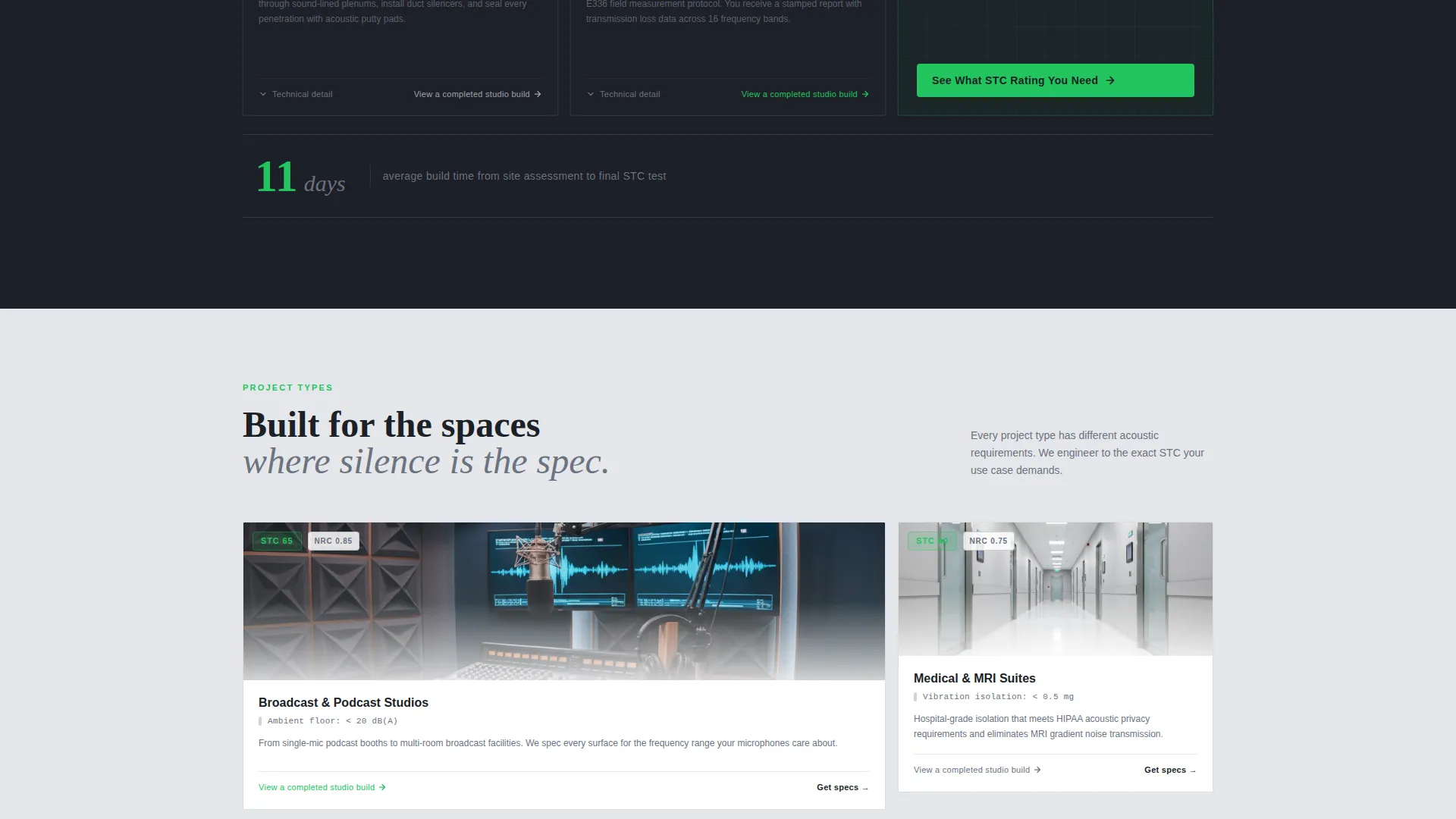
Between card rows, a single-stat interstitial breaks the scroll with one proof point. Examples from the brief include "34 studios delivered at STC 60+" and "Average build: 11 days." These give the eye a rest and the brain a concrete number before the next construction phase begins.
Dual Call-to-Action Architecture
The primary call to action, "See What STC Rating You Need," appears in the header, repeats as a sticky bottom bar on mobile, and anchors the final card row. A secondary path lives inside each phase card as a "View a completed studio build" link leading to a case study gallery. Both paths are designed to move visitors forward without pressure.
Monochrome Steel Visual System
Backgrounds alternate between cold-rolled steel dark (#1C1F26) and acoustic panel light gray (#E5E7EB) to create visual airlocks between sections. Card borders are 1px brushed aluminum mid-tone (#6B7280). Signal green (#22C55E) is reserved exclusively for call-to-action buttons and STC rating badges, so every green element on the page carries conversion intent.
Page sections overview
| Section | Purpose |
|---|---|
| Full-Bleed Header | Establish tone and present primary call to action |
| Phase Card Row 1 | Show site assessment and decoupling steps |
| Stat Interstitial 1 | Deliver a single proof point between rows |
| Phase Card Row 2 | Cover mass-loaded vinyl and HVAC routing |
| Stat Interstitial 2 | Reinforce credibility with a second build stat |
| Phase Card Row 3 | Present final STC testing phase |
| Consultation call to action Row | Anchor the page with the primary call to action |
Design & branding system
The Monochrome Steel palette is built for industrial precision. Every color has a specific role, and nothing is decorative. The result feels like the inside of a mill-finished steel-stud wall before the drywall goes up: exacting, functional, zero ornamentation.
- Four-color system: #1C1F26 dark background, #6B7280 mid-tone borders and secondary text, #E5E7EB light background and panel tones, #22C55E signal green for calls to action and STC badges only
- Alternating dark and light section backgrounds create visual separation without additional graphic elements
- Card borders use 1px lines at #6B7280, keeping the layout tight and precise without visual noise
Mobile & speed optimization
The sticky mobile call-to-action bar keeps the primary conversion path accessible at every scroll depth on smaller screens. The card-grid layout is modular, so it reflows cleanly from a multi-column desktop view to a single-column mobile stack.
- Sticky bottom bar on mobile repeats "See What STC Rating You Need" without interrupting the scroll experience
- Modular card structure allows the construction timeline to reflow from left-to-right rows into a vertical single-column sequence on smaller viewports
- Interstitial stat rows remain full-width at all screen sizes, keeping proof points prominent on every device
How this template helps you convert
The page is structured as a click-through funnel. Every section builds evidence before asking for a commitment. By the time a visitor reaches the bottom, they understand the process, the materials, and the measurable results.
- The header call to action targets high-intent visitors immediately, while the pulsing green button creates a low-pressure first invitation to self-qualify through the acoustic needs calculator
- Phase cards and interstitial stats work together to pre-educate buyers on cost and complexity, so the consultation request arrives pre-qualified rather than exploratory
- The secondary case study link inside each card gives detail-oriented buyers a proof path without pulling them off the conversion flow
Other information about this template
This template is designed for the specialty construction market, where trust is built through technical specificity rather than visual polish alone. The Isolate layout treats STC ratings, material science, and build timelines as the real selling points.
- Template style is Card Grid (Modular), making it straightforward to add or remove build phases without redesigning the page
- The click-through direction means every design decision points toward one destination: the project consultation page with a pre-loaded acoustic needs calculator
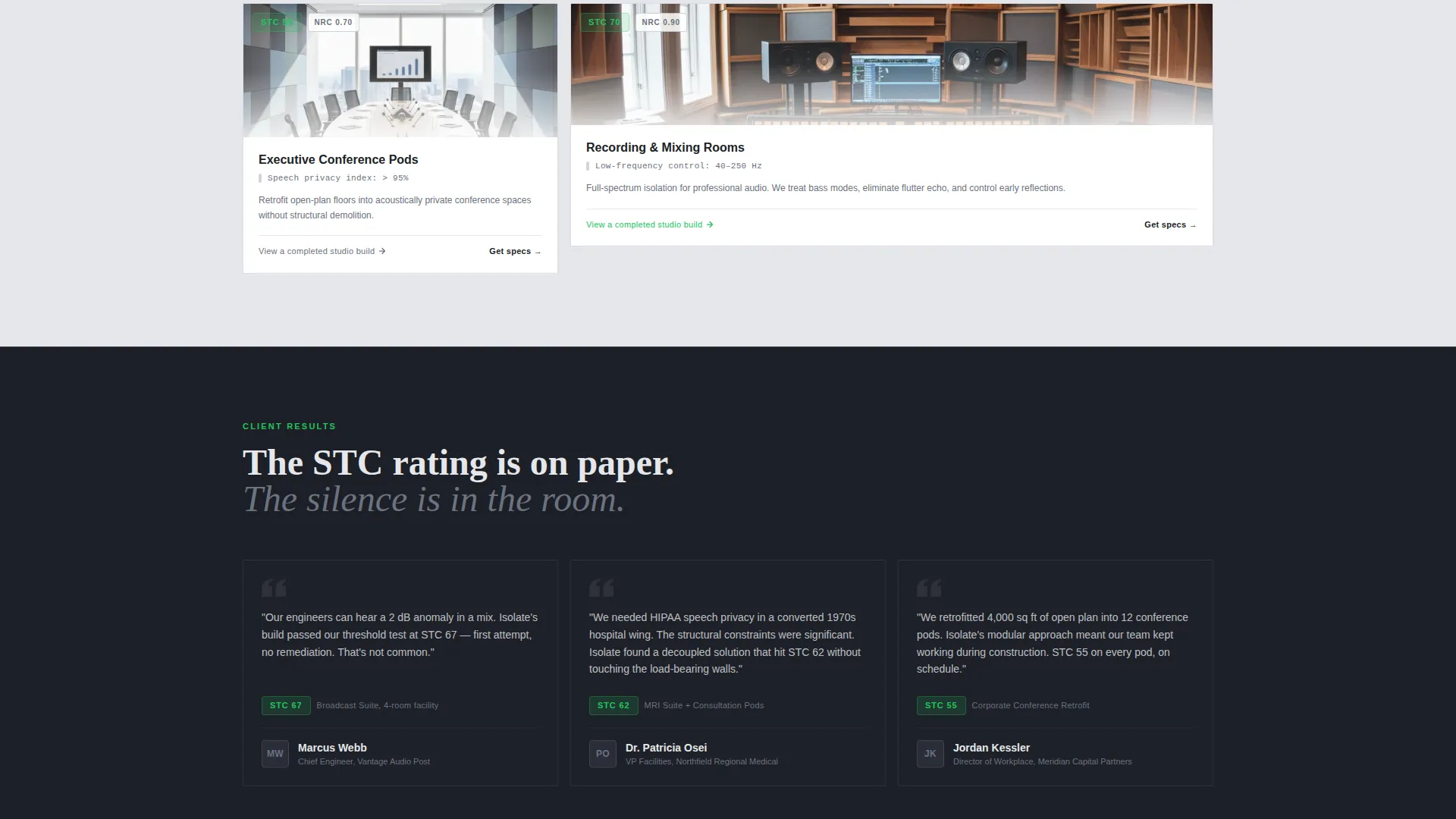
- Suitable for firms working across acoustic chamber construction, broadcast studio fit-outs, soundproof conference room retrofits, and specialty medical facility builds such as MRI suites
Theme
Corporate Precision
Creative direction
Transparent Process
Color system
Monochrome Steel
Style
Card Grid (Modular)
Direction
Click-Through
Page Sections
Full-bleed Isolation Booth Header
Modular Construction Phase Cards
Single-stat Interstitial Rows
Dual Call-to-action Architecture
Monochrome Steel Color System
Related questions
Can I add or remove construction phase cards?
Is signal green used anywhere other than buttons and badges?
Does the template include the case study gallery pages?
What does STC mean, and why does this template highlight it?
Can a firm focused on one niche, like broadcast studios, use this template?



