Keymaster — Expert Lock Repair Landing Page Template
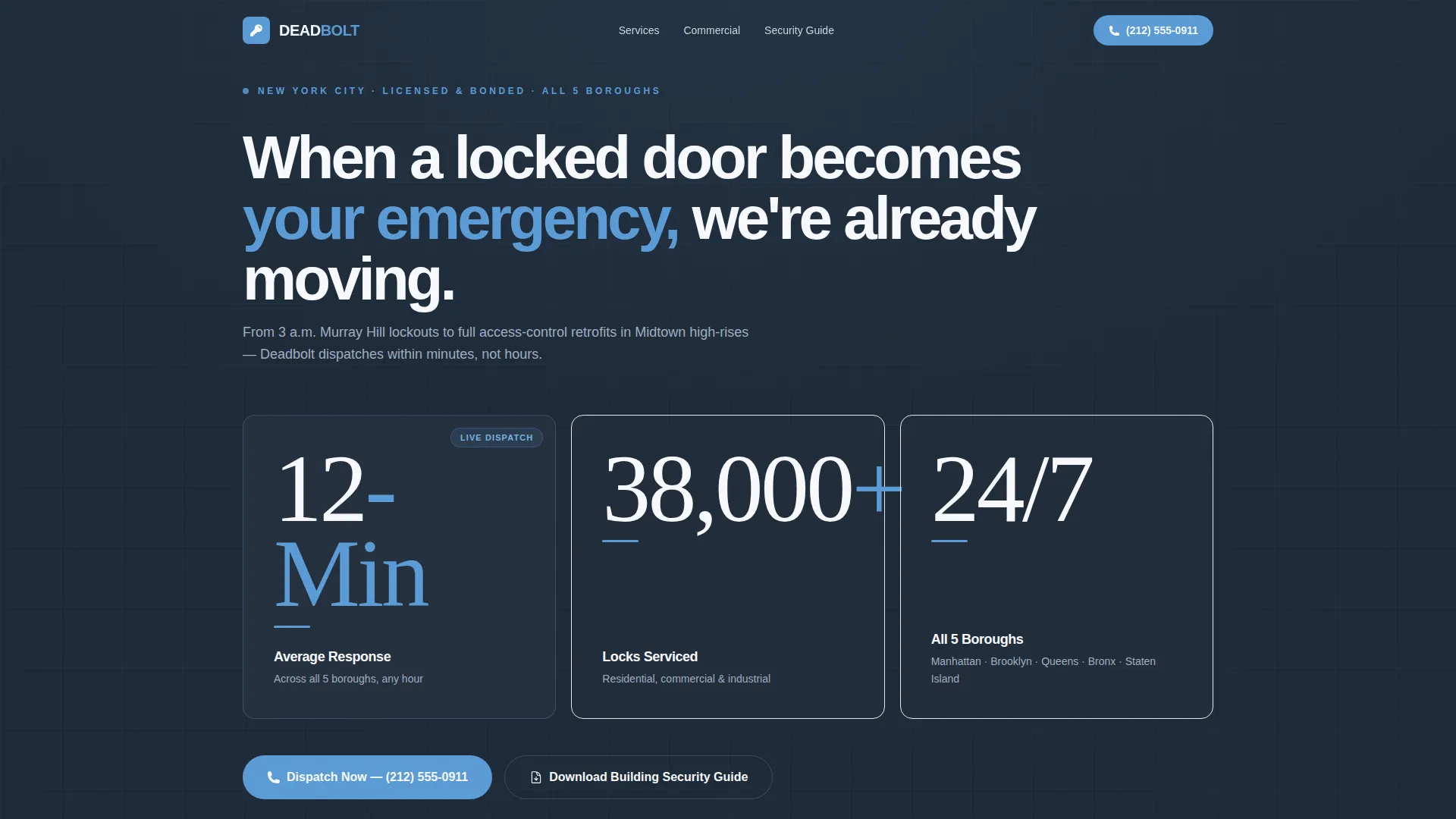
Deadbolt is a single-page locksmith landing page template built for a 24/7 New York City operation. It leads with animated performance metrics, uses a zigzag layout to stack credibility evidence section by section, and drives two conversion paths: a downloadable building security guide and a sticky tap-to-call button. The Executive Suite color system keeps everything polished and professional.
by Rocket studio
Quick summary
Deadbolt is a stats-first landing page template for a full-service New York City locksmith business. It replaces a generic hero image with three animated metrics, walks visitors through alternating evidence blocks, and closes with a lead-capture guide download. The Slate and Sky color system communicates authority without feeling cold.
Who this template is for
This template is designed for locksmith businesses that serve commercial and residential clients across a dense urban market. It works especially well when the audience includes decision-makers who need fast proof of competence before they pick up the phone.
- Property managers overseeing large residential or commercial portfolios
- Office managers and co-op boards handling urgent access-control changes
- Locksmith operators who want a polished, professional web presence that converts
What problem this template solves
Most locksmith pages lead with a stock photo and a phone number. That approach does not build trust quickly enough for high-stakes clients like building managers or office administrators. This template replaces slow storytelling with fast, scannable proof.
- Visitors with urgent needs get performance data in the first three seconds
- Property managers and commercial clients see relevant credentials before they scroll far
- The guide download gives professional buyers a reason to exchange contact details
What you get with this template
The template delivers a fully structured single-page layout with every section pre-built and ready to customize. Every design decision supports the core goal: move a stressed visitor from doubt to action as fast as possible.
- Animated stats header with three bold performance metrics
- Zigzag alternating content sections, each pairing a metric with supporting copy
- A lead-capture section with email field, building-type selector, and guide preview
- A sticky sky-blue call-to-action button with tap-to-call functionality
Feature list
This section covers the core capabilities built directly into the Deadbolt template.
Animated Metrics Header
Three large performance numbers animate into view against a deep charcoal slate background. The condensed typeface gives each figure a steel-etched quality, and a sky-blue pulse highlights the response-time stat to draw the eye immediately.
Zigzag Evidence Layout
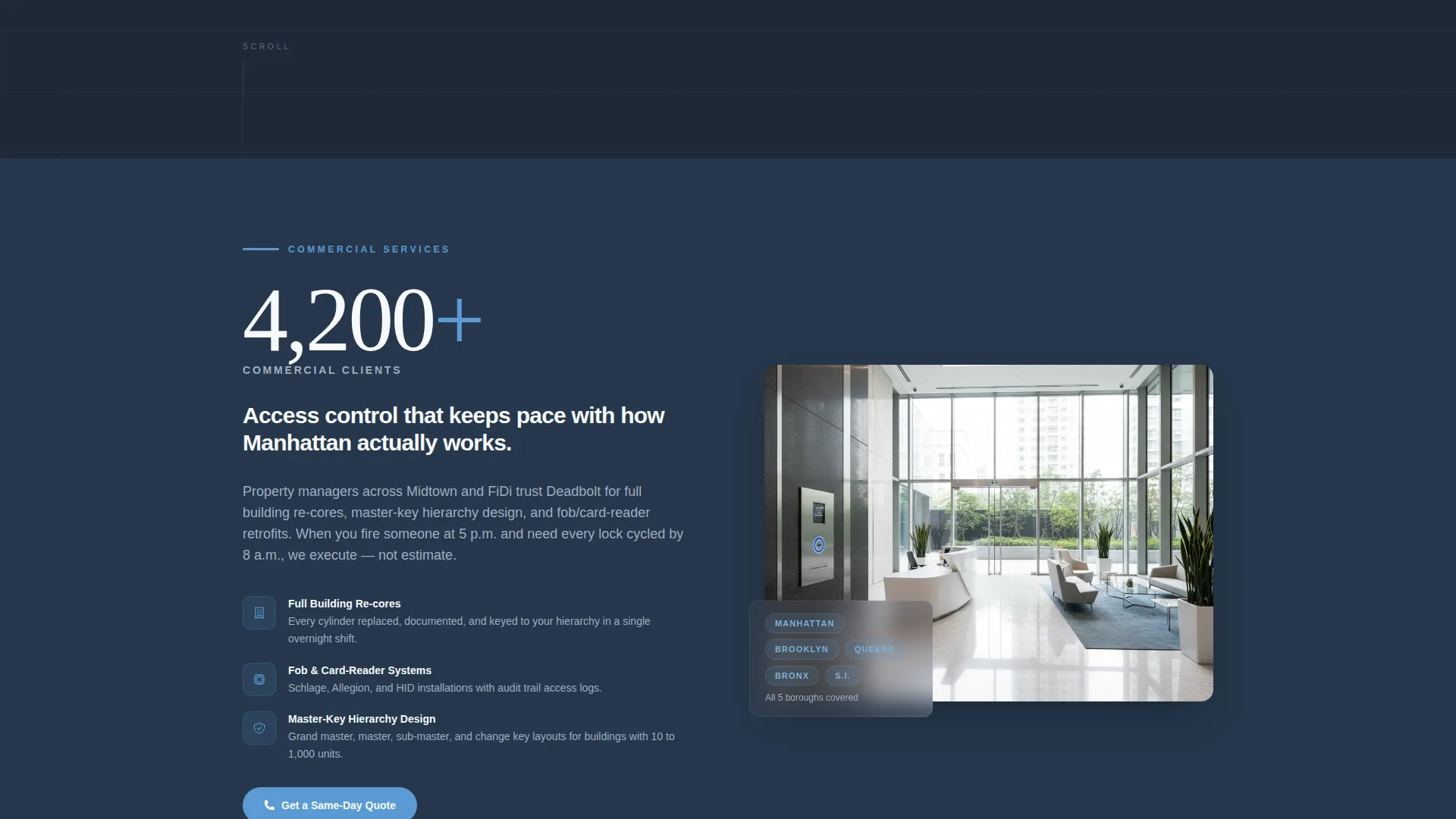
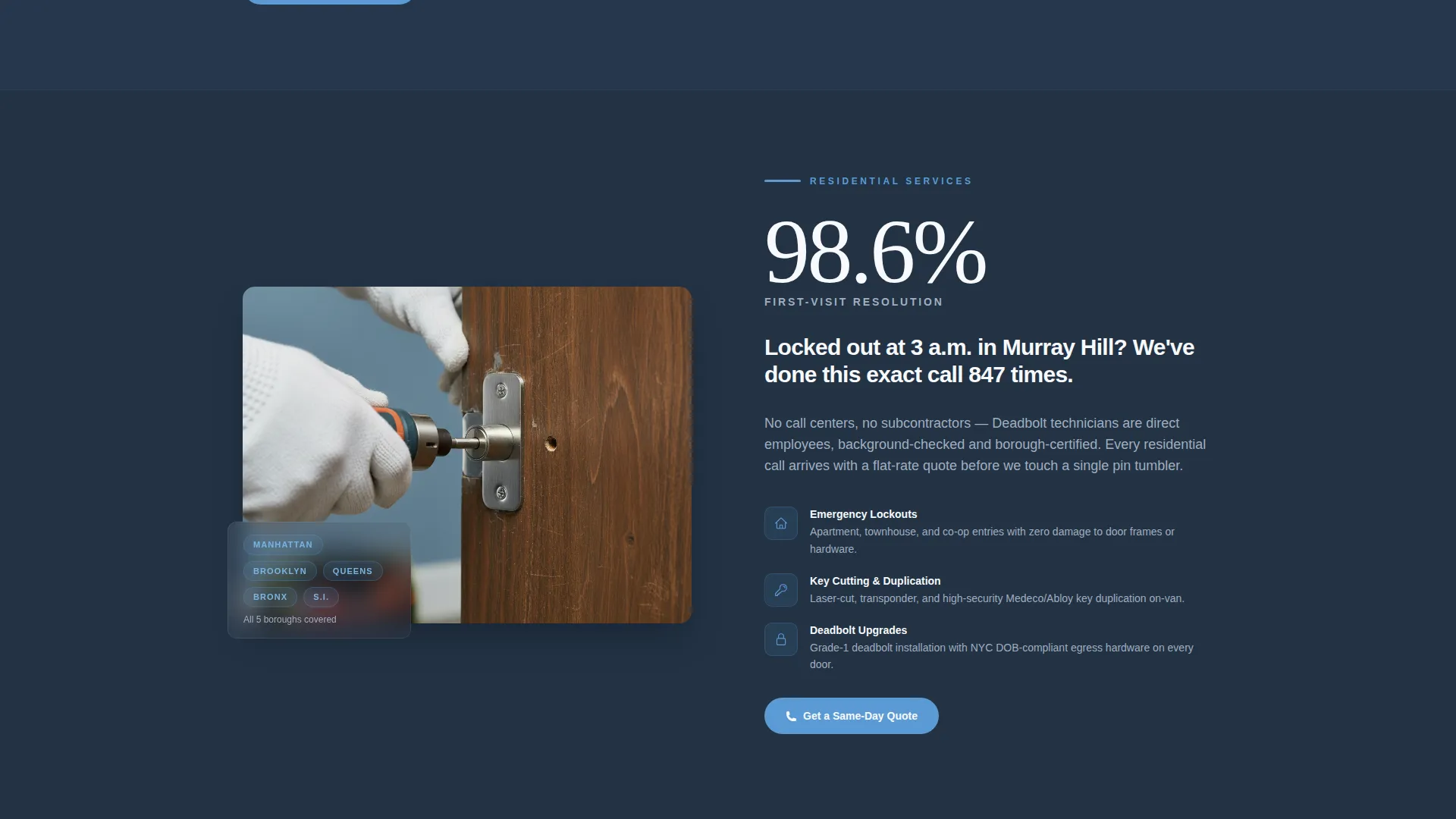
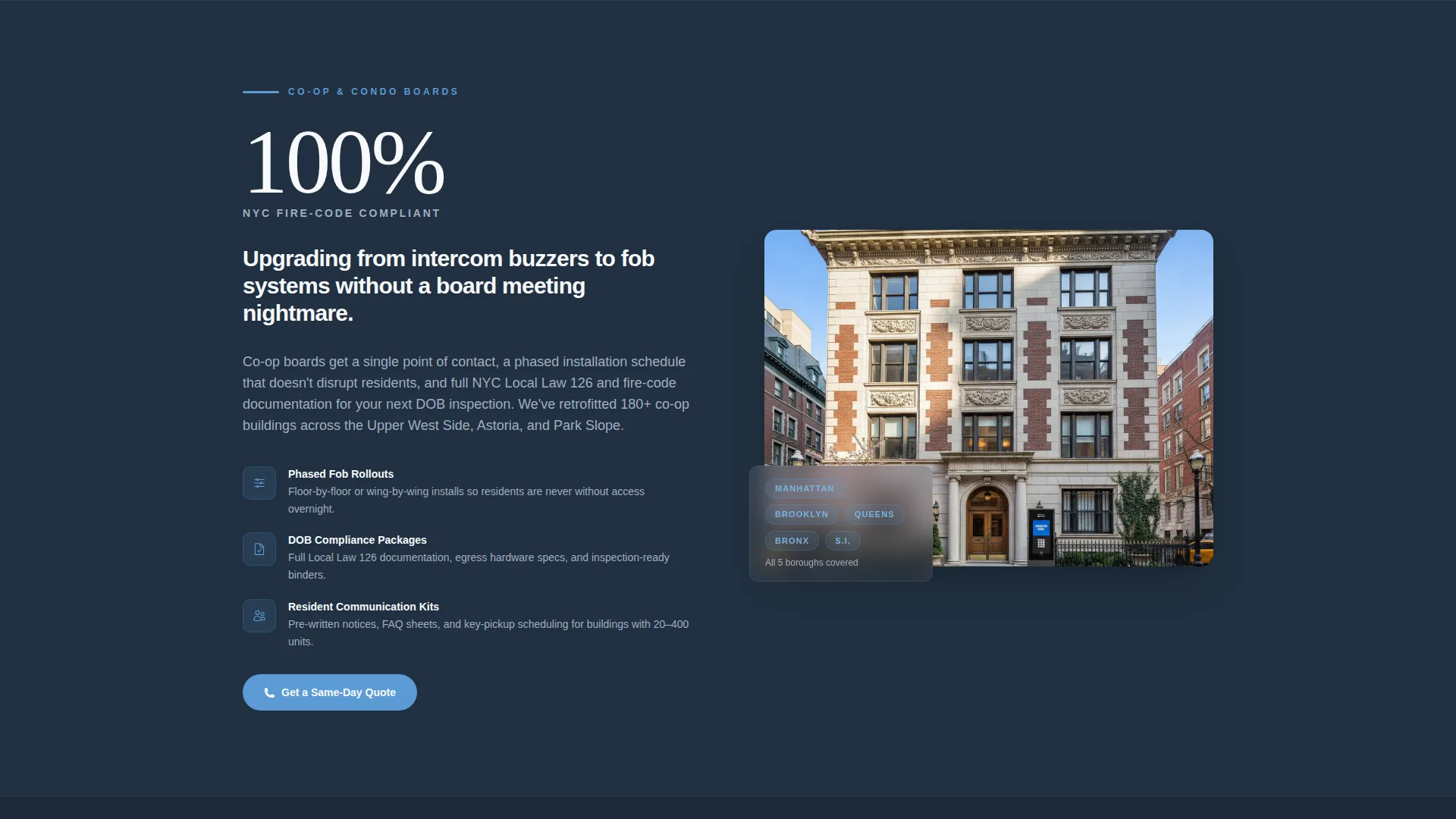
Each alternating section opens with a single bold metric on one side and a supporting paragraph on the other. The layout builds a cumulative case for the business, block by block, without relying on narrative flow or photography.
Sticky Tap-to-Call Button
A persistent sky-blue button labeled "Need Us Now? Call Direct" stays visible throughout the scroll. It includes a tap-to-call number so mobile visitors can reach the business in one touch without hunting for contact details.
Guide Download Lead Capture
The primary conversion section invites visitors to download a building security guide. It includes a single email field and a building-type selector covering residential, commercial, and co-op or condo categories, keeping the form short and decision-relevant.
On-Page Guide Preview
Three actionable insights from the guide are visible on the page before the visitor downloads anything. Previewing rekeying schedules, master-key hierarchy diagrams, and a New York City fire-code compliance checklist makes the full download feel worthwhile.
Executive Suite Visual System
The Slate and Sky color palette uses deep charcoal (#1E2A38) for backgrounds, gunmetal (#4A5568) for secondary surfaces, sky blue (#5B9BD5) for interactive elements, and cloud white (#F7F9FC) for text. The result feels like a well-managed Midtown lobby.
Page sections overview
| Section | Purpose |
|---|---|
| Animated Stats Header | Opens with three bold metrics to establish credibility instantly |
| Commercial Services Block | Pairs "4,200 Commercial Clients" with access-control copy |
| Residential Services Block | Pairs "98.6% First-Visit Resolution" with residential service detail |
| Guide Preview Strip | Shows three on-page insights to justify the download |
| Lead Capture Section | Collects email and building type for the security guide |
| Sticky Call Button | Keeps a tap-to-call option visible throughout the entire page |
Design & branding system
The template uses an Executive Suite theme built around the Slate and Sky color system. Every color choice references the calm authority of a well-run Midtown building lobby.
- Deep charcoal slate (#1E2A38) for primary backgrounds, gunmetal (#4A5568) for secondary surfaces, sky blue (#5B9BD5) for calls to action, and cloud white (#F7F9FC) for text
- A tall condensed typeface gives the stats header a steel-etched feel that reads as industrial precision
- Sky-blue accents pulse subtly behind the response-time metric to direct attention without distracting
Mobile & speed optimization
The landing page is structured with mobile visitors in mind. The tap-to-call sticky button is particularly important on mobile, where a lockout customer needs to reach someone in seconds, not minutes.
- The sticky call button remains accessible at all times on small screens, reducing the steps between arrival and contact
- The zigzag layout adapts naturally to a single-column mobile view, keeping each metric-and-copy pair readable
- The lead-capture form uses a minimal two-field structure that is easy to complete on a phone keyboard
How this template helps you convert
The template is designed around two distinct conversion paths that serve different visitor intentions at the same time.
- The sticky tap-to-call button captures urgent visitors who landed the page in a crisis and need someone dispatched immediately.
- The guide download with building-type selector captures professional buyers like property managers and co-op boards who are evaluating vendors before a planned project, trading an email address for a resource they genuinely want.
Other information about this template
This template fits within the Professional Services and New York Local Services categories and is built for a locksmith niche that covers both emergency response and long-term commercial contracts. It is a strong fit for operators who need to speak to two very different audiences on one page without confusing either one.
- The template style uses a split-screen and zigzag alternating structure throughout the main content
- The landing page direction follows a Content and Resource hub model, where the guide download is the central conversion mechanism
- The header concept is Stats-First rather than photo-led, which is an intentional departure from the standard locksmith page format
- The creative direction is evidence-first: each section stacks another measurable proof point rather than telling a brand story
Theme
Legal Shield
Creative direction
Transparent Process
Color system
Charcoal & Amber
Style
Split Screen (50/50)
Direction
Content/Resource
Page Sections
Animated Stats Header
Zigzag Evidence Layout
Sticky Tap-to-call Button
Guide Download Lead Capture
On-page Guide Preview
Executive Suite Color System
Related questions
Can I customize the performance metrics shown in the header?
Is the guide download form connected to an email tool?
Can I use this template for a locksmith business outside New York City?
What types of locksmith clients does this template speak to?



