Academic & Research Profile Booking Website Template
Keynote is a bento grid landing page template built for conference speakers who command stages and fill calendars. It pairs a Tech Glass visual identity with a Void & Violet color system to create an atmosphere as electric as the moment house lights drop. The page guides event producers and corporate bookers from first impression to booking inquiry with purpose-built conversion flows.
by Rocket studio
Quick summary
Keynote is a single-page bento grid template designed for high-profile conference speakers. It opens with a dramatic Before/After Slider and unrolls through an Award & Recognition scroll experience before landing visitors in a progressive booking form. The Tech Glass aesthetic and Void & Violet palette make every section feel like a flagship stage moment.
Who this template is for
This template is built for speakers who already command serious stages and need a page that matches their presence. It speaks directly to the people doing the booking, not just casual browsers.
- Conference speakers seeking headliner bookings at flagship tech summits and corporate events
- Professional keynote presenters who want to qualify serious inquiries and filter warm leads
- TEDx-style thought leaders building anticipation for a limited upcoming availability window
What problem this template solves
Most speaker pages feel like static resumes. They list credentials but never create the feeling of being in the room. Bookers arrive, scroll politely, and leave without acting. This template flips that dynamic.
- It replaces flat bios with an immersive visual and scroll experience that builds genuine anticipation
- It removes friction from the booking path by guiding visitors through a step-by-step form instead of an overwhelming contact page
- It separates casual visitors from serious buyers using a two-path conversion system: a booking waitlist and a downloadable speaker kit
What you get with this template
You get a fully designed bento grid landing page with every section mapped to a specific job: attract, impress, and convert. No section is decorative for its own sake.
- A Before/After Slider header, an Award & Recognition scroll engine, and an auto-playing video tile
- A floating frosted-glass booking bar with a progressive, multi-field form that reveals one field at a time
- A secondary lead path offering a downloadable speaker kit in exchange for an email address
Feature list
This section covers the core built-in components of the Keynote template.
Before/After Slider Header
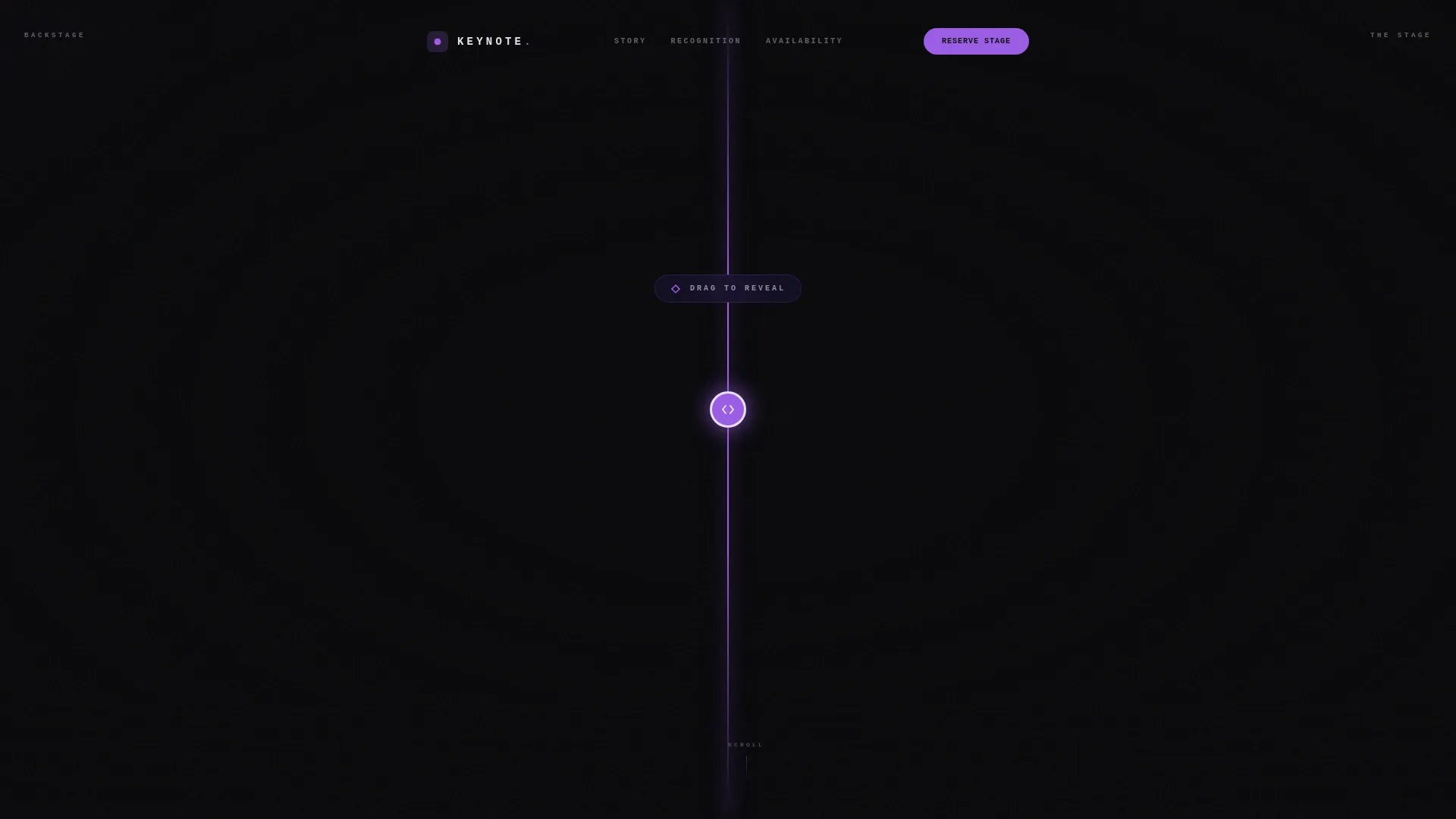
The header presents two states of the same speaker: a raw backstage moment on the left and a commanding stage presence on the right. An orchid-colored drag line bisects the two worlds. The speaker's name and title stay blurred until the visitor drags the slider, making the first interaction feel like a live reveal.
Bento Grid Scroll Engine
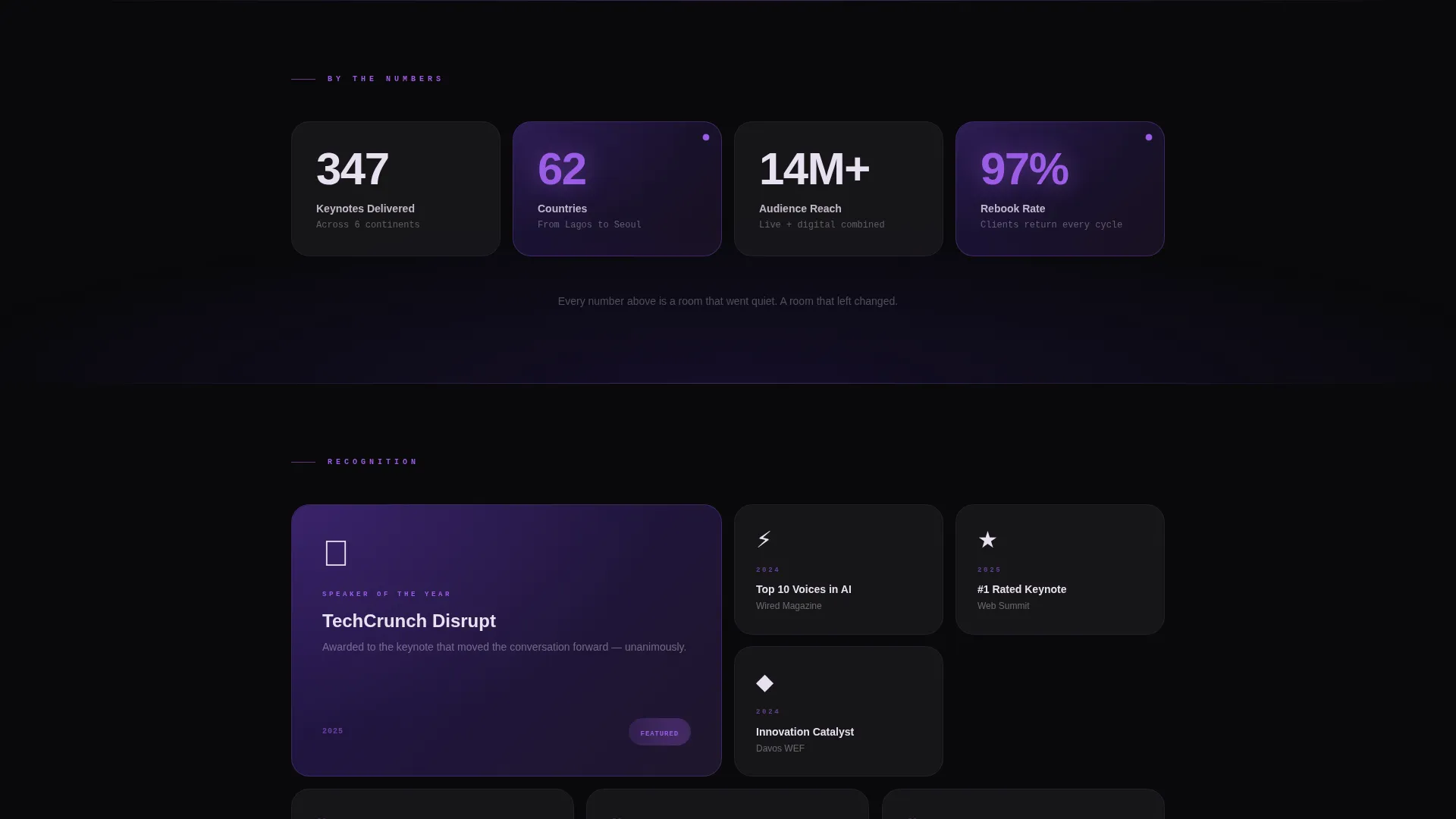
The page body is structured as an asymmetric bento grid. Oversized stat cards count up on scroll to show keynotes delivered, countries reached, and total audience size. Accolade tiles display speaker-of-the-year badges, event logos, and press pull quotes in a layout designed to feel like scanning a Wall of Fame.
Auto-Playing Video Tile
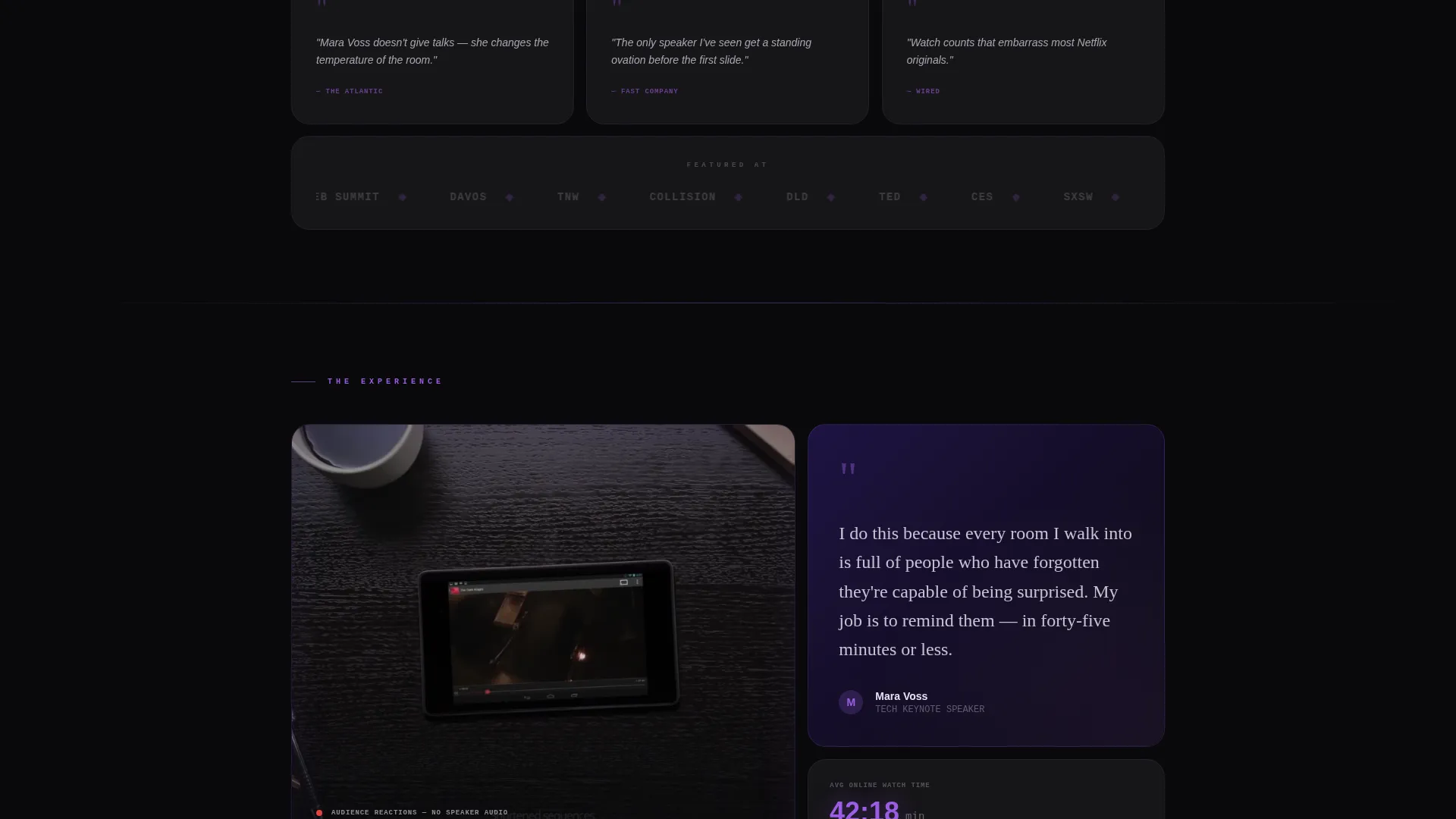
A dedicated video tile sits midway through the scroll. It auto-plays a thirty-second supercut focused entirely on standing ovations and crowd reactions, with no speaker audio. The effect puts social proof in motion without requiring any click.
Progressive Booking Form
The primary call to action is a frosted-glass bar that floats at the bottom of the viewport after the first scroll. It captures event name, estimated audience size, preferred date range, and email address. Fields reveal one at a time, making each step feel like securing a limited and exclusive booking.
Speaker Kit Download Path
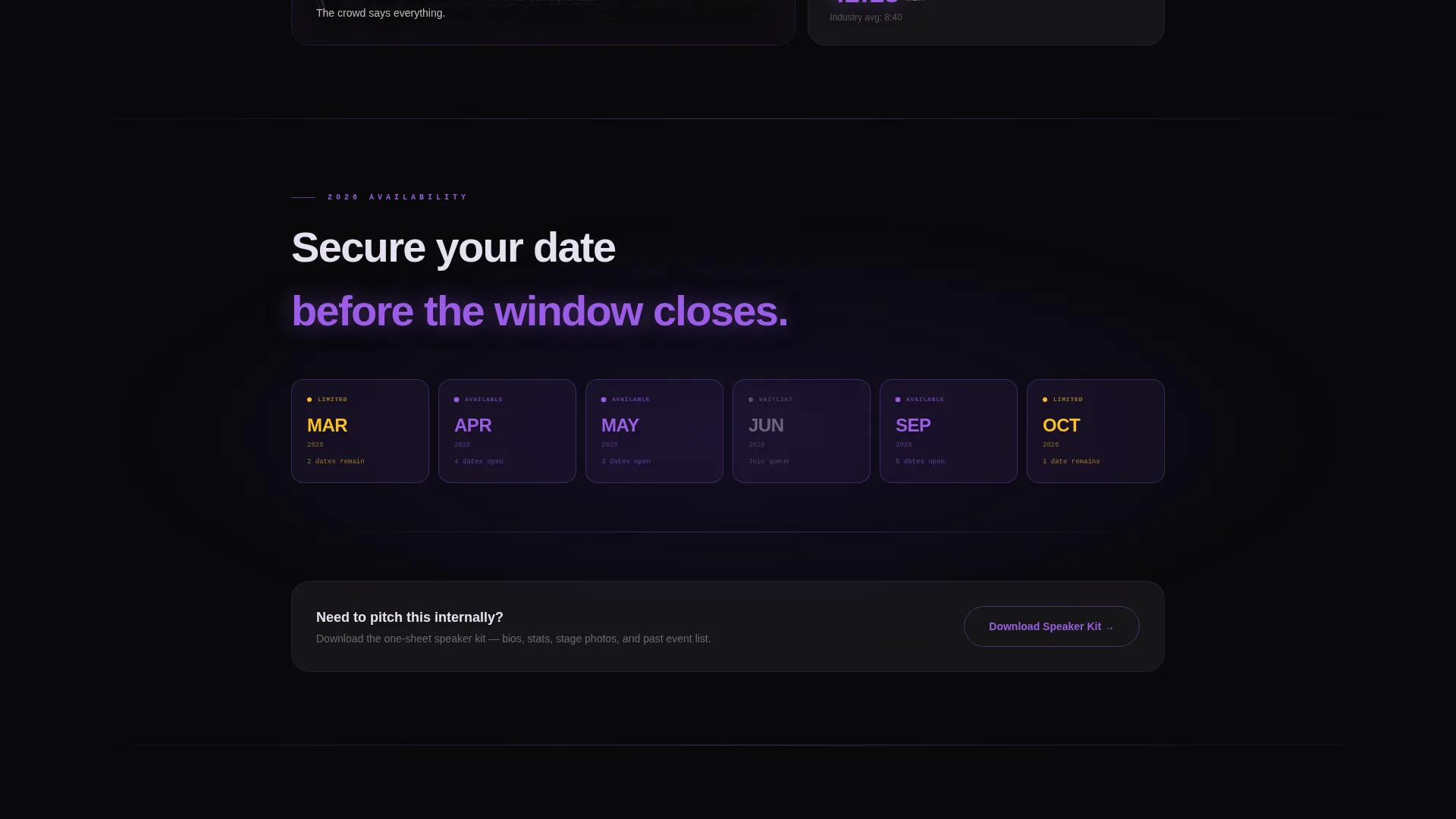
A secondary conversion path lets visitors tap "Download Speaker Kit" to receive a one-sheet PDF. It asks only for an email address. This qualifies warmer leads who are not yet ready to commit to a full booking inquiry.
Handwritten Quote Card
A single tall card near the bottom of the page displays a handwritten-style quote from the speaker about their motivation. It sits flanked by small orchid-glowing availability tiles, shifting the page's tone from promotional to personal right before the final call to action.
Page sections overview
| Section | Purpose |
|---|---|
| Before/After Slider | Opens with a dramatic two-state speaker reveal |
| Scroll-triggered Stats | Counts up keynotes, countries, and audience reach |
| Accolade Tile Cluster | Displays badges, event logos, and press quotes |
| Auto-Play Video Tile | Shows crowd energy and standing ovations in motion |
| Speaker Quote Card | Adds a personal, handwritten-style motivational note |
| Availability Slots | Shows upcoming booking windows in orchid highlights |
| Floating Booking Bar | Anchors the primary "Reserve for Your Stage" form |
| Speaker Kit Download | Captures emails via a secondary PDF lead path |
Design & branding system
The Tech Glass theme wraps every element in the visual language of a flagship OLED display viewed in a darkened auditorium. Colors float on pure black and edges catch light like beveled glass.
- Void black (#09090B) dominates all backgrounds; deep ultraviolet (#2D1B69) fills card depths and gradient anchors
- Luminous orchid (#9B5DE5) fires across hover states, stat counters, recognition badges, and availability slot glows
- Frosted glass white (#E8E0F0) sits on headlines and pull quotes, matching the crispness of projected text on a conference screen
Mobile & speed optimization
The bento grid layout adapts across viewport sizes so the immersive experience holds on any device a booker picks up. Structural decisions in the template support lean, fast rendering.
- Bento grid columns reflow gracefully so stat cards and accolade tiles stack without losing hierarchy
- The floating booking bar remains anchored at the bottom of the viewport on mobile, keeping the call to action always visible
- The Before/After Slider is touch-friendly, allowing the drag interaction to work naturally on phone and tablet screens
How this template helps you convert
Every design and structural decision in Keynote points toward one outcome: turning a curious visitor into a confirmed booking inquiry.
- The interactive slider creates immediate personal investment before a single word is read, making the visitor feel present in the moment rather than browsing a static page.
- The progressive booking form removes overwhelm by asking for one piece of information at a time, reducing abandonment and making each step feel like a meaningful commitment.
- The speaker kit download path catches visitors who need more information before booking, converting them into email leads who can be warmed up toward a future reservation.
Other information about this template
Keynote is built specifically for the conference speaker profile niche within the personal and resume category. It is well suited for speakers who work across tech, innovation, and leadership verticals.
- The template style is bento grid, a layout format that gives equal visual weight to stats, accolades, and personal storytelling
- The landing page direction is Waitlist and Coming Soon, making it effective for speakers launching a new availability window or announcing a limited booking season
- The header concept is a Before/After Slider, a format that creates interactive engagement without requiring video autoplay in the hero zone
- The creative direction is Award & Recognition, meaning every scroll section reinforces credibility through visible proof rather than written claims alone
- This template works well for speakers who present at Keynote-style flagship events, corporate all-hands sessions, and curated conference stages
Theme
Tech Glass
Creative direction
Award & Recognition
Color system
Void & Violet
Style
Bento Grid
Direction
Waitlist/Coming Soon
Page Sections
Before/after Interactive Slider
Award & Recognition Bento Grid
Auto-playing Crowd Reaction Video
Progressive Floating Booking Form
Speaker Kit Download Lead Path
Handwritten Quote and Availability Tiles
Related questions
Can I use this template if I am just starting my speaking career?
How does the progressive booking form work?
What does the speaker kit download path do?
Is the Before/After Slider usable on mobile devices?
Can I adapt the color palette to match my personal brand?



