Affordable Housing Real Estate Cost Calculator Website Template
Keys is a full-width, single-page landing page template built for affordable housing real estate agents. It targets first-time buyers pursuing starter homes, FHA-ready duplexes, and Section 8 properties under $250K. With a cinematic charcoal-and-amber design, an interactive rent-versus-own calculator, and a single click-through call to action, Keys turns hesitant renters into confident buyers.
by Rocket studio
Quick summary
Keys is a full-width affordable housing landing page template built for real estate agents serving first-generation buyers, young couples, and single parents. It uses a cinematic dark charcoal and amber visual system, a zip-code search header, a Before/After Reveal slider, and one clear call-to-action button to guide every visitor toward filtered listing results.
Who this template is for
This template is designed for independent real estate agents and small brokerages focused on affordable housing markets. It speaks directly to buyers who have been overlooked by larger firms and who are actively exploring starter homes, Federal Housing Administration (FHA) loans, and Section 8 rental-to-own pathways.
- Real estate agents specializing in homes priced under $250K, FHA-ready duplexes, and Section 8 turnkey properties
- Agents serving first-generation buyers, young couples budgeting carefully, and single parents comparing rent to mortgage costs
- Small brokerages operating in neighborhoods and zip codes that larger agencies typically skip
What problem this template solves
Many first-time buyers arrive at real estate websites and feel immediately excluded. The language is too polished, the listings are too expensive, and nothing speaks to their actual situation. Keys solves this by leading with empathy and evidence, making affordability the headline rather than a footnote.
- Buyers lose confidence because generic real estate sites show homes far outside their budget
- Agents lose leads because their pages never address FHA eligibility, Section 8 options, or realistic monthly costs
- First-generation buyers need real dollar comparisons before they trust an agent enough to click
What you get with this template
This template delivers a complete, single-page layout designed entirely around the buyer's emotional and financial journey. Every section has a specific job, and every design decision reinforces trust before asking for a click.
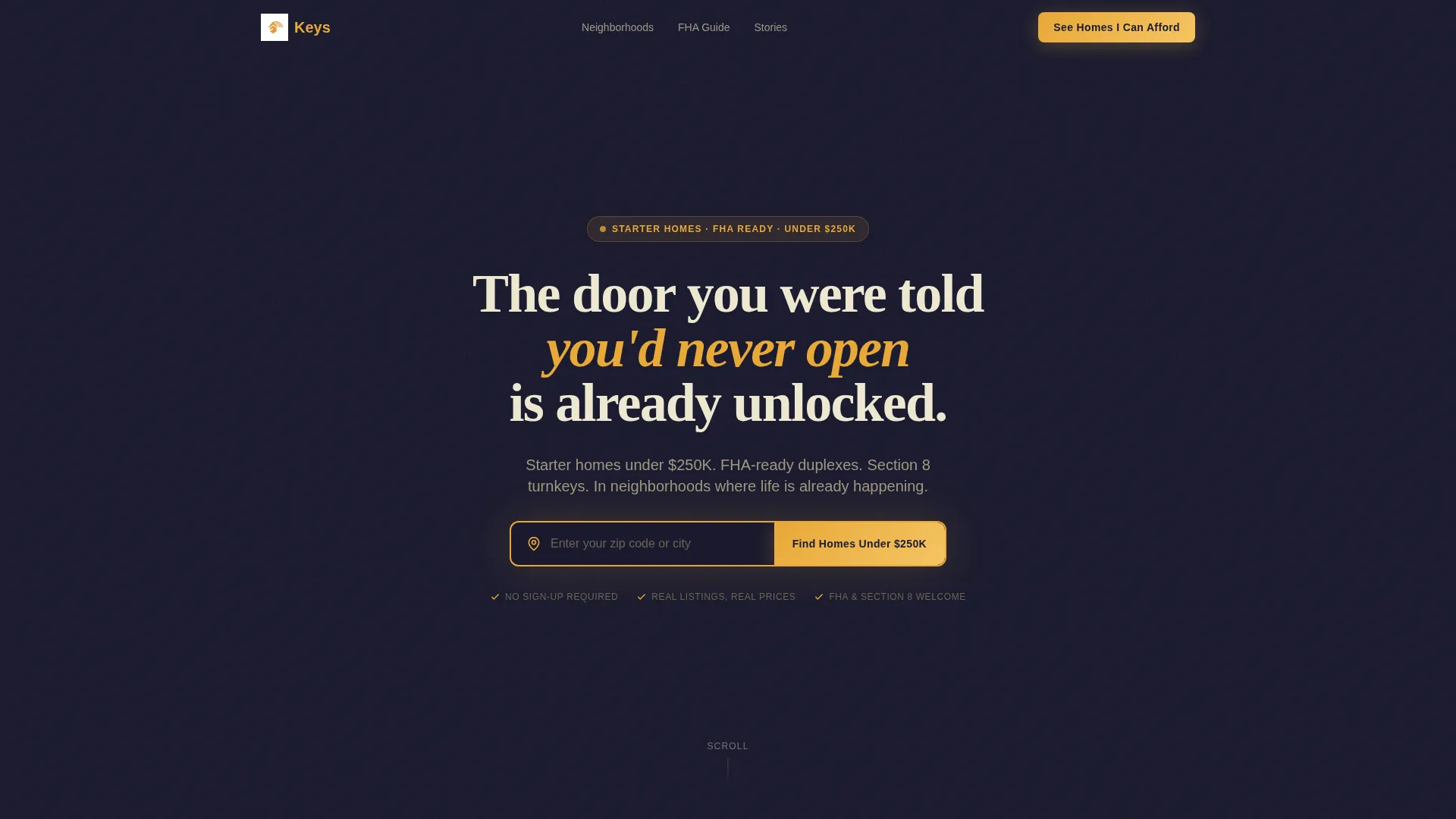
- A full-viewport header with a zip-code search input and an amber-styled "Find Homes Under $250K" button
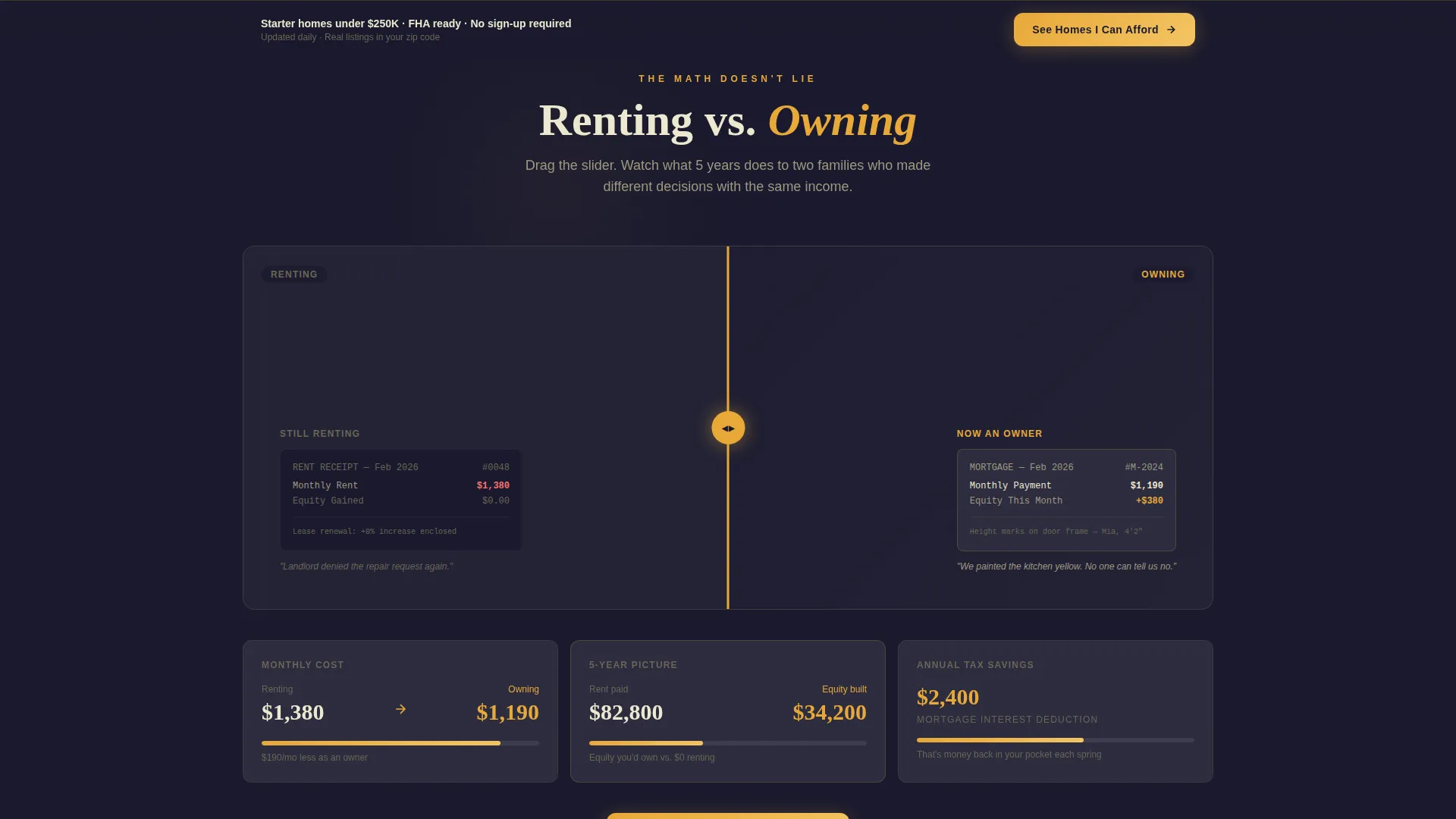
- An interactive Before/After Reveal slider comparing renting and owning with animated financial figures
- A mortgage-versus-rent calculator that auto-populates from the visitor's zip code entry
- Three video testimonial blocks from recent buyers, styled to match the page's dark cinematic tone
- A sticky bottom call-to-action bar and an oversized anchor button in the final section, both reading "See Homes I Can Afford"
Feature list
This template is built around features that turn passive browsers into active buyers. Each component earns trust at a specific point in the scroll journey.
Zip Code Search Header
The header fills the full viewport with a slow-dissolving montage of real starter homes, dark-graded and cinematic. A single amber-bordered search input sits at the center, labeled "Enter your zip code or city," with a button that reads "Find Homes Under $250K." The input pulses faintly to draw the eye.
Before/After Reveal Slider
A horizontal drag slider splits each section between renting and owning. The left side shows a rent receipt, a landlord's maintenance rejection, and a lease renewal with a price hike. The right side shows the same scenario rewritten as ownership. Amber-colored financial figures count up in real time as visitors drag the slider.
Mortgage versus. Rent Calculator
The calculator auto-populates using the zip code entered in the header. It displays monthly cost comparisons, five-year wealth projections, and estimated tax savings. Results feel personally curated before the visitor has clicked anything.
Video Testimonial Section
Three video testimonials from buyers who closed within the last 90 days play directly on the page. Each video is filmed in the buyer's own living room and color-graded to match the dark, warm visual tone of the template.
Sticky and Anchored Call-to-Action
The primary call-to-action button, "See Homes I Can Afford," appears first in the header, reappears as a sticky bottom bar after the second scroll section, and anchors the final section as an oversized block. There is no form on the page; the click itself is the commitment.
Neighborhood Spotlights with Pricing
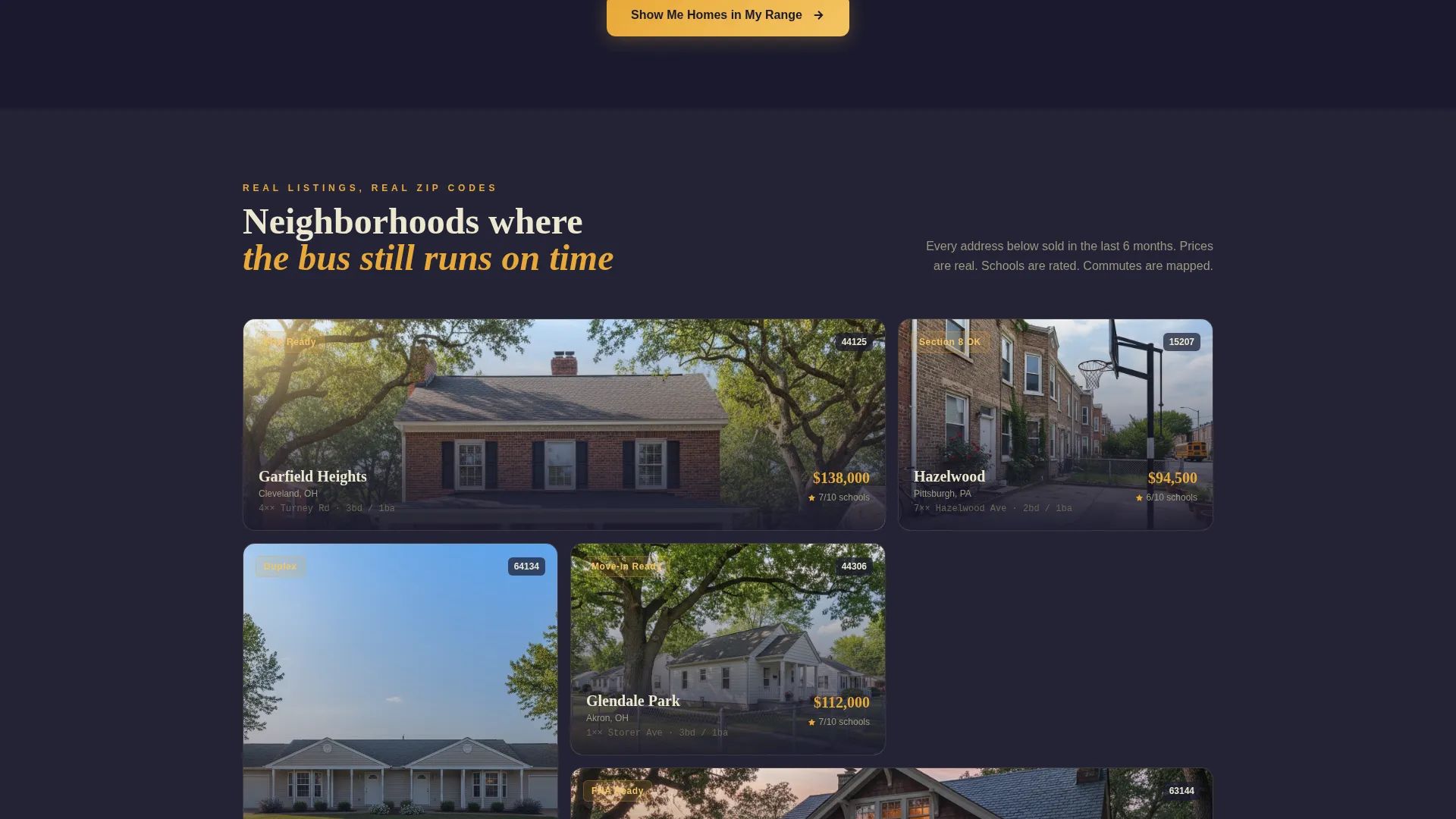
Mid-page sections highlight specific neighborhoods with median home prices and location context. These spotlights move the emotional argument into concrete, verifiable territory before the page closes with a full-width call to action.
Page sections overview
| Section | Purpose |
|---|---|
| Full-Viewport Header | Zip code search entry and primary call to action |
| Before/After Slider | Emotional and financial rent-versus-own comparison |
| Financial Comparison Panel | Animated cost, wealth, and savings figures |
| Neighborhood Spotlights | Local pricing context and area highlights |
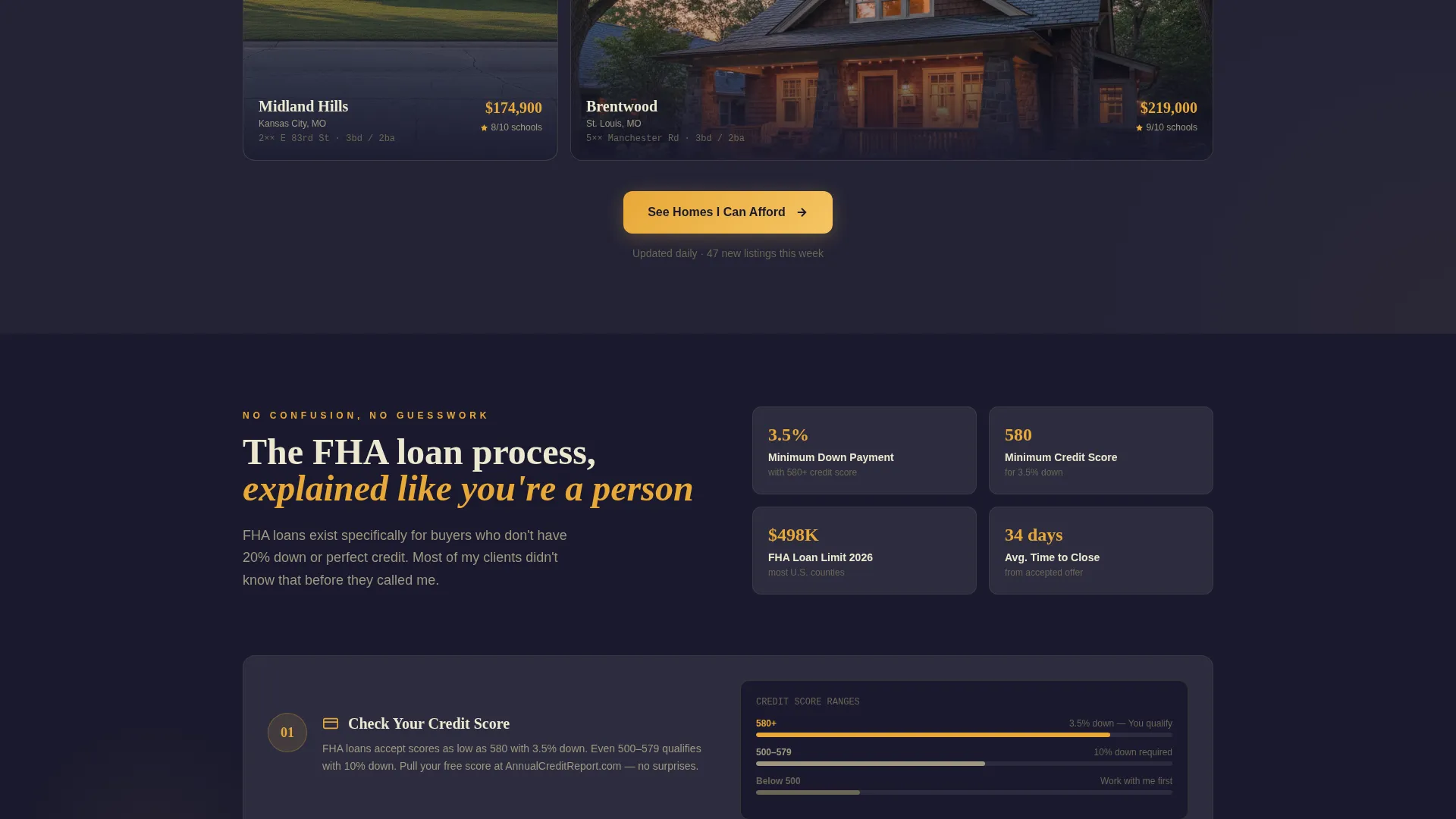
| FHA Walkthrough | Step-by-step Federal Housing Administration loan overview |
| Video Testimonials | Social proof from recent buyers in their own homes |
| Sticky call to action Bar | Persistent call to action after second scroll section |
| Final Anchor Section | Oversized closing call to action block |
Design & branding system
The visual identity follows a Dark Immersive theme built on a charcoal and amber color system. Every color decision serves a specific purpose: dark backgrounds hold attention, amber guides it.
- Core palette: deep charcoal (#1A1A2E) and warm asphalt (#2D2D3F) for all backgrounds; soft amber glow (#E8A838) and porch-light gold (#F5C563) reserved for calls to action, hover states, and interactive highlights
- Body text uses a dusty warm white (#EDE8D0) that feels handwritten and personal rather than clinical
- The overall mood references driving through a quiet neighborhood at dusk, with one porch lamp burning, making the amber accents feel like an invitation rather than a sales push
Mobile & speed optimization
The template is designed with a full-width, single-column flow that adapts naturally to smaller screens. Scroll-driven sections, the sticky call-to-action bar, and the drag slider are all structured to work within a touch-based interface.
- The sticky bottom bar keeps "See Homes I Can Afford" reachable at all times on mobile without covering key content
- The zip code search input and primary button are sized and spaced for easy thumb interaction on phone screens
- Video testimonials are embedded inline so they load within the page's natural scroll flow without redirecting visitors
How this template helps you convert
Every layout decision in Keys is built around a single goal: get the visitor to click "See Homes I Can Afford" with enough confidence to follow through. The page earns that click through emotional resonance, real numbers, and social proof in sequence.
- The header search captures intent immediately. Entering a zip code makes the experience feel personal from the first second, and the pulsing amber input pulls every eye to one action.
- The Before/After Reveal slider and calculator shift the visitor from emotional engagement to financial evidence. Seeing real dollar comparisons removes the hesitation that stops first-time buyers from moving forward.
- Video testimonials from recent buyers close the trust gap. Watching a real person describe closing on a home from their own living room is the final signal that this agent delivers results.
Other information about this template
Keys is a strong fit for agents who work independently or within small teams focused on underserved affordable housing markets. The template is built as a single-page layout, making it straightforward to deploy, customize, and maintain without needing a large content library.
- The asymmetric grid layout (60/40 split) gives the Before/After sections visual weight without feeling crowded on desktop or tablet
- The "no form" philosophy keeps friction low; the only commitment asked of the visitor is a single click, which routes them to a filtered results page
- Partial address reveals within neighborhood spotlights add a layer of credibility by grounding the page in real, recognizable locations
- The template suits agents working with Section 8 voucher holders, FHA pre-approved buyers, and first-generation homeowners navigating the purchase process for the first time
- The page's cinematic, dark-graded visual tone deliberately contrasts with the bright, polished aesthetic of large-brokerage websites, signaling to the target buyer that this space was built for them
Theme
Corporate Precision
Creative direction
Case Study Narrative
Color system
Dark Emerald
Style
Asymmetric Grid (60/40)
Direction
Quiz/Assessment
Page Sections
Zip Code Search Header
Before/after Reveal Slider
Mortgage Versus. Rent Calculator
Video Testimonial Section
Multi-point Sticky Call to Action
Neighborhood Spotlight Panels
Related questions
Is this template designed for a single page or multiple pages?
Does this template include a contact form?
Who is the primary audience for this template?
Can the mortgage-versus-rent calculator use live listing data?
Is the Before/After slider usable on mobile devices?



