Condo & Apartment Real Estate Comparison Website Template
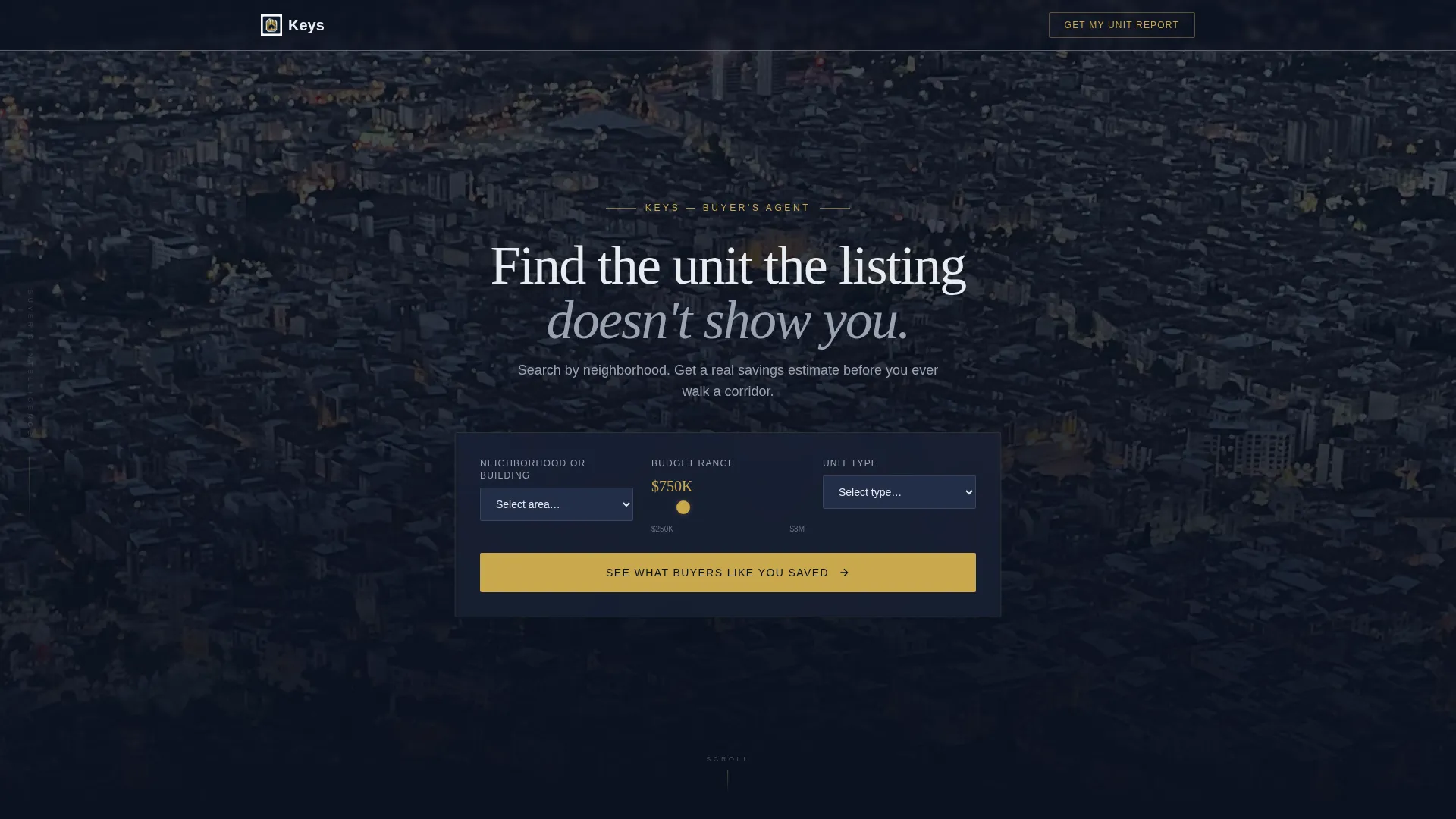
Keys is a dark, immersive condo and apartment buyer's agent landing page built for lead generation. It opens with a full-bleed aerial nightscape, a centered search tool, and a live savings estimate. Interactive calculators, a reserve fund health checker, and a side-by-side unit comparison card teach visitors what they need to know before asking for anything in return.
by Rocket studio
Quick summary
Keys is a single-page, tool-first landing page for a condo and apartment buyer's agent. It greets visitors with a city skyline header and a three-field search tool. Every scroll reveals a new interactive calculator that proves the agent's expertise before a lead form ever appears. The design runs deep navy, charcoal, and key-turn gold throughout.
Who this template is for
This template is built for buyer's agents who specialize in condo and apartment transactions. It works best when the agent's value is knowledge, knowing which buildings have underfunded reserves, which neighborhoods hide negotiation room, and which listings look better in photos than in person.
- First-time buyers overwhelmed by homeowners association (HOA) documents and closing-cost fine print
- Relocating professionals who need a local expert reading inspection reports and reserve fund studies on their behalf
- Investors comparing cap rates across multiple listings they will never visit in person
What problem this template solves
Most real estate landing pages ask for trust before earning it. They lead with a headshot and a contact form. Keys flips that sequence entirely. It leads with tools that deliver real value, then requests a name and email only after the visitor already feels informed.
- Buyers arrive skeptical and leave with a personalized savings estimate, a closing-cost breakdown, and a building health grade
- The agent demonstrates local expertise through interactive data rather than testimonials and stock photos
- Every section removes a specific fear, overpaying, hidden fees, unfunded building repairs, before the lead form appears
What you get with this template
Keys delivers a complete, conversion-focused landing page structured around interactive tools and a progressive lead capture flow. Nothing on this page is decorative filler. Every section either teaches or earns.
- A full-bleed aerial nightscape header with a centered search tool featuring three input fields and a pulsing gold call-to-action button
- Four interactive tools: a personalized savings estimator, a closing-cost calculator, a reserve fund health checker, and a side-by-side unit comparison card
- A repeating "Get My Unit Report" primary call to action and a persistent floating "Book a Building Walk" secondary button anchored to the viewport
Feature list
This template is built around a specific sequence: show competence, then ask for contact details. Each feature below serves that sequence directly.
Aerial Nightscape Hero Header
The header fills the entire viewport with a dense lit skyline. A single headline in penthouse white sits above a three-field search tool. The gold search button pulses once on load, inviting the first interaction before the visitor scrolls.
Personalized Savings Estimator
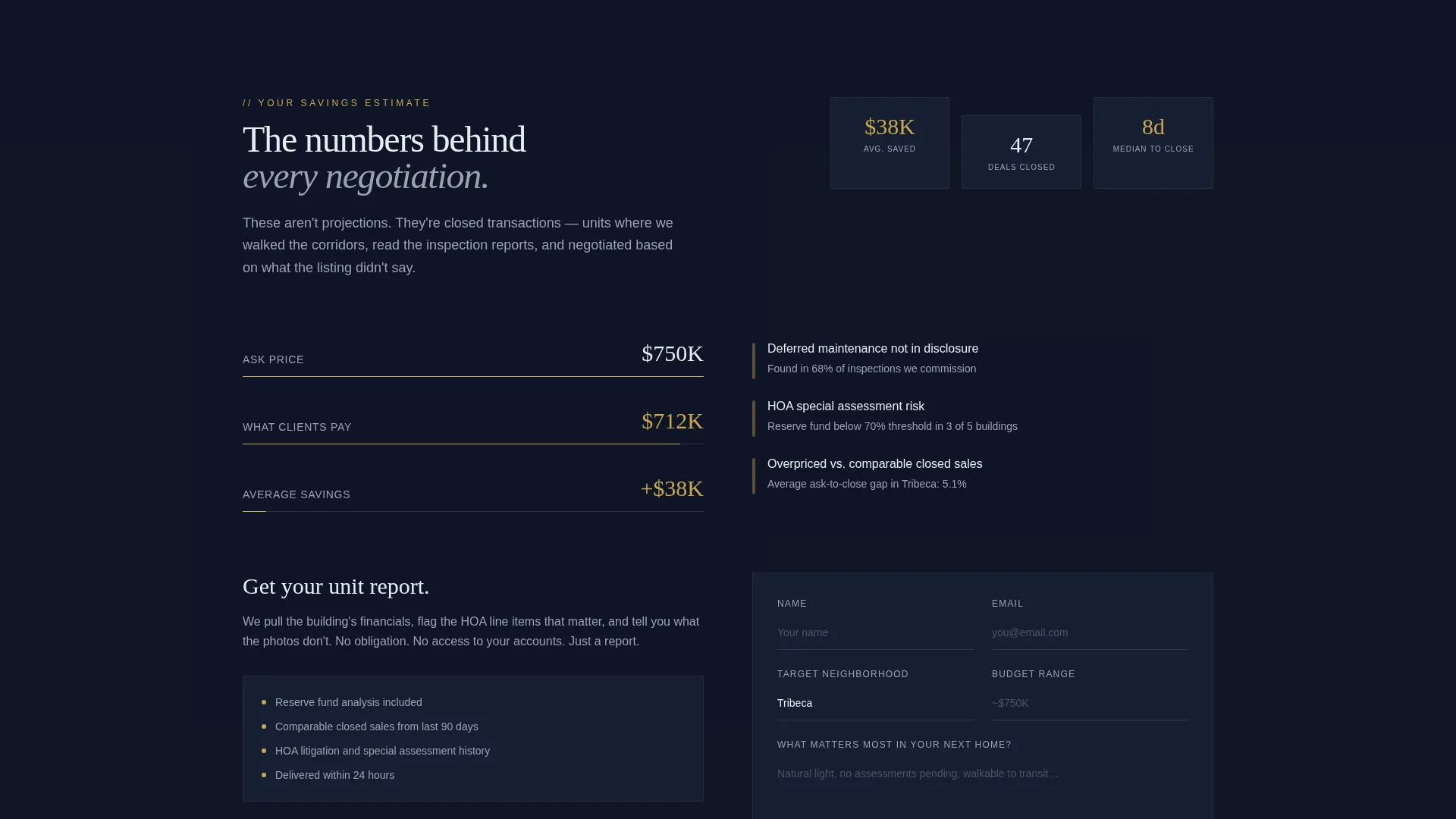
After submitting the search, visitors see a neighborhood-specific savings message: "Buyers we represented in [selected neighborhood] saved an average of $____ off ask price." This immediate reward anchors the agent's value in real numbers, not promises.
Interactive Closing-Cost Calculator
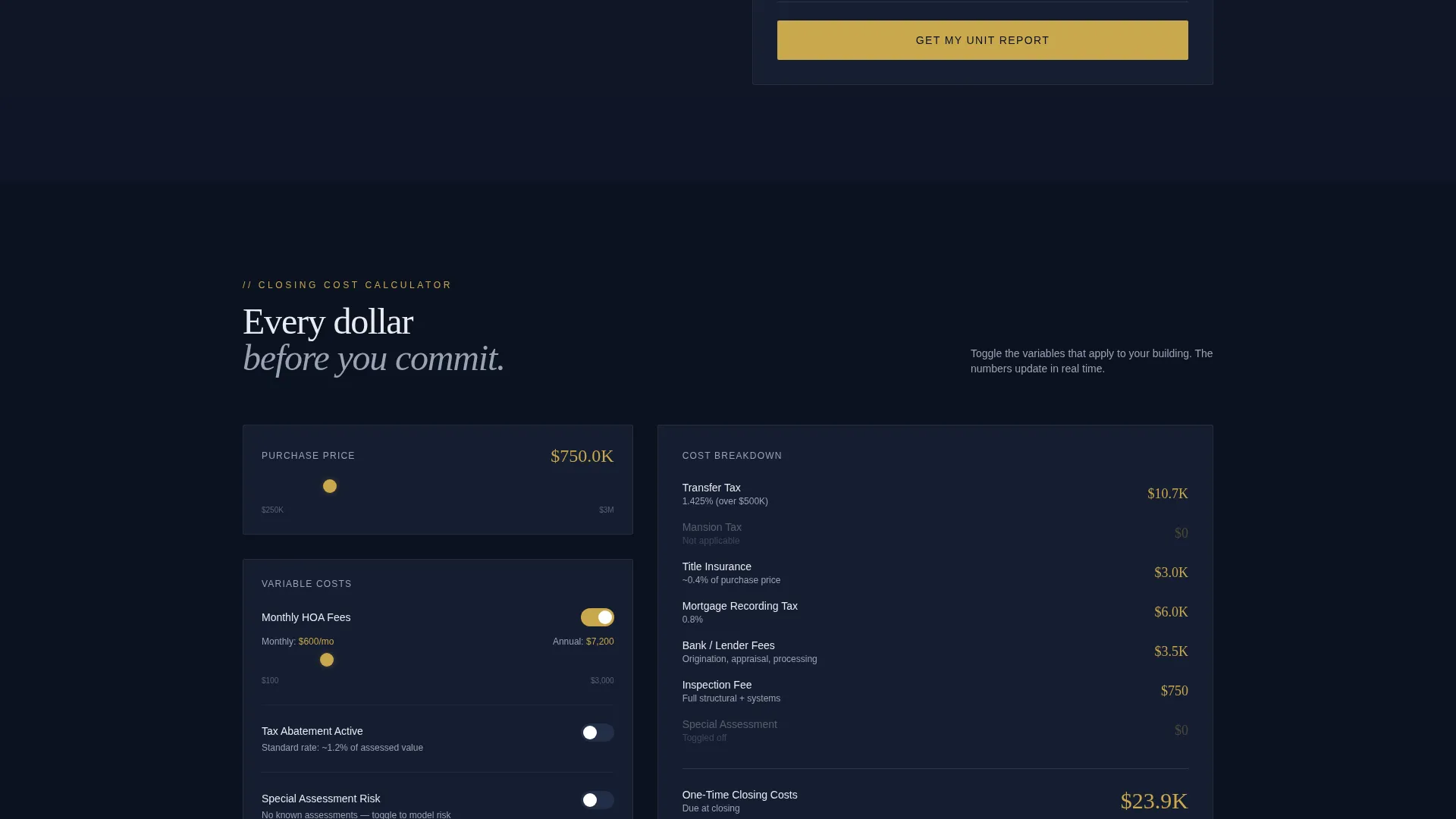
Users toggle HOA fees, tax abatements, and assessment risks to see how closing costs shift in real time. This tool handles the fine print that overwhelms first-time buyers and gives relocating professionals a clear picture before they commit.
Reserve Fund Health Checker
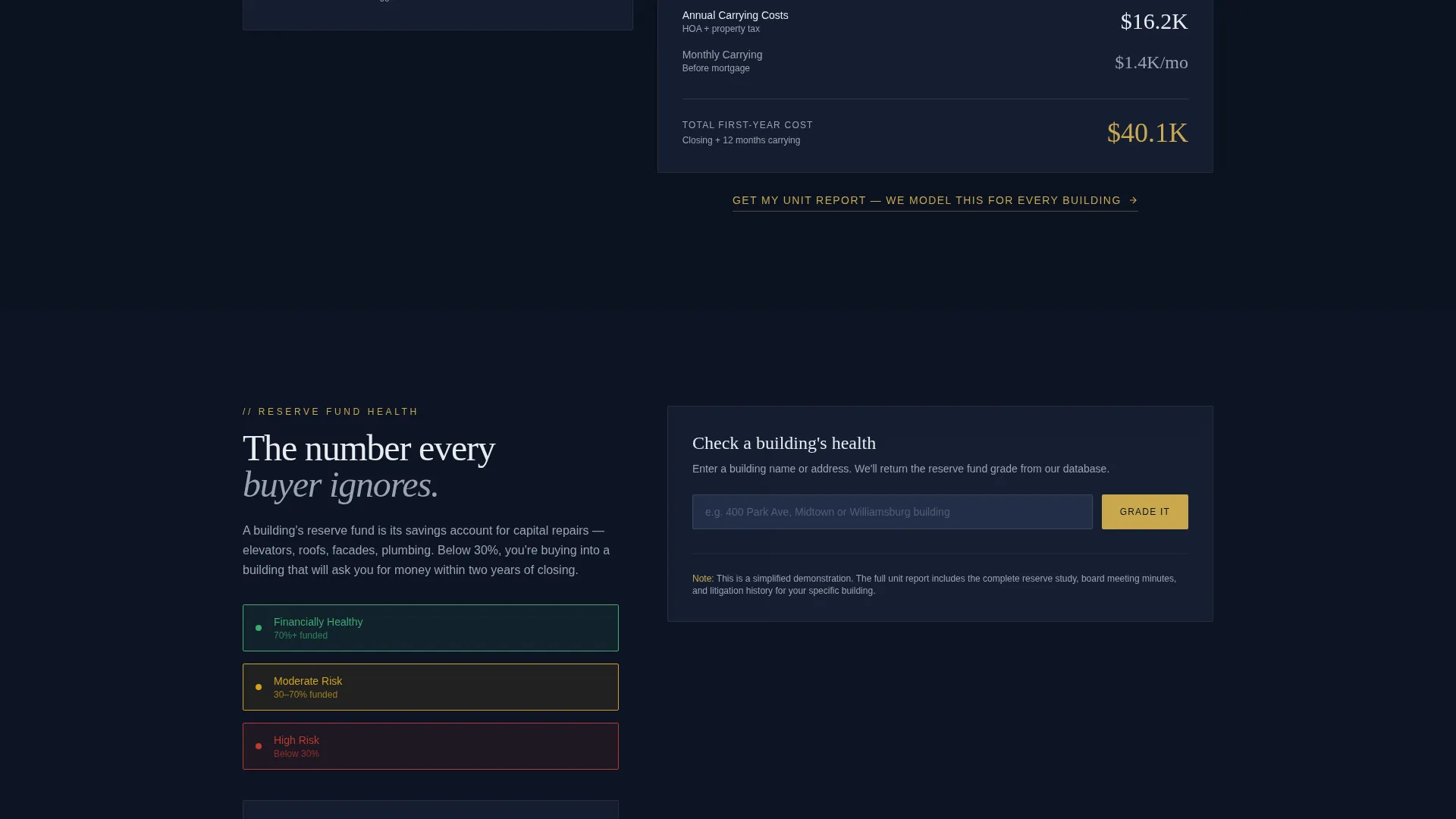
This tool grades a building green, amber, or red based on reserve fund inputs. It addresses one of the most overlooked risks in condo buying and positions the agent as the expert who knows what to look for.
Side-by-Side Unit Comparison Card
Visitors populate their own comparison card to evaluate multiple units at once. For investors tracking cap rates across many listings, this tool turns a chaotic research process into a structured decision.
Progressive Lead Capture Form
The primary form captures name, email, target neighborhood, budget range, and a single open-ended question: "What matters most in your next home?" It appears after the savings estimator, then repeats after each calculator, so every touchpoint is a natural conversion opportunity.
Page sections overview
| Section | Purpose |
|---|---|
| Aerial hero header | Captures attention, triggers first search interaction |
| Savings estimate reveal | Delivers immediate neighborhood-specific value |
| Closing-cost calculator | Breaks down HOA fees, taxes, and assessment risks |
| Reserve fund checker | Grades building financial health at a glance |
| Unit comparison card | Lets visitors evaluate multiple listings side by side |
| Lead capture form | Collects name, email, neighborhood, budget, and priorities |
| Floating call to action button | Keeps "Book a Building Walk" visible at all times |
Design & branding system
The visual identity is built on a Dark Immersive theme using a Midnight Blue color system. The palette evokes a high-rise corridor at midnight, city light pressing against floor-to-ceiling glass, every surface calm and deliberate.
- Deep viewport navy (#0B1120) and polished corridor charcoal (#1A2238) form the background layers, with penthouse white (#E8ECF1) used for all body and headline typography
- Key-turn gold (#C9A84C) is reserved exclusively for interactive elements, calls to action, calculator outputs, and the floating booking button
- No navigation bar appears on load, keeping the focus entirely on the hero search tool and the city skyline behind it
Mobile & speed optimization
The layout is designed to keep the tool-first experience intact on smaller screens. Every interactive section adapts so visitors on phones and tablets can still complete the calculators and submit the lead form without friction.
- The three-field search tool and all calculator toggles are sized for touch interaction
- The floating "Book a Building Walk" button remains anchored to the viewport bottom on all screen sizes
- The full-bleed aerial header scales to fill smaller viewports without breaking the headline or search tool alignment
How this template helps you convert
Keys is built on a specific conversion logic: prove value first, ask for contact details second. The page never interrupts the visitor's learning with a premature form.
- The search tool creates immediate engagement at the top of the page, before any scrolling is required, which means the visitor is already invested when the savings estimate appears.
- Each calculator section repeats the "Get My Unit Report" call to action at the natural moment when the visitor has just learned something new and is most likely to act.
- The floating "Book a Building Walk" button provides a persistent low-commitment secondary path for visitors who are not yet ready to submit the full form.
Other information about this template
Keys was designed specifically for the condo and apartment buyer's agent niche, where the gap between what listings show and what buildings actually are is the agent's core value proposition. The template supports that positioning at every scroll depth.
- The asymmetric grid layout (60/40 column split) gives tool sections room to breathe while keeping supporting context visible alongside
- The template style and dark immersive theme pair naturally with high-density urban markets where condo and apartment inventory is competitive
- This template is a strong fit for agents building a personal brand around transparency, local knowledge, and buyer education in the condo and apartment space
Theme
Dark Immersive
Creative direction
Before/After Reveal
Color system
Sunset Mesa
Style
Asymmetric Grid (60/40)
Direction
Lead Generation
Page Sections
Aerial Nightscape Hero with Search Tool
Neighborhood Savings Estimator
Interactive Closing-cost Calculator
Reserve Fund Health Checker
Side-by-side Unit Comparison Card
Progressive Lead Capture with Floating Call to Action
Related questions
Who is the Keys template built for?
Can I customize the calculator fields and neighborhood data?
Do I need to replace the placeholder content before publishing?
What makes this template different from a standard real estate landing page?
Is this template suitable for a team or just a solo agent?



