Kids Keyboard & Piano Gear Landing Page Template
Keys is a single-column landing page template for kids piano and keyboard equipment stores. It pairs a nine-tile photo mosaic header with a five-question personalized quiz, leading parents and gift-givers to tailored keyboard recommendations. The page ends with an in-store event registration and an email-capture fallback, turning every quiz completer into a warm lead.
by Rocket studio
Quick summary
Keys is a playful, quiz-driven landing page built for children's piano and keyboard gear stores. A vibrant photo grid mosaic opens the experience, and a five-question interactive quiz guides visitors to personalized recommendations. The page closes with event registration and an email capture, so every visitor who finishes the quiz leaves a contact behind.
Who this template is for
This template is designed for specialty retailers and studio owners who sell kids piano and keyboard equipment. It speaks directly to the people standing in the aisle unsure which instrument to buy.
- Parents of children aged three to eight who have shown early musical interest
- Grandparents looking for a meaningful, non-screen birthday gift
- Music teachers, including Suzuki educators, outfitting a fall studio with beginner gear
What problem this template solves
Buying a first keyboard is genuinely confusing. Parents face too many brand options, age ranges, and feature trade-offs with no clear guidance at the point of decision.
- There is no easy way to match a child's age, experience, and practice space to the right instrument
- Gift-givers have no frame of reference for what makes a keyboard age-appropriate or teacher-approved
- Store pages that simply list products lose visitors before any trust is built
What you get with this template
You get a full single-column landing page that turns browser hesitation into guided confidence. Every section builds on the last, from discovery to recommendation to registration.
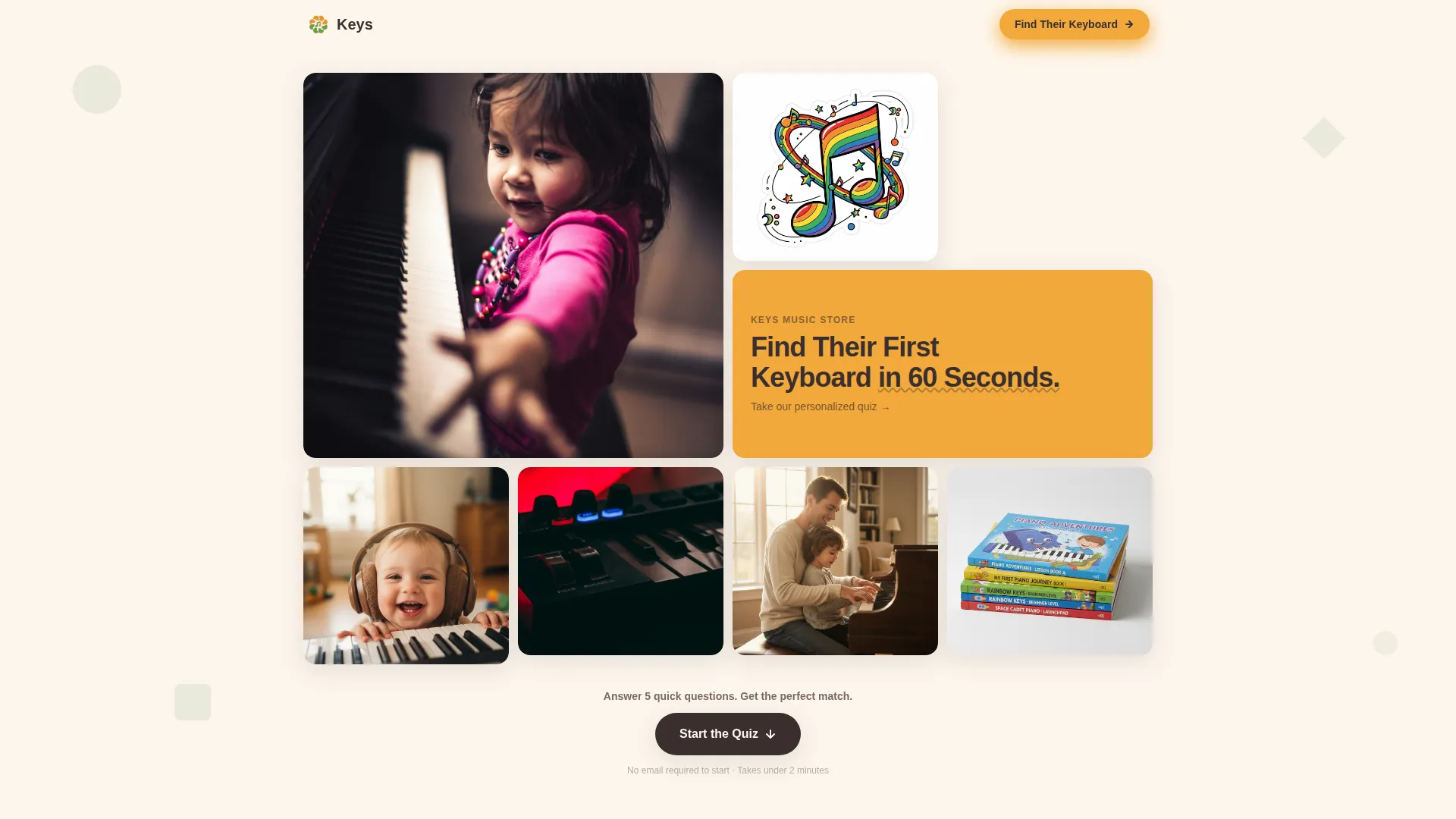
- A nine-tile photo grid mosaic header with hover-zoom animation and a bold headline tile
- A five-question interactive quiz with micro-animations, personalized results, and comparison specs
- An event registration section and an email-capture fallback to collect every lead
Feature list
This template packs a high level of interactivity and visual energy into a clean single-column flow. Each feature below is built directly from the project brief.
Photo Grid Mosaic Header
Nine unevenly sized tiles fill the viewport with tightly cropped, saturated photography. A pure marigold tile carries the headline "Find Their First Keyboard in 60 Seconds." Each tile responds to hover with a subtle zoom, making the grid feel alive and tactile on desktop.
Five-Question Personalized Quiz
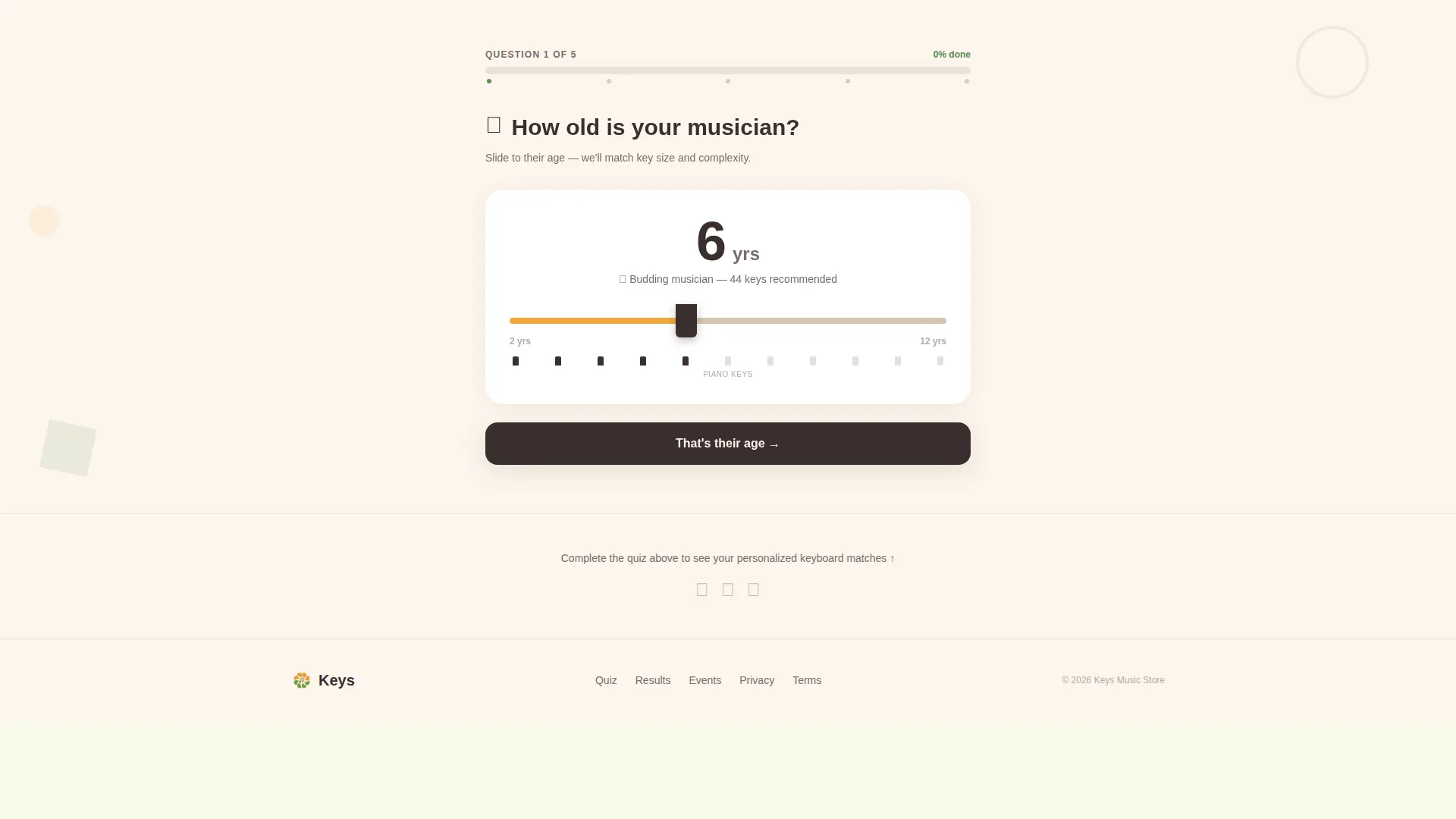
The quiz occupies five full-viewport scroll steps, each feeling like a game level rather than a form field. Questions cover the child's age, prior experience, practice location, feature priorities, and budget tier. Each answer triggers a micro-animation, such as a geometric shape bouncing or a music note floating upward.
Personalized "Your Match" Results
After the final quiz question, the page resolves into a curated results section showing two or three recommended keyboards. Each recommendation includes comparison specs, an age-appropriateness badge, and a teacher-approved stamp, giving parents the confidence to act.
Event Registration Section
The "First Keys Saturday" section invites quiz completers to reserve a free in-store session. A short form collects the child's first name, age, parent email, and a single checkbox to receive quiz results by email. The primary call to action button is styled in marigold on potting-soil brown.
Email Capture Fallback
Visitors who are not ready to register for the event can still save their quiz results with a single email field. This secondary path ensures that every visitor who completes the quiz leaves a contact, regardless of event interest.
Illustrated Progress Bar
A friendly illustrated progress bar sits above the quiz, showing visitors exactly how far they have come. The bar reinforces the game-like feel and reduces the chance a visitor drops off mid-quiz.
Page sections overview
| Section | Purpose |
|---|---|
| Photo Grid Mosaic | Opens the page with nine saturated image tiles, headline, and hover-zoom energy |
| Quiz Progress Bar | Sets expectations with a visual game-like indicator before the first question |
| Age Question Step | First quiz viewport asks how old the child musician is, using a piano-key age slider |
| Experience Question Step | Second quiz viewport asks about prior playing experience with a sharp-and-flat toggle |
| Practice Space Step | Third quiz viewport asks where the child will practice, using geometric location icons |
| Priority Question Step | Fourth quiz viewport captures what feature matters most: portability, weighted keys, songs, or headphone jack |
| Budget Tier Step | Fifth quiz viewport presents three illustrated budget tiers for final quiz input |
| Your Match Results | Displays two or three personalized keyboard picks with specs, age badges, and teacher stamps |
| First Keys Saturday | Event registration with a short form and marigold call-to-action button |
| Save Results Capture | Email-only fallback path for visitors not ready to register for the event |
| Footer | Linear single-row footer with essential store links |
Design & branding system
The visual identity uses a Playful Geometric theme built on a Botanical color palette. The overall feel is described as a children's garden illustration printed on recycled cardstock: warm, trustworthy, and full of life.
- Core colors: soft fern green (#5B8C5A), sun-warmed marigold (#F2A93B), creamy seed white (#FDF6EC) for backgrounds, and deep potting-soil brown (#3B2F2F) for body text
- Typography uses Plus Jakarta Sans, a rounded geometric sans-serif that feels friendly and approachable for a children's gear audience
- Geometric shapes including circles, triangles, and rounded rectangles float behind sections at 12% opacity in fern green, adding texture without competing with product photography
Mobile & speed optimization
This template is built with a mobile-first priority. Parents frequently shop on their phones while standing in a store aisle, so the quiz interaction must work flawlessly on touch screens.
- The quiz scroll experience is designed for touch input, with large tap targets for each answer option and full-viewport step heights that feel natural on a phone
- Static page sections such as the header, results, and footer are structured as server-rendered content, while the interactive quiz runs as a client component to keep the experience smooth
- The single-column layout eliminates horizontal scrolling and keeps the visual hierarchy clear on any screen size
How this template helps you convert
Every design decision in this template exists to move a hesitant parent from browsing to booking. The quiz does the selling work so the call to action feels earned.
- The quiz builds trust before asking for anything. By the time a visitor sees personalized keyboard recommendations with teacher-approved stamps, they already believe the store understands their child's needs.
- The dual-path ending removes friction from conversion. Visitors who are not ready to attend the event can still save their results with just an email address, so no quiz completer leaves without giving a contact.
- The "First Keys Saturday" event registration turns online interest into an in-store visit, which is the highest-intent action a specialty gear store can generate from a landing page.
Other information about this template
This template is part of the Keys collection and is categorized under Kids and Family, specifically the Kids Piano and Keyboard Equipment and Gear Store niche. It is built as a single-column flow landing page using a Playful Geometric theme.
- The creative direction is Quiz and Personalize, paired with a Photo Grid Mosaic header concept and an Event Registration landing-page direction
- The Botanical color system and Plus Jakarta Sans typeface are selected to match a children's music education retail context
- The template is localized for English-language audiences using United States dollar pricing and United States date formats
- Animation intensity is high throughout: tile hover-zoom on the header, per-answer micro-animations in the quiz, floating music notes, and bouncing geometric shapes keep the experience energetic without overwhelming younger-family audiences


Theme
Playful Geometric
Creative direction
Quiz & Personalize
Color system
Botanical
Style
Single Column Flow
Direction
Event Registration
Page Sections
Photo Grid Mosaic Header
Five-step Interactive Quiz
Personalized Match Results
Event Registration Form
Email Capture Fallback
Illustrated Progress Bar
Related questions
Who is this landing page template designed for?
Does the quiz actually personalize results for each visitor?
Can I use this template if I do not run in-store events?
What makes the quiz feel like a game rather than a form?
What design style does this template use?



