Kids Piano & Keyboard Parent Resource Landing Page
Keys is a scroll-reveal landing page template built for parents navigating the kids' keyboard market. It pairs a UGC photo-wall hero with progressive content sections, weighted keys explainer, age-matched recommendations, a 60-second quiz card, and real-family testimonials, all styled in a warm Citrus Burst palette that feels helpful, not salesy.
by Rocket studio
Quick summary
Keys is a single-page, scroll-reveal template designed for a kids' piano and keyboard parent resource guide. It leads parents from overwhelm to a confident purchase decision through sequenced content reveals, a geometric visual identity, and two strategically placed calls to action. The template is warm, expert, and built to earn trust before it asks for a click.
Who this template is for
This template is built for creators, educators, and content publishers who want to help parents choose the right keyboard for their child. It works especially well when your audience arrives with confusion and leaves with clarity.
- Parents and grandparents searching for kids' keyboard guidance online or in-store
- Homeschool families building a music curriculum who need structured, trustworthy recommendations
- Affiliate publishers, music education bloggers, and specialty retailers serving the kids' piano and keyboard niche
What problem this template solves
Parents shopping for a child's first keyboard face a specific kind of paralysis. The price range is wide, the reviews are conflicting, and the fear of buying something that collects dust is very real. This template addresses that anxiety head-on.
- It validates the confusion first, showing parents that their hesitation is normal and shared
- It organizes the decision into digestible steps, key type, age range, and family fit, so nothing feels overwhelming
- It earns the click before asking for it, demonstrating expertise through content before routing visitors to a comparison page
What you get with this template
You get a complete, ready-to-customize landing page built around a parent's decision journey. Every section is purposeful, and every design choice supports trust and forward movement.
- A UGC photo-wall hero section, a scroll-reveal content flow, a keys explainer, an age-matched bento grid, testimonial cards, and a linear single-row footer
- A sticky bottom call-to-action bar that appears after the third scroll reveal, plus a mid-scroll quiz card with its own highlighted treatment
- Playful Geometric styling with the full Citrus Burst color system, Fraunces serif headlines, and DM Sans body type
Feature list
This section walks through the core built-in components and what each one does for your visitors.
UGC Photo Wall Hero
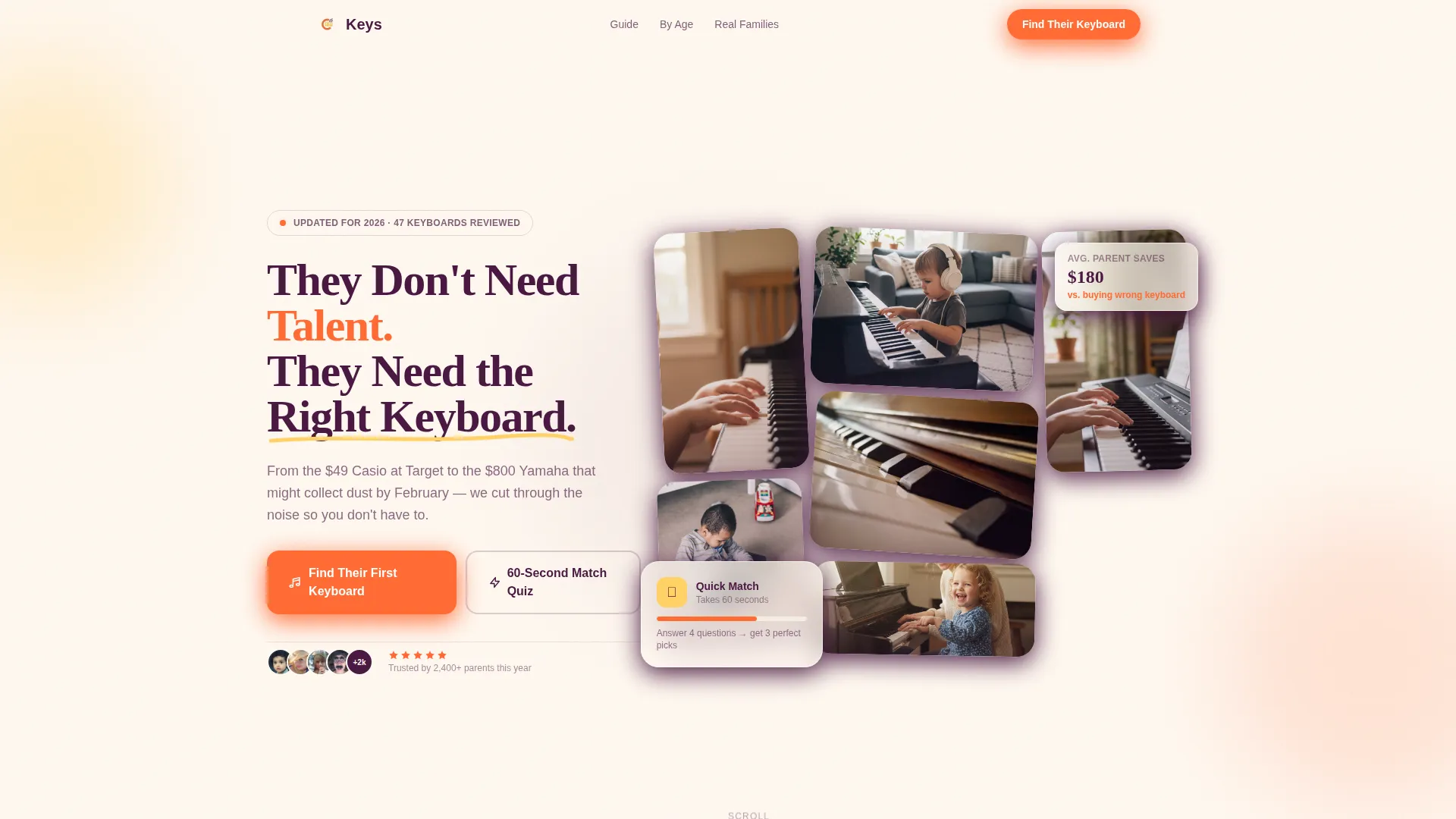
The hero opens with a mosaic bento grid of real-feeling parent-submitted photos: tiny hands on keys, a living room recital, a keyboard wedged between couch cushions. Photos are slightly rotated at playful geometric angles and overlap like fridge magnets, with a bold grape headline emerging from center. The effect is immediate, personal, and trust-building before a single word of body copy is read.
Scroll Reveal Progressive Layout
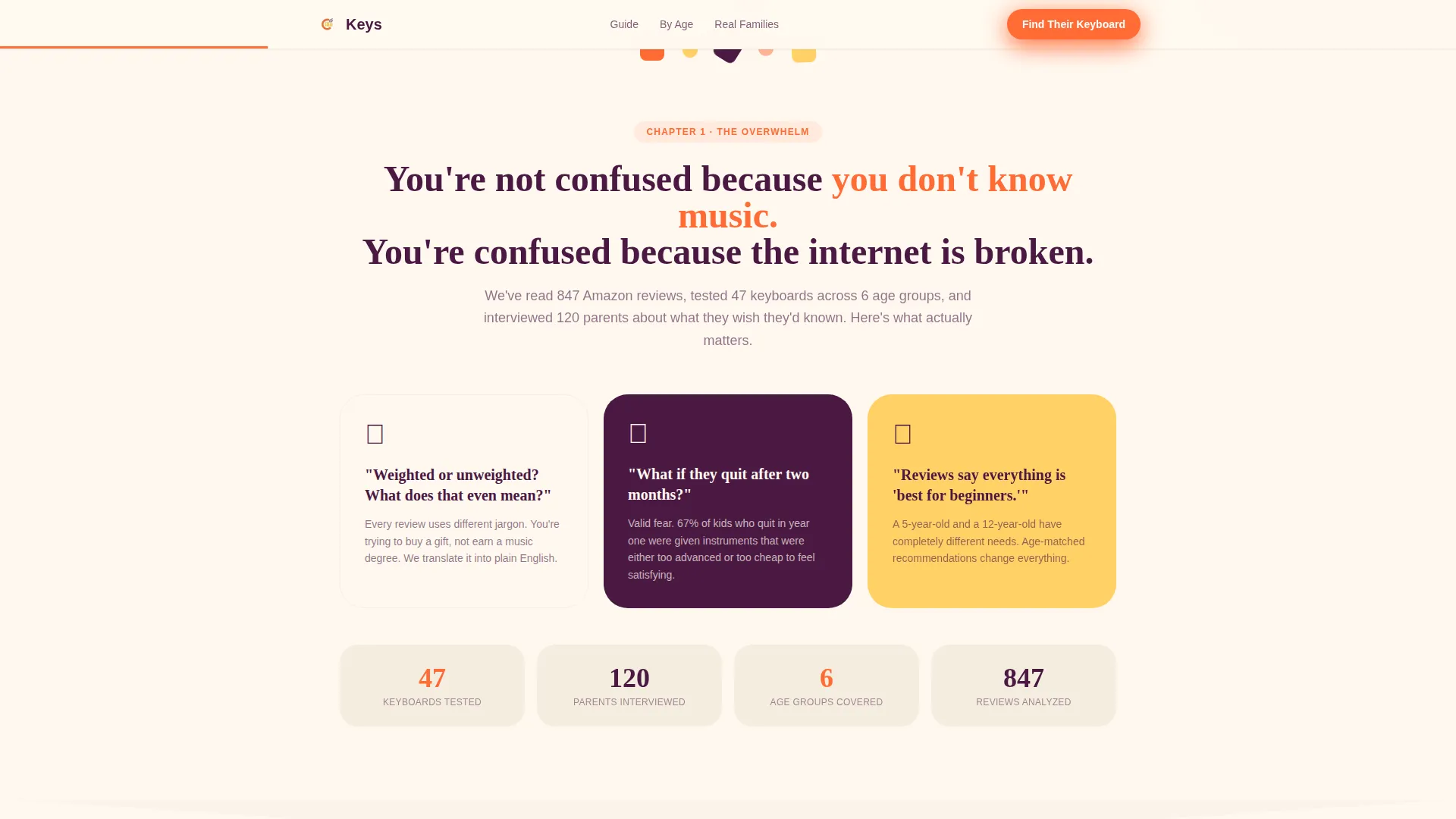
Each section animates into view as the visitor scrolls, following a Hero's Journey structure. The parent begins in the overwhelm, meets the guide, and unlocks each chapter in sequence. Geometric shape dividers, triangles, circles, and rounded rectangles, rotate and stack between sections, rewarding each scroll moment with a small visual payoff.
Weighted versus. Unweighted Keys Explainer
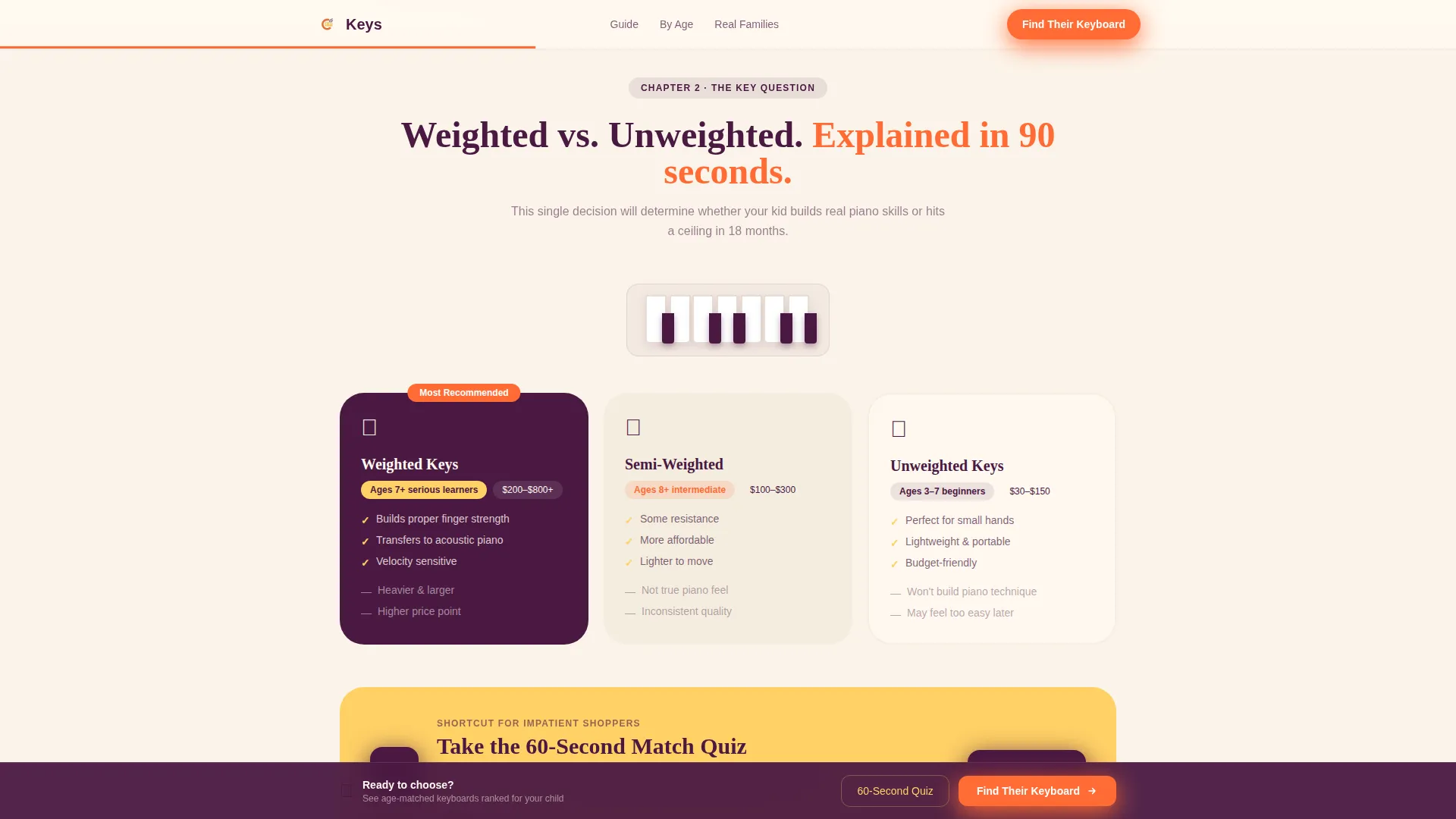
A dedicated section breaks down the single most confusing decision parents face: weighted versus unweighted keys, and what touch sensitivity actually means for a beginner. The content is honest and specific, not padded with affiliate language. It is the kind of explanation a knowledgeable friend would give standing next to you in the aisle.
60-Second Match Quiz Card
A lemon-highlighted card mid-scroll offers parents a shortcut. The "Take the 60-Second Match Quiz" call to action sits inside a visually distinct callout card, designed for impatient shoppers who want a recommendation without reading every section. The card is styled to stand out without disrupting the page flow.
Age-Matched Recommendation Grid
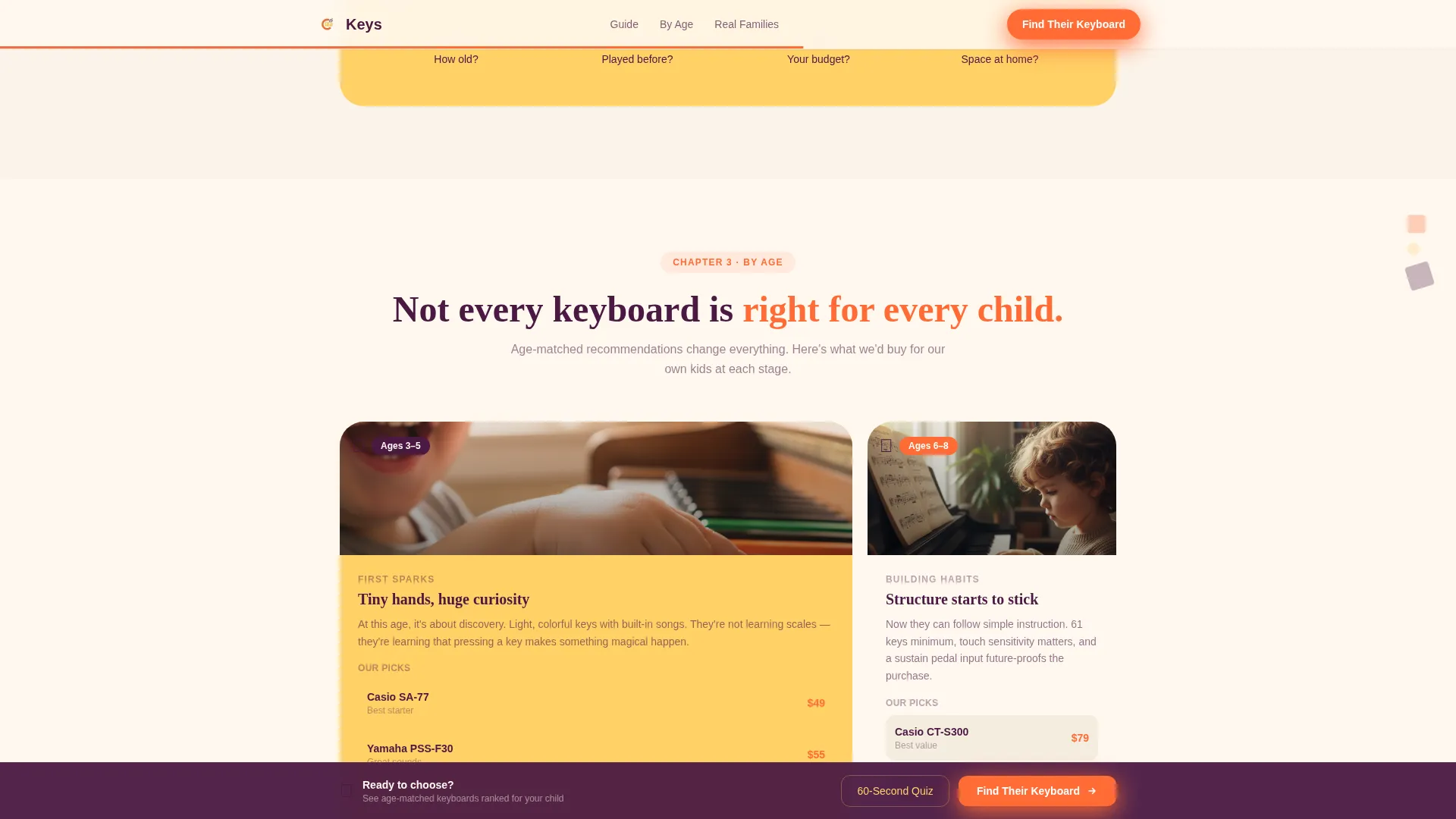
A bento-style grid organizes keyboard recommendations by age bracket. Each cell addresses the specific developmental stage and attention span of that age group. Parents scan to their child's age and get a relevant, specific starting point rather than a generic "any keyboard works" answer.
Sticky Call-to-Action Bar
After the third scroll reveal, a persistent bottom bar carrying the primary call to action, "Find Their First Keyboard," locks into place. It stays visible as parents continue reading, reducing friction at the moment of decision without interrupting the content experience.
Page sections overview
| Section | Purpose |
|---|---|
| Hero Photo Wall | Open with warmth and immediate parent recognition |
| Pain Point Validation | Confirm the overwhelm parents already feel |
| Keys Type Explainer | Clarify weighted versus. unweighted for beginners |
| 60-Second Quiz Card | Offer a fast path for impatient shoppers |
| Age-Matched Grid | Match keyboard options to child's age bracket |
| Real Families Testimonials | Build trust with specific parent outcomes |
| Sticky call to action Bar | Keep the primary action visible after scroll three |
| Single-Row Footer | Close cleanly with minimal distraction |
Design & branding system
The visual identity uses the Citrus Burst color system, a palette that feels like a bowl of cut fruit on a sunny kitchen counter. It is bright without being sugary and warm without being childish.
- Soft cream (#FFF8F0) fills the background canvas; deep grape (#4A1942) anchors headlines and navigation text so parents feel guided
- Tangerine (#FF6B35) drives buttons and the sticky progress bar; lemon zest (#FFD166) highlights the quiz card and testimonial callouts
- Typography pairs Fraunces serif for headlines, delivering warmth and authority, with DM Sans for body copy, keeping everything easy to read at any size
Mobile & speed optimization
The template is built mobile-first, because the primary user is searching on a phone at midnight or standing in a store aisle. Every layout decision prioritizes the small-screen experience.
- Staggered card reveals and photo tilt effects use CSS animations, keeping the scroll experience smooth without heavy dependencies
- The sticky call-to-action bar and quiz card are sized and positioned for thumb-friendly interaction on mobile viewports
- Static content structure and server component architecture keep the page responsive and fast to load across devices
How this template helps you convert
The page is structured around earning trust before asking for action. Conversion is a byproduct of demonstration, not pressure.
- The hero and pain-point sections validate the parent's specific confusion before any product recommendation appears, so visitors feel understood rather than sold to
- The keys explainer and age-matched grid demonstrate genuine expertise, building the credibility that makes the "Find Their First Keyboard" click feel like a natural next step
- The sticky call-to-action bar and mid-scroll quiz card create two low-friction entry points at different moments of readiness, so both the research-led parent and the impatient shopper have a clear path forward
Other information about this template
This template is part of the Kids and Family category, specifically designed for the kids' piano and keyboard niche. It is built for consumer education and parent resource use cases, where trust and specificity matter more than flashy claims.
- The template uses the Scroll Reveal (Progressive) template style, meaning each section builds on the last rather than presenting everything at once
- It is localized for English (US) audiences, with USD pricing conventions and MM/DD date formatting in mind
- The Hero's Journey creative direction positions the parent as the protagonist, not the child, making the stakes feel real and the guide feel necessary
- The intersection match between the Kids and Family category, the kids' piano and keyboard subcategory, and the parent resource guide niche is strong, making this template well-suited for content publishers in that space
Theme
Playful Geometric
Creative direction
Hero's Journey
Color system
Citrus Burst
Style
Scroll Reveal (Progressive)
Direction
Click-Through
Page Sections
UGC Photo Wall Hero Section
Scroll Reveal Progressive Layout
Weighted Versus. Unweighted Keys Explainer
Age-matched Recommendation Bento Grid
Second Match Quiz Card
Sticky Primary Call-to-action Bar
Related questions
Can I customize the colors and fonts in this template?
Does the 60-second quiz card include a working quiz?
Is this template suitable for a keyboard retailer or music school?
How does the sticky call-to-action bar work on mobile?
Can grandparents or homeschool families use the content sections as-is?



