Kids Skateboarding Reviews Website Template
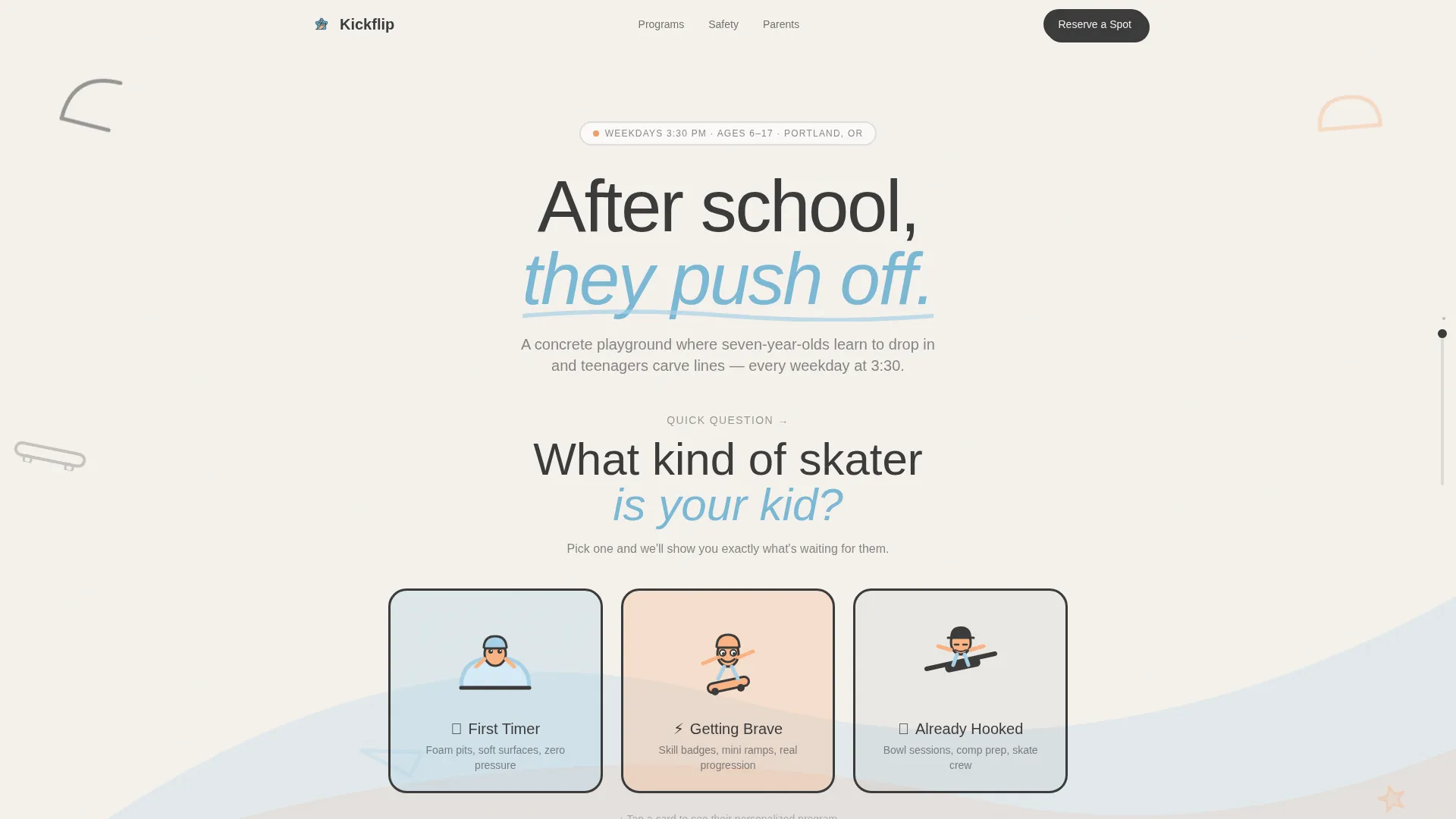
Kickflip is a playful, quiz-driven landing page template for kids skateboarding after-school programs. It opens with an illustrated quiz that sorts each child into a personalized pathway, then zigzags through program details, parent testimonials, and a compact registration form. The Cloud Canvas color system and bold geometric shapes make it feel safe for parents and genuinely cool for kids.
by Rocket studio
Quick summary
Kickflip is a single-page template built for local kids skateboarding programs that run on weekday afternoons. An opening quiz places each child into a personalized content track, and the page zigzags through that track until parents reach a focused registration form. The design balances parent trust with real kid energy.
Who this template is for
This template is built for owners and operators of kids skateboarding after-school programs. It speaks directly to the parents making the decision, while the visual style earns approval from the kids watching over their shoulder.
- Skatepark operators running structured weekday sessions for ages 7 and up
- After-school program coordinators who need a registration-ready landing page
- Local coaches or small skate studios promoting beginner-to-advanced progression tracks
What problem this template solves
Most after-school program pages list every class in a flat grid and expect parents to figure out what fits their child. That approach loses people fast, especially parents browsing on a phone at lunch with limited time and attention.
- Parents can't quickly tell which program level matches their specific child
- Generic pages feel institutional, not exciting, so kids push back and families move on
- Registration forms appear before parents feel confident, creating drop-off before sign-up
What you get with this template
You get a fully structured landing page that moves parents from curiosity to registration through a quiz-first experience. Every section is designed to feel chosen, not generic, which reduces hesitation at the form.
- A hero section with three illustrated quiz cards that filter the visible content pathway
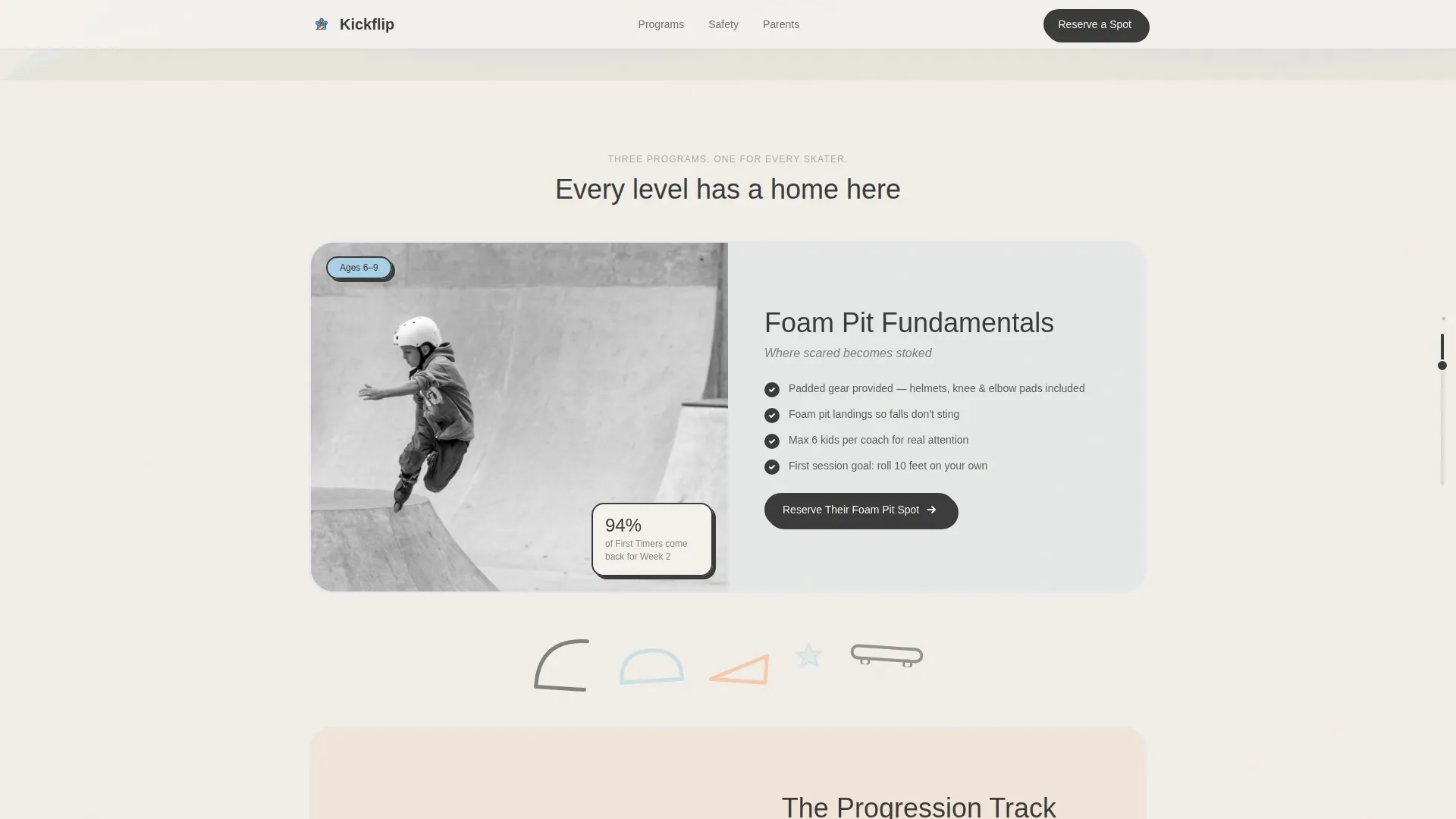
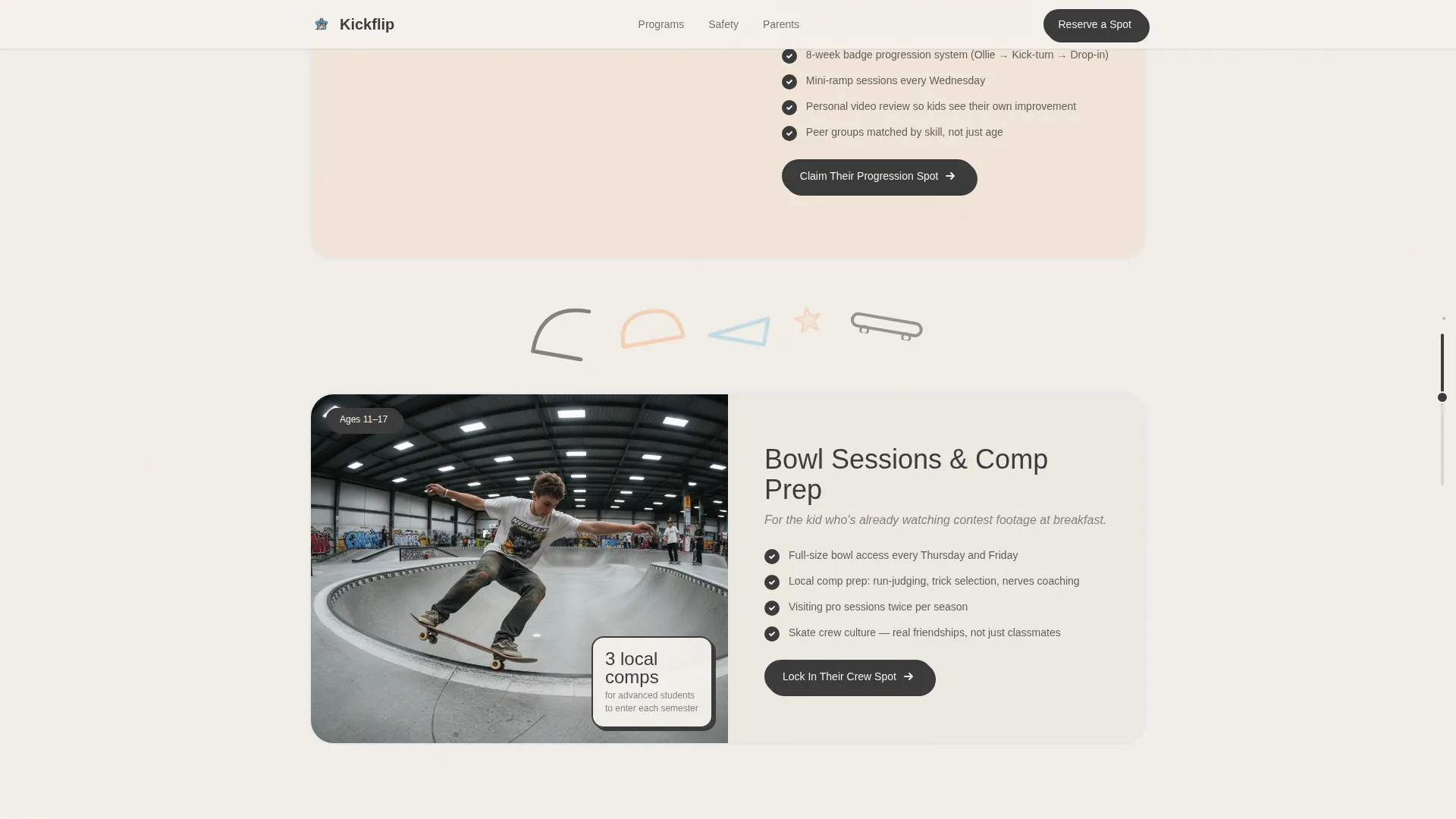
- Zigzag alternating photo-and-content blocks for each experience level: First Timer, Getting Brave, and Already Hooked
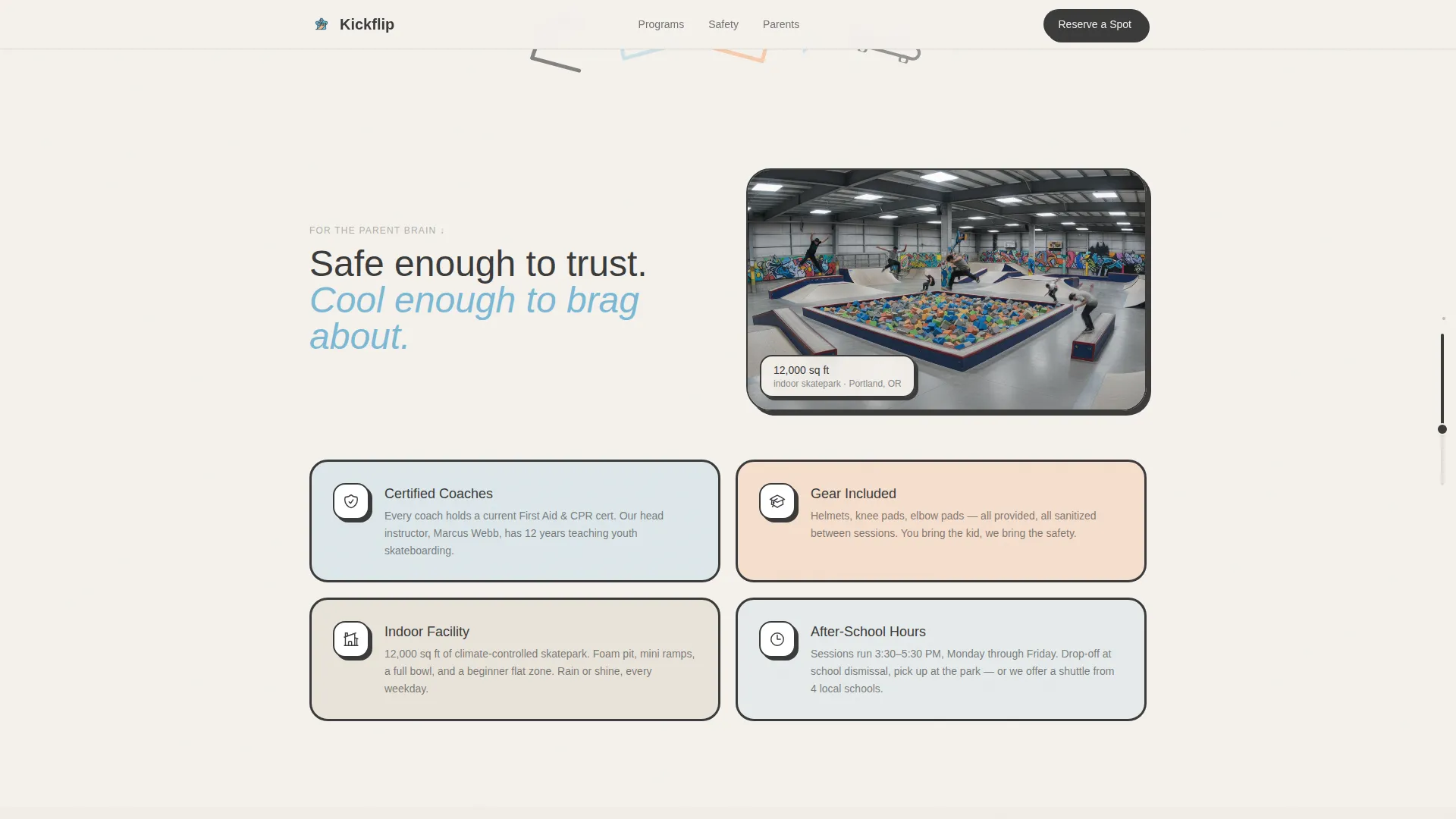
- A safety and facilities trust section, horizontal scroll parent testimonials, and a dual-path registration section with both a full sign-up form and a free trial option
Feature list
This template includes purpose-built components that work together to move a cautious parent toward a confident registration.
Quiz-Driven Personalized Pathway
Three illustrated character cards at the top of the page let parents self-select their child's experience level. Clicking a card filters the zigzag content below to show the most relevant program track, making the page feel built for that specific child rather than a broad audience.
Zigzag Alternating Section Layout
Photo blocks and content blocks alternate left and right as the page scrolls. The layout shifts color temperature from cool sky blue at the top toward warm peach lower on the page, building visual momentum and a sense of progression as parents scroll deeper.
Geometric Scroll Animations
Quarter-pipe arcs, half-circle ramp silhouettes, and triangular kicker shapes float between sections. These decorative elements rotate slightly on scroll, giving the page a sticker-peeling, skateboard-deck personality without distracting from the core content.
Speech-Bubble Parent Testimonials
Real parent testimonials are styled as chunky speech-bubble shapes between content sections. They appear inline with the personalized pathway so social proof arrives exactly when a parent is weighing whether this program is right for their child.
Dual-Path Registration Section
The registration area offers two routes. Parents who are ready can fill out the full "Reserve Their Spot" form with the child's name, age, experience level, preferred weekday, and parent email. Hesitant parents can choose "Book a Free Trial Session" using just a name and phone number.
Scroll-Progress Rail Indicator
A progress bar styled like a skatepark rail runs along the edge of the page. It shows how far through the content a parent has scrolled, encouraging them to continue to the registration section at the bottom.
Page sections overview
| Section | Purpose |
|---|---|
| Hero Quiz Starter | Opens with illustrated skatepark and three clickable experience-level cards |
| Personalized Pathway | Zigzag photo-and-content blocks filtered by quiz selection |
| Safety and Facilities | Builds parent trust with safety context and facility visuals |
| Testimonials Scroll | Horizontal speech-bubble parent testimonials between pathway sections |
| Registration Form | Dual-path sign-up with full form and free trial option |
| Page Footer | Horizontal flow footer with program contact and navigation |
Design & branding system
The template uses a Playful Geometric visual style built on the Cloud Canvas color palette. The aesthetic is soft enough for parents to trust and bold enough for kids to find genuinely cool.
- Colors: cloud white (#F4F1EC) background, chalky sky blue (#A8D0E6), sun-warmed peach (#F9B384), and grip-tape charcoal (#3B3B3B) for text and geometric accents
- Typography: Plus Jakarta Sans in bold and black weights for headings, DM Sans for body text, both chosen for chunky readability at small sizes
- Visual motifs: thick-outline geometric characters, skateboard-shape silhouettes, and a sticker aesthetic with wobble-on-hover interactions throughout
Mobile & speed optimization
The template is built with a mobile-first layout because the primary audience is parents browsing on their phones during a lunch break. Every interactive element is sized for thumb use.
- Quiz cards, form fields, and call-to-action buttons are all touch-friendly and easy to tap on small screens
- Images throughout the page are lazy-loaded so the initial view appears quickly before heavier assets finish loading
How this template helps you convert
The quiz does most of the persuasion before the registration form even appears. By the time a parent reaches the sign-up section, the program already feels like it was chosen specifically for their child.
- The opening quiz creates immediate personal investment by asking about the child, not selling the program, which lowers resistance before any pricing or commitment is introduced.
- The personalized pathway shows only the content relevant to that child's level, so every testimonial, photo, and program detail feels directly applicable rather than generic.
- The dual-path registration section gives hesitant parents a low-commitment free trial option, reducing the drop-off that happens when a full sign-up form is the only choice.
Other information about this template
This template is part of a broader set of kids activity and after-school program designs. A few additional details are worth noting for anyone evaluating it.
- The quiz interaction filters visible page sections dynamically, so each experience-level track (First Timer, Getting Brave, Already Hooked) shows its own program content, photos, and skill context
- The scroll-progress rail and stagger-reveal animations are high-intensity by design, matching the energy of the audience without overwhelming the trust signals parents need
- Time and date references in the template use 12-hour format and are localized for a United States audience
- The footer follows a horizontal flow layout consistent with the template's overall left-to-right visual rhythm
Theme
Playful Geometric
Creative direction
Quiz & Personalize
Color system
Cloud Canvas
Style
Zigzag/Alternating
Direction
Event Registration
Page Sections
Quiz-driven Personalized Pathway
Zigzag Alternating Section Layout
Geometric Scroll Animations
Speech-bubble Parent Testimonials
Dual-path Registration Section
Scroll-progress Rail Indicator
Related questions
Can I use this template for a program with only one age group?
Does the quiz actually filter content on the page?
What details does the registration form collect?
Is this template designed for mobile users?
Can I change the colors to match my own program branding?



