Youth Sports Club Landing Page Template
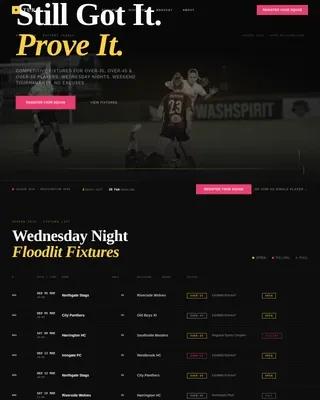
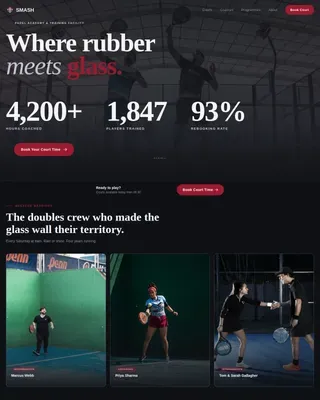
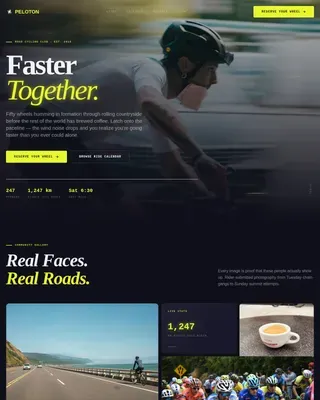
Kickoff is a hero-dominant landing page template built for youth sports clubs. It uses a scroll-triggered video hero, a cinematic dark color palette, and a seasonal narrative structure to draw parents in and move them toward registration. Season-pass bundles, live spot counters, and a three-step checkout flow make signing up feel urgent and easy.
by Rocket studio
Quick summary
Kickoff is a single-page template designed for youth sports clubs that need to turn curious parents into paying members. The layout is hero-dominant, with ninety percent of the first view dedicated to a scroll-triggered video experience. A seasonal content structure, live availability counters, and pinned call-to-action buttons work together to push visitors toward registration before they leave.
Who this template is for
This template is built for the people running youth sports programmes and the families looking for them. It speaks directly to club administrators and local programme organizers who need registrations, not just page views.
- Youth football and sports clubs running seasonal programmes for ages six to sixteen
- School physical education coordinators scouting holiday camps and after-school sessions
- Parents and guardians searching for structured, age-grouped activity programmes for their children
What problem this template solves
Youth sports clubs often struggle to communicate energy, urgency, and trust at the same time. A plain information page does not reflect the excitement of match day, and it rarely convinces a hesitant parent to commit before spots fill.
- Parents arrive at registration pages with no sense of what the club actually feels like
- Seasonal programmes with hard squad caps need real urgency tools, not manufactured scarcity
- The jump from interest to checkout is too many steps, causing drop-off before purchase
What you get with this template
You get a complete, section-led landing page built around the club calendar and direct sales. Every layout decision serves one goal: get the right child registered before the season fills up.
- A scroll-triggered video hero that plays through club moments as the visitor scrolls down the page
- Four seasonal content sections, each ending with a date and a live countdown to the next intake
- Season-pass pricing cards with a quick-select age group, season, and session-day checkout flow
Feature list
This template packs focused, sales-ready features into a single cohesive page. Each one is grounded in how youth sports registrations actually work.
Scroll-Triggered Video Hero
The header fills ninety percent of the viewport with a video that the visitor controls by scrolling. The camera moves from a close-up of boots lacing up on a muddy touchline to a full pitch of kids under amber floodlights. No play button is needed: the scroll itself advances the footage.
Seasonal Content Structure
The page is divided into four seasonal sections: autumn registration, winter indoor academy, spring tournament, and summer camp. Each section shifts in imagery and tone, moving from rain-soaked pitches to sun-drenched astroturf. Every section closes with a specific date and a countdown, building a sense of anticipation.
Live Spot Counters
Each age group pricing card displays a live counter showing remaining squad places. Squads cap at eighteen, and the counter reflects that real constraint. Parents can see at a glance how close a session is to selling out.
Pinned Season-Pass Call to Action
A primary call-to-action button reading "Secure Their Spot" stays pinned to the bottom of the viewport once the hero section scrolls out of view. It remains visible and accessible throughout the entire page without interrupting the reading experience.
Three-Step Checkout Flow
Clicking the primary button opens a quick-select flow: choose the child's age group, pick a preferred season or full-year pass, then select session days. Three steps to checkout means fewer abandoned registrations and a smoother experience for busy parents.
Gift a Season Button
A secondary "Gift a Season" button sits below each pricing card. It targets grandparents and extended family who want to give a meaningful, practical gift tied to a specific programme slot.
Page sections overview
| Section | Purpose |
|---|---|
| Scroll-Triggered Hero | Opens the emotional narrative with a video driven by scroll position |
| Autumn Registration Block | Introduces the season calendar and captures early sign-ups |
| Winter Academy Section | Highlights indoor programme grit and cold-weather training |
| Spring Tournament Block | Showcases competitive opportunity and team achievement |
| Summer Camp Section | Closes the calendar arc with freedom and high-energy imagery |
| Pricing and Bundles | Presents season-pass options with live spot counters and gift buttons |
| Quick-Select Checkout | Guides visitors through age group, season, and session-day selection |
Design & branding system
The visual identity channels festival energy through a cinematic dark colour system. The palette feels like a night match photographed on 35mm film, where the dark absorbs everything except what the floodlights choose to reveal.
- Core colours: pitch-black (#0B0E14) as the base, floodlight amber (#F5A623) for primary calls to action and highlights, fresh-cut grass green (#2D6A2E) for accent use, and chalk-line white (#F0EDE6) reserved for body type and dividers
- Typography and imagery lean into the cinematic quality: lit moments burn golden against the deep background, and seasonal photography shifts from rain-soaked mud to bright astroturf as the page progresses
Mobile & speed optimization
The layout is built with the reality of the audience in mind. Parents refreshing registration pages at seven in the morning are most likely doing it on a phone, between school runs and coffee.
- The hero video and scroll-trigger behaviour are structured to function on mobile viewports without requiring a desktop-sized screen
- The three-step checkout flow is designed for thumb-friendly navigation, keeping every selection reachable with minimal scrolling or zooming
How this template helps you convert
Every design and copy decision in this template points toward one outcome: a completed registration. The page does not just inform, it creates momentum.
- The scroll-triggered hero creates immediate emotional investment before the visitor reads a single word, replacing the need for a lengthy written introduction
- Live spot counters and seasonal countdown timers turn genuine programme constraints into visible urgency, prompting parents to act now rather than bookmark and return later
- The pinned call-to-action button and streamlined three-step checkout remove friction at the exact moment a parent decides to commit, reducing the chance of drop-off between intent and purchase
Other information about this template
This template sits at the intersection of sports and recreation design and direct-sales landing page strategy. It is well suited to clubs that operate structured seasonal programmes with genuine enrolment limits.
- The hero-dominant layout (ninety percent hero, ten percent supporting content) means the emotional hook lands before any copy needs to persuade
- The "Gift a Season" secondary button adds a gifting use case that broadens the potential buyer beyond the primary parent or guardian audience
- The festival energy theme and cinematic dark colour system are designed to reflect the atmosphere of an evening match, making the template feel distinct from generic sports club pages
- This template works equally well for football academies, multi-sport holiday camps, and school-affiliated physical education programmes that run on a term or seasonal schedule




Theme
Festival Energy
Creative direction
Seasonal/Moment
Color system
Cinematic Dark
Style
Hero-Dominant (90/10)
Direction
Direct Sales
Page Sections
Scroll-triggered Video Hero
Four-season Content Structure
Live Squad Spot Counters
Pinned Call-to-action Button
Three-step Checkout Flow
Gift a Season Button
Related questions
Can I adapt the seasonal sections to match my club's actual calendar?
How does the live spot counter work on the pricing cards?
Is the scroll-triggered video hero suitable for mobile visitors?
What type of video footage works best in the hero section?
Can I remove the Gift a Season button if my club does not need it?