Premium Search Landing Page Template
Seedling is a kid-friendly search engine landing page built for educators, librarians, and homeschool parents who need a safe digital research environment. The zigzag layout pairs animated botanical visuals with community proof, a sandboxed demo widget, and an event registration form, guiding every visitor from curiosity to workshop signup in one confident scroll.
by Rocket studio
Quick summary
Seedling is a single-page template for a child-safe search engine product. It combines a Lottie-animated terrarium header, alternating community gallery rows, a sandboxed demo widget, and a role-first registration form. The botanical color palette and playful geometry signal trust to adults while staying genuinely inviting to kids. Every scroll section builds social proof, and every call to action points toward one outcome: workshop registration.
Who this template is for
This template was designed for EdTech teams and digital safety advocates who need to convert professional visitors into event registrants. It speaks directly to the adults who put search tools in front of children every day.
- Elementary school librarians building digital literacy stations and safe research corners
- Homeschool parents curating supervised research environments for unit studies
- After-school program directors who need browser-safe tools across shared Chromebook carts
What problem this template solves
Promoting a child-safe search engine is different from promoting any other product. Parents and educators need proof before they trust a tool with a seven-year-old's screen time. A generic landing page cannot carry that weight.
- No easy way to demonstrate safety before the visitor fills out a form
- Social proof from real classrooms is scattered and not visible at the right moment
- Registration flows feel cold, clinical, and misaligned with an educational, community-first product
What you get with this template
This template delivers a complete, section-led landing page flow designed specifically around trust-building and event conversion. Every block earns the next click before asking for a commitment.
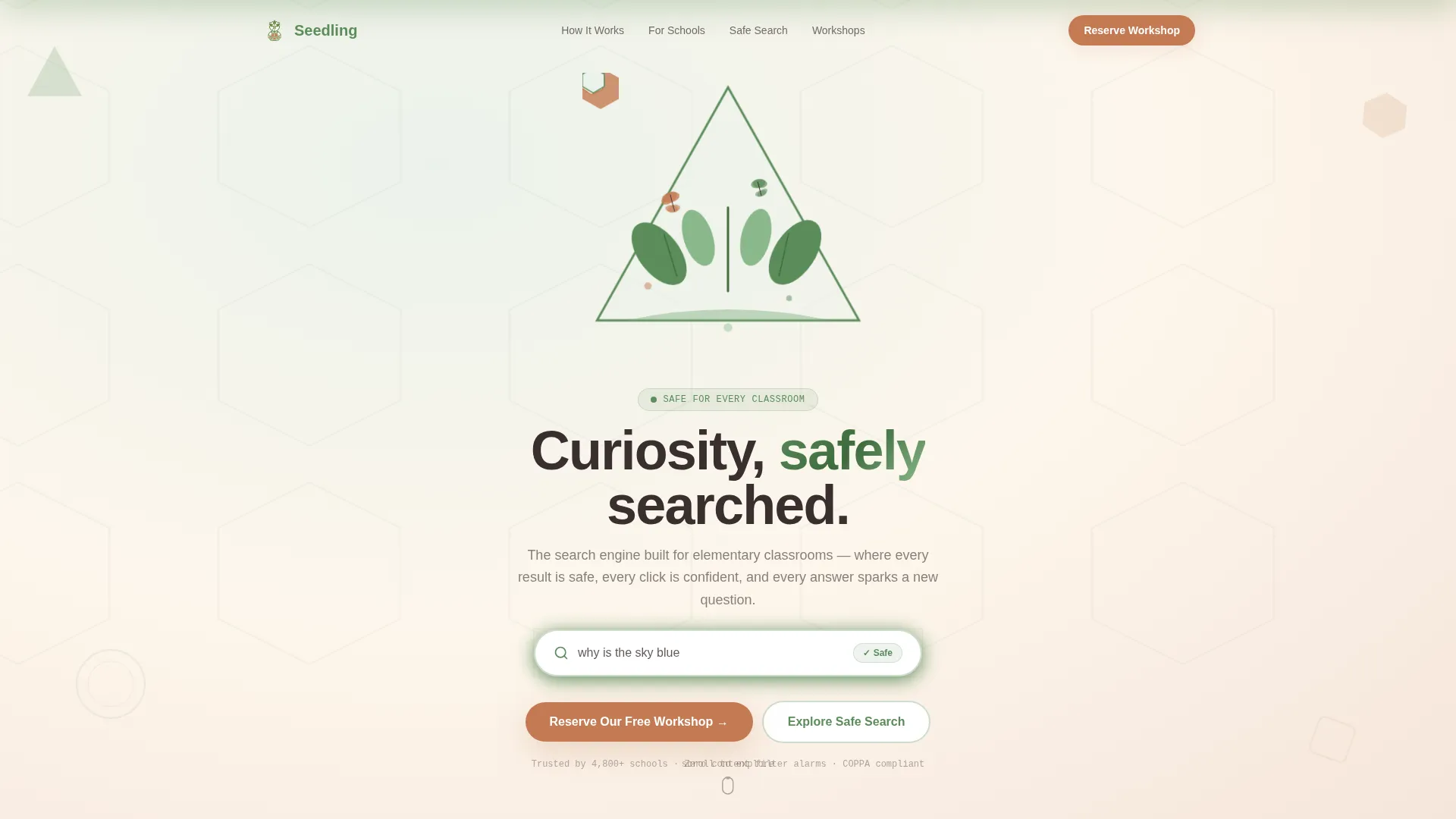
- An animated hero section with a cycling search placeholder and a clear primary call to action
- Zigzag community gallery rows pairing educator quotes with visual screenshot mosaics and research poster mockups
- A mid-page sandboxed demo widget, an animated school counter, and a full-width role-first registration form at the base
Feature list
This template includes purpose-built components that work together. Each one plays a specific role in moving a skeptical educator or parent toward confident registration.
Lottie Terrarium Hero Animation
A full-viewport vector animation assembles a geometric terrarium in real time. Triangular leaves unfurl, hexagonal petals stack, and a circular search bar grows from a sprouting seed at center frame. Tiny vector butterflies loop in figure-eights around the composition. The search bar cycles through real kid queries typed in a rounded, hand-drawn font style. No stock photography is used, the animation is the entire brand statement.
Zigzag Community Gallery Rows
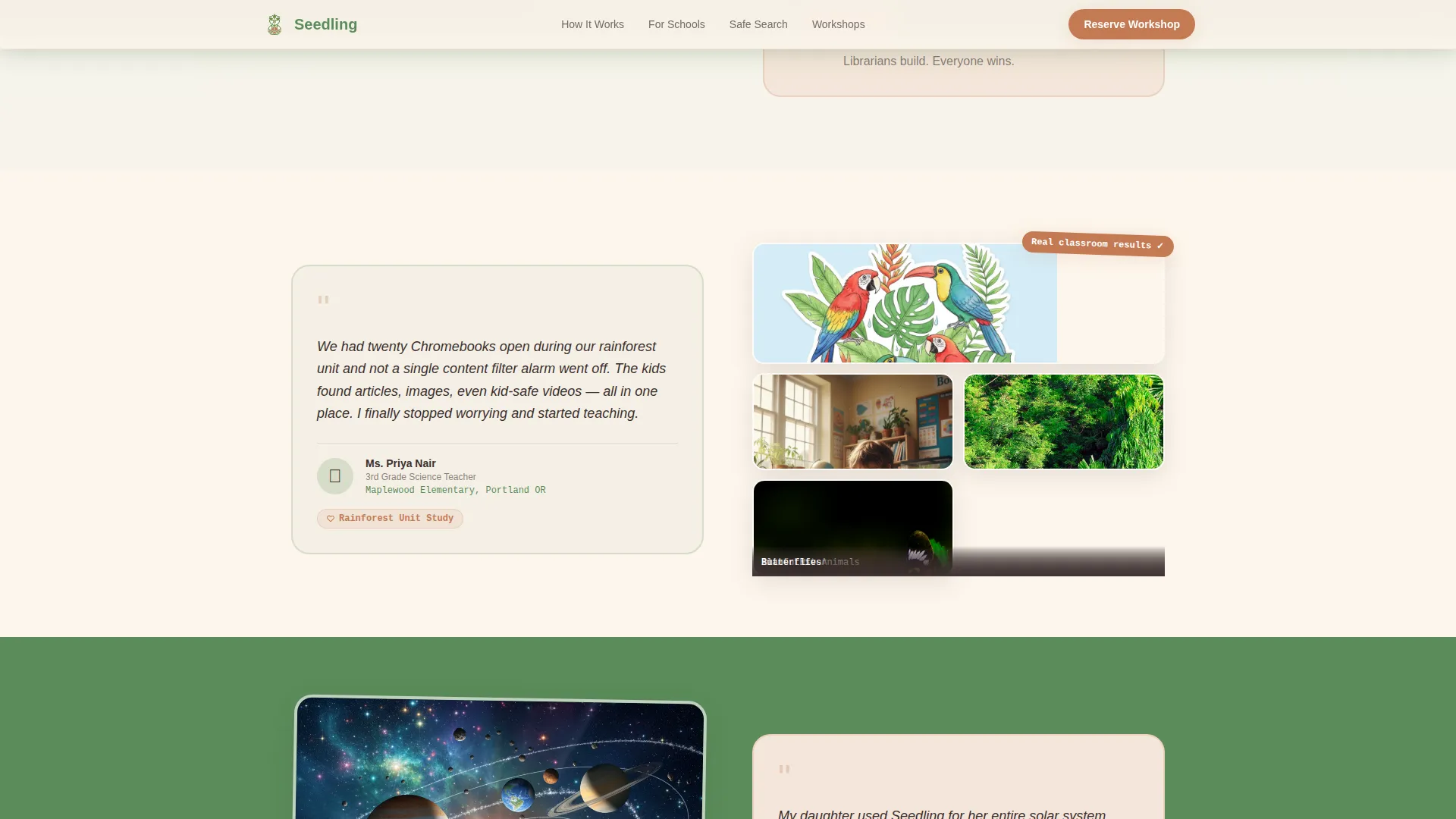
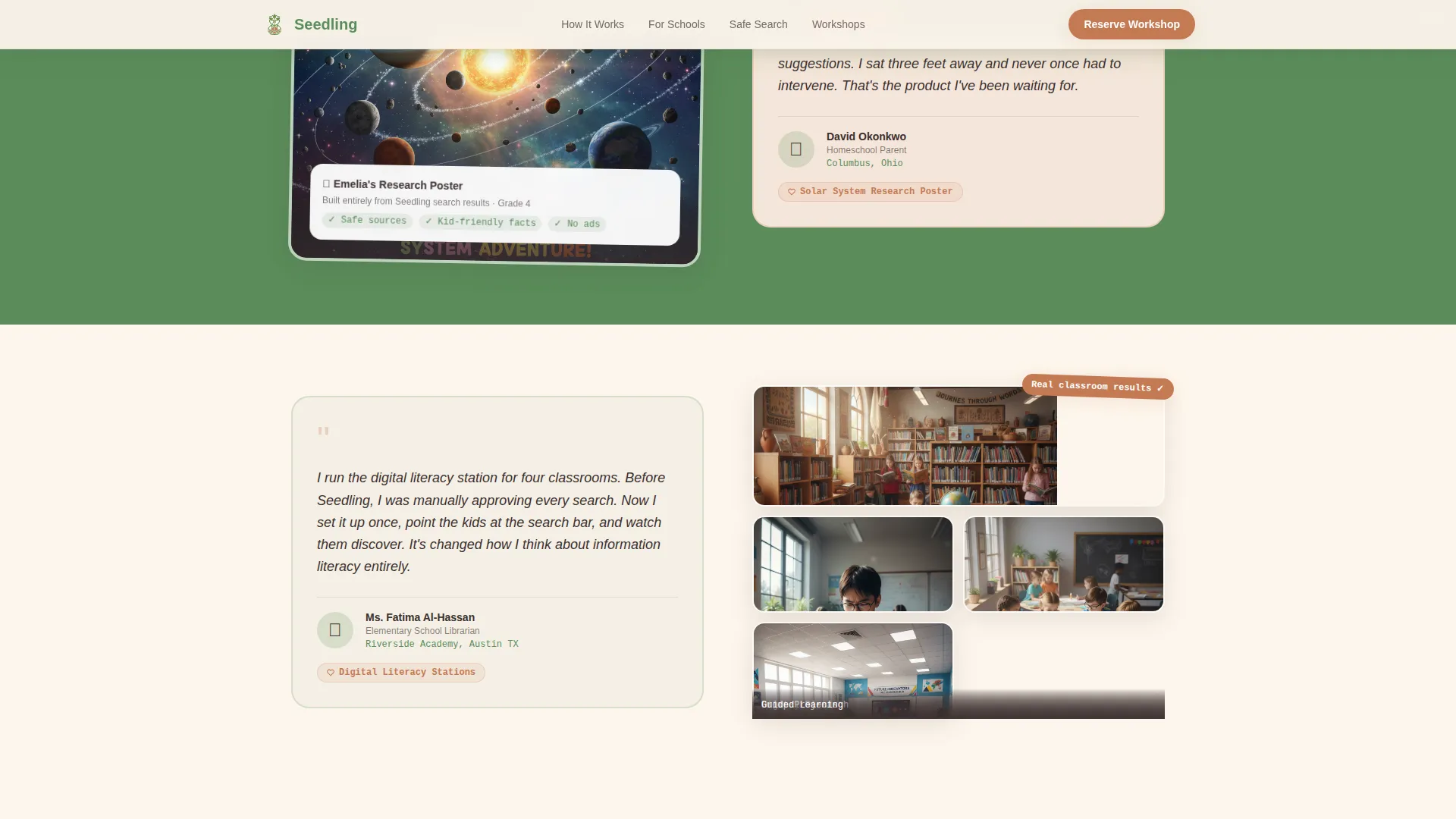
Alternating left-right layout rows pair written proof with visual proof. One row places a teacher quote and school name on the left alongside a mosaic of actual search result screenshot tiles on the right. The next row flips, a parent testimonial appears on the right while a child's completed research poster mockup fills the left. Each row escalates credibility before the next section loads.
Mid-Page Sandboxed Demo Widget
A contained demo widget lets visitors run three sample queries inside the page without leaving. This converts skeptical visitors into believers before the registration form ever appears. The widget removes the biggest objection, "I haven't seen how it works yet", right in the middle of the scroll journey.
Animated School Counter
An animated counter displays the number of schools registered, building momentum as the visitor approaches the form. The counter sits inside a social proof section that also includes a third zigzag testimonial row, compounding trust at the moment it matters most.
Role-First Registration Form
The registration form leads with illustrated role-selector buttons, teacher, parent, or librarian, replacing a cold dropdown with a warm, visual first step. It then collects school or organization name, email address, and a preferred workshop date from a visual calendar picker showing upcoming live demo sessions.
Sticky Workshop Banner
After the second scroll section, a sticky banner surfaces the primary call to action, "Reserve Our Free Workshop", and keeps it visible as the visitor continues reading. This passive nudge catches visitors who are convinced early without interrupting the gallery flow.
Page sections overview
| Section | Purpose |
|---|---|
| Animated Hero | Introduce the product and anchor the primary call to action |
| Zigzag Row 1 | Teacher quote paired with search result screenshot mosaic |
| Zigzag Row 2 | Parent testimonial paired with research poster mockup |
| Sandboxed Demo Widget | Let visitors run three sample queries before the form |
| Social Proof Counter | Animated school count plus third testimonial zigzag row |
| Registration Form | Role selector, form fields, and visual calendar date picker |
| Footer | Linear single-row footer with essential links |
Design & branding system
The visual identity uses a Playful Geometric theme layered over a Botanical color system. The result feels like a children's garden illustrated in gouache, earthy enough for educators to trust and bright enough for kids to lean toward.
- Color palette: soft fern green (#5B8C5A) anchors alternating section backgrounds; terracotta (#C47A53) fires every button and interactive accent; seed-packet white (#FDF6EC) breathes between content blocks; deep mulch brown (#3B2F2F) grounds all body typography
- Typography stack: Plus Jakarta Sans for headings, DM Sans for body copy, and JetBrains Mono for accent text and code-style labels, the combination balances approachable warmth with readable clarity
- No human faces and no stock photography appear anywhere in the design; all visual storytelling comes from the animation, geometric illustration, screenshot mosaics, and research poster mockups
Mobile & speed optimization
The template is built desktop-first to match the primary use context of Chromebook classroom carts. Full mobile support is included so parents and program directors can review the page from any device.
- Animations use GPU-accelerated CSS transforms and Intersection Observer triggers so heavy visuals only run when they are in view
- Native CSS scroll behavior and character stagger reveals keep the page feeling responsive across screen sizes without relying on heavy JavaScript libraries
- The zigzag layout reflows gracefully to a stacked single-column format on smaller screens, preserving the quote-plus-visual pairing in each section
How this template helps you convert
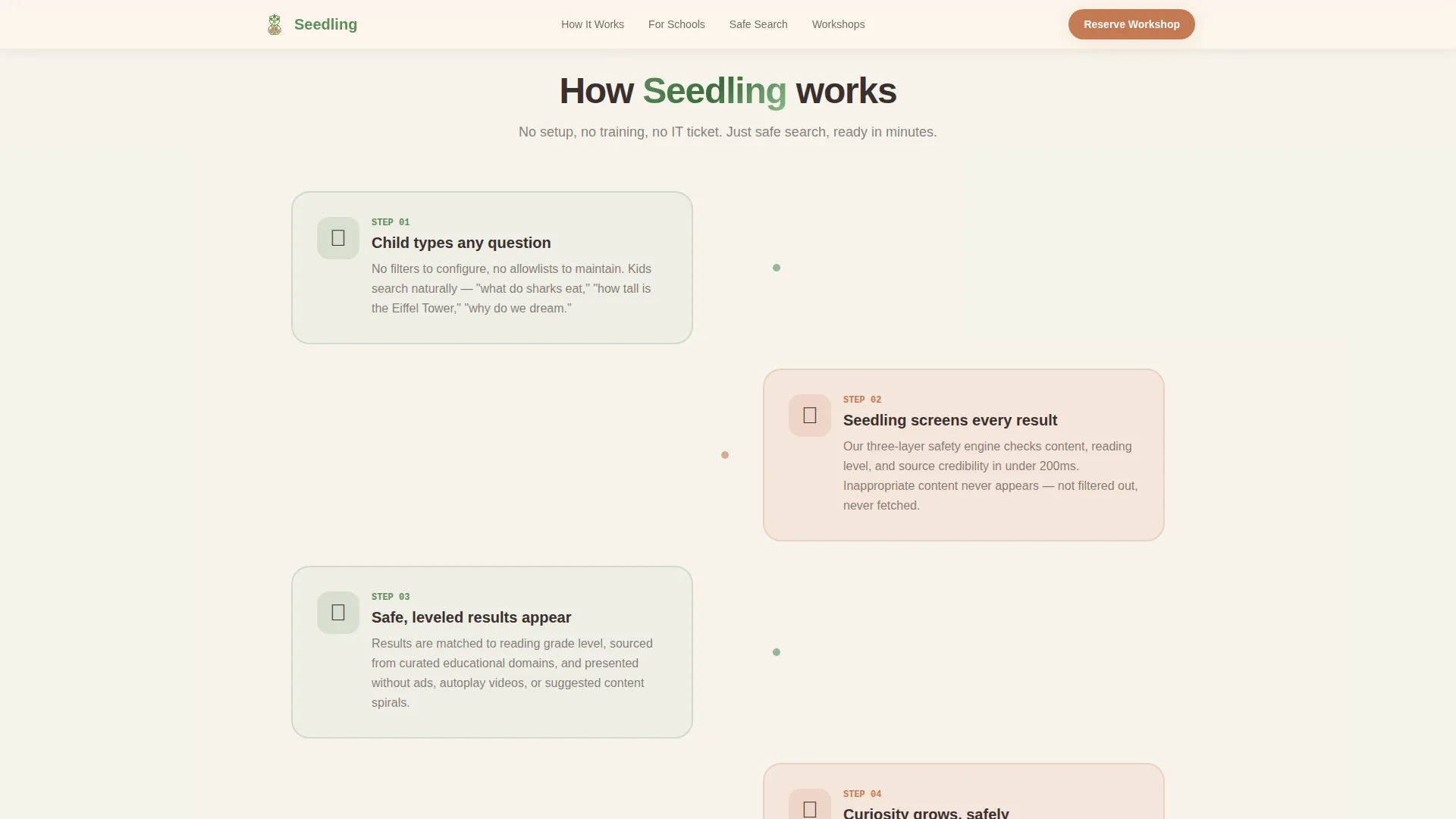
Every design and copy decision in this template points toward one action: workshop registration. The conversion path is layered, not forced.
- The animated hero and sticky post-scroll banner capture early intent from visitors who are ready immediately, surfacing the "Reserve Our Free Workshop" call to action before the gallery even begins.
- The zigzag community gallery and sandboxed demo widget handle the trust gap, real classroom proof and a hands-on sample search remove the two biggest objections before the form loads.
- The role-first registration form at the page base greets visitors with illustrated buttons rather than a dropdown, reducing friction at the final step and signaling that this product was built specifically for their role.
Other information about this template
This template is part of the Kids and Family category under the Kids Online Safety and Tech subcategory. It was built for the kid-friendly search engine niche and carries a high intersection match for that use case.
- The template supports English-language content with United States date formatting (MM/DD/YYYY) and USD localization out of the box
- Animation intensity is set to high, including SVG terrarium assembly, character stagger reveals, parallax scrolling effects, a marquee-style proof strip, and a count-up school counter
- Interactivity is set to high, covering the demo widget, illustrated role selector, visual calendar picker, and spotlight-style testimonial cards
- The footer follows Pattern 1: a linear single-row layout suitable for essential navigation links and a brief brand statement
Theme
Playful Geometric
Creative direction
Community Gallery
Color system
Botanical
Style
Zigzag/Alternating
Direction
Event Registration
Page Sections
Lottie Terrarium Hero Animation
Zigzag Community Gallery Rows
Mid-page Sandboxed Demo Widget
Animated School Counter
Role-first Registration Form
Sticky Workshop Banner
Related questions
Who is this template designed for?
Can I use this template without the Lottie animation?
What does the sandboxed demo widget actually show?
Does the registration form support multiple roles?
Is this template suitable for Chromebook classroom environments?



