Sports Medicine Medical Device Landing Page Template
Kinetic is a split-screen landing page template built for sports medicine medical device brands. It guides orthopedic surgeons, team physicians, and physical therapists through a structured FAQ-driven education flow, then captures qualified leads with a progressive specialty-first form. The clinical editorial design feels like a peer-reviewed journal, precise, composed, and built for credentialed decision-makers.
by Rocket studio
Quick summary
Kinetic is a single-page, 50/50 split-screen landing page template designed for sports medicine medical device companies. It uses a sequential FAQ education structure to build clinical trust before asking for anything, then converts qualified visitors through a progressive lead capture form. The result is a page that teaches first and earns the click by authority alone.
Who this template is for
This template is built for medical device marketers and clinical teams who need to speak to highly credentialed, skeptical audiences. It suits anyone selling evidence-backed tools into orthopedic or rehabilitation settings.
- Orthopedic surgeons and team physicians evaluating new post-operative recovery modalities
- Physical therapists searching for evidence-backed, insurance-billable treatment tools
- Medical device brand teams targeting Division I sports programs and clinical facilities
What problem this template solves
Clinical buyers do not respond to lifestyle photography or vague outcome claims. They need mechanism, evidence, and protocol fit before they will engage. Most device landing pages skip straight to the call to action and lose the qualified lead in the process.
- No existing template structures education as a sequential clinical argument
- Generic health page layouts cannot carry the weight of peer-reviewed credibility
- Standard lead forms fail to self-qualify by clinical specialty before capturing contact details
What you get with this template
You get a fully structured, desktop-first landing page built around five planned sections that escalate from mechanism to evidence to integration. Every panel is designed to feel like a teaching hospital corridor at dawn, composed, authoritative, and fluorescent-free.
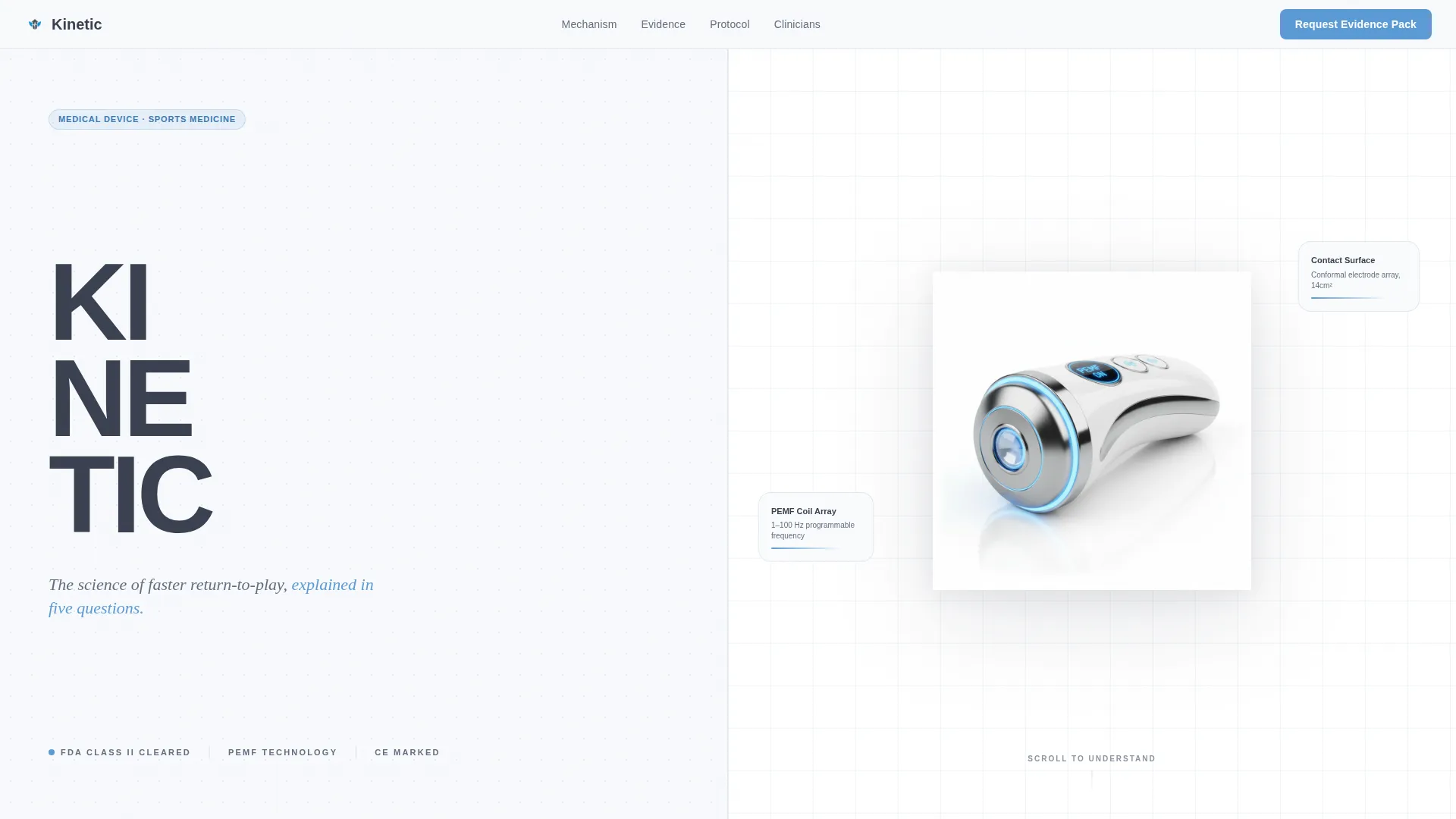
- Hero section with a Stacked Type Tower and a 50/50 split product photograph layout
- Three sequential FAQ panels covering mechanism, clinical trial evidence, and protocol integration
- A progressive lead generation form and a persistent bottom bar secondary call to action
Feature list
This template ships with a focused set of purposefully designed components. Each one serves the clinical education-to-lead flow directly.
Stacked Type Tower Hero
The left panel stacks the device name in oversized, vertically descending sans-serif type. The right panel holds a single high-resolution product photograph on white with a subtle shadow. No lifestyle imagery appears anywhere on the page, just the device, demanding clinical examination.
Sequential FAQ Education Panels
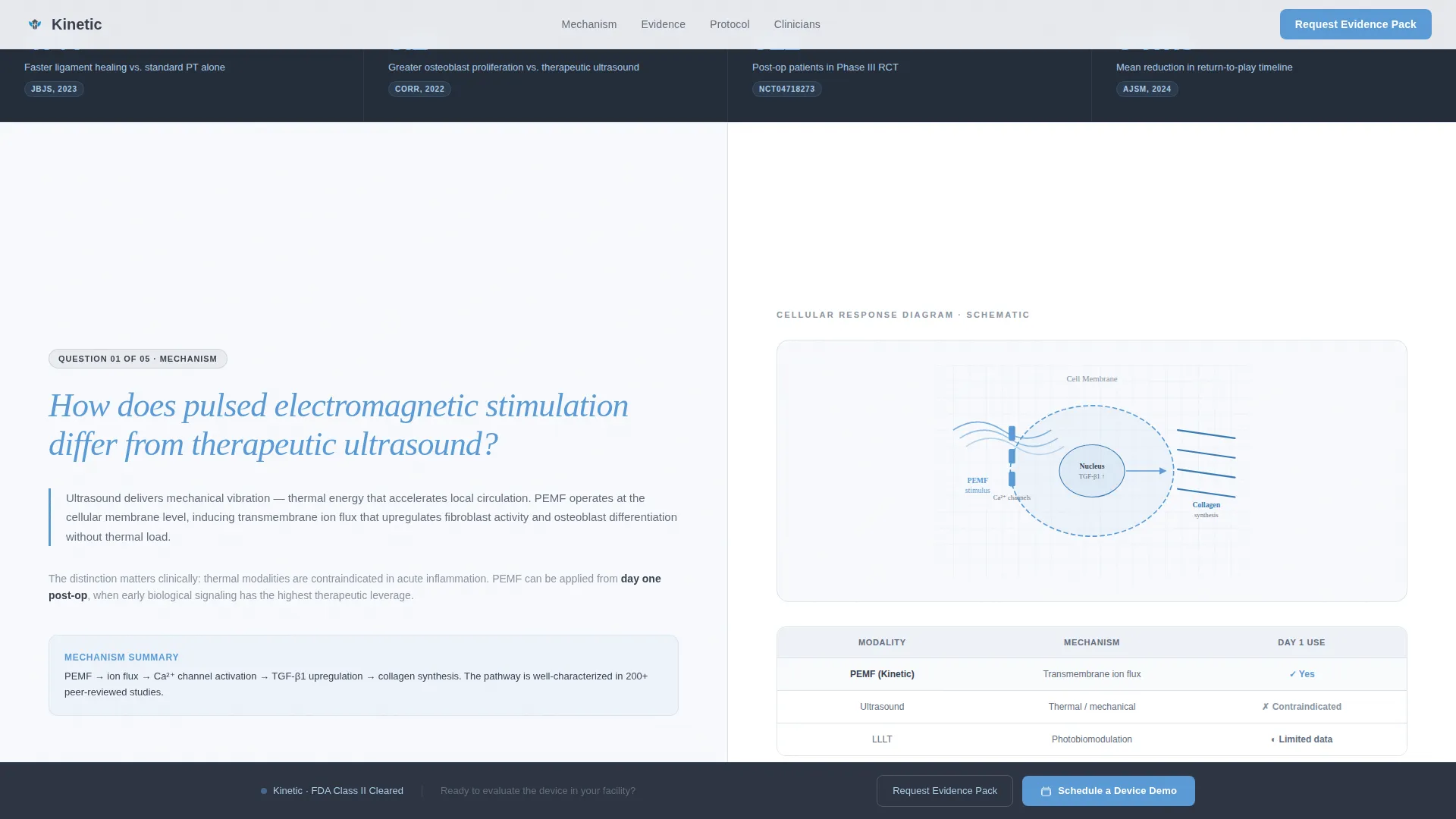
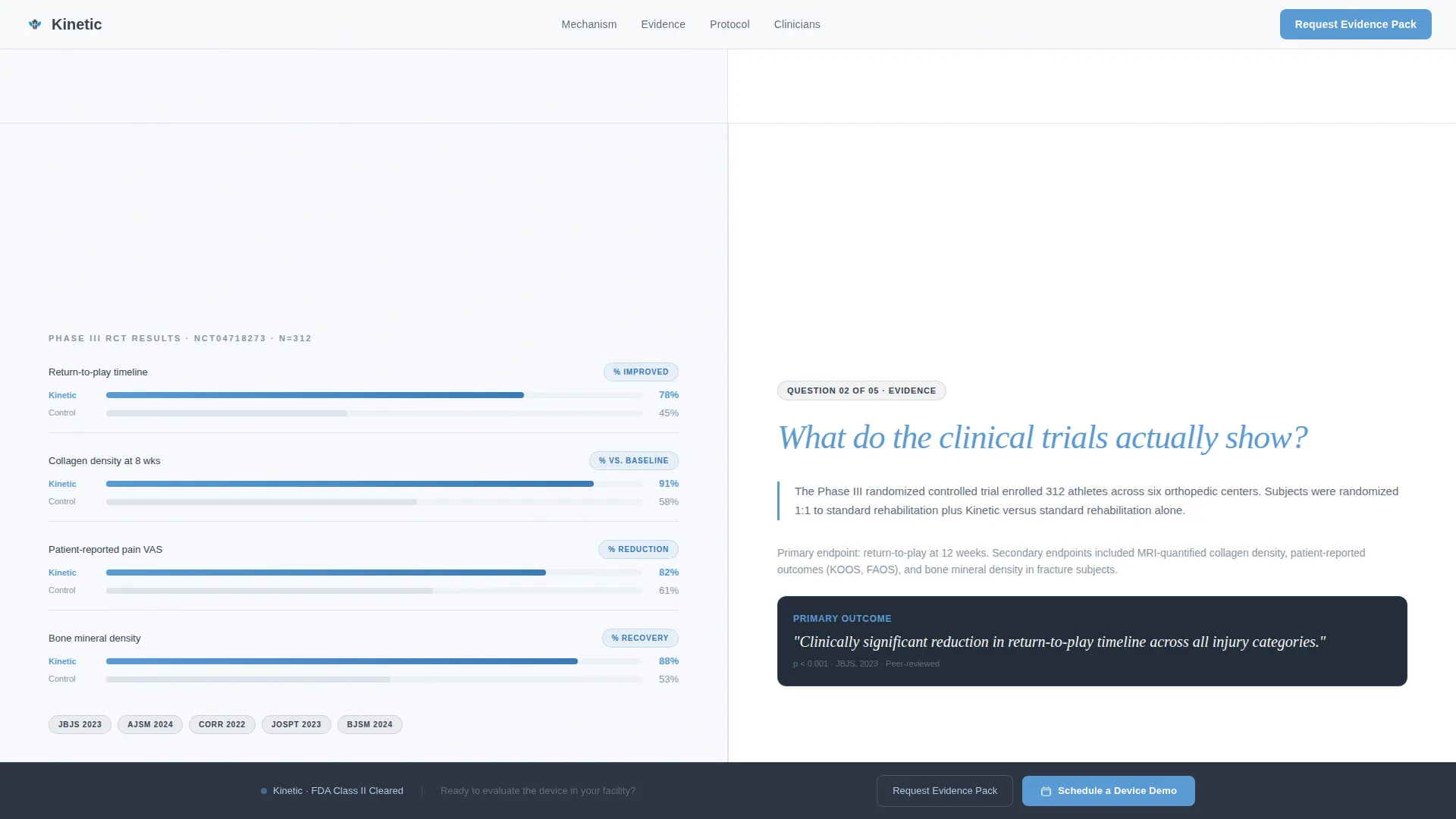
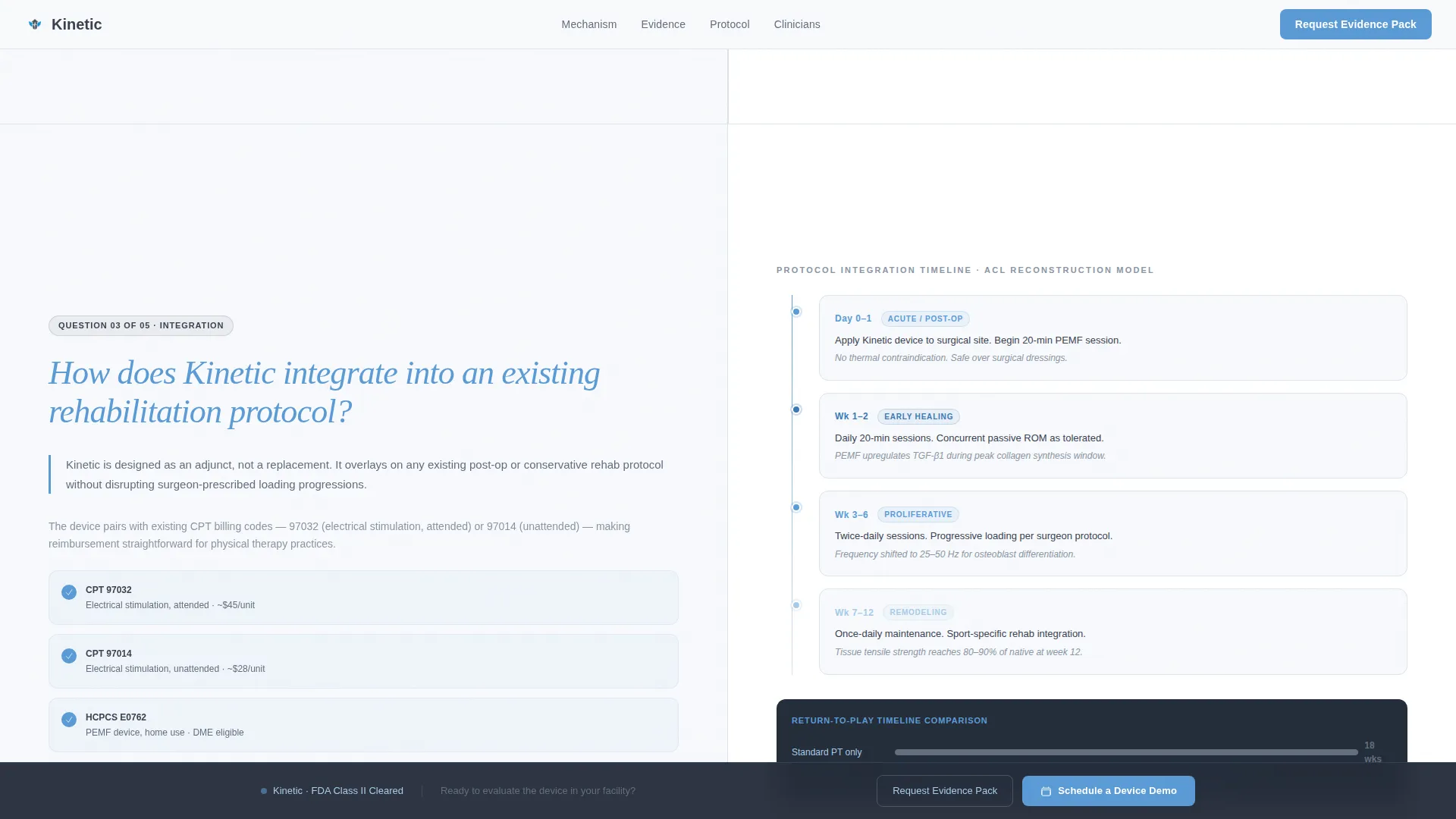
Three full-width split-screen FAQ sections guide visitors from mechanism to trial data to protocol integration. Each left panel poses a clinical question in large sky-blue serif type. Each right panel answers with annotated diagrams, micro-animations of cellular response, or before-and-after imaging comparisons.
Progressive Specialty-First Lead Form
The "Request Clinical Evidence Pack" form reveals fields in a credentialing-style sequence: specialty first, then facility name, then email address. This progressive disclosure mirrors how clinical professionals self-identify and reduces form abandonment from unqualified visitors.
Persistent Bottom Bar Call to Action
A "Schedule a Device Demo" bar floats at the bottom of the viewport throughout the scroll. It captures visitors who are ready to act before finishing the full education sequence, without interrupting those still reading.
Scroll-Linked Animation System
Section reveals are tied to scroll position, with staggered text entrances and micro-animations on cellular diagrams. The animation level is deliberately medium, present enough to guide attention, restrained enough not to undercut the clinical tone.
Clinical Editorial Typography Pairing
DM Sans handles all body copy for clean legibility on workstation monitors. Fraunces serif accents appear on the large FAQ questions, lending the weight and authority of a published journal heading without sacrificing on-screen readability.
Page sections overview
| Section | Purpose |
|---|---|
| Hero Split Panel | Introduce device identity with stacked type and product photography |
| FAQ One: Mechanism | Explain how pulsed electromagnetic stimulation differs from ultrasound therapy |
| FAQ Two: Evidence | Present clinical trial data and published study outcomes visually |
| FAQ Three: Integration | Show how the device fits an existing rehabilitation protocol timeline |
| Lead Generation Form | Capture specialty-qualified leads via progressive disclosure form |
| Persistent Demo Bar | Offer a direct device demo path for visitors ready to skip the reading |
Design & branding system
The visual identity follows an Educational Guide theme using a Slate and Sky color system. Every color choice is deliberate, clinical, composed, and free of anything that could feel consumer-facing or promotional.
- Clinical charcoal (#3B4252) anchors all body text; surgical slate (#636E7F) covers secondary surfaces; open-sky blue (#5B9BD5) pulls attention toward interactive elements and data callouts; sterile white (#F7F9FC) breathes across all backgrounds
- DM Sans carries body copy for precision legibility; Fraunces serif accents elevate clinical question headings with journal-level authority
- The overall aesthetic reads like a teaching hospital corridor at dawn, quietly authoritative, with no lifestyle imagery, gradients, or decorative flourishes
Mobile & speed optimization
The template is architected desktop-first, reflecting the reality that clinical professionals most often review device information on workstation monitors in clinical or office settings. Responsive behavior is built in for secondary device contexts.
- Server components handle all static sections, keeping initial load fast without client-side overhead
- Client components are scoped only to animation and interactive elements such as the progressive form and persistent bottom bar
- Scroll-linked reveals and micro-animations are implemented at a medium intensity level, keeping the page lively without taxing rendering performance
How this template helps you convert
This template converts by earning trust before it ever asks for anything. The architecture deliberately delays the primary call to action until after three FAQ sections have built enough clinical credibility for the visitor to self-qualify.
- The sequential FAQ structure guides orthopedic surgeons, team physicians, and physical therapists through mechanism, evidence, and protocol fit before the lead form appears, ensuring only genuinely interested clinicians submit their details.
- The specialty-first progressive form mirrors a credentialing flow, which feels natural to clinical audiences and signals that the brand understands their professional context.
- The persistent "Schedule a Device Demo" bottom bar provides a parallel conversion path for high-intent visitors who need no further convincing.
Other information about this template
This template is built under the Kinetic brand identity and is configured for the United States market. Localization settings use English, USD currency formatting, and MM/DD/YYYY date formatting throughout.
- Template style is Split Screen (50/50), with the left and right panels maintaining equal weight across all sections
- The footer follows a Linear Single-Row pattern, keeping the bottom of the page clean and uncluttered
- Social proof elements such as clinical trial numbers, published study counts, and patient outcome data are positioned to reinforce the evidence-driven narrative without overpowering the education flow
Theme
Educational Guide
Creative direction
FAQ-Driven
Color system
Slate & Sky
Style
Split Screen (50/50)
Direction
Lead Generation
Page Sections
Stacked Type Tower Hero Panel
Sequential FAQ Education Flow
Progressive Specialty-first Lead Form
Persistent Bottom Bar Call to Action
Scroll-linked Animation System
Clinical Editorial Typography
Related questions
Who is this landing page template designed for?
Can I customize the FAQ questions and clinical content?
Does the lead form collect specialty information before email?
Is this template suitable for presenting clinical trial data?
What makes this different from a standard health landing page template?



