Certified Swim Instructor Landing Page Template
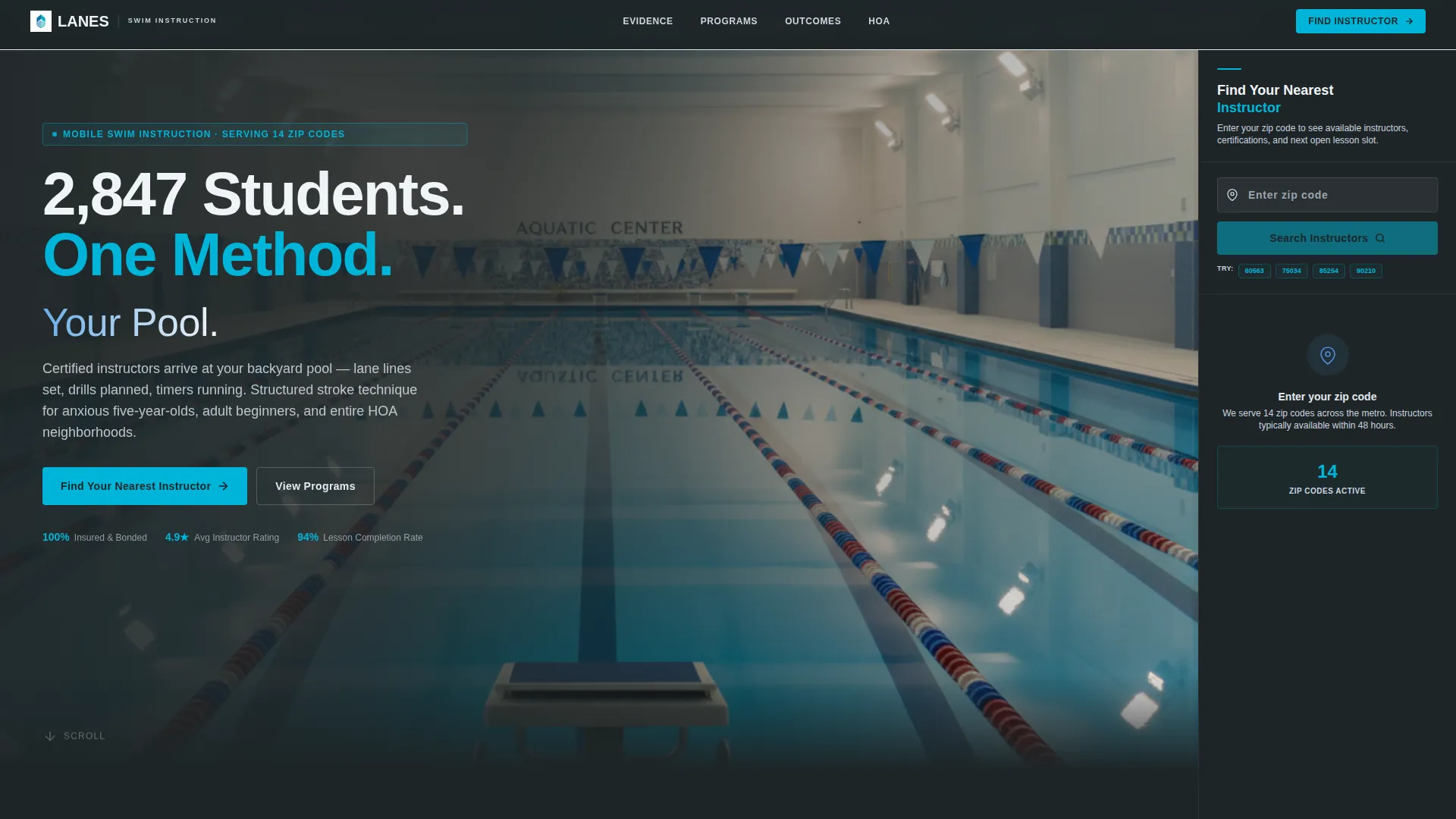
Lanes is a certified swim instructor landing page template built for mobile aquatic professionals. It combines a stats-first layout with a persistent sidebar location finder, letting suburban families and HOA pool committees instantly discover nearby instructors, check certifications, and book lessons. The Corporate Precision design system keeps the page feeling credible, measured, and ready to convert.
by Rocket studio
Quick summary
Lanes is a single-page template designed for mobile swim instruction services. It leads every section with hard numbers, layers proof systematically from student counts to safety records to outcome data, and anchors the primary call to action inside a fixed sidebar zip-code finder. The result is a page that earns trust before it asks for a booking.
Who this template is for
This template is built for swim professionals who operate at scale and need a page that reflects that credibility. It works equally well as a solo instructor's service-area showcase or as the public face of a multi-instructor mobile aquatics program.
- Certified swim instructors offering private or semi-private lessons at residential pools
- Mobile aquatics programs serving multiple neighborhoods or zip codes
- HOA pool committees and community coordinators booking structured summer swim programs
What problem this template solves
Many swim instructor pages bury their most convincing details at the bottom. Families searching for a certified instructor need proof upfront, not after three paragraphs of biography. This template flips that order so trust is built arithmetically, section by section.
- Parents of young or anxious learners cannot quickly verify instructor credentials or coverage areas
- Adult learners researching lessons have no clear starting point for checking availability
- Programs covering wide service areas lack a fast, self-service way to match families to the nearest instructor
What you get with this template
The template delivers a complete, structured landing page layout with a fixed sidebar companion and a sequenced content body. Everything is pre-arranged so that the most persuasive data appears exactly when a visitor needs it.
- A header Award Badge bar displaying certifications, accreditations, and milestone markers
- A persistent sidebar with a zip-code input field that surfaces the nearest instructor, their credentials, and next available slot
- A gated secondary conversion path offering a downloadable neighborhood pool-safety checklist behind an email field
Feature list
This template covers every surface a swim instruction service needs to convert a cautious parent or an HOA committee into a confirmed booking.
Stats-First Section Sequencing
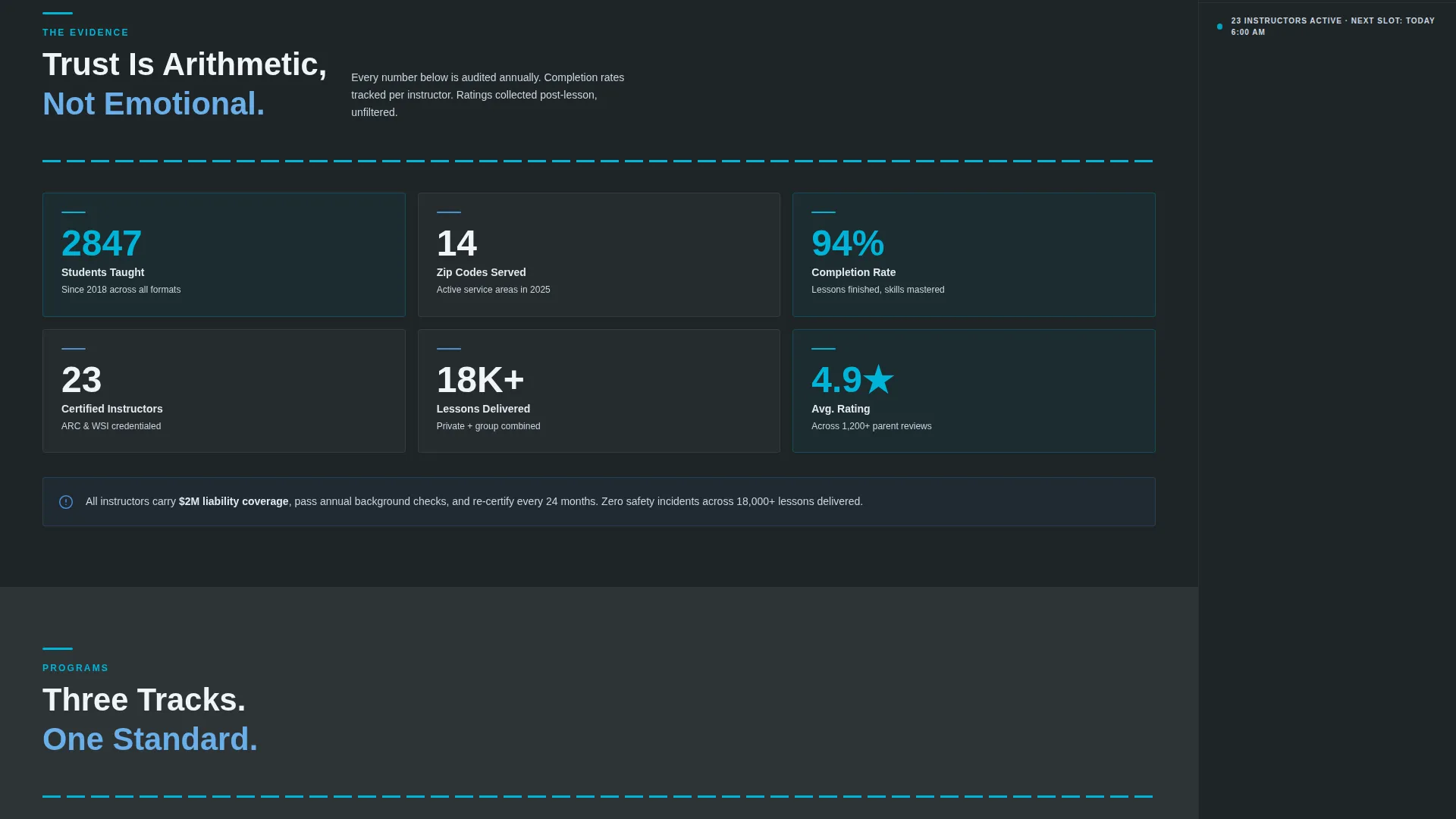
Each content section opens with a hard number before any narrative text. Student counts, zip codes served, and lesson-completion rates appear before explanations, building an evidence wall that makes trust feel logical rather than emotional.
Persistent Sidebar Location Finder
The sidebar stays fixed as visitors scroll the main content column. It houses a single zip-code input field that populates the nearest available instructor, their listed certifications, and their next open lesson slot, keeping the primary call to action always visible.
Award Badge Header Bar
The header displays certified instructor seals, safety accreditations, years-of-operation marks, and student-count milestones as a horizontal ribbon of geometric crests. Each badge uses monochrome slate with a single teal accent line for a competitive-federation feel.
Interactive Service Area Map
The sidebar companion pairs with a service-area map section in the main column. The map shows the full coverage footprint across zip codes, giving families a geographic reference before they enter their own address.
Gated Safety Resource Download
A secondary conversion path captures parents who are researching but not yet ready to book. An email-gated downloadable pool-safety checklist provides real value while building a contact list of warm, high-intent leads.
Escalating Proof Architecture
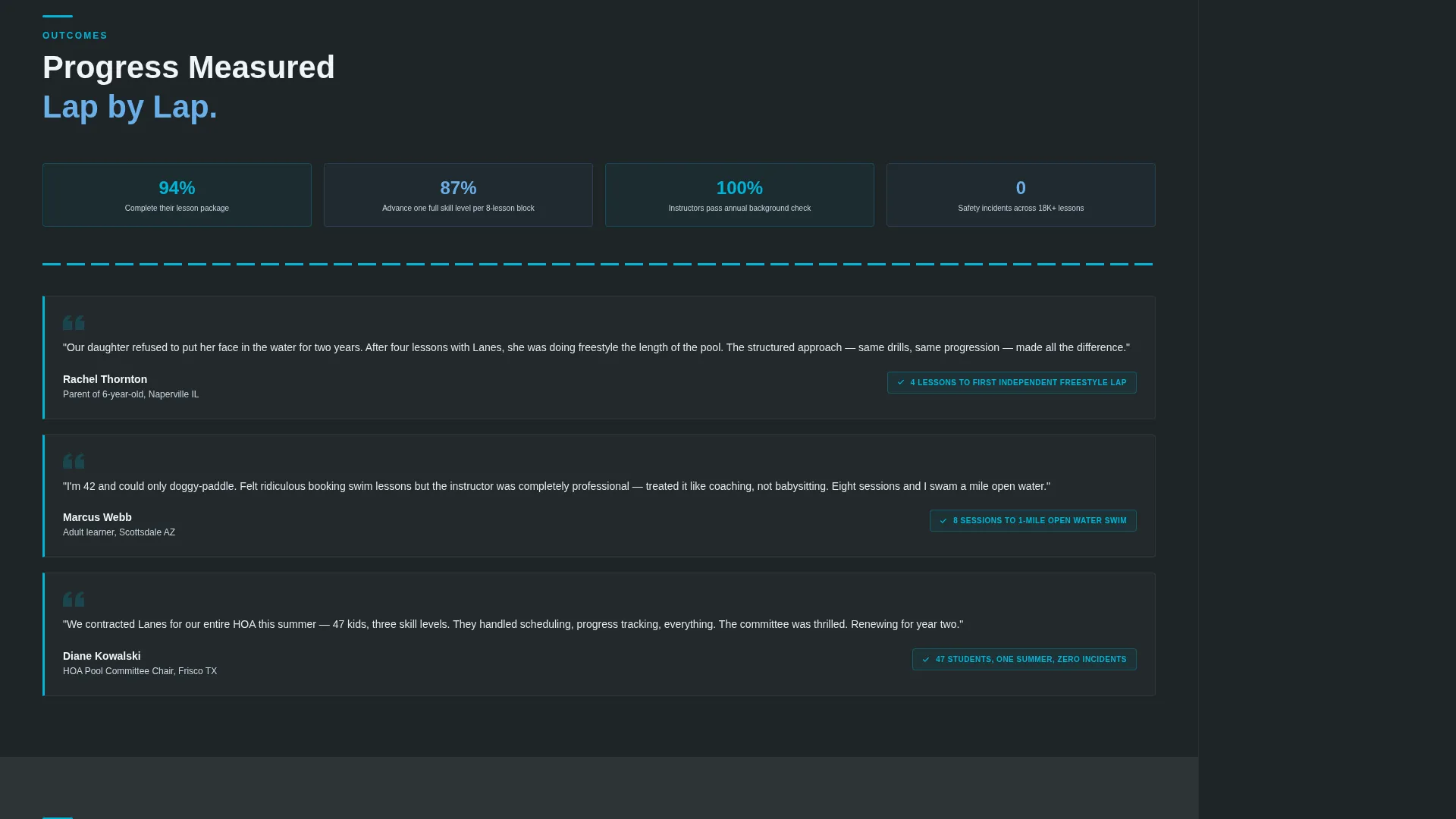
The main content column moves deliberately from volume statistics through safety statistics to outcome statistics. Each tier adds a new layer of evidence, so a visitor who reaches the sidebar call to action has already absorbed the full case for booking.
Page sections overview
| Section | Purpose |
|---|---|
| Award Badge Header | Display certifications and milestone markers |
| Stats Opening Block | Lead with student and zip-code counts |
| Methodology Section | Explain structured lesson approach |
| Service Area Map | Show geographic coverage visually |
| Safety Statistics Block | Present accreditations and safety outcomes |
| Lesson Outcome Stats | Share completion rates and skill results |
| Persistent Sidebar | House zip-code finder and primary call to action |
| Safety Checklist Gate | Capture email for PDF resource download |
Design & branding system
The Corporate Precision visual theme uses a four-color Slate and Sky system calibrated to feel like a competitive natatorium at early morning. Deep charcoal slate (#2D3436) dominates backgrounds and body typography. Institutional pool-tile blue (#4A90D9) carries section dividers and iconography. Morning sky white (#F0F4F8) provides breathing room between content blocks. Chlorine-bright teal (#00B4D8) fires only on hover states and data callouts, so every key number hits like a split time flashing on a scoreboard.
- Condensed sans-serif headline typography for statistics and section openers
- Monochrome geometric badge crests with isolated teal accent lines in the header
- Teal reserved strictly for interactive highlights and stat numbers to preserve visual impact
Mobile & speed optimization
The sidebar companion is designed as a fixed companion column on wider viewports. On smaller screens, the layout adapts so the zip-code finder and primary call to action remain reachable without excessive scrolling. The content hierarchy is built to read cleanly at any screen width.
- Single-column stacking keeps the stats-first reading order intact on mobile devices
- The zip-code input field and primary call-to-action button remain prominent at mobile breakpoints
- Badge header condenses gracefully so credential markers stay visible on smaller viewports
How this template helps you convert
The page is structured to remove hesitation at every step. Rather than asking a visitor to trust a biography, it asks them to read a number, then another, until booking feels like the only logical next action.
- The stats-first layout places the most persuasive proof at the top of each section, reducing the time a visitor needs to decide whether the service is credible.
- The persistent sidebar keeps the primary call to action visible at all times, so the moment a visitor is ready to act, the zip-code field is already in front of them.
- The gated safety checklist captures parents who need more time, turning a non-booking visit into a warm lead with a clear follow-up path.
Other information about this template
This template is categorized under Professional Services with a focus on swim instructor online presence and booking. It is built as a single-page, section-led layout rather than a multi-page site, making it fast to deploy and easy to customize for a specific service region.
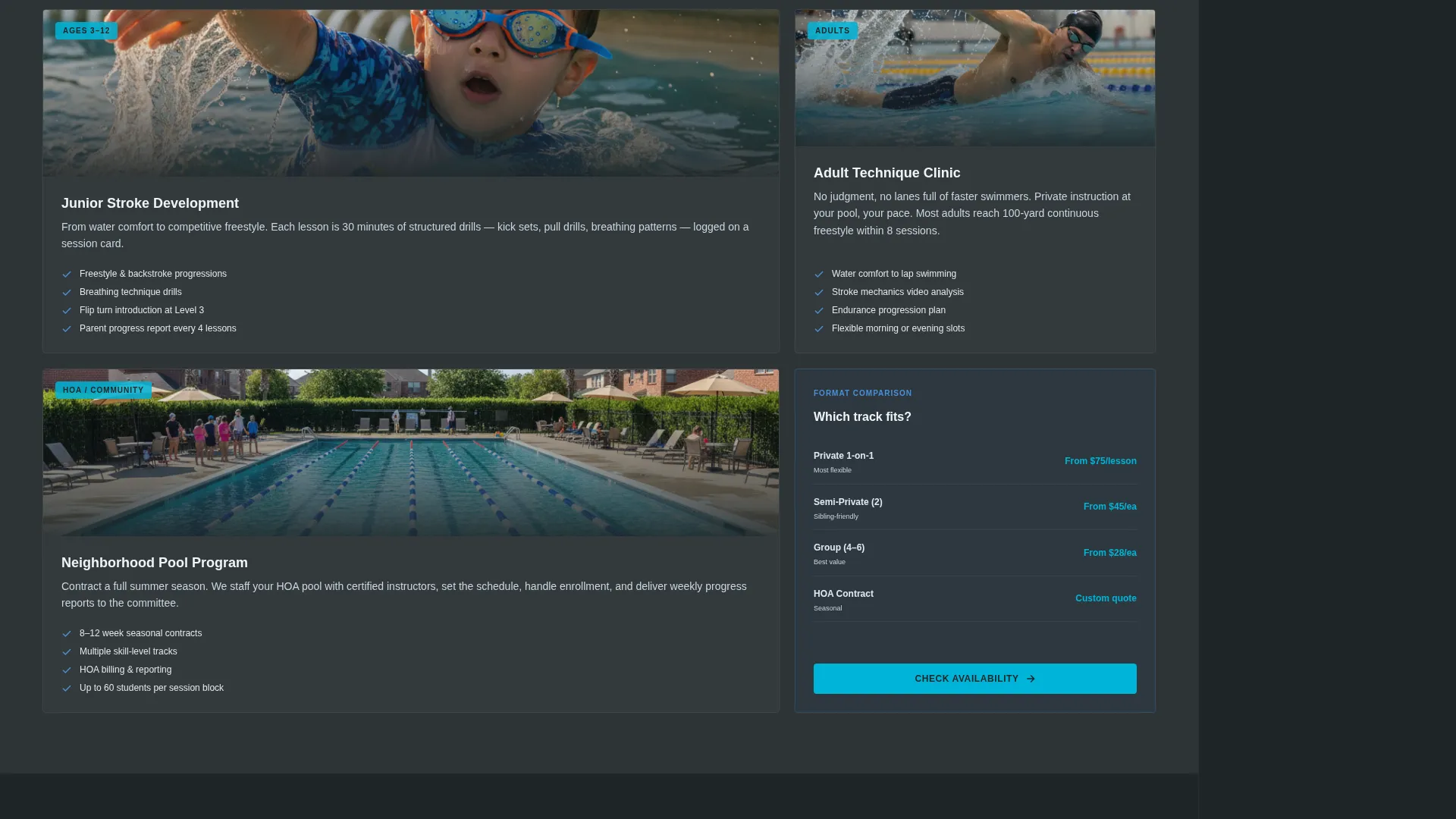
- The template style follows a Comparison Table structure, allowing lesson formats or instructor tiers to be presented side by side
- The landing page direction is Content and Resource, meaning it earns conversions through proof and useful downloads rather than hard sales pressure
- The header concept uses a Press Mentions and Award Badge hybrid approach, framing the instructor program with the visual language of competitive aquatics federations
- The color system is referenced internally as Cloud Canvas in the base design file, with the Slate and Sky palette applied as the active theme for this template
Theme
Executive Suite
Creative direction
Testimonial Mosaic
Color system
Cloud Canvas
Style
Comparison Table
Direction
Content/Resource
Page Sections
Stats-first Section Sequencing
Persistent Sidebar Location Finder
Award Badge Header Bar
Escalating Proof Architecture
Gated Safety Resource Download
Interactive Service Area Map
Related questions
Who is the Lanes template best suited for?
Can I use this template for a single instructor rather than a large program?
What is the purpose of the gated safety checklist?
Does the sidebar stay visible as visitors scroll?
Can I adapt the service area map to my own coverage zones?



