Lactation Consultant Booking Website Template
Latch is an editorial landing page template built for lactation consultants who want to earn trust before asking for a booking. It leads with evidence, lets real parent voices carry the scroll, and guides exhausted families toward a consultation through an inline scheduling widget, an accordion FAQ, and a gentle email-capture path for those not yet ready to commit.
by Rocket studio
Quick summary
Latch is a single-page template designed for lactation consulting practices. It opens with three animated credibility stats, flows into a staggered testimonial mosaic, and alternates between emotional proof and practical FAQ answers. A pinned booking call to action and an inline scheduling widget make it easy for tired parents to take the next step at any hour.
Who this template is for
This template is built for independent lactation consultants and small postpartum support practices. If your work happens in living rooms and hospital rooms, and your clients find you at 3 a.m., this page was designed with that exact moment in mind.
- Certified lactation consultants running a private practice
- Postpartum support providers offering in-home, virtual, or hospital visits
- NICU-adjacent practitioners receiving family referrals before discharge
What problem this template solves
Parents searching for lactation support are often overwhelmed, sleep-deprived, and unsure whether their situation is serious enough to warrant a call. A generic contact page does not reassure them. This template replaces clinical distance with warmth, proof, and plain answers.
- Hesitant visitors need to see evidence and hear other parents' voices before they book
- Common questions like "Will it hurt?" and "What if I'm formula feeding too?" go unanswered on most practice websites
- A scattered layout with no clear next step loses visitors who would have booked with a little more guidance
What you get with this template
You get a fully structured, editorial-style landing page with five distinct content sections and a deliberate visual rhythm. Every section is purpose-built, from the animated hero to the email-capture resource path at the bottom.
- An animated stats hero, a testimonial mosaic, an FAQ accordion, an inline booking widget, and a resource-capture section
- A warm ink-and-paper color system with parchment, walnut, blush, and graphite already configured
- A mobile-first layout built for the parent reaching for their phone in the middle of the night
Feature list
This template is built around a small set of high-impact features. Each one serves a specific job in moving a hesitant visitor toward a booked consultation.
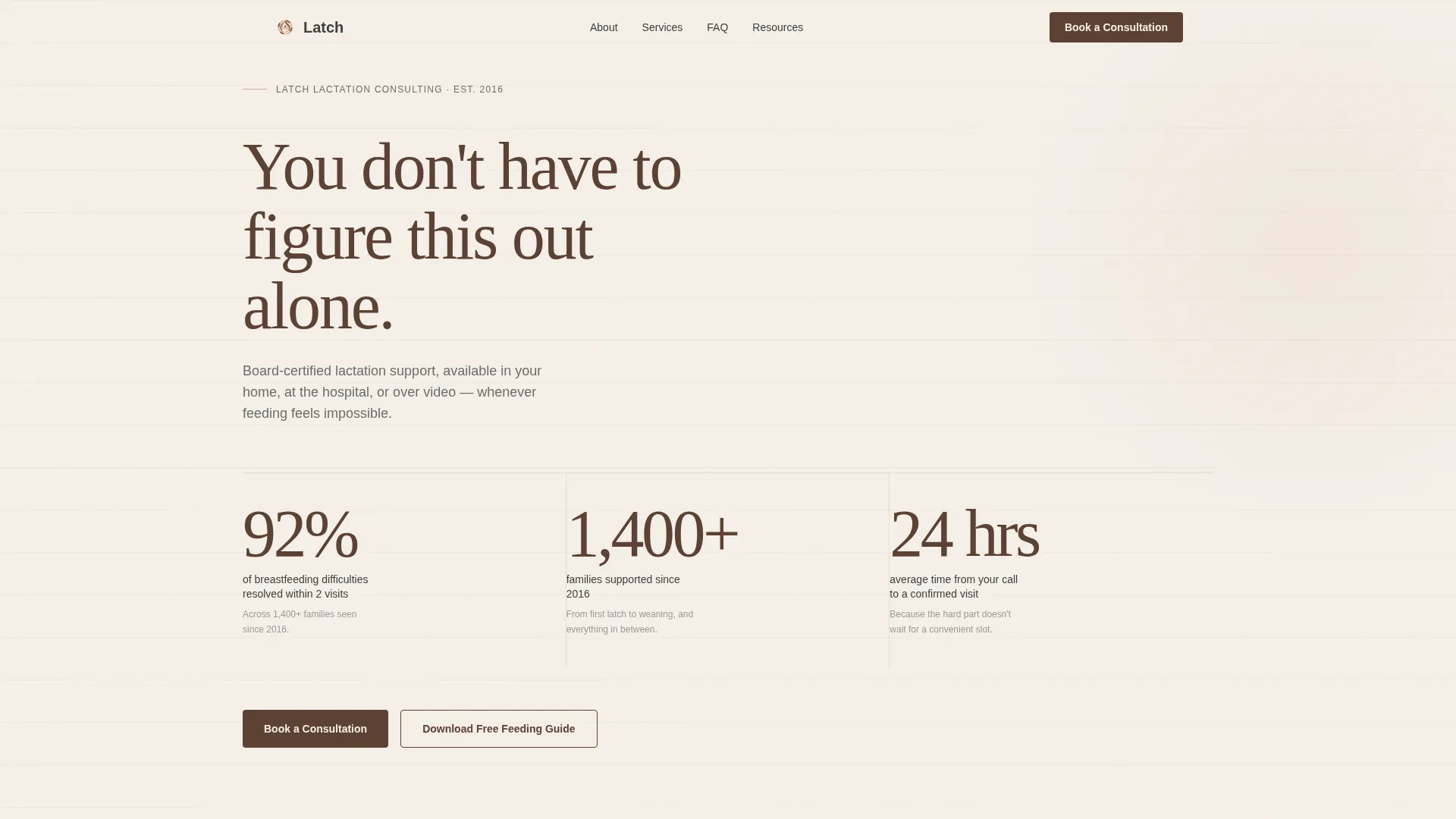
Animated Stats Hero
Three large display-scale numerals animate into place on a parchment background. Each stat is followed by a short supporting sentence in graphite. The effect earns credibility before the visitor has scrolled a single pixel.
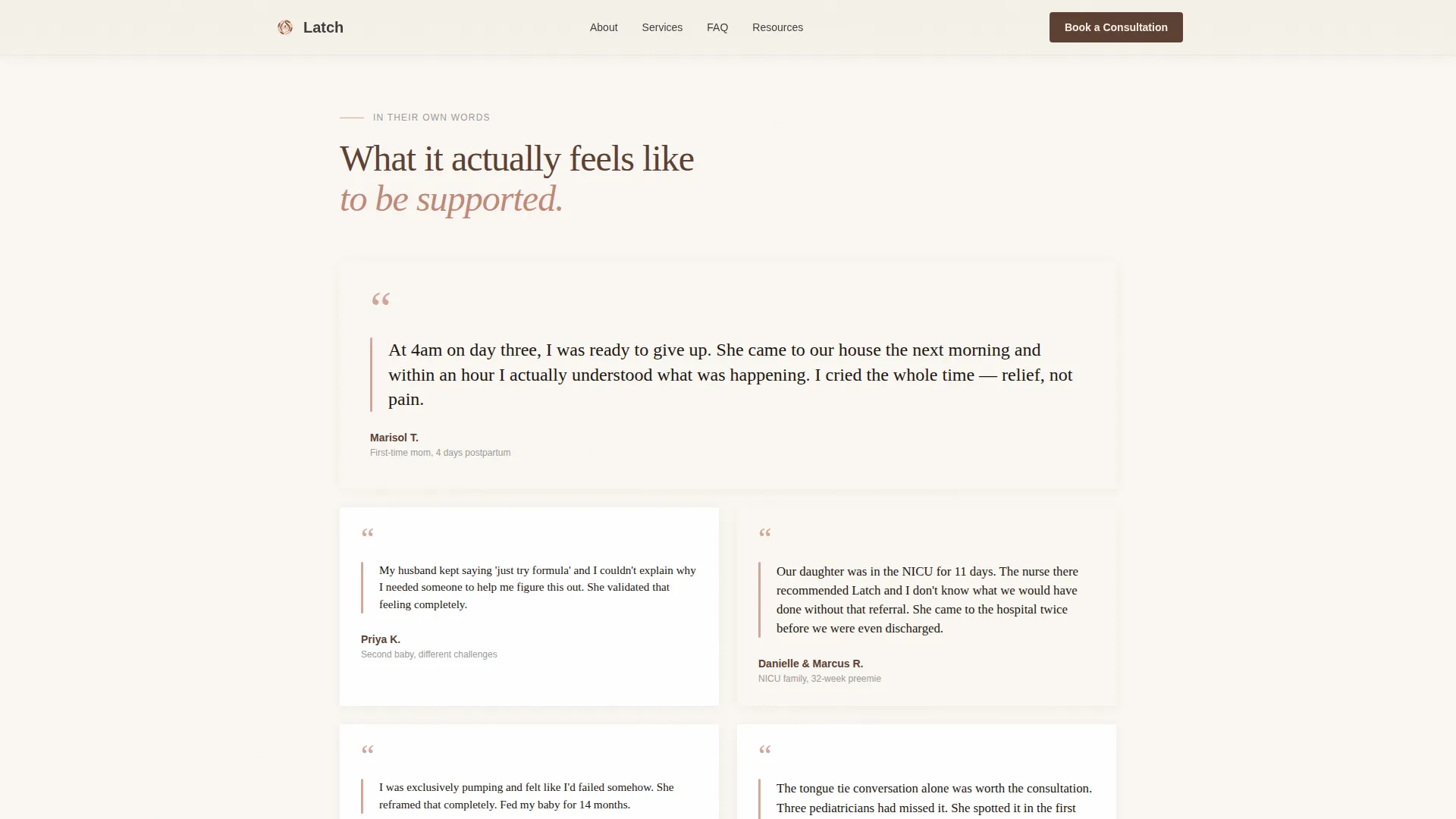
Staggered Testimonial Mosaic
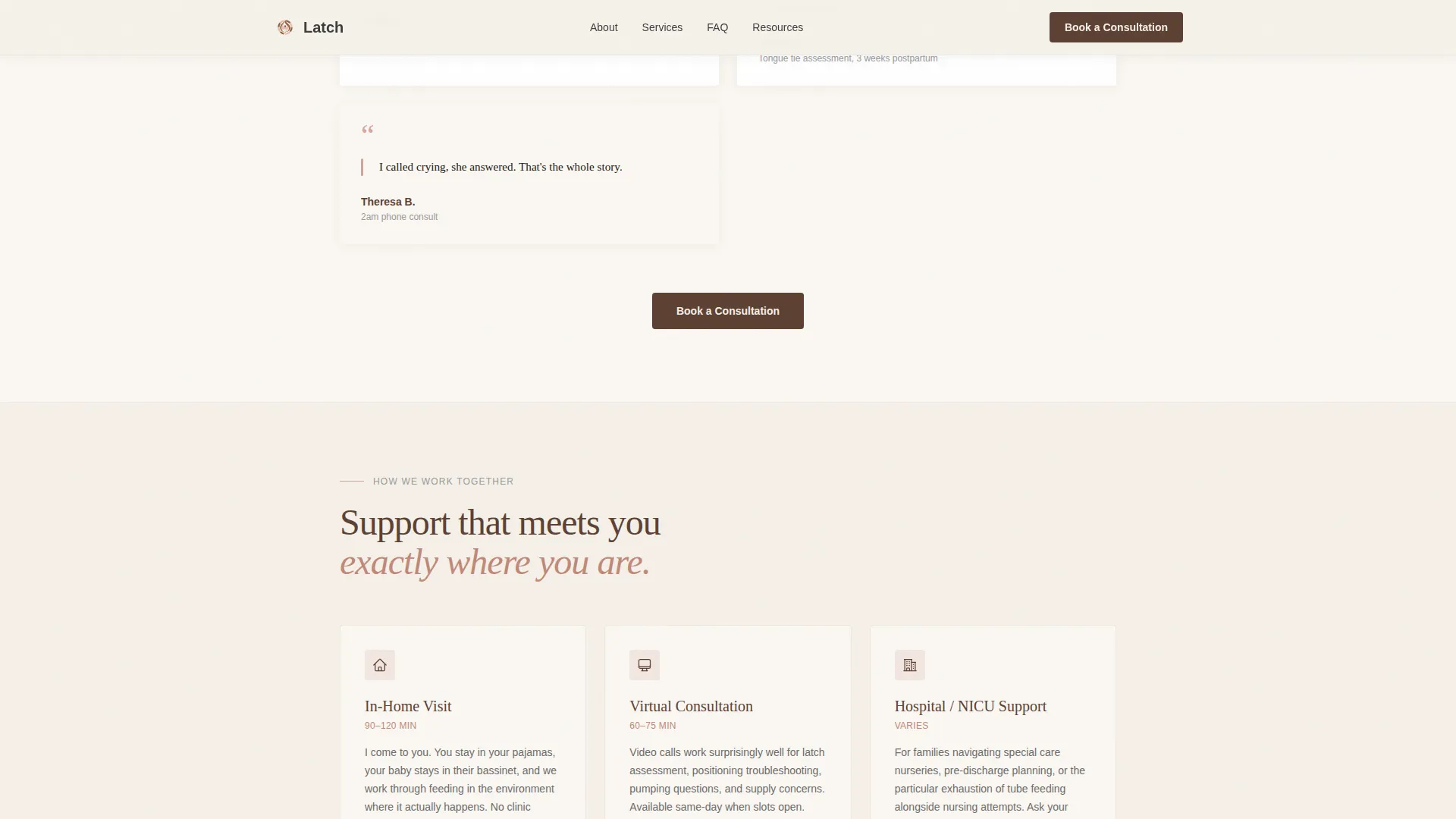
Editorial cards of varying sizes present real parent voices as pull quotes, each accented with a blush bar. Cards stagger on reveal, creating a magazine-style reading rhythm that feels personal rather than promotional.
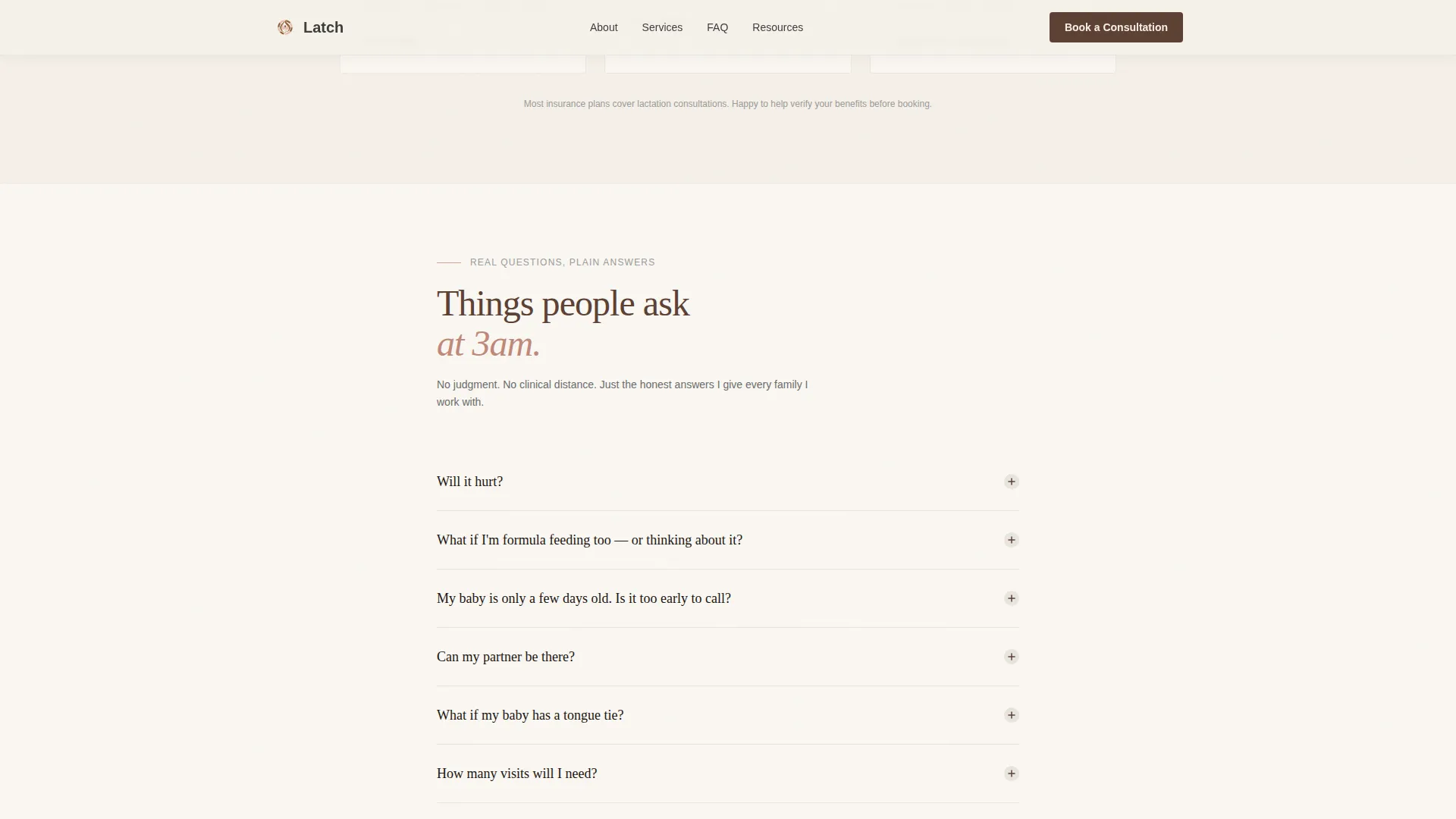
Accordion FAQ Section
Plainspoken questions and detailed answers expand smoothly inside accordion panels. The FAQ is woven between testimonial clusters, so the page alternates between emotional reassurance and practical information throughout the scroll.
Inline Booking Widget
The scheduling widget sits directly on the page without redirecting to a third-party tab. Visitors choose a visit type (in-home, virtual, or hospital), set their baby's age in weeks using a simple slider, and describe their concern in a free-text field.
Email-Capture Resource Path
A secondary conversion path offers a downloadable First-Week Feeding Guide in exchange for an email address. This nurtures parents who are not yet ready to book, keeping the practice present in their inbox until they are.
Pinned Booking Call to Action
The "Book a Consultation" button is anchored in the top navigation in walnut and repeated after every third testimonial cluster. Parents can act on the impulse to reach out at any point in the scroll without hunting for a contact link.
Page sections overview
| Section | Purpose |
|---|---|
| Stats Metrics Hero | Establish credibility with three animated evidence numerals before asking for anything |
| Testimonial Mosaic | Build emotional trust through staggered editorial cards with real parent voices |
| FAQ Accordion | Answer practical concerns plainly, woven between testimonial clusters |
| Inline Booking Widget | Convert ready visitors with a visit-type selector, age slider, and concern field |
| Resource Email Capture | Nurture not-yet-ready parents with a downloadable first-week feeding guide |
| Footer Navigation | Minimal split layout with logo and tagline left, links right |
Design & branding system
The visual identity follows a Service Utility approach with an ink-and-paper palette. Every color choice and type pairing is designed to feel like a well-loved parenting book rather than a clinical service directory.
- Four-color palette: warm parchment (#F5F0E8) for backgrounds, deep walnut (#5C4033) for headlines and anchor elements, muted blush (#D4A59A) for callout accents, and soft graphite (#3D3D3D) for body text
- Typography pairing: Fraunces serif for display headlines and section titles, DM Sans for body text and interactive elements
- No stock photography of serene mothers; the design leans on editorial typesetting, hand-drawn-style numerals, and margin-note warmth instead
Mobile & speed optimization
The template is built mobile-first, because the primary context is a parent lying awake at 3 a.m. with a phone in one hand. Every layout decision prioritizes one-thumb readability and fast tap targets.
- Static content sections are server-rendered to keep initial load light; interactive elements like the booking widget and accordion load only when needed
- Counter animations for the hero stats, stagger reveals for testimonial cards, and smooth accordion transitions are tuned to medium intensity, visible without being distracting on small screens
- The booking widget slider and free-text field are sized and spaced for comfortable mobile input without pinching or zooming
How this template helps you convert
The page is structured so that every scroll either reassures a hesitant visitor or gives them a clear action to take. There is no dead zone where momentum stalls.
- The animated stats hero leads with proof, not a pitch, so visitors arrive at the testimonials already primed to trust the practice.
- The alternating rhythm of testimonials and FAQ answers keeps both emotional and practical objections addressed before the booking widget appears, lowering the barrier to clicking "Book a Consultation."
Other information about this template
This template was designed under the editorial and magazine template style, sitting at the intersection of professional services and lactation consultant online presence. A few additional details worth knowing before you use it:
- The footer follows a split layout pattern with logo and tagline on the left and navigation links on the right, keeping the bottom of the page clean and uncluttered
- The booking call to action uses deep walnut as its anchor color, chosen to stand out against the parchment background without feeling aggressive or clinical
- The free-text concern field in the booking widget is labeled "What's your biggest concern right now?" giving parents an easy, low-pressure entry point into the conversation
- This template is suited to English-language practices in the United States and does not include currency fields or multi-language configuration by default
- The resource-capture section is designed as a secondary conversion path for visitors who need more time, not as a replacement for the primary booking flow
Theme
Service Utility
Creative direction
Testimonial Mosaic
Color system
Ink & Paper
Style
Editorial/Magazine
Direction
Booking/Scheduling
Page Sections
Animated Stats Hero
Staggered Testimonial Mosaic
Accordion FAQ Section
Inline Booking Widget
Email-capture Resource Section
Pinned Booking Call to Action
Related questions
Can I use this template if I only offer virtual consultations?
Does the template include testimonial and FAQ content, or do I provide my own?
Can I edit the animated stats if my practice numbers are different?
Do I need a downloadable guide ready before I can launch the template?
Is this a multi-page website or a single-page template?



