Commercial Office Real Estate Cost Calculator Website Template
Lease is a full-width immersive landing page template built for commercial office real estate brokerages. It opens with a live cost-per-square-foot calculator, flows into a scroll-linked gallery of featured office spaces, and closes leads with a single-field broker contact form. The Luxe Minimal design in deep charcoal and warm amber communicates premium market authority from the first second.
by Rocket studio
Quick summary
Lease is a single-page, desktop-first landing page template for commercial office real estate brokerages. It anchors visitor engagement with an interactive cost estimator, then sustains attention through a full-viewport gallery walk of curated office spaces. Every section is designed to move a CFO, operations director, or founder from curious browser to committed lead.
Who this template is for
This template is built for brokerages and agents who work in the premium end of the commercial office market. It speaks directly to the decision-makers their clients bring to the table.
- Commercial office brokers and boutique real estate firms targeting corporate tenants
- Operations directors and CFOs managing lease renewals or multi-city office portfolios
- Startup founders who have outgrown co-working arrangements and are ready for a dedicated office space
What problem this template solves
Most commercial real estate landing pages fail because they ask for a commitment before earning trust. A prospects visits, sees a contact form, and leaves. This template reverses that pattern entirely.
- Visitors arrive to a working cost calculator, not a sales pitch, so they engage before they are asked anything
- The scroll-based gallery replaces static listings with an experience that feels like a guided broker tour
- The email capture surfaces only after the gallery has built genuine desire, reducing friction at the point of conversion
What you get with this template
You get a fully structured, single-page layout with every section pre-built and ready to populate with your listings, quotes, and market data. Nothing is generic filler; every block serves the conversion flow.
- A live cost-per-square-foot calculator with animated amber result display and a market-average comparison line
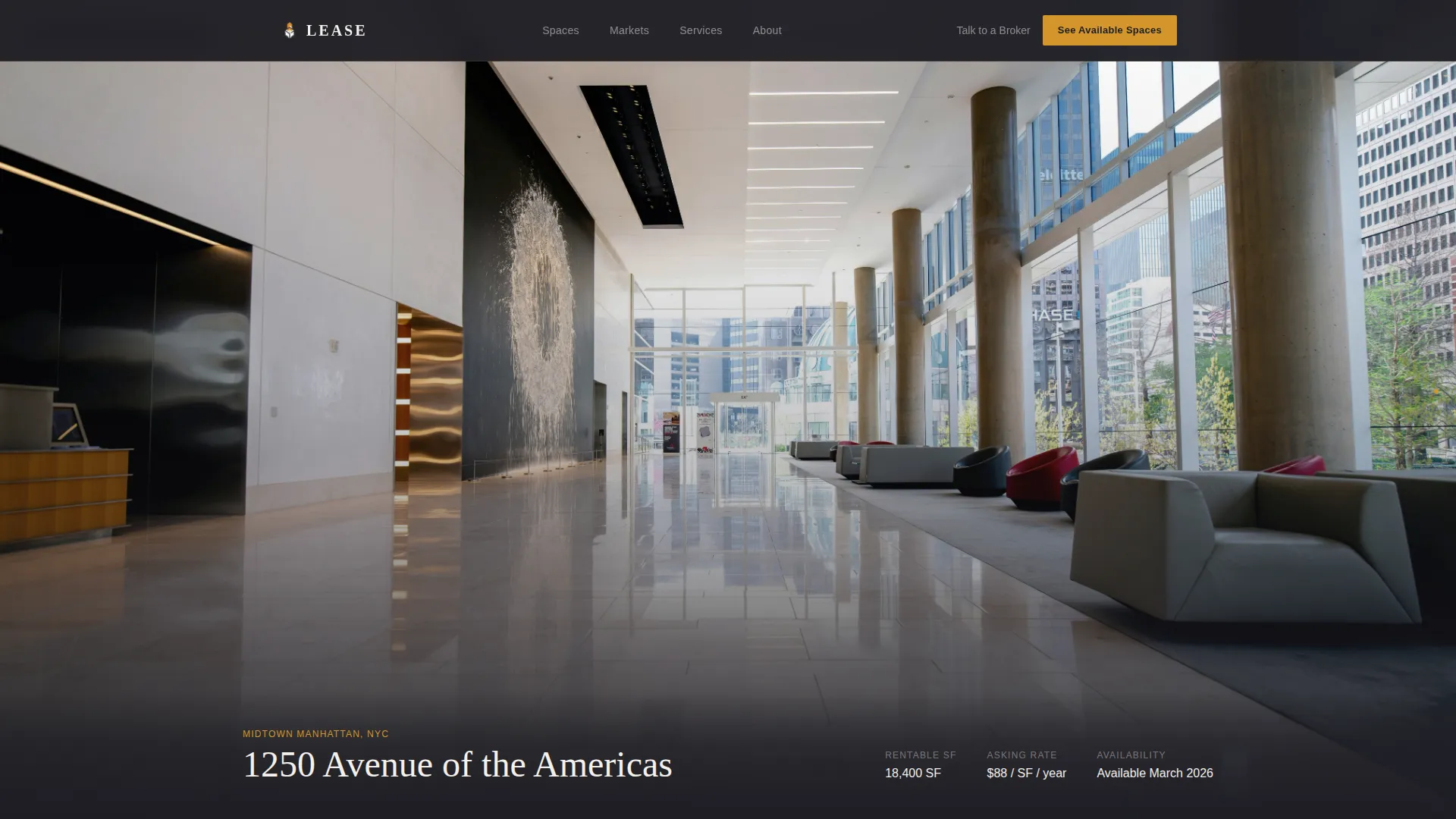
- A full-viewport gallery walk section showing up to four office space listings with fade-in spec overlays
- Floating tenant testimonial blocks, a broker email capture form, a market insights credibility strip, and a structured footer
Feature list
This template packages several purpose-built components that work together as a single, cohesive brokerage experience.
Live Cost-Per-Square-Foot Calculator
Three input fields cover desired square footage, preferred submarket, and lease term in months. As visitors adjust the sliders, an estimated annual lease cost animates in large amber numerals. A comparison line shows the market average alongside the result, and a single line of text reads: "We negotiate below this."
Scroll-Linked Gallery Walk
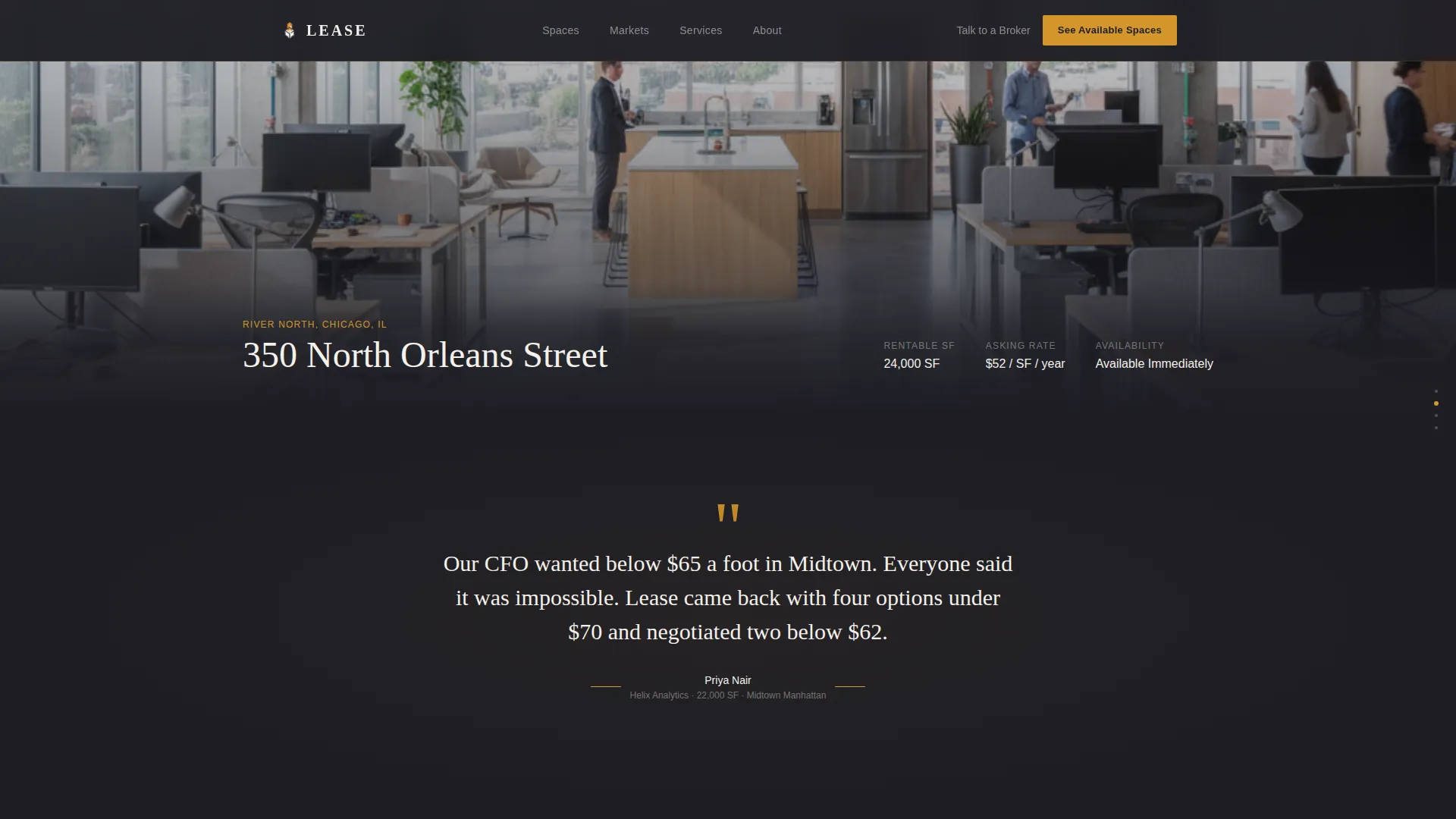
Each scroll position presents one featured listing as a full-viewport photograph with no gutters or thumbnails. Minimal specs, including address, rentable square footage, asking rate, and availability, fade in at the bottom of each frame over a charcoal overlay strip. The rhythm moves like a broker-led tour: one space, one breath, then the next.
Floating Tenant Testimonials
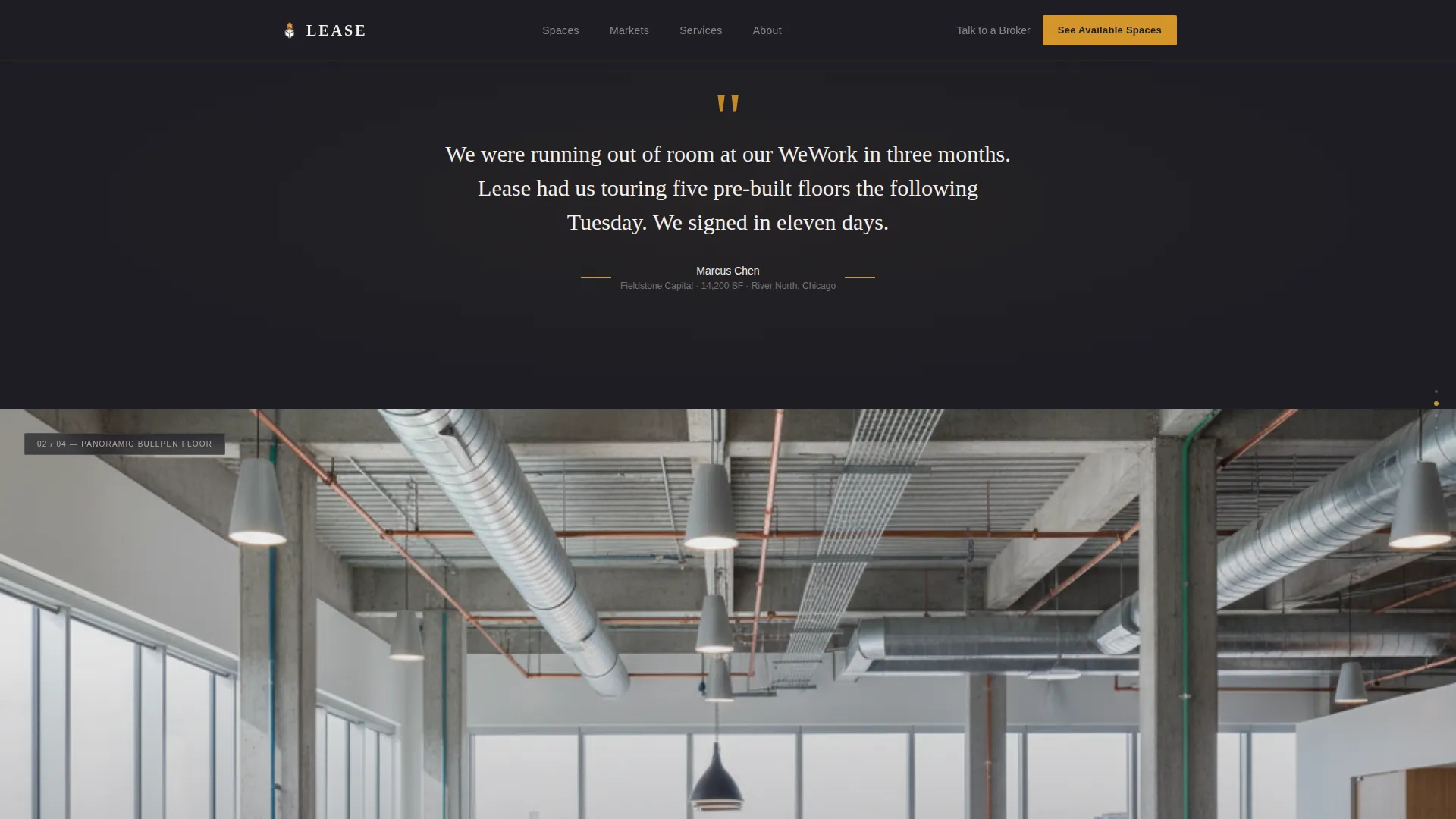
Between gallery frames, a single quote from a placed tenant appears on a pure charcoal background. Amber quotation marks flank the text. These breaks give the gallery a natural rhythm and add social proof without interrupting the visual flow.
Persistent Navigation Call to Action
After the first scroll, an amber-text "See Available Spaces" button becomes visible in the top navigation bar and stays fixed as the visitor moves down the page. This ensures the primary action is always one click away.
Single-Field Broker Email Capture
After the third listing in the gallery, a minimal email input form appears with the line: "Tell us what you need. We'll send three options by tomorrow." It surfaces at the right moment, after desire has been built, not before.
Market Insights Credibility Strip
A brief section displays deal volume metrics and years of market activity. It functions as a quiet proof point, reinforcing broker authority without overshadowing the gallery experience.
Page sections overview
| Section | Purpose |
|---|---|
| Cost Calculator Hero | Engages visitors immediately with an interactive lease cost estimator |
| Gallery Walk Listings | Showcases four office spaces as full-viewport scroll-linked photographs |
| Tenant Quote Blocks | Adds social proof between gallery frames using placed tenant testimonials |
| Broker Email Capture | Collects leads after the third listing with a low-friction single-field form |
| Market Insights Strip | Builds credibility with brokerage deal metrics and years of activity |
| Arc Browser Footer | Closes the page with navigation and contact structure |
Design & branding system
The visual identity follows a Luxe Minimal direction built around a Charcoal and Amber palette. Every color choice is intentional and restrained, evoking a corner office at dusk where every surface is dark, clean, and deliberate.
- Deep charcoal (#1E1E24) dominates as the background; warm amber (#D4952A) appears only on interactive highlights and hover states to direct the eye without shouting
- Polished graphite (#3A3A42) surfaces card backgrounds and section dividers; bone white (#F4F0EB) carries all headline text and creates visual breathing room
- Display headlines use Fraunces for editorial weight; body and interface text use DM Sans for clean legibility at every size
Mobile & speed optimization
The template is designed desktop-first to match the primary audience of CFOs and operations directors reviewing spaces during the workday. Responsive layouts ensure it holds up well on tablet and mobile screens too.
- Scroll-linked gallery transitions use GPU-accelerated rendering to keep animations fluid as the visitor moves through listings
- Image assets are optimized for fast delivery, and IntersectionObserver is used to trigger fade-in spec overlays only when each section enters the viewport
- The persistent navigation call-to-action and the email capture form both adapt to narrower screen widths without losing their clarity or usability
How this template helps you convert
The conversion strategy is built into the page structure itself. Every section earns the next click by delivering value before asking for anything.
- The cost calculator opens the session with a personalized number, turning a passive visitor into an active participant within the first few seconds of arrival
- The gallery walk sustains attention by presenting real spaces in a format that feels like being shown around, not sold to, so desire builds naturally across four listings
- The email capture appears at the exact moment desire peaks, after the third listing, with a low-pressure prompt that promises a same-day response rather than a generic follow-up
Other information about this template
This template is localized for the United States market. Currency displays in USD, space measurements use square feet, and the submarket dropdown is pre-configured for real US city neighborhoods. It suits brokerages operating in major metros or managing portfolios across multiple cities.
- The template style is Full-Width Immersive, making it well suited to high-resolution listing photography and large-format brand statements
- Animation intensity is set to high, covering scroll-linked gallery transitions, an animated number counter in the calculator, and fade-in spec overlays on each listing frame
- The footer follows an Arc Browser Split pattern, providing a clean structural close to the page that keeps navigation and contact options accessible without visual clutter

Theme
Luxe Minimal
Creative direction
Gallery Walk
Color system
Charcoal & Amber
Style
Full-Width Immersive
Direction
Click-Through
Page Sections
Live Cost-per-square-foot Calculator
Scroll-linked Gallery Walk
Floating Tenant Testimonials
Persistent Navigation Call to Action
Single-field Broker Email Capture
Market Insights Credibility Strip
Related questions
Can I replace the gallery listings with my own office space photography?
Is the cost calculator connected to live market data?
Does this template work for a single-city brokerage or only multi-city firms?
How many office listings can the gallery section display?
What happens when a visitor submits the email capture form?



