No Fee Student Checking Account Landing Page Template
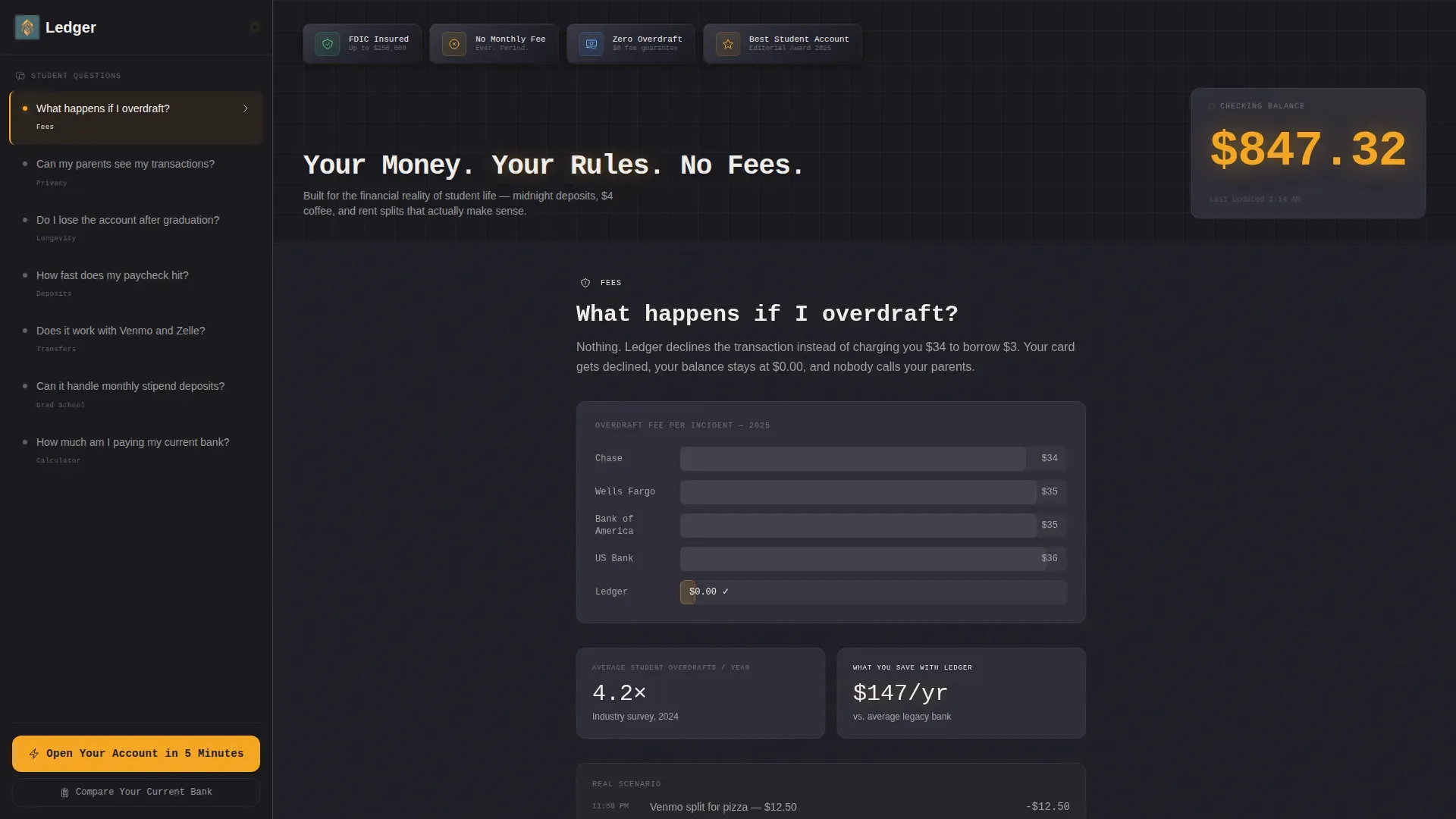
The Ledger no fee student checking account landing page template is a sidebar companion landing page built for student banking conversion. It combines a Data Command visual identity, a frequently asked question-driven sidebar, a live balance animation, a fee calculator, and a low-friction inline account opening form to move college students from curiosity to commitment in a single scroll.
by Rocket studio
Quick summary
Ledger is a single-page, sidebar companion template built for student checking account lead generation. The layout pairs a persistent frequently asked question sidebar with a reactive main content area, letting visitors explore real questions while amber call-to-action elements and a live balance animation steadily build trust and drive account sign-ups.
Who this template is for
This ledger template is built for fintech brands, digital banks, and credit unions that want to reach college students with a transparent, zero-fee checking account offer. It suits teams who need a high-converting, visually distinct landing page without starting from scratch.
- Fintech marketing teams launching or refreshing a student bank product
- Digital banks targeting freshmen, upperclassmen, and graduate students
- Credit unions promoting a no-fee checking account with clear, honest messaging
What problem this template solves
Legacy bank landing pages bury fees in footnotes and overwhelm first-time account holders with jargon. Students need a page that feels honest and direct, not a page that reads like a loan document. This template removes that friction by organizing the experience around real student questions and transparent answers.
- Students are often wary of hidden charges; the layout surfaces zero-fee details immediately
- First-time account holders need reassurance before they decide to apply
- Existing bank customers need a fast, visual way to see the cost difference
What you get with this template
The template delivers a complete, production-ready landing page with every section mapped to a conversion stage. Each component is purpose-built for the student finance niche, from the embossed award badge header to the inline form that opens in three low-friction steps.
- Hero section with live balance animation, monospaced headline, and four trust badge icons
- Persistent frequently asked question sidebar companion with scroll-linked main content transformation
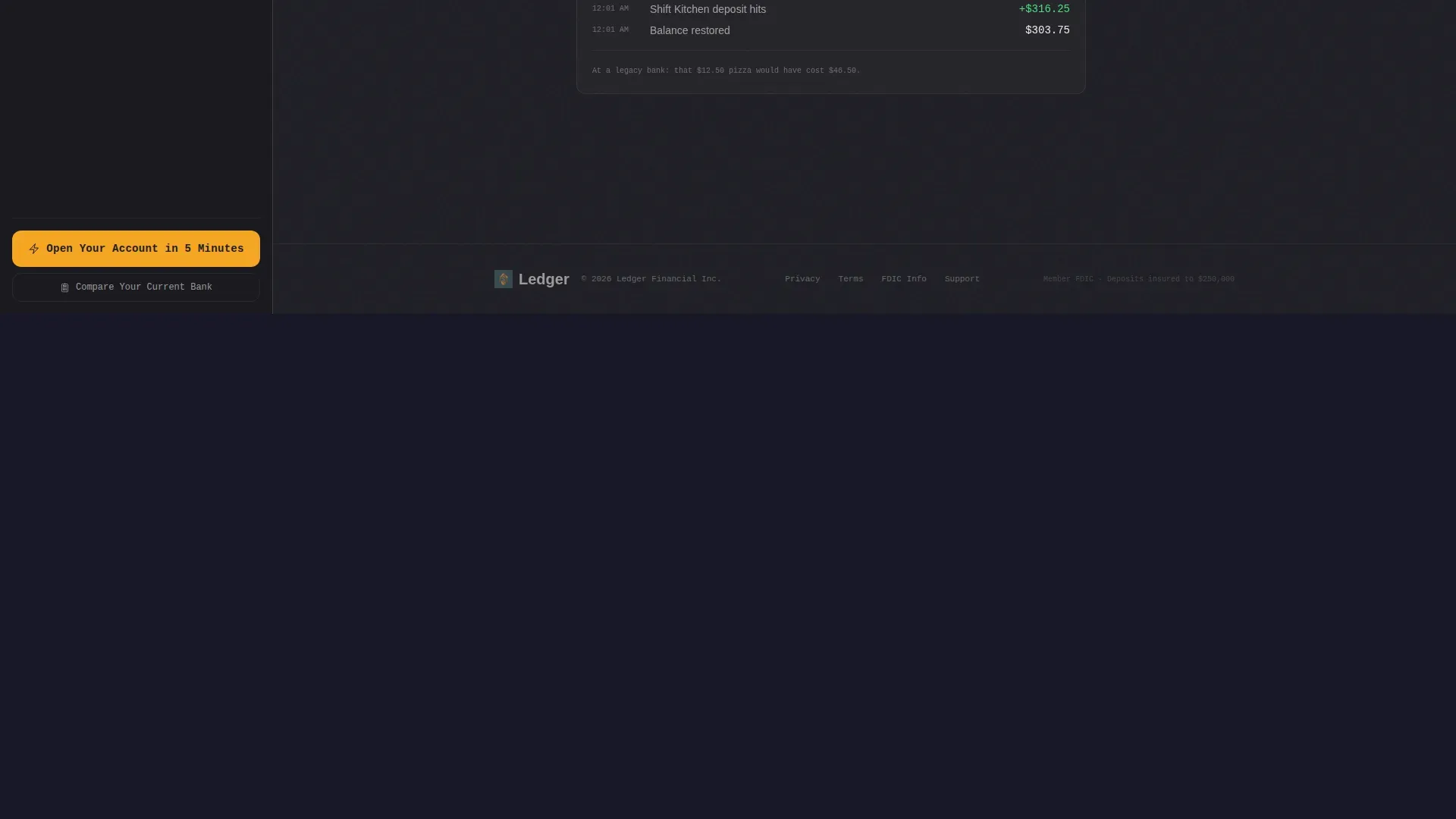
- Inline account opening form, fee calculator panel, and a linear single-row footer
Feature list
This ledger template ships with six core interactive and visual components, each designed to reduce doubt and increase account sign-ups.
Award Badge Hero Header
Four embossed metallic trust badges sit above the headline on a deep graphite field. They communicate FDIC insurance, zero monthly fees, zero overdraft fees, and an editorial "Best Student Account 2025" recognition at a glance, before the visitor reads a single word of body copy.
Live Balance Counter Animation
An amber numeral display ticks upward in real time, simulating a direct deposit hitting a bank account. This animation makes abstract fee savings feel tangible. Keeping track of the available balance becomes intuitive when visitors can see money moving live on screen.
Frequently Asked Question Sidebar Companion
A scrollable sidebar holds a stack of genuine student questions. Clicking any question transforms the main content area with a matching data visualization, comparison chart, or micro-animation. The experience feels like a conversation rather than a sales pitch, which builds the trust that eventually converts.
Fee Savings Calculator
The "Compare Your Current Bank" calculator lets visitors enter their current monthly and overdraft expenses. The template then displays a personalized annual savings figure. A bank account ledger view shows the before-and-after numbers side by side, making the primary call-to-action feel like the obvious next step.
Low-Friction Inline Account Form
The account opening form expands inline from the pinned sidebar call-to-action button. It asks for school name first, then email, then expected graduation year. This sequence starts with a low-stakes identity question and builds commitment gradually, reducing drop-off at each step.
Data Visualizations Panel
Every frequently asked question answer in the main content area can be rendered as a chart, side-by-side comparison, or animated graphic. This turns abstract financial data into clear, readable visuals that help students understand their bank account choices without needing a background in finance.
Page sections overview
| Section | Purpose |
|---|---|
| Award Badge Header | Establish trust instantly |
| Live Balance Hero | Show money moving live |
| frequently asked question Sidebar Companion | Answer real student questions |
| Data Visualizations Panel | Illustrate answers visually |
| Fee Savings Calculator | Quantify personal savings |
| Inline Account Form | Capture leads in steps |
| Linear Footer | Close with minimal distraction |
Design & branding system
The template uses a Data Command visual identity built on a Charcoal and Amber color system. The palette feels like a matte-black dashboard with a single glowing indicator light: restrained everywhere except where attention is needed most.
- Deep graphite (#1E1E24) dominates backgrounds; warm charcoal (#2E2E38) defines panels and cards
- Signal amber (#F5A623) owns every interactive element, call-to-action button, and notification accent
- Chalk white (#F0EDE8) sits on card surfaces for body text, keeping financial data legible without feeling clinical
- JetBrains Mono is used for headlines and balance numerals; DM Sans handles all body copy
Mobile & speed optimization
The template is designed desktop-first around its sidebar layout and stacks responsively into a single-column mobile view. Over 63% of digital banking activities occur on mobile devices, so the responsive stack preserves usability without sacrificing the Data Command aesthetic.
- Interactive elements such as the sidebar, calculator, and inline form use client components; static content uses server rendering
- The mobile stack presents large, tapable call-to-action buttons and a single-column form sequence for easy scrolling
- Scroll-linked transitions and frequently asked question content morphing are scoped to client components to keep the overall page load manageable
How this template helps you convert
The page architecture is built around a three-stage commitment escalation. Each stage moves the visitor closer to clicking "Open Your Account in 5 Minutes" by first removing fear, then proving value, then making the decision feel inevitable.
- The award badge header and zero-fee messaging remove doubt immediately, addressing the concern about hidden charges before visitors scroll past the first section
- The frequently asked question sidebar and data visualizations panel prove value by answering specific objections with charts and animated comparisons, turning passive reading into active exploration
- The fee calculator delivers a personalized savings number, and the pinned call-to-action with the inline form captures the lead at peak motivation
Other information about this template
This section covers additional context about ledger-related concepts and the broader record-keeping ecosystem that buyers of this template may find useful.
A general ledger template is a master sheet that records all of a business's financial transactions across every account. The general ledger contains all the transactions across assets, liabilities, equity, accounts receivable, accounts payable, and revenue, giving accountants a comprehensive list of activity to review. A general ledger should always keep debits and credits balanced; credits reflect incoming value while debits reduce it. An accounting ledger template makes it easier to prepare a balance sheet and maintain an accurate record of all financial movements.
A bank ledger or bank account ledger tracks income and expenses so users can visually reflect the movement of funds. A bank account ledger simplifies understanding of personal finances and helps users keep track of every transaction amount and date. Using a bank ledger allows businesses and individuals to monitor overall financial health at a glance.
The classroom economy concept extends ledger thinking to educational settings. A classroom economy system teaches students to record purchases, track earnings, and manage a budget from the beginning of the school year. Fourth graders and older students alike benefit from a classroom economy because it builds real-world money skills. A classroom economy is a great resource for educators who want to introduce financial data concepts in an engaging way. Google Drive-compatible ledger document formats make it easy to print and distribute classroom economy materials.
- The general ledger serves as the foundation of any accounting system, whether for a small business or a student bank account
- An asset account records items of value; liabilities record what is owed; equity captures the difference
- The ledger no fee student checking account landing page template is the specific template described on this page


Theme
Data Command
Creative direction
FAQ-Driven
Color system
Charcoal & Amber
Style
Sidebar Companion
Direction
Lead Generation
Page Sections
Award Badge Trust Header
Live Balance Counter Animation
Faq-driven Sidebar Companion
Fee Savings Calculator Panel
Low-friction Inline Account Form
Data Visualizations Panel
Related questions
Can I customize the color system and typography?
Does the frequently asked question sidebar companion work on mobile devices?
What does the inline account opening form collect?
Is the fee savings calculator pre-filled with default numbers?
Do I need coding experience to edit this template?



