Tax Appointment Booking Landing Page Template
Ledger is a stress-free tax appointment booking landing page template built for tax preparers who serve families, gig workers, and first-generation small-business owners. The zigzag layout dissolves common tax-season anxieties one section at a time. A prominent booking form, embedded calendar, and mobile sticky call-to-action bar guide every visitor toward scheduling their appointment with confidence.
by Rocket studio
Quick summary
Ledger is a single-page booking template designed for local tax preparation services. It uses a zigzag, frequently-asked-question-driven layout to turn worried visitors into confirmed appointments. Each alternating section answers one real tax-season fear, then pairs the answer with a supporting visual. The result is a focused, trust-building experience that makes booking feel like the obvious next step.
Who this template is for
This template is built for tax preparers, enrolled agents, and accounting professionals who want a dedicated booking page rather than a full multi-page website. It suits anyone whose clients arrive stressed and document-scattered, needing reassurance before they commit to an appointment.
- Tax preparers serving dual-income families, rideshare drivers, and first-generation small-business owners
- Accountants offering individual returns, small-business filing (including Schedule C), and amendment corrections
- Financial professionals launching a seasonal booking page without an extensive technical setup
What problem this template solves
Tax clients hesitate to book because they have unanswered questions. They worry about missing documents, audit risk, hidden fees, and whether last year's errors can be fixed. A generic website does not address these fears head-on. This ledger template converts that hesitation into action by placing a direct answer opposite every common objection.
- Visitors abandon booking pages when trust signals are missing or costs are unclear
- A cluttered site distracts clients from the single goal: scheduling an appointment
- Accounting website templates that lack a booking flow force preparers to rely on phone-tag and email
What you get with this template
The template delivers a complete, ready-to-edit booking landing page. Every section is pre-structured so you can replace placeholder content with your own details quickly. You do not need deep technical knowledge to get the page live.
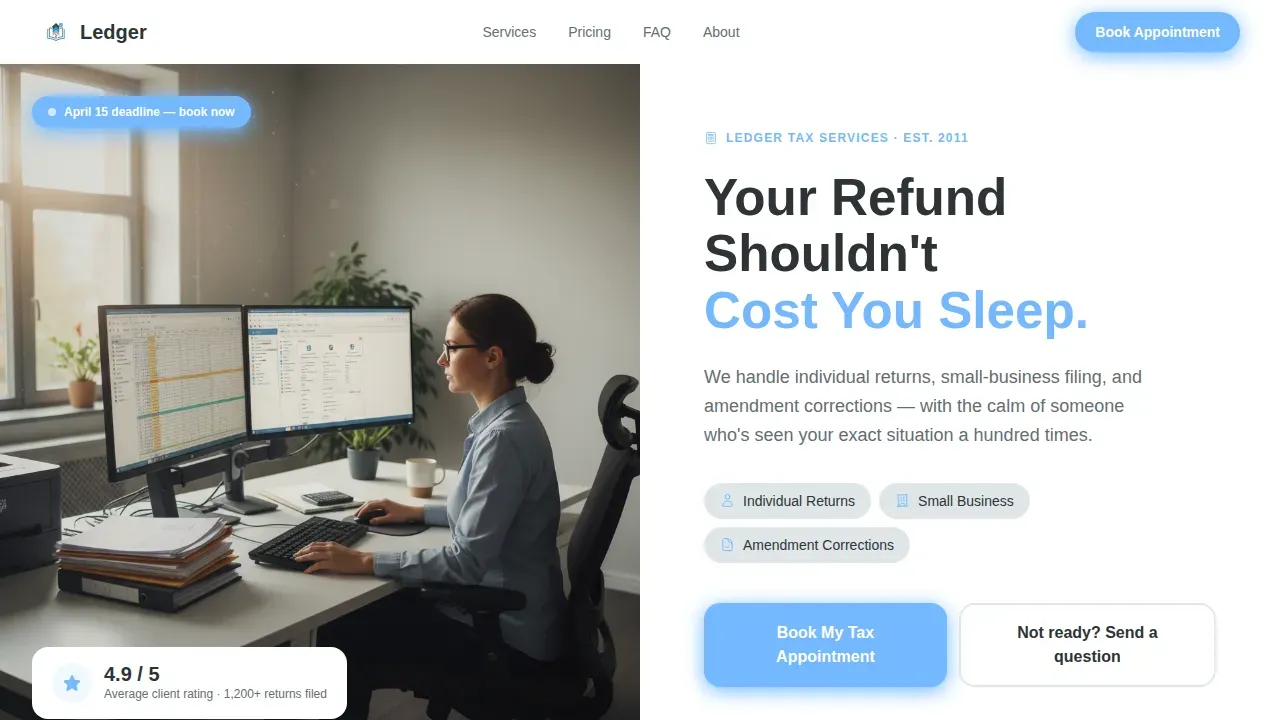
- A hero section with a half-page photo and text split, benefit-driven headline, and a prominent "Book My Tax Appointment" call-to-action button above the fold
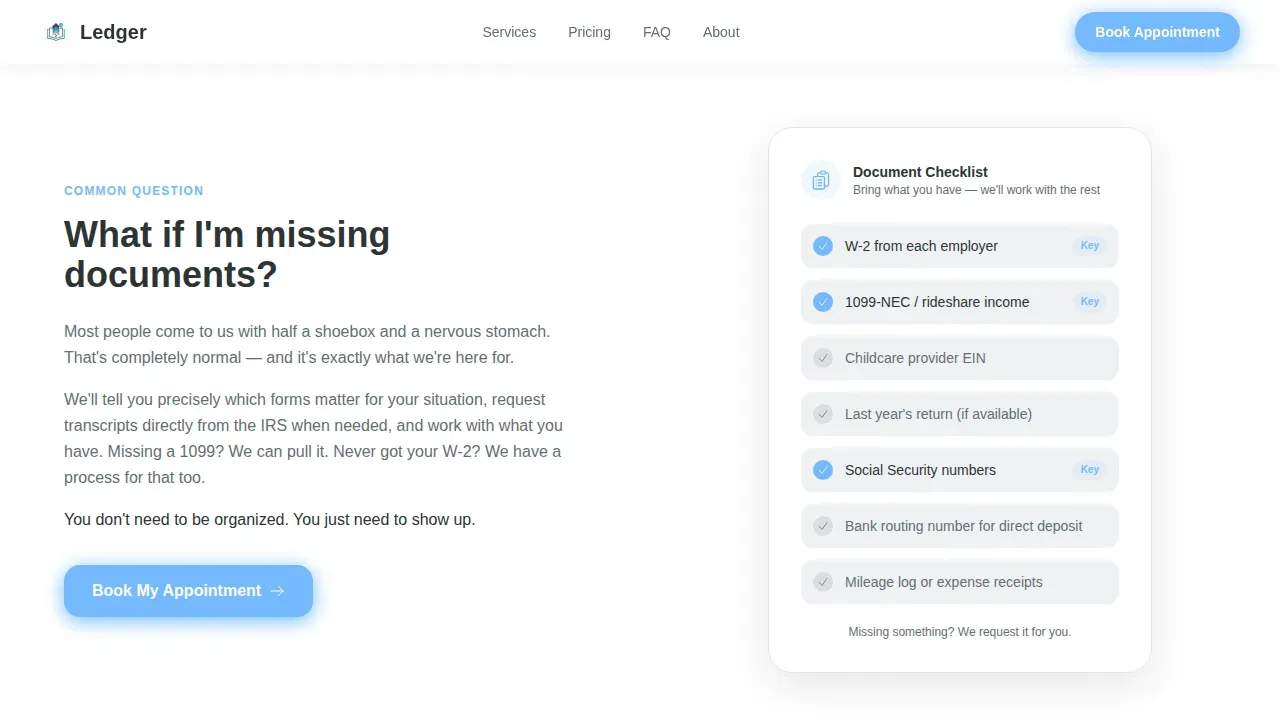
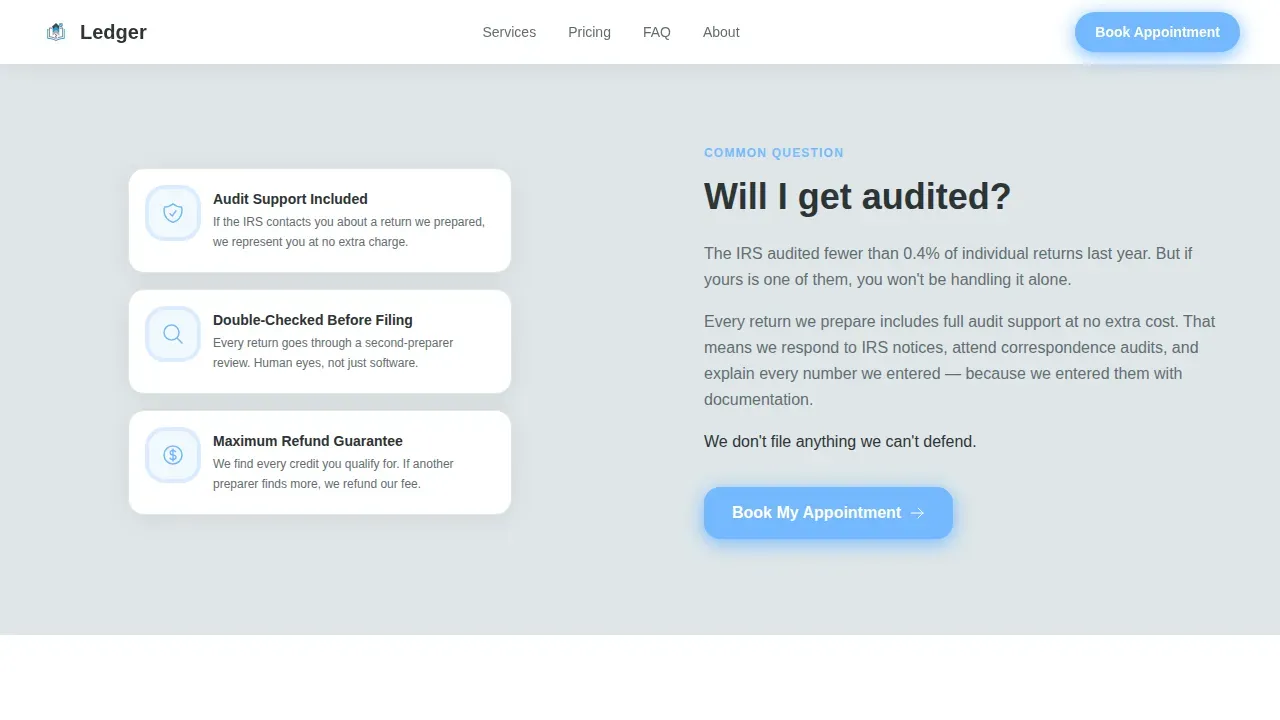
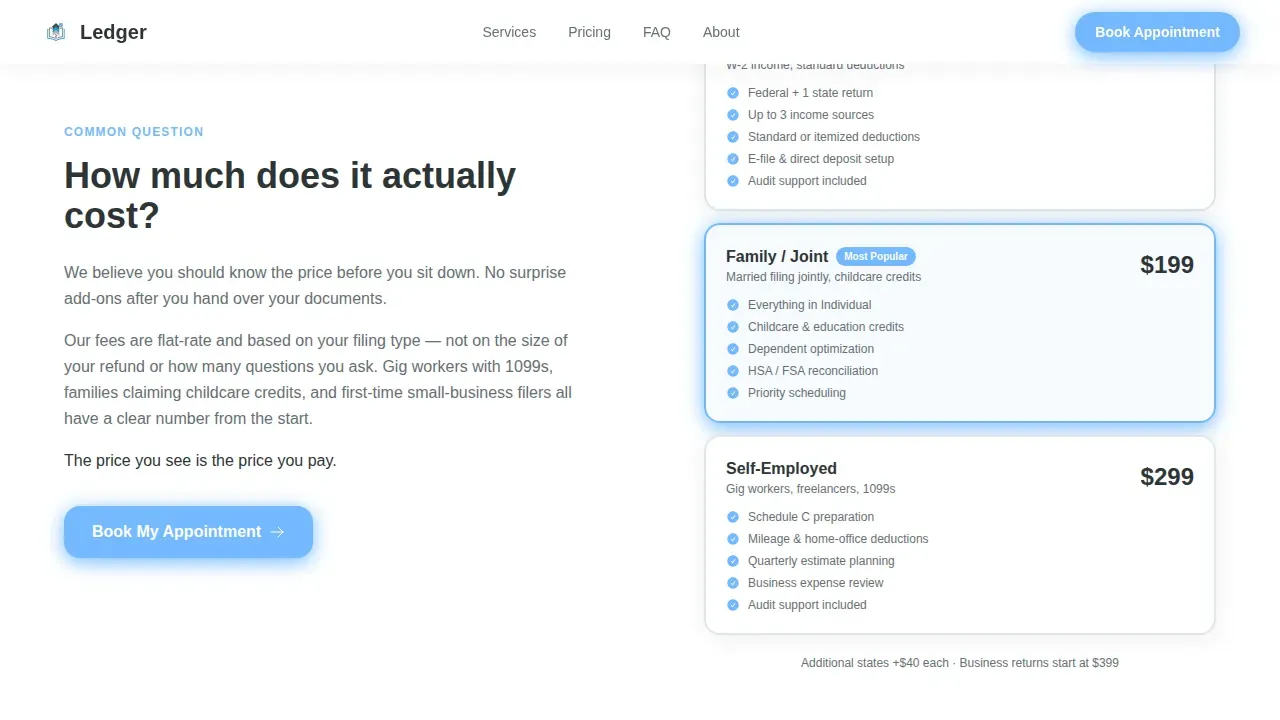
- Four zigzag frequently asked question sections, each pairing a bold client question with a supporting visual such as a checklist graphic, guarantee badge, transparent pricing table, or before-and-after amended-return visual
- An embedded booking modal with a calendar showing available 30-minute and 60-minute slots, an intake form covering filing type, number of income sources, and prior-year filing status, plus a secondary "Send us your questions" contact form
Feature list
This ledger template packages several focused capabilities into one cohesive booking page.
frequently asked question-Driven Zigzag Layout
Each alternating row answers one tax-season anxiety as a bold question. The section pairs the answer with a visual asset, so clients reviewing documents, expenses, or income sources feel heard before they ever reach the booking form. The scroll feels like a conversation, not a sales pitch.
Embedded Booking Calendar and Intake Form
The primary call-to-action opens a booking modal with an integrated appointment calendar displaying available slots. Clients select a 30-minute or 60-minute time. The intake form collects filing type, estimated number of income sources, and whether they filed in the prior year, giving the preparer useful data before the session begins.
Secondary Question Form
Visitors who are not ready to commit can access a lightweight "Send us your questions" form. This secondary path captures hesitant leads, prevents lost visitors, and keeps the main booking flow uncluttered. The form asks only for a name and message.
Mobile Sticky Booking Bar
On mobile devices, a sticky bottom bar keeps the "Book My Tax Appointment" button visible at all times. This ensures that users on phones can access the booking form at any scroll depth without searching for the call-to-action. Legible fonts and easy-to-tap button sizes support smooth interactions.
Scroll-Reveal Section Animations
The template includes medium-intensity scroll-reveal animations on each zigzag section and staggered reveals on the frequently asked question rows. These animations keep the page feeling dynamic without overwhelming the core accounting and bookkeeping content that builds trust.
Testimonial and Social Proof Blocks
Client testimonial slots with photo placeholders are embedded within the frequently asked question sections. Adding real client feedback with photos builds credibility and reassures new visitors that the preparer has already handled their exact financial situation.
Page sections overview
| Section | Purpose |
|---|---|
| Hero Split | Introduce the preparer and anchor the primary booking call-to-action above the fold |
| frequently asked question Zigzag One | Address missing-document anxiety with a checklist graphic |
| frequently asked question Zigzag Two | Resolve audit fear with a guarantee badge and trust copy |
| frequently asked question Zigzag Three | Clarify pricing with a transparent cost table |
| frequently asked question Zigzag Four | Show amendment capability with a before-and-after visual |
| Footer Row | Provide contact details and a closing secondary booking prompt |
Design & branding system
The Slate and Sky color system keeps the page feeling professional without being cold. Deep charcoal slate (#2D3436) anchors section backgrounds. Soft cloud gray (#DFE6E9) fills the alternating rows. Open-sky blue (#74B9FF) highlights buttons and active states. Crisp white (#FFFFFF) surfaces card containers and text fields. The palette reflects a clear April morning, organized and calm.
- Typography uses Plus Jakarta Sans for headings and DM Sans for body copy, both readable at small sizes on mobile screens
- The visual identity follows a Service Utility theme: warm and approachable for kitchen-table money conversations, precise enough for a professional accounting office
- You can edit colors, swap fonts, insert images, and update brand identity elements to match your company or practice without redesigning from scratch
Mobile & speed optimization
The template is built mobile-first. Every layout, form, and booking modal is designed to work on a phone screen before scaling up to desktop. The sticky booking bar on mobile keeps the conversion path accessible at every scroll position.
- Legible font sizes and easy-to-tap button targets reduce friction for users booking on phones
- Static sections use server-side rendering while modals and forms load as interactive client components, keeping the initial page load light
- Images are pre-positioned for fast display; the page structure supports loading visuals quickly so visitors reach the booking form without delay
How this template helps you convert
A high-converting booking landing page must do more than look good. It must dissolve doubt, deliver clarity, and make the next step feel easy. Ledger is structured to move visitors from anxious to booked across a single, focused scroll.
- The minimalist hero places a benefit-driven headline and a single prominent call-to-action above the fold, capturing attention before any distraction enters the frame. Eliminating unnecessary headers and footers keeps visitors focused strictly on the booking goal.
- Each frequently asked question zigzag section removes one objection at a time, using supporting visuals and embedded testimonials to build trust row by row. An integrated appointment scheduler displays available slots in real time, giving clients a sense of control and reducing the barrier to committing.
- The mobile sticky bar and secondary question form together catch both ready-to-book visitors and hesitant ones, so no lead leaves the page without a next step.
Other information about this template
The Ledger stress-free tax appointment booking landing page template belongs to the Professional Services category and is designed specifically for the tax preparer booking page niche. It aligns with service industries that rely on trust and appointment-driven revenue.
- The general ledger concept underpins the template's name and identity. A general ledger is the main accounting record for a company, containing all the transactions across a period. The template borrows this sense of order and structure, applying it to the booking experience.
- A general ledger template in traditional bookkeeping includes journal entries, descriptions, debit and credit columns, date fields, and a running current balance. This ledger template for web pages applies the same philosophy: every section has a clear entry, a clear description, and a clear outcome.
- Standardized general ledger templates simplify financial tracking without requiring complex accounting software, just as this web template simplifies booking page creation without requiring a developer. The general ledger report concept, producing organized financial reporting from raw entries, mirrors how this page organizes client anxiety into confident bookings.
- Free general ledger templates serve a range of organizations and business models, from operations processing fewer than 50 monthly transactions using a basic ledger template, to those handling 50 to 200 monthly transactions using a comprehensive general ledger template. The simplified ledger template variant suits users who prefer non-technical tracking. This web template follows the same tiered accessibility logic: usable by non-technical accountants and experienced financial professionals alike.
- The accounting cycle, which involves gathering source documents, posting journal entries, recording entries in the general ledger, and generating financial reports, parallels the booking flow here: gather client details via intake form, record the appointment, and generate a confirmed session.
- Using an accounting ledger template for bookkeeping can help avoid errors and ensure consistency in financial reporting. General ledger templates can generate tax-compliant financial records and track all the transactions across an accounting period, listing every account and its current balance in a general ledger report.
- AI tools can generate tailored content, images, and code for bookkeeping website pages based on specific requirements. Users can make real-time edits within compatible platforms to personalize their site and match their brand identity without starting from scratch. Templates for bookkeeping websites streamline the setup process, allowing for professional design without extensive technical knowledge.
- This template does not provide legal or financial advice. It is a design and layout solution for tax preparers who want to present their services, collect booking data, and convert site visitors into clients. For specific legal or financial advice, consult a qualified professional.
- The template supports Excel-style data review concepts in its pricing table section, where clients can compare service tiers clearly. You can edit the pricing details, insert images, adjust the number of pages visible, and update all copy to reflect your actual service offering and fees.
Theme
Service Utility
Creative direction
FAQ-Driven
Color system
Slate & Sky
Style
Zigzag/Alternating
Direction
Booking/Scheduling
Page Sections
Faq-driven Zigzag Section Layout
Embedded Booking Modal with Calendar
Mobile Sticky Booking Bar
Secondary Question Capture Form
Testimonial Blocks with Photo Placeholders
Scroll-reveal Section Animations
Related questions
Can I edit the booking form fields to match my intake process?
Does this template work for a single preparer or a small team?
How does the secondary question form help capture hesitant visitors?
Is the page layout suitable for clients who are not tech-savvy?
Can this template support bookkeeping and general ledger service descriptions?



