Financial Planner Professional Website Template
Ledger is a split-screen landing page template built for fiduciary financial planners who serve high-net-worth households. It pairs bold statistics with human explanations across every section, targets professional referral partners through a structured intake form, and projects the calm authority that clients and co-professionals expect from a practice managing serious wealth.
by Rocket studio
Quick summary
Ledger is a single-page financial planner template designed around a 50/50 split-screen layout. It opens with a giant headline and a service-area map, then builds trust through animated statistics and a methodology breakdown. The primary conversion goal is a formal introduction form aimed at referral partners such as CPAs, estate attorneys, and benefits managers.
Who this template is for
This template is built for fiduciary financial planners whose clients hold between $500,000 and $5 million in investable assets. It serves practices that depend on professional referrals rather than cold advertising, and it positions the planner as a credible local expert rather than a generic digital presence.
- Independent fiduciary advisors serving dual-income professionals approaching retirement
- Financial planners targeting business owners navigating exits and widows managing inherited portfolios
- Practices building structured referral pipelines with CPAs, estate attorneys, and HR benefits managers
What problem this template solves
High-net-worth households do not respond to generic financial marketing. They need evidence of local expertise, a transparent process, and a reason to trust before they book a call. Most advisor pages offer only vague promises, which erodes confidence exactly when specificity would close the gap.
- Visitors have no immediate proof of local market knowledge or client outcomes
- Referral professionals lack a clear, structured way to introduce their clients to the practice
- The planning methodology is invisible, leaving prospects uncertain about what working together actually involves
What you get with this template
Ledger delivers a fully structured landing page built around a rhythm of proof and explanation. Every section pairs a hard metric or process step on the left with its human meaning on the right. The layout is ready to receive real location data, team-verified statistics, and referral-specific form fields.
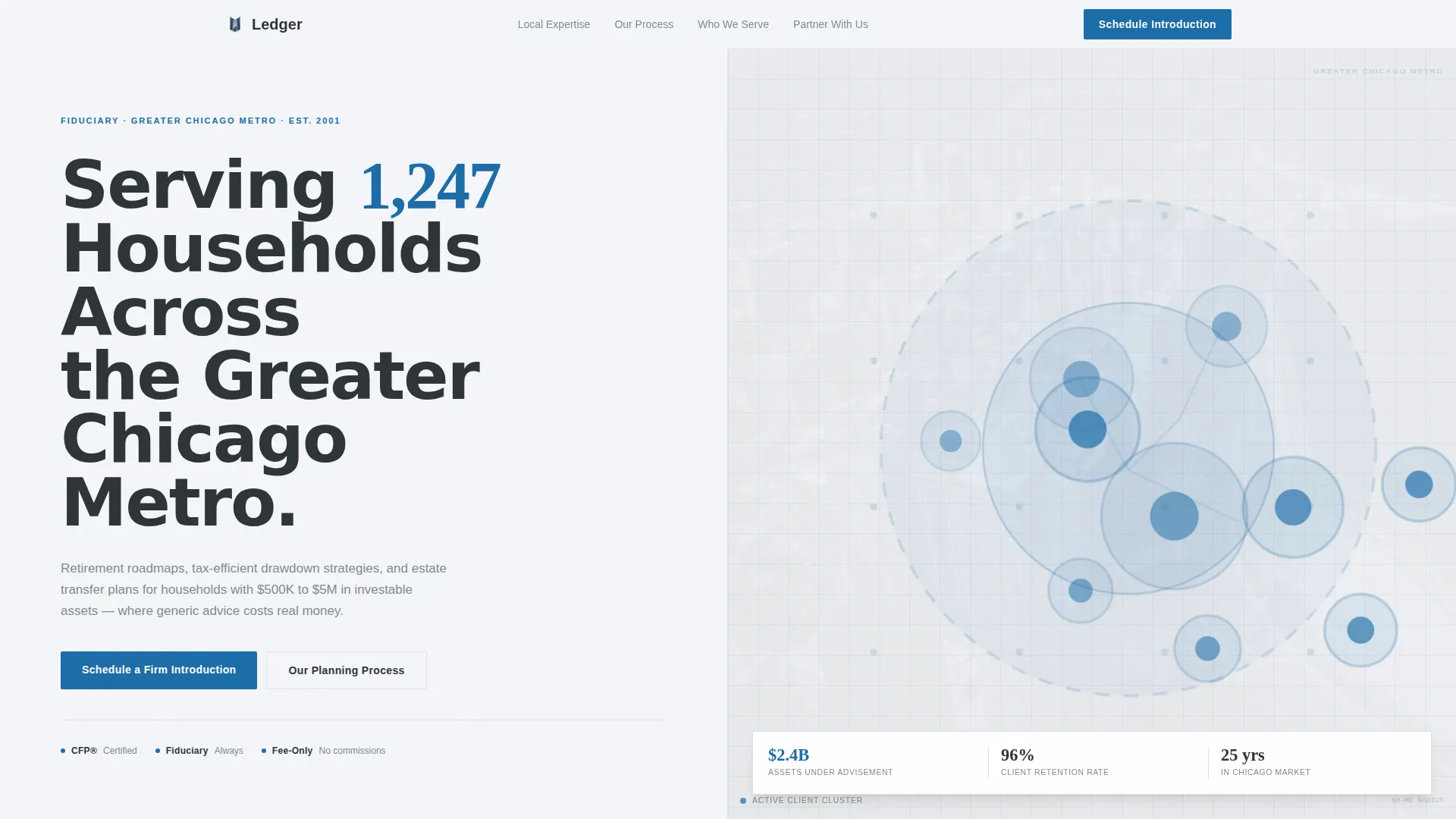
- A split-screen header with a giant location headline and a service-area map visualization
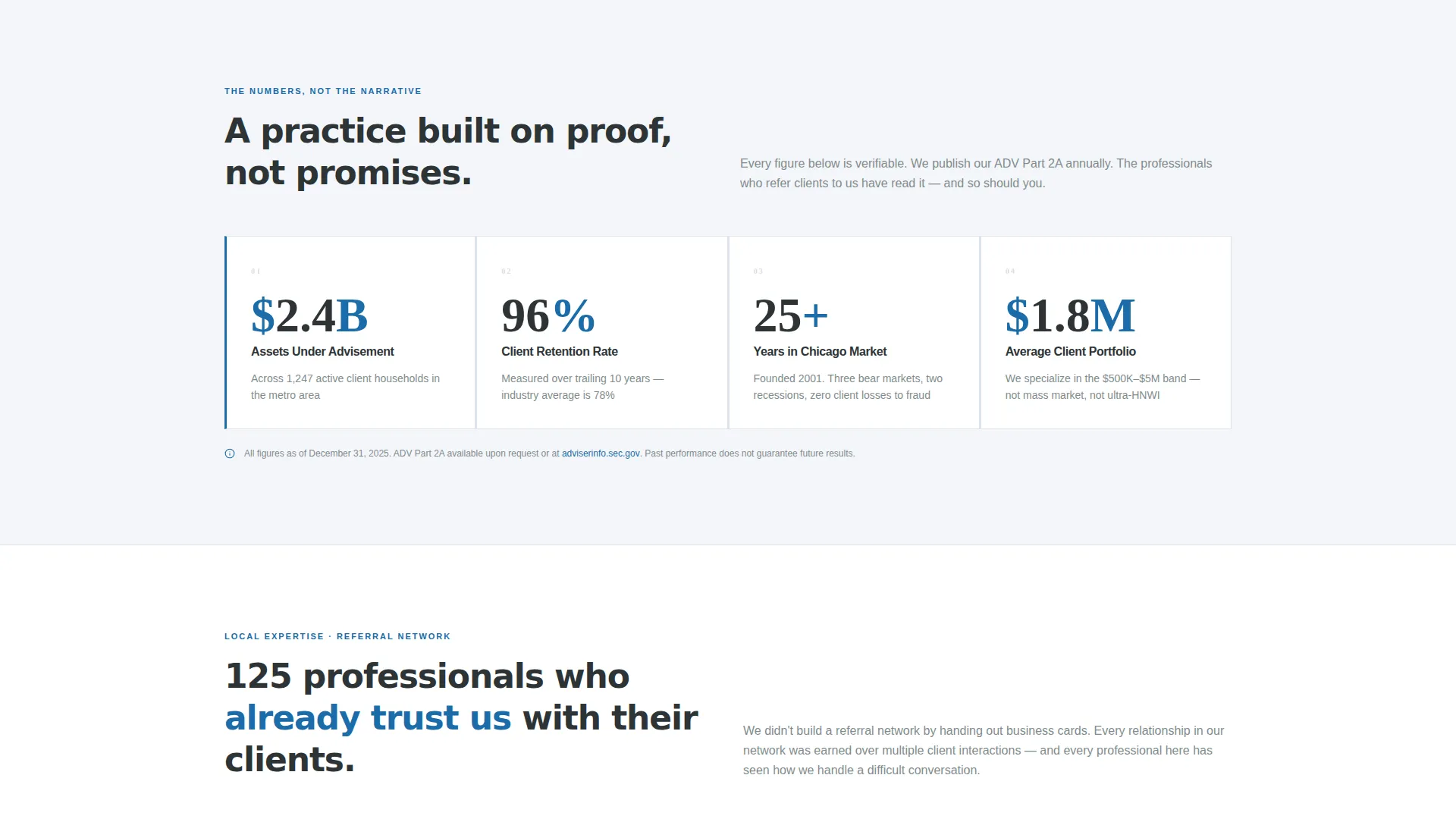
- Animated counting statistics covering portfolio size, retention rate, years in market, and assets under advisement
- A dual conversion path: a referral introduction form and a downloadable collaboration guide for professionals not yet ready to meet
Feature list
This section covers the core built-in capabilities that Ledger delivers out of the box.
Split-Screen Header with Service Area Map
The header divides the viewport evenly. Bold charcoal type anchors the left half with a display-scale headline that highlights the number of households served. The right half holds a muted geographic map showing the service radius and pin clusters at key neighborhoods, communicating local presence without decorative clutter.
Animated Statistics Section
Four oversized statistics animate into view as the visitor scrolls. Each number counts up on entry, covering metrics such as average client portfolio size, years in the local market, client retention rate, and total assets under advisement. The effect delivers immediate proof before any claim is made in prose.
Evidence-and-Meaning Split Layout
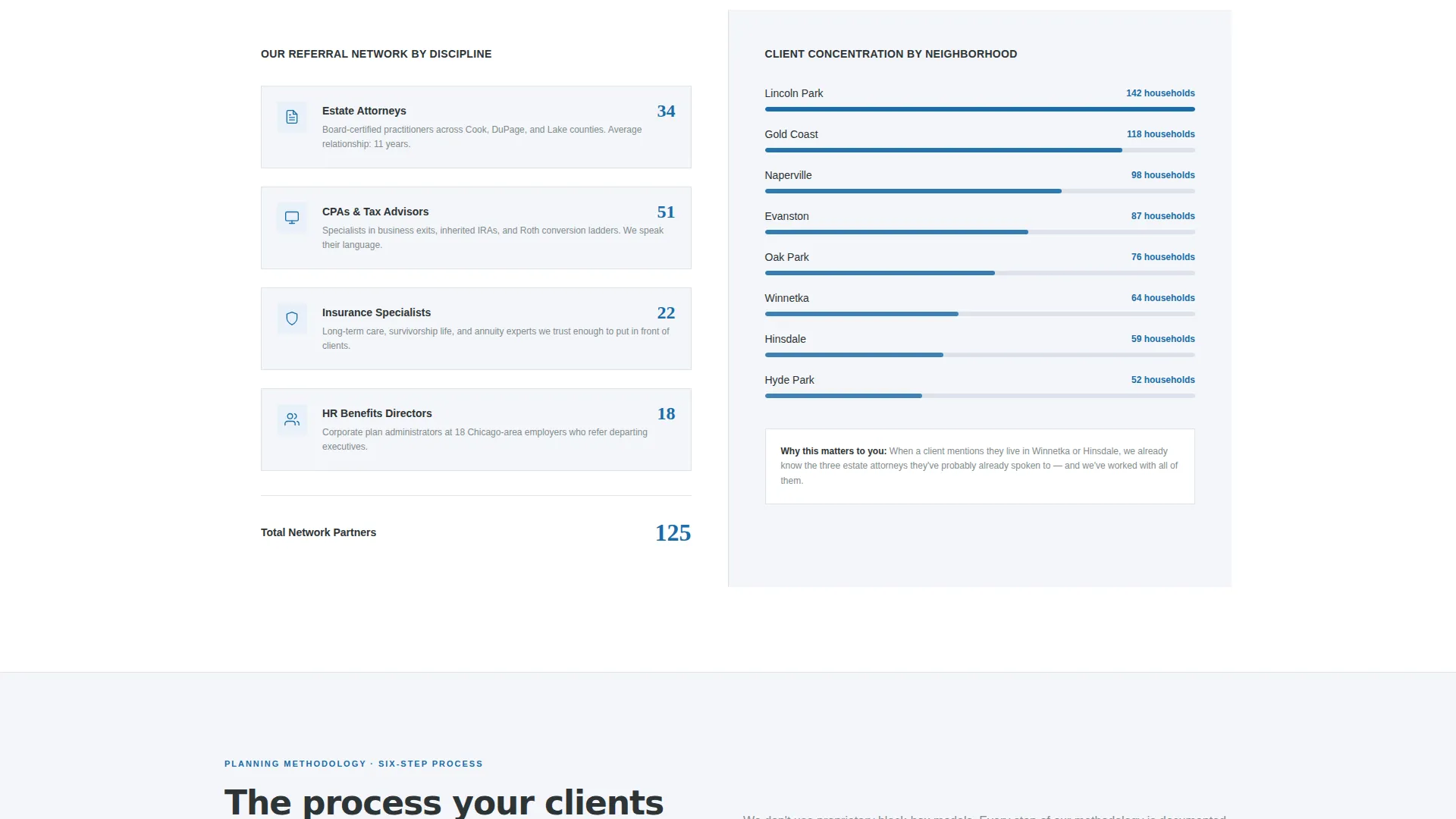
Every section below the header follows the same structural rhythm: a hard metric or process detail appears on the left, and its plain-language explanation appears on the right. This pairing runs consistently through the referral network section, the six-step planning methodology breakdown, and the local expertise section.
Professional Referral Introduction Form
The primary conversion form captures firm name, professional role via a dropdown (CPA, attorney, insurance agent, HR director, or other), typical quarterly referral volume, and a preferred meeting format toggle between in-person and virtual. This form targets the professional intermediary, not the end client.
Gated Collaboration Guide Download
A secondary conversion path appears lower on the page. Professionals who are not yet ready to schedule a meeting can request a downloadable advisor collaboration guide. This path keeps warm leads engaged without requiring a full commitment upfront.
Six-Step Planning Methodology Display
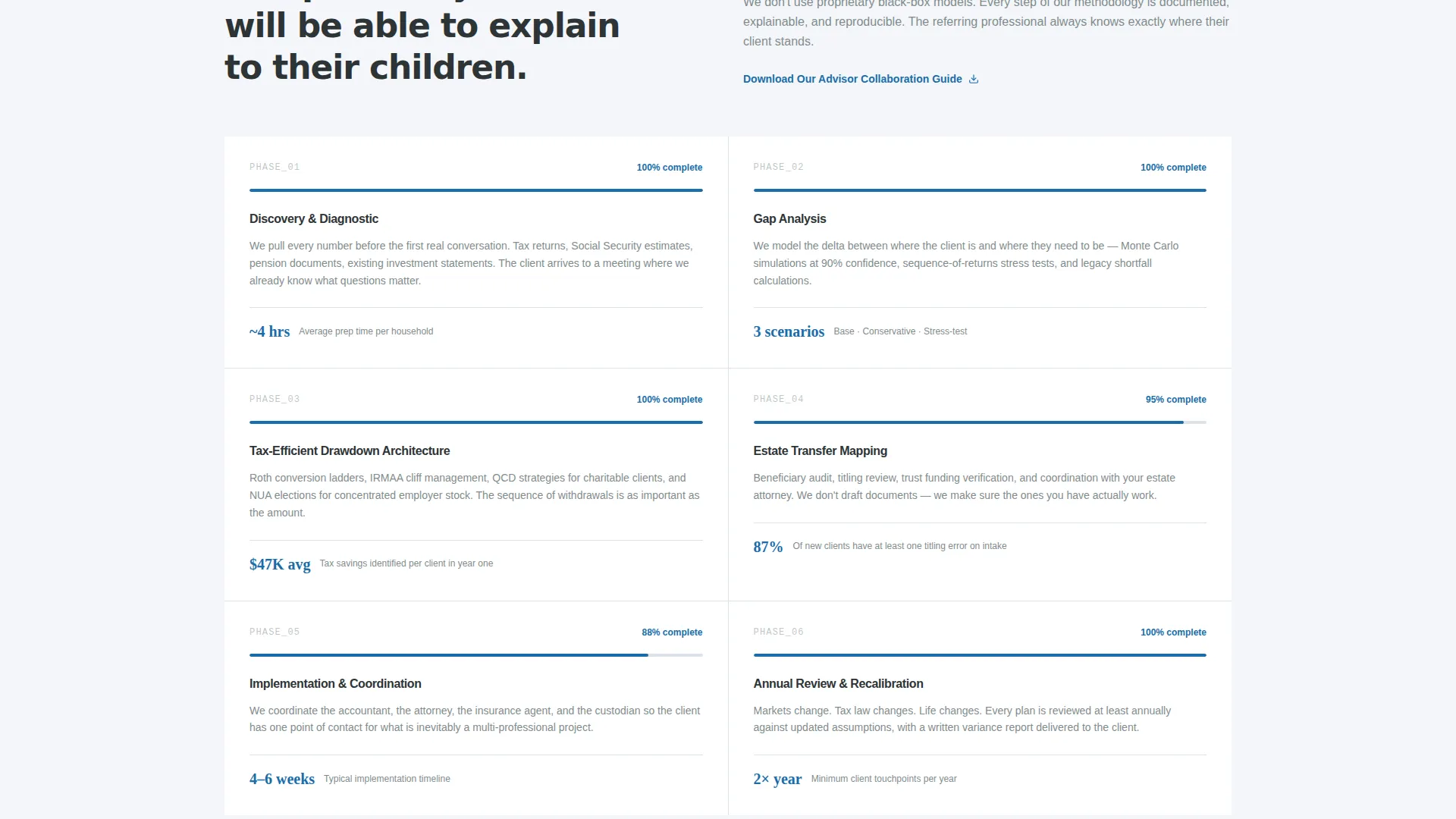
A dedicated section breaks down the practice's planning process into six labeled steps, each shown with a completion percentage. This gives prospective referral partners and clients a transparent view of how the practice works, reducing the uncertainty that stalls high-value decisions.
Page sections overview
| Section | Purpose |
|---|---|
| Split-screen header | Establishes local scale and service area |
| Animated stats row | Delivers immediate, scroll-triggered credibility |
| Referral network section | Shows depth of local professional relationships |
| Planning methodology breakdown | Explains the six-step process with progress indicators |
| Primary introduction form | Captures structured referral partner inquiries |
| Collaboration guide download | Provides a lower-commitment secondary conversion path |
Design & branding system
Ledger uses a Corporate Precision theme built on the Cloud Canvas color system. The palette reads like a professionally printed quarterly report: clean enough to feel modern, formal enough to hold seven-figure trust.
- Background in soft cumulus white (#F4F6F9), headlines and structural elements in charcoal graphite (#2D3436), and body copy in muted slate (#7F8C8D)
- A single accent color, fiduciary blue (#1B6CA8), reserved for calls to action, animated stat highlights, and interactive hover states
- Typography set at display scale for headlines with consistent weight contrast between headings and body text throughout
Mobile & speed optimization
The template is built with a responsive layout that adapts the 50/50 split-screen structure for smaller viewports. On mobile, the split columns stack vertically so content remains readable without horizontal scrolling.
- The service-area map and stat blocks reflow cleanly into single-column stacks on tablet and phone screens
- Form elements, dropdowns, and the meeting format toggle are touch-friendly and sized for reliable mobile interaction
- Section padding and type sizing adjust at breakpoints to keep the formal, precise feel intact across all screen widths
How this template helps you convert
Ledger is structured around earning trust before asking for anything. The layout accumulates credibility deliberately, so by the time a referral professional reaches the form, the introduction feels logical rather than cold.
- Animated statistics and the service-area map front-load proof at the top of the page, so visitors form a confident first impression within the first scroll
- The six-step methodology section and referral network numbers give CPAs and attorneys the verifiable detail they need to feel comfortable referring their clients
- The dual conversion path captures both ready referral partners through the introduction form and early-stage contacts through the downloadable guide, maximizing the range of professionals the page can convert
Other information about this template
Ledger is a niche-specific template built exclusively for the financial planner service area and location page use case. It is not a general advisor brochure or a multi-page practice website.
- The template is designed for the $500K to $5M investable asset household segment, a wealth band where planning complexity justifies a dedicated, fiduciary-focused page
- The page direction is Partnership and B2B, meaning conversion is optimized for professional intermediaries rather than direct retail prospects
- The primary call to action reads "Schedule a Firm Introduction" and the secondary reads "Download Our Advisor Collaboration Guide", both of which can be updated to reflect the planner's actual language and offer
- The template is part of the Ledger series and fits within the Professional Services category under Financial Planner Online Presence
Theme
Corporate Precision
Creative direction
Stats-First Impact
Color system
Cloud Canvas
Style
Split Screen (50/50)
Direction
Partnership/B2B
Page Sections
Split-screen Header with Location Map
Scroll-triggered Animated Statistics
Evidence-and-meaning Section Rhythm
Structured Referral Partner Intake Form
Gated Advisor Collaboration Guide
Six-step Planning Methodology Display
Related questions
Who is the primary audience for this landing page template?
Can I update the statistics and location details with my own practice data?
What does the referral introduction form capture?
Is this template suitable for a solo fiduciary advisor?
What is the secondary conversion path on this page?



