Ledger - Intelligent Studenthousing Landing Page Template
Ledger is a card-grid landing page template built for student housing mortgage brokers. It guides parents, international families, and recent graduates through a buy-to-let investment case using live location data, interactive city comparisons, and a five-step rate finder quiz. The result is a focused, conversion-ready page that turns curiosity into a booked consultation.
by Rocket studio
Quick summary
Ledger is a modular, card-grid landing page template for buy-to-let mortgage brokers serving the student housing market. It opens with a location search scene, builds the investment case through three scrolling card rows, and drives action through a "Find Your Rate" quiz overlay that closes with an instant PDF brief and a booked call.
Who this template is for
This template suits brokers and advisers who help families and graduates finance student property near university campuses. The layout is built around the real decision-making journey of a first-time property investor, not a generic financial services funnel.
- Parents of sixth-formers comparing rent costs against a mortgage payment
- International families buying near Russell Group university cities, often without visiting in person
- Recent graduates choosing to build equity rather than continue paying rent
What problem this template solves
Most financial services landing pages bury the numbers and ask for an email before they give anything back. Ledger flips that order. The page leads with location-specific data and builds trust through visible, real figures before asking for any commitment.
- Visitors arrive with vague intent and leave with a personalised rate estimate and a PDF brief
- The "Compare Three Cities" tool gives browsers something useful mid-page, converting passive interest into active engagement
- The layered quiz removes friction by showing a live summary card that updates with every answer
What you get with this template
You get a fully structured single-page layout with every section pre-designed and ready to populate with your own data and branding. The template covers the full buyer journey from first curiosity to booked consultation.
- A location input header scene with three live data point slots for rent, flat price, and estimated mortgage cost
- Three modular card rows covering yield comparisons, mortgage structure breakdowns, and a three-year ownership timeline
- A five-step quiz overlay linked to an instant PDF output screen and a call-booking prompt
Feature list
This section describes the core functional components built into the Ledger template.
Location Input Header Scene
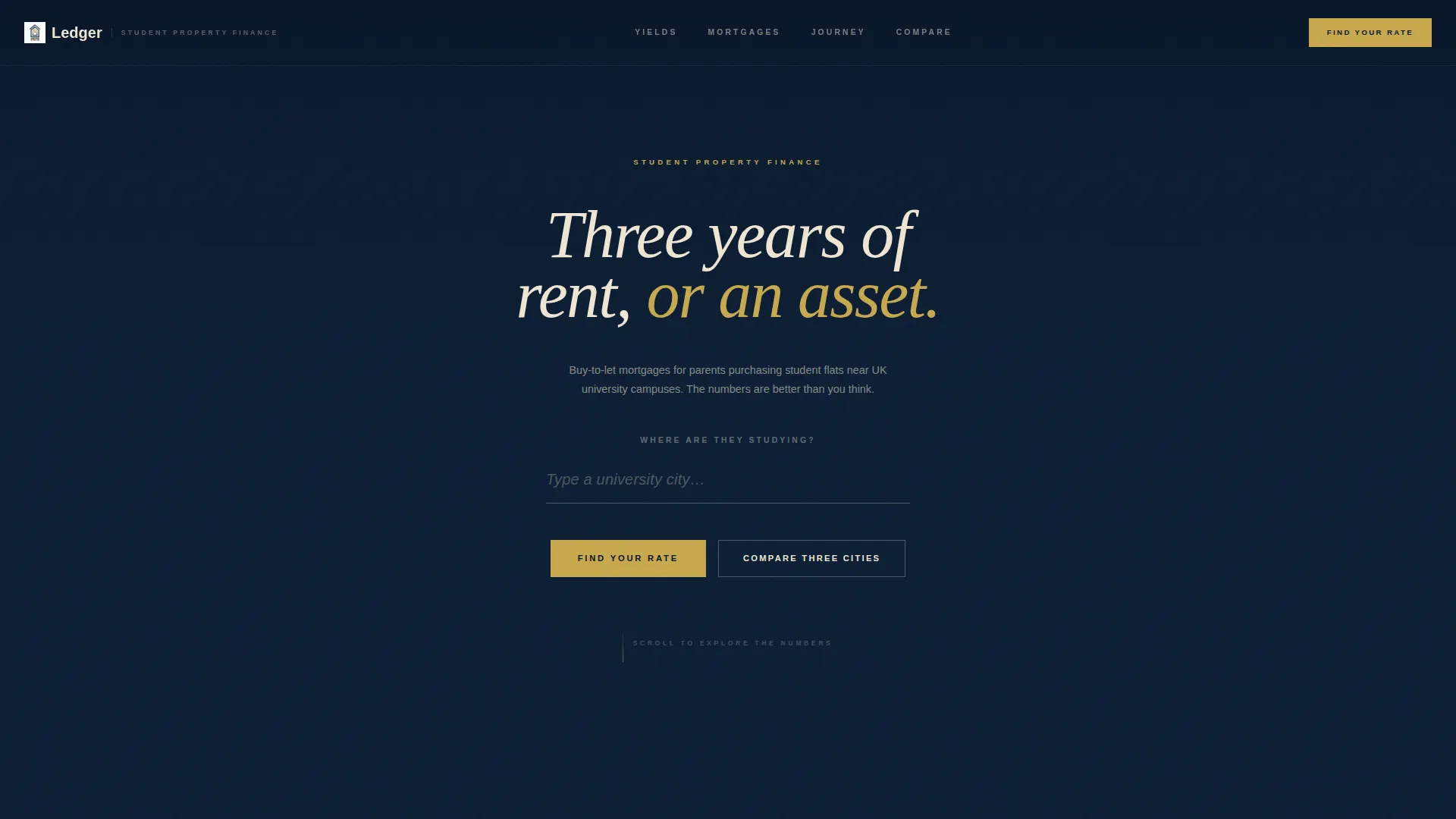
The header centres a single search field against a deep midnight background. As a visitor types a university name, the background shifts to an aerial dusk photograph of that city. Below the field, three data point slots appear showing average student rent, typical flat price, and estimated monthly mortgage for that location.
Modular Card-Grid Layout
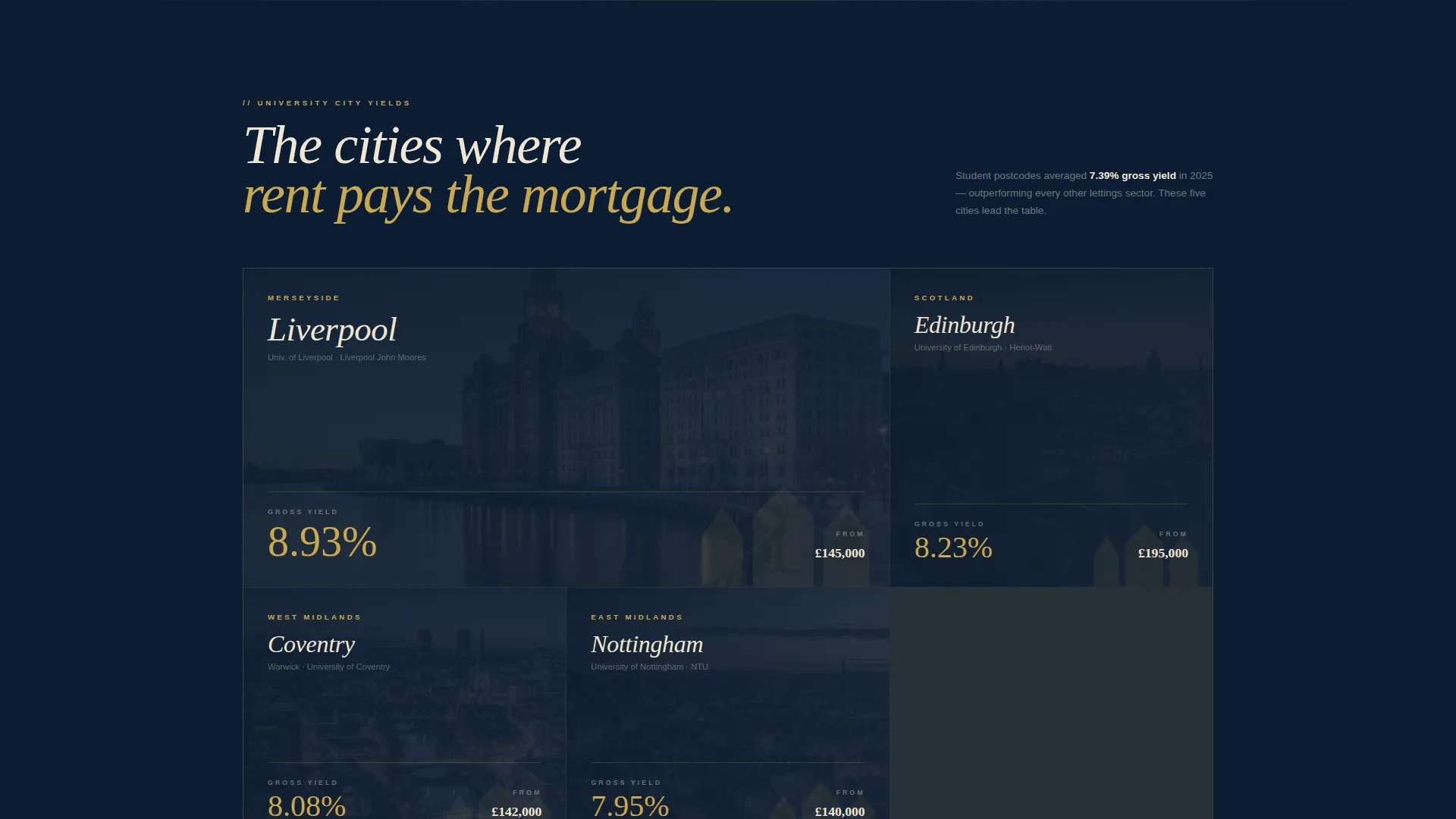
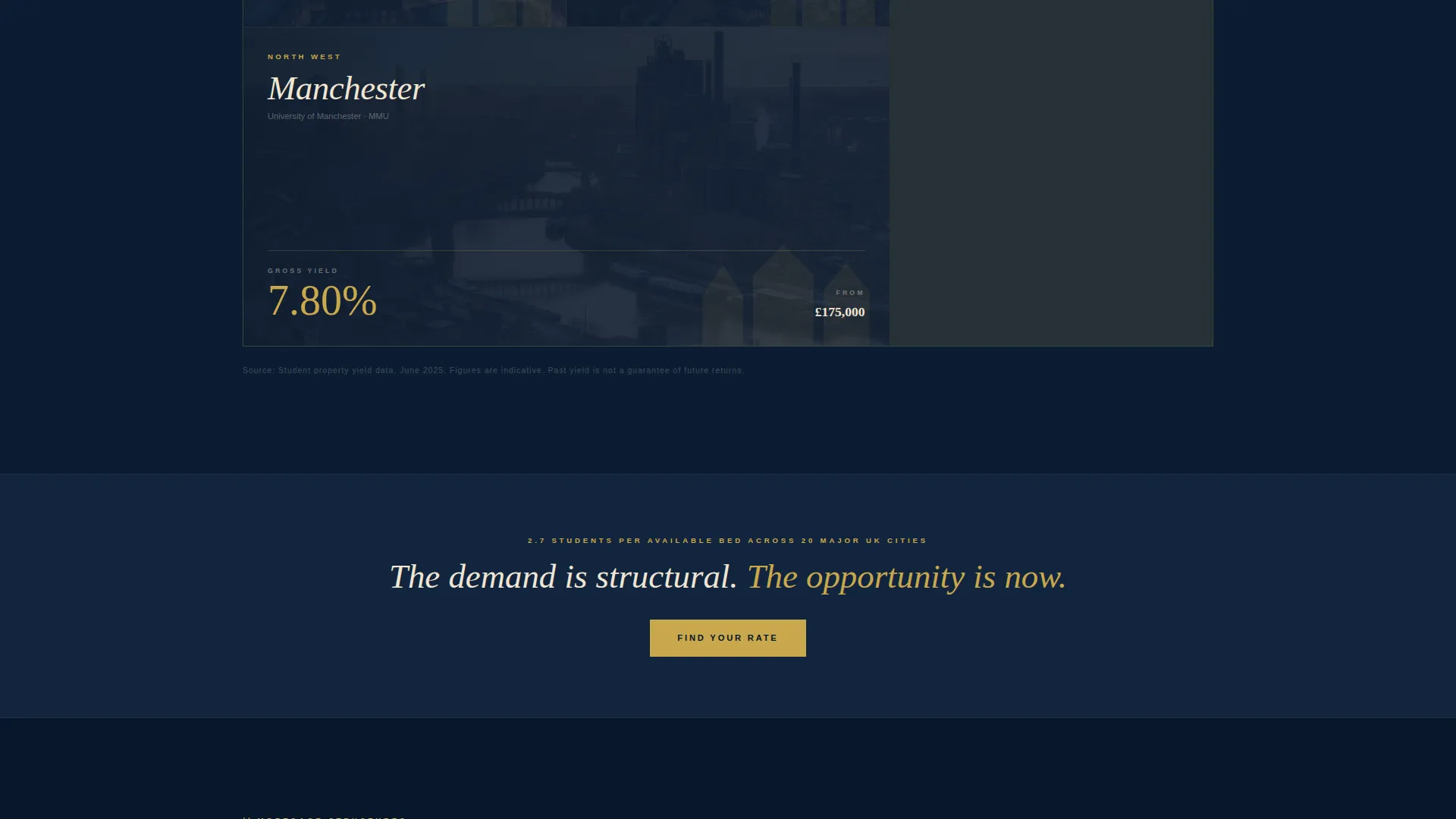
The page is structured in three distinct card rows, each adding depth to the investment case. The grid breathes asymmetrically, with some cards spanning double width for visual emphasis. This creates a rhythm that feels like turning pages in a private portfolio rather than scrolling a standard web page.
Flip-Card Mortgage Structure Row
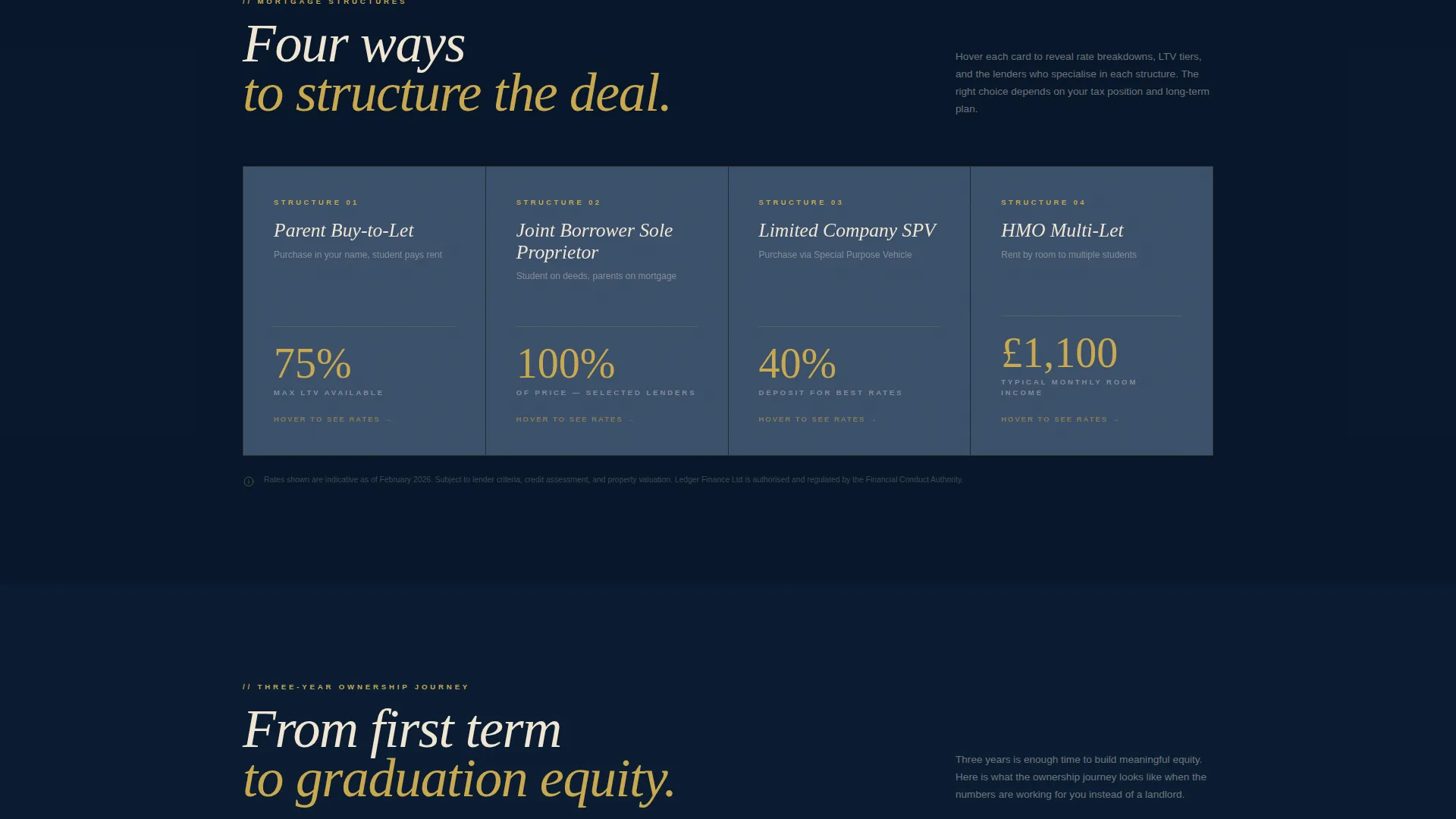
The second card row features cards that flip on hover to reveal rate breakdowns, loan-to-value tiers, and lender names on the reverse face. This interaction rewards curiosity and surfaces complex information without cluttering the front of the card.
Five-Step Rate Finder Quiz
The primary conversion tool opens as a layered overlay triggered by the "Find Your Rate" button. Five sequential steps ask for university city, property budget, buyer status, deposit availability, and whether a specific property is already in mind. A live summary card in the corner updates the estimated rate and monthly cost with each answer.
Instant PDF Brief and Call Booking
The quiz closes with a personalised output titled "Your Student Property Numbers". The visitor receives this document and is presented with a prompt to book a fifteen-minute consultation call, turning a completed form into a warm lead with context.
Mid-Page City Comparison Tool
An embedded "Compare Three Cities" tool sits mid-page as a secondary conversion path. It lets visitors explore yield and cost data across multiple university cities without committing to the quiz, feeding them value until their interest becomes intent.
Page sections overview
| Section | Purpose |
|---|---|
| Location Search Header | Anchors the page with a city-specific data scene |
| University Yield Cards | Compares investment returns across three cities |
| Mortgage Structure Cards | Reveals rate and lender details on hover |
| Ownership Timeline Cards | Maps the three-year buy-to-let journey |
| Find Your Rate call to action | Triggers the five-step quiz overlay |
| Compare Three Cities | Mid-page tool for passive browsers |
| Persistent Rate Button | Keeps the primary call to action visible during scroll |
| Quiz Overlay | Collects buyer details across five steps |
| PDF Output Screen | Delivers personalised brief and books a call |
Design & branding system
The visual identity follows an Atelier Studio theme built around a Midnight Blue colour palette. Every design decision reinforces the feeling of a quiet, well-lit private workspace where serious numbers are reviewed calmly and confidently.
- Deep midnight (#0B1D33) forms the dominant background, with brushed slate (#3A4F6A) used for card surfaces and warm parchment (#F0E6D3) for body text and spacing
- Studio brass (#C9A84C) is reserved exclusively for interactive elements, rate figures, and accent highlights, functioning like a single lamp illuminating key data
- No stock photography of families or lifestyle scenes; the only imagery is aerial city photography triggered by location input
Mobile & speed optimization
The card-grid layout is designed to reflow cleanly across screen sizes, preserving the asymmetric rhythm on smaller viewports without sacrificing legibility. The template prioritises a lean visual structure so the page loads and responds quickly on mobile devices.
- Double-width card spans collapse to single-column stacking on narrow screens
- The quiz overlay is touch-friendly, with each step occupying its own full-screen layer for clarity on mobile
How this template helps you convert
Ledger is structured around a progressive disclosure model. Each scroll depth adds one more specific, credible data point before asking for anything in return. By the time a visitor reaches the quiz, they already trust the numbers on screen.
- The location header delivers three personalised figures immediately, establishing credibility before the visitor has scrolled a single pixel
- The "Find Your Rate" quiz collects five structured data points and closes with a tangible deliverable, a named PDF brief, plus a clear next step of booking a call, turning a completed form into a warm, context-rich lead
Other information about this template
This template is purpose-built for the student housing mortgage niche and is not a generic real estate layout. It is designed to serve a specific audience at a specific moment in their decision-making process.
- The Ledger template sits within the Real Estate and Property category, specifically the Student Housing Real Estate subcategory
- The Atelier Studio visual theme and Midnight Blue colour system are included as a complete, cohesive design language ready for brand customisation
- The immersive visual creative direction and modular card-grid structure make this layout suitable for brokers who want to position themselves as specialists rather than generalists
Theme
Pastoral Calm
Creative direction
Immersive Visual
Color system
Cloud Canvas
Style
Split Screen (50/50)
Direction
Direct Sales
Page Sections
Location Input Header Scene
Asymmetric Modular Card Grid
Flip-card Mortgage Breakdown
Five-step Rate Finder Quiz
Instant PDF Brief and Call Booking
Mid-page City Comparison Tool
Related questions
Who is this landing page template designed for?
Can I customise the university city data and mortgage figures?
How does the five-step quiz overlay work?
Does the template include the Compare Three Cities tool?
Is this template suitable for a single adviser as well as a larger brokerage?



