Financial Analyst Profile Pre-Launch Website Template
Ledger is a full-width immersive landing page template built for a financial analyst resume service. It opens with a dramatic Before/After Slider, follows a single analyst's transformation story section by section, and closes with a waitlist signup form. The design runs on a Void and Violet color system that feels like a Bloomberg dark mode crossed with a backlit interface where every pixel earns its place.
by Rocket studio
Quick summary
Ledger is a single-page, full-width landing page template designed for a premium financial analyst resume service. It pairs a cinematic Before/After Slider header with a scrolling narrative that follows one analyst's transformation from invisible to interview-ready. The waitlist-first structure limits available slots and drives signups through proof before the ask.
Who this template is for
This template is built for resume service founders and career consultants who serve finance professionals at the senior end of their career ladder. It speaks directly to clients who know their work has value but whose current resume does not show it.
- Financial analyst resume services targeting bulge bracket, middle market, and corporate finance professionals
- Career coaches who work with senior analysts, associates, FP&A managers, and equity research professionals
- Service providers running a waitlist or limited-slot model who need the page to create urgency before launch
What problem this template solves
Many finance professionals have a decade of meaningful deal work buried under vague, undifferentiated bullets. Their resumes do not reflect the models they built, the deals they sized, or the committees they presented to. This template gives a resume service the visual credibility and narrative structure to show exactly what the transformation looks like before a visitor ever fills out a form.
- Generic resume pages fail to demonstrate the before-and-after contrast that converts finance professionals into paying clients
- A flat, brochure-style page cannot convey scarcity or urgency the way a live slot counter and a waitlist form can
- Senior finance professionals need to feel the service understands their world before they trust it with their career
What you get with this template
You get a complete, section-by-section landing page built around a Creator Spotlight narrative. Every visual and copy element is designed to escalate trust from the moment the slider loads to the moment the form submits.
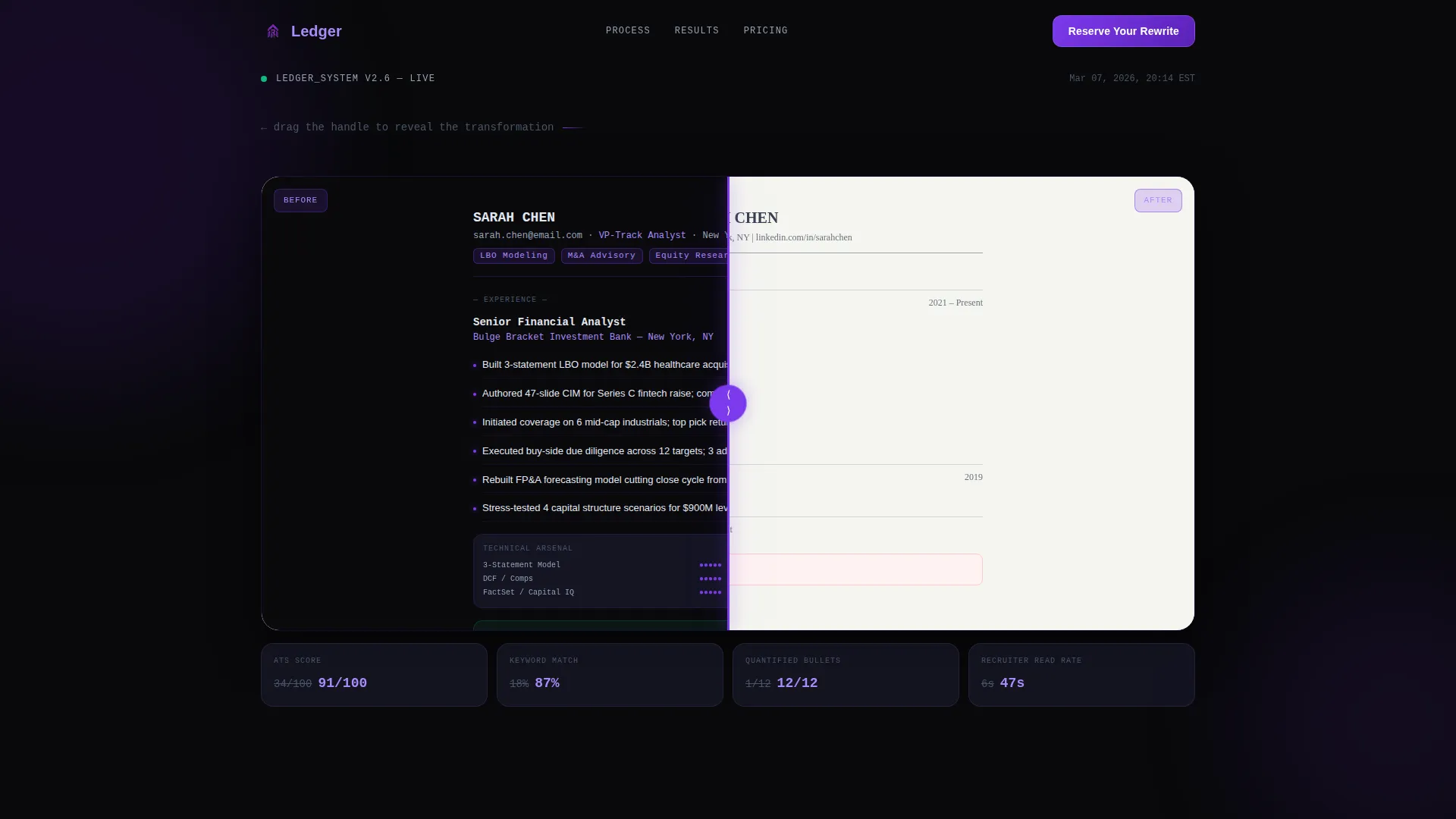
- A full-viewport Before/After Slider header with a terminal-style self-typing headline that reveals only after the visitor interacts
- A scrolling single-analyst story structure covering summary rewrite, deal table, technical skills rack, and ATS score comparison panels
- A three-field progressive waitlist form with a live slot counter and a secondary path for a free ATS score preview via LinkedIn URL
Feature list
The template includes a focused set of purpose-built components. Each one is designed to carry a specific moment in the conversion story.
Before/After Slider Header
The header splits the full viewport into two states. The left panel shows a cluttered, flat-gray analyst resume with vague bullets. The right panel reveals the transformed version glowing on a glass-panel dark background with every line rewritten and every deal quantified. The slider handle pulses electric violet. No headline appears until the visitor drags, then it types itself in a terminal font.
Creator Spotlight Scroll Narrative
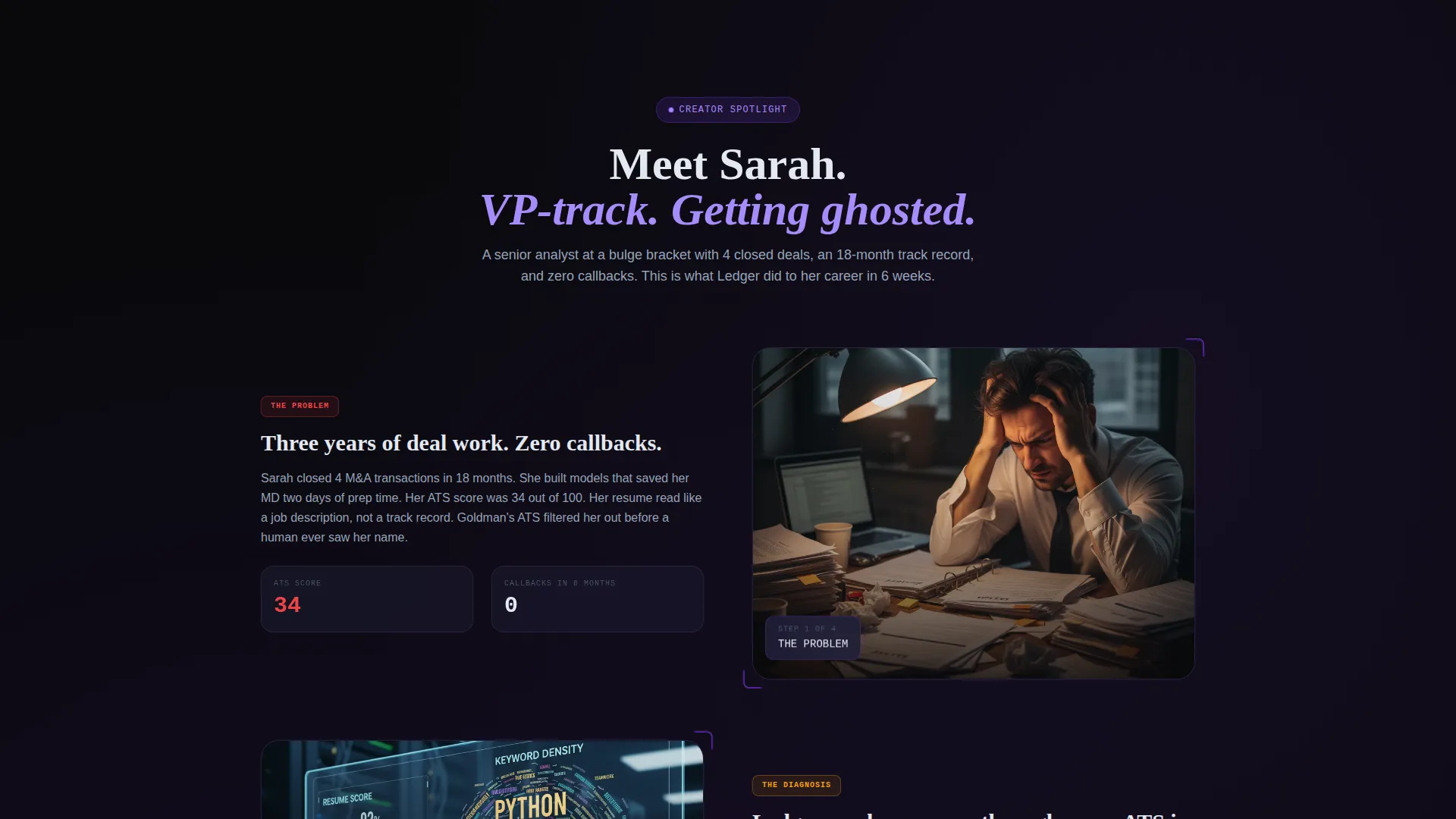
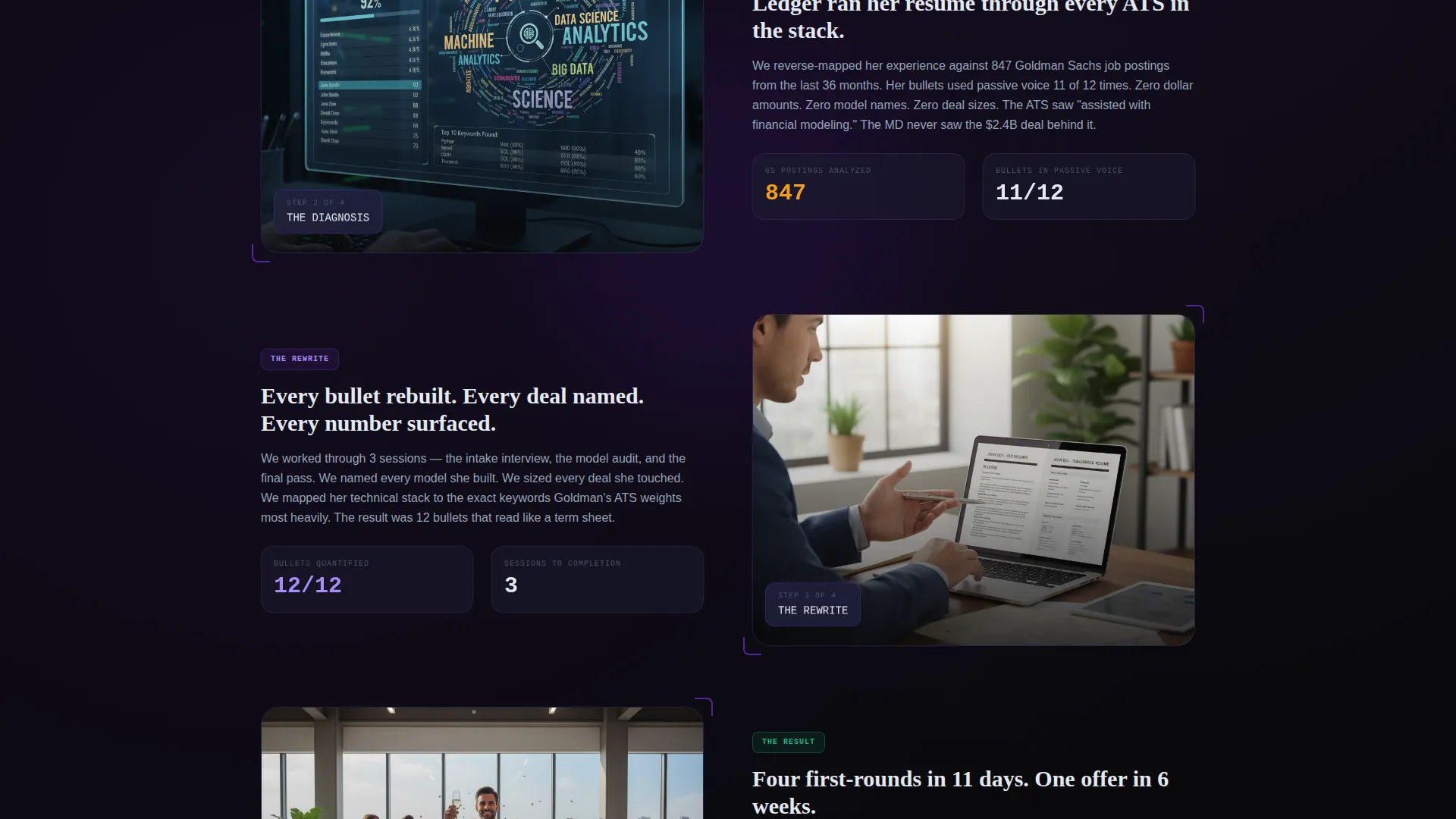
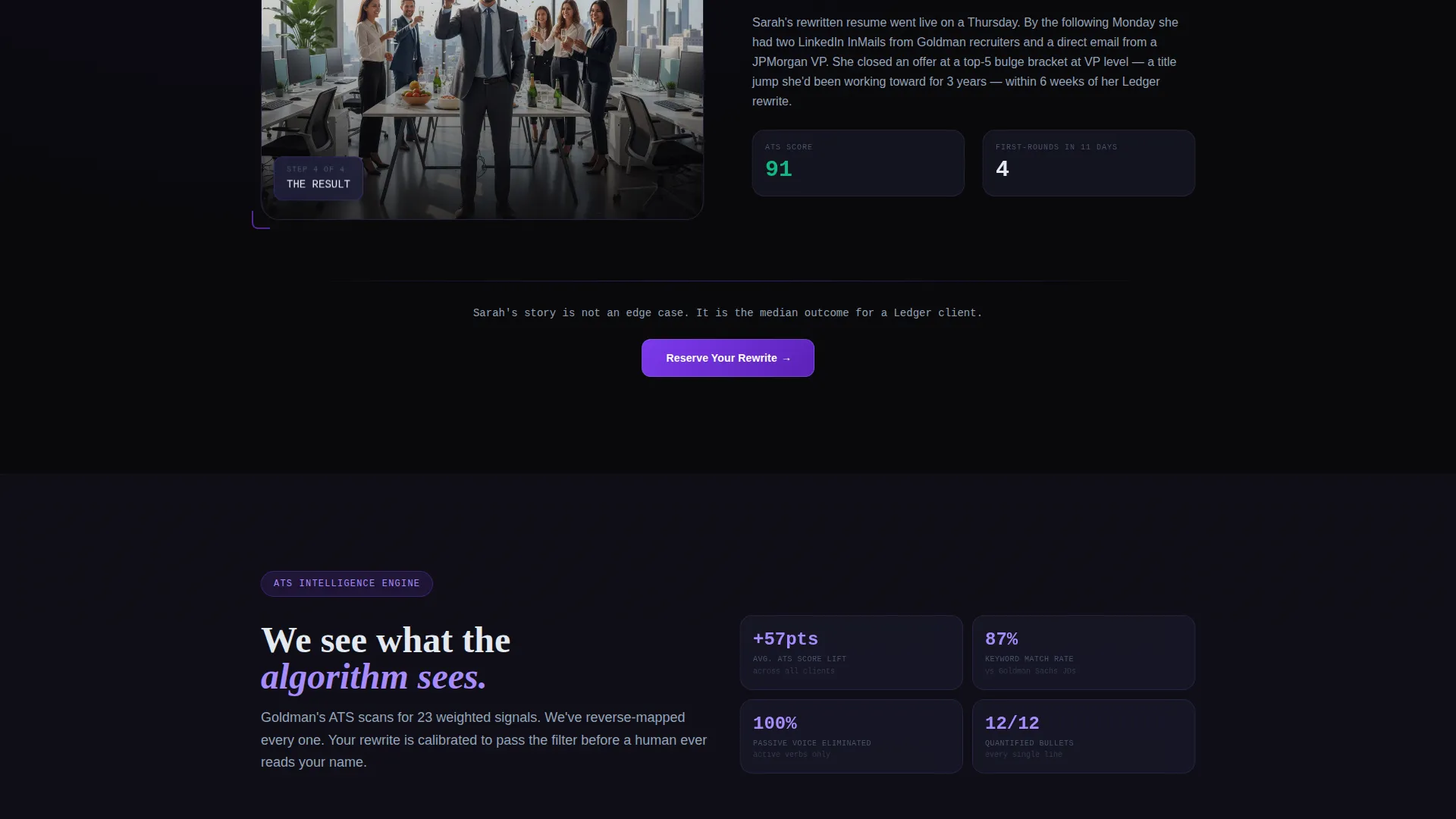
The page follows one fictional analyst, Sarah, through her resume transformation story. Each scroll section isolates a single resume element: the summary rewrite, the deal table, the technical skills rack, and the ATS score before and after. Glass panels slide in from viewport edges as the story escalates from problem to proof to scarcity.
Live Slot Counter
A visible counter shows how many monthly review slots remain, styled as "14 of 30 March slots remaining." This component makes the waitlist feel like securing a seat rather than filling out a form, which raises the perceived value of the signup action.
Progressive Waitlist Form
The primary call to action uses a three-step progressive form. The visitor enters their email first, then selects their current title from a dropdown (Analyst, Senior Analyst, Associate, VP, or Director), then chooses their target firm type (Bulge Bracket, Middle Market, PE/VC, or Corporate). Each step reveals the next, reducing friction at entry.
Free ATS Preview Path
A secondary conversion path lets visitors paste their LinkedIn URL to receive a free ATS score preview. This lowers the barrier for visitors who are not yet ready to reserve a slot and keeps them engaged with the service value before they commit.
Tech Glass Panel System
Frosted glass panels float over the void-black background throughout the page. They layer depth without adding clutter and give every section a sense of data rendered on an expensive interface. Violet glows appear on hover states and call-to-action borders throughout.
Page sections overview
| Section | Purpose |
|---|---|
| Before/After Slider | Opens the page with a full-viewport resume transformation visual |
| Self-Typing Headline | Reveals the core value statement after visitor interaction |
| Meet Sarah Story | Introduces the fictional analyst and establishes the problem |
| Summary Rewrite Panel | Shows the before and after of a resume summary section |
| Deal Table Spotlight | Displays quantified deal history as a resume component |
| Technical Skills Rack | Highlights the technical profile rebuild in context |
| ATS Score Comparison | Contrasts the original and rewritten ATS performance scores |
| Proof and Callbacks | Escalates the narrative with interview callbacks and offer letters |
| Scarcity Counter | Displays remaining monthly slots to create urgency |
| Reserve Your Rewrite | Hosts the three-field progressive waitlist signup form |
| LinkedIn ATS Preview | Provides the secondary free score path via LinkedIn URL input |
Design & branding system
The visual identity runs on a Void and Violet color system. Every color choice reinforces the idea that this is an interface where data feels expensive and every pixel earns its place.
- Core palette: absolute void black (#09090B) for backgrounds, frosted glass panel (#1A1A2E) for floating content surfaces, electric violet (#7C3AED) for all interactive elements and accent pulses, and cool terminal white (#E2E8F0) for body text
- Typography follows a terminal aesthetic with a monospace font used for the self-typing headline and numeric data points, giving the page its cold, pre-market-open glow
- Hover states and call-to-action borders pulse violet like a cursor blinking on a live terminal, while background layers stack void-to-glass with subtle frosted blur giving depth without clutter
Mobile & speed optimization
The template is structured for full-width immersive display across screen sizes. The layered glass panel system and slider component are designed to translate to smaller viewports without losing visual impact.
- The Before/After Slider adapts to touch-drag interaction on mobile, maintaining the reveal mechanic on smaller screens
- Glass panels and frosted blur layers are contained within viewport-relative sizing so the depth effect holds across device widths
- The progressive form reduces to a single-column stacked layout on mobile, keeping each step clear and easy to complete on a small screen
How this template helps you convert
The page is structured to earn the signup rather than demand it. Every section adds a layer of proof or urgency before the form ever appears.
- The interactive slider creates immediate engagement by making the visitor an active participant in the transformation reveal, not just a passive reader scanning a headline.
- The Sarah narrative escalates trust section by section, moving from relatable problem through visible proof to a scarcity signal, so by the time the form loads, the visitor already believes in the outcome.
- The live slot counter and progressive form structure make the signup feel like a limited, high-value action rather than a generic lead capture, which raises the perceived weight of clicking the button.
Other information about this template
This template is part of the Ledger series, designed for high-stakes professional service pages in the finance vertical. A few additional details are worth noting for anyone evaluating it for their use case.
- The template is categorized under Personal and Resume with a Financial Analyst Profile subcategory, making it a focused fit for the financial analyst professional resume niche
- The lp_direction is Waitlist and Coming Soon, meaning the page is optimized for pre-launch or limited-availability positioning rather than an open e-commerce checkout
- The Tech Glass theme and Void and Violet color system are consistent across all interactive states, including the slider handle, form field borders, call to action button glow, and hover animations
- The Creative Direction follows a Creator Spotlight model, centering the entire narrative on a single relatable persona rather than a feature grid or testimonial carousel
- The template style is Full-Width Immersive, meaning sections run edge to edge with no sidebar columns or card grids breaking the narrative flow
- This template is suitable for use with Framer or similar component-based web builders that support layered glass effects, slider interactions, and progressive form logic
Theme
Tech Glass
Creative direction
Creator Spotlight
Color system
Void & Violet
Style
Full-Width Immersive
Direction
Waitlist/Coming Soon
Page Sections
Before/after Slider Header
Creator Spotlight Scroll Narrative
Live Slot Counter Component
Three-field Progressive Waitlist Form
Free ATS Preview Secondary Path
Tech Glass Panel Visual System
Related questions
Who is the target client for a page built with this template?
What does the Before/After Slider show exactly?
How does the three-field progressive waitlist form work?
Can this template support a free offer alongside the paid waitlist?
What web builder is this template designed for?



