Recruitment & Hiring Privacy Policy Website Template
Ledger is a construction payroll landing page template built for mid-size general contractors and specialty subcontractors. It uses a sidebar companion layout, a live worker count ticker, and a Problem-to-Solution scroll arc to walk prospects through their exact compliance pain points. The freemium call to action asks three simple questions and gets visitors into the product fast.
by Rocket studio
Quick summary
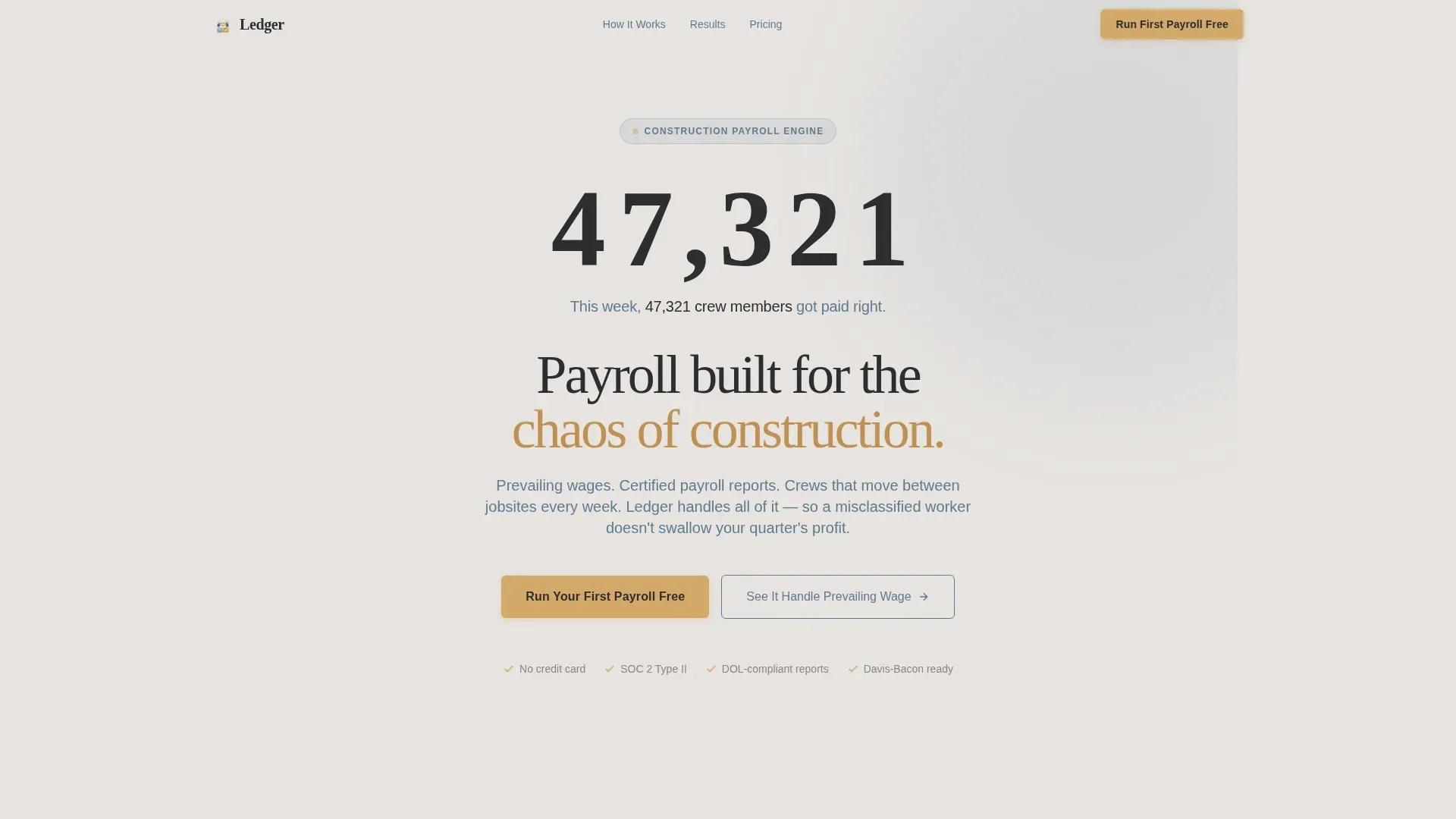
Ledger is a single-page template for a construction payroll provider. It opens with a live worker count ticker, guides visitors through a Problem-to-Solution arc using a fixed sidebar, and converts with a three-question freemium form. The design feels like a warm job trailer back office: fog gray backgrounds, denim blue type, and lamplight accents.
Who this template is for
This template is built for payroll software companies and construction technology providers targeting field-heavy businesses. It speaks directly to the people managing crews, jobsites, and compliance paperwork every week.
- Mid-size general contractors running fifteen to eighty field workers who have outgrown spreadsheet workarounds
- Specialty subcontractor firms whose foremen still text timesheets and need a compliant system fast
- Growing construction firms that received their first Department of Labor compliance letter and need a credible, purpose-built solution
What problem this template solves
Construction payroll is not like office payroll. Crews rotate between jobsites, prevailing wage rates shift by project, and a single worker misclassification can trigger a federal audit. Most generic payroll pages do not speak to these realities. Ledger does.
- Visitors arrive frustrated with tools that were not built for certified payroll, multi-state compliance, or union rate tables
- The template positions the product as the specific answer to those exact problems, not a generic pitch
- Without a focused, industry-specific page, high-intent construction buyers leave before they trust the product enough to try it
What you get with this template
Ledger delivers a complete, desktop-first landing page layout with a responsive mobile stack. Every section is purpose-built to reduce friction and build trust with construction industry buyers.
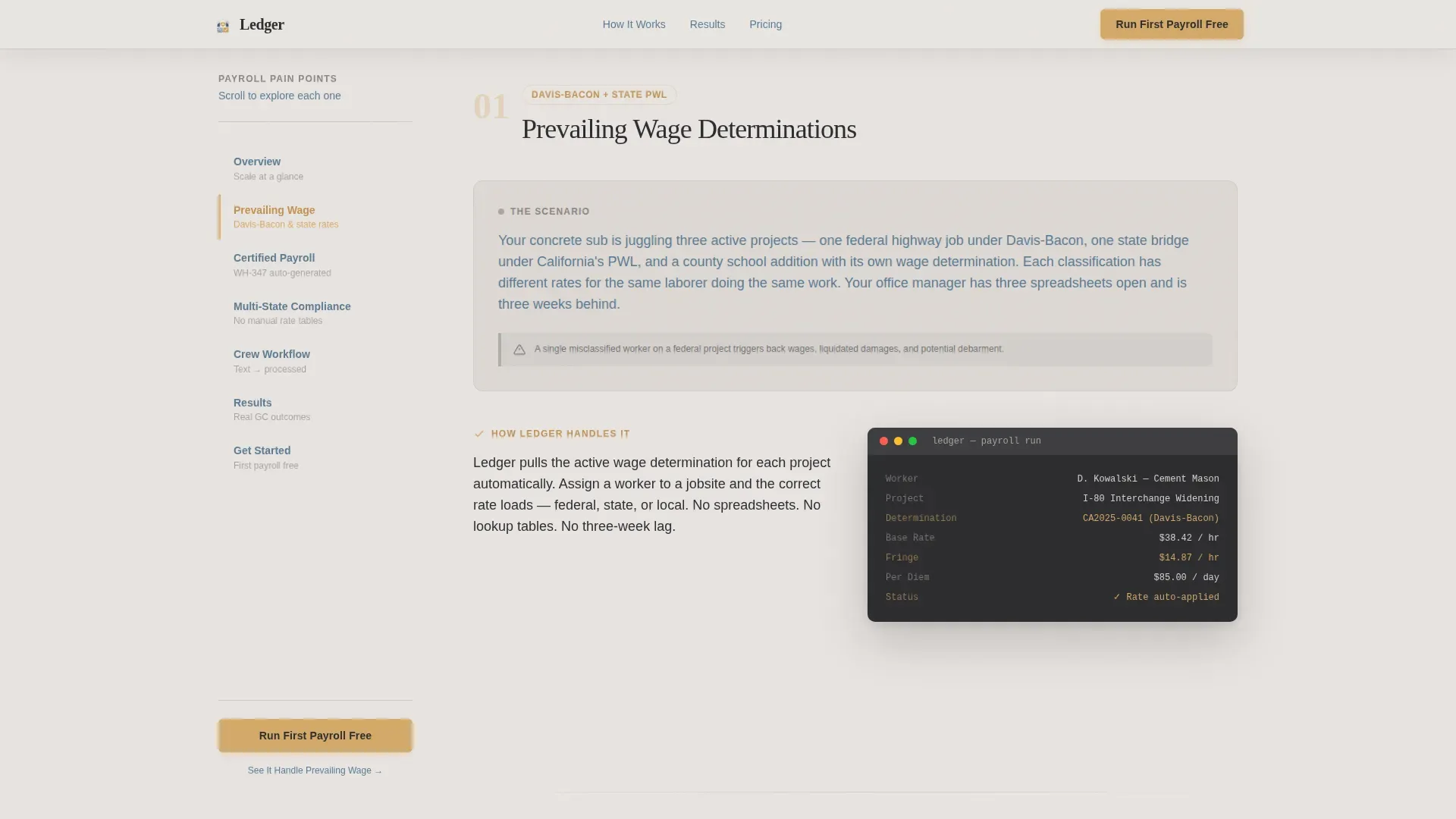
- A fixed left sidebar with scroll-linked navigation that highlights active pain point sections as the visitor scrolls
- A live user count ticker in the hero section showing real-time scale with a mechanical flip animation
- A three-step freemium form sequence and a secondary demo sandbox link, both placed at the conversion point
Feature list
This template ships with six core building blocks that work together to take a skeptical contractor from "I've heard this before" to "I want to try this."
Live Worker Count Ticker
The hero features an oversized rolling counter showing the number of construction workers paid through the platform that week. The number ticks upward every few seconds using a mechanical flip animation. A single line beneath it reads: "This week, 47,312 crew members got paid right." No photography, no models, just proof of scale.
Fixed Sidebar Navigation
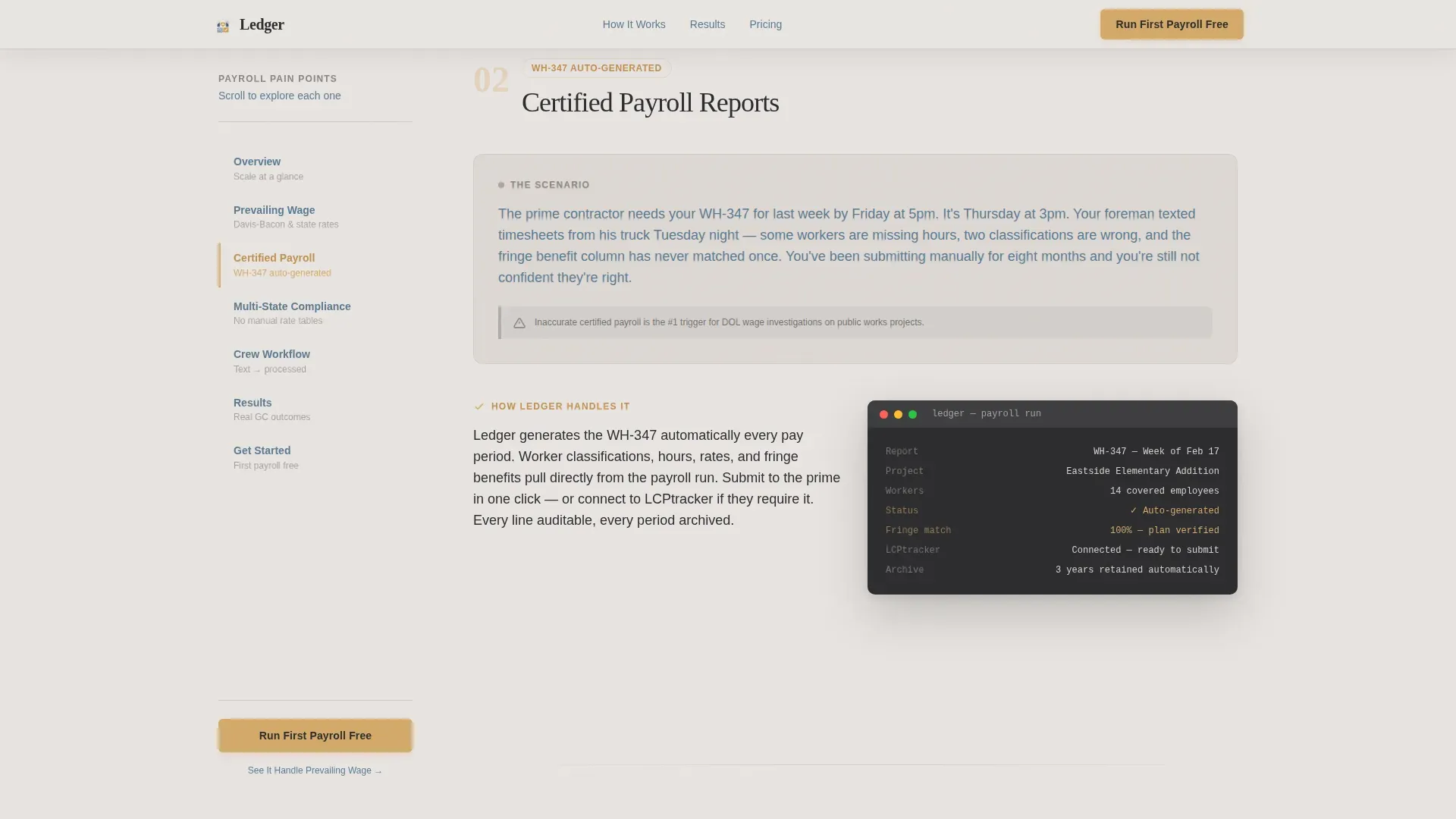
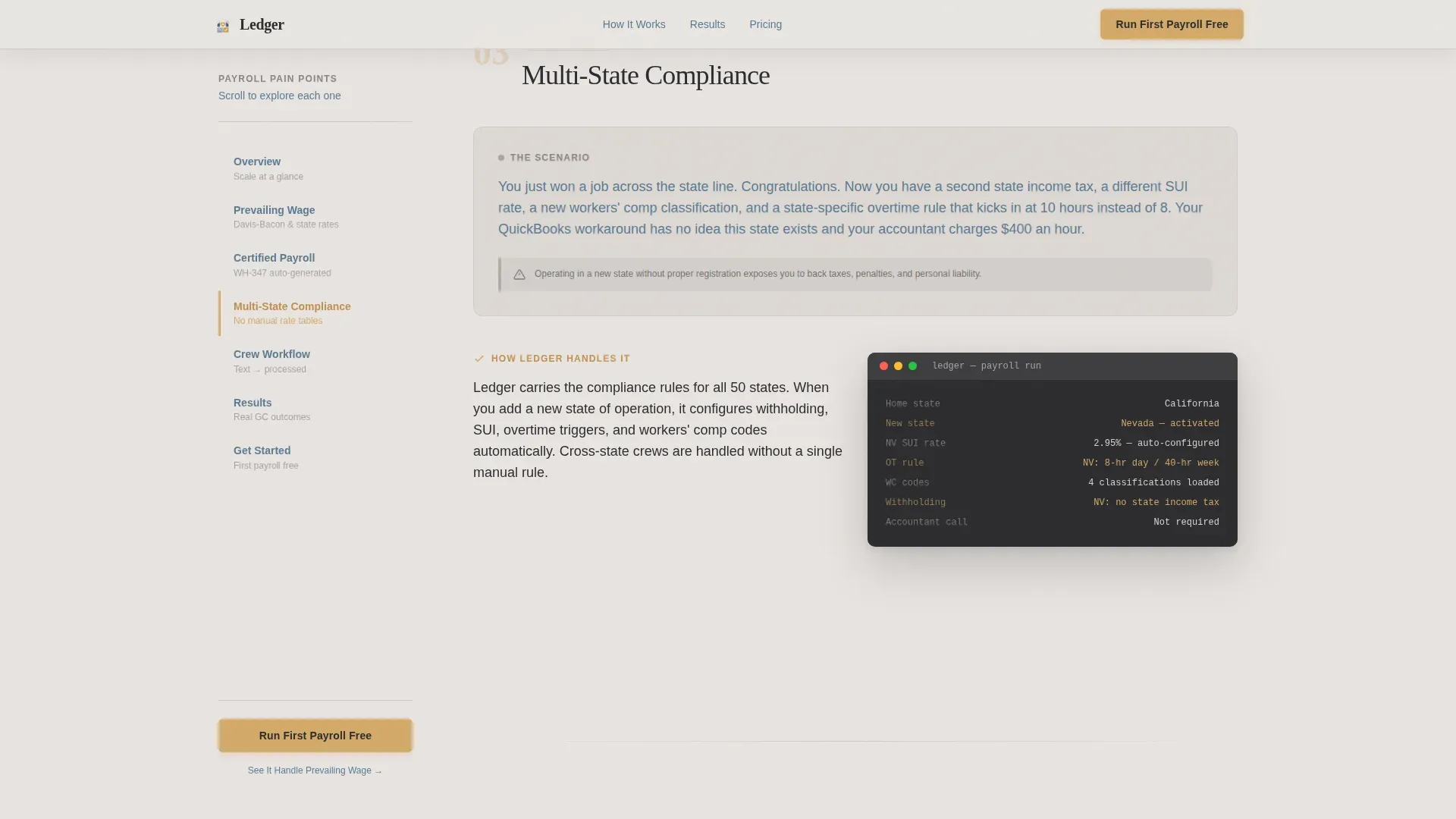
A persistent left sidebar stays in view as the visitor scrolls. Each item in the sidebar is labeled with a real payroll pain point such as "Certified Payroll Reports," "Multi-State Compliance," or "Union Rate Tables." The active section highlights automatically, giving visitors a clear sense of progress and context throughout the page.
Problem-to-Solution Scroll Arc
The main content panel walks through each payroll challenge with a specific, recognizable scenario. A concrete subcontractor juggling three prevailing wage determinations on one project is one example. Each problem is then resolved with a product screenshot showing exactly how the platform handles it. Stakes escalate as the visitor scrolls, making each solution feel like genuine relief.
Three-Step Freemium Form
The primary call to action asks three questions in sequence: number of field employees, primary state of operation, and work email. There is no credit card field. The sequence is low-friction and signals that the product already understands the visitor's situation before asking for anything.
Demo Sandbox Link
A secondary conversion path sits alongside the main form. The link reads "See It Handle Prevailing Wage" and connects to an interactive demo. It gives cautious buyers a way to evaluate the product on their own terms without committing to a trial signup.
Scroll-Linked Stagger Reveals
Section content enters the viewport with stagger reveal animations tied to scroll position. Combined with the sidebar highlight behavior, this creates a sense of guided progression rather than a static wall of text, keeping visitors engaged through a content-heavy page.
Page sections overview
| Section | Purpose |
|---|---|
| Hero Ticker | Display live paid-worker count with mechanical flip animation to establish scale and credibility immediately |
| Problem Arc | Walk through certified payroll, multi-state, and union rate scenarios with matching product screenshots |
| How It Works | Show the timesheet-to-classification-to-compliance output flow in clear, sequential steps |
| Proof Section | Present named general contractor testimonials with specific dollar and time savings figures |
| Conversion Form | Capture leads with a three-question freemium form and link to the interactive demo sandbox |
| Footer | Single-row linear footer with essential links and minimal visual weight |
Design & branding system
The visual identity follows a Community Hearth theme using a Soft Mist color system. Every color choice is deliberate: the palette is designed to feel trustworthy and warm without being soft or weak.
- Background uses morning fog gray (#E8E4E1), body text and the persistent sidebar use worn denim blue (#5B7A91), hover states and active elements use warm lamplight (#D4A96A), and headlines use deep charcoal (#2C2C2E)
- Typography pairs Fraunces for display headings with DM Sans for body text, creating a warm industrial minimalism that fits the job trailer back-office atmosphere
- The visual style avoids stock photography and decorative imagery; evidence of scale and functional screenshots carry all the visual weight
Mobile & speed optimization
Ledger is built desktop-first to support the sidebar companion layout, but it stacks cleanly into a responsive mobile experience. The priority order matches how construction office managers actually use the page.
- The fixed sidebar collapses into a mobile-friendly navigation stack so the scroll arc remains functional on smaller screens
- Static sections use server components while the live ticker and three-step form use client components, keeping interactive elements fast without bloating the static layout
- Animations are set to medium intensity: the mechanical ticker flip and scroll-linked reveals add motion without slowing the experience
How this template helps you convert
Every structural decision in Ledger is made to reduce skepticism and lower the cost of saying yes. The page earns trust before it asks for anything.
- The live ticker opens with proof of scale before any product claim is made, establishing credibility in the first three seconds a visitor sees the page
- The Problem-to-Solution arc names the visitor's exact pain points in the sidebar and resolves them one by one in the main panel, so the visitor feels understood rather than pitched
- The three-question freemium form with no credit card requirement removes the last barrier at the conversion point, and the demo sandbox link gives hesitant buyers a low-commitment alternative path
Other information about this template
Ledger is a purpose-built template for the construction payroll software category. It is designed for the mid-market general contractor and specialty subcontractor segment in the United States, with all terminology, scenarios, and compliance references specific to the domestic construction industry.
- The template uses USA and USD context throughout, with construction industry language including prevailing wage, certified payroll, Department of Labor compliance, and union rate tables
- The sidebar companion layout style is distinct from standard hero-and-scroll pages; it is suited for products that need to walk a buyer through complexity rather than make a single bold claim
- This template fits within the HR and Hiring category, specifically the Construction HR subcategory, and is designed for a freemium or free trial conversion model where the product needs to prove value before asking for payment
Theme
Community Hearth
Creative direction
Problem→Solution Arc
Color system
Soft Mist
Style
Sidebar Companion
Direction
Freemium/Trial
Page Sections
Live Worker Count Ticker
Fixed Sidebar Navigation
Problem-to-solution Scroll Arc
Three-step Freemium Form
Demo Sandbox Link
Scroll-linked Stagger Reveals
Related questions
Who is this landing page template designed for?
What is the sidebar companion layout and how does it work?
Is there a freemium or free trial conversion path built into the template?
Can this template be adapted for mobile users?
What makes this template different from a generic HR software page?



