Artisan Pastry Academy Landing Page Template
Levain is a full-width immersive landing page template built for artisan pastry academies and culinary schools. It pairs cinematic video storytelling with interactive before-and-after student transformation reveals to turn curious visitors into cohort registrations. The Neo-Retro Desert Rose visual identity and event registration flow make it ideal for career-change baking programs.
by Rocket studio
Quick summary
Levain is a full-width immersive landing page template designed for a baking and pastry academy. It combines a cinematic full-screen video header, drag-to-reveal student transformation sliders, a staggered curriculum arc, and a dual-path event registration system. The result is a warm, story-driven page that earns trust before it asks for a commitment.
Who this template is for
This template is built for culinary educators who need more than a brochure page. It suits programs where transformation is the product and proof is the most powerful selling tool.
- Pastry academies and teaching kitchens recruiting cohort-based students
- Culinary school operators targeting career-changers and serious home bakers
- Baking educators who want a polished registration page without building from scratch
What problem this template solves
Most culinary school pages list curriculum topics and post a contact form. That approach fails the visitor who needs to feel the transformation before they trust the program. Levain solves this by making proof visible, tactile, and sequential.
- Visitors leave before committing because they cannot picture the outcome
- A static page cannot convey the gap between a beginner's shaggy dough and a graduate's mirror-glazed entremet
- Generic registration forms feel cold and create unnecessary friction for career-changers
What you get with this template
You get a complete, conversion-focused landing page structure built around transformation storytelling. Every section is designed to move a skeptical visitor progressively toward registration.
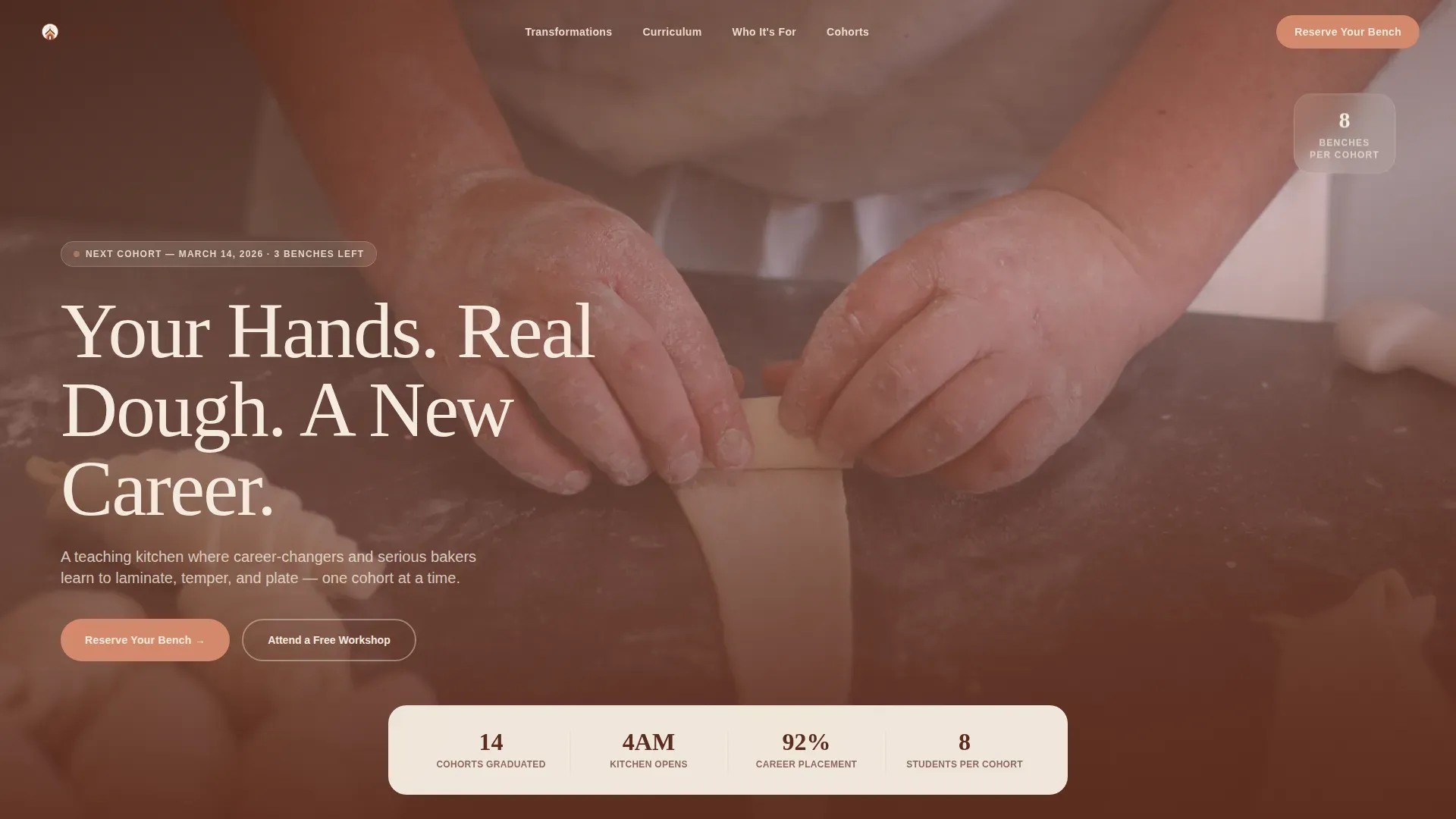
- A full-screen video hero with a typewriter headline, floating stats strip, and a sticky call-to-action button
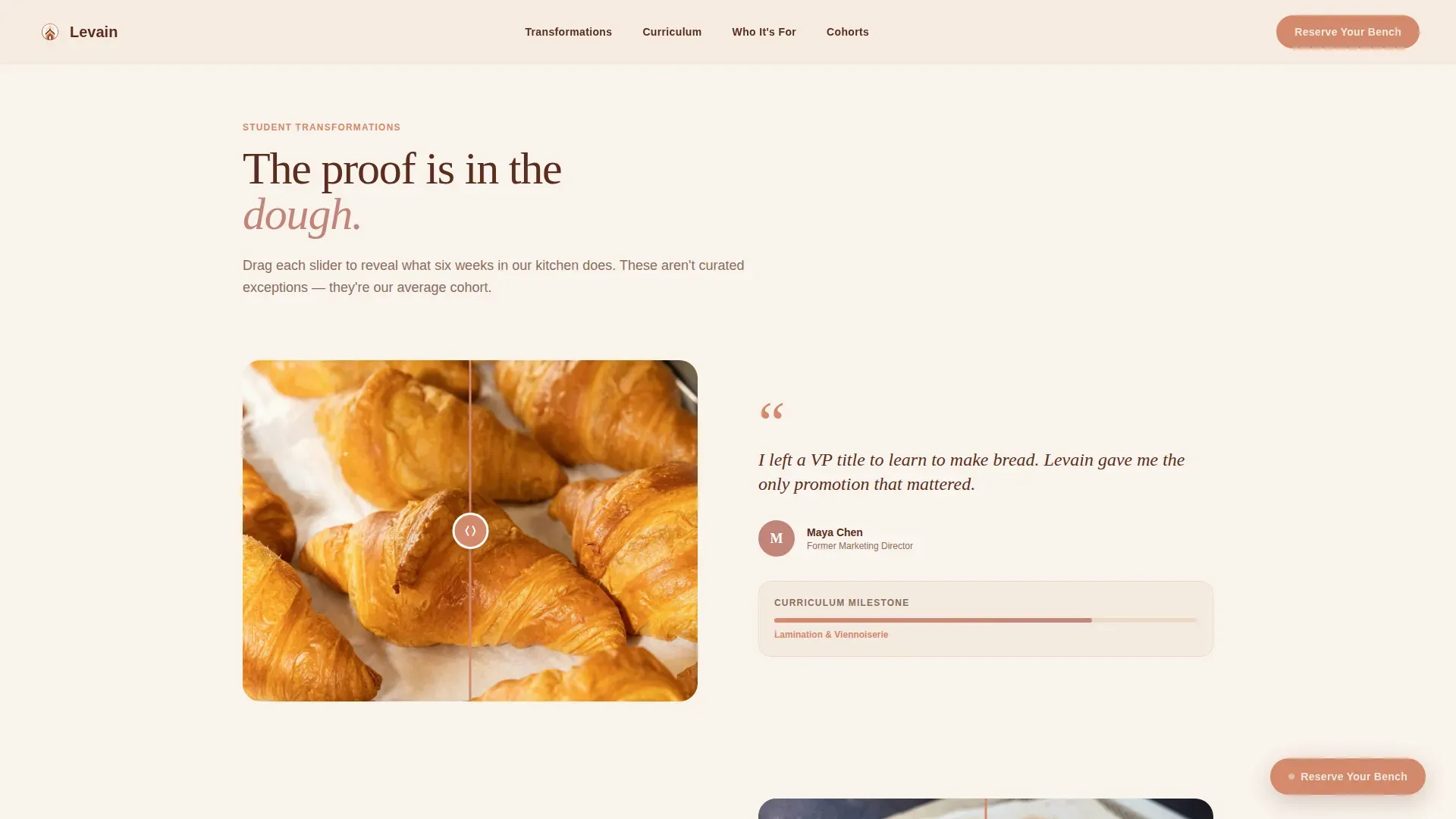
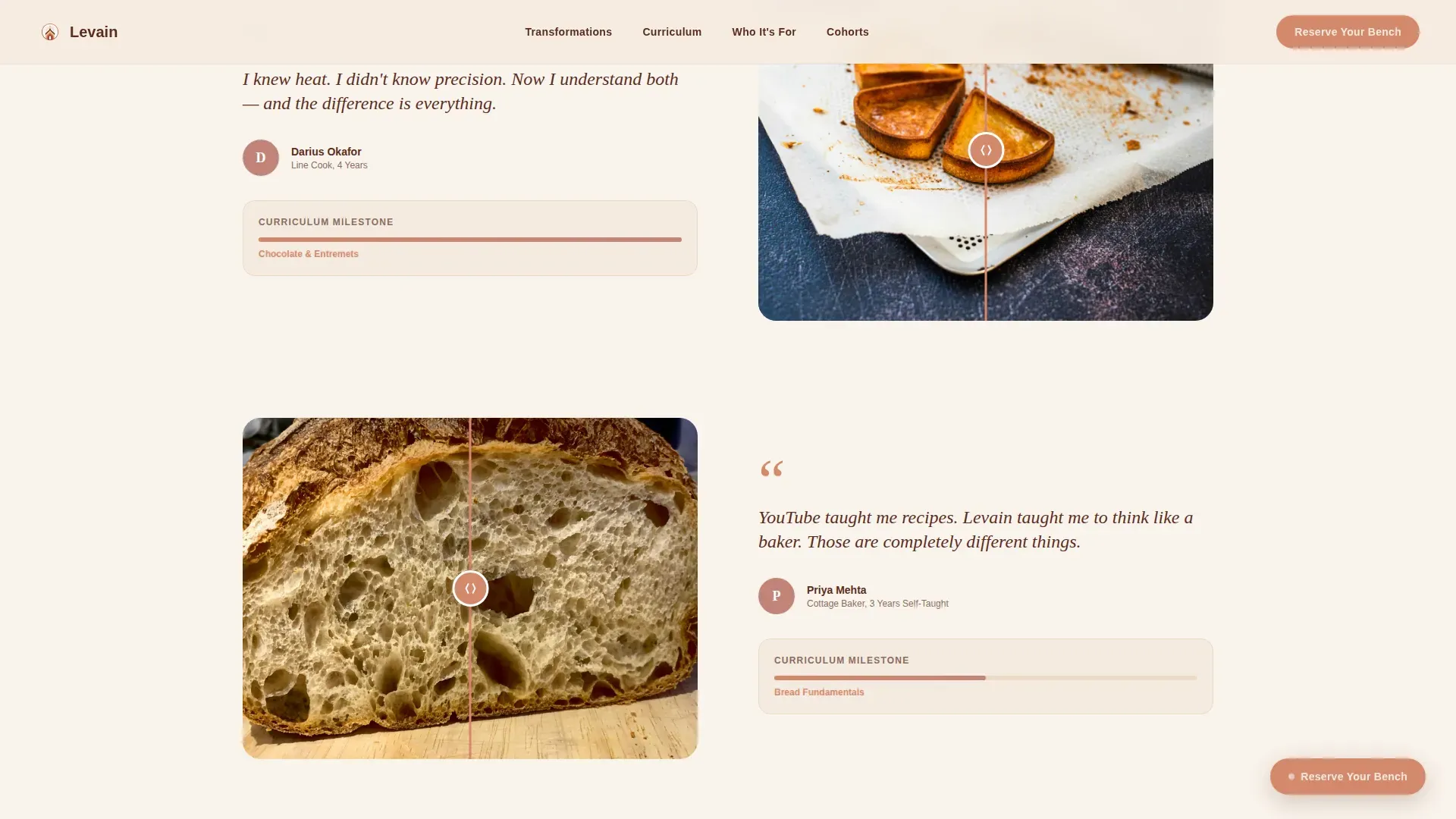
- Interactive before-and-after drag sliders showing real student Day One versus Graduation Day results
- A dual-path registration section with a visual cohort calendar picker and a lightbox form
Feature list
This template ships with a set of purposefully designed interactive and visual components. Each one supports the core goal: showing proof of transformation and converting that proof into a registration.
Full-Screen Video Hero
The header runs a slow cinematic montage graded to the Desert Rose palette. A slab-serif headline types itself over the center, and a floating stats strip sits just below. A sticky "Reserve Your Bench" button appears as soon as the visitor scrolls past the header.
Before/After Drag Sliders
Each transformation pair places a student's Day One result on the left and their Graduation Day result on the right. Visitors drag an interactive slider to reveal the difference themselves. A short student quote sits between each pair, grounding the visual in real emotion.
Staggered Curriculum Arc Cards
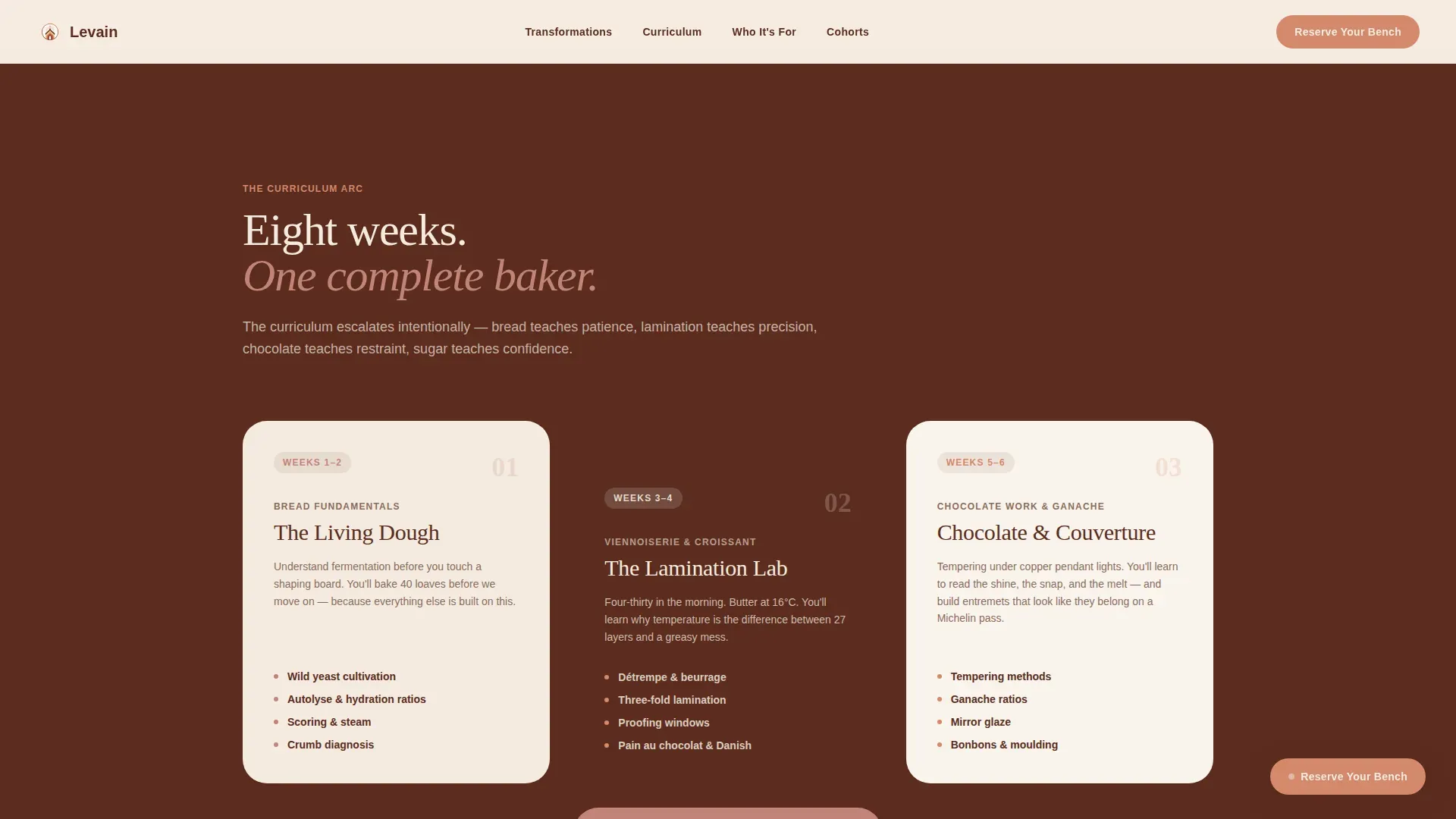
Skill-ladder cards escalate from bread fundamentals through lamination, sugar work, and a final portfolio showcase. Each card carries increasing visual weight as the scroll progresses, letting visitors feel the program's arc without reading a syllabus.
Student Archetype Panels
A three-panel "Who This Is For" section displays portrait images, archetype labels, and direct student quotes. The layout addresses career-changers, line cooks, and cottage bakers in one clear view.
Dual-Path Event Registration
The registration section offers two clear options: "Reserve Your Bench" for cohort-ready visitors and "Attend a Free Workshop" for those who need a lower-stakes first step. Both paths capture the same contact fields through a lightbox form.
Visual Cohort Calendar Picker
The lightbox form includes a visual calendar that displays only open cohort sessions. An optional conversational field, "What are you baking right now?", makes the form feel like a dialogue rather than a qualification gate.
Page sections overview
| Section | Purpose |
|---|---|
| Full-Screen Hero | Cinematic video intro with typewriter headline and sticky call to action |
| Stats Strip | Floating social proof numbers anchored below the hero |
| Before/After Reveals | Drag-slider student transformation pairs with emotional quotes |
| Curriculum Arc | Staggered skill-ladder cards from bread to portfolio |
| Student Archetypes | Three-panel "Who This Is For" with portraits and labels |
| Cohort Registration | Dual call-to-action block with calendar picker and lightbox form |
| Footer | Single-row linear footer with essential links |
Design & branding system
The visual identity follows a Neo-Retro direction described as a vintage French bakery postcard restored with digital precision. Warm analog textures carry modern sharpness throughout every section.
- Desert Rose color system: parchment cream (#F5EBE0) backgrounds, burnt crust (#5B2C1E) headlines and navigation, terracotta pink (#C2847A) section washes and testimonial cards, copper accent (#D4886C) for buttons and hover states
- Typography pairing: Fraunces slab-serif for headlines (evoking a 1960s Parisian bakery sign) and Manrope for body text
- Visual texture: CSS grain applied via pseudo-element, parallax grain on scroll, and GSAP-powered reveal animations throughout
Mobile & speed optimization
The template is built desktop-first but carries full mobile responsiveness across every interactive component. Touch-adapted drag sliders ensure the transformation reveals work on any screen size.
- Drag-to-reveal sliders are adapted for touch input on mobile devices
- Images are lazy-loaded to keep initial page load lean
- CSS grain is rendered via pseudo-element rather than image assets, keeping visual texture lightweight
How this template helps you convert
The page is structured to earn trust progressively. By the time a visitor reaches the registration section, they have already seen six student transformations, read emotional quotes, and followed the full curriculum arc.
- The cinematic video hero and typewriter headline create immediate emotional context, making the academy feel real and aspirational from the first second.
- The before-and-after drag sliders make improvement tactile and personal, removing the doubt that transformation is achievable for someone at their skill level.
- The dual call-to-action path reduces commitment friction by offering a free workshop entry point alongside the full cohort registration, capturing leads at every stage of readiness.
Other information about this template
This template is a strong fit for any culinary education program that sells transformation over curriculum listings. It works especially well for intimate, cohort-based programs where the teaching environment itself is part of the value.
- Template style: Full-Width Immersive, desktop-first with full mobile responsiveness
- Animation stack: GSAP scroll reveals, typewriter effect, parallax grain, and drag-to-reveal sliders
- Header concept: Full-Screen Video Background with 80%-speed playback and Desert Rose color grading
- Creative direction: Before/After Reveal scroll narrative that escalates from bread fundamentals to final portfolio
- Lightbox form fields: name, email, cohort date via visual calendar picker, and one optional open-ended field
- Footer pattern: Linear Single-Row layout
Theme
Neo-Retro
Creative direction
Before/After Reveal
Color system
Desert Rose
Style
Full-Width Immersive
Direction
Event Registration
Page Sections
Full-screen Cinematic Video Hero
Interactive Before/after Drag Sliders
Staggered Curriculum Arc
Student Archetype Panels
Dual-path Event Registration
Visual Cohort Calendar Picker
Related questions
Who is this landing page template designed for?
Can I adapt the student transformation sliders for my own before-and-after content?
Does the registration form connect to an external booking or payment system?
Is the full-screen video header section customizable?
How does the free workshop path work on the page?