Revenue & Tax Authority Appointment Booking Website Template
Levy is a municipal tax office landing page built for property tax workshop registration. It guides homeowners, landlords, and first-time buyers through a structured checklist flow, verify your parcel, gather your assessment notice, check exemption eligibility, and reserve your seat. The Institutional Authority design makes a complicated civic obligation feel clear, manageable, and worth showing up for.
by Rocket studio
Quick summary
Levy is a single-page event registration template designed for a municipal tax office running property tax workshops. The page walks residents through four checklist steps, then invites them to reserve a seat or download a preparation guide. Every section earns trust through clarity, bold serif headlines, a gold progress bar, and a layout that feels like a well-run city department.
Who this template is for
This template is built for local government teams, county tax departments, and city offices that need to register residents for property tax education events. It suits any public-facing department that administers workshops around levy limits, assessed value disputes, or exemption filing.
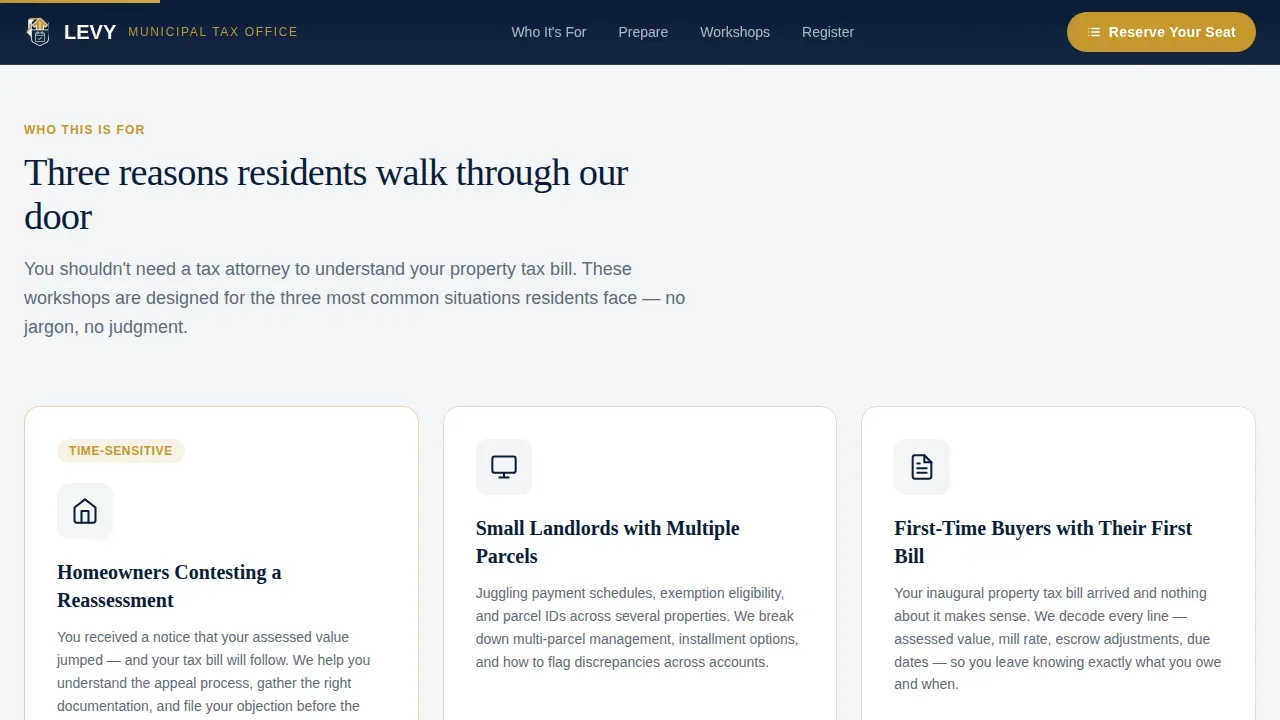
- Homeowners who received a reassessment notice and need to contest or understand their tax bill
- Small landlords managing multiple parcels and tracking current year levy obligations
- First-time buyers confused about their inaugural property tax bill and applicable fees
- Seniors and disabled veterans researching exemption programs tied to their primary residence
What problem this template solves
Property tax processes are genuinely confusing. Residents face a property tax bill and do not always know whether it reflects the correct assessed value, whether they qualify for a reduction, or who in their county to contact. Most city department websites bury this information deep inside navigation menus.
- There is no clear starting point for residents trying to calculate what they owe or request a review
- Exemption programs for a primary residence, disabled veterans, and seniors go unclaimed because residents do not know where to begin
- Workshop registrations drop off when the sign-up process feels harder than the problem it solves
What you get with this template
Levy gives a tax office a structured, scannable landing page that moves residents from confusion to confirmed registration. The checklist layout breaks preparation into four finite steps, each paired with a brief explainer and a downloadable form link. The result is a page that feels like authority without being intimidating.
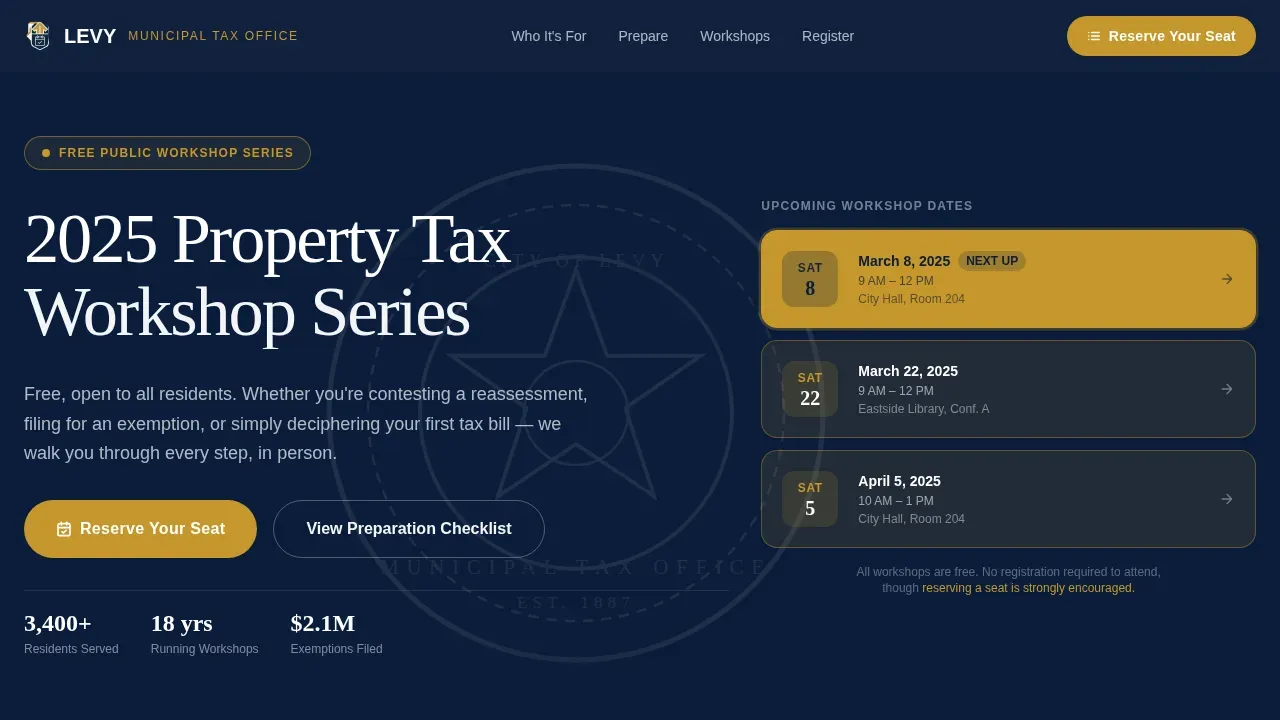
- A hero section with giant serifed headline, municipal seal watermark, and a gold-highlighted three-date workshop calendar
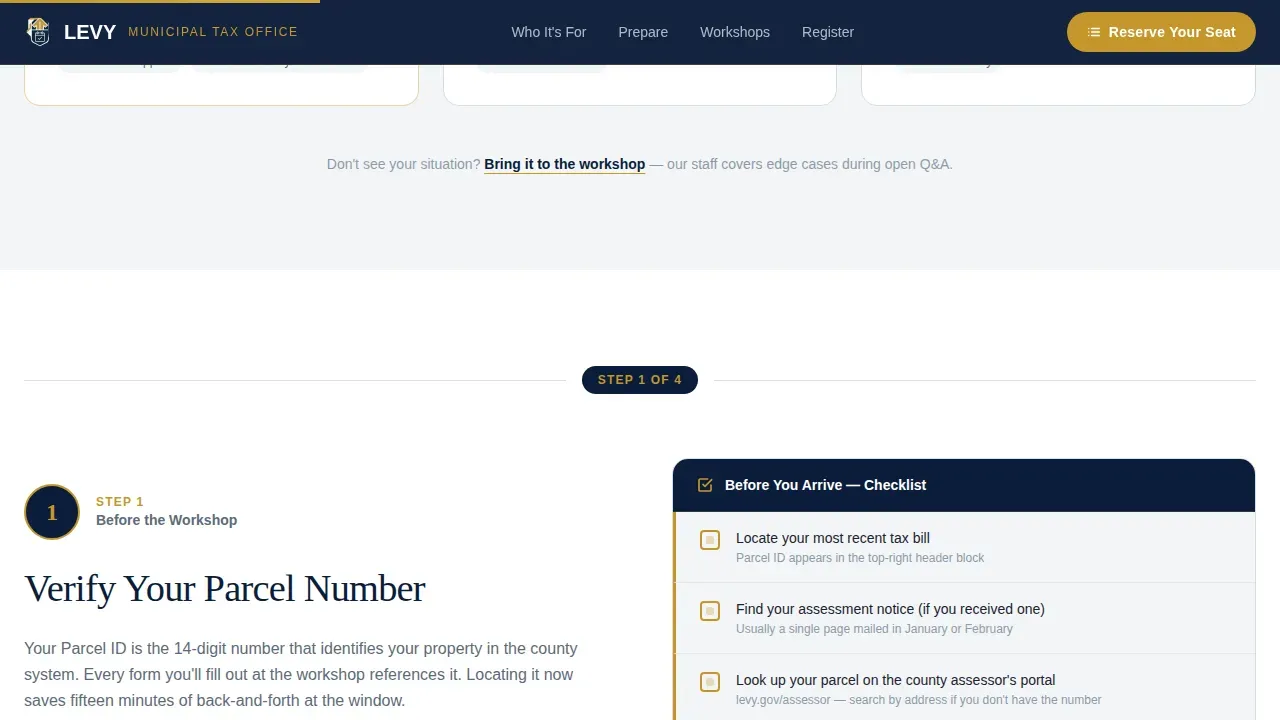
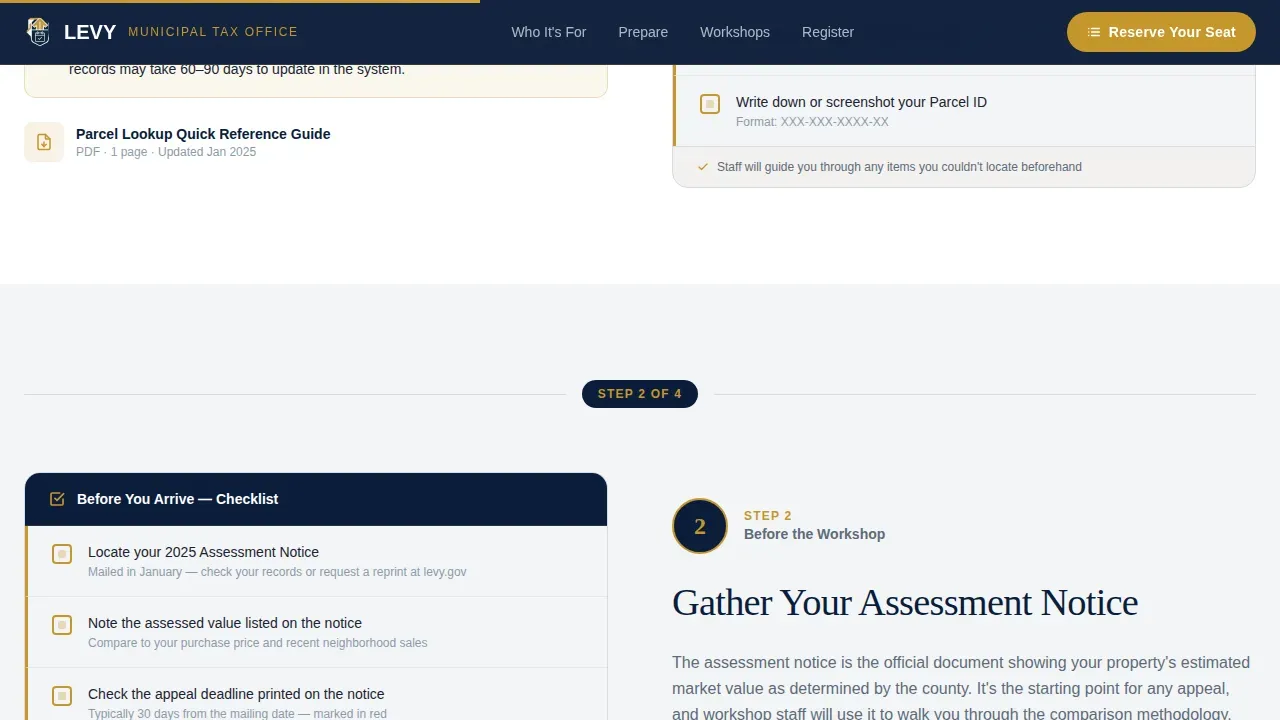
- A zigzag alternating checklist covering parcel verification, assessment notice, exemption eligibility, and registration confirmation
- A dual-path registration section: a full seat-reservation form and a PDF checklist download with email capture
Feature list
The template includes a focused set of built-in components, each chosen to reduce friction and raise registration rates for a city or county tax workshop program.
Gold-Filled Scroll Progress Bar
A subtle progress bar at the top of the page fills with seal gold as the visitor scrolls. This visual cue reinforces that the checklist is finite and the path to registration is short. It gives residents a sense of forward momentum instead of an overwhelming wall of civic text.
Zigzag Alternating Checklist Layout
Four numbered checklist steps alternate left and right down the page. Each step pairs a clearly labeled action, verify parcel number, gather assessment notice, check exemption eligibility, confirm registration, with a short explainer paragraph and a link to the relevant form or download. The rhythm mirrors how residents scan a printed compliance document.
Dual Registration Path
The primary call to action is "Reserve Your Seat," collecting full name, parcel ID (optional but encouraged), preferred workshop date via a drop-down, and a single checkbox for exemption or dispute intent. A secondary path offers the preparation checklist as a PDF download in exchange for an email address, capturing residents who are not yet ready to commit.
Giant Headline Hero with Calendar Graphic
The header sets a bold tone without photography. Large serifed white type on a deep federal navy field announces the 2025 Property Tax Workshop Series. A gold calendar graphic shows the next three workshop dates, with the nearest date scaled large enough to read at a distance.
Audience Cards Section
Three cards identify the residents this workshop serves, homeowners contesting assessed valuation, landlords juggling multiple parcels, and first-time buyers decoding their first property tax bill. This section reduces drop-off by confirming to the right visitor that they are in the right place.
Reveal-on-Scroll Animations
Checklist items appear with staggered reveal animations as the resident scrolls. The effect is medium-weight and purposeful, not decorative. It draws the eye to each step in sequence, reinforcing the checklist structure without distracting from the civic content.
Page sections overview
| Section | Purpose |
|---|---|
| Hero header | Announce workshop series, show upcoming dates, prompt seat reservation |
| Who This Helps | Identify target resident groups via three audience cards |
| Step 1 and 2 | Zigzag: verify parcel number and gather assessment notice |
| Step 3 and 4 | Zigzag: check exemption eligibility and confirm registration |
| Registration Form | Reserve seat form plus PDF checklist download with email capture |
| Footer band | Contact details, office location, and linear single-row pattern |
Design & branding system
The visual identity follows an Institutional Authority theme. The palette reads like the embossed cover of a government-issued ledger, earned and precise. Fraunces (serif) drives headlines with the weight of official signage. DM Sans keeps body text legible at every size.
- Deep federal navy (#0B1D3A) dominates headers and the footer band, providing the authority of a city seal
- Seal gold (#C5972C) marks deadlines, active links, call-to-action buttons, and the scroll progress bar fill
- Document white (#F4F5F7) holds every content block, while civil slate (#5C6B7A) handles body copy and divider lines
Mobile & speed optimization
The page is built desktop-first with a strong mobile fallback, recognizing that county residents reach tax resources from every type of device. The scroll progress bar and reveal animations use minimal JavaScript to keep the page responsive.
- Staggered checklist reveals and the progress bar rely on lightweight scroll-event handling rather than heavy libraries
- The registration form and PDF download path are fully functional on mobile screen sizes without layout breaks
- The three-date calendar graphic and hero headline reflow cleanly, keeping the nearest workshop date prominent on smaller screens
How this template helps you convert
The Levy landing page is engineered around one idea: make the workshop feel like the shortest path through a complicated obligation. Every design and copy decision points toward a confirmed registration or an email captured through the PDF download.
- The scroll progress bar and checklist steps reduce perceived complexity, so residents complete the registration form rather than closing the tab
- The dual-path structure (seat reservation plus PDF download) captures residents at two stages of readiness, increasing total lead volume for the tax office program
- Gold call-to-action buttons appear twice, immediately below the hero and after the final checklist step, so the "Reserve Your Seat" prompt is never more than one scroll away
Other information about this template
The levy trusted municipal tax office landing page template is built on factual civic design principles relevant to how property tax revenue is collected and communicated at the local level. The details below reflect how this template connects to real municipal tax contexts.
- Annual growth in the property tax is limited to a 2.5% increase over the prior year's levy limit, new construction, and voter-approved overrides. The template's checklist can surface these levy limits clearly.
- The levy ceiling equals 2.5% of the community's total assessed value, which sets the maximum allowable levy a city or town may collect. Using publicly available data, municipalities can calculate their levy limit and override capacity. Tracking override capacity as a percentage of the levy ceiling can provide an early warning that the tax base is in decline.
- The property tax levy calculation involves dividing the levy amount needed to fund the budget by the assessed value of taxable property. The property tax levy is constrained by overall limits on the regular levy rate and the limit on annual levy increases.
- Property tax rates are determined through a budget-based process. Local governments estimate their revenue needs, and the city council sets a tax rate that does not exceed the maximum amount permitted by taxing authorities. Public hearings let residents compare proposed rates before they are certified.
- The assessed value of a property is determined by local government assessors. Property owners have the right to appeal if the assessed value does not accurately reflect the taxable value of their property. The total assessed value across all taxable property in a county determines how much revenue the levy can raise.
- Primary residences are often taxed at a different percentage than investment property. For example, under Utah law, primary residences are taxed at 55% of the assessed value. Assessed valuation rules vary significantly by jurisdiction and are governed by state law.
- Tax credits and exemptions for disabled veterans, seniors, and active-duty residents must be applied for by the property owner. It is the property owner's responsibility to request these reductions before the deadline. The template's checklist step on exemption eligibility directs residents toward the correct form.
- The Financial Management Resource Bureau has developed an Excel-based Financial Indicators tool to help municipalities monitor their financial condition, including levy capacity and debt obligations related to bonds and capital improvements.
- The template supports a department that administers multiple funds: operating budget revenue, debt service on bonds, and capital improvements. Fees collected alongside the property tax bill may also reflect current year adjustments.
- A note on contact details: the footer displays the tax office phone number, email address, and physical location, following best practices for municipal digital presence. The following links in the footer connect residents to related county resources.
Theme
Institutional Authority
Creative direction
Checklist & Audit
Color system
Navy Authority
Style
Zigzag/Alternating
Direction
Event Registration
Page Sections
Gold-filled Scroll Progress Bar
Zigzag Alternating Checklist Layout
Dual-path Registration Section
Giant Headline Hero with Calendar Graphic
Audience Identification Cards
Staggered Reveal-on-scroll Animations
Related questions
What resident types does this template serve best?
Can a tax office customize the checklist steps and form fields?
How does the dual registration path work?
Does the template include information on property tax levy limits?
What is included in the page footer?



