Expert Revenue & Tax Authority Professional Website Template
Levy is a card-grid landing page template built for county property tax offices that want to earn community trust before asking for action. An animated stats dashboard opens the page, modular cards explain where tax revenue goes, step-by-step how-to guides reduce friction, and a four-field event registration form drives residents toward taxpayer workshops and exemption clinics. The Alpine Fresh color system keeps every section clean and approachable.
by Rocket studio
Quick summary
Levy is a single-page, card-grid landing page template designed for county revenue and property tax offices. It opens with animated counters that show real fiscal impact, walks visitors through where their taxes go, explains how to file and qualify for exemptions, introduces staff by name, and closes with a low-friction event registration form. The result is a public-service page that feels like a helpful neighbor rather than a government form.
Who this template is for
This template is built for public-sector tax professionals who need a credible, plain-English presence online. It fits any county or city revenue office that collects property taxes and wants to connect with everyday residents rather than overwhelm them.
- Property tax offices in county and city governments that run taxpayer workshops, assessment review clinics, or senior exemption walk-in days
- Revenue authorities that want to show residents exactly how every paid levy dollar flows back into public safety, road improvements, schools, and library services
- Tax administrators who need a clear, affordable way to collect event registrations and deadline-reminder sign-ups from property owners across multiple resident segments
What problem this template solves
Most government tax pages bury residents in jargon. A first-time homeowner trying to understand their tax bill, a small business owner trying to calculate quarterly obligations, or a retired couple searching for an exemption program they can afford to qualify for all face the same wall: dense state and county language that raises more questions than it answers. This template tears down that wall.
- It replaces bureaucratic copy with animated counters, plain-English card descriptions, and real dollar figures so visitors can quickly determine what their property tax revenue funds
- It gives each resident a direct next step, whether that is learning how to file online, how to dispute a taxable value assessment, how to apply for a senior or disabled veterans exemption, or how to set up installment plans to manage their tax bill
- It channels every section toward one primary action: reserving a seat at an upcoming workshop, so the office can maintain direct contact with the residents who need help most
What you get with this template
The template delivers a complete modular layout ready to customize with real county data, staff names, and event dates. Every section is designed to build trust one card row at a time, escalating from abstract tax purpose to concrete how-to guidance to human faces before the registration form ever appears.
- A stats dashboard hero with three animated counters, a card grid covering tax revenue destinations, how-to guide cards, staff introduction cards, and a four-field event registration section with a sticky bottom bar
- An Alpine Fresh color system using evergreen, mountain-morning sky, snowfield white, and wildflower gold, paired with DM Sans body typography and JetBrains Mono for all number and label elements
- A secondary email opt-in path for visitors not ready to attend in person, a sticky bottom bar that displays the next upcoming event date, and a linear single-row footer
Feature list
This section covers the core capabilities built into the Levy template as described in the source brief.
Animated Stats Dashboard Header
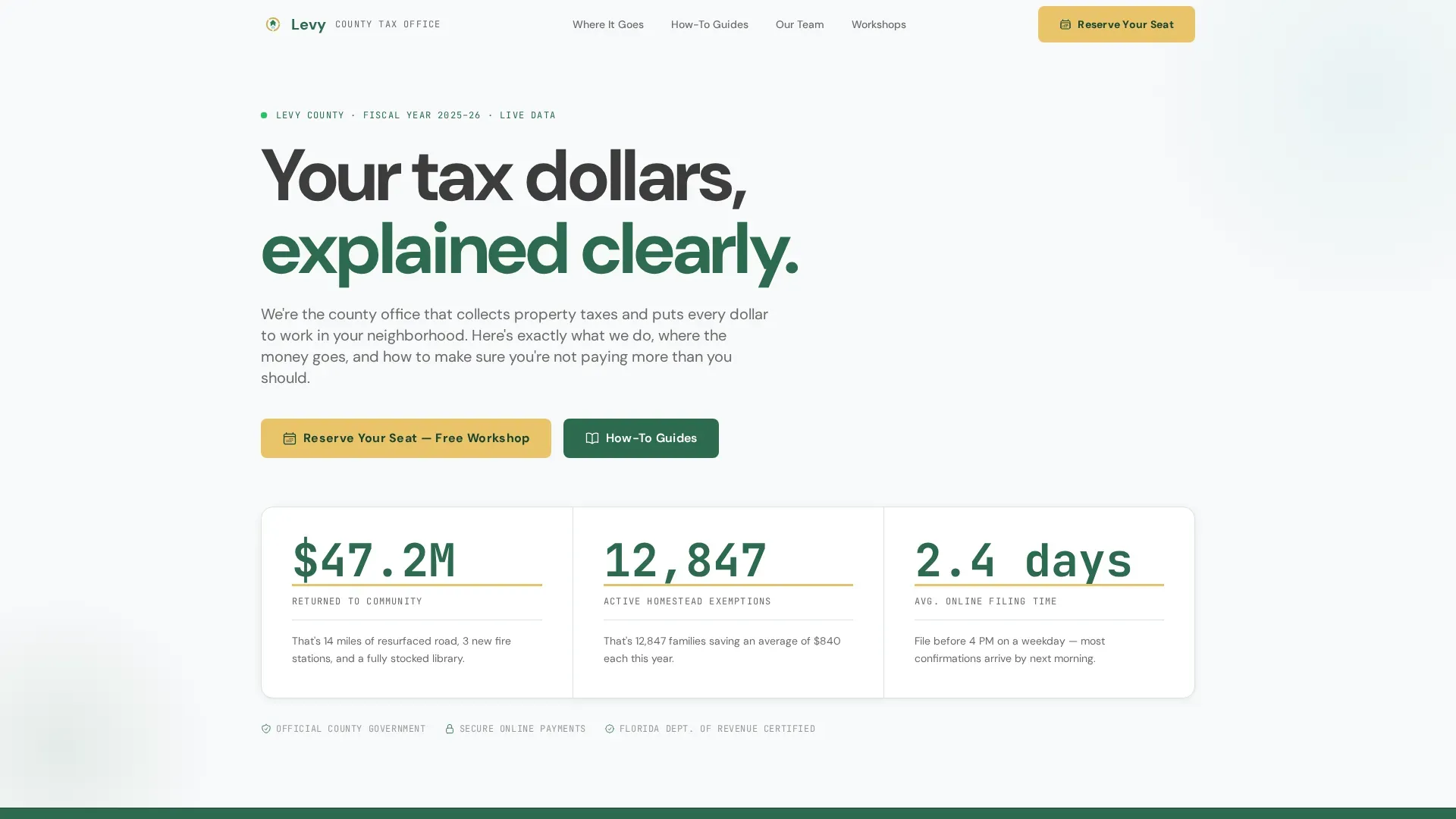
Three oversized counters animate on page load, each displaying a real fiscal metric: total revenue returned to community services, active homestead exemptions, and average online filing processing time. Each counter sits in evergreen on white, underlined in wildflower gold, with a single plain-English sentence below it. The numbers serve as the primary credibility signal, replacing stock photography or official seals.
Modular Card Grid Layout
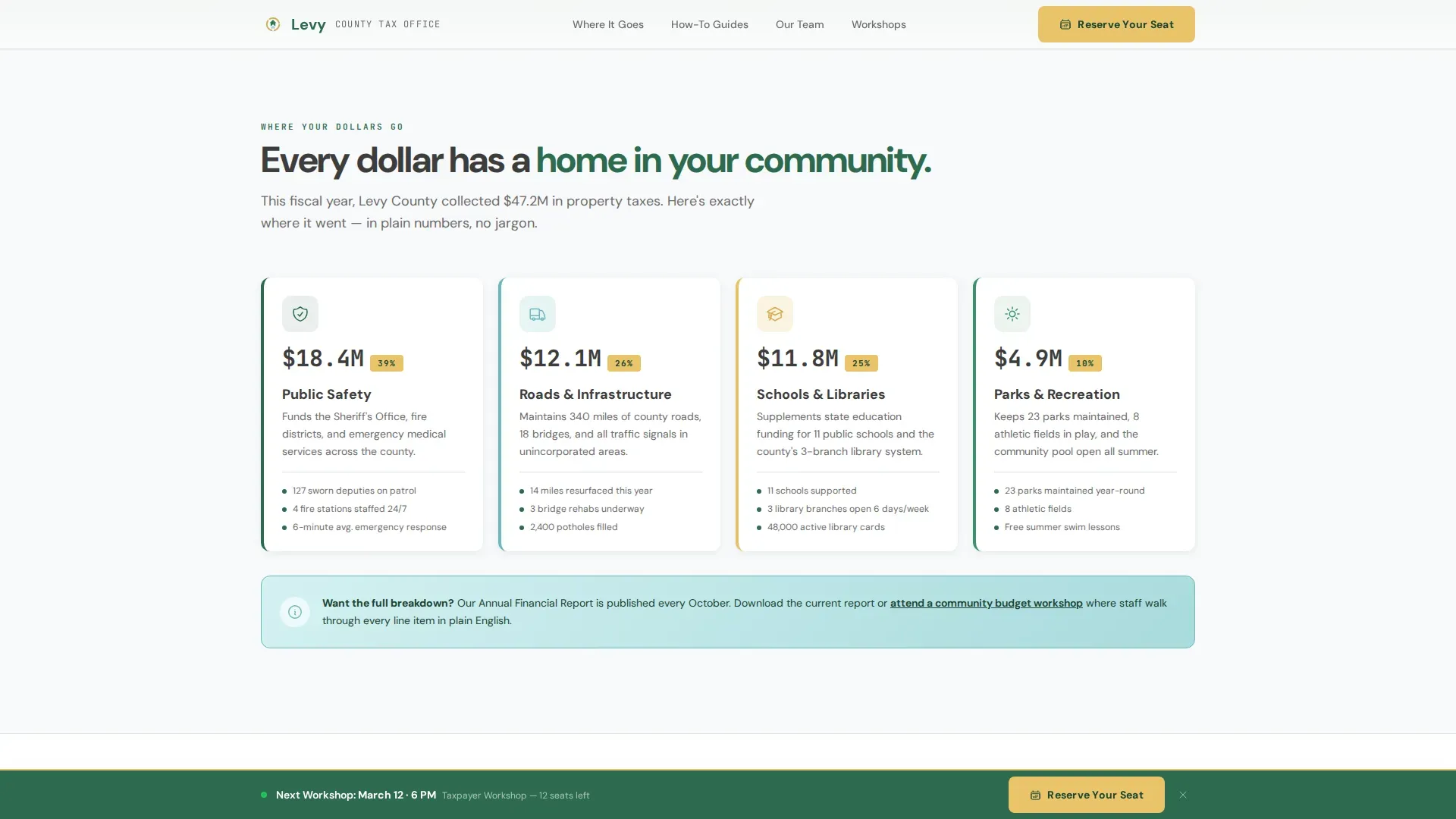
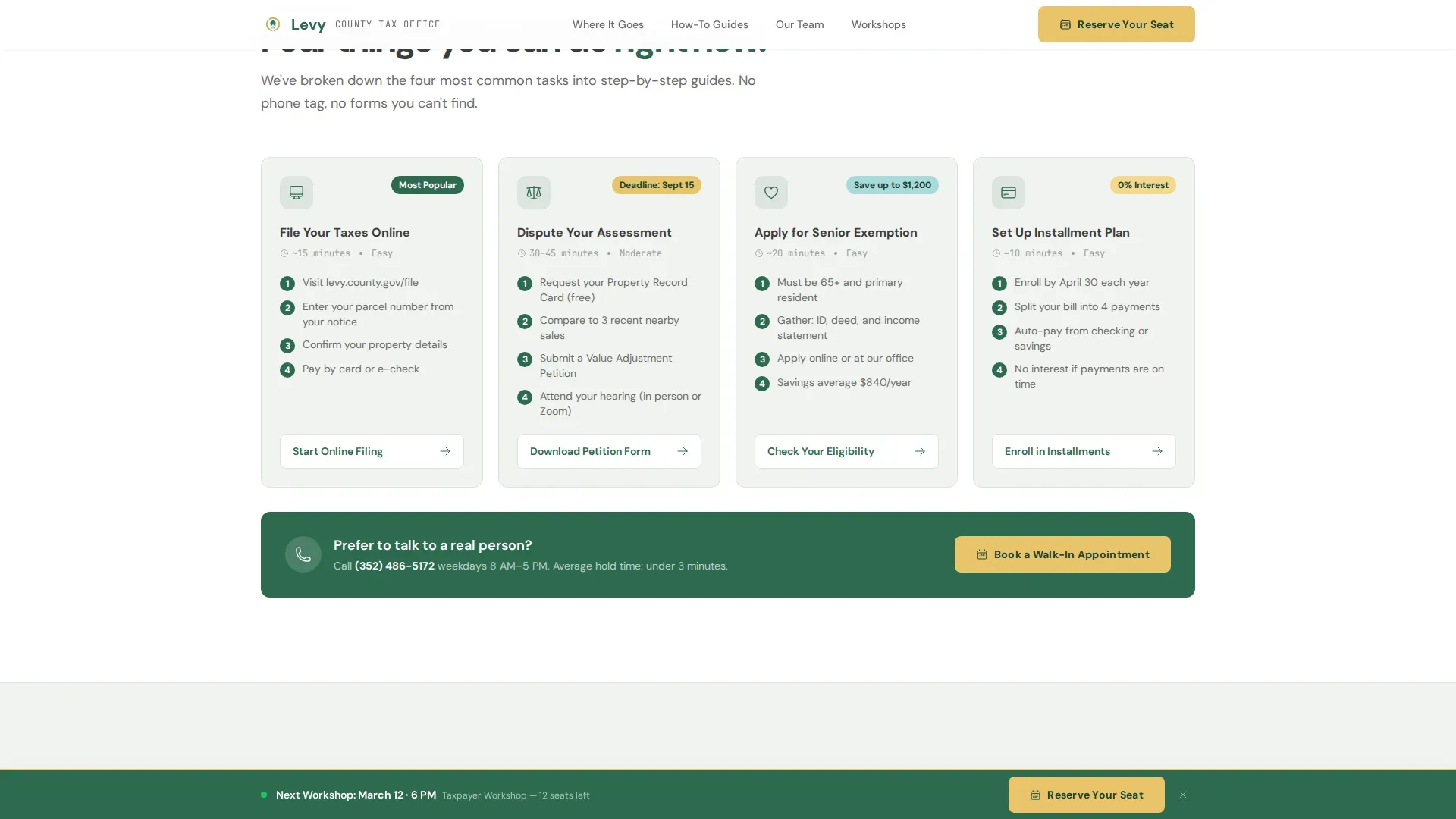
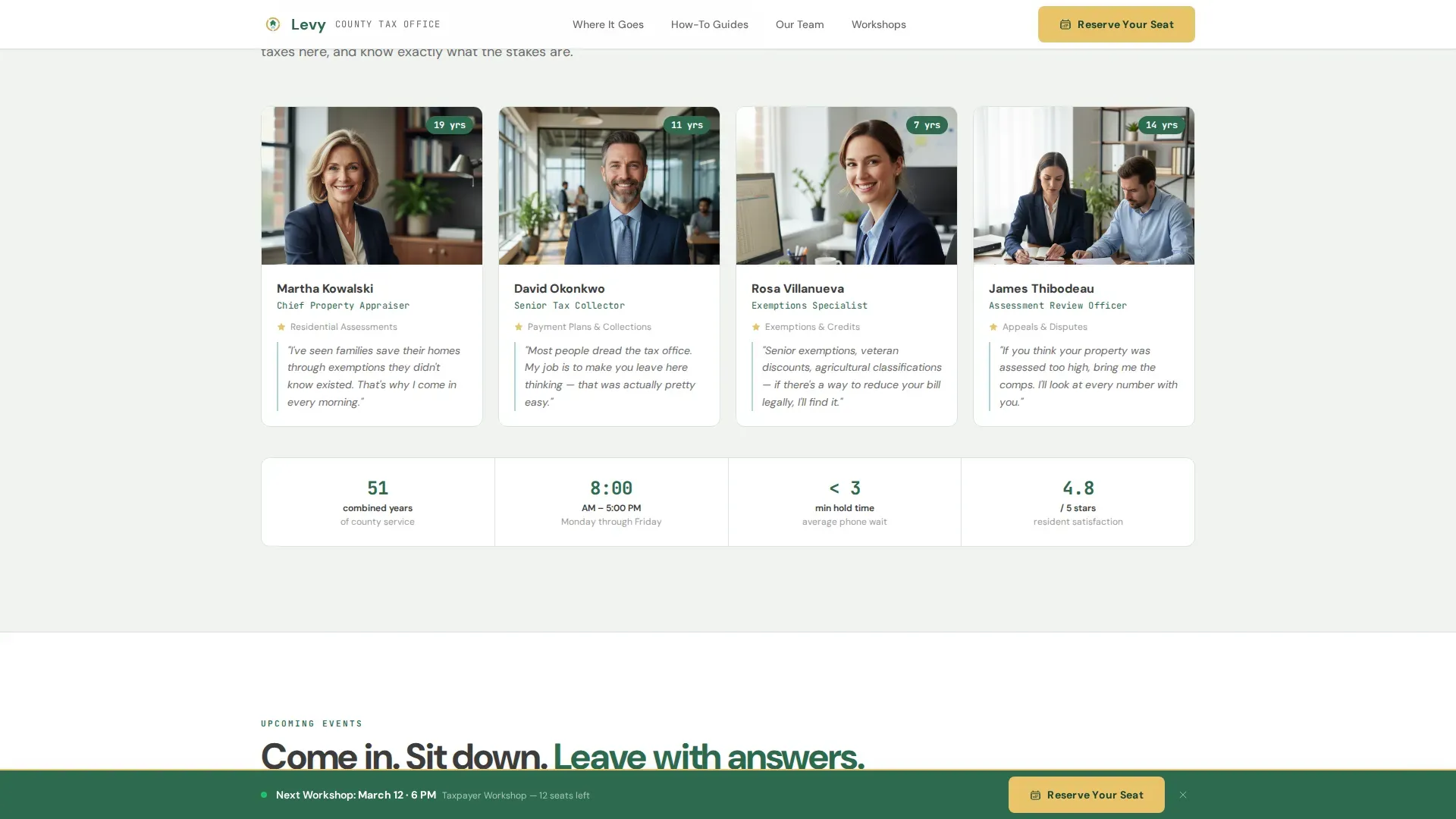
The page is structured as a series of card rows, each serving a distinct purpose. The first row shows WHERE property tax revenue goes, with one card each for public safety, infrastructure, schools, and parks, including an icon and a real local dollar figure. The second row delivers HOW-TO guides covering online filing, assessment dispute, senior exemption application, and installment plan setup. The third row introduces staff members by first name and years of service.
Event Registration Section with Sticky Bar
The primary call to action is a four-field registration form collecting name, email, event selection, and an optional question. A sticky bottom bar appears after the second card row, showing the next event date and a single-click registration button. This form supports workshop seats, assessment review clinic spots, and senior exemption walk-in day reservations.
Deadline Reminder Email Opt-In
A secondary conversion path offers a low-commitment email opt-in for visitors who are not yet ready to attend an event in person. This path keeps the office in contact with property owners at critical tax filing dates throughout the state fiscal calendar, reducing missed deadlines and the associated cost to both residents and the county.
Alpine Fresh Color and Typography System
The visual identity uses four defined colors: crisp evergreen (#2D6A4F) for header and footer, mountain-morning sky (#A8DADC) for informational callout cards, snowfield white (#F8F9FA) for the card grid background, and wildflower gold (#E9C46A) for buttons, badges, and notification accents. DM Sans handles all body text; JetBrains Mono handles numbers and labels throughout.
Scroll-Reveal Animations and Interactivity
Medium-weight animations include counter animations on load, scroll-reveal effects as card rows enter the viewport, and a sticky bottom bar that activates after the visitor passes the second card row. These interactions are built with minimal JavaScript to keep the page light while still delivering a polished, responsive experience.
Page sections overview
| Section | Purpose |
|---|---|
| Animated Stats Dashboard | Show real fiscal impact with three counters |
| Where Dollars Go | Four cards linking levy revenue to city and county services |
| How-To Guide Cards | Step-by-step action cards for filing, disputes, exemptions, and installments |
| Meet the Team | Staff cards with first names and years of service |
| Event Registration | Four-field form with sticky bar for workshop reservations |
| Deadline Reminder Opt-In | Low-commitment email capture for property owners not ready to register |
| Linear Footer | Single-row footer with contact details and navigation |
Design & branding system
The Alpine Fresh palette was chosen to feel like a forest service overlook at dawn: organized, clear, and trustworthy without being sterile. The color assignments are intentional and structural, not decorative, so every element guides the resident's eye toward action without visual noise.
- Evergreen (#2D6A4F) anchors the header and footer; snowfield white (#F8F9FA) opens up the card grid so each module breathes; sky blue (#A8DADC) tints informational callout cards; wildflower gold (#E9C46A) marks every button, badge, and notification accent
- DM Sans is used for all body copy to maintain warmth and readability at every screen size; JetBrains Mono is reserved for counter numbers, tax rate labels, taxable value figures, and other data-forward elements to reflect precision
- The Educational Guide visual theme keeps the design clean and trustworthy without veering into corporate coldness, which is crucial for building rapport with residents who may already distrust government-facing pages
Mobile & speed optimization
The template is desktop-first with full mobile responsiveness, acknowledging that senior citizens and tablet users make up a meaningful portion of the resident audience. Card grid rows reflow cleanly into single-column stacks on smaller screens, and the sticky bottom bar remains accessible on touch devices.
- Server Components handle all static sections to minimize JavaScript execution; counter animations and scroll reveals are the only interactive layers, keeping the page fast on lower-bandwidth connections often used in rural county areas
- The four-field registration form is touch-optimized, with large tap targets and clearly labeled fields so residents can complete the sign-up process on a phone or tablet without pinching or zooming
- Typography scales consistently across breakpoints, so JetBrains Mono number labels and DM Sans body paragraphs remain legible whether the visitor is on a desktop in a city office or a tablet at a kitchen table
How this template helps you convert
Every section of the Levy template is sequenced to earn trust before asking for anything. Visitors arrive at the stats dashboard, absorb the fiscal impact data, and are shown concrete proof that property taxes fund real community value. By the time they reach the registration form, the office already feels familiar.
- The card grid escalates from abstract purpose (where taxes go) to practical guidance (how to file, dispute, or apply for an exemption) to human connection (named staff members), building a complete picture of a responsive, accountable county office before any call to action appears
- The sticky bottom bar provides a persistent, low-friction registration path that stays visible throughout the scroll without interrupting the content experience, so visitors can reserve a seat the moment they feel ready
- The secondary email opt-in captures residents who are not ready for a workshop, maintaining a relationship with property owners across the full property tax cycle so the office can notify them when a significant tax law change, a new exemption program, or an important filing date arrives
Other information about this template
This section covers additional context that helps you understand the broader landscape this template operates in, including relevant tax law background, exemption program details, and platform considerations for tax office pages.
- The Truth in Taxation process requires public hearings to discuss proposed property tax rate increases; community involvement is a key part of this process, and after a public hearing the city council decides whether to increase the property tax rate and by how much
- The 101% levy limit restricts the amount any taxing jurisdiction can increase its regular property tax levy without voter approval; the levy limit applies only to current assessed valuation and does not affect levies from new construction; jurisdictions can submit a special levy to voters to temporarily increase taxes above statutory maximums
- Single-year lid lifts allow a jurisdiction to increase the maximum levy by more than one percent for one year only; multi-year lid lifts authorize a jurisdiction to exceed the 1% limitation each year for up to six consecutive years; about 75%-80% of levy lid lifts have passed in recent years
- County tax offices may provide credits and exemptions for property owners who are disabled veterans, active duty military, or senior citizens; it is the property owner's responsibility to apply for these programs, which is exactly why a clear, accessible landing page with a direct contact path and free consultation option matters
- A significant tax law change at the state or federal level can affect taxable value calculations, property tax rates, and even how the IRS treats certain transactions including the sale of digital assets, nonfungible tokens, and certain nonfungible tokens treated as property; when a business conducts research or product development, different deduction rules may apply; offices that help residents understand reporting req changes for trade digital assets or new reporting req obligations tied to digital assets reduce confusion and build long-term loyalty
- Landing page templates for tax offices often feature a minimalist and professional design to establish credibility; key elements include professional certifications, local contact information, and specific client testimonials; displaying professional credentials like Certified Public Accountant (CPA) or Enrolled Agent (EA) status builds trust with visitors handling sensitive financial data
- NAP consistency (Name, Address, and Phone number) is crucial for local search visibility and establishing legitimacy for county and city tax offices; the Levy Trusted Community Tax Office landing page template is designed to establish an authentic online presence for tax professionals
- Social media platforms are an excellent channel for driving traffic to your landing page; sharing upcoming workshop dates and exemption program details on social media platforms increases event registration and reach across the county
- High-converting landing page templates for tax offices are typically found on platforms like Etsy, Dribbble, or Canva; this template is purpose-built for the government and public revenue niche rather than adapted from a general-purpose tax preparer or tax consultant layout
- Bonds issued by a county or city to fund infrastructure improvements, school expansion, or public facilities are often funded through property tax levies; the template's "Where Your Dollars Go" card row is designed to make these connections visible and meaningful to residents
- The fax number and all contact details in the footer reflect the NAP consistency standard; every detail displayed should be accurate and up to date so residents can reach the office through the channel they prefer
Theme
Educational Guide
Creative direction
Vision & Mission
Color system
Alpine Fresh
Style
Card Grid (Modular)
Direction
Event Registration
Page Sections
Animated Stats Dashboard with Live Counters
Modular Card Grid with Three Escalating Rows
Event Registration Form and Sticky Bottom Bar
Deadline Reminder Email Opt-in Path
Alpine Fresh Color System and Dual Typography
Scroll-reveal Animations and Sticky Interactivity
Related questions
Who is the Levy template designed for?
Can I adapt the card grid to show my county's actual tax revenue figures?
Does the template support senior and disabled veterans exemption programs?
How does the sticky bottom bar work for event registration?
What should I know about levy limits before publishing this page?



