Public Library Government Professional Website Template
The Library Discover Community Programs Landing Page Template is a card grid landing page built for public library systems that want residents to discover every free program they offer. A flip-card audit grid, illustrated infographic header, and a streamlined three-field registration form work together to turn passive visitors into engaged community members who reserve their spot in seconds.
by Rocket studio
Quick summary
This template is a modular card grid landing page designed for city and municipal public library systems. It transforms a library website from a simple catalog into a living community discovery tool. Residents scroll through six program category cards, flip each one to reveal session details, and register for free programs in three quick fields. The result feels less like a government form and more like checking a fresh bulletin board on a Saturday morning.
Who this template is for
This landing page serves public library systems and civic offices that need to communicate a wide, often-overlooked range of free community resources online. It is especially useful when the library's existing website fails to show patrons everything that is available.
- New parents hunting for story time slots and early literacy programs
- Retirees who need one-on-one tech help or notary services at their local branch
- Teenagers, students, and immigrant families searching for digital skills, citizenship prep, or English as a Second Language conversation circles
- Library administrators and city professionals who want to increase program enrollment and demonstrate community impact
What problem this template solves
Most public library websites bury their best offerings. A patron looking for a seed library, a maker space, or a small business workshop may never find it because the site's layout does not surface those programs clearly. The result is low enrollment, wasted programming budget, and real people missing resources that were always free to them.
This community landing page template solves that problem directly:
- It replaces a flat program list with an interactive flip-card audit grid that invites residents to discover programs by category
- It displays critical logistics, including dates, times, branch locations, age ranges, and registration requirements, on every card
- It provides a simple registration form that gathers just enough data to confirm a spot without creating friction for the visitor
What you get with this template
You get a complete, ready-to-customize landing page built around discovery-first design. Every section is purposeful. Every interaction is designed to move a community member from curiosity to enrollment without extra steps.
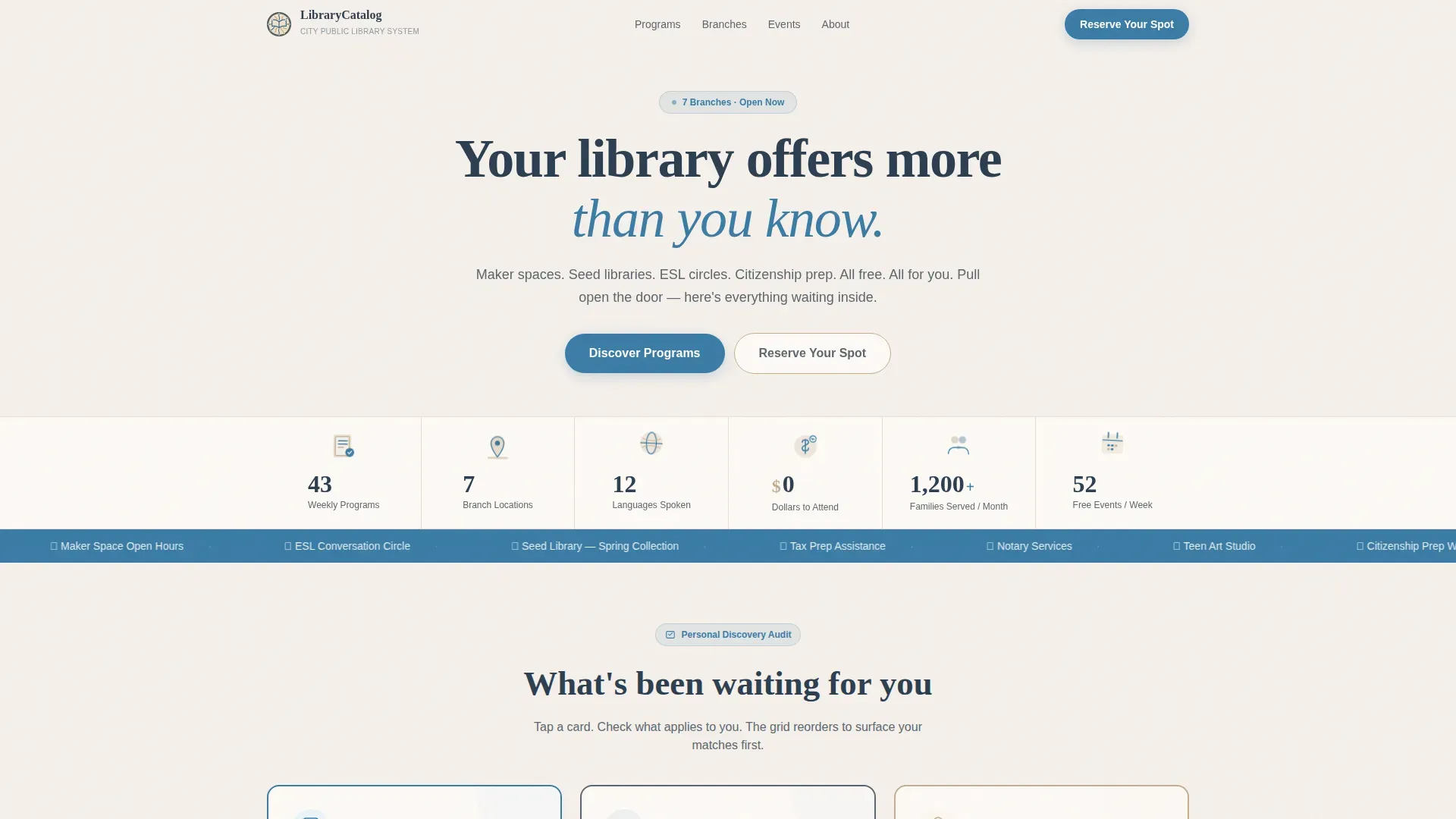
- A stylized illustrated infographic hero section with animated stat counters showing program volume, branch count, languages served, and zero-dollar cost
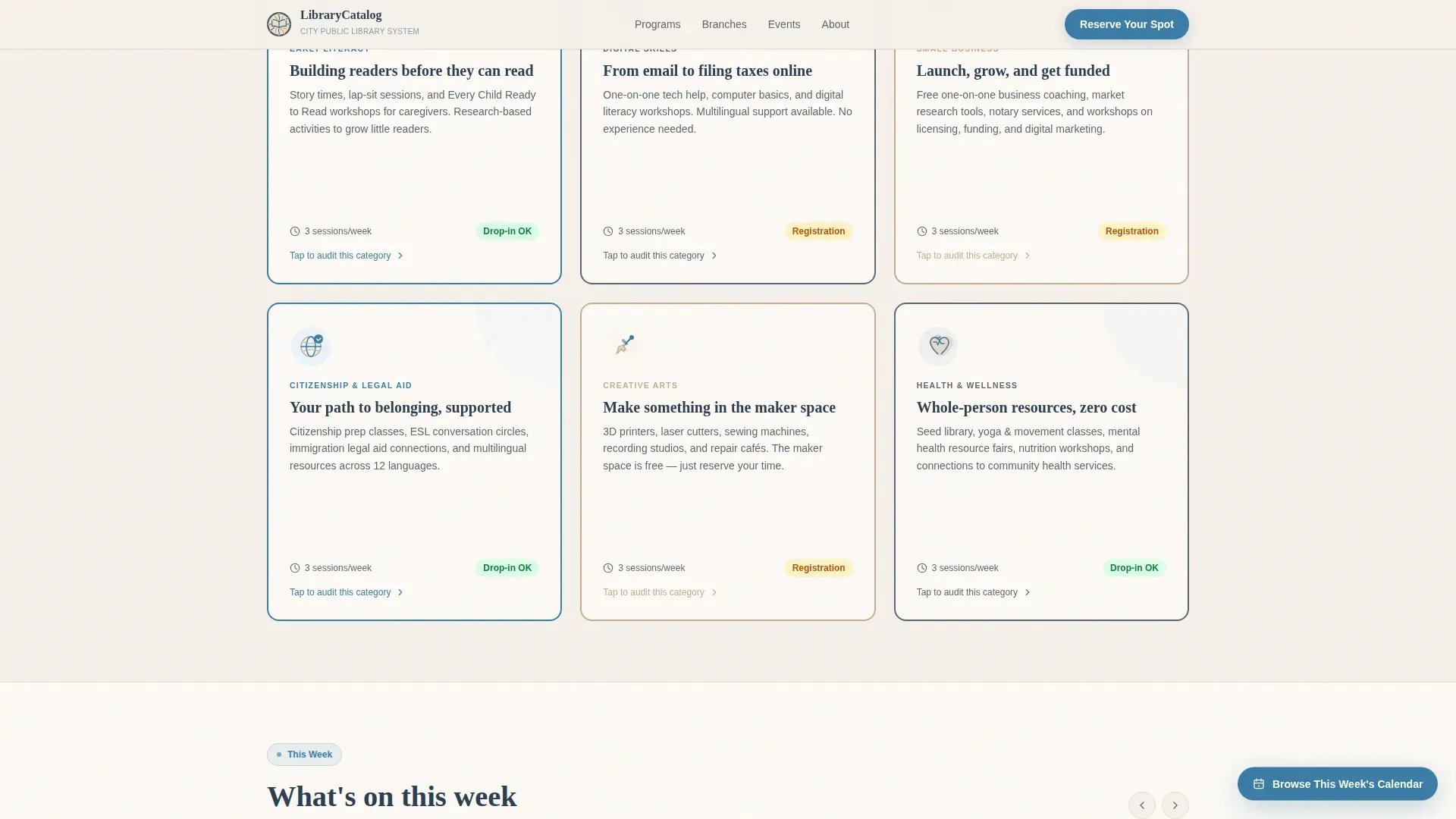
- A six-card flip-card audit grid covering Early Literacy, Digital Skills, Small Business Resources, Citizenship and Legal Aid, Creative Arts, and Health and Wellness
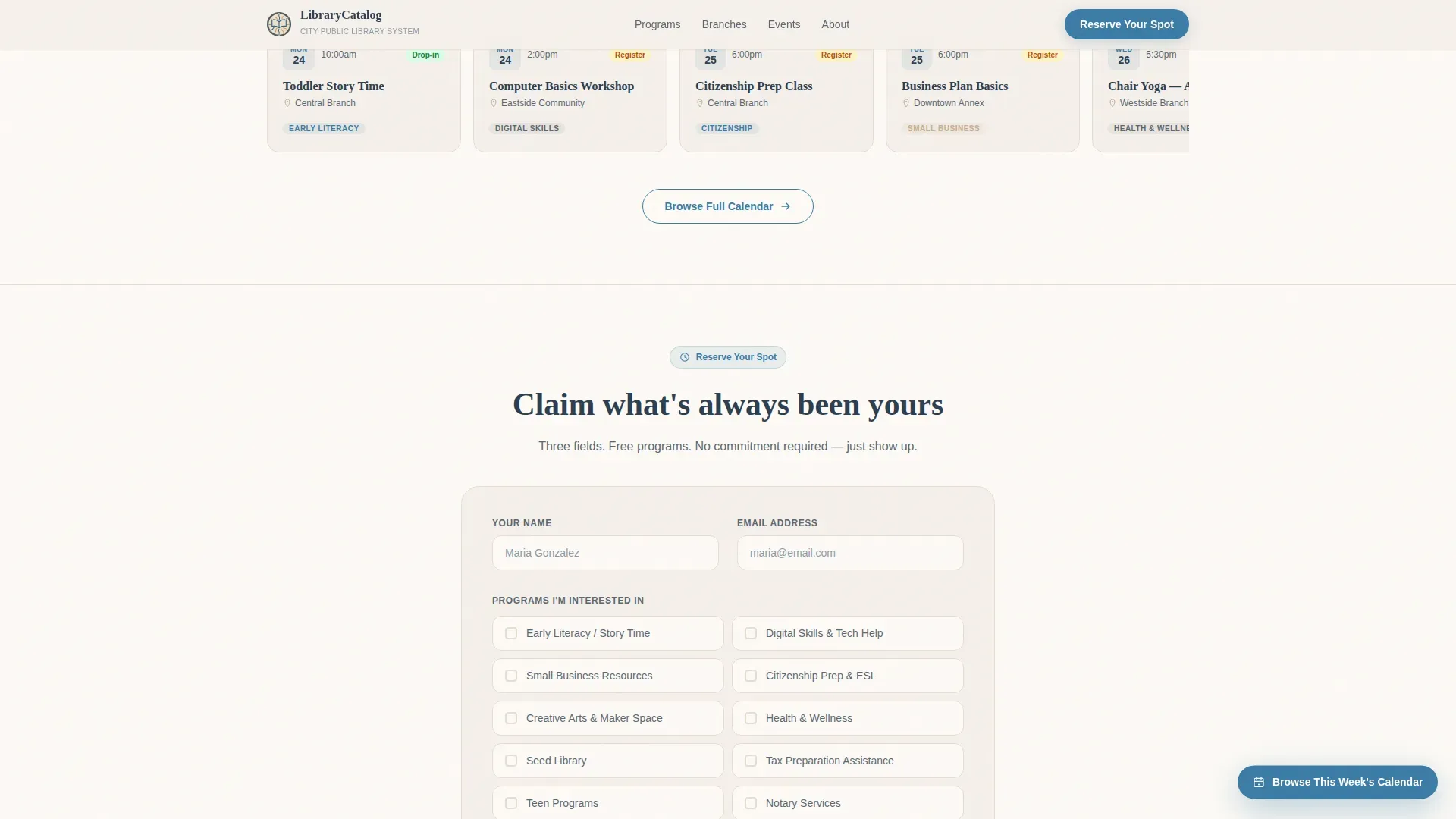
- A three-field registration form with a program multi-select checklist and a branch-location dropdown that auto-detects the nearest branch by zip code
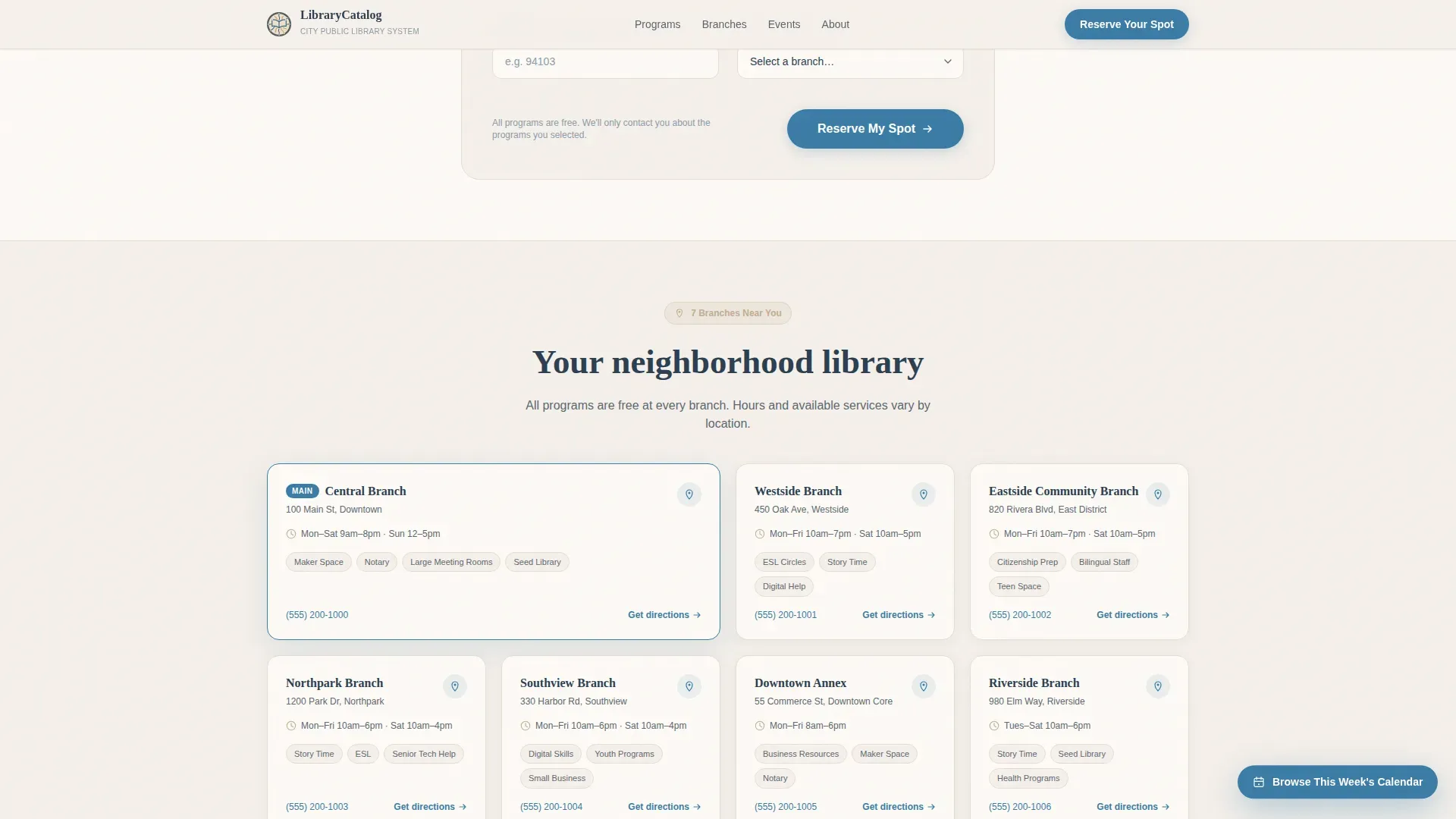
- A seven-branch card section showing hours and available services, a horizontal upcoming events strip, and a clean single-row footer
Feature list
This community page template ships with a focused set of features that serve library professionals, city administrators, and patrons equally well. Each feature was chosen to reduce friction, engage visitors quickly, and build trust through transparency.
Illustrated Infographic Hero Section
The hero section opens with a horizontal illustrated stat band: 43 weekly programs, 7 branches, 12 languages spoken, and zero dollars to attend. Each statistic sits beside a hand-drawn vector icon. A subtle scroll animation on load gives the band the feeling of a living dashboard rather than a static photo. This is how the page earns attention before a visitor reads a single program description.
Flip-Card Program Audit Grid
Six modular cards organize every program the library offers into clear categories. Tapping a card flips it to reveal a mini-checklist: upcoming sessions, age ranges, branch locations, and drop-in or registration status. The grid subtly reorders itself to surface the categories most relevant to each user based on their checklist selections. This interaction pattern turns passive browsing into a personal discovery process that feels fun and genuinely useful.
Streamlined Three-Field Registration Form
The registration form keeps the signup process short and respectful of the visitor's time. It collects a name, an email address, and a multi-select program checklist that mirrors the audit grid's language. A branch dropdown auto-detects the nearest library location by zip code. The form design feels continuous with the rest of the page rather than transactional, so sign-up rates stay high.
Upcoming Events Horizontal Strip
A scrollable horizontal strip surfaces this week's live sessions across all branches. Each event tile shows the program name, date, time, and branch location in plain language. Residents can quickly find what is happening right now without searching through a separate calendar page. This section also supports a temporary top-of-page banner for high-priority seasonal programs like a Summer Reading Program, keeping time-sensitive information visible.
Seven-Branch Location Cards
Each of the library system's seven branches gets its own card showing hours, available services, and contact details. Patrons on mobile can tap directly to get directions or call the branch. This section makes the library feel like a network of neighborhood centers rather than a single institution, which matters when a resident in one zip code needs a service only available at a specific location.
Program Search and Filter Tools
A prominent search box covers both the site content and the program catalog, so users can quickly find what they are looking for by keyword, age group, or interest area. Faceted navigation tools let visitors narrow programs by category, branch, or day of the week. This reduces the cognitive load of sorting through a diverse range of offerings and keeps the community page feeling organized and easy to use.
Page sections overview
| Section | Purpose |
|---|---|
| Illustrated Infographic Header | Communicates program volume and community reach with animated stat counters and vector icons |
| Flip-Card Program Grid | Lets visitors audit six program categories and discover offerings relevant to their life |
| Registration Form | Collects name, email, and program selections with a branch-detection dropdown |
| Branch Location Cards | Shows hours and services for all seven library branches |
| This Week Events Strip | Surfaces upcoming sessions in a scrollable horizontal timeline |
| Footer | Provides site-wide links and contact information in a single-row layout |
Design & branding system
The template uses a Cloud Canvas color palette designed to feel warm and institutional without being cold or bureaucratic. The visual style borrows from illustrated children's room signage, civic bulletin boards, and well-loved library cards. All visual elements use clean SVG vector illustrations rather than stock photography, which keeps the aesthetic consistent and loading fast.
- Soft parchment white (#F5F0EB) covers backgrounds; muted library slate (#5B6770) handles body text; warm archival tan (#C4AD8F) defines card borders and dividers; and clear civic blue (#3A7CA5) appears on buttons, links, and active highlights
- Fraunces serif headlines pair with DM Sans body text to balance institutional authority with approachable readability
- Staggered card reveal animations, flip transitions, animated stat counters, and a marquee scroll give the page medium-weight motion that feels alive without being distracting
Mobile & speed optimization
This landing page template was built mobile-first because most library patrons browse on their phones, either at home or inside the branch itself. The card grid, registration form, and branch section all adapt cleanly to small screens without losing any functionality or visual detail.
- SVG illustrations replace stock photo files, keeping page weight low and visual quality high across all screen sizes
- The flip-card audit grid, program checklist form, and branch dropdown all work smoothly on touch devices with no pinch-zoom required
- Server Components handle static content sections so the page loads quickly even on slower mobile connections at public Wi-Fi access points
How this template helps you convert
A polished, professional landing page can improve conversion rates when every design decision serves the visitor's goal. This template earns the click by building genuine surprise and recognition before it ever asks for a name and email address.
- The illustrated infographic hero section states the library's full value immediately: 43 free weekly programs, 7 branches, 12 languages, zero dollars. A visitor understands the scale of community resources available before scrolling past the fold, which sets up the discovery that follows.
- The flip-card audit grid functions as a personal checklist rather than a marketing brochure. By the time a visitor has tapped through four or five cards and found programs they never knew existed, the registration form feels like claiming something that was always theirs rather than signing up for something new.
- The three-field form, branch auto-detection, and multi-select program checklist complete the enrollment loop with minimal friction. Clear, action-oriented button language like "Reserve Your Spot" and "Browse This Week's Calendar" guides the visitor without pressure, keeping drop-off rates low and enrollment numbers high.
Other information about this template
This template is designed for municipal and civic library systems, but the underlying layout and community page structure can support other community organizations with free programming, such as community centers, public health departments, or parks and recreation offices. The card grid pattern is flexible enough to adapt to a diverse range of service catalogs.
- The template can be customized with no-code tools or built from scratch to meet specific city branding or accessibility requirements; no technical skills are required to swap colors, update program details, or add a new page section
- Community landing page templates like this one help organizations communicate a clear welcome message and mission statement quickly, especially to first-time visitors who arrive from a search result or a social media link
- The layout includes space for member testimonials and photos from past events, which serve as social proof and help build trust with visitors who are new to the library's programs; a testimonial mosaic layout can foster a sense of belonging among community members who see real people featured on the page
- Program card descriptions are written to avoid technical jargon and focus on benefits and what a participant can expect, which is best practice for community landing pages targeting a broad and diverse audience including seniors, students, and new immigrants
- The registration form also functions as a lightweight newsletter signup, allowing users to opt into updates on upcoming community initiatives by selecting their programs of interest
- No-code platforms that support this template style can significantly reduce the time required to launch a community landing page from weeks to hours, which matters for library professionals managing lean teams and tight project timelines
- The template's download package includes all section components and a style guide so administrators can import colors, typography, and layout tokens into their preferred design or publishing tool
- Teams looking to gather feedback on program interest can use the registration form's multi-select data as a lightweight signal of which programs are attracting the most attention before investing further resources
- Single-stat impact callouts in the hero section and branch cards make it easy for administrators to update numbers each quarter, keeping the community page accurate and trustworthy over time
- Other pages in the library's broader website can link directly to this landing page as the central program hub, reducing the need to maintain program information in multiple places across the site
Theme
Directory & Discovery
Creative direction
Checklist & Audit
Color system
Cloud Canvas
Style
Card Grid (Modular)
Direction
Event Registration
Page Sections
Flip-card Program Discovery Grid
Illustrated Infographic Hero Section
Three-field Streamlined Registration Form
Branch Location Card Section
Program Search and Filter Tools
Upcoming Events Horizontal Strip
Related questions
Can I customize the program categories shown in the card grid?
Does the registration form work as a newsletter signup too?
Is this template suitable for a library system with fewer than seven branches?
How do testimonials fit into this template?
Can this template be adapted for other public service departments?



