Forklift Operator FAQ Website Template
Lift is an editorial-style forklift operator FAQ and resource landing page built for warehouse professionals. It combines a bold stats-driven header, expert-voiced FAQ sections, and a click-through structure that guides operators, new hires, and safety managers from foundational knowledge toward a full resource library. The Slate & Sky color system gives it the look of a trusted field manual.
by Rocket studio
Quick summary
Lift is a single-page editorial resource hub designed for forklift operators and warehouse safety professionals. It opens with oversized safety statistics, moves through expert-anchored FAQ sections, and closes with a clear path into a broader operator library. Every design decision reinforces trust before asking for a click.
Who this template is for
This template is built for organizations and creators who serve working warehouse professionals. It speaks directly to the people on the floor and the managers responsible for keeping them safe.
- Warehouse leads and operations managers who need ready-made safety reference material for shift meetings and toolbox talks
- New forklift operators who finished initial training and need a reliable place to confirm what they learned
- Safety trainers and certification educators who want a polished, authoritative resource page to support Occupational Safety and Health Administration recertification prep
What problem this template solves
Most forklift safety content online is either too generic or buried inside dense regulatory documents. Operators need answers that are fast, credible, and specific to real scenarios on the floor.
- There is no single go-to page that answers practical operator questions, from load capacity math to ramp grade limits, in plain language
- New hires and recertification candidates have nowhere to go between formal training sessions when a specific question comes up on shift
- Safety managers waste time assembling toolbox talk content from scattered sources instead of pointing their team to one trusted hub
What you get with this template
You get a fully structured editorial landing page with a confident visual identity and a content architecture that moves readers from curiosity to action. Every section is purposeful and production-ready.
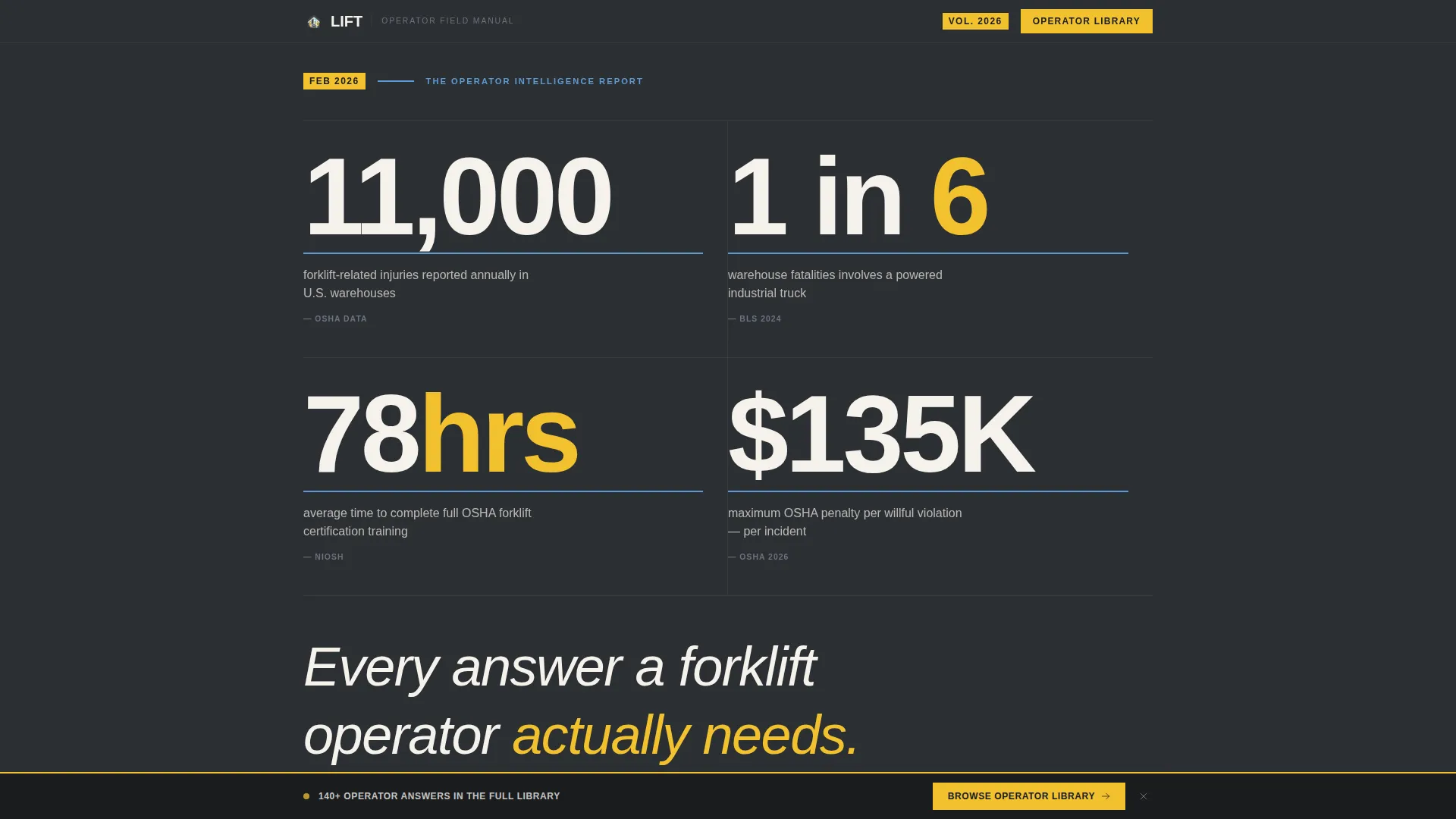
- A stats-driven header block displaying high-impact safety figures in oversized condensed type, with no reliance on stock photography
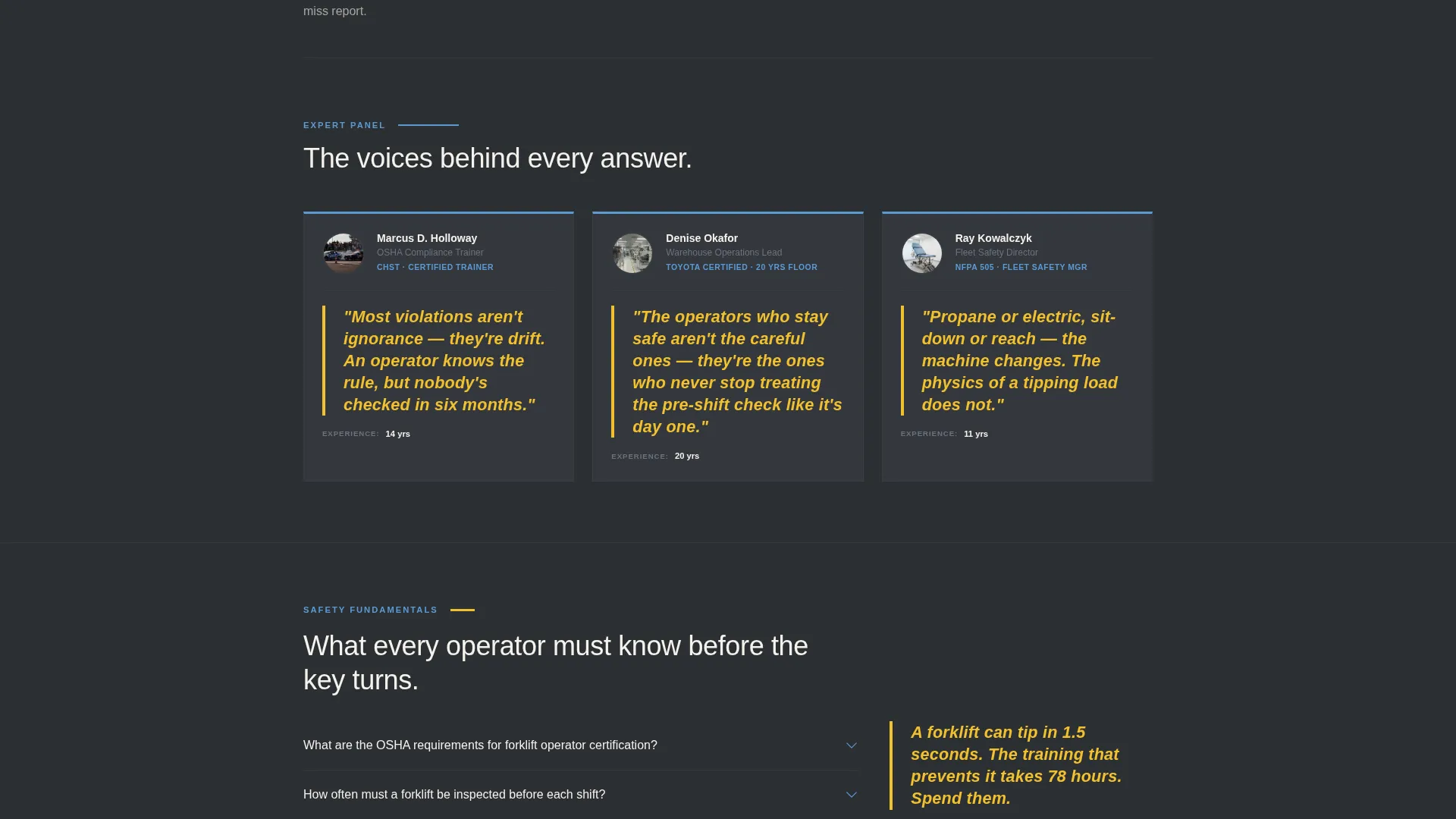
- Named expert panel cards with pull-quotes that anchor each FAQ section, giving the page the authority of a printed trade publication
- A dual-path call-to-action system with a sticky bottom bar and a full-width editorial breaker, each pointing toward the operator library or a printable pre-shift checklist
Feature list
This template is built around a specific set of content and layout features derived directly from the brief. Each one serves the forklift operator audience.
Stats and Metrics Header Block
The header displays key figures, such as 11,000 injuries per year, 1 in 6 warehouse fatalities, and 78 hours of average certification training, in heavy condensed type against a slate background. Thin sky-blue divider rules separate each stat. No photography is used. The numbers alone set the authority of the page before a single word of body copy is read.
Expert Panel FAQ Architecture
Each major FAQ section opens with a named expert card. A certified Occupational Safety and Health Administration trainer, a 20-year warehouse veteran, and a fleet safety director each anchor a section with a pull-quote. This structure gives every answer a human voice and a professional credential readers can weigh.
Alternating Editorial Column Layout
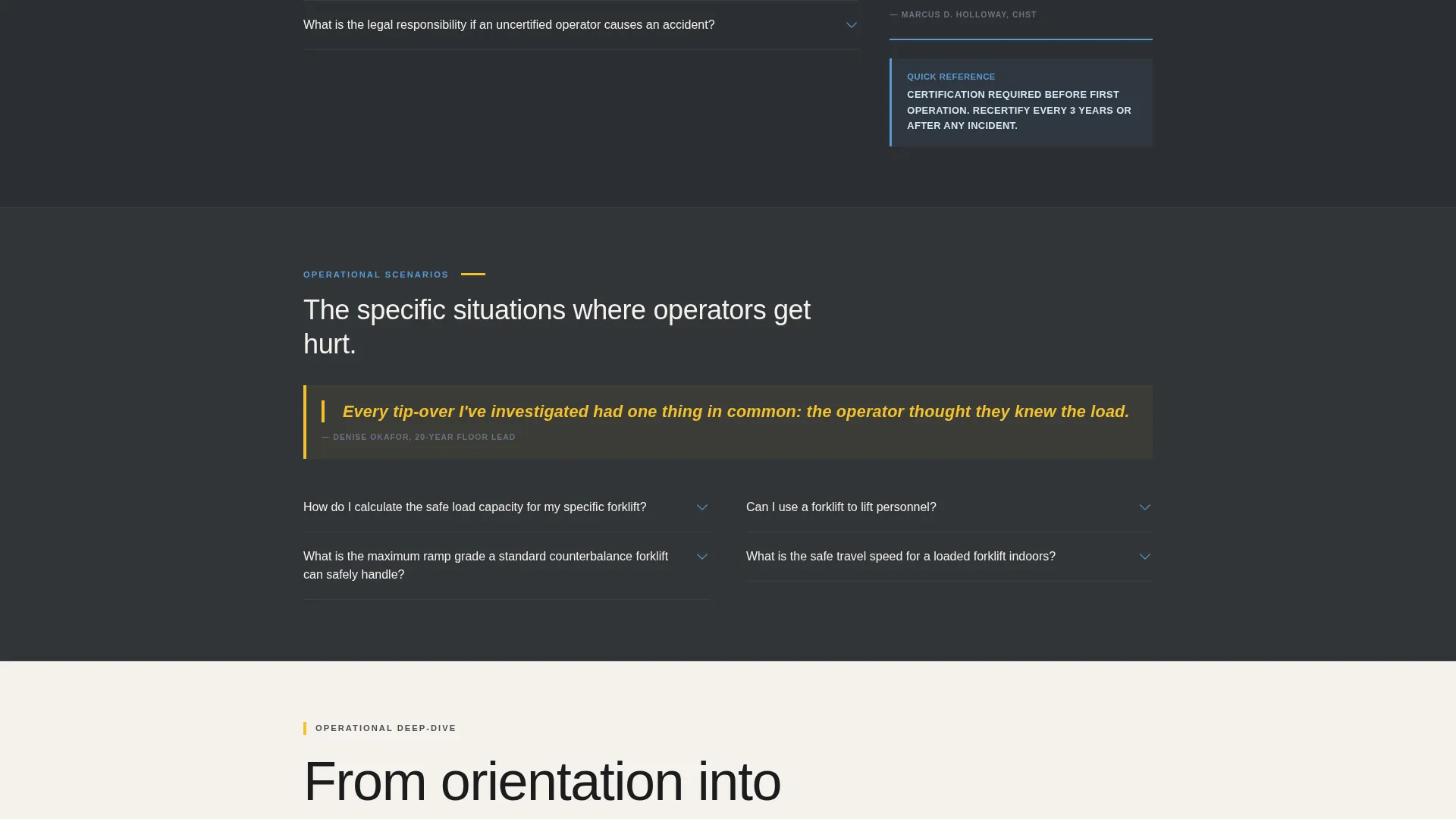
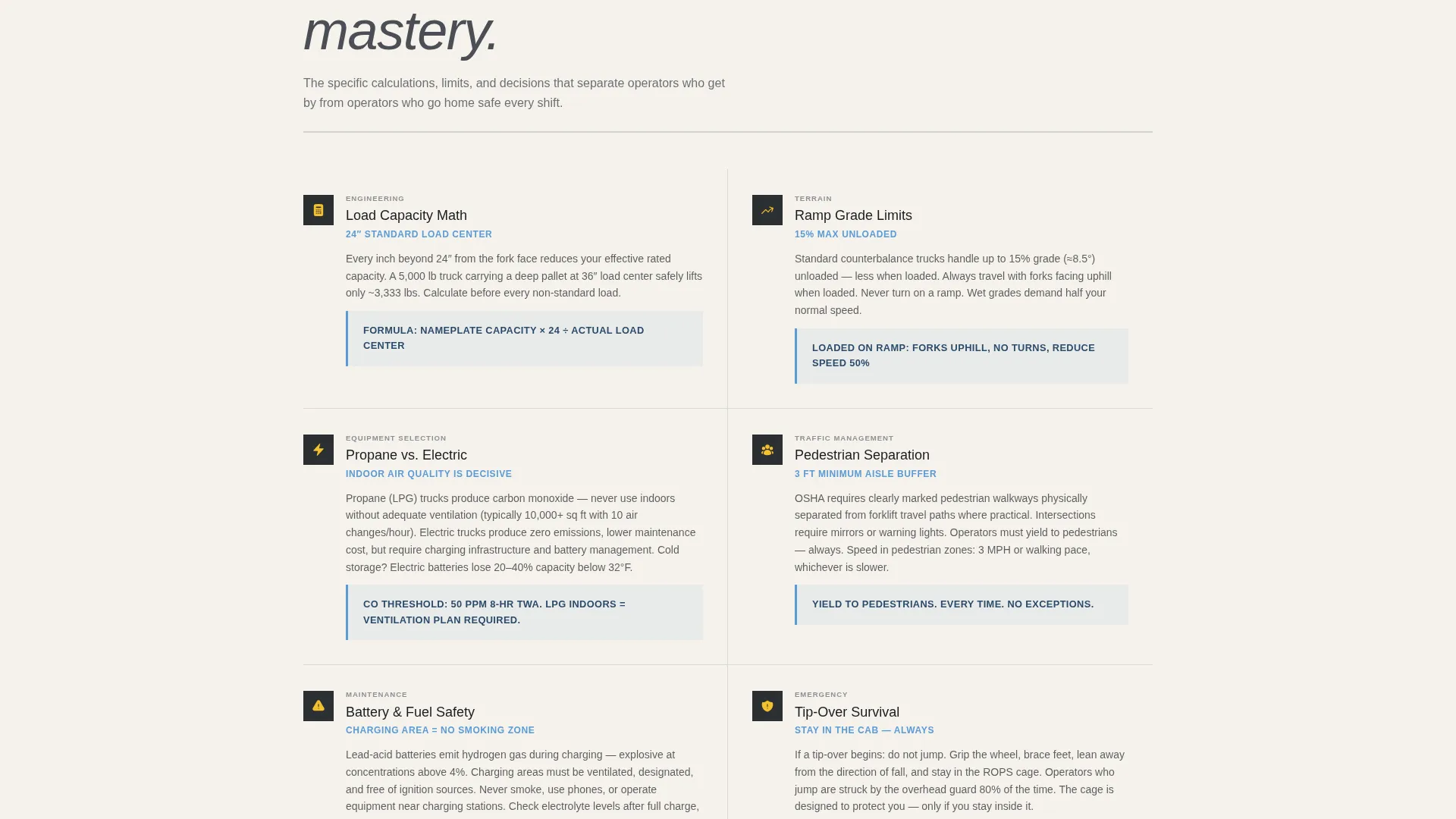
Sections alternate between full-width editorial columns and tight two-column question-and-answer blocks with sky-blue sidebar annotations. The rhythm is intentional: broad safety fundamentals come first, then specific operational scenarios narrow the focus as the reader scrolls deeper.
Dual-Path Click-Through call to action System
The primary call to action, "Browse the Full Operator Library," appears first as a sticky bottom bar after the third scroll section. It reappears as a full-width editorial breaker with a secondary option to download the pre-shift checklist as a printable PDF. The reader earns the offer by consuming real content first.
High-Vis Slate and Sky Color System
The palette uses warehouse concrete, load-bearing charcoal, open-dock sky blue, and high-visibility accent yellow. Yellow is reserved for callouts, pull-quotes, and interactive elements only. The result is a page that feels like standing at an open loading dock at dawn, familiar and functional rather than decorative.
Page sections overview
| Section | Purpose |
|---|---|
| Stats Header Block | Opens with bold safety figures to establish authority immediately |
| Editorial Subhead | Frames the page promise: every answer an operator actually needs |
| Expert Panel Cards | Introduces named voices that anchor each FAQ section with credentials |
| Safety Fundamentals FAQ | Covers foundational forklift safety rules in full-width editorial columns |
| Operational Scenarios FAQ | Narrows into specific situations using two-column question-and-answer blocks |
| Sky-Blue Sidebar Notes | Adds brief contextual annotations alongside detailed answer columns |
| Sticky call to action Bar | Locks in after the third section to offer the library without interrupting reading |
| Full-Width call to action Breaker | Reinforces the primary path and introduces the PDF checklist download option |
Design & branding system
The visual identity follows an Editorial Magazine theme using a four-color Slate & Sky palette. Every color choice is grounded in the physical environment of a working warehouse.
- Warehouse concrete (#4A4E56) and load-bearing charcoal (#2C2F33) form the structural background tones, giving the page the weight of a well-used operator's handbook
- Open-dock sky blue (#5B9BD5) is used for divider rules, sidebar annotations, and typographic accents, evoking the wide morning light of an open loading bay
- High-visibility accent yellow (#F2C12E) appears only on callouts, pull-quotes, and interactive elements, functioning like a safety vest in a gray environment
Mobile & speed optimization
The template is structured so that the most critical content, the stats header and the first expert FAQ block, loads at the top and reads clearly on any screen size. Operators checking the page between shifts need answers fast.
- The condensed typographic header scales naturally to smaller viewports so the oversized stat figures remain legible without horizontal scrolling
- The two-column question-and-answer blocks reflow to a single column on mobile, keeping the reading experience clean and uninterrupted
- The sticky call-to-action bar is designed to stay visible without covering body content, so readers on any device can keep reading while the next step remains accessible
How this template helps you convert
The page earns its click-through by delivering genuine value before making any ask. By the time a visitor reaches the first call to action, they have already gotten three useful answers and can see there are more ahead.
- The stats header creates immediate relevance. A warehouse professional sees numbers they recognize from their own safety training and knows the page is written for them, not for a general audience.
- The expert panel structure builds trust section by section. Named credentials and pull-quotes make the content feel vetted rather than generic, which raises the reader's confidence in the resource library being promoted.
- The dual-path call-to-action meets readers where they are. Operators who want depth click through to the full library. Managers who need something printable for the 6 AM shift meeting grab the pre-shift checklist. Both paths convert because both paths match a real, immediate need.
Other information about this template
This template fits naturally within professional services and occupational safety content ecosystems. It works as a standalone resource hub or as a click-through gateway to a larger operator training library.
- The page structure supports forklift operator online presence goals by presenting a credible, publication-quality destination that reflects professional standards
- The editorial magazine theme and Expert Panel creative direction are well-suited to safety educators, certification prep platforms, and fleet management organizations building authority in the forklift operator niche
- The pre-shift checklist PDF path adds immediate, printable value that reinforces operator readiness on the warehouse floor
Theme
Editorial Magazine
Creative direction
Expert Panel
Color system
Slate & Sky
Style
Editorial/Magazine
Direction
Click-Through
Page Sections
Stats and Metrics Header Block
Expert Panel FAQ Architecture
Alternating Editorial Column Layout
Dual-path Click-through Call to Action System
High-vis Slate and Sky Color System
Related questions
Who is this template designed for?
Does the template use stock photography?
Can I use this template for a pre-shift safety program?
How does the expert panel section work?
What is the Slate and Sky color system?



