Comedy Festival Landing Page Template
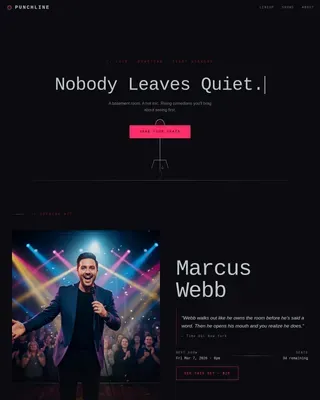
Lineup is a full-width immersive landing page template built for a weekend comedy festival. It opens with a full-screen video header, then scrolls through headliner portrait cards, an emerging-acts mosaic, venue maps, secret show teasers, and a crowd photo strip. A floating app download button drives the primary conversion throughout.
by Rocket studio
Quick summary
Lineup is a single-page, full-width immersive template designed for a weekend-long comedy festival. It combines a cinematic full-screen video header, wave-by-wave lineup reveals, a live countdown timer, and a floating app download call-to-action. The page is built to create urgency around one specific weekend and turn casual scrollers into festival app downloads.
Who this template is for
This template is made for comedy festival organizers, live event promoters, and entertainment brands running a multi-act weekend show. It works especially well when your audience needs a compelling reason to commit before the weekend arrives.
- Comedy festival organizers who need to showcase headliners and emerging acts together
- Live event promoters running a time-sensitive, multi-venue weekend program
- Entertainment brands that want app downloads as their primary conversion goal
What problem this template solves
Most event pages feel like a flat list of names and ticket links. They do not build urgency, they do not reward curiosity, and they do not give a potential attendee the emotional pull of actually being there. Lineup solves this by making the page feel like the show itself.
- Audiences scroll past generic event pages without feeling the pull to commit
- Promoters struggle to communicate the full scale of a multi-stage, multi-night program
- App download campaigns lack a compelling context that makes the download feel worthwhile
What you get with this template
You get a complete, ready-to-customize single-page layout that covers every stage of the attendee decision journey. From the first autoplay video frame to the final crowd photo strip, every section is built to move visitors forward.
- A full-screen video header with an overlaid headline and audio fade-in
- A live countdown timer, headliner portrait cards, an emerging-acts mosaic grid, venue maps, secret show teasers, and a closing crowd photo strip
- A floating app download button with a modal containing app store badges, a QR code, and a text-link field
Feature list
This template is built around a clear set of interactive and visual components. Each one serves the seasonal urgency that drives comedy festival attendance.
Full-Screen Video Header
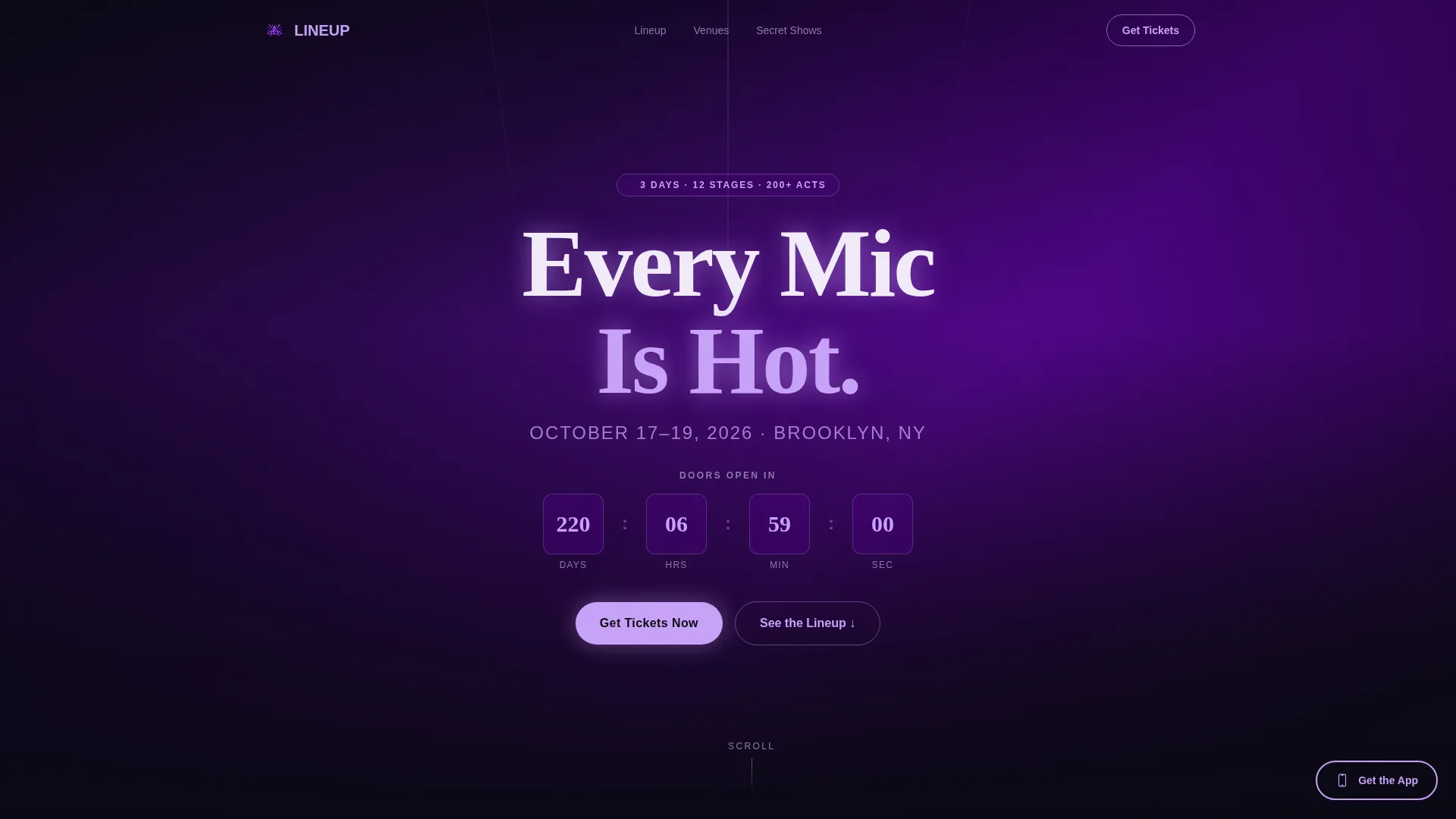
The header fills the entire viewport with handheld-style footage cutting between a comedian mid-punchline, a laughing audience from stage-left, and a dusk exterior with a line at the door. Audio fades in at low volume, starting with muffled crowd bass and breaking with a single clean laugh. A bold sans-serif headline punches in over the footage.
Live Countdown Timer
A countdown timer ticks toward doors-open in real time. Countdown numerals are styled in neon lavender to pull the eye immediately on scroll. This component alone communicates that the window to act is closing.
Layered Lineup Reveal
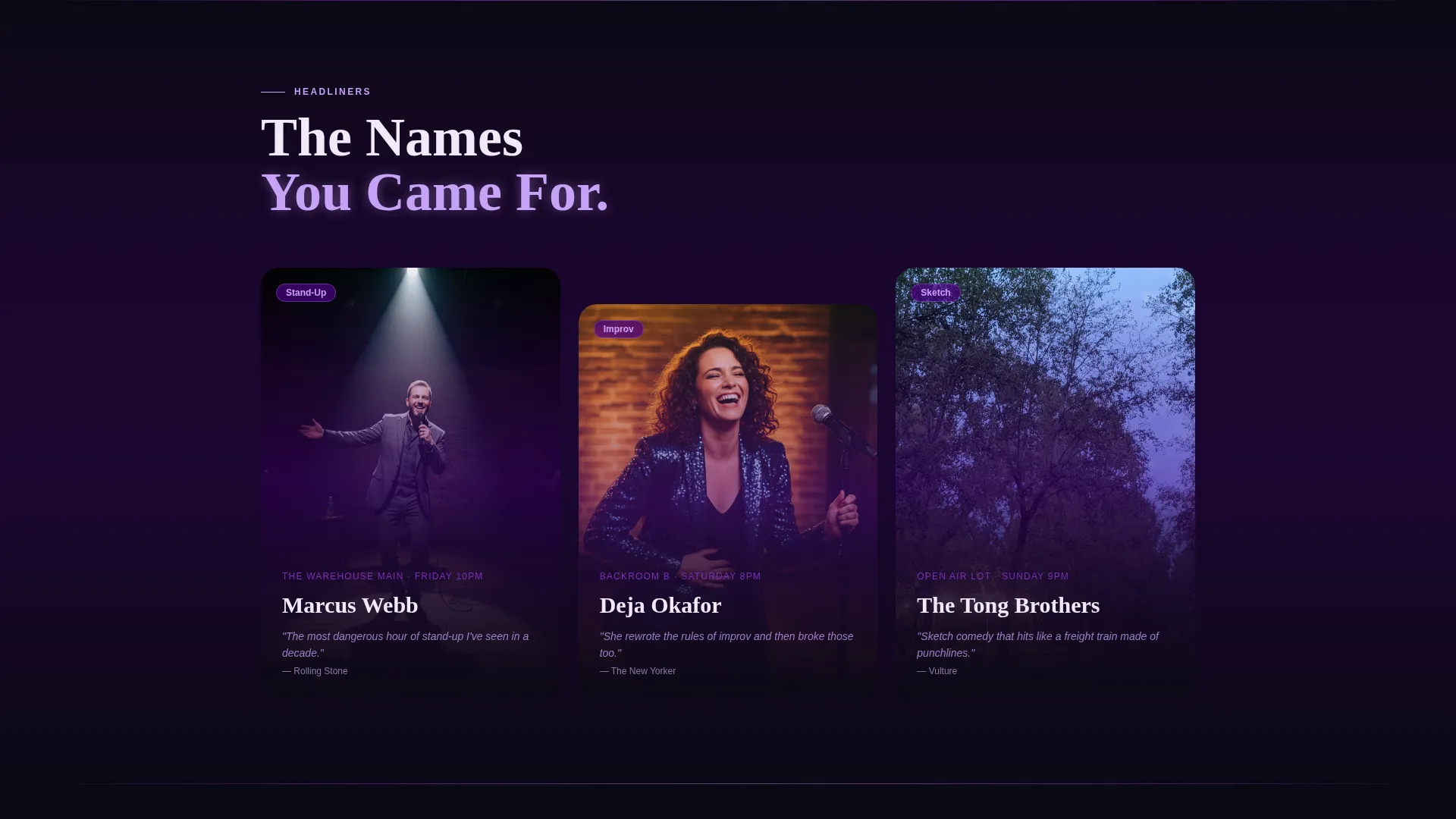
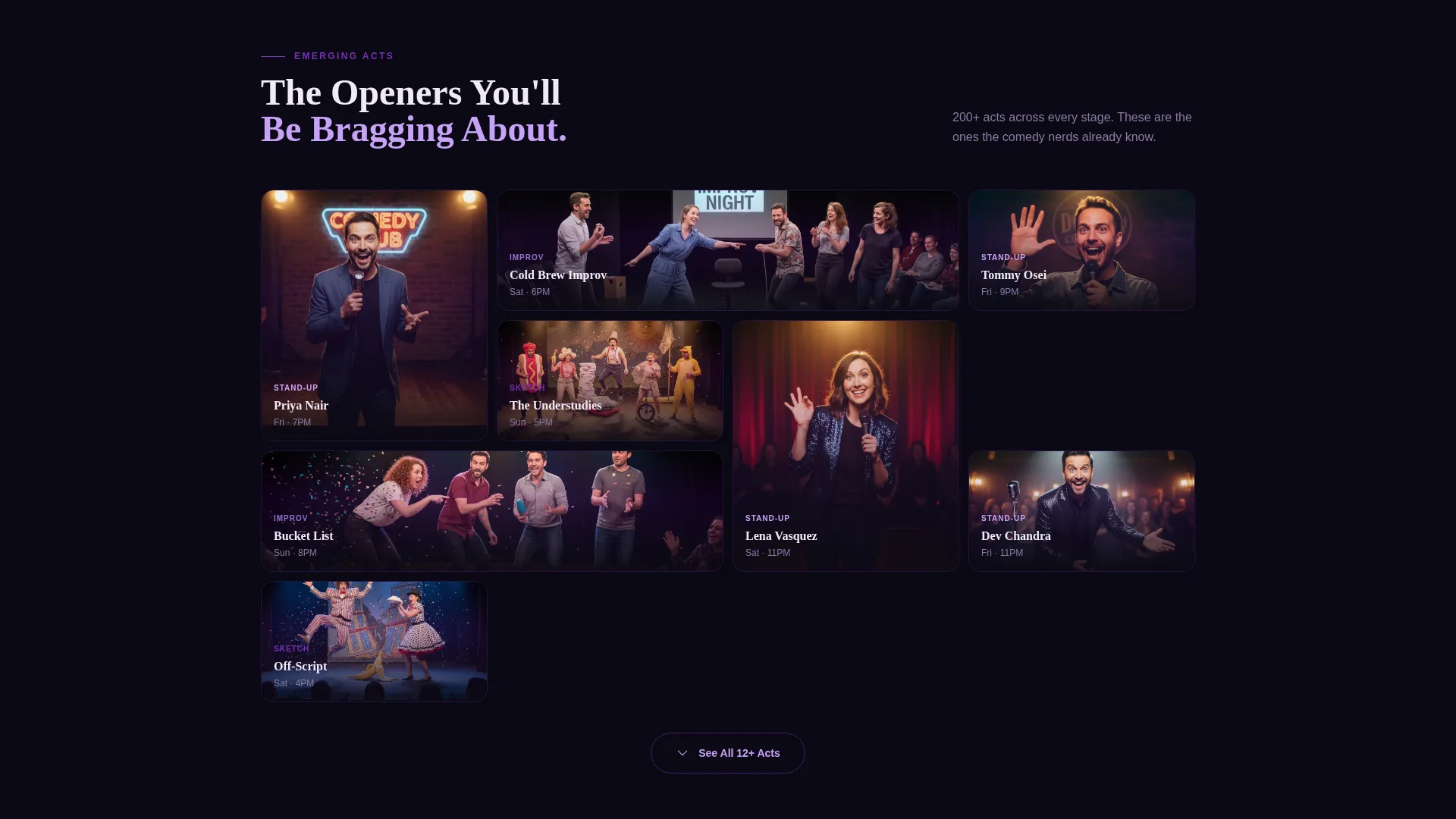
Headliners appear first as full-bleed portrait cards with embedded short video clips. Scrolling further reveals a mosaic grid of emerging acts that expands on tap. The two-tier structure respects the hierarchy of the bill while giving every act its moment.
Secret Show Tease Section
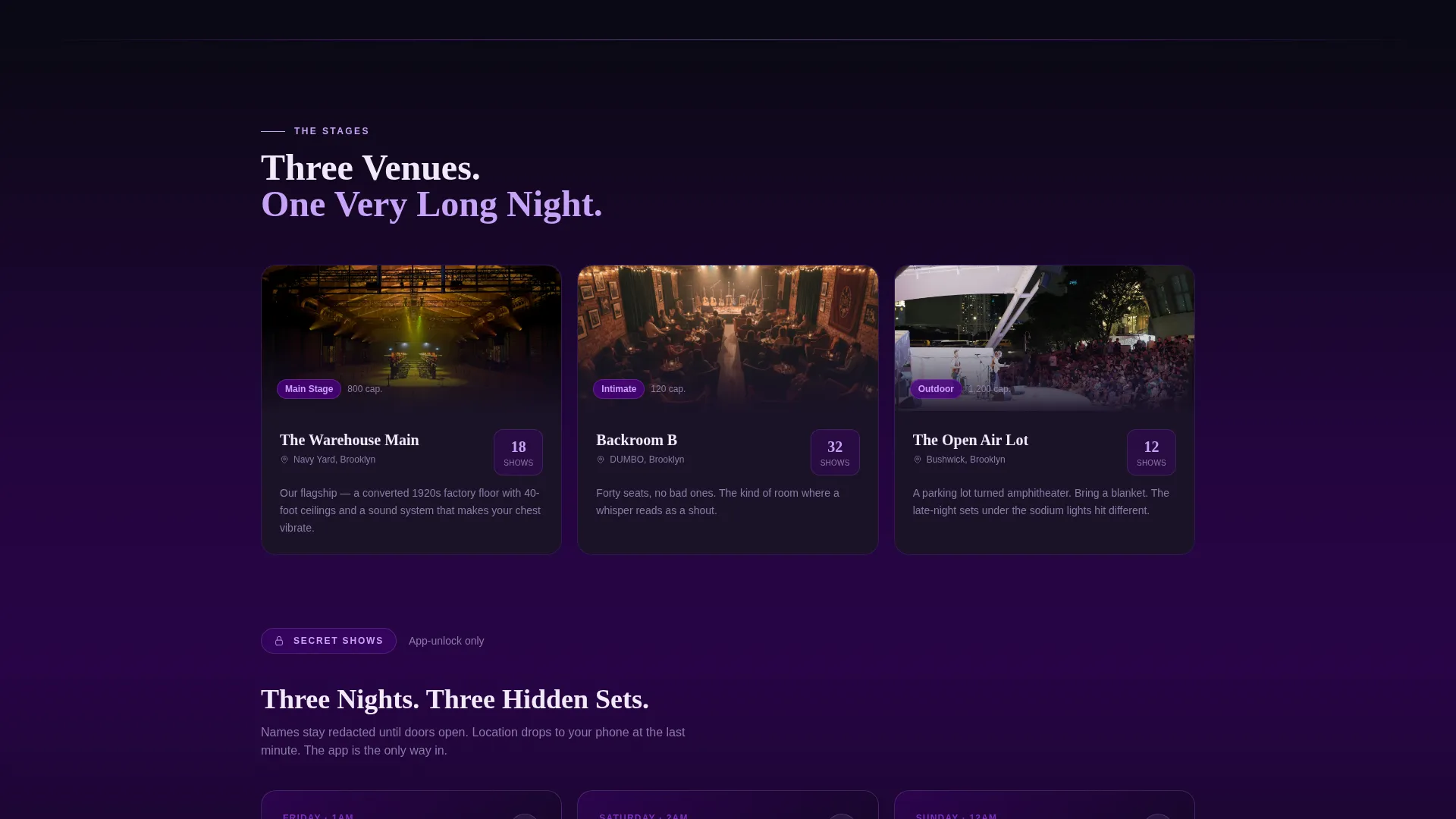
Late-night shows are listed with redacted act names, creating deliberate intrigue. The section is framed so that the festival app is positioned as the only way to unlock the full details. This makes the app download feel earned rather than forced.
Floating App Download Button
A persistent floating button stays visible as the visitor scrolls. It renders as a ghost outline initially, then switches to solid neon lavender after the lineup section. Tapping opens a modal with iOS and Android badges, a desktop QR code, and a text-link email field.
Closing Crowd Photo Strip
The final content section displays last year's crowd moments in a rapid-fire horizontal photo strip. It closes the scroll journey with social proof and a visceral reminder of what it feels like to be in the room.
Page sections overview
| Section | Purpose |
|---|---|
| Full-Screen Video Header | Opens with cinematic footage and punchy headline |
| Live Countdown Timer | Builds urgency toward doors-open moment |
| Headliner Portrait Cards | Showcases top-billed acts with video clips |
| Emerging Acts Mosaic | Expandable grid for supporting acts |
| Venue Maps | Orients visitors across multi-stage locations |
| Secret Show Teasers | Teases redacted acts to drive app downloads |
| Crowd Photo Strip | Closes with social proof from last year |
| Floating App call to action Modal | Converts visitors to app downloads anywhere on page |
Design & branding system
The visual identity follows a Stage and Spotlight theme built on an Electric Indigo color system. Every color choice references the quality of light that leaks under a stage curtain before showtime.
- Deep backstage black (#0B0914) as the base background, electric indigo (#4B0082) washing across section backgrounds like a gel filter, and hot spotlight violet (#7B2FBE) reserved for hover and active states
- Neon lavender (#C8A2F8) used exclusively for calls-to-action and countdown numerals to command attention
- Bold sans-serif typography for headlines, paired with the full-width immersive layout for a theatrical, edge-to-edge visual experience
Mobile & speed optimization
The template is designed with a full-width immersive layout that adapts to smaller screens without losing its theatrical character. The mosaic grid, portrait cards, and floating button are all structured to work on mobile viewports.
- The mosaic grid of emerging acts expands on tap, which suits the thumb-first interaction pattern of mobile visitors
- The app download modal is built to display cleanly on both mobile and desktop, with app store badges and a QR code serving different device contexts
- The floating button stays pinned at a consistent position across viewport sizes, keeping the primary call-to-action reachable at every scroll depth
How this template helps you convert
Every design and content decision in Lineup is oriented toward one outcome: getting a visitor to download the festival app. The page earns that conversion by making the app feel indispensable before it asks for the tap.
- The countdown timer and seasonal framing establish that this weekend is finite and approaching fast, which motivates action before the visitor leaves the page.
- The secret show tease section withholds specific information that only the app can reveal, turning the download into an access key rather than a chore.
- The floating button shifts from ghost outline to solid neon lavender after the lineup section, timing the strongest visual push to the moment visitor interest peaks.
Other information about this template
Lineup sits within the Media and Entertainment category, under the Comedy and Stand-Up subcategory, with a niche focus on comedy festival promotion. It is classified as a Seasonal and Moment-driven creative direction, meaning the entire page architecture is oriented around a specific, non-repeating weekend event.
- The template style is Full-Width Immersive, making it well suited for high-impact event promotion where visual atmosphere matters as much as information
- The header concept is a Full-Screen Video Background, which requires event organizers to supply their own video footage for the header loop
- The primary landing page direction is App Download, so the template is optimized for platforms or festivals that have an existing iOS and Android app to promote
Theme
Stage & Spotlight
Creative direction
Seasonal/Moment
Color system
Electric Indigo
Style
Full-Width Immersive
Direction
App Download
Page Sections
Full-screen Video Header with Audio
Live Countdown Timer
Two-tier Lineup Reveal
Secret Show Tease with Redacted Names
Floating App Download Button and Modal
Crowd Photo Strip
Related questions
What kind of event is this template designed for?
Do I need a festival app to use this template effectively?
What video footage does the header require?
Can I update the lineup sections as acts are confirmed?
Is this template suitable for a single-night event?