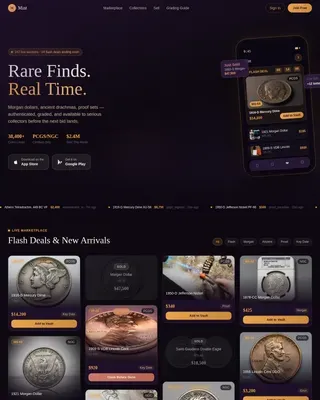
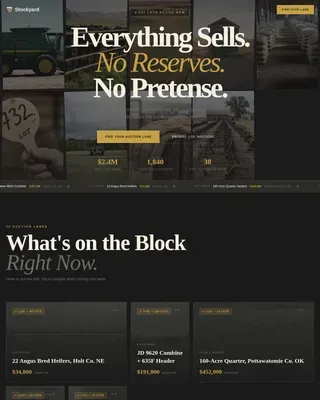
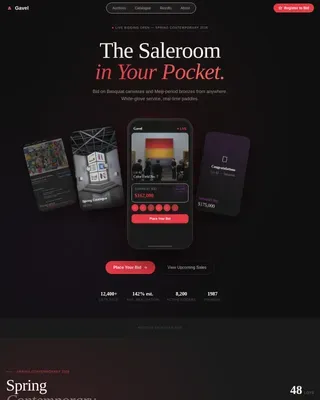
Auction Platforms & Types Pre-Launch & Coming Soon Website Template
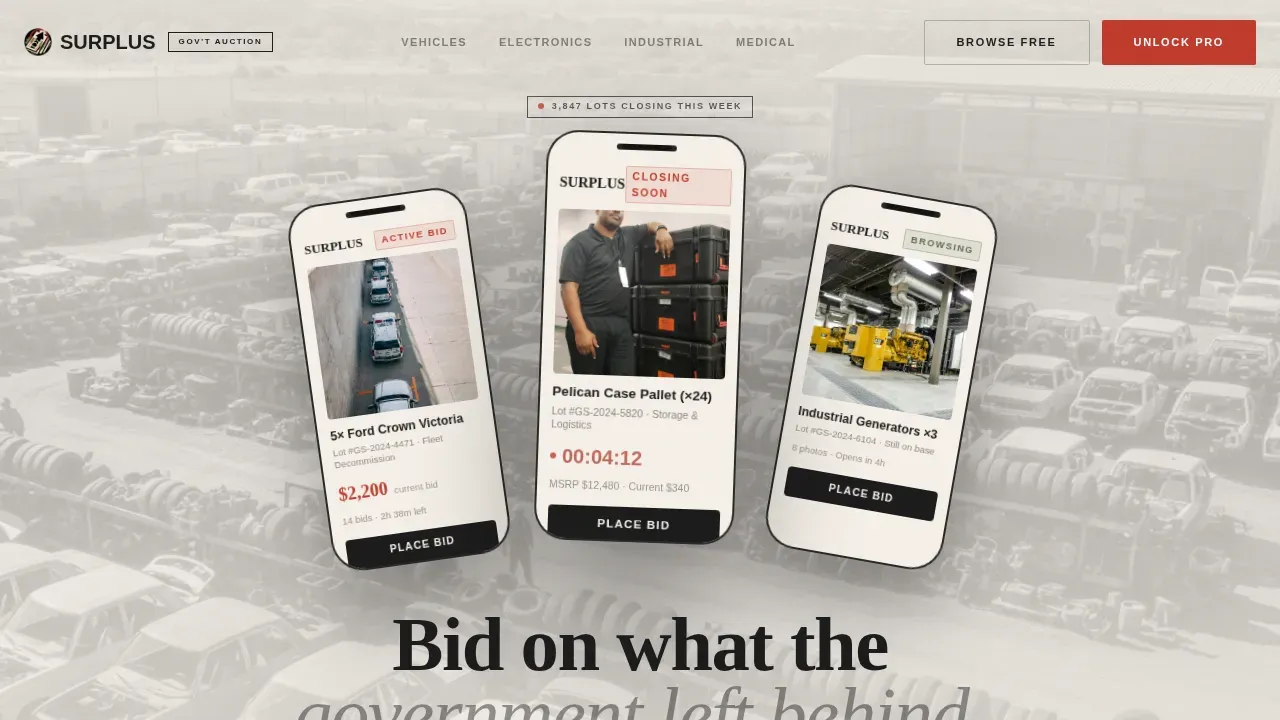
The Surplus landing page template is built for government surplus auction marketplaces. It combines a bureaucratic document aesthetic with high-urgency design mechanics, overlapping lot cards, countdown timers, and a frosted Pro upsell wall. Free users browse open lots; Pro members unlock premium auctions, early access, and auto-bid tools. One page. Maximum bid pressure.
by Rocket studio
Quick summary
Surplus is a single-page auction landing page template designed for platforms that sell decommissioned government assets by the lot. The layout layers overlapping cards, a live urgency ticker, and a friction-tested Pro upgrade path into one focused, scrollable experience. It converts curious browsers into registered bidders, and registered bidders into paying Pro members.
Who this template is for
This template fits operators running competitive bid auctions on surplus property, vehicles, equipment, and real property released by city, county, or federal agencies.
- Resellers and flippers who regularly search bid postings for undervalued lots
- Fleet operators and preppers tracking new bids on vehicles and supplies
- Developers seeking surplus property for construction or site improvements
What problem this template solves
Government surplus auctions are confusing. Buyers hit cluttered government websites, miss closing deadlines, and can't find a minimum bid or detailed description without digging through dense forms. This template solves that.
- Surfaces the current bid, time remaining, and lot location above the fold
- Replaces disorganized layouts with a clean, scannable card grid
- Guides every bidder from free browse to Pro purchase without extra friction
What you get with this template
You get a fully designed, single-page auction landing page with every section pre-built and ready to customize. The template ships with all visual and interactive components described below.
- Hero section with three angled floating phone screens and a live lot-count badge
- Horizontal urgency ticker, category grid, Just Sold feed, and Pro upsell section
- Footer in a linear single-row pattern with contact details and compliance links
Feature list
This template covers the core features that make a government surplus auction landing page perform.
Urgency Ticker Strip
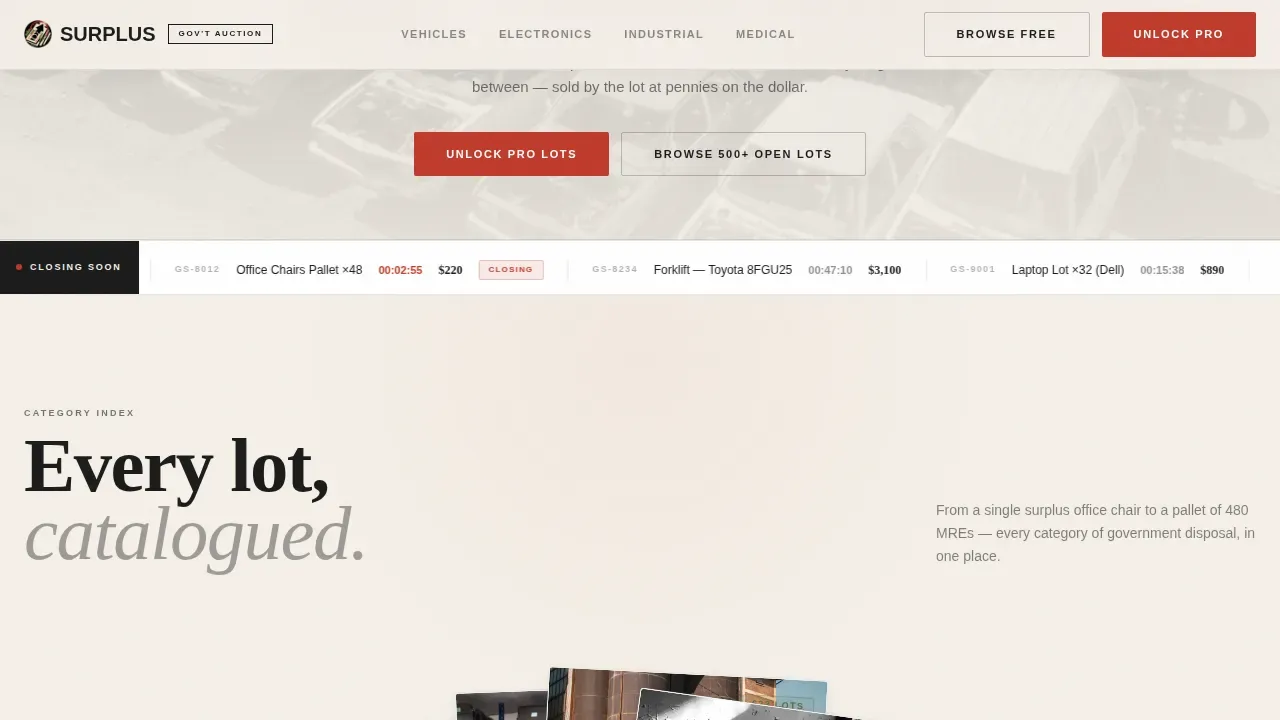
A marquee banner scrolls lots closing within the hour. Each entry shows the bid title, current bid amount, and time remaining. This closing-clock mechanic makes lingering feel costly and pulls users deeper into the page.
Overlapping Category Grid
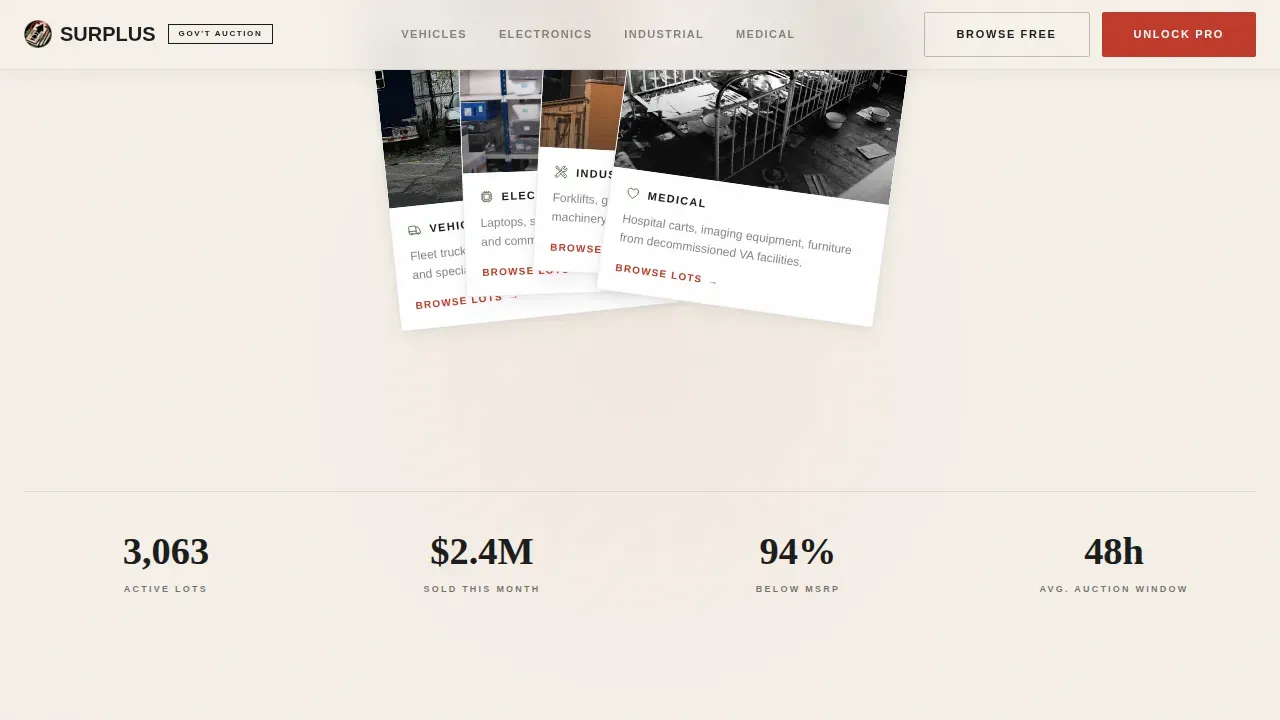
Category cards for vehicles, electronics, industrial, and medical equipment fan out like spread playing cards. Users navigate each category with an arrow slideshow control, left arrow, right slideshow, close arrow, keeping the interaction tactile and fast to load.
Just Sold Feed
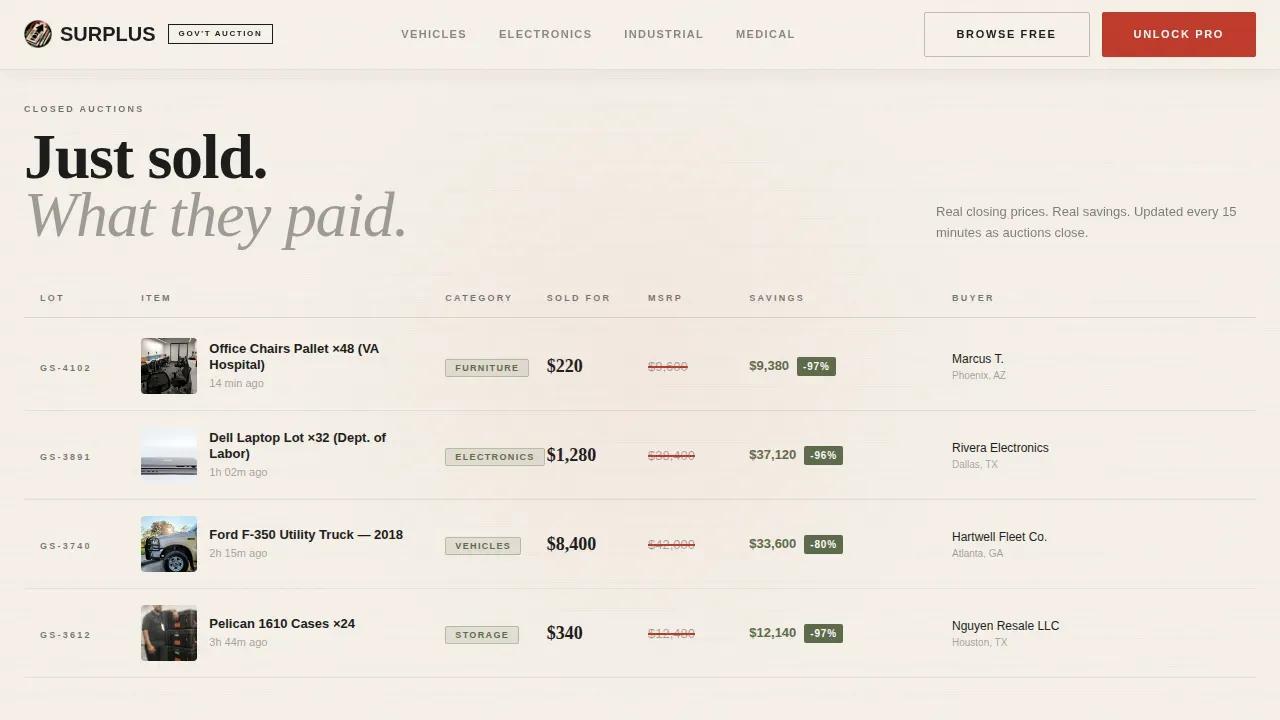
A live-style feed shows sold lots alongside their original retail price. Each closed description entry makes savings concrete. Buyers can see the gap between what a lot sold for and what it was worth, compelling proof that the bid process delivers real value.
Frosted Pro Upsell Wall
Free users see premium lots revealed beneath a frosted overlay. A plan toggle lets users switch between monthly and annual pricing. A live counter shows Pro-only lots closing today, compressing the decision window for upgrade.
Lot Card Data Display
Every card surfaces the following information at a glance: current high bid, number of bids placed, countdown timer, and item location. This mirrors the data structure used on trusted government procurement platforms, building immediate credibility.
Mobile-Responsive Layout
The template is built desktop-first for auction browsing but scales cleanly to tablet and mobile. Key auction details stay above the fold on every screen size, so buyers stay oriented whether they are at a desk or in a county yard.
Page sections overview
| Section | Purpose |
|---|---|
| Hero with phones | Establish platform scale and surface live lot activity |
| Urgency ticker strip | Drive scroll momentum with closing-soon lot alerts |
| Category card grid | Let buyers filter by surplus property type |
| Just Sold feed | Prove savings with real closed sale prices |
| Pro upsell wall | Convert free users to paid Pro members |
| Single-row footer | Provide contact, address, and compliance links |
Design & branding system
The visual identity follows an Ink and Paper theme, bureaucratic, slightly yellowed, and stamped with urgency. Every design choice reinforces the feeling of rifling through a banker's box of procurement forms.
- Cream (#F5F0E8) background, carbon black (#1A1A1A) typography, rubber stamp red (#C0392B) for bid timers and primary calls to action
- Filing tab olive (#5B6B4A) badges tag each lot category like tabbed dividers in a government filing cabinet
- Layered cards cast subtle shadows, as if physical auction sheets are fanned across a desk
Mobile & speed optimization
Auction browsing skews desktop, but a significant share of buyers check new bids and manage notification subscriptions from mobile devices. The template accounts for both.
- Floating card animations use native CSS scroll; complex sequences are reserved for GSAP only, keeping loading times lean
- Countdown timers, arrow controls, and the plan toggle form are all touch-friendly and easy to tap on small screens
How this template helps you convert
The page is structured as a single conversion funnel with two exits: free registration or Pro upgrade.
- The hero headline and lot-count badge create immediate scale credibility, so the first-time visitor trusts the platform before they submit anything.
- The Just Sold feed delivers mathematical proof of savings right before the Pro upsell wall appears, so desire peaks exactly when the upgrade ask is made.
- The pinned "Unlock Pro Lots" call-to-action button stays visible during the tier comparison, ensuring the buyer never has to scroll back up to complete the purchase.
Other information about this template
This surplus bid on government lots landing page template is suited for platforms that mirror the process used by real municipal and federal programs. The following notes cover practical context that buyers of this template should understand.
- Surplus properties sold through government auctions are typically offered as-is, with no implied warranty of clear title; the buyer is responsible for verifying title before purchase
- A proposal for real property typically requires a narrative, proposed purchase price, construction plans, a project timeline, and proof of financial ability, this template can display all required fields in a structured submission form
- Bidders must submit sealed bids in a clearly marked envelope with the property address and bidder contact information; some city programs, like those in Paducah, Kentucky, require receipt by a mandatory deadline such as a Thursday in October or February
- In certain jurisdictions, a cashier's check or cash payment is required within 10 business days after a bidder is notified; the City of Rogers, Arkansas specifies cash as the accepted payment method and requires a signed contract within that window
- Selection of a successful bidder is subject to board or city council approval; the city reserves the right to reject any or all proposals at any stage
- Properties available through surplus auctions can include residential and commercial real property, buildings, structures, and parcels located across all 50 states, the District of Columbia, Puerto Rico, and U.S. territories
- The template supports a save form progress feature so bidders do not lose entered data; users can also search bid postings, search bid postings print output, and manage notification subscriptions for relevant lot alerts via text message or email
- Development of surplus real property for residential construction may require a formal developer agreement with the city; structures intended for single-family use must comply with local building code requirements
- The page design uses visual hierarchy and promotional banners to assist buyers in finding urgent, closing auctions quickly; indicators such as contact details and compliance notes are added throughout to build credibility
Theme
Marketplace Grid
Creative direction
Flash Deal
Color system
Ink & Paper
Style
Overlap/Layered
Direction
Upsell/Upgrade
Page Sections
Urgency Ticker with Live Countdowns
Overlapping Category Card Grid
Just Sold Savings Feed
Frosted Pro Upsell Wall
Lot Card Data Display
Dual-path Registration Flow
Related questions
What types of surplus property can this template showcase?
Do bidders need to submit sealed bids for real property lots?
What information does a proposal for surplus property need to include?
Can free users browse lots without upgrading?
What payment methods are typically accepted for surplus property purchases?