Property Listing & Portal Booking Website Template
Listify is a commercial real estate landing page template built for property listing portals. It features an asymmetric 60/40 grid, a Before/After slider hero, parallax listing cards, and an inline five-step assessment quiz. The Executive Suite visual identity uses dark emerald, charcoal slate, and old-money gold to signal authority and move serious buyers toward a scheduled tour.
by Rocket studio
Quick summary
Listify is a single-page commercial property listing template designed for brokers, relocation managers, and first-time tenants. The asymmetric 60/40 layout, interactive Before/After slider, and inline assessment quiz work together to guide every visitor from first impression to a scheduled property tour without friction.
Who this template is for
This template is built for professionals who need to present commercial real estate listings with confidence and clarity. It handles multi-property portfolios and first-time lease searches equally well.
- Commercial real estate brokers managing multiple listings across submarkets
- Corporate relocation managers evaluating office and industrial space on tight timelines
- Small business owners searching for their first retail or flex lease
What problem this template solves
Most property listing pages either overwhelm visitors with data tables or bury key details inside slow broker portals. Listify removes both problems by pairing rich visual storytelling with a structured decision path.
- Visitors leave before they engage because the space looks unfinished or unappealing
- Buyers struggle to self-qualify without a guided tool, creating unnecessary back-and-forth with brokers
- Generic layouts fail to convey the authority that seven-figure commercial decisions require
What you get with this template
The template delivers a complete single-page flow from hero interaction to tour booking. Every section is pre-structured and ready to populate with your listings, photography, and contact details.
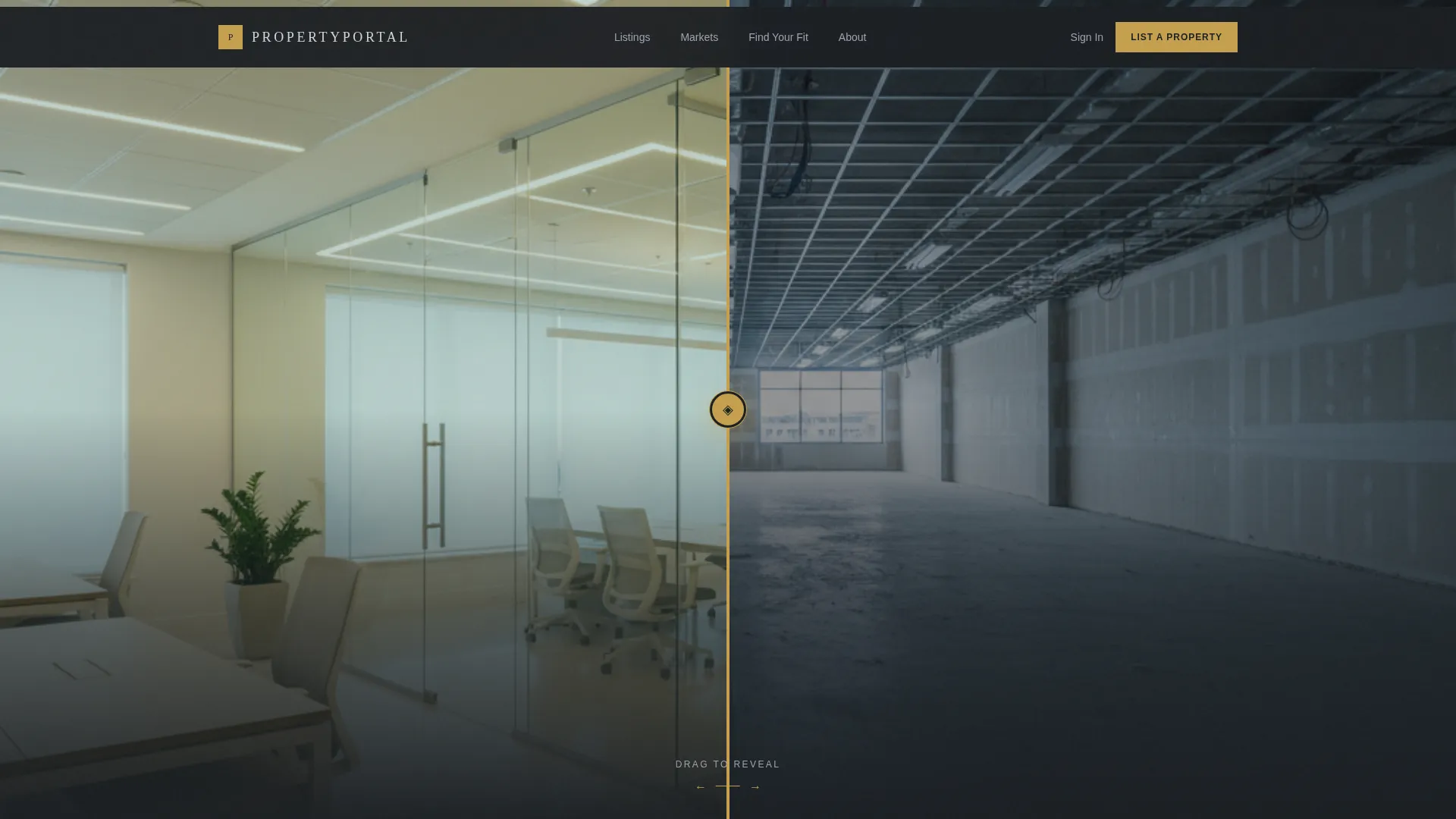
- An interactive Before/After slider hero that reveals the transformation potential of a listed space
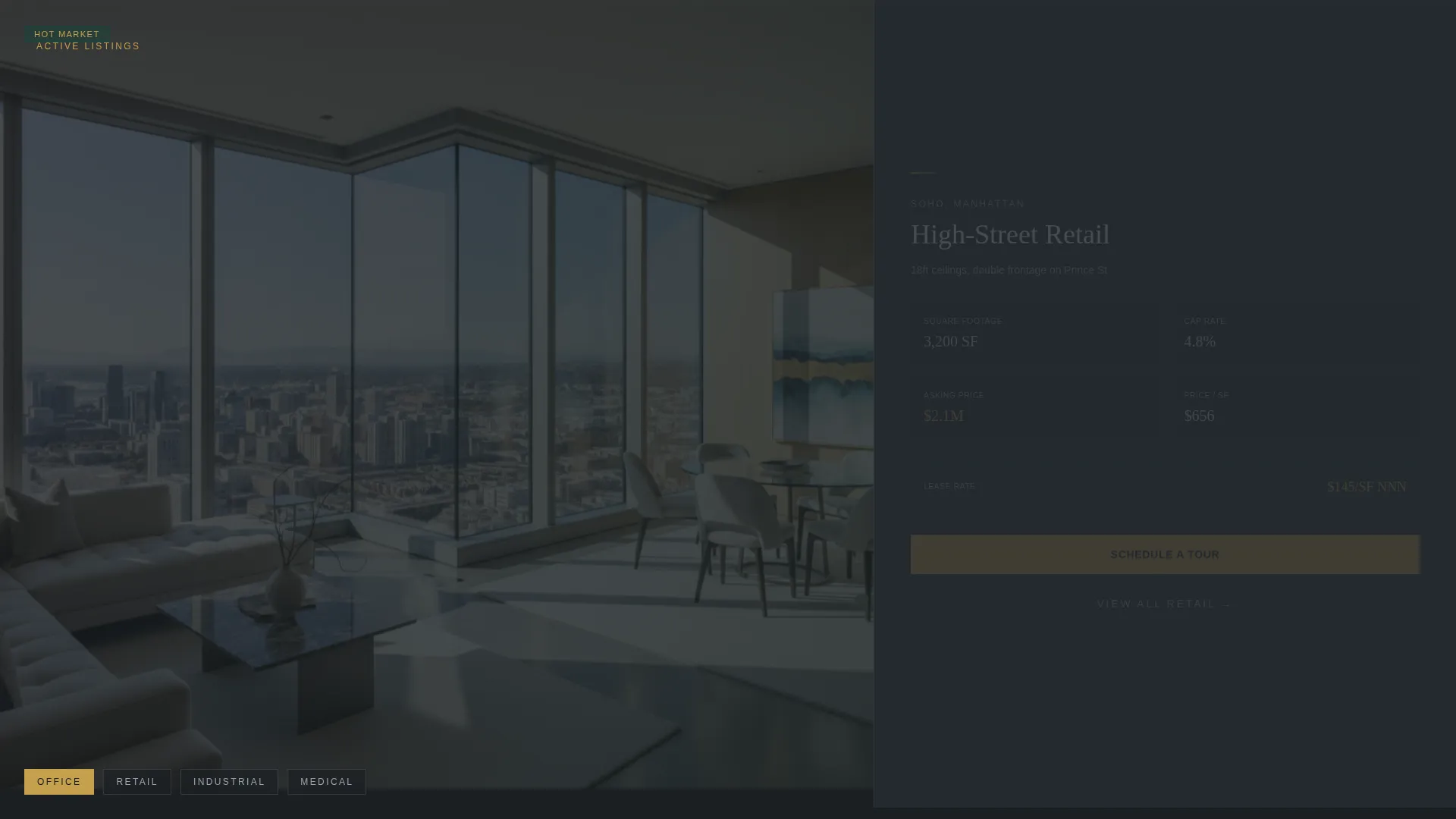
- A parallax 60/40 listing grid cycling through office, retail, industrial, and medical categories with cap rate, square footage, and submarket data cards
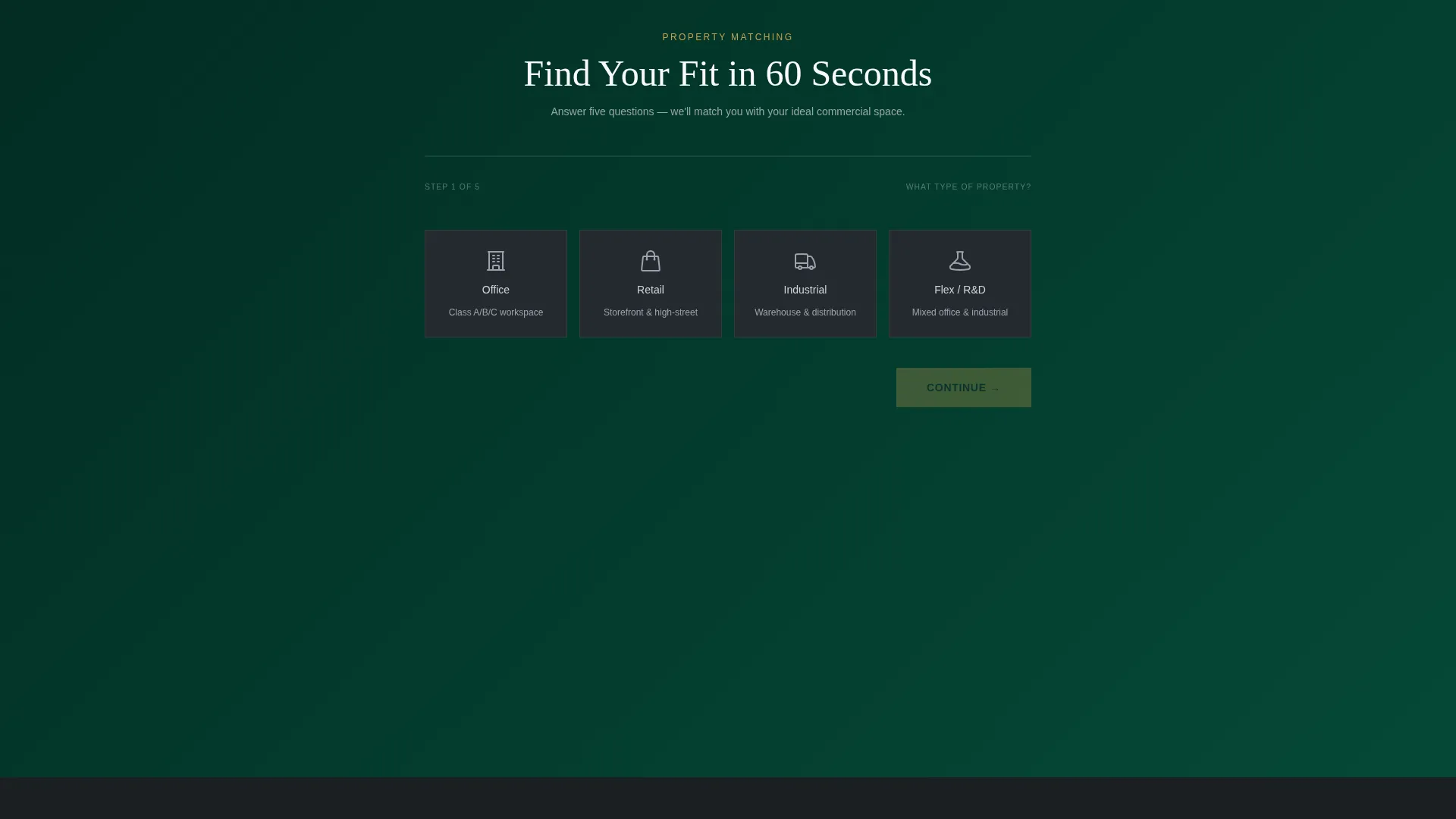
- A five-step inline assessment quiz that delivers a curated shortlist of three matched listings with a direct tour-booking calendar embed
Feature list
This template includes several purpose-built components that support the full commercial listing journey.
Before/After Slider Hero
A draggable divider splits the 60-column hero between a raw vacant space and a fully staged architectural rendering. The gold-accented slider handle carries a compass-rose icon, and the tagline "See what your next address becomes" animates into view only after the visitor interacts with the slider.
Asymmetric 60/40 Listing Grid
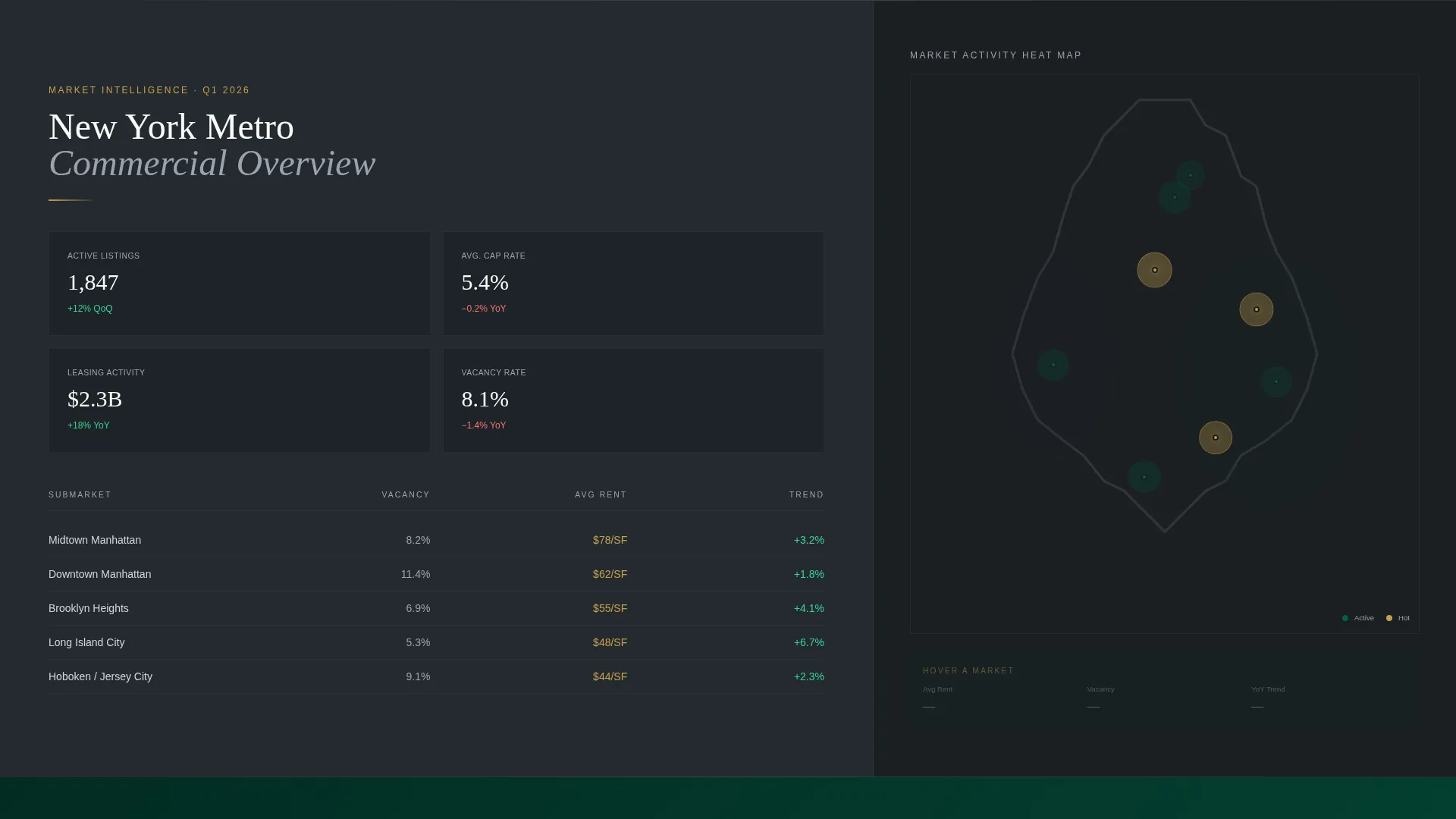
The primary content area uses a 60/40 column split throughout the page. Full-bleed interior photography fills the wider column while structured data cards, showing cap rate, square footage, and submarket name, occupy the narrower column. Midway down the page, the columns invert so data takes the 60 and a market heat map takes the 40, breaking the visual rhythm to re-engage attention.
Parallax Scroll with Cross-Dissolve Transitions
Each listing category scrolls at a different speed than its paired data card, creating a depth effect that feels like moving through connected suites. Transitions between categories use a slow cross-dissolve rather than hard cuts, so the page maintains a calm, immersive pace.
Inline Five-Step Assessment Quiz
The quiz expands inline inside the 40-column without opening a modal. Visitors answer five sequential questions: property type via icon cards, square footage via a draggable slider, preferred submarket on an interactive city map, a lease-versus-buy toggle, and timeline urgency. Background imagery shifts subtly with each answer to reflect the emerging property profile.
Curated Listing Results with Tour Booking
After completing the assessment, visitors receive three matched listing cards, each showing a thumbnail, price, and a "Schedule a Tour" secondary call to action. The tour button opens a calendar embed directly on the page. Account creation is not required until a visitor chooses to save a listing.
Executive Suite Color and Typography System
The dark emerald, charcoal slate, and brushed platinum palette is applied consistently across hero sections, navigation, body text, and dividers. Old-money gold is reserved exclusively for calls to action, active states, and pricing highlights, ensuring visual hierarchy is clear and purposeful at every scroll depth.
Page sections overview
| Section | Purpose |
|---|---|
| Before/After Hero | Reveal staged versus. vacant space and trigger the animated tagline |
| Navigation Bar | Anchor site structure with dark emerald background and gold active states |
| Listing Category Grid | Showcase office, retail, industrial, and medical listings with parallax cards |
| Data Card Column | Display cap rate, square footage, and submarket details alongside photography |
| Grid Inversion Block | Shift data to 60-column and show market heat map to reset attention |
| Assessment Quiz Entry | Present "Find Your Fit in 60 Seconds" call to action in gold on emerald |
| Inline Quiz Flow | Guide visitors through five property-matching questions with shifting imagery |
| Matched Listing Results | Deliver three curated listings with thumbnail, price, and tour booking |
| Calendar Embed | Allow tour scheduling directly on the page without leaving the flow |
Design & branding system
The visual identity is built around an Executive Suite theme. Every color decision signals restraint and authority, with no decorative elements competing for attention.
- Boardroom emerald (#064E3B) anchors the hero and navigation; charcoal slate (#1B1F23) covers primary backgrounds; brushed platinum (#D1D5DB) handles body text and divider lines
- Old-money gold (#C5A04E) appears only on calls to action, active interface states, and pricing highlights, keeping its impact sharp
- The asymmetric grid, parallax depth, and cross-dissolve transitions reinforce the immersive, high-end property tour feeling throughout the entire scroll
Mobile & speed optimization
The layout is structured to translate the immersive desktop experience into a focused, touch-friendly flow on smaller screens. The most interactive elements are designed to remain usable without a mouse.
- The Before/After slider is touch-draggable, allowing mobile visitors to interact with the hero without any change in behavior
- The inline assessment quiz uses large icon cards and a draggable slider that work naturally with a thumb on a mobile screen
- The 60/40 grid collapses into a single-column stacked layout on narrow viewports, keeping listing data and photography readable at any screen size
How this template helps you convert
The template is structured around reducing the distance between a visitor's first impression and their first meaningful commitment to a listing.
- The Before/After slider creates an immediate emotional connection to the space by showing transformation, not just vacancy, making the visitor a stakeholder before they read a single data point.
- The inline assessment quiz replaces the generic contact form with a personalized shortlisting process, so visitors arrive at the "Schedule a Tour" step already matched to relevant listings rather than starting from zero.
- Deferring account creation until the save-listing action removes the single most common reason visitors abandon real estate portals before converting.
Other information about this template
Listify is categorized under Real Estate and Property, specifically within the Property Listing and Portal subcategory. It is designed as a modular card grid template, meaning individual listing cards can be updated or reordered without rebuilding the surrounding layout. The template style is Card Grid (Modular), which supports multi-property portfolios of varying sizes. The creative direction is Interactive Explorer, prioritizing visitor-driven discovery over static browsing. The header concept is a Full-Bleed Photo treatment enhanced by the Before/After slider mechanic. The quiz and assessment landing page direction is the primary conversion driver, replacing passive browsing with an active matching process.
- Suitable for commercial property portals covering office, retail, industrial, flex, and medical listing categories
- The intersection context aligns this template with auction and foreclosure platform use cases, making it adaptable for time-sensitive or competitive listing environments
- No pre-built backend connections or data feeds are included; listing content is populated manually within the template structure
Theme
Atelier Studio
Creative direction
Interactive Explorer
Color system
Warm Stone
Style
Card Grid (Modular)
Direction
Quiz/Assessment
Page Sections
Before/after Slider Hero
Asymmetric 60/40 Listing Grid
Parallax Scroll with Cross-dissolve
Inline Five-step Assessment Quiz
Curated Results with Tour Booking
Executive Suite Color System
Related questions
Can I use this template for residential property listings?
Do visitors need to create an account to use the assessment quiz?
How does the Before/After slider work on a mobile device?
Can the listing data cards show custom fields beyond cap rate and square footage?
Is the calendar embed for tour scheduling included in the template?



