Panoramic Midrise Landing Page Template
A dark, immersive landing page built for mid-rise residential listing agents who need to turn overlooked condos into competitive sales. The template pairs emotional before-and-after photography with hard market data, guides visitors through a five-step value assessment quiz, and closes with a pricing strategy call, all inside a navy-and-gold visual system that feels as polished as the buildings being sold.
by Rocket studio
Quick summary
This single-page listing template is designed for a mid-rise residential seller's agent. It opens with a panoramic twilight cityscape, walks visitors through alternating transformation stories and market data panels, and drives toward a five-step "What's My Unit Worth?" quiz. The layout is structured to convert owner-occupants, investors, and estate executors into booked consultations.
Who this template is for
This template speaks directly to agents who specialize in eight-to-twenty-story residential buildings. It fits professionals who need to sell the lifestyle and the numbers at the same time.
- Mid-rise listing agents representing owner-occupants sitting on equity
- Investors offloading rental units ahead of building assessments
- Estate executors who need a clean, low-friction sale process
What problem this template solves
Most mid-rise condo listings look identical. They rely on flat photography and generic copy that fails to show what a unit at a specific floor, in a specific corridor, is actually worth. This template solves that gap by combining emotional staging reveals with building-specific market data.
- Sellers underestimate their unit's value because no one has presented it at its best
- Generic real estate pages do not segment by floor level, unit type, or building context
- Visitors leave without a clear next step because the page asks for too much too soon
What you get with this template
You get a fully structured, single-page layout built around one central conversion goal: getting the visitor to start the five-step quiz. Every section earns the scroll and feeds into that moment.
- A panoramic header with a fade-in headline and a gold-accented primary call to action
- A zigzag alternating section layout with before-and-after photography and hover-revealed sale prices
- Full-bleed navy data panels surfacing days-on-market figures, percentage-over-asking stats, and building-specific comps
- A five-step progressive quiz collecting address, floor level, unit type, condition, renovation status, and preferred timeline
- A sticky bottom bar call to action that appears after the second scroll section and stays visible throughout
Feature list
This template is built around a handful of tightly designed components that work together across the page.
Panoramic Twilight Header
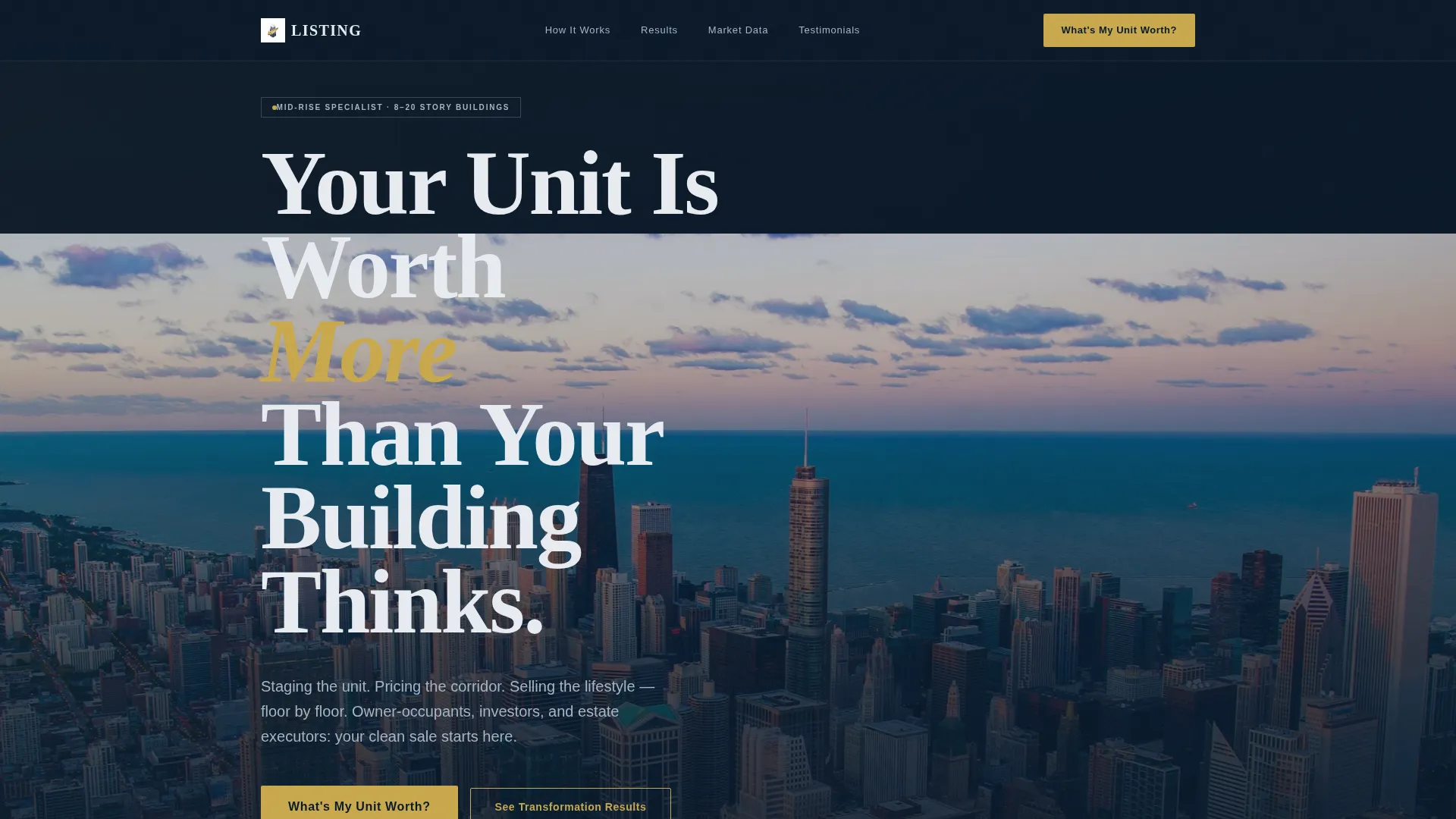
The header uses a full-bleed cityscape photograph taken at resident eye level from a mid-rise balcony. A single headline fades in over the skyline. The word "More" in the phrase "Your Unit Is Worth More Than Your Building Thinks" is set in broker gold to signal premium positioning from the first second.
Zigzag Before-and-After Layout
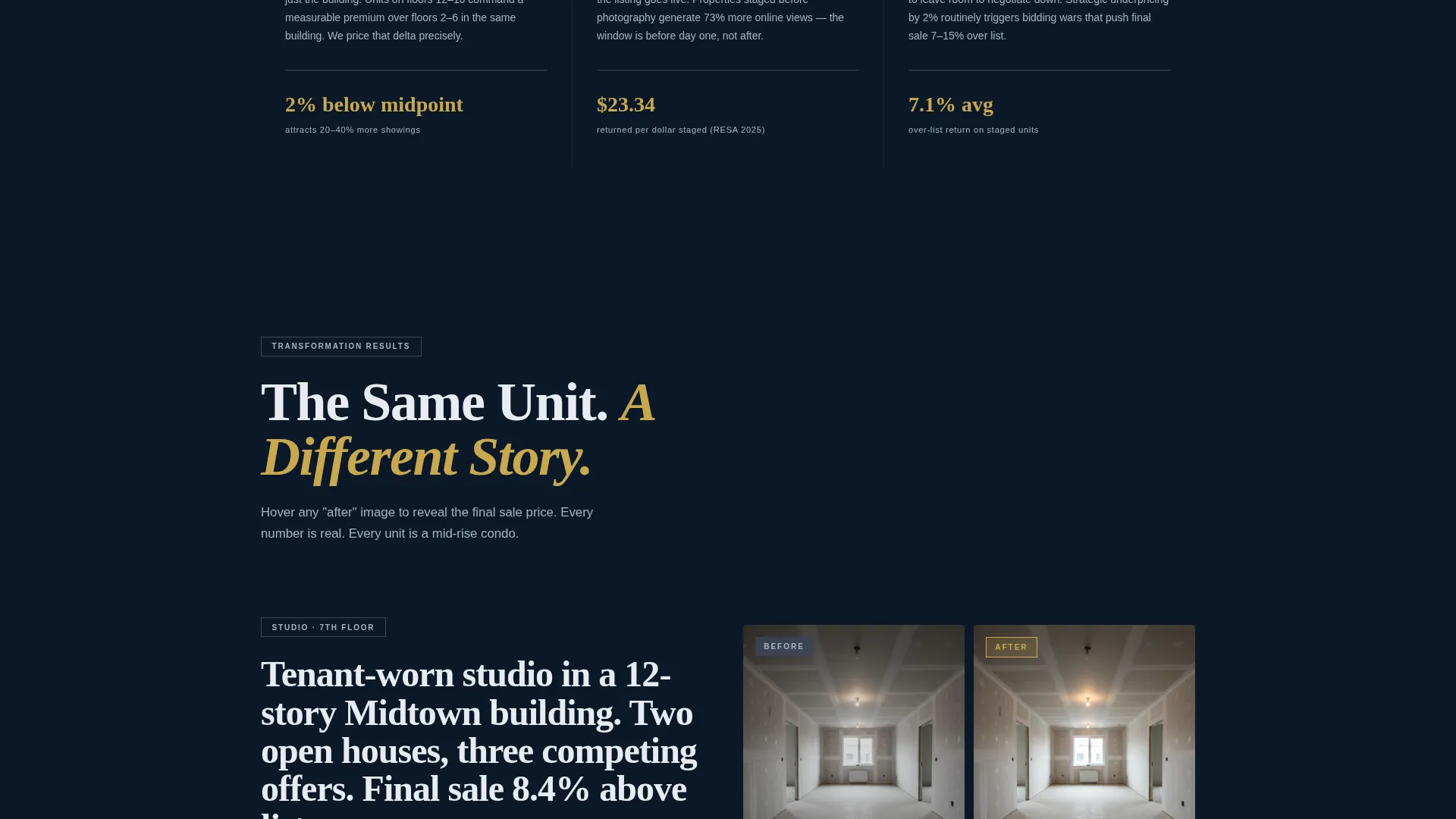
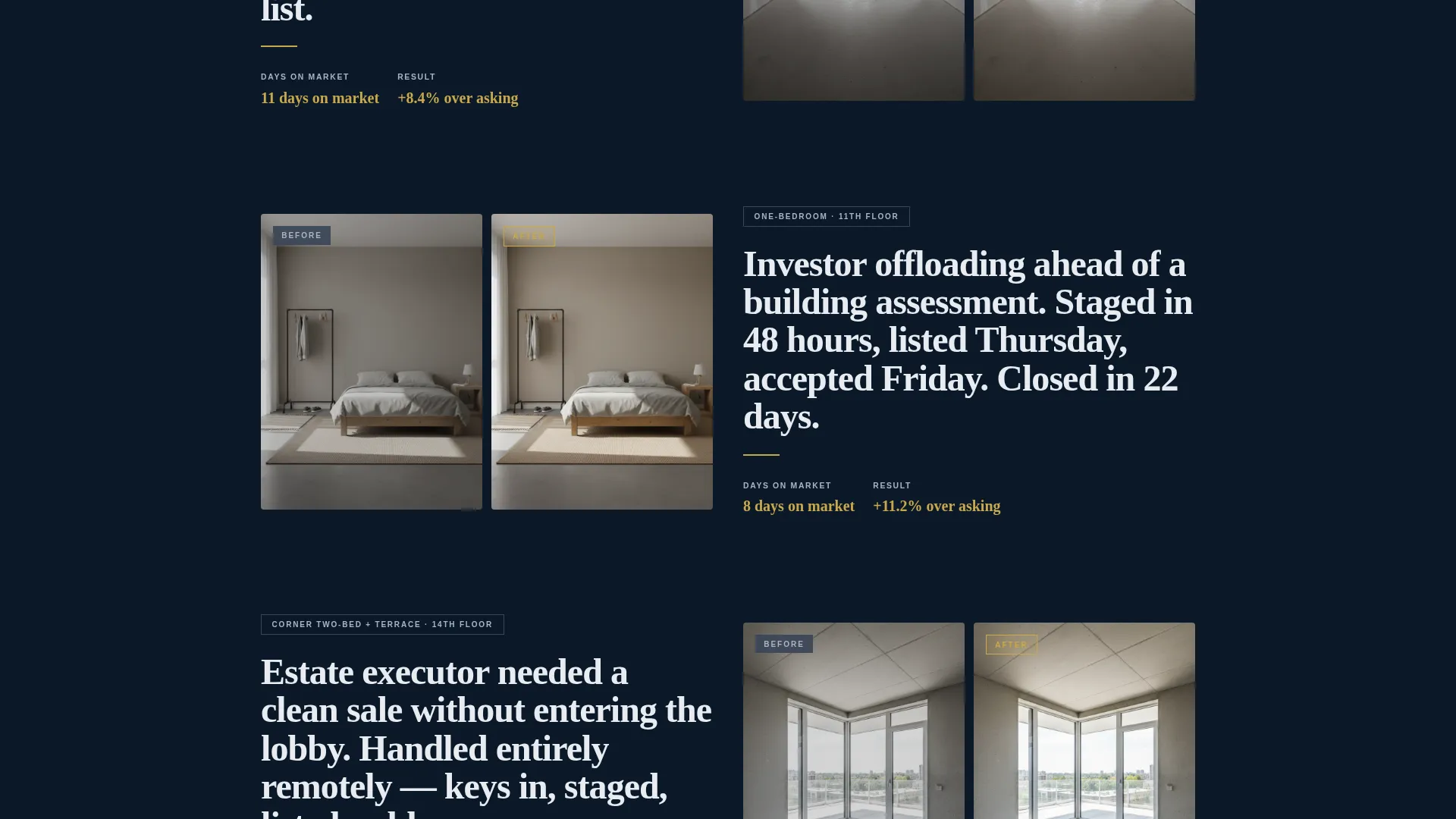
Each alternating row pairs a left-aligned before photograph of an empty or tenant-worn unit with a right-aligned after shot of the same space staged and shot for listing. The sequence escalates from a studio to a one-bedroom to a corner two-bedroom with terrace. Sale prices appear on hover in gold numerals.
Full-Bleed Market Data Panels
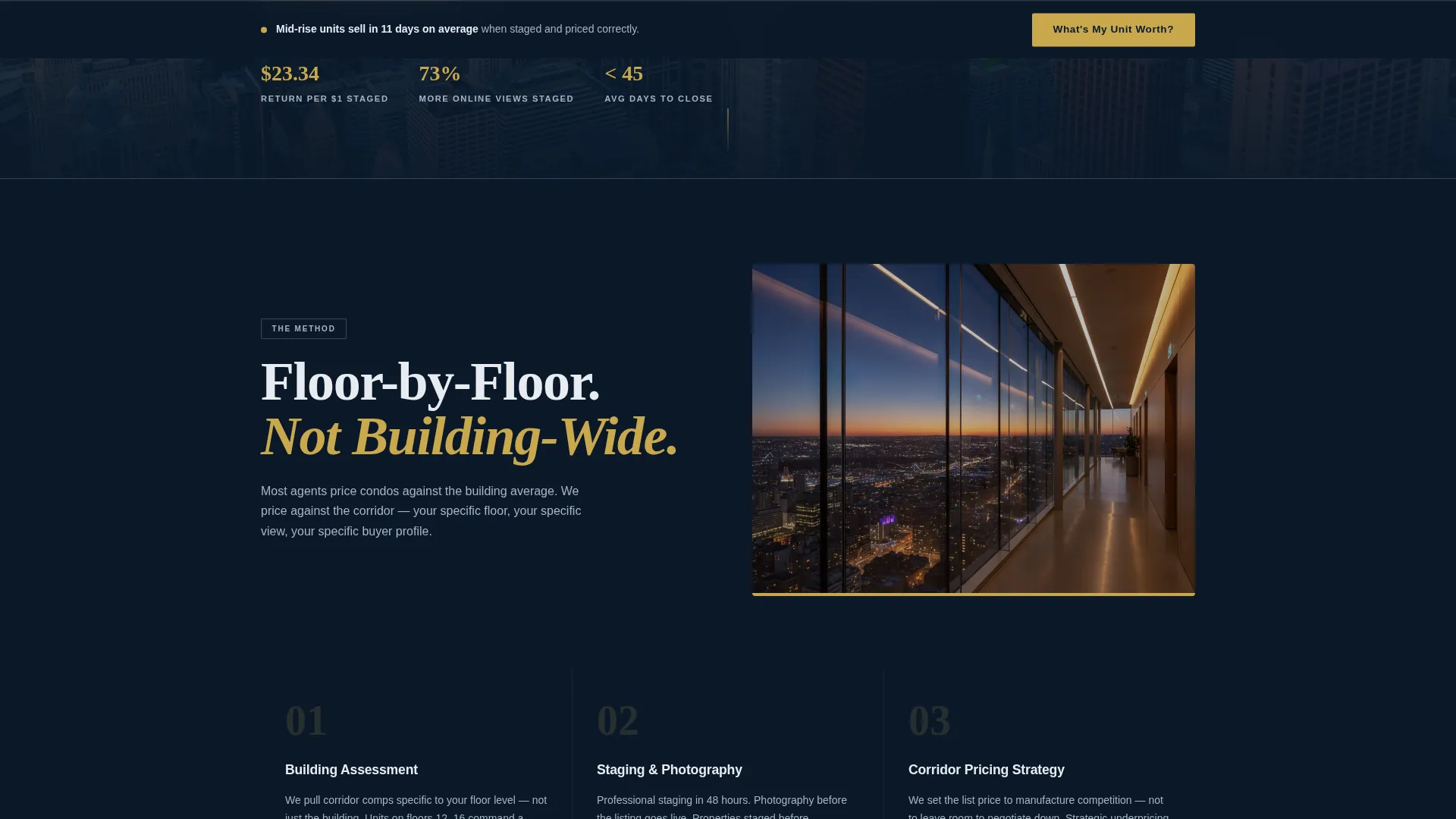
Between each zigzag section, a deep navy full-bleed panel surfaces real market data: average days on market, percentage over asking, and building-specific comparable sales. These panels create a rhythm of emotional proof followed by numerical proof as the visitor scrolls.
Five-Step Progressive Value Quiz
The primary conversion element is a multi-step quiz that opens when the visitor clicks "What's My Unit Worth?". Each step occupies one screen. A gold progress bar tracks completion. The quiz collects building name or address, floor level and unit type, current condition, renovation status, and preferred timeline before delivering a preliminary value range.
Sticky Bottom Bar call to action
After the visitor passes the second scroll section, a sticky bar locks to the bottom of the screen. It repeats the gold-on-navy "What's My Unit Worth?" prompt without obscuring content, keeping the conversion path visible at every scroll depth.
Results Page with Booking call to action
Once the quiz is complete, the results screen delivers a preliminary value range. It then presents a single follow-up action: "Book My Pricing Strategy Call." No phone number is required until this point, reducing friction throughout the quiz flow.
Page sections overview
| Section | Purpose |
|---|---|
| Panoramic Hero Header | Opens with twilight cityscape and fade-in headline |
| Primary Quiz call to action | Drives first click toward the five-step value assessment |
| Studio Before/After | Shows transformation from empty to staged unit |
| Market Data Panel 1 | Surfaces days-on-market and over-asking percentages |
| One-Bed Before/After | Escalates the transformation story to a larger unit |
| Market Data Panel 2 | Presents building-specific comparable sales data |
| Corner Two-Bed Reveal | Peaks the staging sequence with terrace unit and hover price |
| Sticky Bottom Bar | Keeps the quiz call to action visible after second scroll section |
| Quiz Flow Screens | Five-step progressive assessment, one question per screen |
| Results and Booking | Delivers value range and presents pricing strategy call call to action |
Design & branding system
The visual identity is built on a Navy Authority color system. Every color choice reinforces the feeling of a well-managed building lobby at night: dark stone, brass fixtures, and controlled lighting.
- Deep command navy (#0B1929) covers full-bleed backgrounds; gunmetal corridor gray (#3A4555) handles section dividers and secondary surfaces
- Polished marble white (#E8ECF1) is used for headline text and data callouts throughout the page
- Broker gold (#C9A84C) is reserved strictly for calls to action, price figures, progress bar elements, and hover states
Mobile & speed optimization
The layout is designed to translate cleanly from a wide desktop view to a single-column mobile experience. The zigzag structure reflows naturally, and the sticky bar remains functional at smaller screen sizes.
- Before-and-after image pairs stack vertically on mobile so neither photograph is cropped or hidden
- The five-step quiz is built one question per screen, keeping each step simple and thumb-friendly on smaller devices
How this template helps you convert
The page is structured to reduce resistance at every stage. It earns trust before it asks for anything personal.
- The header call to action and the sticky bottom bar create two distinct entry points into the quiz, so a visitor who scrolls past the first prompt will encounter a second opportunity without feeling pressured.
- The five-step quiz collects information progressively, asking only what is needed at each step and withholding the phone number request until the results page. This approach makes the visitor feel assessed rather than sold to.
- The results page closes the loop by delivering a preliminary value range before presenting the booking call to action, giving the visitor a concrete reason to take the next step.
Other information about this template
This template is a strong fit for agents working in urban mid-rise markets where building identity and floor-level positioning matter as much as square footage. It is built as a focused, single-page lead generation tool rather than a full multi-page brokerage site.
- The asymmetric 60/40 grid structure gives the before-and-after photography room to breathe while keeping data callouts visible
- The corporate precision theme and immersive visual creative direction are built to project credibility to equity-holding owner-occupants and institutional investors alike
- The template supports three distinct seller profiles on a single page: owner-occupants, rental investors, and estate executors
- The quiz flow is designed so that each question signals specific expertise in mid-rise building types, reinforcing the agent's authority before any personal contact information is exchanged
Theme
Corporate Precision
Creative direction
Immersive Visual
Color system
Charcoal & Amber
Style
Asymmetric Grid (60/40)
Direction
Lead Generation
Page Sections
Panoramic Twilight Hero Header
Zigzag Before-and-after Sections
Full-bleed Market Data Panels
Five-step Progressive Value Quiz
Sticky Bottom Bar Call to Action
Results Page with Booking Call to Action
Related questions
Who is this landing page template designed for?
What does the five-step quiz collect from visitors?
How does the before-and-after section layout work?
When does the sticky call to action bar appear on the page?
Is this template suitable for a single building or a full brokerage practice?



