Affordable Housing Real Estate Pricing Website Template
A single-page landing page built for affordable housing photography services. It opens with a full-screen walkthrough video, stacks persuasive statistics across each scroll section, and displays an expandable gallery with unit-level detail views. The primary call to action drives property managers and housing developers straight to a transparent pricing page, no form, no friction.
by Rocket studio
Quick summary
This landing page template is designed for a professional photography service that helps affordable housing units lease faster. It combines a full-screen video header, a stats-first scroll structure, and an expandable gallery to build a clear, compelling case for property managers and housing developers who need strong imagery without luxury budgets.
Who this template is for
This template is built for photography professionals who serve the affordable housing sector. It speaks directly to the decision-makers who control leasing timelines and marketing spend.
- Affordable housing photographers targeting property managers and portfolio operators
- Nonprofit housing organizations that need dignified, professional unit imagery
- Independent photographers pitching services to developers managing 200 or more units
What problem this template solves
Most affordable housing units are marketed with dim, rushed smartphone photos that undersell the space and extend vacancy periods. This template gives photographers a persuasive page that reframes professional photography as a vacancy cost eliminator rather than an optional expense.
- Property managers struggle to justify photography costs without clear return-on-investment context
- Prospective renters decide largely from listing photos, so weak imagery directly delays leasing
- Photography services in this niche lack a dedicated page that speaks the language of housing operators
What you get with this template
You get a fully structured single-page layout with every section designed to stack proof and push clicks. The design is warm, minimal, and purposeful from the first frame to the final call to action.
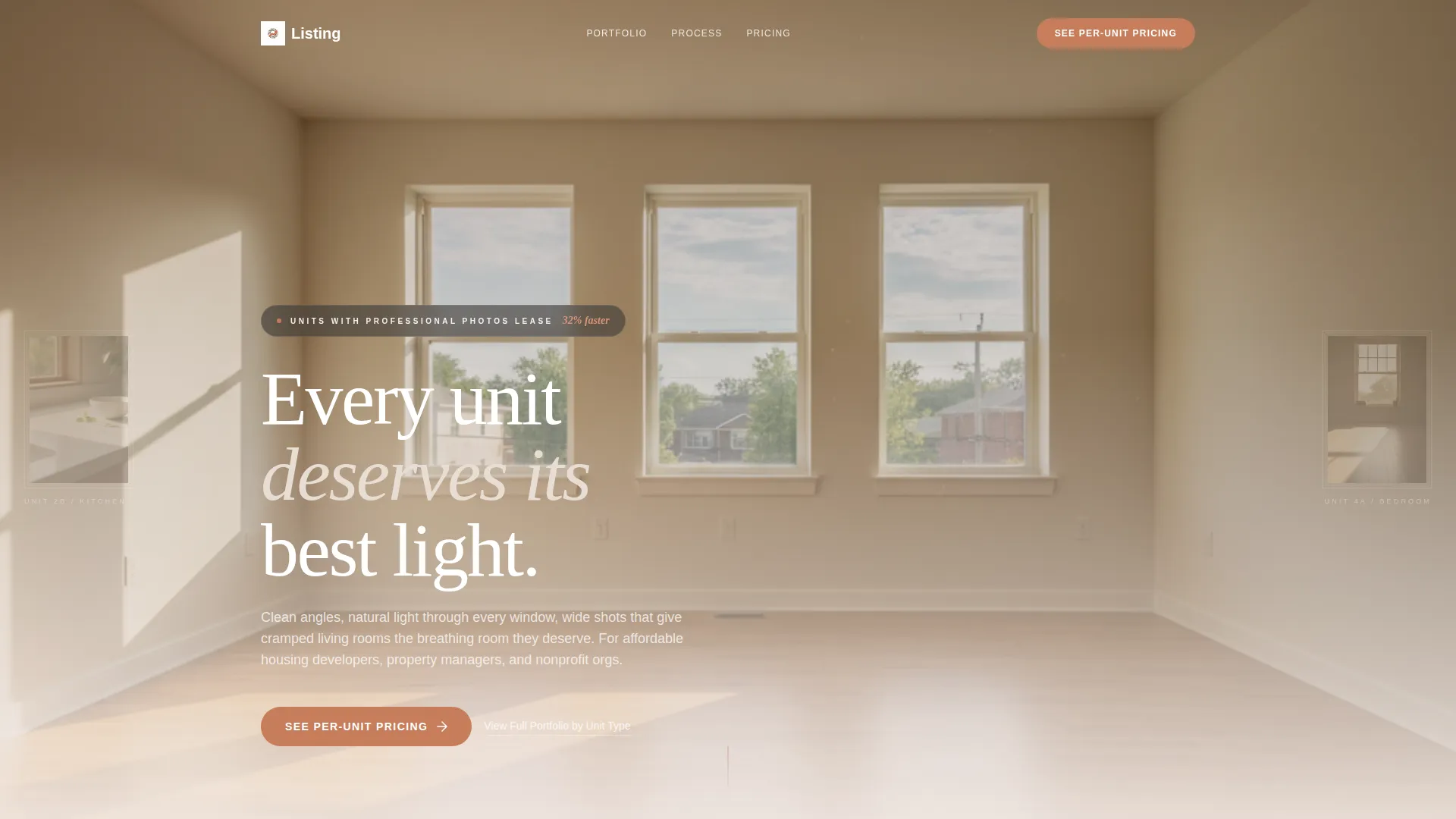
- Full-screen video header with a stat overlay and headline built in
- Stats-first scroll sections with a before-and-after gallery slider and expandable thumbnail grid
- Dual call-to-action system: a primary terracotta button and a persistent bottom bar after the second scroll section
Feature list
This template ships with a focused set of visual and structural components, each serving the single goal of converting a browsing property manager into a pricing-page visitor.
Full-Screen Video Header
The header plays a slow Steadicam walkthrough of an affordable housing unit, color-graded warm and slightly desaturated. A single statistic fades in over the footage before the main headline appears, setting a data-driven tone from the very first second.
Stats-First Scroll Sections
Each major scroll section opens with a large, bold number before revealing the context behind it. Statistics such as leasing-speed improvement rates and turnaround times anchor the narrative and make the business case unavoidable before a visitor reaches the gallery.
Expandable Gallery with Detail Views
Thumbnail grids expand into full-resolution detail views. Each image includes metadata displayed in an EXIF-style format showing unit type, square footage, and turnaround time, giving property managers the operational specifics they need alongside the visuals.
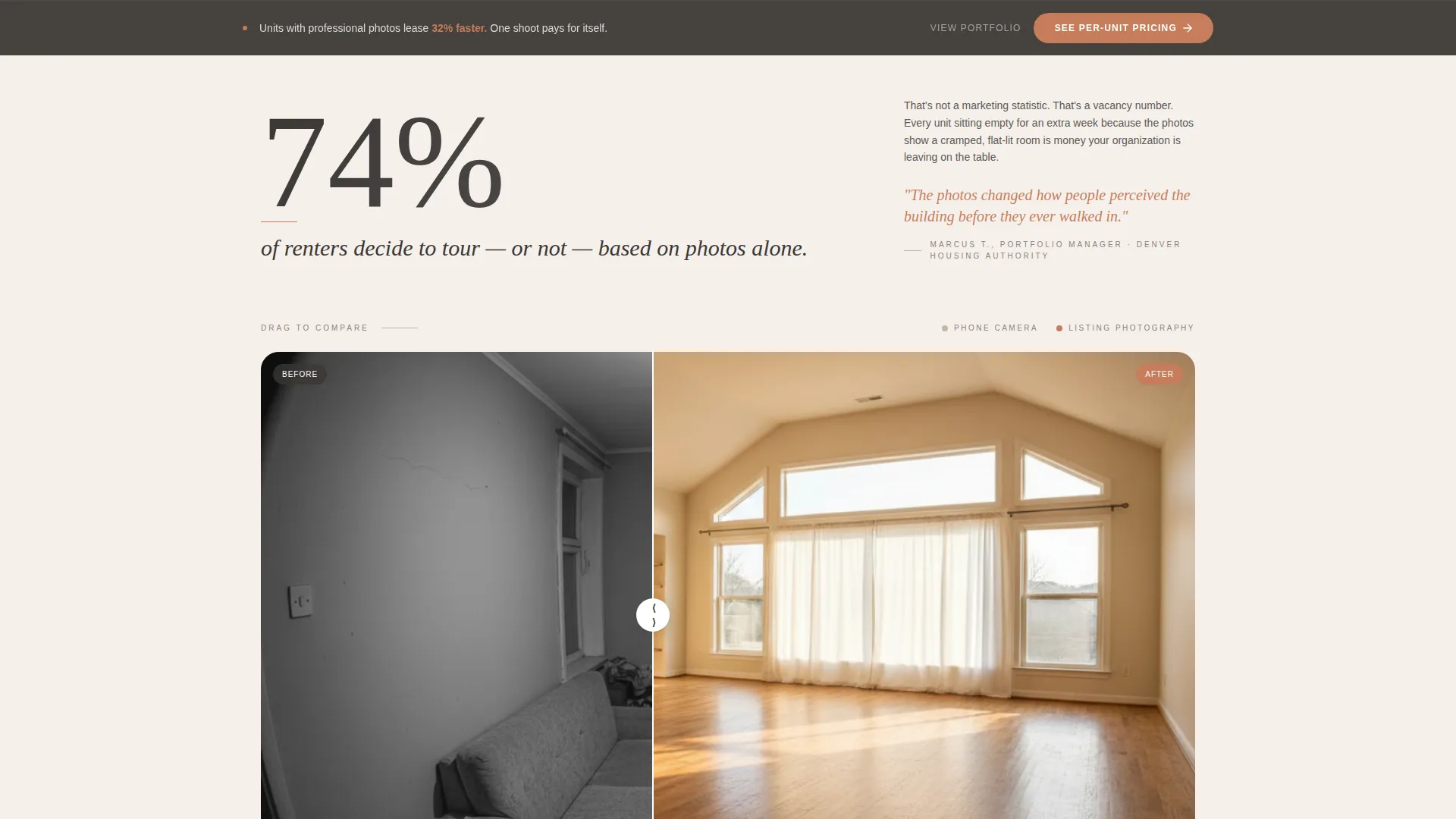
Before-and-After Gallery Slider
A horizontal slider presents side-by-side comparisons of standard listing photos versus professionally shot images. This component directly supports the "74% of renters decide from photos alone" stat block and makes the visual difference impossible to ignore.
Dual Call-to-Action System
The primary call to action, "See Per-Unit Pricing," appears first below the header and then reappears as a persistent floating bottom bar after the second scroll section. A secondary option, "View Full Portfolio by Unit Type," gives hesitant visitors more proof before they commit to clicking through.
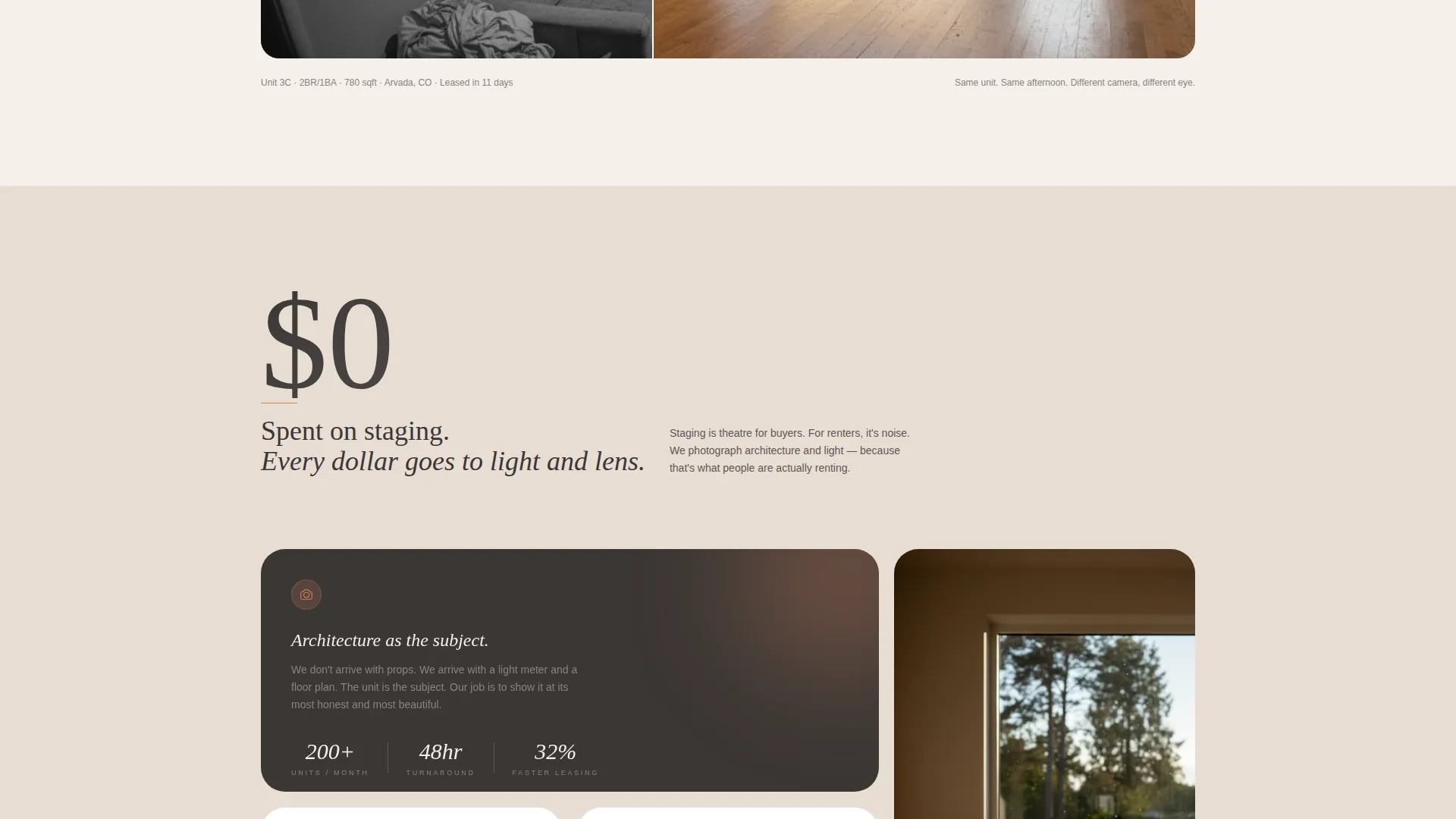
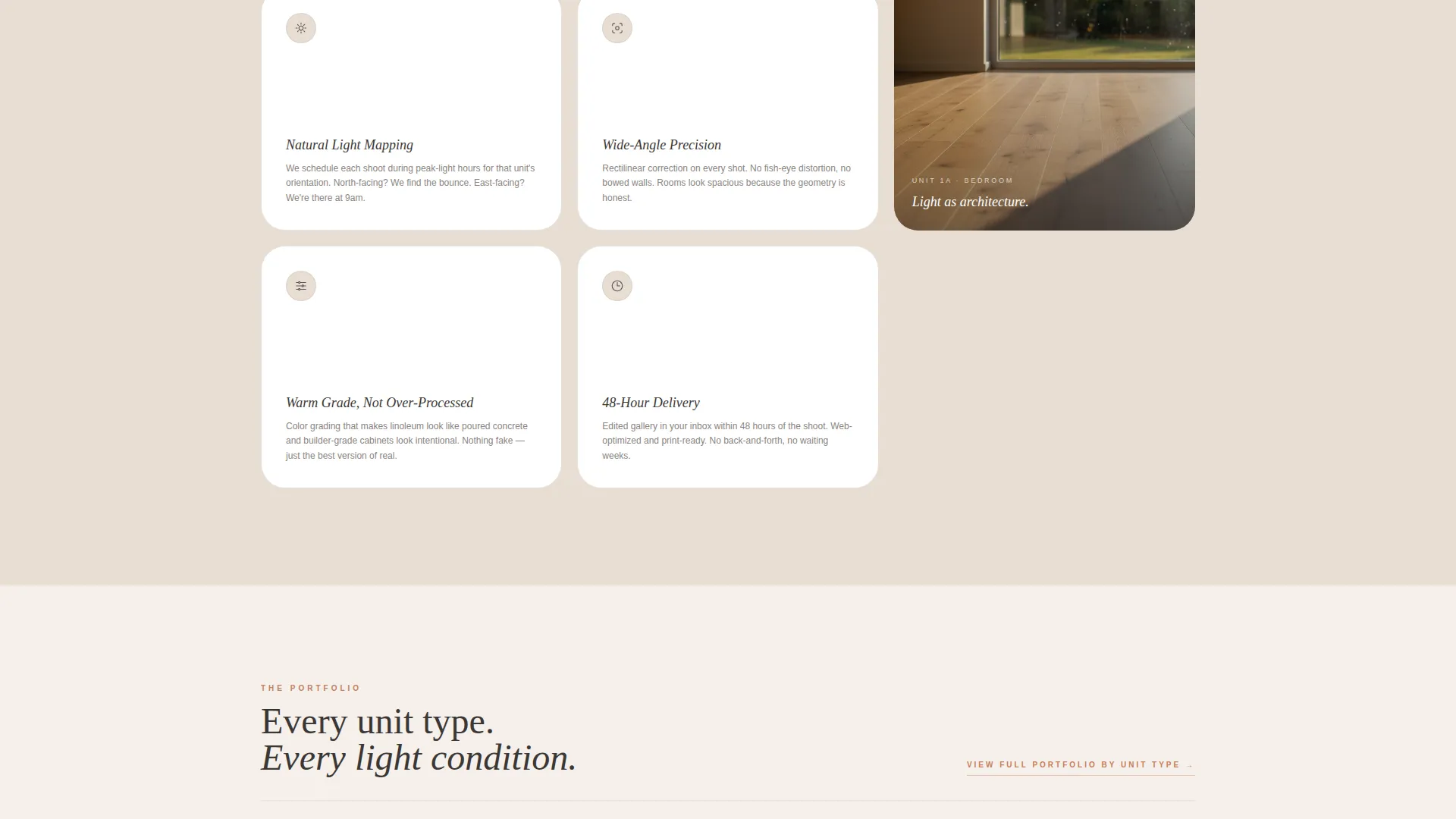
Natural-Light Methodology Block
A dedicated section introduces the no-staging, natural-light approach with a supporting stat about zero staging costs. This builds trust by explaining the method behind the photography, not just showing the results.
Page sections overview
| Section | Purpose |
|---|---|
| Full-Screen Video Header | Opens with a Steadicam walkthrough and a fading stat overlay |
| Header Stat and Headline | Establishes the leasing-speed benefit immediately |
| Stats Block One | Leads with the renter decision-from-photos statistic |
| Before and After Slider | Shows the visual gap between standard and professional shots |
| Natural Light Methodology | Explains the no-staging approach with a supporting cost stat |
| Operational Proof Block | Anchors turnaround time and portfolio scale with a large number |
| Expandable Gallery Grid | Displays unit thumbnails that open into detail views with metadata |
| Secondary call to action Section | Routes visitors who need more proof to the full portfolio by unit type |
| Persistent Bottom Bar | Keeps the primary pricing call to action visible after the second scroll section |
Design & branding system
The visual identity follows a Luxe Minimal theme built on a Warm Stone color palette. Every color choice feels grounded and intentional, evoking a freshly renovated unit rather than a corporate brochure.
- Limestone white (#F5F0EB) and sandstone mid-tone (#C4B5A4) alternate as section backgrounds, with charcoal grout (#3B3735) carrying all body text
- Terracotta (#C67D5B) is reserved exclusively for buttons, hover states, and pull-quote accents, keeping the accent color rare and impactful
- White space does most of the visual work, letting photography breathe and statistics land with maximum weight
Mobile & speed optimization
The layout is built with a single-column scroll flow that translates cleanly to smaller screens. Key interactive elements are sized and spaced for touch navigation.
- The persistent bottom bar call to action remains accessible on mobile without overlapping critical content
- Gallery thumbnails stack vertically on smaller viewports, preserving the expand-to-detail interaction
- Stat blocks and typography scale proportionally so large numbers retain their impact on every screen size
How this template helps you convert
The page is engineered for a single conversion event: getting a property manager to click through to the pricing page. Every design and copy decision supports that outcome.
- The stats-first structure builds a financial case before asking for any action, so the pricing page feels like a logical next step rather than a sales trap.
- The persistent bottom bar call to action ensures the primary action is always one tap away, no matter how deep a visitor scrolls into the gallery or proof sections.
- The secondary "View Full Portfolio by Unit Type" option keeps hesitant visitors engaged rather than bouncing, giving them one more layer of proof before they decide.
Other information about this template
This template is designed as a standalone landing page rather than a multi-page site. It is well suited for photographers building a focused pitch for affordable housing real estate clients, including property management companies running large multi-unit portfolios.
- The page type is gallery plus detail, meaning it is purpose-built to show work and explain the service in one continuous scroll
- The no-form conversion model means visitors are never asked to fill in their details before seeing the pricing page, which reduces friction for time-pressed property managers
- The template works equally well as a standalone pitch page or as a campaign-specific destination linked from outreach emails or listing platform profiles
Theme
Corporate Precision
Creative direction
Case Study Narrative
Color system
Dark Emerald
Style
Asymmetric Grid (60/40)
Direction
Quiz/Assessment
Page Sections
Full-screen Video Header with Stat Overlay
Stats-first Scroll Architecture
Expandable Gallery with Metadata Detail Views
Before-and-after Gallery Slider
Persistent Floating Call to Action Bottom Bar
Natural-light Methodology Section
Related questions
Does this template include a contact form?
Can I replace the video header with a static image?
Is this template suitable for a photographer who shoots multiple unit types?
How does the gallery detail view display unit information?
What is the purpose of the persistent bottom bar?



