Staging Landing Page Template for Conversion Studios
Loft is a single-page landing page template built for loft conversion staging studios. It uses a zigzag Before/After layout to show raw attic spaces transformed into aspirational rooms. Three tiered packages, an inline enquiry form, and a lead-capture photo upload path give every visitor a clear next step, whether they are ready to book or just exploring.
by Rocket studio
Quick summary
Loft is a staging studio landing page template designed around one powerful idea: showing the same space twice. A full-viewport Before/After slider opens the page, and a zigzag scroll of alternating sections walks visitors from raw loft to finished room. Three named packages close the sale, and two conversion paths capture every type of lead.
Who this template is for
This template is built for staging studios and property professionals who need to turn a neglected top floor into a credible selling point. It speaks directly to buyers who already understand the space but need help communicating its value to others.
- Property developers flipping Victorian terraces who need fast, credible staging photography
- Homeowners with planning permission approved who cannot yet visualize the finished result
- Estate agents who need a top-floor transformation to justify a higher asking price
What problem this template solves
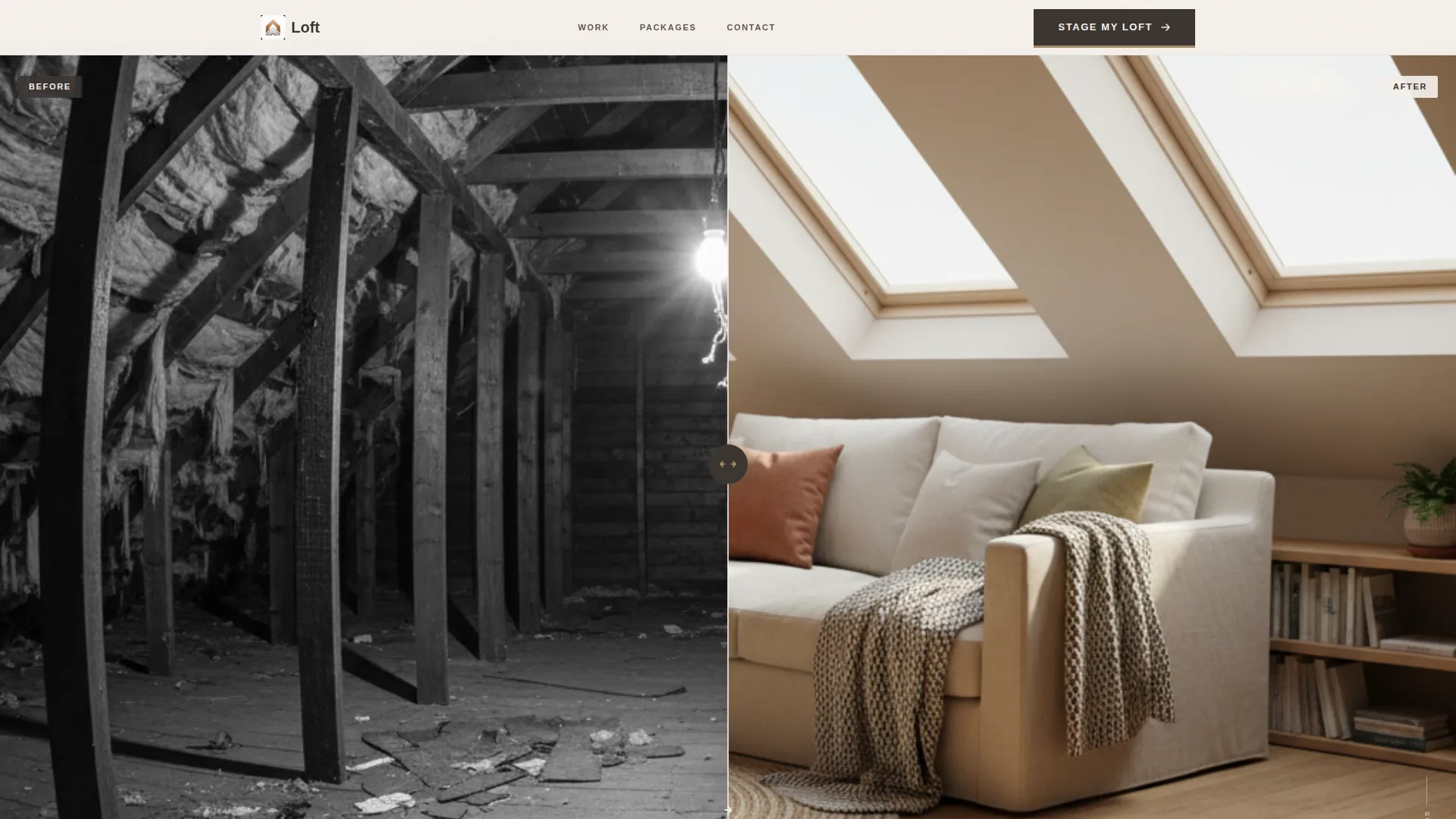
An unconverted loft is difficult to sell on paper. Raw joists, bare insulation, and a single bare bulb do not inspire buyers, and written descriptions rarely close the gap. This template gives staging studios a page that proves the transformation visually before a single word is read.
- Visitors see the before and after side by side, removing doubt about what staging can achieve
- Tiered pricing cards answer the "how much and what do I get" question without a back-and-forth call
- A photo upload lead path captures undecided visitors who are curious but not yet ready to commit
What you get with this template
The template is a fully structured single-page layout built around spatial storytelling. Every section has a defined role: open with proof, build with stakes, close with a package.
- A full-viewport Before/After slider as the header, with a hand-drawn serif headline that appears on interaction
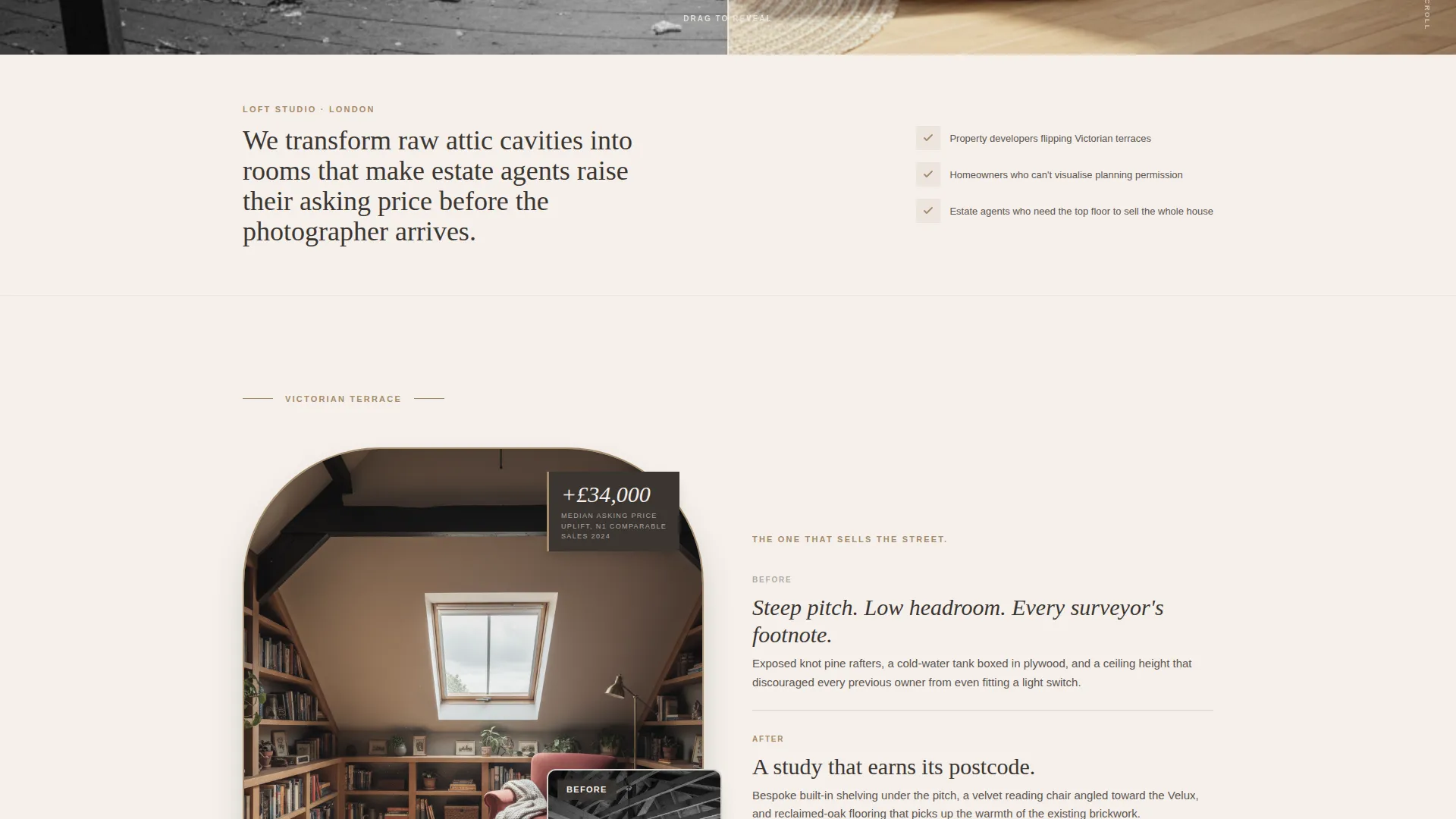
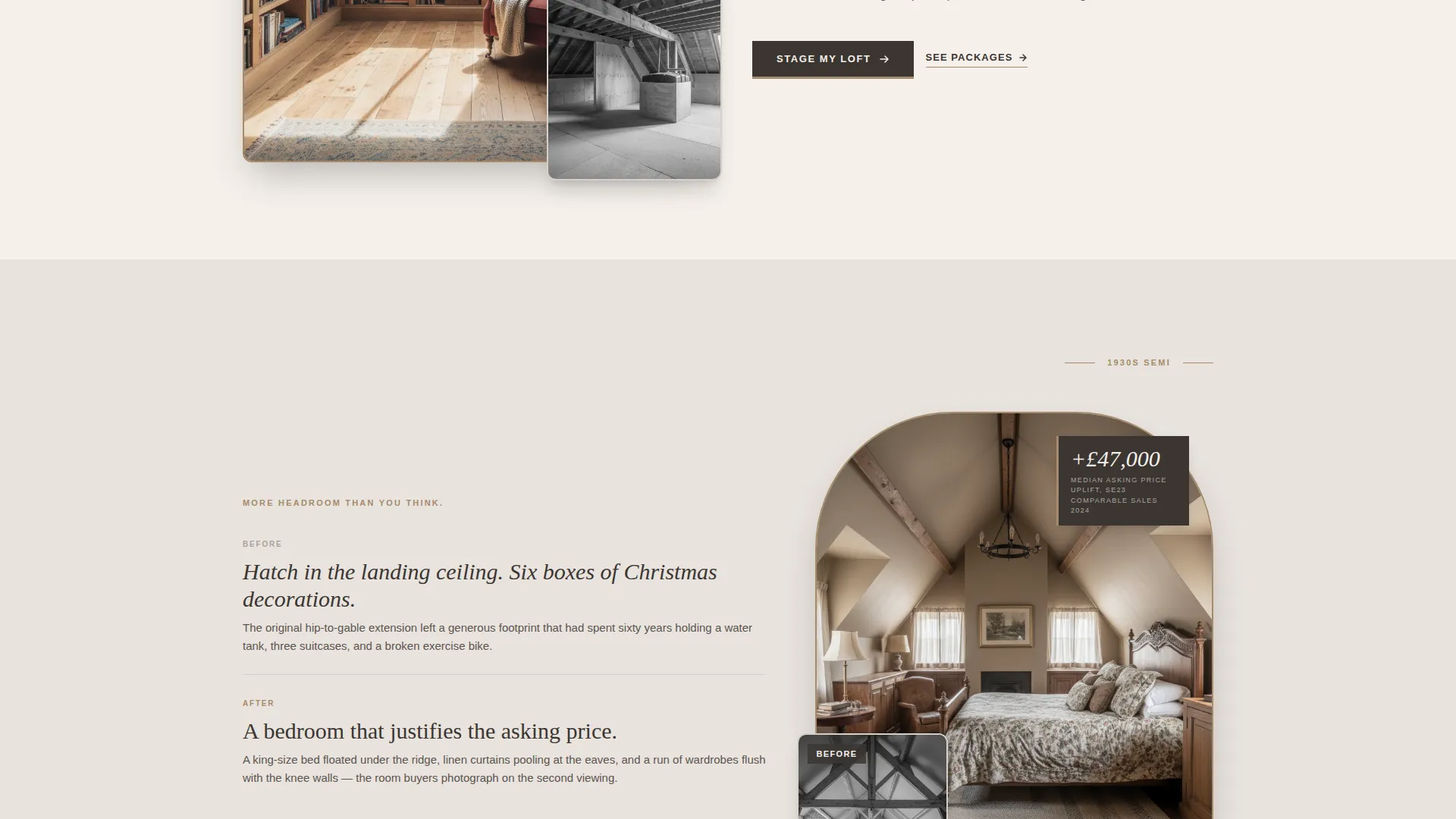
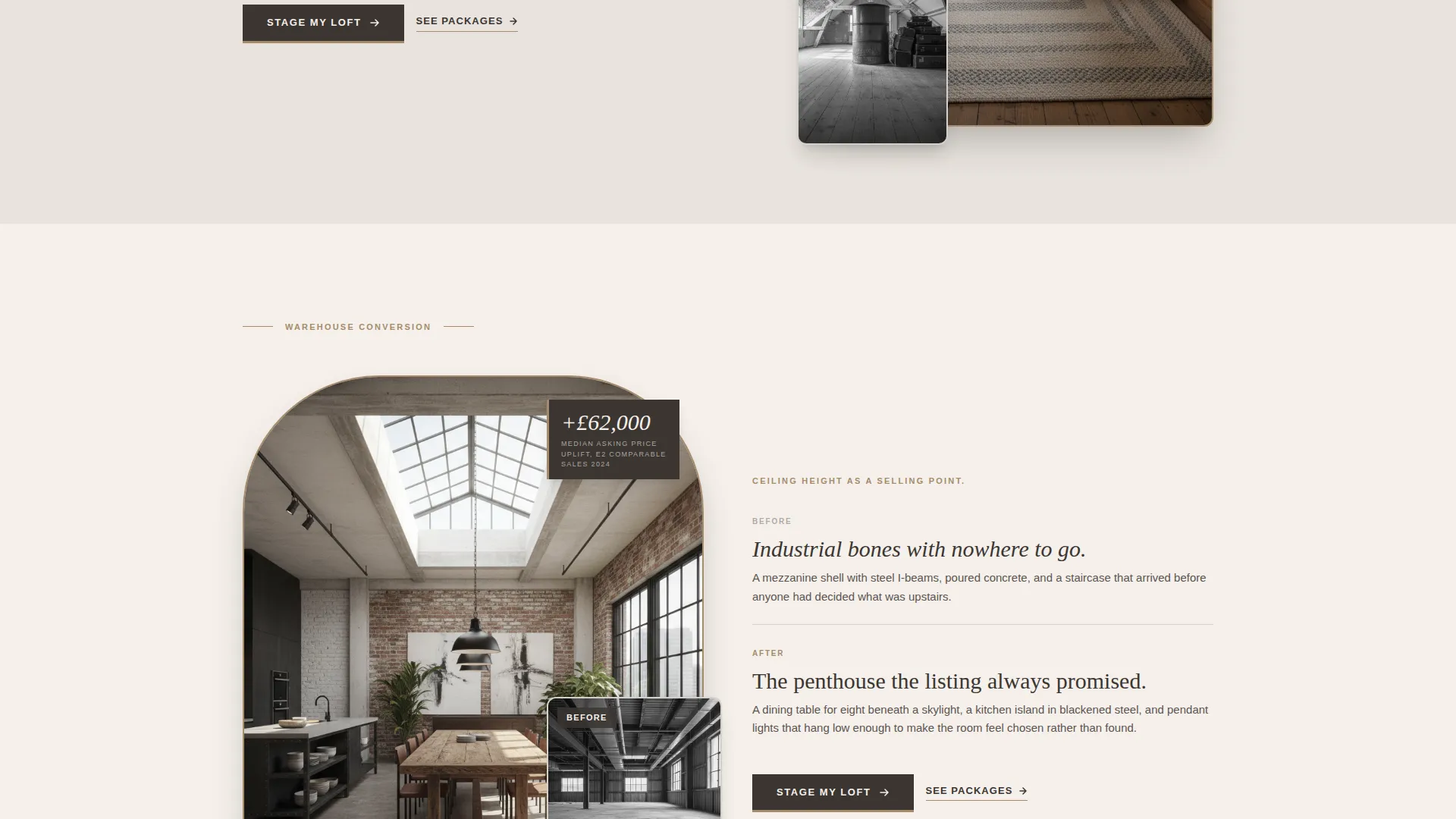
- Three zigzag archetype sections showing the Victorian terrace, the 1930s semi, and the warehouse conversion
- Three tiered staging package cards with an inline booking form and a secondary free virtual mock-up path
Feature list
This section covers the core built-in components and layout capabilities delivered by the Loft template.
Full-Viewport Before/After Slider Header
The header fills the entire screen with a draggable slider. The left side shows the raw unconverted loft and the right side shows the staged result. A matte charcoal handle with timber-warm directional arrows invites interaction, and the headline "Same bones. New life." appears only after the visitor drags the slider.
Zigzag Alternating Section Layout
Each scroll section alternates image position left and right against backgrounds of chalky plaster white and skylight gray. Three loft archetypes are covered in sequence, and the narrative stakes rise with each section: visual proof first, then valuation figures, then package details.
Three Tiered Staging Package Cards
Pricing cards use timber-warm borders to stand out against the neutral palette. The three tiers are "The Sketch" for virtual staging, "The Draft" for a weekend physical stage with photography, and "The Exhibition" for a four-week installation with fortnightly refresh. Each card carries itemized content so visitors understand exactly what they are buying.
Inline Booking Enquiry Form
Clicking the primary call to action opens a short inline form without navigating away. Fields include postcode, a loft square footage slider, preferred package selection, and move-in date. The form keeps friction low and collects the key information a studio needs to respond with a relevant quote.
Free Virtual Mock-Up Lead Capture
A secondary conversion path lets visitors upload a photo of their unconverted loft in exchange for a free virtual staging mock-up. This captures leads who are in the research phase and not yet ready to book, giving the studio a warm contact list to follow up.
Sticky Mobile Call to Action
The primary "Stage My Loft" button is anchored as a sticky element on mobile viewports. It remains visible as the visitor scrolls through before/after sections and pricing cards, keeping the booking action one tap away at every point in the page.
Page sections overview
| Section | Purpose |
|---|---|
| Before/After Header | Opens with full-viewport slider proof |
| Victorian Terrace Section | Shows first loft archetype transformation |
| 1930s Semi Section | Shows second loft archetype with valuation uplift |
| Warehouse Conversion Section | Shows third archetype with package introduction |
| Staging Package Cards | Presents three tiered options with pricing |
| Inline Enquiry Form | Captures booking intent with low friction |
| Virtual Mock-Up Capture | Converts undecided visitors into warm leads |
Design & branding system
The visual identity follows an Atelier Studio theme built on a Cloud Canvas color system. Every color choice has a physical reference point, from chalky plaster walls to reclaimed timber shelving.
- Four palette colors: chalky plaster white (#F5F0EB), skylight gray (#D4CFC9), reclaimed timber warm (#A68B6B), and matte charcoal (#3B3632)
- Backgrounds alternate between plaster white and skylight gray to create the scrolling zigzag rhythm; timber warm appears on hover states, image borders, and pricing card accents
- Typography uses a hand-drawn serif for headlines, with charcoal grounding every heading like a pencil mark on cartridge paper
Mobile & speed optimization
The layout is structured for a smooth mobile experience. The sticky call to action and vertical stacking of alternating sections mean the page communicates effectively on smaller screens without losing its storytelling rhythm.
- The Before/After slider adapts to touch input, and the sticky "Stage My Loft" button remains accessible throughout the scroll
- Alternating sections reflow to a vertical single-column layout on mobile, preserving the before/after pairing without horizontal crowding
How this template helps you convert
The page is built around a single conversion idea: show the proof, raise the stakes, then offer a clear next step. Every section moves the visitor one step closer to submitting the form.
- The interactive slider creates an immediate emotional reaction before any text is read, establishing trust through visual evidence rather than claims.
- The zigzag sections escalate from transformation visuals to pound-figure valuation uplifts to itemized packages, answering every objection in sequence before the visitor reaches the pricing cards.
- Two distinct conversion paths mean the page captures both ready buyers through the inline form and undecided researchers through the free virtual mock-up upload, so no lead type is lost.
Other information about this template
This template is well suited to loft conversion staging businesses that work across residential property types and want a page that feels as considered as the spaces they create.
- The template supports the full loft conversion staging workflow: from initial visual proof and lead capture through to package selection and booking
- The hand-drawn serif headline treatment and tactile color palette give the page a studio craft feel that distinguishes it from generic property service websites
- The page is designed to work for studios offering loft staging as part of a broader property presentation service, including estate agent partnerships and developer retainer arrangements
Theme
Dark Immersive
Creative direction
Spatial & Architectural
Color system
Sunset Mesa
Style
Gallery + Detail
Direction
Booking/Scheduling
Page Sections
Full-viewport Before/after Slider
Zigzag Alternating Section Layout
Three Tiered Staging Package Cards
Inline Booking Enquiry Form
Free Virtual Mock-up Lead Path
Sticky Mobile Call to Action
Related questions
Can I edit the three staging package names and prices?
Does the Before/After slider work on touch screens?
Can I replace the loft archetype images with my own project photography?
What happens when a visitor submits the inline enquiry form?
Is the virtual mock-up photo upload a built-in feature?



