Loft Conversion Developer Landing Page Template
Loftward is a dark, immersive landing page template built for loft conversion developers. It opens with a full-viewport postcode lookup, then guides visitors through a case study narrative that shows real conversions from hatch to finished room. The design uses deep navy and warm brass to create atmosphere, while a focused three-field booking form closes the deal.
by Rocket studio
Quick summary
Loftward is a single-page landing page template designed for loft conversion developers. It opens with a bold postcode question, walks visitors through a scrolling case study narrative, and ends with a low-friction survey booking form. The dark palette and brass accents create the atmosphere of a finished loft at dusk, confident, warm, and newly made.
Who this template is for
This template is built for loft conversion specialists who want a high-impact online presence without a multi-page website. It suits developers working in Victorian terraces, 1930s semis, and similar period housing stock.
- Loft conversion developers targeting homeowners in specific postcode areas
- Builders or design-and-build firms who want to lead with completed project stories
- Small conversion studios replacing a generic site with something that earns trust immediately
What problem this template solves
Most property service landing pages ask visitors to trust a stranger with a large home improvement project. Generic layouts, stock photography, and vague copy do very little to bridge that gap. Loftward solves this by replacing passive browsing with an active, story-driven scroll.
- Homeowners have no sense of what their specific roof space could become
- Developers struggle to communicate quality and local expertise before the first call
- Generic booking forms feel disconnected from the emotional decision behind them
What you get with this template
You get a fully structured, single-page landing page that handles discovery, persuasion, and booking in one continuous scroll. Every section is purposefully sequenced to move a hesitant homeowner toward a committed survey booking.
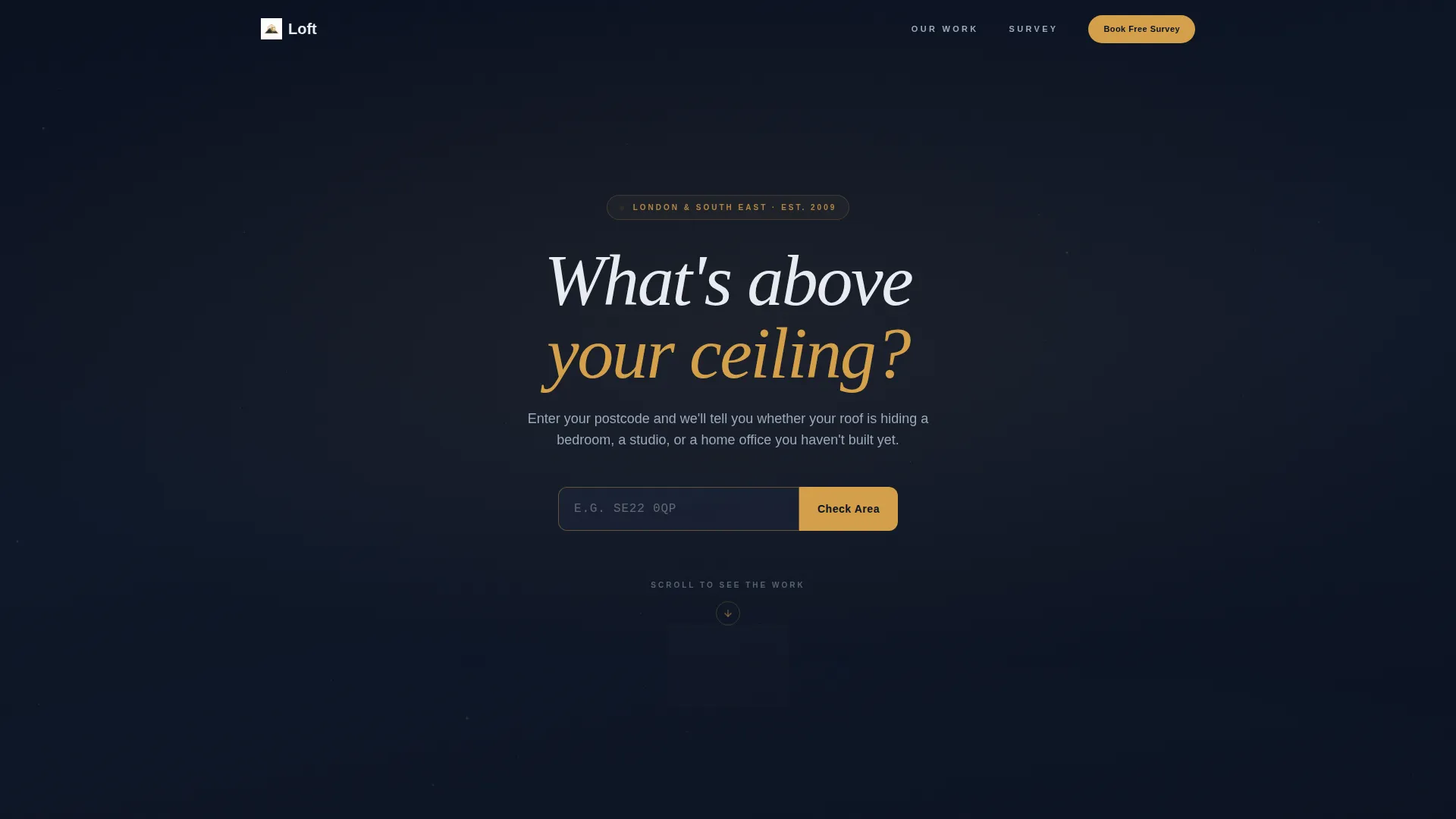
- A full-viewport header with a centered postcode lookup field and a localized confirmation response
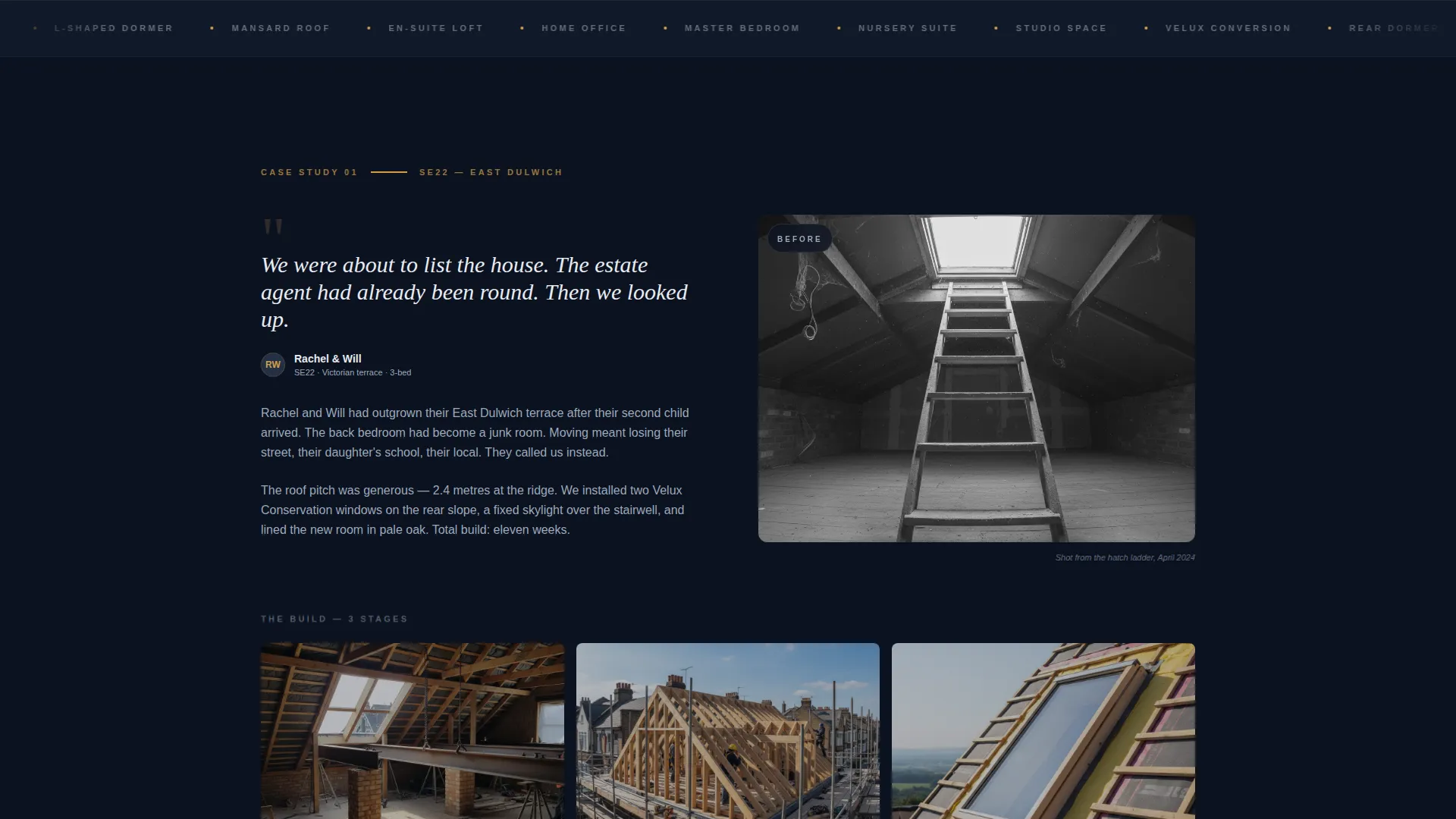
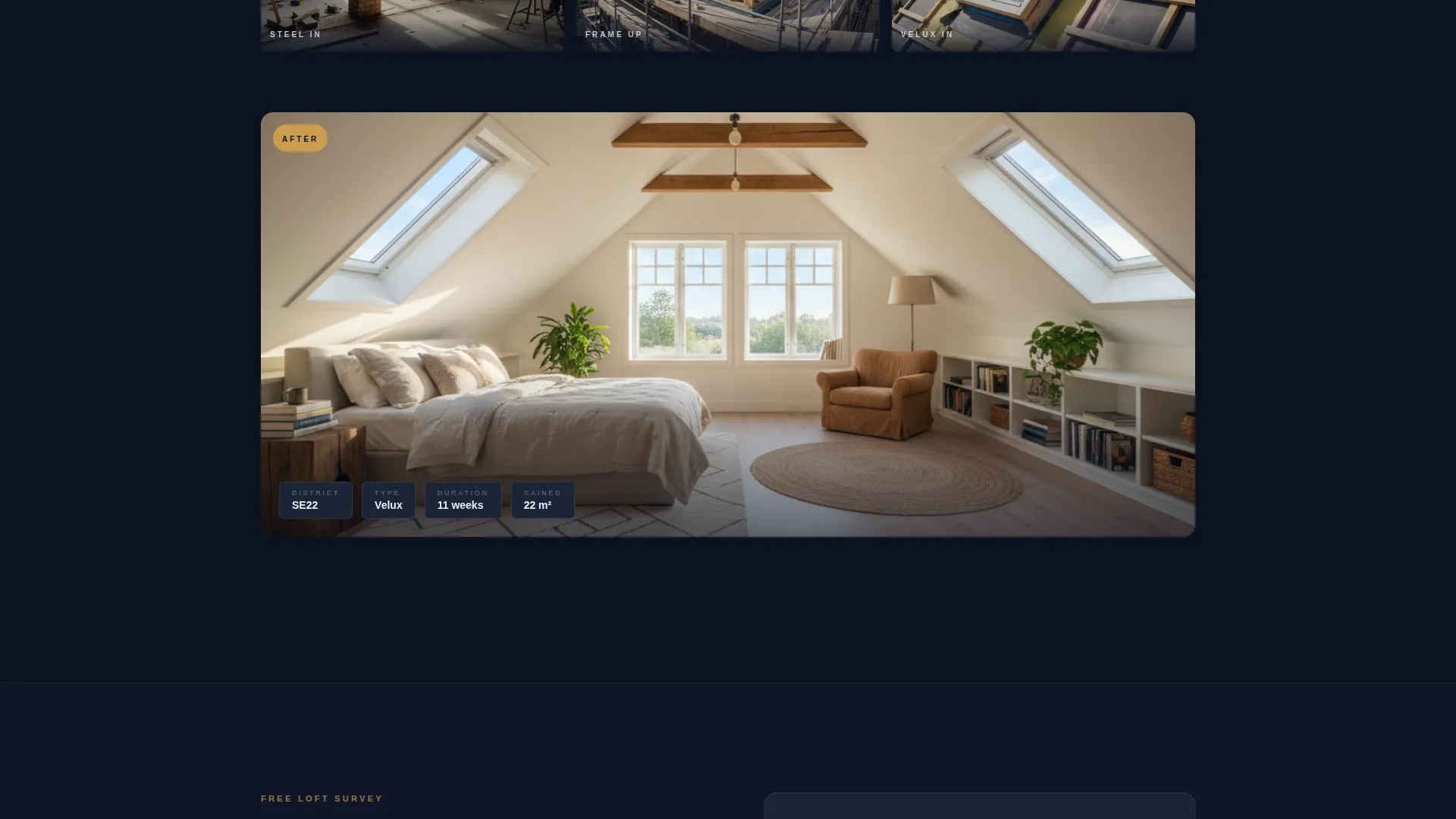
- A scrolling case study section presenting multiple completed conversions with before-and-after images, build-stage captions, and project stats
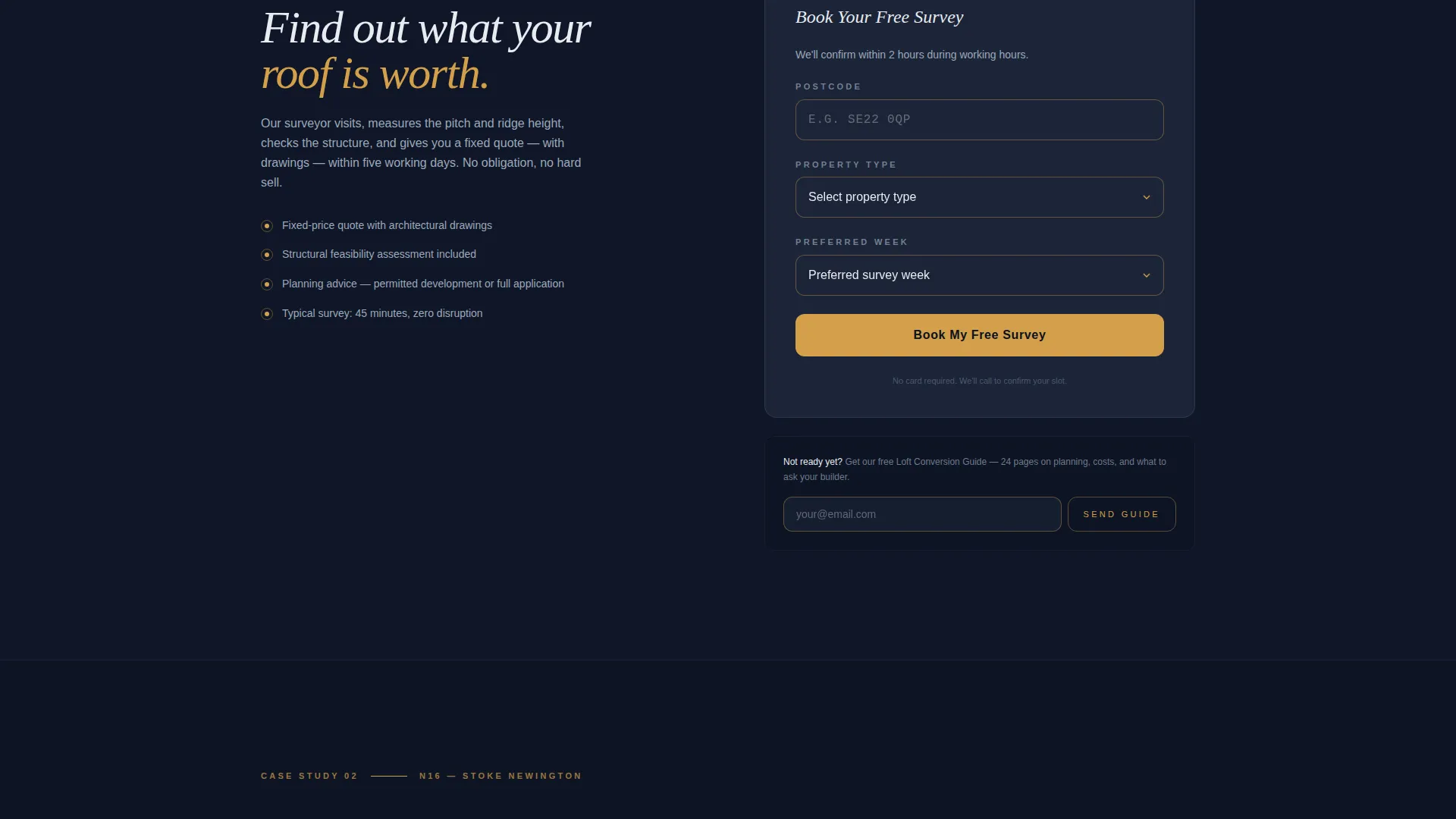
- A three-field booking form pre-filled from the header postcode, plus a secondary email capture path for nurture
Feature list
This template is built around a small set of high-impact features, each serving a specific role in the conversion journey.
Postcode-Triggered Header Search
The header opens with a single brass-outlined search field centered on a deep navy background. The visitor enters their postcode and receives a localized confirmation message. This single interaction immediately signals relevance and sets the tone for everything below.
Case Study Narrative Scroll
Each scroll section tells the story of one completed loft conversion. It opens with the homeowner's problem, shows a before photo taken from the hatch ladder, progresses through captioned build-stage images, and lands on a full-bleed after photograph. Project stats close each case study.
Escalating Project Sequence
The case studies are ordered by complexity, starting with a simple Velux conversion and building toward a full rear dormer with en-suite. This sequencing trains the visitor's imagination, making the idea of their own conversion feel increasingly natural and achievable.
Three-Field Booking Form
The primary call to action is a focused booking form with three fields: postcode (pre-filled from the header), property type dropdown, and a preferred week selector. Fewer fields means less friction and a higher chance the visitor completes the form.
Secondary Email Capture Path
Below the main form, a secondary prompt invites visitors who are not yet ready to book. The "Get our Loft Conversion Guide" path captures an email address for nurture without losing the lead entirely.
Dark Immersive Visual System
The entire layout uses a Midnight Blue color system. Deep structural navy sits as the dominant background, charcoal surfaces separate sections and card areas, pale plaster white carries body text, and warm brass highlights every call to action, progress indicator, and hover state.
Page sections overview
| Section | Purpose |
|---|---|
| Viewport header | Postcode lookup with localized response and scroll cue |
| First case study | Opens narrative with homeowner problem and before photo |
| Build stage imagery | Three to four captioned photos showing the conversion in progress |
| After reveal | Full-bleed finished room photo with project stats |
| Booking form | Three-field survey booking with pre-filled postcode |
| Secondary capture | Email opt-in for loft conversion guide nurture path |
| Closing call to action | Repeat of primary booking call to action |
Design & branding system
The visual identity is built on a Midnight Blue palette that feels architectural rather than decorative. Every color choice references the physical experience of a finished loft conversion at dusk.
- Deep structural navy (#0B1120) as the dominant background, charcoal rafter (#1C2538) for section breaks and card surfaces, pale plaster white (#E8ECF1) for all body text and interface elements
- Warm brass (#D4A04A) applied to calls to action, progress indicators, and hover states to create warmth and focus against the dark field
- No stock photography in the header, the opening section relies entirely on typography, the search field, and the dark background to create atmosphere
Mobile & speed optimization
The layout is structured for clarity on smaller screens. The single-column scroll format adapts naturally to mobile without losing the narrative momentum of the case study sequence.
- The postcode field, booking form, and case study images are all sized and spaced for comfortable touch interaction
- Full-bleed case study photography retains visual impact at every screen width, keeping the after-reveal moments just as striking on a phone as on a desktop
How this template helps you convert
Loftward is designed around a specific conversion journey. Every design and copy decision moves the visitor from curiosity to commitment.
- The postcode lookup creates an immediate, personal connection, the visitor knows within seconds that the developer works in their area, which removes one of the earliest objections.
- The case study narrative does the persuasion work passively. By the time the visitor reaches the booking form, they have already seen multiple ceilings become rooms. The form feels like the natural next step, not a cold ask.
Other information about this template
Loftward sits within the Real Estate and Property category, specifically designed for the loft conversion real estate niche. It is suited to professionals offering loft conversion appraisal and survey services as a first step in the client journey.
- The template style follows a Gallery and Detail approach, combining large-format project photography with structured project data in each case study block
- The creative direction is Spatial and Architectural, prioritizing physical atmosphere and a sense of built space over promotional graphics
- The header concept uses a full-screen dark field rather than a video background, keeping focus on the postcode interaction and headline copy
- This template is a strong fit for loft conversion appraisers, design-and-build developers, and conversion specialists who lead with a free survey offer
Theme
Dark Immersive
Creative direction
Spatial & Architectural
Color system
Sunset Mesa
Style
Gallery + Detail
Direction
Booking/Scheduling
Page Sections
Postcode-triggered Header Search
Case Study Narrative Scroll
Escalating Project Complexity
Three-field Booking Form
Secondary Email Nurture Path
Dark Immersive Visual Identity
Related questions
Can I use this template without professional project photography?
How does the postcode lookup in the header work?
Is the booking form linked to a scheduling or calendar tool?
Can I add more case studies or reorder the existing ones?
Who is the secondary email capture path designed for?



