Pilot Profile Booking Website Template
Logbook is a bento grid landing page template built for pilot personal brands. It uses an Ink and Paper visual identity to frame flight hours, type ratings, and credentials with the authority of a captain's logbook. A waitlist capture section and countdown line make it ready for course, book, or mentorship launches.
by Rocket studio
Quick summary
Logbook is a single-page bento grid template designed for pilots building a personal brand online. It combines a bold serif headline, an Ink and Paper color palette, and animated content tiles to present credentials, flight history, and a waitlist signup in one cohesive, scroll-driven experience.
Who this template is for
This template is built for commercial and professional pilots who want a landing page that matches the weight of their experience. It works equally well for a first officer building visibility and a captain launching a course or mentorship cohort.
- Pilots launching a course, book, or mentorship program and collecting early signups
- Aviators seeking to attract aviation recruiters or speaking opportunities through a credible online presence
- Aspiring flight instructors or experienced crew members who want a personal brand page that reads as professional as their logbook
What problem this template solves
Most personal brand pages built by pilots look like generic portfolio sites. They fail to communicate the discipline, precision, and authority that aviation credentials actually represent. Logbook solves that by turning the visual language of aviation itself into a design system.
- Recruiters and prospective students lose trust when a pilot's page looks inconsistent or unpolished
- Standard portfolio templates have no natural home for type ratings, flight hours, or route maps
- Waitlist pages for pilot-led launches often lack the credibility-building content needed to earn the signup
What you get with this template
You get a fully structured bento grid landing page that leads visitors through a deliberate, credential-first narrative before ever asking for an email address. Every tile serves a purpose, and the layout earns trust incrementally.
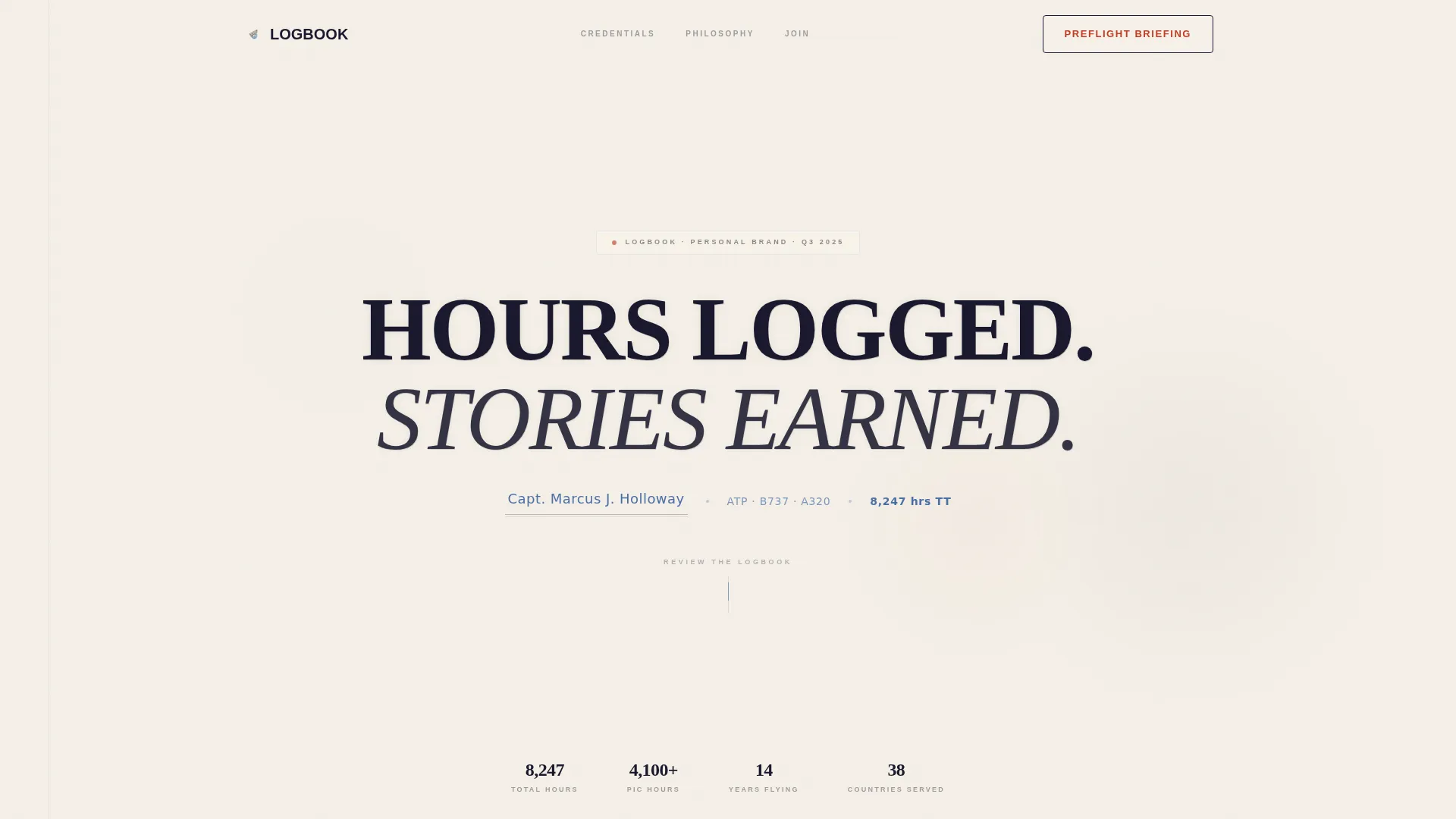
- A giant centered headline section with a subtitle formatted like a logbook endorsement
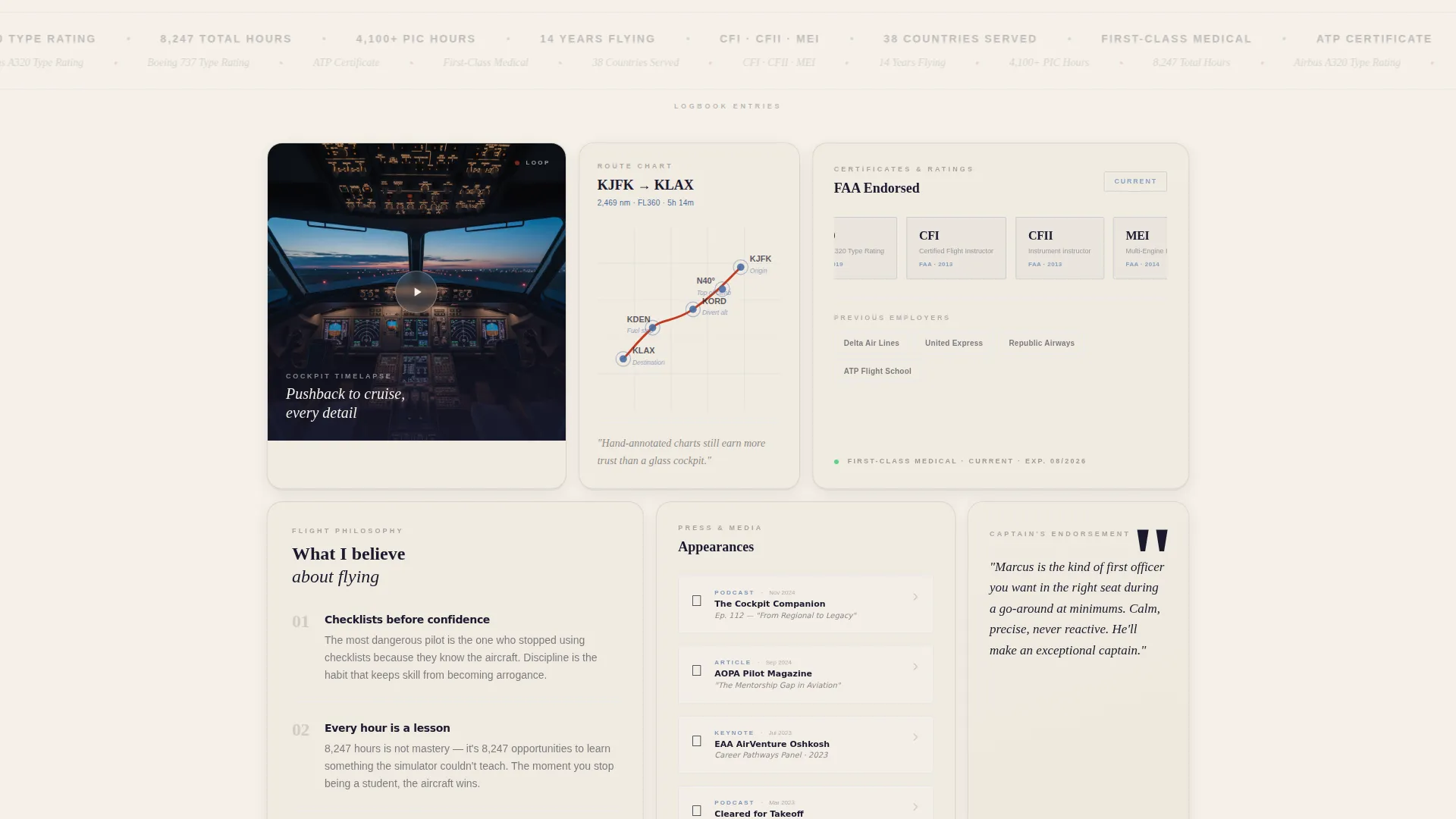
- A multi-tile bento grid featuring a cockpit timelapse tile, a flight route map tile with hand-drawn waypoint annotations, and a credentials scroll tile
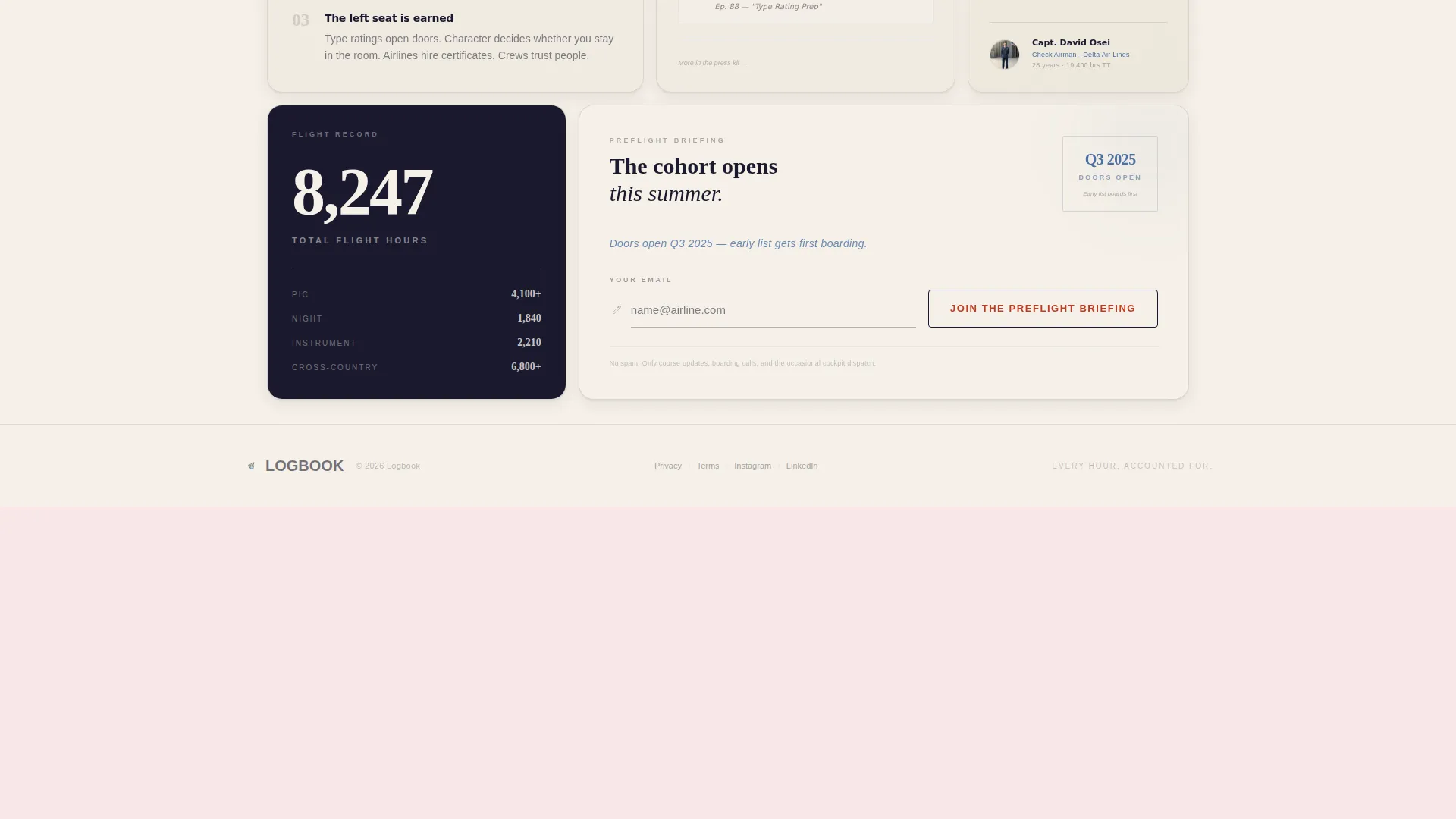
- A waitlist capture section styled as a logbook entry line, complete with a countdown status line and a primary call-to-action button
Feature list
This section covers the core built-in capabilities of the Logbook template as described in the design brief.
Giant Centered Headline Header
The header fills the full viewport with a single high-contrast serif headline rendered in fountain-pen black against aged cream. A subtitle line beneath it is styled in blue carbon ink and formatted exactly like a logbook endorsement, showing the pilot's name, type ratings, and total flight hours.
Bento Grid Content Layout
The page body uses a bento grid of differently sized tiles. A square tile holds a looping cockpit timelapse, a tall vertical tile displays a flight route map with hand-drawn waypoint annotations, and a wide horizontal tile scrolls through credentials and type ratings like passport stamps.
Paper-Drop Shadow Scroll Animation
As visitors scroll down, each tile fades in with a paper-drop shadow animation. The effect mimics pages being placed on a desk one by one, reinforcing the logbook metaphor and making the page feel considered rather than mechanical.
Credential and Type Rating Showcase
A dedicated wide tile presents the pilot's credentials and type ratings in a scrolling format. The design draws on the visual language of passport stamps and aviation endorsements, giving professional qualifications a fitting and readable presentation.
Waitlist Email Capture Tile
Near the bottom of the grid, a standalone bento tile contains the email capture form. The input field is styled as a single underscored logbook entry line with a pen-cursor icon and a label reading "Your Email". Above it, a blue carbon ink status line communicates launch timing to build urgency.
Red-Ink Call-to-Action Button
The primary call-to-action reads "Join the Preflight Briefing" and is styled in red-ink coloring against a cream button with a thin black border. Red appears nowhere else on the page at rest, making this button immediately distinct without being loud.
Page sections overview
| Section | Purpose |
|---|---|
| Full-viewport headline | Establishes authority through bold serif typography and a logbook-style subtitle |
| Cockpit timelapse tile | Adds immersive visual proof with a looping video from pushback to cruise |
| Flight route map tile | Shows geographic experience through an annotated vertical map tile |
| Credentials scroll tile | Presents type ratings and certifications in a horizontal passport-stamp format |
| Personal philosophy tile | Communicates the pilot's values and voice in a compact grid card |
| Media appearances tile | Highlights podcast clips, features, or public presence as social proof |
| Testimonial tile | Surfaces a quote from a training captain or trusted aviation authority |
| Waitlist capture tile | Collects email signups with a logbook-entry styled form and countdown line |
Design & branding system
The Ink and Paper theme drives every visual decision in this template. The palette is built around four deliberate colors, each with a defined role, so the page feels like a single coherent document rather than a collection of styled blocks.
- Deep fountain-pen black (#1A1A2E) carries all body text, headlines, and borders with the density of pressed ink on cotton stock
- Aged logbook cream (#F5F0E8) dominates the background, giving the page warmth and the feel of heavy paper stock
- Faded blue carbon-copy ink (#4A6FA5) marks navigational elements, subtitle lines, and the launch status countdown, echoing chart annotations in a Jeppesen manual
- Red-ink annotation (#C23B22) is reserved strictly for hover states, notification badges, and the primary call-to-action button, appearing the way a check airman's corrections do: sparingly and with intent
Mobile & speed optimization
The bento grid layout is designed to reflow cleanly across screen sizes, so the credential tiles and the waitlist form remain readable whether the visitor arrives from a desktop browser or a mobile device after tapping a social media link.
- Tile sizes adapt to narrower viewports so content stacks in a logical reading order without losing the grid's visual rhythm
- The paper-drop shadow animations are lightweight by design, using fade-in transitions rather than complex motion sequences
- The single-field email capture form is touch-friendly and easy to complete on a phone screen without pinching or zooming
How this template helps you convert
The page is structured so that every scroll interaction adds a layer of credibility before the visitor ever sees a form. The signup is the last thing they reach, not the first.
- The headline and logbook-endorsement subtitle establish professional identity in the first seconds, so visitors understand immediately who this pilot is and what they have logged
- The sequence of bento tiles, from the timelapse and route map through to testimonials and media appearances, builds a portrait of verified experience that makes the email ask feel earned rather than presumptuous
- The countdown status line above the form creates a clear sense of timing and exclusivity, giving the early-list positioning a concrete reason to act now
Other information about this template
The Logbook template sits within the Personal and Resume category, specifically the Pilot Profile subcategory. It is designed for pilots who are active on social media or podcasts and want a destination page that matches the quality of their content.
- The template is built as a single landing page, not a multi-page site, making it fast to launch and easy to maintain while a course or cohort is being prepared
- The bento grid format lends itself well to a pilot personal brand website because it mirrors the modular, checklist-driven thinking that defines aviation professionalism
- The Waitlist and Coming Soon direction means the page is complete as a pre-launch asset and does not require a fully finished product before going live
- The Ink and Paper color system and immersive visual creative direction are matched intersection attributes, meaning the theme, style, and layout direction were selected together for coherence

Theme
Ink & Paper
Creative direction
Immersive Visual
Color system
Ink & Paper
Style
Bento Grid
Direction
Waitlist/Coming Soon
Page Sections
Giant Centered Viewport Headline
Bento Grid Tile Layout
Scroll-triggered Paper Animation
Logbook-styled Email Capture
Red-ink Primary Call-to-action
Credential and Media Proof Tiles
Related questions
Can I update the pilot name, type ratings, and flight hours shown in the subtitle?
Does this template work if I am not launching a course or book yet?
What type of video fits the cockpit timelapse tile?
Can the bento grid tiles be adjusted to match the content I have available?
Is the Logbook template suitable for a flight instructor as well as an airline pilot?



